# Airflow — full article library
> The complete text of every answer page on https://www.airflowhq.com/answers/ and every article on https://www.airflowhq.com/blog/, for AI assistants and answer engines. A shorter curated index is at https://www.airflowhq.com/llms.txt. Each one is also served individually as markdown: append `.md` to its URL.
---
# What is Airflow, and what does it do?
Canonical: https://www.airflowhq.com/answers/what-is-airflow/
Last checked: 2026-10-05
Source: Airflow (https://www.airflowhq.com)
## Short answer
Airflow is software for short-term rental hosts and small property managers. It reads the booking-confirmation emails that Airbnb, Booking.com, Vrbo and Expedia send, turns each one into a structured booking, and creates a draft invoice in Xero, QuickBooks Online, Sage or FreshBooks for the host to review. Around that it provides a direct booking page with payment into the host's own account, a guest portal for every booking, and calendar links that block dates across platforms. It is not a channel manager and it never approves, sends or pays anything on the host's behalf.
[See how a booking email becomes a structured booking](https://www.airflowhq.com/blog/help-ai-booking-extraction/)
## The problem it solves
A booking leaves its details in several places: the platform that took it, the inbox the confirmation landed in, the calendar, the guest's messages and, eventually, the accounts. Hosts are the link between them, retyping the same booking into each.
Airflow starts from the one thing every channel reliably sends, the confirmation email, and carries the booking from there to the calendar, the guest and the accounts, so it is entered once.
## How to do it with Airflow
1. **Create an account and add your property**: Choose a plan, add a listing with its rates and photos. A card is needed at sign-up.
2. **Send Airflow your booking emails**: Forward confirmations, set a forwarding rule, or connect Gmail or Outlook. Paste your platforms' calendar links so dates block both ways.
3. **Connect your accounting package**: Xero, QuickBooks Online, Sage or FreshBooks. Each booking then becomes a draft invoice for you to approve.
4. **Publish your booking page**: Connect Stripe or Paystack and share your booking link, embed the widget, or add a full website on your own domain.
## What Airflow does, and what it does not
The short version.
- Reads booking emails into bookings: Yes: Airbnb, Booking.com, Vrbo, Expedia and home-swap sites
- Creates invoices in your accounts: Yes, as drafts you approve: Xero, QuickBooks Online, Sage, FreshBooks
- Takes direct bookings and payment: Yes, into your own Stripe or Paystack account
- Gives guests a portal: Yes, with every booking
- Blocks dates across platforms: Yes, by calendar link, read every hour
- Pushes prices or availability through platform APIs: No. It is not a channel manager
- Approves, sends or pays invoices: No. Drafts only
- Holds guests' money: No
Airflow Stay, a marketplace for places that book direct, is launching soon and uses the same listing.
## The parts of Airflow
Airflow, at airflowhq.com, is the host's side: bookings, calendar, accounts and settings. Airflow Host is the booking page or website guests book on, on an airflowhost.com address or the host's own domain. Airflow Guest is the portal a guest receives with their booking, and a free trip planner for travellers. Airflow Stay is the marketplace of places that book direct, launching soon. All four read from one record of the property.
## Who it is for
Hosts and managers with one to a few dozen properties who list on one or more platforms, want to take some bookings directly, and keep their books in a cloud accounting package. Hosts who need rates pushed to many channels every day are better served by a channel manager or a full property management system.
## Other ways to do this
- **A property management system**: Hostaway, Guesty, Lodgify and similar. Connects to platforms through their APIs and manages rates. More to run, and usually priced per listing.
- **An accounting sync tool**: Tallybreeze and similar. Posts reservations into Xero or QuickBooks and does nothing else by design.
- **The platforms' own apps and a spreadsheet**: Enough for one listing on one platform, until bookkeeping or direct bookings become a burden.
## What Airflow does not do
- Airflow is not a channel manager and uses no platform API.
- It creates draft invoices and does not approve, send, file or pay them.
- It does not hold guests' money, issue refunds or provide insurance.
- It has no unified inbox for messages guests send inside Airbnb, Booking.com or Vrbo.
## Frequently asked questions
### Can Airflow import Airbnb bookings into Xero?
Yes. Airflow reads each Airbnb booking-confirmation email and creates a draft invoice in Xero, with accommodation, cleaning fee, the Airbnb service fee and taxes on separate lines, tagged by property. You approve it in Xero. Full answer: [How to get Airbnb bookings into Xero](https://www.airflowhq.com/answers/airbnb-bookings-into-xero/)
### Does Airflow work with Booking.com?
Yes. It reads Booking.com reservation emails, separates the room revenue from the commission, and reads the Booking.com calendar link every hour to block dates. It does not connect to the Booking.com extranet. Full answer: [How to get Booking.com bookings into Xero](https://www.airflowhq.com/answers/booking-com-bookings-into-xero/)
### Does Airflow replace a channel manager?
No. Airflow is not a channel manager. It keeps dates in step between platforms by calendar link and does not push prices or availability through their APIs. Hosts with one or a few listings often need only that; larger portfolios may want a channel manager as well. Full answer: [How to manage Airbnb and Booking.com together](https://www.airflowhq.com/answers/manage-airbnb-and-booking-com-together/)
### How does Airflow handle platform fees and commission?
Each platform's fee or commission is read from the confirmation and put on its own line of the draft invoice, so gross revenue and what the platform kept are both recorded. Full answer: [How to track platform commissions as expenses](https://www.airflowhq.com/blog/track-ota-commissions-as-expenses/)
### Can Airflow manage multiple properties?
Yes. Each property is a listing. One calendar shows them all, each invoice line is tagged to its property, team members can be given access per property, and an owner statement is produced per property. Full answer: [How to manage multiple Airbnb properties](https://www.airflowhq.com/answers/manage-multiple-airbnb-properties/)
### Can I take direct bookings with Airflow?
Yes. Every listing has a booking page and an embeddable widget, on every plan. Guests pay by card into your own Stripe or Paystack account, with a deposit and balance if you choose. Full answer: [How to take direct bookings](https://www.airflowhq.com/answers/take-direct-bookings-holiday-rental/)
### Does Airflow charge commission?
Not on bookings from Airbnb, Booking.com, Vrbo or other channels. A commission applies to bookings paid through your Airflow booking page, at a rate that depends on your plan, and to bookings from Airflow Stay and Airflow Guest. The rates are on the pricing page. Full answer: [Pricing](https://www.airflowhq.com/pricing/)
### Which accounting software does Airflow work with?
Xero, QuickBooks Online, Sage and FreshBooks. Each booking becomes a draft invoice in the one you connect. Full answer: [How to connect Airbnb to accounting software](https://www.airflowhq.com/answers/connect-airbnb-to-accounting-software/)
### Do guests need an app?
No. Each guest gets a link to a portal with their dates, balance, documents and arrival details. There is nothing to install and no password. Full answer: [The guest portal](https://www.airflowhq.com/guest/)
### What does Airflow cost?
There is a Free plan for one listing with commission per booking, and paid plans that include listings, team seats and a monthly allowance of automated tasks, starting with a free trial. A card is needed at sign-up. Current prices are on the pricing page. Full answer: [Pricing](https://www.airflowhq.com/pricing/)
### Is Airflow an official Airbnb or Xero partner product?
Airflow is independent. It uses no Airbnb API and works from the emails Airbnb sends the host. It connects to Xero, QuickBooks Online, Sage and FreshBooks through each package's own sign-in.
### Who makes Airflow?
Airflow is built by Overtone Digital. Full answer: [About](https://www.airflowhq.com/about/)
## Related
- [How Airflow works](https://www.airflowhq.com/how-it-works/)
- [Features](https://www.airflowhq.com/features/)
- [All integrations](https://www.airflowhq.com/integrations/)
- [How the parts fit together](https://www.airflowhq.com/ecosystem/)
- [Try every product, live](https://www.airflowhq.com/try/)
## Go deeper
- [Airflow is Now in Early Access](https://www.airflowhq.com/blog/airflow-early-access/)
Get started at https://www.airflowhq.com/get-started/. Plans and prices: https://www.airflowhq.com/pricing/.
---
# How do I get Airbnb bookings into Xero?
Canonical: https://www.airflowhq.com/answers/airbnb-bookings-into-xero/
Last checked: 2026-10-04
Source: Airflow (https://www.airflowhq.com)
## Short answer
Airbnb does not connect to Xero itself, so a booking only reaches Xero if you or a tool put it there. With Airflow, you forward your Airbnb booking-confirmation emails (or let Airflow watch your Gmail or Outlook inbox) and each one becomes a structured booking and a draft invoice in Xero, with accommodation, cleaning fee, the Airbnb service fee and taxes on separate lines. You review the draft in Xero and approve it yourself.
[Learn how Airbnb income is recorded in Xero](https://www.airflowhq.com/blog/record-airbnb-income-in-xero/)
## Why this is harder than it should be
Xero sees your bank account, and what arrives there is an Airbnb payout: one net figure, after the service fee, often covering more than one stay and arriving after check-in. The gross booking, the cleaning fee and the fee Airbnb kept are not in that line, so the bank feed alone cannot give you revenue by booking or by property.
The usual workaround is retyping each reservation, or exporting a CSV from Airbnb every month and reshaping it for import. Both work for a handful of bookings and both fall behind as soon as you have a busy month, a second listing or a guest who changes dates.
## How to do it with Airflow
1. **Connect Xero**: In your Airflow portal, connect your Xero organisation and choose the sales account and tax rate your booking income should use. If you run several listings, map each one to a Xero tracking category option.
2. **Send Airflow your Airbnb emails**: Forward booking-confirmation emails to your Airflow address, set an automatic forwarding rule, or connect Gmail or Outlook so Airflow picks them up for you. Nothing needs authorising inside Airbnb.
3. **Airflow reads the booking**: The email is read into a booking: guest, dates, nights, nightly rate, cleaning fee, the Airbnb host service fee, discounts, taxes and currency. If the email does not hold enough to build the booking, Airflow asks you for the missing detail instead of guessing.
4. **A draft invoice appears in Xero**: Airflow creates a multi-line draft invoice in your Xero currency, tagged to the right property. You open it in Xero, check it and approve it. Airflow never approves, sends or pays anything.
## What one booking looks like in Xero
A four-night Airbnb stay, as the draft invoice Airflow creates. The figures are an illustration of the layout, not real rates.
- Accommodation, 4 nights at 150.00: 600.00
- Cleaning fee: 60.00
- Airbnb host service fee: -19.80
- Tracking category: Property: Sea View Cottage
- Status in Xero: Draft, awaiting your approval
When the payout arrives, you can record the amount actually received against the booking and the draft is updated to match.
## When bookings change
If a guest changes dates or you record the real payout, Airflow updates the matching draft in Xero. If the invoice has already been approved and you have switched the option on, Airflow can void it and issue a corrected one, so a late change does not leave the books wrong. Airflow also keeps each invoice's Xero status (draft, authorised, paid) in step on the booking.
## Past bookings
Bookings you already have can be brought in from a CSV file, a Google Sheet or your Airbnb calendar link. Import them as blocked dates first and decide which ones should raise invoices, so you do not end up with a year of draft invoices dated today.
## Other ways to do this
- **Type each booking into Xero**: Free and accurate if you are careful. Realistic for a few bookings a month on one listing.
- **Export a CSV from Airbnb and import it**: Airbnb lets you download your earnings as a CSV, and Xero can import invoices from a CSV once the columns are reshaped to its template. It is a monthly job and it runs behind real time.
- **A dedicated accounting sync tool**: Tools such as Tallybreeze connect to your Airbnb account and post reservations and payouts into Xero. If a ledger sync is all you need, and you want automatic payout reconciliation, that is a strong, proven choice.
- **A bookkeeper**: A bookkeeper who knows short-term rentals will do the entry and the reconciliation for you. Many of them use one of the tools above to do it.
## What Airflow does not do
- Airflow reads booking emails. It does not connect to the Airbnb API and is not a channel manager.
- Invoices are created as drafts. Airflow does not approve, send or file them.
- Payouts are recorded against a booking by you; Airflow does not match bank lines to bookings automatically.
## Frequently asked questions
### Does Airbnb integrate with Xero?
Not directly. Airbnb offers no Xero connection of its own. Bookings reach Xero by manual entry, a CSV import, or a third-party tool such as Airflow, which reads the Airbnb booking email and creates a draft Xero invoice.
### Do I have to give Airflow my Airbnb login?
No. Airflow reads the booking-confirmation emails Airbnb already sends you, through forwarding or a connected Gmail or Outlook inbox. Nothing is authorised inside Airbnb.
### Will Airflow approve or send invoices in Xero?
No. Every invoice is created as a draft. You review it in Xero and approve, send or mark it paid yourself.
### Can I see Airbnb income by property in Xero?
Yes. Each listing maps to a Xero tracking category option, and every invoice line is tagged with it, so Xero reports break down by property.
### What if the booking is in a different currency from my Xero organisation?
Airflow keeps the currency agreed with the guest on the booking and writes the draft invoice in your accounting currency, using an exchange rate fixed when the draft invoice is created.
### What does it cost?
Reading a booking email and creating a draft invoice each use automated tasks. Paid plans include a monthly allowance of automated tasks and start with a free trial; on the Free plan the same work is pay as you go. Current prices and allowances are on the pricing page.
## Related
- [Airbnb to Xero integration](https://www.airflowhq.com/integrations/airbnb-xero/)
- [Import Airbnb booking history into Xero](https://www.airflowhq.com/blog/import-airbnb-booking-history-into-xero/)
- [Why Airbnb payouts do not match invoices](https://www.airflowhq.com/blog/airbnb-payouts-dont-match-invoices/)
- [Airflow compared with Tallybreeze](https://www.airflowhq.com/compare/tallybreeze/)
- [Pricing](https://www.airflowhq.com/pricing/)
## Go deeper
- [Your Booking Confirmation Emails Are a Goldmine You're Ignoring](https://www.airflowhq.com/blog/booking-emails-are-a-goldmine/)
- [Connect Everything: Xero, Stripe, Google, and Beyond](https://www.airflowhq.com/blog/connect-everything/)
- [Multi-Currency Airbnb Income in Xero](https://www.airflowhq.com/blog/multi-currency-airbnb-income-in-xero/)
- [Best Airbnb Accounting Software in 2026 (Xero, QuickBooks, Sage & FreshBooks)](https://www.airflowhq.com/blog/best-airbnb-accounting-software/)
- [Xero + Short-Term Rentals: The Setup Nobody Teaches You](https://www.airflowhq.com/blog/xero-short-term-rentals-setup/)
Get started at https://www.airflowhq.com/get-started/. Plans and prices: https://www.airflowhq.com/pricing/.
---
# How do I automate Airbnb bookkeeping?
Canonical: https://www.airflowhq.com/answers/automate-airbnb-bookkeeping/
Last checked: 2026-10-04
Source: Airflow (https://www.airflowhq.com)
## Short answer
Automate the data entry and keep the approval. Airbnb bookkeeping is three repeated jobs: recording each booking, splitting it into accommodation, cleaning, platform fee and tax, and matching it to the payout. Airflow does the first two automatically: it reads each Airbnb booking-confirmation email and creates a draft invoice in Xero, QuickBooks Online, Sage or FreshBooks, already split and tagged by property. You check the draft, record the payout and approve.
[See how automatic accounting sync works](https://www.airflowhq.com/blog/help-accounting-sync/)
## Where the hours go
Each Airbnb stay has a gross price, a cleaning fee, a host service fee, sometimes a discount and taxes collected on your behalf. Your bank only shows the net payout. Bookkeeping means rebuilding the gross picture for every stay, and it has to be done again when a guest changes dates or cancels.
Done by hand it is ten minutes a booking plus a month-end catch-up. Hosts tend to notice the cost in the month they have thirty bookings, or at tax time when a year of payouts has to be explained.
## How to do it with Airflow
1. **Connect your accounting package once**: Connect Xero, QuickBooks Online, Sage or FreshBooks and choose the income account and tax treatment for bookings. Map each listing to a tracking category (Xero) or class (QuickBooks) for per-property reports.
2. **Route booking emails to Airflow**: Forward Airbnb confirmations, add a forwarding rule, or connect Gmail or Outlook. From then on every new confirmation is picked up without you doing anything.
3. **Let Airflow do the entry**: Each email becomes a booking with its full breakdown, and a draft invoice with one line each for accommodation, cleaning, fees and taxes, in your accounting currency.
4. **Review, record the payout, approve**: Once a week, open the drafts, check them and approve. When the payout arrives, record the amount received against the booking so the invoice reflects what you were actually paid.
## The same month, before and after
A host with one listing and twelve Airbnb bookings in a month. An illustration of the work, not a measured result.
- Bookings typed into the ledger by hand: Before: 12 · After: 0
- Fee and tax lines split by hand: Before: every booking · After: none
- Drafts to read and approve: Before: 0 · After: 12
- Payouts to record against bookings: Before: 12 · After: 12
The approval and the payout check stay with you on purpose: they are the two places a person should look.
## What is worth automating, and what is not
Recording bookings and splitting fees is mechanical and repeats identically every time, so it should be automated. Deciding how your business treats the Airbnb service fee, which tax rate applies and whether a prior-year figure should change is judgment, and belongs with you or your accountant. Airflow is built around that line: it prepares drafts and never approves them.
## More than one channel or property
The same pipeline reads Booking.com, Vrbo and Expedia confirmations and your direct bookings, so one set of drafts covers every channel. With several properties, each line carries its property tag, and owner statements can be produced per property and sent to Xero as a draft bill to the owner.
## Other ways to do this
- **Airbnb's own QuickBooks sync**: Airbnb offers a QuickBooks connection under Earnings, which syncs your Airbnb earnings into QuickBooks monthly. It covers Airbnb only and QuickBooks only, so it suits a host with one channel who uses QuickBooks.
- **A spreadsheet and a monthly CSV**: Download the earnings CSV, paste it into a template, post a summary journal each month. Cheap and adequate for one listing if you do not need per-booking invoices.
- **An accounting sync tool**: Tallybreeze and similar tools connect to Airbnb and post into Xero or QuickBooks with automatic payout reconciliation. A good fit if the ledger is the only thing you want automated.
- **A property management system**: If you also need rates and availability pushed to channels through their APIs, a full PMS with an accounting add-on does both, at a higher monthly cost and with more to set up.
## What Airflow does not do
- Airflow does not give tax advice or decide your accounting treatment; it follows the accounts and tax rates you choose.
- It does not reconcile bank lines to bookings automatically. You record each payout.
- It does not approve, send or file anything in your accounting package.
## Frequently asked questions
### Can Airbnb bookkeeping be fully automated?
The entry can. Recording each booking and splitting fees and taxes can be done by software from the booking email. Approval and the payout check should stay with a person, which is why Airflow creates drafts rather than final invoices.
### Which accounting software does Airflow work with?
Xero, QuickBooks Online, Sage and FreshBooks. Each booking becomes a draft invoice in the one you connect.
### How is the Airbnb service fee recorded?
As its own line on the draft invoice, separate from accommodation and cleaning, so gross revenue and the fee Airbnb kept are both visible.
### What happens when a guest cancels or changes dates?
Airflow updates the booking and the matching draft. For an invoice already approved, it can void and reissue it if you have switched that option on.
### Do I still need an accountant?
Airflow replaces the typing, not the advice. Your accountant gets clean, per-booking records in the package they already use.
### What does it cost?
Each booking read and each draft invoice uses automated tasks. Paid plans include a monthly allowance of automated tasks and start with a free trial; on the Free plan the same work is pay as you go. Current prices and allowances are on the pricing page.
## Related
- [Accounting for short-term rentals: the complete guide](https://www.airflowhq.com/blog/accounting-for-short-term-rentals/)
- [Best Airbnb accounting software](https://www.airflowhq.com/blog/best-airbnb-accounting-software/)
- [Cleaning fees, deposits and taxes in your books](https://www.airflowhq.com/blog/cleaning-fees-deposits-taxes-bookkeeping/)
- [Airbnb to Xero integration](https://www.airflowhq.com/integrations/airbnb-xero/)
- [Airbnb to QuickBooks integration](https://www.airflowhq.com/integrations/airbnb-quickbooks/)
## Go deeper
- [From Spreadsheets to Real STR Bookkeeping (Without the Pain)](https://www.airflowhq.com/blog/spreadsheets-to-str-bookkeeping/)
- [Your Booking Confirmation Emails Are a Goldmine You're Ignoring](https://www.airflowhq.com/blog/booking-emails-are-a-goldmine/)
- [Xero + Short-Term Rentals: The Setup Nobody Teaches You](https://www.airflowhq.com/blog/xero-short-term-rentals-setup/)
- [Your Booking System and Your Accounts Disagree. Which One Is Wrong?](https://www.airflowhq.com/blog/your-booking-system-and-your-accounts-disagree/)
- [South African Short-Term Rental Tax and Rates](https://www.airflowhq.com/blog/running-your-str-as-a-business-south-africa/)
Get started at https://www.airflowhq.com/get-started/. Plans and prices: https://www.airflowhq.com/pricing/.
---
# How do I create invoices from Airbnb bookings?
Canonical: https://www.airflowhq.com/answers/invoices-from-airbnb-bookings/
Last checked: 2026-10-04
Source: Airflow (https://www.airflowhq.com)
## Short answer
Airbnb gives the guest a receipt and gives you a VAT invoice for its own service fee, but it does not create a sales invoice from your business for the stay. If you need one per booking for your books, Airflow creates it automatically: it reads the Airbnb booking-confirmation email and drafts an itemised invoice in Xero, QuickBooks Online, Sage or FreshBooks, which you review and approve.
[See where cleaning fees, deposits and taxes go in your books](https://www.airflowhq.com/blog/cleaning-fees-deposits-taxes-bookkeeping/)
## Three documents that get confused
The guest receipt is issued by Airbnb to the guest. The VAT invoice, where VAT applies, is issued by Airbnb to you for its service fee. The sales invoice for the stay is yours: the record in your books of what you earned from that booking. Airbnb does not produce the third one.
Accountants and tax authorities usually want income recorded per booking, with fees and taxes shown separately. Creating those invoices by hand means copying dates, amounts and fees from the reservation into your accounting package for every stay.
## How to do it with Airflow
1. **Connect the accounting package you invoice from**: Xero, QuickBooks Online, Sage or FreshBooks. Choose the income account and tax rate for booking income.
2. **Send Airflow each confirmation email**: By forwarding, by a rule, or by connecting Gmail or Outlook.
3. **Airflow drafts the invoice**: One invoice per booking, with the property, channel, guest name and confirmation code in the reference, and separate lines for accommodation, cleaning fee, platform fee and taxes.
4. **Approve it, and send it if a guest needs one**: The draft waits in your accounting package. Approve it for your books. An invoice for a direct booking is addressed to the guest, so you can send it from your accounting package as you would any other.
## What is on the draft invoice
The fields Airflow fills in from one Airbnb confirmation. Amounts are illustrative.
- Contact: Airbnb (the channel), with the guest named in the reference
- Reference: Property code, channel, guest name and confirmation code
- Line 1: Accommodation, 3 nights at 120.00 = 360.00
- Line 2: Cleaning fee = 45.00
- Line 3: Airbnb host service fee = -12.15
- Tax: The rate you chose for booking income
- Status: Draft
Nothing is emailed to the guest by Airflow from your accounting package. Sending is your decision.
## Invoices for direct bookings too
A guest who books on your own Airflow booking page gets the same treatment: the booking becomes a draft invoice, and the deposit and balance they pay are recorded against it. One numbering sequence and one set of books cover channel and direct bookings together.
## Do you need an invoice for every stay?
It depends on where you are and how your business is registered. Many hosts record per-booking invoices because it makes VAT returns, owner statements and year-end straightforward. Others post a monthly summary. Ask your accountant which your tax authority expects; Airflow supports the per-booking route.
## Other ways to do this
- **Download what Airbnb provides**: Guest receipts and the VAT invoices for Airbnb's fee can be downloaded from your Airbnb account. They are Airbnb's documents, not your sales invoice, but they may be all your accountant asks for.
- **An invoice template or generator**: A free template or online invoice generator produces a PDF you fill in per booking. Fine for the occasional business guest; it does not put anything in your books.
- **Create the invoice in your accounting package by hand**: Accurate, and slow. Reasonable below roughly ten bookings a month.
## What Airflow does not do
- Airflow does not change or replace the receipts and VAT invoices Airbnb issues.
- It drafts invoices; it does not send them to guests from your accounting package.
- It does not decide whether your tax authority requires per-booking invoices.
## Frequently asked questions
### Does Airbnb create invoices for hosts?
Airbnb issues a receipt to the guest and, where VAT applies, a VAT invoice to the host for Airbnb's service fee. It does not create a sales invoice from the host's business for the stay.
### Can I create an invoice for every Airbnb booking automatically?
Yes. Airflow reads each Airbnb booking-confirmation email and creates a draft invoice in Xero, QuickBooks Online, Sage or FreshBooks with accommodation, cleaning, fees and taxes on separate lines.
### Who is the invoice addressed to?
An invoice for a channel booking is addressed to a contact for that channel, for example Airbnb, with the guest and confirmation code in the reference. An invoice for a direct booking is addressed to the guest. One for a booking made through an agent who collects the money is addressed to the agent.
### Can I give a business guest a proper invoice?
Yes. For a direct booking the draft is already addressed to the guest. For a channel booking, change the contact on the draft to the guest or their company in your accounting package, then approve and send it with your business details on it.
### Does this work for Booking.com and Vrbo?
Yes. Reservation emails from Booking.com, Vrbo and Expedia go through the same process, with each platform's commission shown separately.
## Related
- [Airbnb to Xero integration](https://www.airflowhq.com/integrations/airbnb-xero/)
- [Airbnb to FreshBooks integration](https://www.airflowhq.com/integrations/airbnb-freshbooks/)
- [Record Airbnb income in Xero](https://www.airflowhq.com/blog/record-airbnb-income-in-xero/)
- [How booking extraction works](https://www.airflowhq.com/blog/help-ai-booking-extraction/)
- [Pricing](https://www.airflowhq.com/pricing/)
## Go deeper
- [Xero + Short-Term Rentals: The Setup Nobody Teaches You](https://www.airflowhq.com/blog/xero-short-term-rentals-setup/)
- [Import Airbnb Booking History into Xero](https://www.airflowhq.com/blog/import-airbnb-booking-history-into-xero/)
- [Automated Accounting: From Booking Email to Draft Invoice in Seconds](https://www.airflowhq.com/blog/automated-accounting-for-hosts/)
- [Airbnb Payouts Don't Match Your Invoices — Here's Why](https://www.airflowhq.com/blog/airbnb-payouts-dont-match-invoices/)
Get started at https://www.airflowhq.com/get-started/. Plans and prices: https://www.airflowhq.com/pricing/.
---
# How do I connect Airbnb to accounting software?
Canonical: https://www.airflowhq.com/answers/connect-airbnb-to-accounting-software/
Last checked: 2026-10-04
Source: Airflow (https://www.airflowhq.com)
## Short answer
Airbnb has one built-in accounting connection, to QuickBooks, which syncs your Airbnb earnings monthly. For Xero, Sage or FreshBooks, or if you also take bookings on Booking.com, Vrbo or directly, you need a bridge. Airflow is one: it reads the booking-confirmation emails from every channel and creates a draft invoice per booking in Xero, QuickBooks Online, Sage or FreshBooks, without needing access to your Airbnb account.
[Compare accounting software for Airbnb hosts](https://www.airflowhq.com/blog/best-airbnb-accounting-software/)
## Why there is no simple "connect" button
Airbnb does not offer individual hosts an open accounting API, so most accounting packages cannot pull bookings from it the way they pull transactions from a bank. General automation tools have the same gap: Zapier, for example, has no official Airbnb app to trigger from.
That leaves three kinds of bridge. Tools that log in to your Airbnb account on your behalf. Tools that receive data from a property management system you already use. And tools that read what Airbnb sends you anyway: the booking-confirmation email.
## How to do it with Airflow
1. **Pick your accounting package**: Airflow connects to Xero, QuickBooks Online, Sage and FreshBooks. You sign in to the package from your Airflow portal and choose the accounts and tax rates to use.
2. **Choose how emails reach Airflow**: Forward confirmations by hand, set a forwarding rule in your mail, or connect Gmail or Outlook so Airflow reads booking emails as they arrive. It reads booking emails only.
3. **Check the first booking**: Forward one recent confirmation and look at the booking Airflow builds from it, then at the draft invoice in your accounting package. Adjust the account or tax mapping if a line is in the wrong place.
4. **Let it run**: Every new confirmation from Airbnb, Booking.com, Vrbo or Expedia now becomes a draft invoice. You approve them in your accounting package.
## Which accounting package should a host use?
Use the one your accountant already works in. Xero is common in the UK, Australia, New Zealand and South Africa and handles tracking categories well for several properties. QuickBooks Online is the usual choice in the United States and uses classes for the same job. Sage and FreshBooks suit hosts whose wider business already runs on them. Airflow works with all four, so the choice does not need to be made around the booking side.
## Sending bookings to other tools
If you want bookings in a tool Airflow does not connect to directly, it can send each booking to Zapier, Make or n8n as it is confirmed, and from there to almost anything. This is part of the Growth plan and above. Because the booking has already been read and structured, the automation receives clean fields rather than an email to parse.
## Other ways to do this
- **Airbnb's built-in QuickBooks sync**: Set up under Earnings in your Airbnb account. It syncs Airbnb earnings into QuickBooks on a monthly schedule. Simple and free if Airbnb is your only channel and QuickBooks is your package.
- **An account-connected sync tool**: Tallybreeze and similar tools connect to your Airbnb login and post to Xero or QuickBooks, including payout reconciliation. They need access to your Airbnb account and are focused on the ledger alone.
- **Your property management system**: If you already run a PMS, check its accounting integrations first. It already holds the bookings, so adding the accounting link there may be the shortest route.
- **CSV export and import**: Always available and always manual. Download earnings from Airbnb, reshape, import.
## What Airflow does not do
- Airflow is not an official Airbnb integration and uses no Airbnb API. It works from the emails Airbnb sends you.
- It creates draft invoices; it does not post final entries or reconcile bank lines.
- It does not connect to NetSuite or to desktop accounting software.
## Frequently asked questions
### Does Airbnb connect to QuickBooks?
Yes. Airbnb has a built-in QuickBooks sync, set up under Earnings in the host account, which syncs Airbnb earnings monthly. It covers Airbnb bookings only.
### Does Airbnb connect to Xero?
Not natively. To get Airbnb bookings into Xero you need a third-party tool. Airflow does it by reading the booking-confirmation email and creating a draft Xero invoice.
### Can I connect Airbnb to Zapier?
Zapier has no official Airbnb app. Airflow can act as the source instead: it reads the Airbnb booking and sends it to Zapier, Make or n8n as structured data, on the Growth plan and above.
### Is it safe to give a tool access to my email?
You do not have to. Forwarding confirmations to your Airflow address works without any mailbox connection. If you do connect Gmail or Outlook, Airflow reads booking emails to build bookings, and you can disconnect at any time.
### Can I connect more than one channel to the same accounts?
Yes. Airbnb, Booking.com, Vrbo, Expedia and direct bookings all become draft invoices in the same accounting organisation, each labelled with its channel.
### What does it cost?
Connecting is included on every plan. The work done on each booking uses automated tasks. Paid plans include a monthly allowance of automated tasks and start with a free trial; on the Free plan the same work is pay as you go. Current prices and allowances are on the pricing page.
## Related
- [All Airflow integrations](https://www.airflowhq.com/integrations/)
- [Airbnb to QuickBooks integration](https://www.airflowhq.com/integrations/airbnb-quickbooks/)
- [Airbnb to Sage integration](https://www.airflowhq.com/integrations/airbnb-sage/)
- [Connect Airbnb to Zapier](https://www.airflowhq.com/blog/connect-airbnb-to-zapier/)
- [Forward booking emails from Gmail](https://www.airflowhq.com/blog/forward-booking-emails-from-gmail/)
## Go deeper
- [Hostaway & Guesty Do Channels — But Who Does Your Books?](https://www.airflowhq.com/blog/hostaway-guesty-who-does-your-books/)
- [Automatic Accounting Sync](https://www.airflowhq.com/blog/help-accounting-sync/)
- [Bookkeeper vs PMS vs Airflow: An Honest Breakdown](https://www.airflowhq.com/blog/bookkeeper-vs-pms-vs-airflow/)
- [Connect Everything: Xero, Stripe, Google, and Beyond](https://www.airflowhq.com/blog/connect-everything/)
- [Your Connected Ecosystem](https://www.airflowhq.com/blog/help-connected-ecosystem/)
Get started at https://www.airflowhq.com/get-started/. Plans and prices: https://www.airflowhq.com/pricing/.
---
# How do I get Booking.com bookings into Xero?
Canonical: https://www.airflowhq.com/answers/booking-com-bookings-into-xero/
Last checked: 2026-10-04
Source: Airflow (https://www.airflowhq.com)
## Short answer
Booking.com does not connect to Xero. Each reservation has to be recorded as income, and Booking.com's commission recorded as a cost, because the commission is billed to you separately rather than deducted where you can see it. Airflow does this from the reservation email: it creates a draft Xero invoice for the stay, with room revenue and commission on separate lines, tagged to the right property, for you to review and approve.
[Learn how Booking.com payouts and commission are accounted for](https://www.airflowhq.com/blog/booking-com-accounting-payouts/)
## What makes Booking.com different from Airbnb
On Booking.com the guest often pays you directly, at the property or by card, and Booking.com then invoices you its commission each month. On other bookings Booking.com collects the payment and pays you the net amount. Your books need gross revenue and commission recorded separately in both cases, and the two flows look different in the bank.
Most errors come from recording the net amount as revenue, which understates income and hides the commission cost, or from missing the monthly commission invoice altogether. Both matter for VAT, since commission is a purchase from a supplier in another country for many hosts.
## How to do it with Airflow
1. **Connect Xero and map your properties**: Choose the income account, the tax rate, and a tracking category option for each property.
2. **Send Airflow your reservation emails**: Forward Booking.com confirmation emails or connect the inbox they arrive in. Nothing is changed in the Booking.com extranet.
3. **Airflow reads the reservation**: Guest, dates, nights, room rate, taxes and the Booking.com commission are read into a booking, so both the gross stay and the platform's share are captured.
4. **Approve the draft in Xero**: The draft invoice shows accommodation revenue and the commission as separate lines in your Xero currency. You check it and approve it.
## One reservation as a draft invoice
A three-night Booking.com reservation. Figures are illustrative.
- Accommodation, 3 nights at 110.00: 330.00
- Booking.com commission: -49.50
- Tracking category: Property: Harbour Flat
- Status in Xero: Draft, awaiting your approval
When Booking.com's monthly commission invoice arrives, check it against the commission lines on that month's drafts.
## Calendar: one thing to know
If you also block dates between Booking.com and other channels with calendar links, be aware that Booking.com's calendar feed lists every blocked range as "not available", without saying whether it is a guest or your own closure. Airflow blocks those dates at once and lists them for you to label. The reservation email remains the source for the booking and its money.
## Several channels into the same Xero organisation
The same setup reads Airbnb, Vrbo and Expedia confirmations. Each channel treats fees differently, and Airflow lays every one out the same way in Xero, so income is comparable across channels and by property.
## Other ways to do this
- **Record reservations by hand**: Enter each reservation as a sales invoice and the monthly commission invoice as a bill. Correct, and slow at volume.
- **Use the extranet's statements**: Booking.com's finance section has reservation statements and commission invoices you can download and post as monthly summaries. Suitable if you do not need per-booking records.
- **A PMS or channel manager with a Xero link**: If you manage rates and availability through a channel manager, check whether it posts to Xero. It already has the reservation data through the Booking.com connection.
## What Airflow does not do
- Airflow does not connect to the Booking.com extranet or API.
- It does not fetch Booking.com's monthly commission invoice for you.
- It creates drafts in Xero and does not approve them.
## Frequently asked questions
### Does Booking.com integrate with Xero?
No. Booking.com has no Xero connection. Reservations reach Xero by manual entry, through a channel manager that posts to Xero, or through a tool such as Airflow that reads the reservation email and drafts the invoice.
### How should Booking.com commission be recorded in Xero?
Separately from revenue. Record the full stay as income and the commission as a cost, so net revenue and VAT are right. Airflow puts the commission on its own line of the draft.
### Does it matter whether the guest paid me or paid Booking.com?
For the invoice, no: the stay and the commission are the same. It changes what arrives in your bank, which is why recording the payment received against the booking is a separate step.
### Can I do this for QuickBooks instead?
Yes. The same process creates draft invoices in QuickBooks Online, Sage or FreshBooks.
### Will Airflow change anything in my Booking.com account?
No. It reads the emails Booking.com sends you. It has no access to the extranet.
## Related
- [Booking.com to Xero integration](https://www.airflowhq.com/integrations/booking-com-xero/)
- [Booking.com accounting and payouts](https://www.airflowhq.com/blog/booking-com-accounting-payouts/)
- [Why OTA payouts do not match](https://www.airflowhq.com/blog/ota-payouts-dont-match/)
- [All channels to Xero](https://www.airflowhq.com/integrations/multi-channel-xero/)
- [Pricing](https://www.airflowhq.com/pricing/)
## Go deeper
- [Is There One Inbox for Airbnb, VRBO and Booking.com Guest Messages?](https://www.airflowhq.com/blog/one-inbox-for-airbnb-vrbo-booking-com-messages/)
- [Who Collects the Money on a Booking.com Stay?](https://www.airflowhq.com/blog/when-the-channel-doesnt-collect/)
- [Why Your iCal Sync Keeps Breaking — and What to Do About It](https://www.airflowhq.com/blog/why-your-ical-sync-keeps-breaking/)
- [How to Find Your Airbnb iCal Link and Sync It with Other Calendars](https://www.airflowhq.com/blog/find-your-airbnb-ical-link-and-sync-it/)
- [Managing Bookings from 5 Platforms Without Losing Your Mind](https://www.airflowhq.com/blog/managing-bookings-from-five-platforms/)
Get started at https://www.airflowhq.com/get-started/. Plans and prices: https://www.airflowhq.com/pricing/.
---
# How do I automate holiday-rental accounting?
Canonical: https://www.airflowhq.com/answers/automate-holiday-rental-accounting/
Last checked: 2026-10-04
Source: Airflow (https://www.airflowhq.com)
## Short answer
Make every booking reach your accounts the same way, whatever channel it came from. Airflow reads booking confirmations from Airbnb, Booking.com, Vrbo, Expedia and your own direct bookings, and turns each into a draft invoice in Xero, QuickBooks Online, Sage or FreshBooks, with fees and commission separated, the property tagged and the currency converted. For managed properties it also produces a statement per owner. You review and approve.
[Read the complete guide to short-term rental accounting](https://www.airflowhq.com/blog/accounting-for-short-term-rentals/)
## Why holiday-rental books drift
A holiday rental has income from several places that each report differently: one channel pays net of fees, another bills commission monthly, a direct guest pays a deposit now and a balance later. Add a second property, a second currency or an owner who is not you, and a general accounting package has no idea how the pieces relate.
The books then get done in batches from memory and exports, and the questions that matter, such as what each property earned and what each owner is owed, take a spreadsheet to answer.
## How to do it with Airflow
1. **Set up properties and accounts**: Add each property as a listing, connect your accounting package and map each listing to a tracking category or class. Set your accounting currency.
2. **Bring every channel in**: Route booking emails from each channel to Airflow, and take direct bookings on your Airflow booking page. Each booking keeps a label showing where it came from.
3. **Drafts are created as bookings happen**: Each booking becomes a draft invoice with accommodation, cleaning, channel fee or commission and tax on separate lines, converted to your accounting currency at a rate fixed at booking.
4. **Close the month per property**: Record payouts and payments received, approve the drafts, and for managed properties issue the owner statement: income, less commission, management fee and expenses.
## A month for one managed property
How the pieces line up at month end. Figures are illustrative.
- Airbnb bookings (3): 1,860.00 gross
- Booking.com reservations (2): 700.00 gross
- Direct bookings (1): 540.00 gross
- Channel fees and commission: -166.00
- Management fee and expenses: -512.00
- Net payable to owner: 2,422.00
The owner statement is sent to Xero as a draft bill to the owner, tagged to the property.
## Currencies
A booking keeps the currency agreed with the guest, and your ledger keeps its own. Airflow records both and fixes the exchange rate when the draft invoice is created, so an invoice does not change value because a rate moved before you approved it.
## Night limits
Where a city or region caps the number of nights a home can be let each year, the count is an accounting question as much as a legal one. Airflow tracks nights against the limit for each property from the same bookings.
## Other ways to do this
- **A monthly summary journal**: Total each channel's statement and post one journal per channel per month. Low effort, and it gives up per-booking and per-guest detail.
- **A PMS with trust accounting**: Larger managers who hold client money often need a property management system with full trust accounting. That is a heavier tool for a bigger operation than Airflow is aimed at.
- **A specialist bookkeeper**: Bookkeepers who focus on short-term rentals will run the whole process for a monthly fee.
## What Airflow does not do
- Airflow is not a full trust-accounting system and does not hold or move client money.
- Owner statements are pushed to Xero; for other packages the statement is produced in Airflow.
- It does not match bank lines to bookings automatically.
## Frequently asked questions
### Can I automate accounting across Airbnb, Booking.com and direct bookings together?
Yes. Airflow reads booking confirmations from each channel and takes direct bookings itself, and every booking becomes a draft invoice in the same accounting organisation, labelled by channel and property.
### How do I track income per property?
Map each property to a tracking category in Xero or a class in QuickBooks. Airflow tags every invoice line, so reports split by property without manual coding.
### Can it produce owner statements?
Yes. Airflow closes the month per property, builds the owner statement and sends it to Xero as a draft bill to the owner. Owners can also see their statement in a read-only portal.
### How are deposits and balances handled on direct bookings?
A direct booking can take a deposit at booking and the balance later. Each payment is recorded against the booking, and the invoice shows what has been paid and what is outstanding.
### Does it handle more than one currency?
Yes. The guest's currency and your accounting currency are both kept, with the exchange rate fixed at booking.
### What does it cost?
Plans include a number of listings, team seats and automated tasks. Paid plans include a monthly allowance of automated tasks and start with a free trial; on the Free plan the same work is pay as you go. Current prices and allowances are on the pricing page.
## Related
- [Accounting for short-term rentals: the complete guide](https://www.airflowhq.com/blog/accounting-for-short-term-rentals/)
- [Owner statements to Xero](https://www.airflowhq.com/features/owner-statements-to-xero/)
- [Multi-property accounting](https://www.airflowhq.com/blog/multi-property-str-accounting/)
- [Multi-currency Airbnb income in Xero](https://www.airflowhq.com/blog/multi-currency-airbnb-income-in-xero/)
- [All channels to Xero](https://www.airflowhq.com/integrations/multi-channel-xero/)
## Go deeper
- [Owner Statements That Write Themselves — and Land in Xero](https://www.airflowhq.com/blog/owner-statements-that-write-themselves/)
- [How to Calculate and Record Your Management Fee](https://www.airflowhq.com/blog/how-to-calculate-your-management-fee/)
- [Bank Reconciliation for Short-Term Rentals: A Step-by-Step Guide](https://www.airflowhq.com/blog/str-bank-reconciliation/)
- [Airbnb Payouts Don't Match Your Invoices — Here's Why](https://www.airflowhq.com/blog/airbnb-payouts-dont-match-invoices/)
- [Why None of Your OTA Payouts Match Your Invoices](https://www.airflowhq.com/blog/ota-payouts-dont-match/)
Get started at https://www.airflowhq.com/get-started/. Plans and prices: https://www.airflowhq.com/pricing/.
---
# How do I manage Airbnb and direct bookings in one place?
Canonical: https://www.airflowhq.com/answers/airbnb-and-direct-bookings-in-one-place/
Last checked: 2026-10-04
Source: Airflow (https://www.airflowhq.com)
## Short answer
Use one system as the calendar of record and feed everything into it. In Airflow, Airbnb and Booking.com bookings arrive from their confirmation emails, direct bookings are taken on your own Airflow booking page, and both sit in one calendar and one bookings list. Calendar links run both ways and are read every hour, so a date sold in one place is blocked in the others.
[See how one calendar shows every booking](https://www.airflowhq.com/blog/one-calendar-four-views/)
## What goes wrong with two systems
Direct bookings usually live in an inbox, a notebook or a spreadsheet, while Airbnb bookings live in the Airbnb app. Nothing connects them, so you are the sync: every direct booking means remembering to block Airbnb, and every Airbnb booking means updating your own records.
The failure is a double booking, and it tends to happen in your busiest week. The second cost is quieter: no single place shows who arrives tomorrow, what each guest still owes, or what the month earned.
## How to do it with Airflow
1. **Add your listing and its calendar links**: Create the listing in Airflow. Paste your Airbnb and Booking.com calendar links into it, and paste Airflow's calendar link into each of those platforms. Dates now block both ways.
2. **Route channel confirmations to Airflow**: Forward booking emails or connect your inbox. Each Airbnb or Booking.com booking becomes a full booking in Airflow, with the guest, the dates and the money, not just a blocked date.
3. **Take direct bookings on your own page**: Share your Airflow booking page, embed the booking widget on your existing website, or add a booking by hand when a guest books by phone or message. The page only offers dates that are free.
4. **Work from one list**: Arrivals, balances owed, guest details and messages sit on one bookings list and one calendar, whatever the source.
## How double bookings are prevented
Three things work together. A booking made in Airflow updates the calendar link the other platforms read. Airflow reads their calendar links every hour and blocks any date it has no booking for. And while a guest is paying on your booking page, the dates are held for them so a second guest cannot take them mid-checkout. Calendar links are read by each platform on its own schedule, so allow for a short delay on their side.
## Every guest gets the same experience
Each booking in Airflow comes with a guest portal: dates, balance, documents such as house rules and directions released when you choose, and a way to pay or report a problem. A guest who came through Airbnb gets the same portal as one who booked direct.
## Other ways to do this
- **Calendar links alone**: Airbnb, Booking.com and Vrbo can subscribe to each other's calendars directly. This blocks dates at no cost, with no shared bookings list and nothing for direct bookings unless you keep a calendar for them.
- **A channel manager**: A channel manager connects to each platform's API and updates availability and rates within minutes. If you run many listings, or change prices often across channels, that is the right tool, and it costs more.
- **A shared spreadsheet or calendar**: Works for one property with a few bookings a month, as long as one person updates it every time.
## What Airflow does not do
- Airflow is not a channel manager. It does not push rates or availability through channel APIs.
- Calendar links carry dates only, and each platform reads them on its own schedule.
- Changing an Airbnb booking still happens in Airbnb; Airflow picks up the change from the email that follows.
## Frequently asked questions
### Can I see Airbnb and direct bookings in one calendar?
Yes. In Airflow, Airbnb bookings arrive from their confirmation emails and direct bookings are taken on your own page, and both appear in one calendar and one bookings list.
### Will a direct booking block the dates on Airbnb?
Yes. Each Airflow listing has a calendar link that Airbnb, Booking.com and Vrbo subscribe to, so dates taken in Airflow are blocked there. Each platform refreshes the link on its own schedule.
### Will an Airbnb booking block my own booking page?
Yes. The booking arrives from its confirmation email, and Airflow also reads your Airbnb calendar link every hour. Either one blocks the dates on your booking page.
### Does Airflow charge commission on Airbnb bookings?
No. Bookings that reach you through Airbnb, Booking.com, Vrbo or any other channel never carry an Airflow commission. A booking you add yourself that is already paid carries none either; one the guest then pays through Airflow carries your booking page rate, shown on the pricing page.
### Do I need a channel manager?
Not for one or a few listings where dates are the main thing to keep in step. You do if you need rates and availability updated across many listings within minutes.
## Related
- [Airbnb, Booking.com and Vrbo in one place](https://www.airflowhq.com/integrations/airbnb-booking-vrbo/)
- [iCal calendar sync](https://www.airflowhq.com/integrations/ical-calendar-sync/)
- [How Airflow stops double bookings at checkout](https://www.airflowhq.com/blog/held-for-ten-minutes-stops-double-bookings/)
- [Managing bookings from five platforms](https://www.airflowhq.com/blog/managing-bookings-from-five-platforms/)
- [The guest portal](https://www.airflowhq.com/guest/)
## Go deeper
- [Why Your iCal Sync Keeps Breaking — and What to Do About It](https://www.airflowhq.com/blog/why-your-ical-sync-keeps-breaking/)
- [Your Calendar Still Shows a Cancelled Booking](https://www.airflowhq.com/blog/calendar-still-shows-cancelled-booking/)
- [Calendar & Channel Sync](https://www.airflowhq.com/blog/help-calendar-sync/)
- [No-Shows and Guests Who Never Pay](https://www.airflowhq.com/blog/no-shows-and-guests-who-never-pay/)
- [How to Find Your Airbnb iCal Link and Sync It with Other Calendars](https://www.airflowhq.com/blog/find-your-airbnb-ical-link-and-sync-it/)
Get started at https://www.airflowhq.com/get-started/. Plans and prices: https://www.airflowhq.com/pricing/.
---
# How do I create a direct-booking website for my Airbnb?
Canonical: https://www.airflowhq.com/answers/direct-booking-website-for-airbnb/
Last checked: 2026-10-04
Source: Airflow (https://www.airflowhq.com)
## Short answer
A direct-booking website needs four things: a page describing the property, a calendar that knows your real availability, a way to take payment, and your Airbnb dates blocked so you cannot be double-booked. Every Airflow listing gets a booking page with all four. The Website + Hosting add-on turns it into a full multi-page website on your own domain. Guests pay into your own Stripe or Paystack account, and each booking lands in the same calendar and accounts as your Airbnb bookings.
[See an Airflow website and how it was built](https://www.airflowhq.com/websites/)
## Why a website alone does not get you bookings
A website builder gives you pages. It does not know that Airbnb sold next weekend, it cannot quote a price for five nights with a cleaning fee, and its contact form leaves you to arrange payment by email. Most hosts who try end up with an attractive brochure and a form.
The parts that make a site bookable are the unglamorous ones: live availability, a price calculation, payment with a deposit and a balance, a confirmation, and the dates closing everywhere else. Those are what to check before choosing how to build it.
## How to do it with Airflow
1. **Add your property**: Enter the name, location, capacity, nightly rate and minimum stay, and upload photos. If you already have a website, Airflow's assistant can read it and fill in the description, photos and branding for you to confirm.
2. **Block your Airbnb dates**: Paste your Airbnb calendar link into the listing and paste Airflow's calendar link into Airbnb. Dates now block both ways, and Airflow reads Airbnb's link every hour.
3. **Connect payment**: Connect your own Stripe account, or Paystack for cards and M-Pesa in Kenya. Set a deposit and when the balance is due. Money goes to your account; Airflow does not hold it.
4. **Publish**: Your booking page is live on a free airflowhost.com address straight away. Add Website + Hosting for gallery, about, contact and reviews pages, and point a domain you own at it; the certificate is issued and renewed for you.
## What the guest sees
The booking flow on an Airflow booking page.
- 1. Dates: A calendar showing only nights that are free
- 2. Price: Nights, seasonal rates, discounts, cleaning fee and extras, calculated at once
- 3. Details: Name, email, phone, number of guests
- 4. Payment: Card through your Stripe or Paystack account, or bank transfer
- 5. Confirmation: A confirmation code and a link to their guest portal
You can click through a complete demonstration site, and its checkout in a sandbox, at airflowhq.com/websites.
## Already have a website?
Keep it. The Airflow booking widget embeds on any site, and there is a WordPress plugin. Your pages stay as they are and the widget supplies the calendar, price and checkout. The widget and shareable booking links are available on every plan.
## Staying within Airbnb's rules
Airbnb does not allow you to use its messaging to move a guest who found you there off the platform for that booking. A direct website is for guests who find you elsewhere, and for guests who return: your name on the welcome book, the guest portal and your follow-up after the stay are the legitimate routes back to you.
## Other ways to do this
- **A general website builder plus a booking plugin**: Wix, Squarespace or WordPress with a booking plugin gives the most design freedom. You connect the calendar sync and payment yourself, and the bookings stay separate from your accounts.
- **A property management system with a site builder**: Lodgify, Hostaway and similar systems include a website builder alongside a channel manager. A good fit if you also want rates pushed to channels through their APIs; priced accordingly.
- **A "paste your Airbnb link" site generator**: Several newer services build a one-page site from your Airbnb listing in minutes. Quick to launch. Check how payment is taken, who holds the money and whether bookings reach your accounts.
- **A custom-built site**: A developer or agency can build exactly what you want. Highest cost, and you still need a booking engine behind it.
## What Airflow does not do
- Airflow does not copy your reviews or listing from Airbnb automatically; it can read an existing website of your own.
- A website does not bring traffic by itself. You still need guests to find it; Airflow Stay, launching soon, is built to help with that, and listing on it is free.
- Card processing fees are charged by Stripe or Paystack on top of any Airflow commission.
## Frequently asked questions
### How do I create my own holiday-rental booking website?
Add your property to Airflow, link your other calendars, connect a payment account and publish. You get a booking page at once, and the Website + Hosting add-on makes it a full website on your own domain. It works the same whether or not you are on Airbnb.
### Can I have a direct booking website and stay on Airbnb?
Yes. Most hosts run both. The calendar links keep the dates in step so a direct booking blocks Airbnb and an Airbnb booking blocks your site.
### Can I use my own domain?
Yes. With the Website + Hosting add-on, on any plan including Free, you point a domain you own at your Airflow site. Without it your page sits on a free airflowhost.com address.
### Who receives the guest's payment?
You do. Guests pay into your own Stripe or Paystack account. Airflow never holds the money.
### What does Airflow charge on a direct booking?
A commission on bookings paid through your booking page or widget, at a rate that depends on your plan, well below the commission booking platforms charge. Card processing fees are separate. The rates are on the pricing page.
### Is there a free option?
Yes. The Free plan includes your own booking page and booking widget for one listing, with commission per booking. A card is needed at sign-up.
### How long does it take to set up?
The booking page can be live the same day: property details, photos, a calendar link and a payment connection. A full website on your own domain depends mainly on how quickly you update your domain settings.
## Related
- [See an Airflow website and how it was built](https://www.airflowhq.com/websites/)
- [Your custom booking website](https://www.airflowhq.com/blog/help-custom-booking-website/)
- [WordPress booking widget](https://www.airflowhq.com/integrations/wordpress/)
- [Import your website with AI](https://www.airflowhq.com/blog/import-your-website-with-ai/)
- [Airflow Stay for hosts](https://www.airflowhq.com/stay/)
## Go deeper
- [Your Booking Business Deserves a Real Website — Not a Linktree](https://www.airflowhq.com/blog/your-booking-business-deserves-a-real-website/)
- [Can I Move from WordPress to Booking Software?](https://www.airflowhq.com/blog/move-from-wordpress-to-booking-software/)
- [WordPress Booking Plugins Are Holding You Back](https://www.airflowhq.com/blog/wordpress-booking-plugins-holding-you-back/)
- [How to Get Direct Bookings Instead of Relying on Airbnb](https://www.airflowhq.com/blog/how-to-get-direct-bookings/)
- [Go Live on Your Own Terms](https://www.airflowhq.com/blog/go-live-on-your-own-terms/)
Get started at https://www.airflowhq.com/get-started/. Plans and prices: https://www.airflowhq.com/pricing/.
---
# How do I take direct bookings for my holiday rental?
Canonical: https://www.airflowhq.com/answers/take-direct-bookings-holiday-rental/
Last checked: 2026-10-04
Source: Airflow (https://www.airflowhq.com)
## Short answer
You need a link a guest can book from, a way to be paid, written terms, and your dates blocked on the platforms you list on. You do not need a full website to start. In Airflow, each listing has a booking page and a shareable booking link: the guest picks dates, sees the price, pays a deposit or the full amount by card into your own Stripe or Paystack account, and gets a confirmation and a guest portal. The booking goes into your calendar and your accounts automatically.
[Learn how to get direct bookings](https://www.airflowhq.com/blog/how-to-get-direct-bookings/)
## What hosts worry about, with reason
On a platform, the platform takes the payment, enforces the cancellation policy and deals with disputes. Take a booking yourself and those jobs are yours. Hosts who take direct bookings over email and bank transfer often have no deposit, no written terms and no record beyond a message thread.
The other risk is practical: a direct booking nobody remembered to block on Airbnb. The steps below exist to cover those points before the first direct guest books.
## How to do it with Airflow
1. **Set your price and rules**: Nightly rate, seasonal rates, minimum stay, cleaning fee, and a cancellation policy, in writing, where the guest reads it before paying.
2. **Connect payment and set a deposit**: Connect Stripe, or Paystack for cards and M-Pesa in Kenya. Choose a deposit at booking with the balance due before arrival, or full payment up front. Bank transfer can be offered too.
3. **Block your other calendars**: Exchange calendar links with Airbnb, Booking.com and Vrbo so a direct booking closes those dates and their bookings close yours.
4. **Share the link**: Send your booking link to an enquiry, put it on your social profiles and in your email signature, or embed the widget on your website. For a guest who books by phone, add the booking yourself and send them a payment request.
## One direct booking, start to finish
What happens after a returning guest opens your booking link.
- Guest books: Dates held while they pay; deposit taken by card
- Confirmation: Confirmation code and a link to their guest portal
- Calendar: Dates blocked in Airflow and in the calendar link other platforms read
- Balance: The portal shows what is owed and when, with a way to pay
- Accounts: A draft invoice in your accounting package, payments recorded against it
The guest pays you. Airflow takes its commission from the card payment and does not hold the rest.
## Where direct guests come from
Mostly from people who already know the place: returning guests, their friends, people who search for the property by name after seeing it elsewhere, and followers on social media. Give every guest a reason and a route to come back, such as your own name on the welcome information and a guest portal carrying your brand rather than a platform's. For new guests, the same listing can go on Airflow Stay, which is launching soon and will show travellers places that book direct, on a map and inside published trip routes. Listing is free and takes a switch, so hosts who list now are in from launch.
## Is it worth it?
A direct booking saves the platform's commission and gives you the guest's contact details. It costs you card fees, a small commission and the work the platform did for you. For returning guests the sums are clearly in your favour; for strangers, the platforms still do the marketing. Most hosts keep both.
## Other ways to do this
- **Bank transfer and email**: No software and no commission. Also no deposit protection, no automatic calendar blocking and no record beyond your inbox. Use written terms at the very least.
- **A payment link from Stripe or PayPal**: Takes a card payment safely. You still handle availability, terms, confirmation and the calendar yourself.
- **A PMS booking engine**: Property management systems include a booking engine tied to their channel manager. Appropriate for larger portfolios.
## What Airflow does not do
- Airflow does not provide damage protection or host insurance of the kind a platform includes. Consider a security deposit and your own insurance.
- Airflow does not issue refunds for you, and disputes and chargebacks on card payments are handled between you and your payment provider.
- Airflow Stay, where travellers will find places that book direct, is launching soon. You can list now; it is not a source of bookings yet.
## Frequently asked questions
### Do I need a website to take direct bookings?
No. A booking page with its own link is enough to start, and every Airflow listing has one. A full website on your own domain is an add-on for when you want it.
### How do I take payment for a direct booking?
By card through your own Stripe or Paystack account, with a deposit and balance if you choose, or by bank transfer. The money goes to you, not to Airflow.
### How do I avoid double bookings with Airbnb?
Exchange calendar links. A direct booking in Airflow blocks the dates Airbnb reads, and Airflow reads Airbnb's calendar every hour. Dates are also held while a guest is checking out.
### What does it cost to take a direct booking?
A commission on bookings paid through your Airflow booking page, at a rate set by your plan, plus the card provider's processing fee. The rates are on the pricing page.
### Can I add a booking a guest made by phone?
Yes. Add it by hand. If it is already paid when you add it, it carries no Airflow commission. If you send the guest a payment request and they pay through Airflow, it carries your booking page rate.
### Can guests cancel?
On the terms you set, so put your cancellation policy in writing before you take a booking. Airflow does not issue refunds for you: you decide what is due and refund the guest from your own payment account.
## Related
- [How to get direct bookings](https://www.airflowhq.com/blog/how-to-get-direct-bookings/)
- [How to take a deposit on a direct booking](https://www.airflowhq.com/blog/how-to-take-a-deposit-on-a-direct-booking/)
- [A cancellation policy for direct bookings](https://www.airflowhq.com/blog/cancellation-policy-for-direct-bookings/)
- [Is a direct booking worth more?](https://www.airflowhq.com/blog/is-a-direct-booking-worth-more/)
- [Airflow Stay for hosts](https://www.airflowhq.com/stay/)
## Go deeper
- [Your Own Booking Engine, for Free — Why Direct Bookings Change Everything](https://www.airflowhq.com/blog/your-own-booking-engine-for-free/)
- [Turning a Repeat Channel Guest Into a Direct Booking, Without Breaking the Rules](https://www.airflowhq.com/blog/turn-repeat-guests-into-direct-bookings/)
- [WordPress Booking Plugins Are Holding You Back](https://www.airflowhq.com/blog/wordpress-booking-plugins-holding-you-back/)
- [Your Custom Booking Website](https://www.airflowhq.com/blog/help-custom-booking-website/)
- [Copenhagen's 70 Nights and the Reporting Condition](https://www.airflowhq.com/blog/copenhagen-70-night-limit/)
Get started at https://www.airflowhq.com/get-started/. Plans and prices: https://www.airflowhq.com/pricing/.
---
# How do I get direct bookings without leaving Airbnb?
Canonical: https://www.airflowhq.com/answers/direct-bookings-without-leaving-airbnb/
Last checked: 2026-10-05
Source: Airflow (https://www.airflowhq.com)
## Short answer
Keep your Airbnb listing exactly as it is and add a booking page of your own beside it. Link the two calendars so a booking on either one closes those dates on the other, then give your own link to the people who already know you: returning guests who look you up, enquiries from social media, friends of past guests. In Airflow every listing has that booking page, with payment into your own Stripe or Paystack account. Your Airbnb bookings keep arriving as before and appear in the same calendar and the same accounts.
[Read the guide to getting direct bookings](https://www.airflowhq.com/blog/how-to-get-direct-bookings/)
## Why hosts think they have to choose
Airbnb brings strangers to your door, and most hosts cannot replace that on their own. Leaving it to "go direct" means giving up the one source of new guests you have, which is why most hosts never start.
The two fears about running both are a double booking, and trouble with Airbnb for taking guests elsewhere. Both have plain answers. Calendar links deal with the first. The second comes down to one rule: a guest who found you on Airbnb books that stay on Airbnb.
## How to do it with Airflow
1. **Leave your Airbnb listing alone**: Nothing changes there. Airbnb bookings keep coming in, and Airflow reads each confirmation email into your calendar and your accounts. Airflow charges no commission on them.
2. **Add your own booking page**: Add the property to Airflow with its rates, photos and rules. It gets a booking page and a link you can share, on every plan. Connect Stripe, or Paystack, so guests pay into your own account.
3. **Link the calendars both ways**: Paste your Airbnb calendar link into the listing and paste Airflow's calendar link into Airbnb. A direct booking now blocks those dates on Airbnb, and Airflow reads Airbnb's calendar every hour.
4. **Give the link to people who already know you**: Put it on your social profiles, your map profile and your email signature, send it to anyone who enquires, and embed the widget if you have a website. Do not send it through Airbnb's messages.
## Who books where
Running both side by side, each kind of guest has a natural place to book.
- A new guest searching on Airbnb: Books on Airbnb. Airbnb takes its fee and did the marketing
- A past guest who searches for your property by name: Finds your own page and books there
- An enquiry by social media, phone or word of mouth: You send your booking link
- A guest you met on Airbnb, for the stay they found there: Stays on Airbnb. Moving it breaks Airbnb's rules
- Either booking, once made: Blocks the dates on the other calendar
The calendar links carry dates, not prices. You set your rates on each side yourself.
## Staying within Airbnb's rules
Airbnb does not allow you to use its messages, or the contact details it gives you, to move a guest off the platform. Having your own booking page under the same property name is allowed, and a guest who finds it for themselves may book there. Keep offers and links out of anything you send through Airbnb, and check its current terms.
## How long it takes to matter
Slowly at first. In the first year the direct bookings are mostly returning guests and people they tell. The share grows as your own guest list grows, because a guest who booked direct is one you may contact with their consent. Most hosts keep Airbnb for new guests for good.
## Being found by new guests too
A booking page of your own does not bring strangers to it. Airflow Stay, launching soon, will show travellers places that book direct, on a map and inside published trip routes. Listing is free, so hosts who list now are in from launch.
## Other ways to do this
- **A website builder with a booking plugin**: Works alongside Airbnb in the same way, provided the plugin can exchange calendar links. You connect payment yourself, and those bookings sit apart from your accounts.
- **A property management system**: Lodgify, Hostaway and similar connect to Airbnb through its API and include a booking site. A fit for larger portfolios that want rates managed across channels.
- **Bank transfer and a shared calendar**: No software and no commission. You block the Airbnb dates by hand each time, which is where double bookings come from.
## What Airflow does not do
- Airflow is not a channel manager. It does not change your Airbnb listing, prices or settings; the calendar links carry dates only.
- Airflow reads Airbnb's calendar every hour, and Airbnb reads yours on its own schedule, so a gap of a few hours is possible. Block a date by hand on Airbnb when a direct booking is for the next day or two.
- Airflow will not help you contact Airbnb guests outside Airbnb.
- Airflow Stay is launching soon. You can list now; it is not a source of bookings yet.
## Frequently asked questions
### Can I take direct bookings and stay on Airbnb?
Yes. Most hosts who take direct bookings run both. Airbnb does not require you to list only there. Full answer: [How to take direct bookings for a holiday rental](https://www.airflowhq.com/answers/take-direct-bookings-holiday-rental/)
### Does Airbnb allow hosts to have their own booking website?
Yes. What it forbids is using its messages or its guests' contact details to move a booking off the platform. A website of your own that guests find for themselves is allowed. Full answer: [What Airbnb allows with repeat guests](https://www.airflowhq.com/answers/get-repeat-airbnb-guests-to-book-direct/)
### How do I avoid a double booking between Airbnb and my own page?
Exchange calendar links in both directions. A direct booking blocks the dates Airbnb reads, and Airflow reads Airbnb's calendar every hour. Dates are also held while a guest is paying. Full answer: [How to sync Airbnb with your own website](https://www.airflowhq.com/answers/sync-airbnb-bookings-with-my-website/)
### Do I need a website?
No. A booking page with its own link is enough to start, and every Airflow listing has one. A full website on your own domain is an add-on for later. Full answer: [How to create a direct-booking website](https://www.airflowhq.com/answers/direct-booking-website-for-airbnb/)
### Can I charge less on my own page than on Airbnb?
Your prices on your own page are yours to set. Do not advertise the difference to guests through Airbnb.
### What does a direct booking cost me?
A commission on bookings paid through your Airflow booking page, at a rate set by your plan, plus the card provider's fee. Airbnb bookings carry no Airflow commission. The rates are on the pricing page. Full answer: [Pricing](https://www.airflowhq.com/pricing/)
## Related
- [How to get direct bookings](https://www.airflowhq.com/blog/how-to-get-direct-bookings/)
- [Is a direct booking worth more?](https://www.airflowhq.com/blog/is-a-direct-booking-worth-more/)
- [Find your Airbnb iCal link and sync it](https://www.airflowhq.com/blog/find-your-airbnb-ical-link-and-sync-it/)
- [What your channel commission actually costs](https://www.airflowhq.com/blog/what-your-channel-commission-actually-costs/)
- [Airflow Stay for hosts](https://www.airflowhq.com/stay/)
## Go deeper
- [Your Own Booking Engine, for Free — Why Direct Bookings Change Everything](https://www.airflowhq.com/blog/your-own-booking-engine-for-free/)
- [Setting a Cancellation Policy for Direct Bookings](https://www.airflowhq.com/blog/cancellation-policy-for-direct-bookings/)
- [Where Your Bookings Are Actually Sold](https://www.airflowhq.com/blog/where-your-bookings-are-sold/)
- [Copenhagen's 70 Nights and the Reporting Condition](https://www.airflowhq.com/blog/copenhagen-70-night-limit/)
- [Turning a Repeat Channel Guest Into a Direct Booking, Without Breaking the Rules](https://www.airflowhq.com/blog/turn-repeat-guests-into-direct-bookings/)
Get started at https://www.airflowhq.com/get-started/. Plans and prices: https://www.airflowhq.com/pricing/.
---
# What is the best software for managing a small holiday rental?
Canonical: https://www.airflowhq.com/answers/software-for-small-holiday-rental/
Last checked: 2026-10-04
Source: Airflow (https://www.airflowhq.com)
## Short answer
It depends on which job costs you the most time. If you change prices across several channels every week, you need a channel manager or a full property management system. If your only problem is the bookkeeping, an accounting sync tool is enough. If you have one to a few properties and want bookings from every channel in one calendar, direct bookings with payment, a guest portal and draft invoices in your accounts without running a full PMS, that is what Airflow is built for.
[Read why Airflow is not a property management system](https://www.airflowhq.com/blog/airflow-is-not-a-pms/)
## Why "best" is the wrong question
Software for holiday rentals falls into a few kinds that overlap in their marketing and differ in what they actually do. Most comparison lists rank them together, which is how a host with one cottage ends up paying for a system designed for a hundred apartments.
A small rental has a short list of real jobs: know what is booked, avoid double bookings, get paid, tell the guest what they need, and keep the books. Start from whichever of those is currently done by hand.
## How to do it with Airflow
1. **List your channels and count your bookings**: How many platforms you list on, how many bookings a month, and whether you take any directly. This decides whether dates-only calendar sync is enough.
2. **Name the job that hurts**: Double bookings, retyping into accounts, chasing balances, answering the same guest questions, or changing prices in several places.
3. **Match the job to the kind of tool**: Use the table below. Choose the smallest tool that covers the job, and check it works with the accounting package you already use.
4. **Try it on real bookings**: Run a trial with a week of real bookings before committing. With Airflow that means forwarding a few confirmation emails and looking at the bookings and draft invoices it produces.
## Which kind of tool for which job
The four kinds, and what each is for.
- Channel manager: Pushing rates and availability to many channels through their APIs. For frequent price changes and many listings.
- Property management system: Channel manager plus tasks, cleaning, unified inbox and more. For a growing portfolio with staff.
- Accounting sync tool: Posting reservations and payouts into your ledger. For hosts who only need the bookkeeping done.
- Booking-to-books platform (Airflow): One calendar from booking emails, direct bookings with payment, guest portal, draft invoices. For one to a few properties.
Many small hosts need none of the first two until they pass a handful of listings.
## What Airflow covers
Bookings from Airbnb, Booking.com, Vrbo and Expedia read from their confirmation emails into one calendar. Calendar links both ways, read hourly. A booking page, widget and optional website on your own domain, with card payment into your own account. A guest portal with every booking. Draft invoices in Xero, QuickBooks Online, Sage or FreshBooks, owner statements, and tracking of annual night limits. Turnover and cleaning checklists are an add-on for the listings that need them. The same listing can go on Airflow Stay, the marketplace for places that book direct, which is launching soon. A Free plan covers a booking page for one listing.
## When Airflow is the wrong choice
If you need rates updated on every channel within minutes, or one inbox for guest messages sent inside Airbnb, Booking.com and Vrbo, choose a property management system with official connections to those platforms. If you already run one and only want the ledger kept, an accounting sync tool is simpler. Airflow is aimed at the host or small manager who wants the booking, the guest, the payment and the accounts connected without that weight.
## Other ways to do this
- **A property management system**: Hostaway, Guesty, Lodgify, Smoobu and others. API connections to the channels, rate management, team features. Monthly cost usually scales per listing.
- **An accounting sync tool**: Tallybreeze and similar. Connects reservations to Xero or QuickBooks with payout reconciliation, and does nothing else by design.
- **The platforms' own tools plus calendar links**: For one listing on one or two platforms, the Airbnb and Booking.com apps with their calendars linked are often enough, at no cost.
- **A spreadsheet**: Still the most common system for a single property. It works until bookings overlap or tax season arrives.
## What Airflow does not do
- Airflow is not a channel manager and does not push rates to channels.
- It has no unified inbox for messages guests send inside Airbnb, Booking.com or Vrbo.
- Channel bookings are read from email, so a booking is as current as the confirmation Airbnb or Booking.com sends you.
## Frequently asked questions
### What software do I need to run one Airbnb?
Often very little: the Airbnb app, a calendar and an accounting package. Add a tool when a specific job becomes a burden, usually bookkeeping first, then direct bookings.
### Do I need a property management system for two or three properties?
Usually not. A PMS earns its cost when you manage rates across channels for many listings or coordinate staff. For a few properties, one calendar, calendar links and automated bookkeeping cover most of the work.
### What is the difference between a channel manager and Airflow?
A channel manager connects to each platform's API to push rates and availability. Airflow reads the booking emails those platforms send, blocks dates by calendar link, takes direct bookings and drafts your invoices. It does not push rates.
### Can I manage a holiday rental without spreadsheets?
Yes. Once bookings arrive in one calendar and each becomes a draft invoice, the spreadsheet's two jobs, tracking who is coming and tracking the money, are covered.
### What does Airflow cost for a small rental?
There is a Free plan for one listing with commission per booking, and paid plans that include listings, team seats and a monthly allowance of automated tasks. A card is needed at sign-up. Current prices are on the pricing page.
### Does Airflow work outside the UK and US?
Yes. Bookings keep the guest's currency and your accounting currency, card payments run through Stripe, and Paystack covers cards and M-Pesa for Kenyan hosts.
## Related
- [Bookkeeper vs PMS vs Airflow](https://www.airflowhq.com/blog/bookkeeper-vs-pms-vs-airflow/)
- [Channel manager vs accounting](https://www.airflowhq.com/blog/channel-manager-vs-accounting/)
- [How Airflow works](https://www.airflowhq.com/how-it-works/)
- [Features](https://www.airflowhq.com/features/)
- [Pricing](https://www.airflowhq.com/pricing/)
## Go deeper
- [Hostaway & Guesty Do Channels — But Who Does Your Books?](https://www.airflowhq.com/blog/hostaway-guesty-who-does-your-books/)
Get started at https://www.airflowhq.com/get-started/. Plans and prices: https://www.airflowhq.com/pricing/.
---
# How do I get my holiday rental found by travellers without relying on Airbnb?
Canonical: https://www.airflowhq.com/answers/get-holiday-rental-found-by-travellers/
Last checked: 2026-10-04
Source: Airflow (https://www.airflowhq.com)
## Short answer
Travellers find a holiday rental in five ways: a booking platform, a search engine, a map, a recommendation, or a trip they are already planning. Relying less on Airbnb means being present in more than one of those. List on a second platform, have a page of your own that returning guests and searchers can book from, and list on Airflow Stay, which is launching soon and will show travellers places that book direct, on a map and as stops on published trip routes. Listing on Stay is free and uses the property record you already have in Airflow.
[See how travellers find you while they plan](https://www.airflowhq.com/blog/travellers-find-you-while-they-plan/)
## The risk of one source
A host with every booking from one platform has one set of rules, one ranking and one fee that can change without notice. A drop in ranking or a suspended listing empties the calendar, and the guests you hosted last year belong to the platform, not to you.
The answer is rarely to leave Airbnb. It is to add other ways of being found, so that no single one decides whether you have a good season, and to make sure each new guest has a way back to you directly.
## How to do it with Airflow
1. **Put your property in Airflow once**: Name, location, photos, rates, minimum stay and calendar. That one record feeds your booking page, your website, your guest portal and your Stay listing, so nothing is typed twice.
2. **Keep the platforms you have, in one calendar**: Airbnb, Booking.com and Vrbo bookings arrive from their confirmation emails, and calendar links block the dates both ways. Adding a second platform no longer means a second calendar to watch.
3. **Publish your own booking page**: A page of your own gives returning guests, people who search for your property by name and anyone you send a link to somewhere to book and pay you directly.
4. **Switch on your Airflow Stay listing**: Listing on Stay is a switch, not a second set-up. Once Stay launches, travellers will find your place on a map or as a stop on a trip route, and their enquiry will come straight to you with their name and email.
## Where each kind of traveller finds you
The five routes, and what covers each one.
- Browsing a booking platform: Your Airbnb, Booking.com or Vrbo listing
- Searching by name or place: Your own website or booking page, and your map profile
- Coming back, or told by a friend: Your booking link and guest portal
- Planning a whole trip: Airflow Stay trip routes and the Airflow Guest planner (Stay is launching soon)
- Booking through an agent: Agents you work with, recorded on the booking in Airflow
Every one of these ends in the same Airflow calendar and the same accounts.
## What Airflow Stay is
Airflow Stay is the marketplace side of Airflow: places that book direct, shown on a map. It also publishes trip ideas, routes through a region with somewhere to sleep at each stop. A traveller reading one is planning a journey, and your place appears as the stop that fits a night on that route, which is a better position than being one result in a long list. Trip ideas are already published. The places along them are being invited now and will open for booking when Stay launches.
## What listing on Stay costs
Listing is free. There is no subscription for the listing and no charge for enquiries that do not become bookings. Airflow takes a commission only on bookings that come to you from Airflow Stay and Airflow Guest, at a rate that depends on your plan and is shown on the pricing page. The guest pays you, and you get their name and email, so their next booking can come to you directly.
## An honest note on timing
Stay is new and has not launched to travellers yet. Listing today costs nothing and puts you in from the start; it does not mean bookings next week. The other steps on this page work now, and Stay adds to them as it grows.
## Other ways to do this
- **A second booking platform**: Booking.com and Vrbo reach different travellers from Airbnb. More reach, another commission and another set of rules. Calendar links are essential once you are on two.
- **Google**: A complete Google Business Profile puts your place on the map and collects reviews you own. It is free and often overlooked by single-property hosts.
- **Regional and specialist sites**: Local tourism boards, regional directories and specialist sites for walkers, divers or families can send well-matched guests for a small annual fee.
- **Social media and your own guest list**: Past guests are the cheapest source of future bookings. A simple email once or twice a year with your booking link does more than most advertising.
## What Airflow does not do
- Airflow Stay has not launched to travellers yet, and Airflow does not promise a number of bookings from it.
- Airflow does not run advertising or search engine optimisation for you.
- It does not list your property on Airbnb, Booking.com or Vrbo for you; those listings stay in your own accounts.
## Frequently asked questions
### What is Airflow Stay?
Airflow Stay is a marketplace for places that book direct, with a map and published trip routes that have a place to stay at each stop. It is launching soon. Hosts can list now, free, from the property they already have in Airflow.
### How much does it cost to list on Airflow Stay?
Nothing to list. Airflow takes a commission only on bookings that come from Airflow Stay and Airflow Guest, at a rate that depends on your plan. The rates are on the pricing page.
### Is Airflow Stay open to travellers now?
Not yet. Trip ideas are already published, places are being invited now, and booking opens when Stay launches. Listing now means your place is there from the start.
### Do I have to leave Airbnb to list on Stay?
No. Most hosts keep Airbnb. Bookings from every source land in one Airflow calendar, and calendar links keep the dates blocked on each platform.
### Who owns the guest when a booking comes from Stay?
You do. You receive the guest's name and email and deal with them directly, so they can book with you again without a marketplace in between.
### How will travellers find my place on Stay?
By searching the map, or by following a trip idea, a route through a region with a stop for each night. Your place appears where it fits the route and the dates.
## Related
- [Airflow Stay for hosts](https://www.airflowhq.com/stay/)
- [Surfaced to the right guests, at the moment they plan](https://www.airflowhq.com/blog/surfaced-to-the-right-guests/)
- [How to get direct bookings](https://www.airflowhq.com/blog/how-to-get-direct-bookings/)
- [How the three sides fit together](https://www.airflowhq.com/ecosystem/)
- [Pricing](https://www.airflowhq.com/pricing/)
## Go deeper
- [Put Your Place on the Trip: Itineraries Written by Hosts](https://www.airflowhq.com/blog/host-itineraries-put-your-place-on-the-trip/)
- [How Airflow Works With Safari Operators, Travel Agents and Local Experts](https://www.airflowhq.com/blog/how-airflow-works-with-safari-operators-and-travel-experts/)
- [Your Whole Trip in One Place](https://www.airflowhq.com/blog/your-whole-trip-in-one-place/)
Get started at https://www.airflowhq.com/get-started/. Plans and prices: https://www.airflowhq.com/pricing/.
---
# Where can I list my holiday rental besides Airbnb?
Canonical: https://www.airflowhq.com/answers/where-to-list-holiday-rental-besides-airbnb/
Last checked: 2026-10-04
Source: Airflow (https://www.airflowhq.com)
## Short answer
The main places are Booking.com and Vrbo, Google through a Business Profile, regional and specialist sites, your own booking page, and marketplaces for places that book direct. Airflow Stay is one of the last kind: it is launching soon, listing is free, and it will show your place on a map and as a stop on published trip routes, with the guest's enquiry and details coming straight to you. Whichever you add, keep one calendar behind them all so the same night is not sold twice.
[See how Airflow Stay works for hosts](https://www.airflowhq.com/stay/)
## More listings, more ways to double-book
Every extra place you list is another calendar, another inbox and another fee structure. Hosts often stop at one platform because the second one doubled the admin and produced a double booking in the first month.
So the useful question has two halves: where is worth listing, and what keeps several listings in step. The second half is what makes the first one practical.
## How to do it with Airflow
1. **Choose one or two additions, not five**: Pick the channel whose travellers suit your place: Booking.com for short stays and international guests, Vrbo for families and whole homes, a specialist site for a niche.
2. **Set up Airflow as the calendar behind them**: Add your listing, exchange calendar links with each platform, and route their confirmation emails to Airflow. Each booking, wherever it comes from, lands in one calendar and one bookings list.
3. **Add the listings that cost nothing**: Publish your Airflow booking page and switch on your Airflow Stay listing. Both read from the property record you have already entered, so there is no second set-up.
4. **Compare what each one brings**: Every booking is labelled with its source, so after a season you can see which channel earned what, after its fees, and drop the ones that did not pay their way.
## What each option is good for
A plain comparison for a host with one to a few properties.
- Booking.com: Large international reach, short stays. Commission billed to you.
- Vrbo: Whole homes, families, longer stays. Strongest in North America and parts of Europe.
- Google Business Profile: Free. Puts you on the map and collects reviews you keep.
- Regional or specialist sites: Smaller audience, better matched. Often a flat annual fee.
- Your own booking page: Returning guests and anyone you send a link to. Lowest cost per booking.
- Airflow Stay (launching soon): Places that book direct, on a map and in trip routes. Free to list; the guest stays yours.
Fees on each platform change; check the current terms in your own account before deciding.
## How Airflow Stay differs from a booking platform
On most platforms the platform takes the payment, owns the guest relationship and ranks you in a list. On Airflow Stay the enquiry reaches you, the guest pays you, and you get their name and email. Stay will also show places inside trip ideas, routes through a region with a stop for each night, so a traveller planning a journey meets your place as part of it. Your rates, minimum stay, cancellation policy and house rules are the ones you publish.
## Listing now, before launch
Stay has not opened to travellers yet. Trip ideas are already published and places are being invited. Listing takes a switch on a property that is already in Airflow, costs nothing, and means your place is there on the first day. If Airflow is not useful to you for anything else, it is reasonable to wait and list when Stay is bigger.
## Other ways to do this
- **Stay on Airbnb alone**: Simplest to run. Sensible for a first season, or if Airbnb already fills your calendar at a price you are happy with.
- **A channel manager**: If you want to be on five or more platforms with rates kept in step, a channel manager with API connections is the right tool for that.
- **A local letting agent**: An agent markets and manages the property for a share of the income. Less work and less control.
## What Airflow does not do
- Airflow does not create or manage your listings on Booking.com, Vrbo or Google.
- Airflow Stay has not launched to travellers yet, so it is not a source of bookings today.
- Calendar links carry dates, not prices; rates on each platform are set in that platform.
## Frequently asked questions
### What are the best alternatives to Airbnb for hosts?
Booking.com and Vrbo for reach, a Google Business Profile for search and maps, regional or specialist sites for well-matched guests, your own booking page for returning guests, and Airflow Stay, launching soon, for places that book direct.
### Can I list on Airbnb and other sites at the same time?
Yes. Keep one calendar behind them. In Airflow, calendar links block the dates both ways and each platform's bookings arrive from its confirmation emails.
### Is there a free place to list a holiday rental?
A Google Business Profile is free. Listing on Airflow Stay is free too, with commission only on bookings that come from it; Stay is launching soon and hosts can list now.
### Does listing on more sites mean more double bookings?
Only without a shared calendar. With calendar links in both directions and dates held during checkout, a night sold in one place is blocked in the others.
### What does Airflow charge on bookings from other platforms?
Nothing. Bookings that reach you through Airbnb, Booking.com, Vrbo or any other channel never carry an Airflow commission.
### When does Airflow Stay launch?
Soon; no date has been published. Trip ideas are live now and places are being invited. A place listed now is included from launch.
## Related
- [Airflow Stay for hosts](https://www.airflowhq.com/stay/)
- [Airbnb, Booking.com and Vrbo in one place](https://www.airflowhq.com/integrations/airbnb-booking-vrbo/)
- [iCal calendar sync](https://www.airflowhq.com/integrations/ical-calendar-sync/)
- [VRBO vs Airbnb: fees, payouts and accounting](https://www.airflowhq.com/blog/vrbo-vs-airbnb-fees-accounting/)
- [Pricing](https://www.airflowhq.com/pricing/)
## Go deeper
- [Is There One Inbox for Airbnb, VRBO and Booking.com Guest Messages?](https://www.airflowhq.com/blog/one-inbox-for-airbnb-vrbo-booking-com-messages/)
- [VRBO Income in QuickBooks: the Setup Nobody Explains](https://www.airflowhq.com/blog/vrbo-income-in-quickbooks/)
- [How to Find Your Airbnb iCal Link and Sync It with Other Calendars](https://www.airflowhq.com/blog/find-your-airbnb-ical-link-and-sync-it/)
- [Managing Bookings from 5 Platforms Without Losing Your Mind](https://www.airflowhq.com/blog/managing-bookings-from-five-platforms/)
- [How to Connect Airbnb to n8n](https://www.airflowhq.com/blog/connect-airbnb-to-n8n/)
Get started at https://www.airflowhq.com/get-started/. Plans and prices: https://www.airflowhq.com/pricing/.
---
# How do I reduce Airbnb booking fees?
Canonical: https://www.airflowhq.com/answers/reduce-airbnb-fees/
Last checked: 2026-10-04
Source: Airflow (https://www.airflowhq.com)
## Short answer
You cannot lower the fee Airbnb charges on an Airbnb booking. What you can change is how many of your bookings pay it. Price your Airbnb listing with the fee in mind, give returning guests a direct way to book, and add channels where more of the booking stays with you: your own booking page, and Airflow Stay, which is launching soon. Airflow gives each listing a booking page with payment into your own account, and records the Airbnb fee on every booking so you can see what it actually costs you.
[See what your channel commission actually costs](https://www.airflowhq.com/blog/what-your-channel-commission-actually-costs/)
## Why the fee feels bigger than it looks
The fee is taken before the payout reaches you, so it never appears as a bill. Most hosts know the percentage and not the annual total, and that total is what would justify the effort of building a second source of bookings.
There is a second cost. A guest who books through a platform is the platform's customer. When they come back next year they return to the platform, and you pay the fee again on a guest you already earned.
## How to do it with Airflow
1. **See what you actually pay**: Route your Airbnb confirmation emails to Airflow. Every booking records the host service fee as its own line, so your accounts show the year's total by property.
2. **Price for the fee on Airbnb**: Set your Airbnb rate so that what you receive after the fee is the amount you want. Airbnb allows you to set your own price.
3. **Give returning guests a direct route**: Publish your Airflow booking page. Every guest gets a guest portal carrying your name, and after their stay they have a direct way to book with you again.
4. **Add channels where the guest stays yours**: Switch on your Airflow Stay listing so you are included when it launches, and share your booking link wherever people already find you.
## The same guest, twice
A guest who stays once through Airbnb and returns the next year. Illustrative only.
- Year one, booked on Airbnb: Airbnb's fee applies. No Airflow commission.
- After the stay: The guest has your booking link and their guest portal
- Year two, booked on your own page: No Airbnb fee. Airflow's booking page commission and the card fee apply.
- What changed: You have their contact details and the booking is yours
Airflow's booking page commission depends on your plan and is shown on the pricing page.
## Staying within Airbnb's rules
Airbnb does not allow hosts to use its messages to take a booking that began on Airbnb off the platform, and doing so risks your listing. Everything on this page concerns other bookings: guests who return, guests who find you elsewhere, and guests who were always going to search for you by name.
## Where Airflow Stay fits
Stay is a marketplace for places that book direct. It charges commission on bookings it brings you, so it is not free of fees. The difference is that the guest pays you and you receive their name and email, so a guest who comes through Stay once can book with you directly afterwards. It is launching soon; listing is free and hosts who list now are in from the start.
## Other ways to do this
- **Raise your rate and change nothing else**: The simplest response, and enough for many hosts. It works until your price stops being competitive in search.
- **Move weight to a platform with a different fee**: Booking.com and Vrbo charge differently from Airbnb. Compare what you keep after fees, not the headline percentage.
- **A direct booking website from another provider**: Many tools offer a commission-free site for a monthly subscription. Compare the subscription against the commission you would pay on the number of direct bookings you realistically expect.
## What Airflow does not do
- Airflow cannot change the fee Airbnb charges and does not move Airbnb bookings off Airbnb.
- Direct bookings through Airflow are not free: a commission and the card provider's fee apply.
- Airflow Stay has not launched to travellers yet.
## Frequently asked questions
### Can I negotiate Airbnb's host fee?
No. The fee is set by Airbnb. You can set your own nightly price to allow for it.
### How do I see how much I pay Airbnb in fees each year?
Record the fee on every booking. Airflow reads it from each Airbnb confirmation email and puts it on its own line of the draft invoice, so your accounting package totals it by property.
### Is it against Airbnb's rules to take direct bookings?
Taking direct bookings in general is not. Using Airbnb's messaging to move a booking that started on Airbnb off the platform is. Offer your direct route to guests who return or who find you elsewhere.
### Are direct bookings really cheaper?
Usually, for guests who already know you. You pay a card fee and a booking page commission and do the work the platform did. For new guests, platforms still do the marketing.
### Does Airflow Stay charge commission?
Yes, only on bookings that come to you from Airflow Stay and Airflow Guest, at a rate that depends on your plan. Listing is free. The rates are on the pricing page.
### Should I leave Airbnb?
Rarely. Most hosts keep it for new guests and build a direct route for repeat ones, so that fewer bookings each year pay a platform fee.
## Related
- [Is a direct booking worth more?](https://www.airflowhq.com/blog/is-a-direct-booking-worth-more/)
- [Commission on what you collect](https://www.airflowhq.com/blog/commission-on-what-you-collect/)
- [Airflow Stay for hosts](https://www.airflowhq.com/stay/)
- [The guest portal](https://www.airflowhq.com/guest/)
- [Pricing](https://www.airflowhq.com/pricing/)
## Go deeper
- [VRBO vs Airbnb Fees for Hosts: What Each One Takes in 2026](https://www.airflowhq.com/blog/vrbo-vs-airbnb-fees-accounting/)
- [How to Track OTA Commissions as Expenses (Airbnb, Booking.com & VRBO)](https://www.airflowhq.com/blog/track-ota-commissions-as-expenses/)
- [Airbnb Payouts Don't Match Your Invoices — Here's Why](https://www.airflowhq.com/blog/airbnb-payouts-dont-match-invoices/)
- [VAT for Short-Term Rentals: When to Register & How to Handle OTA VAT](https://www.airflowhq.com/blog/vat-for-short-term-rentals/)
- [Why None of Your OTA Payouts Match Your Invoices](https://www.airflowhq.com/blog/ota-payouts-dont-match/)
Get started at https://www.airflowhq.com/get-started/. Plans and prices: https://www.airflowhq.com/pricing/.
---
# How do I get my place into the trips travellers plan?
Canonical: https://www.airflowhq.com/answers/get-my-place-into-trips-travellers-plan/
Last checked: 2026-10-05
Source: Airflow (https://www.airflowhq.com)
## Short answer
Travellers plan a route, not a single bed, so the surest way into their plans is to be a stop on a route they are reading. In Airflow you can write your own trip itinerary: a title, a summary of what the trip is and who it suits, and the route, where each location has a place name, a country, a number of nights, a reason to stop there and a pin on the map. At the location where your own listing is, you choose that listing. You press Check and publish, the itinerary is checked, and once it is clear it joins the trip ideas in the trip library on Airflow Stay, credited to your place by its listing name. A traveller can start their own plan from it. Airflow Stay is launching soon and is not open for bookings yet, so this puts your place inside a trip people can plan from; it is not a promise of bookings.
[The host itineraries feature page: each step of writing one, and what the traveller sees](https://www.airflowhq.com/features/host-itineraries/)
## Why a small place is missing from the plan
A small place is hard to find on its own. Somebody planning a longer trip is not searching for your village. They are working out where to go first, how many nights each stop needs and what comes next, and a place only matters to them once it is part of that route.
You already know the route, better than any website does. You know where guests should go before they reach you and after they leave, and how long each stop deserves. That knowledge lives in emails to one guest at a time, where it helps nobody who is still deciding.
## How to do it with Airflow
1. **Open My itineraries**: In your Airflow account, the menu section Guest travel planning holds My itineraries, next to links to Airflow Stay and Airflow Guest.
2. **Write the title and summary**: The editor is drawn like the finished trip, and every piece of text on it is the field you type in. At the top is a large picture with your title on it, the kind of trip, and a summary of what the trip is and who it suits.
3. **Add the route, location by location**: The route is numbered down the page. Each location has a place name, a country, a number of nights and your reason to stop there. An itinerary can have up to 12 locations.
4. **Place the pin for each location**: Every location has its own map. Press "Place the pin" and drop a pin where the stop is. A Find box jumps the map to a named place and the pin can be dragged, so any place in the world can go on the route map.
5. **Put your own place on it**: An itinerary must include one of your own places. At its location, choose the listing under "Where to stay here" and see it as a card marked "Shown first". Tick which of its optional extras to show with the stop, at the price on the listing.
6. **Check and publish**: Press Check and publish. Every itinerary is checked before anyone else sees it: that it is a real route a traveller could follow, has no contact details or links, and makes no claims that cannot be true. The check takes a few seconds and is free, and most itineraries are live as soon as it finishes.
## What each state of an itinerary means
Your account shows one of four states on every itinerary.
- Draft: You are still writing it. Nobody else can see it.
- Being checked by Airflow: It needs a closer look before it is shown.
- Live on Airflow Stay: It is in the trip library, with a "View on Airflow Stay" link on its card.
- Withdrawn: You have taken it down. You can do this at any time.
A change to a live itinerary is checked when you save it and usually stays live. You are emailed when an itinerary goes live.
## What you need before you can publish
A title, a summary of a few sentences, at least two locations each with a country and a reason, at least two nights in total, and your own place at one location. Each place gets a picture from Airflow's library of licensed destination photographs when one exists. You can use your own pictures instead, for the top of the page and for each location, chosen from or uploaded to your media library.
## Where your itinerary appears
A live itinerary joins the trip ideas in the trip library on Airflow Stay, which are already published. It is credited to your place by its listing name. In your account each itinerary is a card showing its picture, state, length, country and locations, with a "View on Airflow Stay" link when it is live.
## How your own place is shown on it
On your itinerary, your listing will be shown first among the places to stay at its location. This is automatic, with one condition: the listing must itself be published on Airflow Stay. Until then the itinerary can be live without your place showing on it. Airflow Stay is launching soon; list now so that your place is included when it launches.
## What a traveller gets from it
A route written by someone who lives there, with a reason and a number of nights for every stop, instead of a blank page. A traveller reading a trip idea can start their own plan from it: the locations are laid into their plan on Airflow Guest as a starting route they can change. Your account shows how many travellers have started a plan from each of your itineraries.
## Which plans include it
Adding or changing itineraries is part of every paid plan, and the number you can keep grows with the plan. On the Free plan you can see how it works with an example; itineraries you already have stay, and you can withdraw or delete them. Current plans are on the pricing page.
## Other ways to do this
- **List on the large booking platforms**: Airbnb, Booking.com and Vrbo reach travellers who are searching for a bed in a place they have already chosen. They bring reach and a commission, and they show your place as one result among many, not as part of a route.
- **Write a guide on your own website**: A page describing the route you recommend is yours to keep and can be found by people searching for the area. It takes time to write and to be found, and it reaches people who are already on your site or searching for something close to it.
- **Work with a local tour operator or travel agent**: Operators and agents build whole trips and choose where their clients sleep. A good relationship with one can bring guests, usually for a commission, and on their terms and their routes, not yours.
- **Keep sending the route to guests yourself**: An email to a guest who asks what else to see costs nothing and is often the best advice they receive. It only reaches people who have already found you.
## What Airflow does not do
- Airflow does not promise bookings, enquiries or traffic from an itinerary.
- Airflow Stay has not launched for bookings yet. Trip ideas are published; travellers cannot book a place there today.
- An itinerary is not shown until it has been checked, and one that needs a closer look waits for a person at Airflow.
- An itinerary cannot carry contact details or links.
- On the Free plan you cannot add or change an itinerary. Itineraries you already have stay, and you can withdraw or delete them.
- Your place shows on your itinerary only once its listing is itself published on Airflow Stay.
- An itinerary must include one of your own places and can have up to 12 locations. The number of itineraries you can keep depends on your plan.
- Airflow does not change your route. It may tidy the wording.
## Frequently asked questions
### Where do I write an itinerary in Airflow?
In your Airflow account, under the menu section Guest travel planning, open My itineraries. Full answer: [Host itineraries, step by step](https://www.airflowhq.com/features/host-itineraries/)
### What is checked before an itinerary goes live?
Three things: that it is a real route a traveller could follow, that it has no contact details or links, and that it makes no claims that cannot be true. The check takes a few seconds and is free. Most itineraries are live as soon as it finishes; one that needs a closer look is read by a person at Airflow first.
### Will Airflow change what I write?
Airflow does not change your route. It may tidy the wording. If a person turns an itinerary down, you are emailed the reason.
### Can I include a place that is not on any map I know?
Yes. You place the pin yourself on the map for each location, and can drag it, so any place in the world can go on the route.
### Does my place have to be on Airflow Stay first?
No. The itinerary can go live without it. Your listing will be shown first among the places to stay at its location once the listing is itself published on Airflow Stay. Full answer: [Airflow Stay for hosts](https://www.airflowhq.com/stay/)
### Can travellers book my place from the itinerary today?
Not yet. Airflow Stay is launching soon and is not open for bookings. Trip ideas are already published, and booking will open when Stay launches. Full answer: [Airflow Stay for hosts](https://www.airflowhq.com/stay/)
### What can a traveller do with my itinerary?
Read it on Airflow Stay and start their own plan from it. The locations are laid into their plan on Airflow Guest as a starting route they can change. Full answer: [Airflow Guest, the traveller's side](https://www.airflowhq.com/guest/)
### How do I know if anyone has used it?
The card for each itinerary in My itineraries shows how many travellers have started a plan from it.
### Can I take an itinerary down?
Yes. You can withdraw an itinerary at any time, on any plan.
### Which plan do I need?
Adding or changing itineraries is part of every paid plan, and the number you can keep grows with the plan. On the Free plan you can see how it works, and withdraw or delete the ones you have. Full answer: [Plans and pricing](https://www.airflowhq.com/pricing/)
### Whose name is on the itinerary?
Your place's: the itinerary is credited to your place by its listing name.
## Related
- [Host itineraries: the feature page](https://www.airflowhq.com/features/host-itineraries/)
- [Put your place on the trip: itineraries written by hosts](https://www.airflowhq.com/blog/host-itineraries-put-your-place-on-the-trip/)
- [Airflow Stay for hosts](https://www.airflowhq.com/stay/)
- [Airflow Guest, the traveller's side](https://www.airflowhq.com/guest/)
- [How do I get my holiday rental found by travellers without relying on Airbnb?](https://www.airflowhq.com/answers/get-holiday-rental-found-by-travellers/)
- [Travellers find you while they plan, not after they search](https://www.airflowhq.com/blog/travellers-find-you-while-they-plan/)
- [Pricing](https://www.airflowhq.com/pricing/)
- [Get started](https://www.airflowhq.com/get-started/)
Get started at https://www.airflowhq.com/get-started/. Plans and prices: https://www.airflowhq.com/pricing/.
---
# How do I manage Airbnb and Booking.com together?
Canonical: https://www.airflowhq.com/answers/manage-airbnb-and-booking-com-together/
Last checked: 2026-10-04
Source: Airflow (https://www.airflowhq.com)
## Short answer
Two things have to be shared between them: the calendar, so neither platform sells a night the other has sold, and the bookings, so you have one list to work from. The free way is to link the two calendars to each other by iCal. Airflow adds the second part: it reads the confirmation emails from Airbnb, Booking.com, Vrbo and Expedia into one calendar and one bookings list, reads each platform's calendar link every hour, and publishes one calendar link for them all to read. A channel manager is the heavier alternative if you also need prices kept in step.
[Learn why iCal sync breaks and how to keep it working](https://www.airflowhq.com/blog/why-your-ical-sync-keeps-breaking/)
## What changes when you add a second platform
With one platform, its app is your calendar. With two, each one knows only about its own bookings, and the gap between them is where a double booking happens. Cancelling a confirmed guest costs you a penalty on the platform and usually a bad review.
The two also behave differently. Airbnb collects the payment and pays you after check-in. On Booking.com the guest often pays you directly and the commission is billed to you later. Arrivals, money owed and fees end up in two places with two layouts.
## How to do it with Airflow
1. **Create the listing in Airflow**: One listing per property. This becomes the calendar both platforms answer to.
2. **Exchange calendar links**: Paste the Airbnb and Booking.com calendar links into the listing, and paste Airflow's calendar link into each platform. Airflow reads theirs every hour, and there is a Sync now button.
3. **Route both sets of confirmation emails**: Forward them, or connect the inbox they arrive in. Each confirmation becomes a booking with the guest, dates, price and fees, labelled with its platform.
4. **Deal with what the calendar cannot explain**: A blocked date that matches a booking is linked to it. One that does not is blocked at once and listed under Needs Attention for you to label. Expect these from Booking.com, whose calendar does not say why a date is blocked.
## What each platform tells Airflow
Why both the email and the calendar link are used.
- Airbnb confirmation email: Guest, dates, price, cleaning fee, host service fee
- Airbnb calendar link: Blocked dates, with the confirmation code on reservations
- Booking.com reservation email: Guest, dates, room rate, commission
- Booking.com calendar link: Blocked dates only, with no guest and no reason
- Airflow calendar link (out): Every booked or blocked date, with no guest details
Each platform refreshes a calendar link on its own schedule, so a change can take a while to appear on the other side.
## The same method for three or more platforms
Nothing changes when you add Vrbo, Expedia or a home-swap site. Each new platform gets Airflow's calendar link and gives Airflow its own, and its confirmation emails go through the same inbox. One calendar and one bookings list, however many sources feed them.
## Money and accounts
Because each booking is read with its fees, the two platforms end up laid out the same way: accommodation, fees or commission, and tax on separate lines. Connect Xero, QuickBooks Online, Sage or FreshBooks and each booking becomes a draft invoice, so income is comparable across platforms.
## Other ways to do this
- **Link the two calendars directly**: Airbnb can import Booking.com's calendar and Booking.com can import Airbnb's. Free, and it blocks dates. You still have two lists of bookings and nothing for direct guests.
- **A channel manager**: Connects to both platforms through their APIs, updates availability within minutes and pushes prices. The right tool if you change rates often or run many listings.
- **Keep one platform as the main one and block the other by hand**: Workable for a handful of bookings a year. It fails the first time you forget.
## What Airflow does not do
- Airflow is not a channel manager: it does not push prices or availability through the platforms' APIs.
- Calendar links carry dates only, and each platform reads them on its own schedule, so the risk of a double booking is reduced, not removed.
- It has no unified inbox for messages guests send inside Airbnb or Booking.com.
## Frequently asked questions
### Can I list the same property on Airbnb and Booking.com?
Yes. Both allow it. You need the calendars linked so a night sold on one is blocked on the other.
### How do I avoid double bookings between Airbnb and Booking.com?
Exchange calendar links. In Airflow, each platform reads one Airflow calendar link, and Airflow reads theirs every hour and blocks any date it has no booking for.
### How do I manage bookings from multiple platforms in one place?
Send every platform's confirmation emails to one system. Airflow reads them from Airbnb, Booking.com, Vrbo and Expedia into one calendar and one bookings list, each labelled with its source.
### Do I need a channel manager for two platforms?
Not usually. Calendar links are enough when dates are the main thing to keep in step. A channel manager matters when prices must change on every platform at once.
### How fast is calendar sync?
Airflow reads other calendars every hour, with a Sync now button. How quickly Airbnb or Booking.com pick up Airflow's link is decided by them.
### Does Airflow charge commission on these bookings?
No. Bookings from Airbnb, Booking.com, Vrbo or any other channel never carry an Airflow commission. Reading a confirmation uses automated tasks; see the pricing page.
## Related
- [Airbnb, Booking.com and Vrbo in one place](https://www.airflowhq.com/integrations/airbnb-booking-vrbo/)
- [iCal calendar sync](https://www.airflowhq.com/integrations/ical-calendar-sync/)
- [Find your Airbnb iCal link and sync it](https://www.airflowhq.com/blog/find-your-airbnb-ical-link-and-sync-it/)
- [Managing bookings from five platforms](https://www.airflowhq.com/blog/managing-bookings-from-five-platforms/)
- [Channel manager vs accounting](https://www.airflowhq.com/blog/channel-manager-vs-accounting/)
## Go deeper
- [Calendar & Channel Sync](https://www.airflowhq.com/blog/help-calendar-sync/)
- [HomeExchange, HomeSwap, and the Calendar Problem Nobody Talks About](https://www.airflowhq.com/blog/homeexchange-calendar-problem/)
- [Your Calendar Still Shows a Cancelled Booking](https://www.airflowhq.com/blog/calendar-still-shows-cancelled-booking/)
- [Every Booking You Already Have, In One Place](https://www.airflowhq.com/blog/every-booking-you-already-have/)
Get started at https://www.airflowhq.com/get-started/. Plans and prices: https://www.airflowhq.com/pricing/.
---
# How do I manage multiple Airbnb properties?
Canonical: https://www.airflowhq.com/answers/manage-multiple-airbnb-properties/
Last checked: 2026-10-04
Source: Airflow (https://www.airflowhq.com)
## Short answer
Standardise four things: one calendar across every property, one list of bookings, income and costs tracked per property, and a monthly statement for each owner if the properties are not all yours. In Airflow each property is a listing. Bookings from every channel land in one calendar that shows all of them, each invoice line is tagged to its property in your accounting package, team members get access to the properties they work on, and an owner statement is produced per property.
[Learn how to keep a clean profit and loss per property](https://www.airflowhq.com/blog/multi-property-str-accounting/)
## What breaks between one property and five
One property can be run from the Airbnb app and memory. At three or four, the things you used to know by heart, who arrives where tomorrow, which place is free next weekend, which one made money, need to be written down somewhere, and the Airbnb app shows one listing at a time.
Money is where it hurts most. Payouts for several listings arrive together, and working out what each property earned means splitting them by hand. If you manage for other owners, each of them wants that answer every month.
## How to do it with Airflow
1. **Add each property as a listing**: With its own calendar links, rates and photos. Your plan includes a number of listings and you can add more.
2. **Send every confirmation to one place**: One inbox connection covers every listing and every channel. Airflow matches each booking to its property.
3. **Map each property in your accounts**: A tracking category in Xero or a class in QuickBooks per property. Every draft invoice line is tagged, so reports split by property with no manual coding.
4. **Add your team and your owners**: Invite team members with access to the organisation or to particular properties. For managed properties, set the management fee and send each owner a monthly statement.
## What you can answer from one screen
The questions a multi-property host asks most.
- Who arrives tomorrow, and where?: The calendar, across all properties
- Which property is free on given dates?: The calendar, by day, week, month or year
- What did each property earn?: Stats per property, and your accounting package by tracking category
- What does each owner get this month?: The owner statement per property
- What does each guest still owe?: The booking, and the guest's portal
Operations Management, an add-on per listing, adds turnover and cleaning checklists tied to bookings and tasks for your team.
## Properties owned by different people
For each managed property Airflow closes the month: income, less channel commission, management fee and expenses, equals the amount payable to the owner. The statement goes to the owner by email and in a read-only portal, and to Xero as a draft bill. If the businesses are entirely separate, one login can hold several organisations, each with its own properties, accounts and team.
## When you need a property management system
A full PMS earns its cost when you need prices pushed to every channel, one inbox for platform messages, or scheduling for a large cleaning team. Many hosts reach ten or more properties without those. The usual signal is how often you change prices by hand.
## Other ways to do this
- **Airbnb's own multi-listing tools**: Airbnb has a multi-calendar and team permissions for hosts with several listings. Free, and limited to Airbnb bookings.
- **A property management system**: Hostaway, Guesty, Hospitable and others. Built for portfolios, with channel APIs and team features. Usually priced per listing per month.
- **A co-host or management company**: Hand the day-to-day to someone else for a share of the income.
- **A spreadsheet per property**: Common, and it holds up to about three properties if one person keeps it.
## What Airflow does not do
- Airflow does not push prices to Airbnb or other channels.
- It is not a trust-accounting system and does not hold or move owners' money.
- It has no unified inbox for messages guests send inside the platforms.
## Frequently asked questions
### How many properties can I manage in Airflow?
Each plan includes a number of listings, and extra listings can be added. The limits and prices are on the pricing page.
### Can I see all my properties in one calendar?
Yes. The calendar shows every property together, with day, week, month and year views.
### How do I track profit per property?
Map each property to a tracking category in Xero or a class in QuickBooks. Airflow tags every invoice line, so your reports split by property.
### Can my cleaner or co-host have access without seeing the finances?
Yes. Team members are given a role, at organisation level or for particular properties, and each role sees only what it needs.
### Can I produce statements for property owners?
Yes. Airflow builds a monthly statement per property and sends it to the owner, and to Xero as a draft bill.
### Do I need a separate account for each property?
No. Properties are listings inside one organisation. Use separate organisations only for separate businesses.
## Related
- [Every property on one page](https://www.airflowhq.com/blog/every-property-on-one-page/)
- [Multi-property accounting](https://www.airflowhq.com/blog/multi-property-str-accounting/)
- [Teams without complexity](https://www.airflowhq.com/blog/teams-without-complexity/)
- [Owner statements to Xero](https://www.airflowhq.com/features/owner-statements-to-xero/)
- [Pricing](https://www.airflowhq.com/pricing/)
## Go deeper
- [Why Your Cleaning Team Can See Your Revenue (And How to Fix It)](https://www.airflowhq.com/blog/cleaning-team-can-see-your-revenue/)
- [Letting an Owner Block Their Own Dates Without Handing Over Your Calendar](https://www.airflowhq.com/blog/let-owners-block-their-own-dates/)
- [Staying Under Cape Town's 50% Letting Threshold](https://www.airflowhq.com/blog/cape-town-50-percent-letting-threshold/)
- [Nobody Should Manage a Night Cap by Hand](https://www.airflowhq.com/blog/automate-letting-limit-blocks/)
- [Go Live on Your Own Terms](https://www.airflowhq.com/blog/go-live-on-your-own-terms/)
Get started at https://www.airflowhq.com/get-started/. Plans and prices: https://www.airflowhq.com/pricing/.
---
# How do I get repeat Airbnb guests to book direct?
Canonical: https://www.airflowhq.com/answers/get-repeat-airbnb-guests-to-book-direct/
Last checked: 2026-10-04
Source: Airflow (https://www.airflowhq.com)
## Short answer
You cannot ask them to through Airbnb: its rules forbid using the platform's messages or the guest's contact details to move a booking elsewhere. What you can do is be easy to find when a returning guest looks for you. Use the same property name everywhere, have a page of your own where they can check dates and pay, and show your reviews on it. Airflow gives every listing that booking page, and once a guest has booked direct it keeps their details so you can stay in touch with their consent.
[Read how to turn repeat guests into direct bookings](https://www.airflowhq.com/blog/turn-repeat-guests-into-direct-bookings/)
## Paying commission on loyalty you earned
A guest who loved the place and comes back next year goes back to where they booked last time. The platform charges its fee again, on a guest it did nothing to win the second time.
The obvious fix, a note in the welcome book or a message offering a discount for booking direct, is the one the platforms prohibit, and hosts lose listings over it. The route that works is slower and safe.
## How to do it with Airflow
1. **Use one name everywhere**: Call the property the same thing on Airbnb, on your own site and on your map profile. A guest who searches for the name they remember should find your page.
2. **Publish a page they can book on**: Your Airflow booking page shows live availability and takes payment. Embed it on your website, or add Website + Hosting for a full site on your own domain.
3. **Put your reviews on it**: A returning guest needs little persuading, and their friends need more. The Reviews Management add-on shows the reviews your channels send you beside your booking widget.
4. **Keep the guests who book direct**: A direct guest's details are yours. Ask for consent to contact them, and send a short note once or twice a year with your booking link.
## What is allowed, and what is not
A summary of the usual platform rules. Check your own platform's current terms.
- Asking an Airbnb guest to book or pay outside Airbnb for that stay: Not allowed
- Links or contact details in Airbnb messages, meant to move the guest: Not allowed
- Emailing offers to guests using details the platform gave you: Usually not allowed
- Having your own website under the same property name: Allowed
- A guest searching for you and booking on your site: Their choice
- Marketing to guests who booked direct and gave consent: Allowed
Airflow does not send promotional messages to channel guests for you, and its automated guest emails should stay free of offers.
## Why the guest portal matters here
Every booking in Airflow has a guest portal with the dates, documents and arrival details, and it carries your name, not a platform's. A guest who spent their stay using it has seen who runs the place. That is recognition, not solicitation, and it is what makes them search for you by name next year.
## What to expect
This builds slowly. In the first year a few returning guests book direct. The share grows as your own guest list grows, because each direct guest is one you may contact. Most hosts keep Airbnb for new guests and move repeat business over time.
## Other ways to do this
- **Accept the fee on repeat guests**: If repeats are a small part of your bookings, the effort may not be worth it.
- **A newsletter tool on its own**: Mailchimp or similar, with a list of guests who booked direct and agreed to hear from you. Airflow keeps the guest records; it has no one-click Mailchimp sync, so you export and import.
- **Social media**: Guests who follow the property see your dates and your link without you contacting them.
## What Airflow does not do
- Airflow does not help you contact Airbnb guests outside Airbnb, and will not get round a platform's rules.
- It has no built-in newsletter tool and no one-click sync to Mailchimp.
- Direct bookings through Airflow carry a booking page commission and the card provider's fee.
## Frequently asked questions
### Can I tell Airbnb guests about my website?
Not through Airbnb's messaging, and not as a way to move their booking. Having a website under the same name, which a guest finds for themselves, is allowed.
### Can I email past Airbnb guests?
Using contact details Airbnb gave you for anything but that stay usually breaks its terms. Guests who later book direct and consent can be contacted.
### Can I offer a discount for booking direct?
On your own site, yes: your prices there are yours to set. Do not advertise it to guests through the platform.
### What do I need for a returning guest to book direct?
A page with live availability and payment. Every Airflow listing has one, on every plan.
### How does Airflow help me keep direct guests?
It keeps a record of each guest and their stays, gives them a guest portal, and can send pre-arrival and post-stay emails automatically.
### What does a direct booking cost me?
A booking page commission that depends on your plan, plus the card provider's fee. The rates are on the pricing page.
## Related
- [Turn repeat guests into direct bookings](https://www.airflowhq.com/blog/turn-repeat-guests-into-direct-bookings/)
- [Show Airbnb and Google reviews on your website](https://www.airflowhq.com/blog/show-airbnb-google-reviews-on-your-website/)
- [Guest marketing with Mailchimp](https://www.airflowhq.com/blog/guest-marketing-with-mailchimp/)
- [The guest portal](https://www.airflowhq.com/guest/)
- [Pricing](https://www.airflowhq.com/pricing/)
## Go deeper
- [The Guest Portal Experience](https://www.airflowhq.com/blog/help-guest-portal/)
- [Confirmed in Their Portal, Paid to You](https://www.airflowhq.com/blog/confirmed-in-their-portal-paid-to-you/)
- [How to Get Direct Bookings Instead of Relying on Airbnb](https://www.airflowhq.com/blog/how-to-get-direct-bookings/)
- [Automated Guest Communications](https://www.airflowhq.com/blog/help-automated-communications/)
Get started at https://www.airflowhq.com/get-started/. Plans and prices: https://www.airflowhq.com/pricing/.
---
# How do I accept payments directly from holiday-rental guests?
Canonical: https://www.airflowhq.com/answers/accept-payments-from-holiday-rental-guests/
Last checked: 2026-10-04
Source: Airflow (https://www.airflowhq.com)
## Short answer
Open a payment account in your own name, take a deposit when the guest books and the balance before they arrive, and record each payment against its booking. In Airflow you connect your own Stripe account, or Paystack for cards and M-Pesa in Kenya, and guests pay by card on your booking page. The deposit is taken at booking, the balance is paid later from the guest's portal or from a payment request you send, and bank transfer can be offered as well. The money goes to your account, not to Airflow.
[See how guest payments and deposits work](https://www.airflowhq.com/blog/help-guest-payments/)
## What a platform was doing for you
When a platform takes the payment you never think about card processing, deposits, reminders for the balance or refunds. Take the booking yourself and each of those needs an answer.
Hosts usually start with a bank transfer and an email. It works, and it leaves gaps: no card option for a guest abroad, no automatic reminder, and no link between the money in the bank and the booking it was for.
## How to do it with Airflow
1. **Connect a payment account**: Connect your own Stripe account from the Airflow portal, or Paystack if you are in Kenya. Add your bank details if you want to offer transfers.
2. **Set the deposit and the balance**: Choose full payment at booking, or a deposit as a percentage with the balance due before arrival.
3. **Guests pay on your booking page**: They choose dates, see the total and pay by card. The booking is confirmed and they receive a receipt and a link to their guest portal.
4. **Collect the balance**: The portal shows what is owed and lets the guest pay it. You can also send a payment request by email. Payments you receive by transfer are marked as received by you.
## Payment methods and how each is handled
What Airflow processes, and what you record.
- Card, through Stripe: Paid on the booking page or portal, into your Stripe account
- Card or M-Pesa, through Paystack: For Kenyan hosts, into your Paystack account
- Bank transfer: Your details shown to the guest; you mark it received
- PayPal: Not a built-in checkout. Take it in PayPal and record it on the booking
- Cash or card on arrival: You record it on the booking when received
Each recorded payment updates the booking and, if accounting is connected, the invoice.
## What it costs
Two charges apply to a card payment on your booking page: the card provider's processing fee, set by Stripe or Paystack, and Airflow's booking page commission, which depends on your plan and is shown on the pricing page. A booking you add yourself that is already paid carries no Airflow commission; one the guest then pays through Airflow carries your booking page rate.
## Refunds and disputes
Airflow does not decide or issue refunds. You apply your own cancellation policy and refund from your payment account. A card dispute is between you and your card provider, which is one reason to have the cancellation terms in writing before the guest pays.
## Other ways to do this
- **Bank transfer only**: No fees and no software. Slow for international guests and nothing ties the payment to the booking.
- **A payment link from Stripe or PayPal**: Lets a guest pay by card without a booking system. You handle availability, the confirmation and the reminders.
- **A card terminal on arrival**: Fine for the balance, and a risk for the whole amount, since a guest who never arrives has paid nothing.
## What Airflow does not do
- Airflow does not hold guests' money and is not a payment processor; payments run through your own Stripe or Paystack account.
- It does not issue refunds for you.
- PayPal is not a built-in checkout option.
## Frequently asked questions
### Do I need a business bank account to take card payments?
You need an account with a card processor such as Stripe, which will ask for your identity and bank details. Whether that must be a business account depends on your country and how you are registered.
### Can I take a deposit and the balance later?
Yes. Set a deposit percentage. The guest pays it at booking and the balance before arrival, from their portal or a payment request.
### Who receives the money?
You do. Card payments go to your own Stripe or Paystack account. Airflow never holds them.
### Can guests pay in their own currency?
A booking keeps the currency agreed with the guest, and your accounts keep theirs, with the exchange rate fixed at booking.
### Can I accept M-Pesa?
Yes, through Paystack for Kenyan hosts, or as a manual method with your M-Pesa number shown to the guest.
### What does Airflow charge?
A commission on bookings paid through your booking page or widget, at a rate set by your plan. The card provider's fee is separate. See the pricing page.
## Related
- [Guest payments and deposits](https://www.airflowhq.com/blog/help-guest-payments/)
- [How to take a deposit on a direct booking](https://www.airflowhq.com/blog/how-to-take-a-deposit-on-a-direct-booking/)
- [Accepting PayPal payments for your bookings](https://www.airflowhq.com/blog/accept-paypal-for-bookings/)
- [Get paid in Kenya: M-Pesa bookings](https://www.airflowhq.com/blog/get-paid-in-kenya-mpesa-bookings/)
- [Pricing](https://www.airflowhq.com/pricing/)
## Go deeper
- [Commission on What You Collect, Not What You Hope to Collect](https://www.airflowhq.com/blog/commission-on-what-you-collect/)
- [Deposit Now, Balance Later — and the Books Stay Right](https://www.airflowhq.com/blog/deposit-now-balance-later/)
- [Your Own Booking Engine, for Free — Why Direct Bookings Change Everything](https://www.airflowhq.com/blog/your-own-booking-engine-for-free/)
- [Connect Everything: Xero, Stripe, Google, and Beyond](https://www.airflowhq.com/blog/connect-everything/)
Get started at https://www.airflowhq.com/get-started/. Plans and prices: https://www.airflowhq.com/pricing/.
---
# What is the best direct-booking software for Airbnb hosts?
Canonical: https://www.airflowhq.com/answers/best-direct-booking-software-for-airbnb-hosts/
Last checked: 2026-10-04
Source: Airflow (https://www.airflowhq.com)
## Short answer
It depends on what you need beyond a web page. A website builder with a booking plugin gives the most design freedom. An instant site generator is the fastest to launch. A property management system adds a channel manager and costs the most. Airflow is the fourth kind: a booking page, widget or full website where the guest pays into your own account, with each booking going into the same calendar as your Airbnb bookings, into a guest portal and into your accounts as a draft invoice. It suits hosts with one to a few properties who want those parts joined up.
[See what a website builder really costs](https://www.airflowhq.com/blog/your-website-builder-bill-is-just-the-start/)
## Why comparison lists do not help much
Nearly every product in this field describes itself the same way: a direct booking website, no commission, set up in minutes. The differences that matter sit underneath: who holds the guest's money, whether your Airbnb dates are blocked automatically, what you pay as bookings grow, and what happens to the booking after it is made.
A page that takes a booking is the easy part. Whether that booking then appears in your calendar, your guest messages and your accounts without retyping is what separates the options.
## How to do it with Airflow
1. **Decide what you need besides the page**: Just a site, or also calendar sync, guest communication, accounting, or prices pushed to channels. This picks the kind of tool.
2. **Ask who holds the money**: Prefer tools where the guest pays into your own payment account. In Airflow that is your own Stripe or Paystack account.
3. **Work out the cost at your volume**: Compare a monthly subscription against a per-booking commission using the number of direct bookings you realistically expect in a year.
4. **Test the whole flow**: Make a test booking and follow it: is the date blocked on Airbnb, did the guest get a confirmation, and where did the money and the record end up.
## The four kinds of direct-booking software
What each is, and who it suits.
- Website builder plus booking plugin: Wix, Squarespace, WordPress. Most design control; you connect calendar and payment yourself.
- Instant site generator: Builds a site from your Airbnb listing in minutes. Fast and simple; check payment handling and what happens after the booking.
- Property management system: Lodgify, Hostaway and others. Site plus channel manager and team tools; highest cost.
- Booking-to-books platform: Airflow. Booking page or website, own-account payment, guest portal, calendar links, draft invoices.
Products change quickly. Check each provider's current features and prices before deciding.
## Seven questions to ask any provider
Does the guest pay into my account or yours? Are my Airbnb and Booking.com dates blocked automatically, and how often is that checked? Can I take a deposit and a balance? Can I use my own domain? What do I pay per month and per booking at my volume? Can I export my guests and bookings if I leave? What happens to the booking afterwards: guest emails, documents, invoices?
## How Airflow answers them
Guests pay into your own Stripe or Paystack account. Calendar links run both ways and other calendars are read every hour. Deposits and balances are supported. Your own domain comes with the Website + Hosting add-on on any plan. There is a Free plan with commission per booking and paid plans with a lower rate; current figures are on the pricing page. Bookings can be exported to CSV or Google Sheets. Each booking gets a guest portal and a draft invoice in Xero, QuickBooks Online, Sage or FreshBooks.
## Other ways to do this
- **Use a general website builder**: Best if the look of the site matters most and you are comfortable connecting the parts.
- **Use an instant site generator**: Best if you want something live today and expect only a few direct bookings.
- **Use a property management system**: Best if you also need a channel manager for many listings.
- **No website: a booking link only**: A shareable booking link and a widget are enough for returning guests. Every Airflow listing has both.
## What Airflow does not do
- Airflow is not a channel manager and does not push prices to Airbnb or other platforms.
- It does not build a site from your Airbnb listing; its assistant can read a website of your own.
- It is not commission-free: a booking page commission applies, at a rate set by your plan.
## Frequently asked questions
### What is direct-booking software?
Software that lets guests check availability, book and pay on your own page or website, without a booking platform taking the reservation.
### Is commission-free software really free of commission?
Often it charges a monthly subscription instead, and card fees always apply. Compare the yearly total at your number of bookings.
### Does Airflow charge commission on direct bookings?
Yes, on bookings paid through your booking page or widget, at a rate that depends on your plan and is shown on the pricing page. Card fees are separate.
### Can I keep my existing website?
Yes. The Airflow booking widget embeds on any site, and there is a WordPress plugin.
### Will direct bookings block my Airbnb calendar?
Yes. Airbnb reads your Airflow calendar link, and Airflow reads Airbnb's every hour.
### Which is cheapest for one property?
For a few direct bookings a year, a tool with no monthly fee and a per-booking charge usually costs less than a subscription. Airflow's Free plan works that way.
## Related
- [See an Airflow website and how it was built](https://www.airflowhq.com/websites/)
- [How do I create a direct-booking website for my Airbnb?](https://www.airflowhq.com/answers/direct-booking-website-for-airbnb/)
- [Move from WordPress to booking software](https://www.airflowhq.com/blog/move-from-wordpress-to-booking-software/)
- [WordPress booking widget](https://www.airflowhq.com/integrations/wordpress/)
- [Pricing](https://www.airflowhq.com/pricing/)
## Go deeper
- [WordPress Booking Plugins Are Holding You Back](https://www.airflowhq.com/blog/wordpress-booking-plugins-holding-you-back/)
Get started at https://www.airflowhq.com/get-started/. Plans and prices: https://www.airflowhq.com/pricing/.
---
# How do I sync Airbnb bookings with my own website?
Canonical: https://www.airflowhq.com/answers/sync-airbnb-bookings-with-my-website/
Last checked: 2026-10-04
Source: Airflow (https://www.airflowhq.com)
## Short answer
Your website needs a booking calendar that reads your Airbnb calendar link, and Airbnb needs your website's calendar link in return. Each then blocks the dates the other has sold. With Airflow you paste your Airbnb link into your listing and Airflow reads it every hour, you paste Airflow's link into Airbnb, and you embed the Airflow booking widget on your site. The widget offers only free dates, and holds them while a guest is paying.
[Find your Airbnb iCal link and sync it](https://www.airflowhq.com/blog/find-your-airbnb-ical-link-and-sync-it/)
## A website with a contact form is not in sync
Most host websites show an enquiry form or a calendar that is updated by hand. Neither knows what Airbnb sold this morning, so a guest can ask for, or book, dates that are gone.
Syncing means two flows. Airbnb's bookings must reach your site so it stops offering those dates, and your site's bookings must reach Airbnb so it stops selling them. Setting up only one direction is the usual mistake.
## How to do it with Airflow
1. **Copy your Airbnb calendar link**: In Airbnb, open the listing's calendar settings and export the calendar. This gives an iCal link.
2. **Paste it into your Airflow listing**: Under Bookings, on the Import tab. Airflow reads it every hour and blocks the dates, and there is a Sync now button.
3. **Give Airbnb your Airflow link**: Copy the listing's calendar link from the same tab and import it in Airbnb's calendar settings. A booking on your site now blocks Airbnb.
4. **Put the booking widget on your site**: Copy the embed code from the listing's Go Live tab into any page, or use the WordPress plugin. It shows live availability and takes the booking.
## What happens when each side gets a booking
The two directions, and their timing.
- Guest books on Airbnb: Airflow blocks the dates at its next hourly read, or sooner from the confirmation email
- Guest books on your site: Airflow's calendar link updates at once; Airbnb blocks the dates when it next refreshes the link
- Two guests try the same dates on your site: The dates are held for the first while they pay
- Guest cancels on Airbnb: The block is removed when it disappears from Airbnb's calendar
Airbnb decides how often it refreshes an imported calendar. Allow for a delay in that direction.
## Dates and details are two different things
A calendar link carries dates only. It tells your site a night is taken, not who is coming or what they paid. To have the full booking as well, forward your Airbnb confirmation emails to Airflow or connect your inbox. The booking then appears with the guest, the price and the fees, and Airflow matches it to the blocked dates using Airbnb's confirmation code.
## Closing the gap
Because Airbnb refreshes on its own schedule, there is a short period after a direct booking when Airbnb could still sell those nights. Forwarding confirmations promptly, keeping a sensible minimum notice before arrival, and checking Needs Attention when Airflow flags a conflict covers nearly all of it. A channel manager with an API connection closes the gap further and costs more.
## Other ways to do this
- **A calendar plugin that imports iCal**: Several WordPress and website-builder plugins display an imported Airbnb calendar. Check that the plugin also exports a link for Airbnb and takes bookings, or you have only one direction.
- **A channel manager**: Connects to Airbnb through its API and updates within minutes in both directions. Suited to hosts with many listings.
- **Update the website by hand**: Workable for a few bookings a year, and the first thing to fail when you are busy.
## What Airflow does not do
- Calendar links carry dates, not guest details or prices.
- Airflow cannot control how often Airbnb refreshes an imported calendar, so a short delay in that direction remains.
- Airflow does not connect to the Airbnb API.
## Frequently asked questions
### Can my website show my Airbnb availability?
Yes. A booking calendar that reads your Airbnb iCal link shows the same blocked dates. The Airflow booking widget does this on any website.
### How often does the sync run?
Airflow reads your Airbnb calendar link every hour, with a Sync now button. Airbnb refreshes the link you give it on its own schedule.
### Will a booking on my website block Airbnb?
Yes, once Airbnb has imported your Airflow calendar link. The block appears when Airbnb next refreshes it.
### Does this work with WordPress, Wix or Squarespace?
The booking widget is an embed code that works on any site that accepts one, and there is a plugin for WordPress.
### Does calendar sync cost anything?
Calendar sync does not use automated tasks. The booking widget and booking links are available on every plan.
### Can I sync Booking.com and Vrbo as well?
Yes. Each has a calendar link, and they are added to the same listing in the same way.
## Related
- [iCal calendar sync](https://www.airflowhq.com/integrations/ical-calendar-sync/)
- [Find your Airbnb iCal link and sync it](https://www.airflowhq.com/blog/find-your-airbnb-ical-link-and-sync-it/)
- [WordPress booking widget](https://www.airflowhq.com/integrations/wordpress/)
- [How Airflow stops double bookings at checkout](https://www.airflowhq.com/blog/held-for-ten-minutes-stops-double-bookings/)
- [How do I manage Airbnb and direct bookings in one place?](https://www.airflowhq.com/answers/airbnb-and-direct-bookings-in-one-place/)
## Go deeper
- [Calendar & Channel Sync](https://www.airflowhq.com/blog/help-calendar-sync/)
- [WordPress Booking Plugins Are Holding You Back](https://www.airflowhq.com/blog/wordpress-booking-plugins-holding-you-back/)
Get started at https://www.airflowhq.com/get-started/. Plans and prices: https://www.airflowhq.com/pricing/.
---
# How many nights a year can I let my home on Airbnb?
Canonical: https://www.airflowhq.com/answers/how-many-nights-can-i-let-on-airbnb/
Last checked: 2026-10-05
Source: Airflow (https://www.airflowhq.com)
## Short answer
It depends on the city, and the limit belongs to the property, not to your Airbnb account. London allows up to 90 nights in a calendar year. Paris allows 90 for a principal residence. Amsterdam allows 30, and 15 in parts of Centrum and De Pijp. Copenhagen allows 70 days only if every letting goes through a platform that reports your income to the tax agency, and 30 otherwise. Vienna and Berlin ask first whether you live in the flat. Cape Town's draft by-law sets no cap: it proposes commercial rates above 50% of a property's annual room nights. Rules change, so each linked city guide carries the date it was checked and the authority's own link. Airflow counts the nights for you; it does not give legal advice.
[See the rules for each city, with the authority and the date checked](https://www.airflowhq.com/blog/short-term-rental-rules-by-country-2026/)
## Why the number is the easy part
A night cap counts what the property did, on every channel together. Airbnb will stop you at 90 nights of Airbnb bookings in Greater London, and it cannot see your Booking.com nights or a guest who paid you directly. Sixty nights on one platform, twenty-five on another and ten direct is ninety-five, and no single platform shows a breach.
Most caps also carry conditions that matter as much as the number: whether the home is your main residence, whether you are liable for council tax on it, or how the booking was arranged. And nothing warns you as you approach the line. The calendar keeps selling and the count keeps climbing.
## How to do it with Airflow
1. **Bring in every booking**: Add each channel's calendar link, or upload a CSV of past bookings, and include the direct ones. A channel Airflow cannot see is a channel missing from the count.
2. **Turn on the letting limit for the property**: Pick your city's rule from the list. It is four settings: what is counted, per night or per room-night, over which window, and up to what limit. A custom rule covers a city that is not listed.
3. **Watch the forecast, not only the total**: Airflow counts every night and shows the date you are forecast to cross the limit on the calendar as it stands. An email tells you when you move from approaching to close to over.
4. **Decide whether Airflow may close nights**: Off by default, and set per property. Switched on, it closes your least valuable open nights each week, in runs, outside a protected stretch of your calendar that you choose. It never touches a booked night and you can reopen any night it closes.
## The caps, as each city guide states them
Checked on the date shown in each guide. Confirm with the authority before you rely on any of them.
- London: Up to 90 nights in a calendar year for the whole home, and only if you are liable for council tax on it
- Paris: 90 days in the same calendar year, for a principal residence, since 1 January 2025
- France outside Paris: 120 nights unless the commune has cut it; the range is 90 to 120
- Amsterdam: 30 nights per year; 15 in eleven neighbourhoods in Centrum and De Pijp since 1 April 2026
- Copenhagen: 70 days per calendar year if you let exclusively through platforms that report your income to the tax agency; otherwise 30
- Vienna: Up to 90 days per calendar year in a home you live in; beyond that, or for a flat you do not live in, an exemption permit
- Berlin: No statutory day cap on a main home, which needs a notification or a permit; a second home you use yourself needs a permit, as a rule for at most 90 days a year
- Cape Town: Draft by-law, not law: above 50% of total annual room nights the property is rated as commercial. It is a threshold, not a cap.
The Vienna and Berlin guide lists questions the authorities' own texts leave open, including whether a day means a night booked. The Berlin figure is the city's published summary and was not checked against the statute.
## What is being counted
In London, Paris, Amsterdam and Copenhagen the count is of nights let, per property, in a calendar year that resets on 1 January. An empty calendar costs you nothing. In London the nights attach to the property, so a new managing agent or a new owner inherits whatever has been used that year. Cape Town's draft is different in kind: it is measured in room nights, and although the by-law text does not say whether nights offered or nights booked are counted, the City's FAQ says nights offered. Our guide plans for that, because it is also the worse outcome and the one you control.
## Rules change, and this page is not legal advice
Paris cut its cap in January 2025 and Amsterdam cut parts of the city in April 2026. Each city guide linked here states the date it was checked and links to the authority. Read the guide for your city, then confirm with the authority. Airflow reports a measurement against the rule you chose and never tells you that you comply.
## Other ways to do this
- **A spreadsheet**: One row per booking, every channel, with a running total of nights for the year. It costs nothing and works for one property if you update it every time a booking arrives or is cancelled.
- **The platform's own counter**: Airbnb limits its own bookings to 90 nights in Greater London. That is accurate for Airbnb and blind to every other channel, so it protects you only if Airbnb is the only place you let.
- **Ask the authority, or a planning adviser**: The right route when a condition is unclear for your property: your residence status, a permit, or how a day is counted. No software settles those.
## What Airflow does not do
- Airflow does not tell you whether you comply. It reports a count against the rule you selected.
- It can only count bookings it can see. A channel you have not connected is missing from the total.
- It does not report to, or file anything with, a council, a city or a tax agency. In Copenhagen a booking taken on your Airflow booking page is a direct booking and is not reported to the Danish Tax Agency.
- It cannot tell which of your channels report to a tax agency, or whether a home is your main residence. You choose the rule.
## Frequently asked questions
### Do nights booked on Booking.com or directly count as well?
Yes. The limit is on the property, so nights from every platform and every direct booking count towards the same total. Full answer: [How London's 90 nights are counted](https://www.airflowhq.com/blog/london-90-night-limit/)
### Is the Paris limit 90 nights or 120?
For a principal residence in Paris it has been 90 in the same calendar year since 1 January 2025. Elsewhere in France the default is 120 unless your commune has cut it. Full answer: [Paris is 90 nights now, not 120](https://www.airflowhq.com/blog/paris-90-night-limit/)
### Why might my Copenhagen limit be 30 and not 70?
The 70 days applies only when the letting is arranged exclusively through intermediaries that report your rental income to the Danish Tax Agency. If any of it was arranged another way, the wording puts the year under the 30-day limit. Full answer: [Copenhagen's 70 nights and the reporting condition](https://www.airflowhq.com/blog/copenhagen-70-night-limit/)
### Does it matter whether I live in the flat?
In Vienna, Berlin and Paris it decides which rule applies at all. Vienna's 90 days is only for a home you live in, and a Berlin main home has no day cap but needs a notification or a permit. Full answer: [Vienna and Berlin: when the cap depends on where you sleep](https://www.airflowhq.com/blog/vienna-berlin-night-limits/)
### Can Airflow block dates so I stay under the limit?
Yes, if you switch it on for the property. It runs weekly, closes a limited number of your least valuable open nights each time, leaves the near part of your calendar alone, and every night it closes can be reopened by you. Full answer: [What automatic closing does, and its guardrails](https://www.airflowhq.com/blog/automate-letting-limit-blocks/)
## Related
- [London's 90 nights](https://www.airflowhq.com/blog/london-90-night-limit/)
- [Amsterdam's 30 nights, and 15](https://www.airflowhq.com/blog/amsterdam-30-night-limit/)
- [Cape Town's draft 50% threshold](https://www.airflowhq.com/blog/cape-town-50-percent-letting-threshold/)
- [Do I need to register or license my holiday rental?](https://www.airflowhq.com/answers/do-i-need-to-register-my-holiday-rental/)
- [How do I prove how many nights my property was let?](https://www.airflowhq.com/answers/prove-how-many-nights-my-property-was-let/)
- [Accounting and compliance in Airflow](https://www.airflowhq.com/features/accounting-compliance/)
## Go deeper
- [Nobody Should Manage a Night Cap by Hand](https://www.airflowhq.com/blog/automate-letting-limit-blocks/)
- [Which Nights Should You Give Up?](https://www.airflowhq.com/blog/which-nights-should-you-block/)
- [Vienna and Berlin: When the Cap Depends on Where You Sleep](https://www.airflowhq.com/blog/vienna-berlin-night-limits/)
- [What to Show an Inspector: A Night-by-Night Letting Statement](https://www.airflowhq.com/blog/short-term-rental-compliance-statement/)
- [Paris Is 90 Nights Now, Not 120](https://www.airflowhq.com/blog/paris-90-night-limit/)
Get started at https://www.airflowhq.com/get-started/. Plans and prices: https://www.airflowhq.com/pricing/.
---
# Do I need to register or license my holiday rental?
Canonical: https://www.airflowhq.com/answers/do-i-need-to-register-my-holiday-rental/
Last checked: 2026-10-05
Source: Airflow (https://www.airflowhq.com)
## Short answer
In most of the places we have checked, yes, and the number usually has to appear on every listing. Italy issues a national code, the CIN. Greece issues an AMA for each unit. Portugal requires Alojamento Local registration. Namibia and Kenya require registration with their tourism authorities. Across the EU, from 20 May 2026, platforms must check registration numbers and can remove a listing that fails. Barcelona is issuing no new tourist licences, and Cape Town's draft by-law would make registration compulsory. Rules change and they change locally, so each linked guide carries the date it was checked and the authority's link. Airflow stores your number and shows it on the pages it publishes; it does not register a property for you, and nothing here is legal advice.
[See which registration applies in each country and city](https://www.airflowhq.com/blog/short-term-rental-rules-by-country-2026/)
## Why registration has stopped being paperwork
A registration number used to be a form you filled in once and forgot. From 20 May 2026, Regulation (EU) 2024/1028 has platforms checking numbers against a national database and reporting each unit's activity to the authorities every month. A number that is missing, mistyped or lapsed becomes a listing that can be removed.
The second difficulty is finding the rule at all. In Namibia the duty sits in the tourism statute under self-catering accommodation, not under anything called a short-term rental. The absence of rules written for Airbnb is not the absence of rules.
## How to do it with Airflow
1. **Find the rule for your country and city**: Start with the index of rules by city, then read the guide for your own. Each one names the authority and links to it.
2. **Register with the authority yourself**: Registration is between you and the authority. Airflow has no part in the application.
3. **Save the number against the property**: Enter it once in the property's settings. Airflow shows it wherever it publishes that property, so the number guests see is the one in your records.
4. **Record the licence status and any expiry date**: Set an expiry date and Airflow reminds you at twelve, six, three and one months before it and on the day. For a licence that cannot be replaced, set the status to say so.
## What each registration is, in one line
As stated in each guide on the date it was checked. Confirm with the authority before you act.
- European Union: From 20 May 2026, where a member state runs a registration procedure: the number must appear on the listing, and platforms check it and report activity monthly
- Italy: CIN: National identification code from the Ministry of Tourism; on every listing and displayed outside the property; fines run to €8,000
- Greece: AMA: Issued by AADE, one per property or self-contained unit; must appear in every listing on every platform
- Portugal: Alojamento Local: Required for lets of up to 30 days; the number goes on all listings and at the property entrance
- Barcelona: HUT licence: No new licences; the roughly 10,101 existing ones expire by November 2028 with no renewal
- Namibia: Registration with the Namibia Tourism Board; providing accommodation in an unregistered establishment is an offence
- Kenya: Registration with the Tourism Regulatory Authority, which involves an inspection
- Cape Town: Draft by-law, not law: registration with the City before a property is advertised, with the City's number on all listings
Some cities with a night cap also issue a number: Paris a 13-character municipal number, Amsterdam a registration number for every advertisement, and Berlin a registration number for a main home.
## Where registration will not help
Some places have moved past registration. Barcelona has allowed no growth in tourist accommodation since 2017 and its existing licences end by November 2028, upheld by the Constitutional Court in March 2025. Lisbon has suspended new Alojamento Local licences and closes an area to new ones once they reach 10% of its housing, so the answer depends on your parish. Athens has operated a moratorium on new registrations in central districts. In these places, check whether registration is open in your specific area before you buy or commit.
## Rules change, and this page is not legal advice
These rules change often and they change locally. Each guide linked here gives the date it was checked and the authority to confirm with, and the Cape Town by-law is still a draft whose details may change. Airflow displays the number you give it. It does not check that the number is valid, and it does not make a property compliant.
## Other ways to do this
- **Keep the number and its dates yourself**: A note of the number, where it is recorded and when anything needs renewing, with a reminder in your own calendar. Enough for one property if you remember to update every listing by hand.
- **The platform's own registration field**: Where a platform asks for your number on the listing, fill it in there whatever else you use: from 20 May 2026 platforms in the EU must check it. It covers that platform only.
- **A local lawyer or the authority itself**: The right route for questions of eligibility: whether new licences are open in your area, whether your property type qualifies, or what happens on a sale.
## What Airflow does not do
- Airflow does not register a property, apply for a licence or file anything with an authority.
- It does not add your number to your Airbnb, Booking.com or Vrbo listing. You enter it on each platform yourself.
- It cannot display a code physically at the property, which Italy and Portugal both require.
- It does not verify a number against a national database or tell you whether you comply.
## Frequently asked questions
### Is there one registration number for the whole EU?
No. The EU regulation creates no new licence and sets no night limit. It requires the national or regional number, where one exists, to be shown on the listing and checked by the platform, from 20 May 2026. Full answer: [What the EU regulation requires of hosts and platforms](https://www.airflowhq.com/blog/eu-short-term-rental-regulation-2026/)
### Can I still get a tourist licence in Barcelona?
No. Barcelona is not issuing new tourist licences and the existing ones expire by November 2028 with no renewal. Full answer: [Barcelona's licences and the options that remain](https://www.airflowhq.com/blog/barcelona-tourist-licence-2028/)
### What happens if I let an unregistered property in Namibia?
Under the Namibia Tourism Board Act it is an offence, with a fine of up to N$20,000, imprisonment of up to two years, or both. The board has issued a directive to hosts on Airbnb and similar platforms. Full answer: [Namibia Tourism Board registration](https://www.airflowhq.com/blog/namibia-tourism-board-registration/)
### Do I need to register an Airbnb in Kenya?
Yes. Operators of short-term accommodation are required to register with the Tourism Regulatory Authority, at any size. Kenya also plans to extend its 2% tourism levy to short-term rental platforms, deducted at source; by September 2026 collection had not started. Full answer: [Kenya's registration and the tourism levy](https://www.airflowhq.com/blog/kenya-tourism-regulatory-authority-airbnb/)
### Is registration already required in Cape Town?
Not yet. The City published a draft Short-Term Letting By-Law in August 2026 and its comment period closed on 5 October 2026; no final text has been published. As drafted, a property must be registered before it is advertised and the number shown on all listings. Full answer: [What Cape Town's draft by-law requires](https://www.airflowhq.com/blog/short-term-letting-city-of-cape-town/)
## Related
- [Italy's CIN code](https://www.airflowhq.com/blog/italy-cin-code-airbnb/)
- [Greece's AMA number and the 60-day line](https://www.airflowhq.com/blog/greece-ama-number-60-days/)
- [Portugal's Alojamento Local and Lisbon](https://www.airflowhq.com/blog/portugal-alojamento-local-lisbon/)
- [How many nights a year can I let my home?](https://www.airflowhq.com/answers/how-many-nights-can-i-let-on-airbnb/)
- [How do I prove how many nights my property was let?](https://www.airflowhq.com/answers/prove-how-many-nights-my-property-was-let/)
- [Accounting and compliance in Airflow](https://www.airflowhq.com/features/accounting-compliance/)
## Go deeper
- [Barcelona's Tourist Licences All Expire in November 2028](https://www.airflowhq.com/blog/barcelona-tourist-licence-2028/)
- [Short-term Letting in the City of Cape Town](https://www.airflowhq.com/blog/short-term-letting-city-of-cape-town/)
- [In Namibia, Letting an Unregistered Room Is a Criminal Offence](https://www.airflowhq.com/blog/namibia-tourism-board-registration/)
- [Kenya Plans to Collect Its 2% Tourism Levy at Source](https://www.airflowhq.com/blog/kenya-tourism-regulatory-authority-airbnb/)
- [From 20 May 2026, Your Platform Reports Your Nights For You](https://www.airflowhq.com/blog/eu-short-term-rental-regulation-2026/)
Get started at https://www.airflowhq.com/get-started/. Plans and prices: https://www.airflowhq.com/pricing/.
---
# How do I prove how many nights my property was let?
Canonical: https://www.airflowhq.com/answers/prove-how-many-nights-my-property-was-let/
Last checked: 2026-10-05
Source: Airflow (https://www.airflowhq.com)
## Short answer
With a night-by-night record that was written at the time, not with a screenshot of your calendar. A calendar shows how things stand today, and every block you add or remove rewrites what it says about past days. A statement worth sending names the property and its registration number, the rule it was measured against, the total beside the limit, one row for every night in the period, and an honest account of which days were recorded on the day and which were worked out later. Airflow keeps that record for each property you track and lets you download it as a spreadsheet. It is a measurement, not a legal finding: ask your authority what evidence it accepts, and read the linked guide for your city, which carries the date it was checked and the authority's link.
[Read what a night-by-night letting statement contains](https://www.airflowhq.com/blog/short-term-rental-compliance-statement/)
## Why a calendar screenshot proves nothing
A booking calendar is current state, and it is designed to be edited. Block a week today and those days read as blocked, including last March when they were open. Delete a block and closed days reappear as though they were always available. Disconnect a channel feed and every block it created leaves with it. None of that is a fault. It means the calendar cannot be evidence of a past date.
The question you are asked is always about days that have gone: how many nights were let in the calendar year, or what share of the year the property was available. Each platform sees only its own bookings, so the authority may hold a figure for each channel. What it does not hold is your total, unless you give it one.
## How to do it with Airflow
1. **Import every channel**: Add each calendar link or upload a CSV, and include direct bookings and any paid by bank transfer. The count is only as complete as what Airflow can see.
2. **Turn on tracking for the property**: In the property's settings, open the Block Dates tab, tick Track this property on the Letting limit card and pick your city's rule. From that night, Airflow writes one row per night.
3. **Save your registration number**: In the same card, if your city issues one. It appears in the header of the statement.
4. **Download the statement and keep a copy**: Download statement (CSV) appears under the readout. For a calendar-year rule, download one in the last days of December, because an earlier period cannot be chosen from the portal yet.
## What the statement contains
The spreadsheet Airflow produces for one property, in two parts.
- Property and registration number: The property's name, and the number as saved or "not set"
- The rule: The rule you picked, what it counts (nights booked or nights offered), per night or per room-night, and the start and end of the window
- The total: Your counted figure with the limit beside it
- How the record was made: The number of observed days and of reconstructed days
- One row per night: The date, its state (open, booked, blocked by you, blocked by a channel feed, or unpublished), whether it was offered, whether it was booked, and the bedroom count
- The disclaimer: "A measurement against a threshold configured by the property owner. Not a legal assessment of compliance."
The header shows the rule in force when you downloaded the file, not a history of changes. If you change rule partway through a year, download a statement first.
## Observed and reconstructed days
Observed means the night was written into the record by the daily snapshot, which runs every night once tracking is on. Reconstructed means it was worked out afterwards from your bookings and blocks. When you first switch tracking on, Airflow rebuilds the previous 365 days so the count is useful straight away, and labels each of those days as reconstructed. They are weaker evidence and the statement says so. The observed record starts only on the night you turn tracking on, which is the reason to start before anyone asks.
## Rules change, and this page is not legal advice
What counts as a night, and what evidence an authority will accept, differs by city and changes. The guide for your city states the date it was checked and links to the authority. Airflow measures and keeps the record. Whether you complied is for you and the authority to decide.
## Other ways to do this
- **A spreadsheet kept as you go**: One row per booking, every channel, updated when each booking arrives. It can show nights let if you keep it faithfully. It is harder to show nights offered, and a reader cannot tell when a row was written.
- **Each platform's booking export**: A download of your reservations from each platform is the platform's own record and carries weight for that channel. You still have to add the channels together and account for direct bookings.
- **An accountant or lawyer**: If a formal request has arrived, someone who knows the local rule can tell you what the authority expects and how to present it. They will still need the underlying record from you.
## What Airflow does not do
- The statement is a measurement against a rule you chose. It is not a certificate, and Airflow never says you are compliant.
- Airflow does not send the statement to an authority or file anything for you.
- It does not record a property in the background before tracking is turned on. Earlier days can only be reconstructed.
- Statements are downloaded one property at a time, for the rule's current window only.
## Frequently asked questions
### Will the council accept this statement?
That is for the authority to say. Ask what form of evidence it accepts before you send anything. The statement is built so that a sceptical reader can recount the total from the rows. Full answer: [What to check before you send a statement](https://www.airflowhq.com/blog/short-term-rental-compliance-statement/)
### Can I produce a statement for last year?
Not for an earlier period from the portal yet. The statement covers the rule's current window: this calendar year, or the 365 days up to today for a rolling rule. Days before you turned tracking on appear as reconstructed. Full answer: [Why the record cannot be backfilled](https://www.airflowhq.com/blog/night-cap-is-an-accounting-problem/)
### Does a booked night count as offered?
In Airflow, yes. A night that sold was on the market, so only a genuine host block reduces availability. Blocks arriving from a channel feed count as offered by default, and you can change that. Full answer: [How nights are classified in the ledger](https://www.airflowhq.com/blog/night-cap-is-an-accounting-problem/)
### Do the platforms not already report my nights?
In the EU, from 20 May 2026, platforms report host activity to national authorities every month. Each reports only what it handled, so the total across channels and direct bookings is still yours to produce. Full answer: [What platforms report under the EU regulation](https://www.airflowhq.com/blog/eu-short-term-rental-regulation-2026/)
### Does the statement cost extra?
The letting limit and the statement work on any property, for anyone with an owner, admin or manager role on it, with no separate plan. Current plans are on the pricing page. Full answer: [Pricing](https://www.airflowhq.com/pricing/)
## Related
- [A night cap is an accounting problem](https://www.airflowhq.com/blog/night-cap-is-an-accounting-problem/)
- [London's 90 nights](https://www.airflowhq.com/blog/london-90-night-limit/)
- [Cape Town's draft 50% threshold](https://www.airflowhq.com/blog/cape-town-50-percent-letting-threshold/)
- [How many nights a year can I let my home?](https://www.airflowhq.com/answers/how-many-nights-can-i-let-on-airbnb/)
- [Do I need to register or license my holiday rental?](https://www.airflowhq.com/answers/do-i-need-to-register-my-holiday-rental/)
- [Accounting and compliance in Airflow](https://www.airflowhq.com/features/accounting-compliance/)
Get started at https://www.airflowhq.com/get-started/. Plans and prices: https://www.airflowhq.com/pricing/.
---
# Why don't my Airbnb and Booking.com payouts match my invoices?
Canonical: https://www.airflowhq.com/answers/why-airbnb-payouts-dont-match-invoices/
Last checked: 2026-10-05
Source: Airflow (https://www.airflowhq.com)
## Short answer
Because a payout is not a booking. Four things sit between what the guest paid and what reaches your bank: the channel's fee or commission, several bookings paid in one transfer, currency conversion at the channel's rate, and refunds or adjustments netted into a later deposit. Airbnb keeps its fee before it pays you. Booking.com, in many set-ups, leaves you to collect from the guest and bills its commission separately. A payout only reconciles if each booking is recorded at its full value with the fee shown separately. Airflow builds that record: it reads each booking-confirmation email and creates a draft invoice in Xero with accommodation, cleaning and the channel fee on separate lines and the booking reference kept, for you to review and approve.
[Read the four reasons no channel payout matches an invoice](https://www.airflowhq.com/blog/ota-payouts-dont-match/)
## Four things between the guest's payment and your bank
The first is the fee, and each channel takes it differently. Airbnb charges the guest, keeps its host service fee and pays you the rest, so the payout is already net. Booking.com often works the other way: depending on how you are set up, the guest pays you or pays on arrival, and Booking.com bills its commission on a separate invoice, often for a batch of bookings. In some countries VAT is applied to that commission. Treat a Booking.com booking as one net payout and the books will not close.
The second is batching: one transfer can cover several bookings, so no single invoice equals the deposit. The third is currency: a booking priced in one currency can be paid out in another, at a rate and on a date the channel chose, and your bank may convert again. The fourth is adjustments: cancellations, partial refunds and resolution payments arrive inside a later payout and were never on the original invoice.
The tempting fix is to record only the net payout as income. It matches the bank at once and it is wrong: revenue is understated, the commission never appears as a cost, and the exchange difference disappears into rounding.
## How to do it with Airflow
1. **Connect Xero**: Connect your Xero organisation in the Airflow portal and choose the accounts and tax rates for booking income. The same process creates draft invoices in QuickBooks Online, Sage or FreshBooks.
2. **Send Airflow your booking emails**: Forward the confirmation emails from Airbnb, Booking.com and your other channels, or connect Gmail or Outlook so Airflow picks them up for you. Nothing is authorised inside the channels.
3. **Each booking becomes its own draft invoice**: Airflow reads the guest, dates, nightly rate, cleaning fee, channel fee, payout, currency and booking reference, and creates a draft invoice with those amounts on separate lines. A foreign-currency booking is converted when the invoice is created, and the rate, its source and the time are recorded.
4. **Match the payout in Xero**: Approve the drafts yourself. When the deposit arrives, match it in Xero to the invoice, or the group of invoices, it settled. Because each booking already has its own invoice and reference, a batched payout becomes a sum you confirm; you no longer have to take it apart from memory.
## One deposit, two bookings
Two Airbnb stays paid out in a single transfer. Illustrative figures only; your own fee is on your payout breakdown.
- Booking A, paid by the guest: 600.00
- Booking A, Airbnb fee: -90.00
- Booking B, paid by the guest: 400.00
- Booking B, Airbnb fee: -60.00
- Deposit in the bank: 850.00
Income is 1,000.00 and the fees are 150.00. Recording the 850.00 deposit as income would hide 150.00 of revenue and 150.00 of cost.
## Booking.com is two flows, not one
Where Booking.com bills commission separately, record each booking at its full value, record the commission invoice as an expense when it arrives, and match what you collected against the income. Airflow creates the income side as a draft invoice for each booking. It also records on each booking who collects the money: the channel, you, or you on arrival, and the bookings list shows what a guest still owes. Matching Booking.com's commission invoice to the bookings it covers is a step you carry out in your accounting package.
## When your booking system and your accounts disagree
With Xero connected, Airflow compares its approved invoices with the income in your ledger month by month, in your accounting currency. Draft invoices are counted separately, bookings with no invoice are named, and an invoice whose booking changed after it was approved is flagged as out of sync so you can decide which version is right.
## Other ways to do this
- **The channels' own reports**: Each channel reports what made up a payout, and Booking.com sends its commission invoices. Reconciling from these by hand is accurate and slow, and Airbnb's CSV exports show amounts in one currency with no exchange-rate detail.
- **A spreadsheet**: List each booking with its gross value, fee, currency and reference, then group the rows by payout. It works for one listing and one channel, and gets hard with batching and more than one currency.
- **A bookkeeper**: A bookkeeper who knows short-term rentals will split the payouts and record the fees for you. They will still need the detail of each booking to do it.
## What Airflow does not do
- Airflow does not reconcile your bank account or match bank lines to invoices. Your accounting package does that.
- Airflow does not record Booking.com's separate commission invoice. You enter that and match it to the bookings it covers.
- Airflow works from booking emails, not from the channels' payout statements or an API. An adjustment that appears only in a payout is yours to record.
- Invoices are created as drafts. Airflow does not approve, send or pay them.
## Frequently asked questions
### Should I record the payout or the full booking value as income?
The full booking value, with the channel's fee as a separate cost. Both routes end at the same amount in the bank, but only one shows your real revenue and what the channel cost you. Full answer: [How to track channel commission as an expense](https://www.airflowhq.com/blog/track-ota-commissions-as-expenses/)
### Why does one deposit cover several bookings?
Channels often batch payouts. Match the deposit to the group of invoices it settled: the gross of those invoices less the fees should equal the transfer. Full answer: [Bank reconciliation for short-term rentals, step by step](https://www.airflowhq.com/blog/str-bank-reconciliation/)
### Why does Booking.com send a commission invoice?
In many set-ups Booking.com does not deduct commission from a payout. It bills you separately, often for a batch of bookings, so income and commission are two transactions. Full answer: [Booking.com accounting and payouts](https://www.airflowhq.com/blog/booking-com-accounting-payouts/)
### Who collects the money on a Booking.com stay?
On most rate plans you do, and Booking.com invoices its commission afterwards. It can vary from one reservation to the next, so check each booking and do not assume from the channel's name. Full answer: [Who collects the money on a Booking.com stay](https://www.airflowhq.com/blog/when-the-channel-doesnt-collect/)
### Why is the gap larger on a foreign-currency booking?
The channel converts the payout at its own rate and timing, and your bank may convert again. Record the rate you used and put the difference in an exchange gain or loss account. Do not change the income figure to make the two agree. Full answer: [Why Airbnb payouts do not match invoices](https://www.airflowhq.com/blog/airbnb-payouts-dont-match-invoices/)
## Related
- [Booking.com accounting and payouts](https://www.airflowhq.com/blog/booking-com-accounting-payouts/)
- [Your booking system and your accounts disagree](https://www.airflowhq.com/blog/your-booking-system-and-your-accounts-disagree/)
- [How to automate Airbnb bookkeeping](https://www.airflowhq.com/answers/automate-airbnb-bookkeeping/)
- [How to get Booking.com bookings into Xero](https://www.airflowhq.com/answers/booking-com-bookings-into-xero/)
- [Airbnb, Booking.com and Vrbo to Xero integration](https://www.airflowhq.com/integrations/multi-channel-xero/)
- [Pricing](https://www.airflowhq.com/pricing/)
## Go deeper
- [Airbnb Payouts Don't Match Your Invoices — Here's Why](https://www.airflowhq.com/blog/airbnb-payouts-dont-match-invoices/)
- [How to Calculate and Record Your Management Fee](https://www.airflowhq.com/blog/how-to-calculate-your-management-fee/)
- [Bank Reconciliation for Short-Term Rentals: A Step-by-Step Guide](https://www.airflowhq.com/blog/str-bank-reconciliation/)
- [Who Collects the Money on a Booking.com Stay?](https://www.airflowhq.com/blog/when-the-channel-doesnt-collect/)
Get started at https://www.airflowhq.com/get-started/. Plans and prices: https://www.airflowhq.com/pricing/.
---
# How do I record Airbnb and Booking.com commission in my accounts?
Canonical: https://www.airflowhq.com/answers/record-airbnb-commission-in-accounts/
Last checked: 2026-10-05
Source: Airflow (https://www.airflowhq.com)
## Short answer
Record the full booking value as income and the channel's commission as a separate expense. Never record only the net payout. Airbnb deducts its fee before it pays you, so the fee has to be shown as a cost of the booking. Booking.com often bills commission on its own invoice, which you record as an expense against the bookings it covers. Give each channel its own commission account so you can see what it costs you. Airflow reads the fee from each booking-confirmation email and puts it on its own line of a draft invoice in Xero, beside accommodation and cleaning, for you to review and approve.
[Read the guide to tracking channel commission as an expense](https://www.airflowhq.com/blog/track-ota-commissions-as-expenses/)
## Why the fee goes missing
On most channels you never hand the commission over. It is deducted before the payout reaches your bank, so it does not feel like an expense. If a 600 booking pays out 510 and you record 510, your turnover is understated by every fee all year, and turnover is the figure a tax return reports and the one that decides whether you cross a VAT threshold. The 90 of commission, a business expense, never appears.
The rates differ by channel. Airbnb now charges most hosts a single service fee of 15.5% of the booking subtotal, taken from the payout, within a range of 14 to 16%. On the older split fee most hosts pay 3%, and Airbnb says that structure is being phased out. Booking.com charges a commission per booking, often in the mid-teens per cent. Vrbo charges hosts on its pay-per-booking plan about 8%: a 5% commission plus a 3% payment processing fee. Rates change and vary by country, so the only certain figure is the one on your own payout breakdown.
## How to do it with Airflow
1. **Create the accounts in Xero**: Add an expense account for commission, ideally one per channel: Airbnb Commission, Booking.com Commission, Vrbo Commission. Keep accommodation and cleaning in separate income accounts.
2. **Connect Xero and send Airflow your booking emails**: Connect your Xero organisation in the Airflow portal, then forward your confirmation emails or connect Gmail or Outlook. The same process creates draft invoices in QuickBooks Online, Sage or FreshBooks.
3. **Airflow puts the fee on its own line**: Each email is read into a booking: guest, dates, nightly rate, cleaning fee, the channel's fee, payout, currency and reference. The draft invoice shows accommodation, cleaning and the fee as separate lines, tagged to the property and tied to the booking reference.
4. **Review, approve and add any separate bills**: Open the draft in Xero, check the account and tax treatment on the fee line, and approve it yourself. Where Booking.com invoices its commission separately, enter that invoice as a bill against your Booking.com Commission account.
## One Airbnb booking, recorded in full
A stay with a subtotal of 1,000.00, using the 15.5% single fee most Airbnb hosts pay. An illustration, not your rate.
- Accommodation: 900.00
- Cleaning fee: 100.00
- Airbnb host service fee: -155.00
- Payout to match in the bank: 845.00
- If you recorded only the payout: 155.00 of income and 155.00 of cost missing
Airbnb charges its fee on the nightly rate plus your cleaning and other fees, not on taxes.
## Record the fee the channel reports, not a headline rate
Commission is charged on a commissionable amount, which is not always the booking total. On one reservation with a total of 1,560, the commissionable amount was 1,533.56 and the commission 230.03: 15% of the commissionable amount, not of the total. Multiplying a headline rate by the booking total will be slightly wrong every time, so use the figure on the confirmation or the commission invoice.
## Tax on commission, and money that is not income
Commission may carry VAT or reverse-charge treatment depending on where you and the channel are based, and in some countries VAT is applied to Booking.com's commission. Confirm the treatment with your accountant. Keep three other amounts out of income: a refundable damage deposit and an occupancy tax you collect to pass on are liabilities, and the service fee a Vrbo guest pays to Vrbo is neither your income nor your expense.
## Other ways to do this
- **A manual entry for each payout**: Enter the gross booking and the fee yourself in your accounting package. Accurate if you are careful, and realistic for a few bookings a month.
- **The channel's own reports**: Your Airbnb payout breakdown and Booking.com's commission invoices give you the fee for each booking. You can total them each month and post one commission figure per channel, at the cost of per-booking detail.
- **A bookkeeper**: A bookkeeper who knows short-term rentals will gross up the payouts and post the fees for you, and can advise on the tax treatment of the commission.
## What Airflow does not do
- Invoices are created as drafts. Airflow does not approve, send or file them.
- Airflow does not record Booking.com's separate commission invoice. You enter that bill and match it to the bookings it covers.
- Airflow does not decide the tax treatment of commission, deposits or pass-through taxes for your country. The review step is where you confirm them.
- Airflow charges no commission of its own on channel bookings, and it cannot change what a channel charges you.
## Frequently asked questions
### Is Airbnb's service fee an expense or a reduction of income?
An expense. Record the gross booking as revenue and the fee as a cost. Netting it off makes both your revenue and your costs look smaller than they are. Full answer: [A chart of accounts for short-term rentals](https://www.airflowhq.com/blog/str-chart-of-accounts/)
### Should I use one commission account or one per channel?
One per channel. Your profit and loss then shows what each channel costs, which is the number you need when deciding where to push for direct bookings. Full answer: [A chart of accounts for short-term rentals](https://www.airflowhq.com/blog/str-chart-of-accounts/)
### How is Vrbo's fee different from Airbnb's?
Vrbo takes about 8% from a host on its pay-per-booking plan, as a 5% commission and a 3% payment processing fee, and charges the guest a separate service fee. Both host charges are costs of the booking; the guest's fee stays out of your books. Full answer: [Vrbo and Airbnb host fees compared](https://www.airflowhq.com/blog/vrbo-vs-airbnb-fees-accounting/)
### Where do cleaning fees and damage deposits go?
A cleaning fee is income, in its own account. A refundable damage deposit is a liability until you refund it or keep part of it. Treatment varies by country, so confirm it with your accountant. Full answer: [Cleaning fees, deposits and taxes in your books](https://www.airflowhq.com/blog/cleaning-fees-deposits-taxes-bookkeeping/)
### Why is what I keep lower than the headline rate suggests?
Taxes collected on your behalf, currency conversion and the occasional refund also sit between what the guest paid and your payout. The useful figure is the share of the guest's money that ended up as yours, by channel. Full answer: [What your channel commission actually costs](https://www.airflowhq.com/blog/what-your-channel-commission-actually-costs/)
## Related
- [What your channel commission actually costs](https://www.airflowhq.com/blog/what-your-channel-commission-actually-costs/)
- [Vrbo and Airbnb host fees compared](https://www.airflowhq.com/blog/vrbo-vs-airbnb-fees-accounting/)
- [A chart of accounts for short-term rentals](https://www.airflowhq.com/blog/str-chart-of-accounts/)
- [How to reduce Airbnb booking fees](https://www.airflowhq.com/answers/reduce-airbnb-fees/)
- [How to automate Airbnb bookkeeping](https://www.airflowhq.com/answers/automate-airbnb-bookkeeping/)
- [Airbnb to Xero integration](https://www.airflowhq.com/integrations/airbnb-xero/)
## Go deeper
- [Who Collects the Money on a Booking.com Stay?](https://www.airflowhq.com/blog/when-the-channel-doesnt-collect/)
- [Why None of Your OTA Payouts Match Your Invoices](https://www.airflowhq.com/blog/ota-payouts-dont-match/)
- [VAT for Short-Term Rentals: When to Register & How to Handle OTA VAT](https://www.airflowhq.com/blog/vat-for-short-term-rentals/)
- [How to Calculate and Record Your Management Fee](https://www.airflowhq.com/blog/how-to-calculate-your-management-fee/)
- [Is a Direct Booking Actually Worth More? Run the Numbers](https://www.airflowhq.com/blog/is-a-direct-booking-worth-more/)
Get started at https://www.airflowhq.com/get-started/. Plans and prices: https://www.airflowhq.com/pricing/.
---
# Can I import my past Airbnb bookings into Xero?
Canonical: https://www.airflowhq.com/answers/import-past-airbnb-bookings-into-xero/
Last checked: 2026-10-05
Source: Airflow (https://www.airflowhq.com)
## Short answer
Yes, but not in one step and usually not all of them. The risk with any bulk import is hundreds of draft invoices in Xero, dated today, for stays from earlier years. Airflow avoids that by keeping two decisions apart. First, past bookings come in from a CSV file, a Google Sheet or your Airbnb calendar link as blocked dates, which raise no invoice. Then you choose which of them become real bookings with draft invoices: normally stays in your current open period and future bookings. You see what the batch will cost before it runs, and you review every draft in Xero. Years your accountant has already filed are usually best left as they are.
[Read the safe order for importing booking history into Xero](https://www.airflowhq.com/blog/import-airbnb-booking-history-into-xero/)
## Why a straight import goes wrong
Software that links bookings to accounts looks for bookings with a value and no invoice, and raises a draft for each. That is right for new bookings. Import 200 old stays by the same route and you get 200 draft invoices dated today, landing in the current period, distorting this month's revenue and possibly crossing a VAT period or a closed year. Deleting them by hand in Xero is an afternoon.
The sources also know different things. A calendar link carries dates, not prices. Airbnb's calendar events include a confirmation code, which lets a booking be matched exactly; Booking.com's say only that the dates are not available. The guest and the money come from your own spreadsheet.
Dates are the dangerous field. 05/01/2026 is 5 January in most of the world and 1 May in the United States, and a wrong guess blocks the wrong week without any error.
## How to do it with Airflow
1. **Connect Xero and prove it on one booking**: Connect your Xero organisation, then send the one test booking Airflow asks for. It raises a real draft invoice, reports the invoice number and currency back to you, and is then voided. This is required once per accounting connection before any batch can run, and it shows a currency mismatch before there is anything to clean up.
2. **Bring your history in as blocked dates**: Paste your Airbnb calendar link, which Airflow reads every hour, and upload your CSV or Google Sheet. Every row becomes a blocked date and nothing more: no booking, no invoice, no guest email, and no automated tasks used. If the date order in a file cannot be proved either way, Airflow refuses the file and asks you.
3. **Choose which bookings become records**: Turning a block into a booking is a separate step with a preview. Convert the stays that belong in your books and leave the rest as blocks.
4. **See the cost, then send**: Before a batch goes to Xero, Airflow shows how many automated tasks it needs and how many you have. If you are short, the whole batch is refused and nothing is half-done. The invoices then arrive in Xero as drafts for you to check and approve.
## Two years of history, sorted
A host with 200 past and upcoming stays in a spreadsheet. Illustrative numbers.
- Rows imported as blocked dates: 200, with no invoices raised
- Stays in years already filed, left as blocks: 141
- Paid stays in the current open period, converted: 47
- Future bookings, converted: 12
- Draft invoices queued for Xero: 59
The 59 drafts are the 47 current stays and the 12 future bookings. The other 141 never touch the books.
## Which bookings to leave out
If your accountant has filed a year, your Xero figures for it are correct as filed. Recreating those stays as invoices now does not improve the record; it changes a period that was signed off, and reconciling the difference takes longer than the import saved. Stays in the current open period are worth importing properly, and future bookings should come in, because they have not been invoiced anywhere yet.
## What a backfilled invoice should look like
Create it as you would have wanted it at the time. The guest total is your revenue and the Airbnb host fee is an expense; the payout is not the income. A refundable damage deposit is a liability until it is released. Check the date as well: an invoice dated on the stay says when the income was earned, and one dated on the day of the import does not. Look at the date on each draft for a past stay before you approve it.
## Other ways to do this
- **Leave the history where it is**: Often the right answer. Keep the old spreadsheet as your record, import only your calendar so sold dates are protected, and let bookings from now on flow in automatically.
- **Enter the open period by hand**: If only a few stays fall in your current period, typing them into Xero yourself is quick and you control every date and line.
- **Ask your bookkeeper**: A bookkeeper can decide which periods are safe to touch and post the missing months, working from your spreadsheet and your Airbnb earnings report.
## What Airflow does not do
- A calendar link carries dates, not prices. It protects your calendar; it cannot produce an invoice without the amounts from your own records.
- Airflow does not know which years your accountant has filed. Which bookings to convert is your decision.
- Invoices are created as drafts. Airflow does not approve, send or file them.
- The bulk import is recent and has had little use on hosts' own long, untidy spreadsheets. Read the preview carefully before you convert anything.
## Frequently asked questions
### Will importing my Airbnb calendar create invoices?
No. Every route in, whether a calendar link, a CSV or a Google Sheet, creates blocked dates only. Invoices are raised only for bookings you choose to convert. Full answer: [Every booking you already have, in one place](https://www.airflowhq.com/blog/every-booking-you-already-have/)
### Should I import years that are already filed?
Usually not. Those figures are correct as filed, and new invoices would change a closed period. Import the current open period and future bookings. Full answer: [Import Airbnb booking history into Xero](https://www.airflowhq.com/blog/import-airbnb-booking-history-into-xero/)
### What does the import cost?
Bringing bookings in as blocked dates uses no automated tasks. Each draft invoice you then send to Xero does, and the number is shown before the batch starts. A card is needed at sign-up; current prices and allowances are on the pricing page. Full answer: [Know what the import will cost before it runs](https://www.airflowhq.com/blog/know-what-the-import-will-cost/)
### What if I do not have enough automated tasks for the whole batch?
The batch is refused whole and your books stay exactly as they were. You can switch on overage so the extra tasks are billed as used, or move up a plan, and run it again. Full answer: [Know what the import will cost before it runs](https://www.airflowhq.com/blog/know-what-the-import-will-cost/)
## Related
- [Every booking you already have, in one place](https://www.airflowhq.com/blog/every-booking-you-already-have/)
- [Know what the import will cost before it runs](https://www.airflowhq.com/blog/know-what-the-import-will-cost/)
- [How to get Airbnb bookings into Xero](https://www.airflowhq.com/answers/airbnb-bookings-into-xero/)
- [How to create invoices from Airbnb bookings](https://www.airflowhq.com/answers/invoices-from-airbnb-bookings/)
- [Airbnb to Xero integration](https://www.airflowhq.com/integrations/airbnb-xero/)
- [Pricing](https://www.airflowhq.com/pricing/)
Get started at https://www.airflowhq.com/get-started/. Plans and prices: https://www.airflowhq.com/pricing/.
---
# How do I record Airbnb income paid in a foreign currency?
Canonical: https://www.airflowhq.com/answers/foreign-currency-airbnb-income/
Last checked: 2026-10-05
Source: Airflow (https://www.airflowhq.com)
## Short answer
Keep the amount the guest paid in its original currency, convert it once into your accounting currency at a rate you record, and put any difference between that figure and what your bank receives into an exchange gain or loss account. Do not edit the invoice total to make it match the bank. With Airflow, each Airbnb booking-confirmation email becomes a booking that keeps its original currency, and a draft invoice in Xero in your Xero base currency, converted when the invoice is created, with the rate, its source and the time recorded. You review and approve the draft yourself.
[Read which exchange rate belongs on the invoice, the payment and the Xero entry](https://www.airflowhq.com/blog/multi-currency-airbnb-income-in-xero/)
## One booking, more than one exchange rate
A guest pays in euros. Airbnb deducts its host service fee, then converts the payout at its own rate and at its own timing, with a spread that is not shown separately. Your bank may take its own conversion or fee on receipt. The amount that arrives equals neither the guest total nor your invoice, and you do not know the exact rate that was used.
So which number is the income? The booking has a value in the currency it was agreed in, a value in the currency you run the business in, and a value in the base currency of your Xero organisation. Software with a single currency field hides two of those.
One mistake is worse than all the others. When a rate cannot be found, never substitute 1: for Kenyan shillings to US dollars that turns 15,000 into 15,000 dollars. A booking without a rate should wait, not be added to a total.
## How to do it with Airflow
1. **Connect Xero and check its base currency**: Airflow reads the base currency from your Xero organisation when you connect. If it is still not known when an invoice is due, Airflow refuses to create the invoice and tells you, with a link to fix it; it does not guess a currency.
2. **Send Airflow your Airbnb emails**: Forward booking-confirmation emails or connect Gmail or Outlook. The booking keeps the amount and currency on the email: a 1,200 euro stay stays 1,200 euros, with no early conversion or rounding.
3. **A draft invoice in your accounting currency**: Airflow creates the draft in Xero in your base currency, with the Airbnb fee on its own line, converting at the time the invoice is created. The rate, where it came from and when it was fetched are recorded with the booking, so your accountant can check it later.
4. **Match the payout and post the difference**: Approve the draft yourself. When the payout arrives, match it in Xero and put the difference between the invoice and the deposit in an exchange gain or loss account. The same process creates draft invoices in QuickBooks Online, Sage or FreshBooks.
## A euro booking in pound accounts
A stay paid in euros by a host whose Xero is in pounds. Illustrative figures and an illustrative rate.
- Guest paid, accommodation and cleaning: EUR 1,200.00
- Airbnb host service fee: EUR -186.00
- Rate recorded when the invoice was created: 1 EUR = 0.85 GBP
- Draft invoice in Xero, income and fee lines: GBP 1,020.00 and GBP -158.10
- Expected from Airbnb at that rate: GBP 861.90
- Received in the bank: GBP 850.00
- Exchange difference, to its own account: GBP -11.90
The 11.90 is an exchange loss, not lower revenue. Income stays at 1,020.00.
## One currency for reports
Besides the original and accounting amounts, Airflow holds every booking in US dollars as a standard currency, so income from a euro villa and a pound cottage can be added up and compared. You choose the currency your dashboard displays, and changing it alters no stored figure.
## Direct bookings quoted in the guest's currency
When you take a booking yourself, Airflow keeps two amounts: the price the guest agreed, in their currency, and the same booking in the currency you account in. The guest sees the agreed price, the converted amount and the rate between them. What is still owed is tracked in the agreed currency, and the rate is taken when the guest pays and corrected to what was actually received.
## Other ways to do this
- **A spreadsheet with a rate column**: Record each booking's original amount, the rate you used and the date. It works if you are strict about one conversion moment, and becomes heavy with several currencies and rates that change daily.
- **Airbnb's own reports**: Your Airbnb earnings export is the record of what was paid out. It shows amounts in one currency with no exchange-rate detail, so the original booking currency has to come from somewhere else.
- **A bookkeeper**: A bookkeeper will pick a consistent rate source, post the exchange differences and keep them out of revenue. Give them the booking currency and amount for every stay.
## What Airflow does not do
- Airflow does not know the rate Airbnb or your bank applied. It records its own rate; the difference is yours to post in Xero.
- Airflow does not match the payout to the invoice or post exchange gains and losses for you.
- Rates are captured at a point in time. They are not live trading rates and do not change afterwards.
- The standard reporting currency is US dollars and cannot be changed. Your display and accounting currencies can be anything.
## Frequently asked questions
### Which exchange rate should I use for an Airbnb booking?
Pick one defined moment, use a named source and record the rate with the transaction. Airflow converts when the invoice is created and stores the rate, source and time. Full answer: [Multi-currency Airbnb income in Xero](https://www.airflowhq.com/blog/multi-currency-airbnb-income-in-xero/)
### Why does the deposit not match the converted invoice?
Airbnb deducted its fee, applied its own rate at its own timing, and your bank may have converted again. A difference on every foreign booking is normal. Full answer: [Why multi-currency bookings break a spreadsheet](https://www.airflowhq.com/blog/multi-currency-breaking-your-spreadsheet/)
### Where does the exchange difference go?
In its own realised exchange gain or loss account. If you edit invoice totals to make two numbers agree, the currency movement is hidden inside your revenue. Full answer: [Multi-currency Airbnb income in Xero](https://www.airflowhq.com/blog/multi-currency-airbnb-income-in-xero/)
### My invoices are not appearing in Xero. Could currency be the cause?
Yes. Check the base currency of your Xero organisation first; a booking sent in a currency Xero is not set up for is rejected. Airflow now reads the base currency from Xero when you connect. Full answer: [Multi-currency Airbnb income in Xero](https://www.airflowhq.com/blog/multi-currency-airbnb-income-in-xero/)
### Can I quote a direct guest in their own currency?
Yes. The agreed price stays in the guest's currency, your books read the converted figure, and the guest is shown both with the rate. Full answer: [Quote in their currency, bank in yours](https://www.airflowhq.com/blog/quote-in-their-currency-bank-in-yours/)
## Related
- [Quote in their currency, bank in yours](https://www.airflowhq.com/blog/quote-in-their-currency-bank-in-yours/)
- [How Airflow handles multi-currency bookings](https://www.airflowhq.com/blog/multi-currency-made-simple/)
- [Why multi-currency bookings break a spreadsheet](https://www.airflowhq.com/blog/multi-currency-breaking-your-spreadsheet/)
- [How to get Airbnb bookings into Xero](https://www.airflowhq.com/answers/airbnb-bookings-into-xero/)
- [Airbnb to Xero integration](https://www.airflowhq.com/integrations/airbnb-xero/)
- [Pricing](https://www.airflowhq.com/pricing/)
## Go deeper
- [Airbnb Payouts Don't Match Your Invoices — Here's Why](https://www.airflowhq.com/blog/airbnb-payouts-dont-match-invoices/)
- [Xero + Short-Term Rentals: The Setup Nobody Teaches You](https://www.airflowhq.com/blog/xero-short-term-rentals-setup/)
Get started at https://www.airflowhq.com/get-started/. Plans and prices: https://www.airflowhq.com/pricing/.
---
# How do I automate messages to my holiday-rental guests?
Canonical: https://www.airflowhq.com/answers/automate-guest-messages-holiday-rental/
Last checked: 2026-10-05
Source: Airflow (https://www.airflowhq.com)
## Short answer
Decide what a guest needs at each stage, write it once, and let the booking trigger it. In Airflow that is three things working together: a booking confirmation carrying the guest's personal trip link, a guest portal that holds the answers and releases your documents only once the booking is paid, and guest email automations timed around the stay: pre-arrival, check-in day, post-checkout, a review request and a balance reminder. The emails go from your own connected Gmail or Outlook address. Guest email automations are available on every plan, and each automated email uses one automated task.
[See the pre-arrival timeline: what to send a guest, and when](https://www.airflowhq.com/blog/what-to-send-guests-before-arrival/)
## Most guest-message problems are timing problems
Every host knows what a guest needs: dates, a way in, directions, the house rules, what is still owed. What goes wrong is when it is sent and to whom. Directions sent at booking are buried by the time anyone packs the car. The house manual goes to a guest who never paid. The access details arrive the night before, after the guest has asked twice.
So guests ask the same questions again: what time can we check in, how do we find you, what is the WiFi password, can we bring the dog, how much do we still owe. The answers were sent once, split between an email, a platform thread and a PDF. Sending them by hand for every booking scales badly: three properties can mean several hundred emails a year.
## How to do it with Airflow
1. **Write the answers once**: Set your check-in and check-out times, directions, house rules and pet policy in your listing settings. They appear in the property information of every guest's portal, and the Payments tab shows the guest what has been paid and what is still due.
2. **Put access details in a document**: Upload your house manual, door code and WiFi password as a document and set its guest access to a number of days before check-in. The guest is emailed when it unlocks, and no document reaches a guest whose booking is not yet paid. Airflow has no settings field for a door code or WiFi password, deliberately.
3. **Switch on the automations**: Automations start switched off. On the Automations page, Enable recommended turns on Pre-Arrival, Check-In Day, Post-Checkout and Review Request in one click. Pre-Arrival goes three days before check-in unless you change it, in hours or days. Add your own words in the custom message; tags such as the guest's first name and check-in date fill themselves in.
4. **Connect your mailbox**: With Gmail or Outlook connected, the emails are sent from your own address. Without a connected mailbox Airflow sends on your behalf and replies come to your email. Every send is logged against the booking.
## One booking, start to finish
A stay checking in on 20 June, with the default timings and a house manual set to seven days before check-in. Illustrative dates.
- At booking: Confirmation with the personal trip link
- When the guest pays: Portal opens the documents and arrival sections
- 13 June, seven days before: House manual released; guest emailed
- 17 June, three days before: Pre-Arrival email with dates, reference and your extras
- 20 June, 9am: Check-In Day email with your custom message
- After checkout: Post-Checkout email, then a Review Request
Four automations fire for this booking (pre-arrival, check-in day, post-checkout and review request), each using one automated task.
## Guests who booked on Airbnb or Booking.com
A channel booking follows the same timeline and gets the same portal link, as long as the booking carries an email address for the guest. Some channels do not pass one on, and then no automated email can be sent. Airflow does not read or reply inside the channels' own message inboxes, so for those guests you write in the channel's thread yourself.
## Replies, and the thread beside the booking
Each booking has its own timeline: the original booking email, the automated emails Airflow sent, and the messages you send from the booking page. With Gmail connected, emails to and from the guest's address are added to it. Airflow does not answer guests for you; it reduces how often they need to ask.
## Other ways to do this
- **The channel's own messaging**: Airbnb and Booking.com each let you message a guest in their inbox, and that is the only route to a guest whose email address you do not have. It covers that channel's bookings only, so direct guests need something else.
- **Templates in your own email**: Saved replies and a calendar reminder for each arrival cost nothing. You still have to remember to send each one, to the right guest, with the right dates.
- **A co-host or assistant**: Someone else can send the messages and answer the replies. It suits hosts who want a person on call, at the cost of their time or fee.
## What Airflow does not do
- Airflow's guest automations are emails. It does not message guests on WhatsApp; WhatsApp in Airflow is an assistant for you, the host.
- Airflow does not read or reply inside the Airbnb or Booking.com message inboxes.
- Airflow does not answer guest messages for you. Replies come to you.
- The default check-in day email does not contain your access details. Add them in the custom message or point to your house manual document.
## Frequently asked questions
### What should I send a guest before arrival, and when?
A confirmation with one link at booking, the house manual and directions about a week out, a reminder three days out, and final instructions on the morning of arrival. Send access details only to guests who have paid. Full answer: [What to send a guest before arrival, and when](https://www.airflowhq.com/blog/what-to-send-guests-before-arrival/)
### Will guests who booked on Airbnb get these emails?
Yes, where the booking carries an email address for the guest. Where it does not, no email is sent and you message them through the channel yourself. Full answer: [The guest portal experience](https://www.airflowhq.com/blog/help-guest-portal/)
### Do the emails come from my own address?
Yes, once Gmail or Outlook is connected. Guests see your name and address, and replies come back to you. Full answer: [What to send a guest before arrival, and when](https://www.airflowhq.com/blog/what-to-send-guests-before-arrival/)
### What does it cost?
Guest email automations are available on every plan, and each automated email uses one automated task. If you have no tasks left, the email is skipped and not sent. A card is needed at sign-up; current prices and allowances are on the pricing page. Full answer: [Pricing](https://www.airflowhq.com/pricing/)
### Where do I put the door code and WiFi password?
In a house manual document with a timed release, not in your listing settings. The property information is visible to anyone with the trip link, even before they pay; documents are held back until the booking is paid. Full answer: [Your guests keep asking the same five questions](https://www.airflowhq.com/blog/guests-keep-asking-the-same-questions/)
## Related
- [Your guests keep asking the same five questions](https://www.airflowhq.com/blog/guests-keep-asking-the-same-questions/)
- [Every guest message in one thread, beside the booking](https://www.airflowhq.com/blog/every-message-beside-the-booking/)
- [How to get repeat Airbnb guests to book direct](https://www.airflowhq.com/answers/get-repeat-airbnb-guests-to-book-direct/)
- [Airbnb, Booking.com and Vrbo bookings in one place](https://www.airflowhq.com/integrations/airbnb-booking-vrbo/)
- [Pricing](https://www.airflowhq.com/pricing/)
## Go deeper
- [Stop Sending Guest Emails Manually — Automate the Entire Journey](https://www.airflowhq.com/blog/stop-sending-guest-emails-manually/)
- [Automated Guest Communications](https://www.airflowhq.com/blog/help-automated-communications/)
- [Is There One Inbox for Airbnb, VRBO and Booking.com Guest Messages?](https://www.airflowhq.com/blog/one-inbox-for-airbnb-vrbo-booking-com-messages/)
Get started at https://www.airflowhq.com/get-started/. Plans and prices: https://www.airflowhq.com/pricing/.
---
# Running a Guesthouse or Small Hotel
URL: https://www.airflowhq.com/blog/help-guesthouse-rooms/
Published: 2026-10-21
Updated: 2026-10-22
Category: guides
Tags: help, airflow-direct, guesthouse, hotel, rooms, website, calendar, channels
> How a guesthouse, B&B, lodge or small hotel runs on Airflow: one listing per room, a room search on your website, each room's own calendar feed and booking address, and what to tell Booking.com and Airbnb.
> **One listing per room** — Every room you let is its own listing in Airflow, with its own calendar, rates, photos and booking page. Your website pulls them together into one place to search and book.
## How rooms work in Airflow
If you rent rooms rather than a whole house, set up **one listing for each room**. A listing is Airflow's unit of availability: it has one calendar, one set of rates and seasons, one booking page, one iCal feed and one booking-email address. A room that guests book by name — Room 3, the Garden Suite, the Family Room — maps onto that exactly.
What you get for each room:
- Its own calendar, minimum stay and turnaround days
- Its own nightly rate, seasons and discounts
- Its own photos, sleeping arrangement and amenities
- Its own booking page with the payment options you choose
- Its own iCal feed and its own booking-email address for channel bookings
What stays shared: your organisation, your website, your team, your guest records, your accounting connection and your billing.
## Setting up your rooms
When you sign up and choose **Guesthouse or B&B** or **Hotel, lodge or camp** as your business type, the set-up step asks how many rooms you let and names them Room 1, Room 2 and so on. Rename any of them before you continue — "Garden Suite" reads better than "Room 2" to a guest.
Already signed up? Add rooms from **Rooms** in your portal. Each room counts as a listing on your plan: Starter includes one, Growth three with extras available, and the larger plans ten or more. See [pricing](/pricing) for the current numbers.
For each room, fill in the **Sleeping** section (beds and whether it is en suite) and set **Sleeps** to the room's capacity. Your website uses both: the room card shows "Sleeps 2 · 1 king bed · En suite", and the date search knows which rooms fit a party of three.
## Your website: one search, every room
Your Airflow website lists every room on its home page. Choose the **Rooms** card layout under Website settings → Layout, and the cards show the room name, what it sleeps, its beds, a from-price per night and a **See room** button. Guesthouses and hotels that sign up as such get this layout from the start.
Put the booking bar in the hero (Website settings → Layout → booking position) and the home page becomes a hotel-style search:
1. The guest picks dates and how many guests.
2. The page checks every room's calendar, including blocked dates and turnaround days, and says "3 of 6 available for 12 Nov → 15 Nov".
3. Free rooms move to the front with a **Book these dates** tag; rooms that are taken, too small, or below the minimum stay are dimmed and say why.
4. Clicking a room opens its booking page with the dates already filled in.
If a guest lands on a room that is taken for their dates, the booking page says so and lists the rooms that are free for those dates, each one a click away.
Rooms can be grouped on the page by tag — tag your rooms "Garden" and "Sea view" and choose **By tag** under Resource grouping to show them in two sections.
## Keeping channels in step
Each room has its own iCal feed and its own booking-email address, which lines up one-to-one with how Booking.com and Airbnb see rooms.
**Booking.com** lists each room type separately. Connect each Airflow room to the matching room type: import the room's *blocked* feed into that room type's calendar in the extranet, and forward that room type's booking emails to the room's Airflow address.
**Airbnb** lists each room as its own listing. Import the room's blocked feed into that Airbnb listing's calendar, and forward its booking emails to the room's Airflow address.
Two things to know:
- Channels refresh imported feeds on their own schedule, usually every few hours, so a booking taken on your website closes the room on Booking.com or Airbnb at their next refresh, not instantly. See [Calendar sync](/blog/help-calendar-sync) for how feeds work.
- Forwarded booking emails land on the room they were addressed to. If a channel booking arrives on the wrong room, check which Airflow address that room type forwards to.
## Seeing the whole house
Your portal's bookings calendar shows every room as its own lane, so you can see who is in which room tonight and what is free this weekend without opening rooms one at a time. Blocks and turnaround days show on each lane.
## Whole house in one season, rooms in another
Some places let the whole house at Christmas and the rooms separately the rest of the year. Airflow handles this with one extra listing for the house:
1. Keep a listing for the house itself, alongside the room listings.
2. On the house's settings, under **Whole house or rooms?**, choose **The whole house** and say what guests book when no season applies: the rooms, or the whole house.
3. On each room's settings, choose **A room of a house** and pick the house.
4. Back on the house, add seasons: a label, from and to dates, and whether guests book the whole house or the rooms in that period. Seasons cannot overlap.
On every night, exactly one side is bookable. In a whole-house season the rooms are closed; in a rooms season the house is closed. Your website's date search says which applies ("Let as a whole house for these dates"), a room's booking page offers the house when the house is what is open, and the house's page offers the rooms. A booking that would cross from one season into the other is refused. Each listing's calendar feed carries the closed nights as "Not available", so Booking.com and Airbnb close them too.
What this does not do: inside a season there is no link between the house and its rooms, because the other side is closed anyway. Channel bookings that arrive by email for a closed night are still recorded, so keep the channel's own calendar in step with the feed.
## What this model does not do yet
- **Room types with a count.** "4 Standard rooms, 2 Deluxe" booked by type rather than by name is not supported. If guests book a type and you assign the room later, tell us — it is on the list.
If that is how you run, get in touch before you set up, and we will tell you what works today.
---
# Put Your Place on the Trip: Itineraries Written by Hosts
URL: https://www.airflowhq.com/blog/host-itineraries-put-your-place-on-the-trip/
Published: 2026-10-05
Updated: 2026-10-05
Category: product
Tags: airflow-stay, airflow-guest, trips, itineraries, getting-found, hosts
> Travellers plan a route, not a single bed. Hosts on Airflow can write their own trip itinerary with their place on the route. It is checked, then joins the trip ideas on Airflow Stay, where travellers can start a plan from it.
> **For hosts whose place sits on a route worth travelling.** You can write your own trip itinerary in Airflow, with your place on the route. It is checked, and once it is clear it joins the trip ideas on Airflow Stay, where a traveller can start their own plan from it.
## The problem: travellers plan a route, not a bed
A small place is hard to find on its own. Somebody planning ten days away is not searching for your village. They are working out where to go first, how long to stay and what comes next. Your place only matters to them once it is part of that route.
You know the route better than any website does: where guests should go before they reach you and after, which place needs three nights and which needs one, and why.
That knowledge lives in emails. A guest asks what else to see, you write a long and useful reply, and it helps one person. Nobody who is still deciding reads it.
## The solution: write the route once, as a trip
In your Airflow account the menu has a section called **Guest travel planning**. In it is **My itineraries**, next to links to Airflow Stay and Airflow Guest.
The editor is drawn like the finished trip, and every piece of text on it is the field you type in.
- **The top of the page.** A large picture with your **title** on it, the kind of trip, and a **summary** of what the trip is and who it suits.
- **The route, numbered down the page.** Each location has a place name, a country, a number of nights and your reason to stop there.
- **A map for each location.** Press **Place the pin** and drop a pin where the stop is. A Find box jumps the map to a named place, and you can drag the pin afterwards, so any place in the world can go on the route map.
- **Pictures.** Each place gets a picture from Airflow's library of licensed destination photographs when one exists. You can use your own instead, for the top of the page and for each location, chosen from or uploaded to your media library.
An itinerary can have up to 12 locations. To publish one you need a title, a summary of a few sentences, at least two locations (each with a country and a reason), at least two nights in total, and your own place at one location.
### Your place, shown first
An itinerary must include one of your own places. At the location where your listing is, you choose it under **Where to stay here** and see it as a card marked "Shown first".
You can also tick which of that listing's optional extras to show with the stop, at the price already on the listing.
### Checked before anyone sees it
Press **Check and publish**. Every itinerary is checked before anyone else sees it, for three things: that it is a real route a traveller could follow, that it has no contact details or links, and that it makes no claims that cannot be true. The check takes a few seconds and is free.
Most itineraries are live as soon as the check finishes. One that needs a closer look is read by a person at Airflow first. Either way, we do not change your route; we may tidy the wording.
| What you see | What it means |
|---|---|
| Draft | You are still writing it. Nobody else can see it. |
| Being checked by Airflow | It needs a closer look before it is shown. |
| Live on Airflow Stay | It is in the trip library. |
| Withdrawn | You have taken it down. |
We email you when an itinerary goes live. If a person turns one down, the email gives the reason. A change to a live itinerary is checked when you save it and usually stays live, and you can withdraw one at any time.
## What it adds for you
Once it is live, your itinerary joins the trip ideas in the trip library on [Airflow Stay](/stay/), credited to your place by its listing name. Trip ideas are already published there; [Amboseli, the Mara and Lamu](https://airflowstay.com/trip/amboseli-the-mara-and-lamu-in-10/) is one from the library.

*The trip ideas on Airflow Stay today. A live itinerary of yours joins them as a card like these.*
- **Your place sits inside a trip people actually plan.** On your itinerary your listing will be shown first among the places to stay at its location, with the extras you chose. This happens automatically once the listing is itself published on Airflow Stay. Until then the itinerary can be live without the place showing.
- **You can see whether it is used.** Each itinerary is a card in your account with its picture, state, length, country and locations, a **View on Airflow Stay** link when it is live, and the number of travellers who have started a plan from it.
- **It takes one sitting.** You are writing down a route you already give guests by email.
**Airflow Stay is launching soon and is not open for bookings yet.** An itinerary puts your place inside a trip that people can read and plan from now. It is not a promise of bookings or of traffic.
## What it adds for the traveller
A traveller usually starts with a blank page. A route written by someone who lives there is a better start, because every stop comes with a reason and a number of nights that somebody has thought about, and there is a real place to stay at the heart of it.
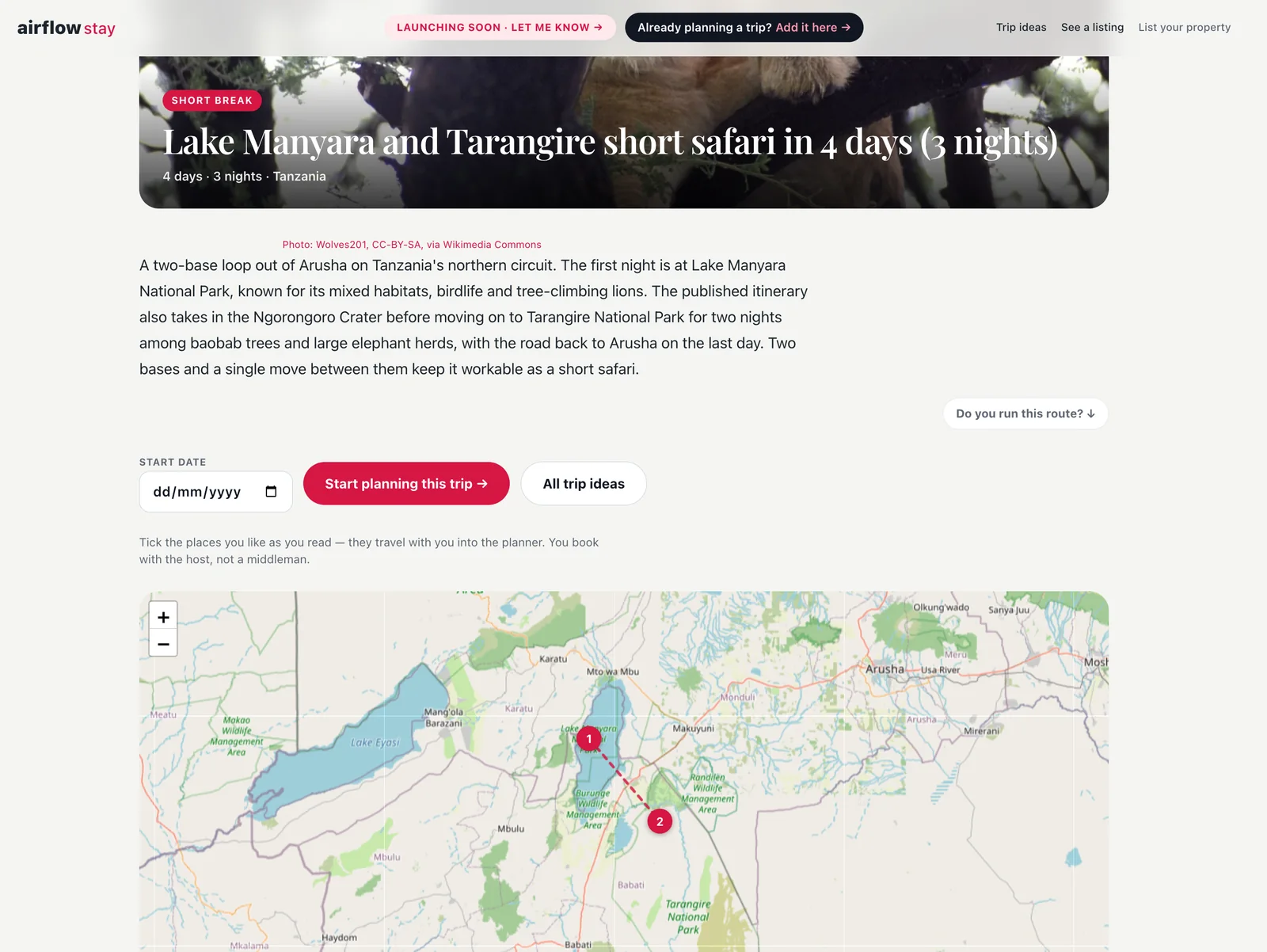
*A trip page: the summary, the button that starts a plan from it, and the route on the map. The pins you place are the ones a traveller sees here.*
*One stop, with the places to stay there. Until Airflow Stay launches these are demo listings that show what a listing will look like. On your itinerary, your place will be the first card at its location once your listing is published.*
They do not have to follow it. A traveller can start their own plan from a trip idea: the locations are laid into their plan on [Airflow Guest](/guest/) as a starting route, and they can change any of it.
## Which plans include it
Adding or changing itineraries is part of every paid plan, and the number you can keep grows with the plan. On the Free plan you can see how it works, with an example card. If you already have itineraries, they stay, and you can withdraw or delete them. The plans are on the [pricing page](/pricing/).
## How to start
Open your Airflow account, go to **Guest travel planning**, then **My itineraries**. The [host itineraries page](/features/host-itineraries/) sets out each step, and the short version is in [How do I get my place into the trips travellers plan?](/answers/get-my-place-into-trips-travellers-plan/). For why trips lead travellers to places like yours, read [Travellers Find You While They Plan, Not After They Search](/blog/travellers-find-you-while-they-plan/).
Not on Airflow yet? [Get started](/get-started/).
---
# How Airflow Works With Safari Operators, Travel Agents and Local Experts
URL: https://www.airflowhq.com/blog/how-airflow-works-with-safari-operators-and-travel-experts/
Published: 2026-10-05
Updated: 2026-10-05
Category: product
Tags: partners, safari, travel-agents, tour-operators, trips, airflow-stay, airflow-guest
> Travellers plan multi-stop trips on Airflow, then hand them to someone who knows the ground. A walk through the whole thing with our first safari partner, The Safari Vibe: their page, their journeys, the traveller's plan and the checkout. You can try every step yourself.
> **For safari operators, travel agents and local experts.** Travellers plan their trips on Airflow. Some finish the job themselves. Others want someone who knows the ground to take it over, and that is the partner: you arrange it, bill the traveller and look after them. This post walks through it with our first safari partner, [The Safari Vibe](https://airflowstay.com/expert/?slug=the-safari-vibe), and every step is live for you to try.
## The trip we cannot finish for a traveller
A traveller can get a long way on their own. On Airflow they choose a route, decide how many nights to spend at each stop, and look at where they might stay. For a weekend away, that is the whole job.
A ten-day safari is different. Someone has to know which camp is right in February, how the light aircraft connect, what a park fee is this year and who to call when a road washes out. No planner on a website knows that. You do.
So Airflow does not try to arrange these trips. It gets the traveller to the point where they know what they want. From there it depends on whose trip it is:
- **A trip the traveller built themselves** stays theirs. They can book it on their own, or ask for a partner, and we match the trip to the partner best placed to arrange it: the countries it visits and the kind of trip it is.
- **A trip that started from a partner's own journey** goes to that partner by default. They wrote it, so they arrange it.
## Meet the example: The Safari Vibe
The Safari Vibe arrange private safaris in Kenya, Tanzania, Botswana, Rwanda, Namibia and Zambia. This is their own website:

Their page on Airflow Stay is meant to look like theirs. A partner's page follows the look of their own website: their logo, their typefaces, their colours, their words, in the order their own site tells the story. We built it from their website; they checked it.
[Open The Safari Vibe's page on Airflow Stay](https://airflowstay.com/expert/?slug=the-safari-vibe)
## Their journeys become trips a traveller can start
Further down the page are the safaris they have run before.

Each one is also a trip in the Airflow trip library, under their name, next to our own trip ideas. It has its stops, the nights at each, and the camps they would choose there. Here is one of them: [Rwanda, slowly](https://airflowstay.com/trip/the-safari-vibe-tsv-09/).
A traveller who starts planning from one of these is planning it with The Safari Vibe from the first click. By default that trip goes to them: it is their journey.
A partner is also shown on our own trip ideas in the countries they cover, so a traveller reading about ten days in northern Tanzania sees who can arrange it. On a trip a traveller put together themselves, nothing is handed to anyone unless they ask.
## What the traveller does
The traveller presses **Start planning this trip** and lands in Airflow Guest, their own planning page, with the route already laid out.
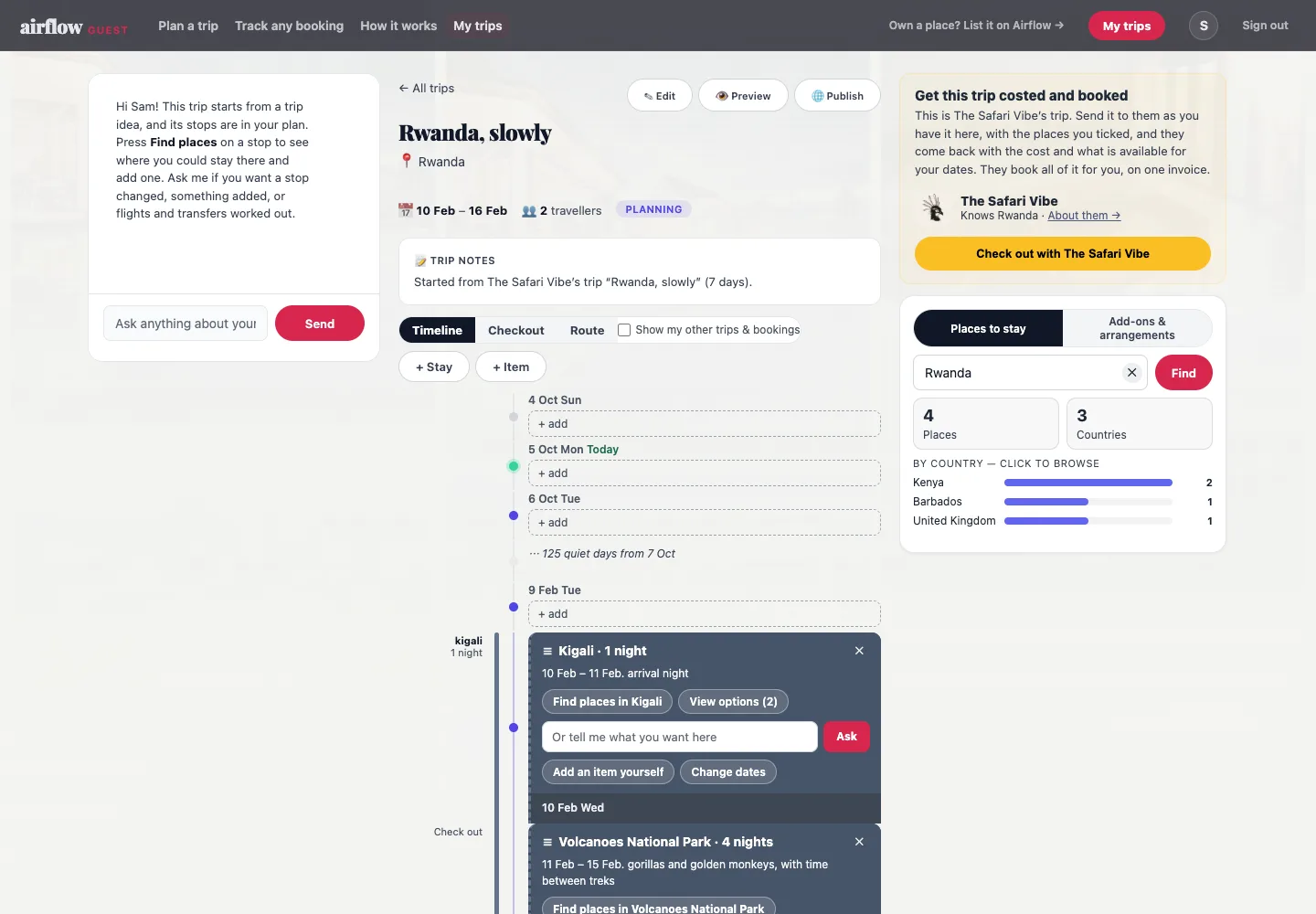
They move the dates and change the number of nights. Anything they have already arranged comes with them: they forward a flight confirmation, or a booking for a stay they made elsewhere, and it lands on the same itinerary. You see the whole trip, not only the part you are arranging.
At each stop, **View options** shows the places the partner suggests. They tick the ones they like, add one they have heard of, and write what matters to them there.
When they are ready, the card on the right of their page is the checkout.
- **It names the partner** and says plainly what happens next: the trip is sent as it stands, and they come back with the cost and what is available.
- **It does not ask them to describe themselves again.** Their contact details and how they like to travel are already on their profile.
- **They see exactly what will be sent** before they send it, and can change it.
- **One button** sends it: Send for costing.
## What arrives in your account
This is the part that is different from an enquiry form.
An enquiry form gives you a name, a month and "we want to see the migration". You then spend three emails finding out how many people, how long, what budget and what they have already ruled out.
A trip from Airflow arrives with the work done:
- **The route**, stop by stop, with dates and nights.
- **Who is travelling**: how many, and whether there are children.
- **What they chose**: the places they ticked at each stop, and what they wrote about each one.
- **How they like to travel**: the preferences saved on their profile, their budget per person per day if they gave one, and where they fly from.
- **How to reach them**: email, phone or WhatsApp, whichever they picked.
- **Their own words**, if they added a message.
It lands as a trip in your Airflow account, ready to cost. You are told by email the moment it arrives.
You are replying to someone who has already decided to go, knows roughly where, and has asked for you.
## Try it yourself
Everything above is live. It takes about five minutes to walk through as a traveller would.
1. Open [The Safari Vibe's page](https://airflowstay.com/expert/?slug=the-safari-vibe) and look at how it follows their own site.
2. Open one of their journeys, for example [Rwanda, slowly](https://airflowstay.com/trip/the-safari-vibe-tsv-09/), pick a start date and press **Start planning this trip**.
3. Airflow Guest asks for your email so the trip has somewhere to live. The trip opens with its stops in place.
4. Press **View options** on a stop. Tick a lodge and write a line about what you would want there.
5. Press **Check out with The Safari Vibe** to see what would be sent.
Stop there unless you mean it. **Send for costing** is a real request and a real person will reply.
## You run the trip
The traveller comes to you from Airflow. They are our lead, and that is what the commission is for: the trip you arrange for them, and the trips they book with you afterwards. The trip itself is yours to run.
- **You cost the trip** in your account, leg by leg: camps, guides, flights, transfers.
- **You bill the traveller**, on one invoice. Directly, in your own name, or through Airflow if you would rather we take the payment.
- **The itinerary and what has been paid stay in one place** that you and the traveller can both see.
- **The traveller keeps their trip page.** It is where they follow the plan before they go and while they are away, and where they start the next one.
Airflow does not contact the camps and lodges you name on your journeys. Those relationships are yours.
The Safari Vibe's own page says it to travellers in four lines:
## What it costs
There is no fee to join, no listing fee and no subscription.
You pay a commission on trips that come to you from Airflow, including later trips by the same traveller. The rate is agreed with you before you start and written into your agreement. You choose to pay it by card or by bank transfer. A trip you bring to Airflow yourself, for a client of your own, carries no commission.
If Airflow sends you nothing, you pay nothing.
A partner account is a full Airflow account, so you can take it further when you want to. Like any business on Airflow, you can [move to a plan](/pricing/) that switches on more automation and the accounting connections, or launch your own website on Airflow with your trips and places on it.
## Add your own places
If you own or manage camps, lodges, villas or boats, list them on Airflow as well.
- **They are offered on your journeys.** At each stop, the places you name are what the traveller chooses between. Your own can be among them.
- **They take direct bookings.** A listing has its own booking page, calendar and payments, for the guests who are not on a planned trip at all.
- **They are found on their own.** A place on Airflow Stay is shown to travellers looking in that area, whoever is arranging their trip.
- **You can write itineraries around them.** A host can put forward a route with their own place at one of the stops and the extras they offer there.
Airflow Stay is still being filled before its search opens to travellers. Places listed now are there from the first day.
You do not need a second account. Your partner page, your trips and your listings all sit in one place.
## What we ask of a partner
Not much, but it matters.
- **Answer the traveller.** They have chosen you and are waiting. A first reply within a day or two is what keeps a trip alive.
- **Keep your page true.** The journeys and places on it should be ones you would arrange tomorrow.
- **Record what the traveller pays you** on the trip, so the commission is worked out on real figures.
We keep the number of partners in each region small on purpose. A traveller should be handed to someone who will pick up the trip, not to a list.
## How to become a partner
1. **Apply.** The form takes about two minutes and asks where you work and what kinds of trip you arrange. A person reads every application and replies.
2. **Agree terms.** We send your agreement with your commission. You agree online and choose how you will pay it.
3. **We set you up.** We build your account and your page, starting from your own website, the way we did for The Safari Vibe. You check it, then we switch it on.
[Apply to be an Airflow partner](https://airflowstay.com/partners/)
Have places of your own? [List a place on Airflow Stay](https://airflowstay.com/host/) and it can be offered on your journeys from the start.
---
# How to Connect Airbnb to Make
URL: https://www.airflowhq.com/blog/connect-airbnb-to-make/
Published: 2026-10-04
Updated: 2026-10-04
Category: guides
Tags: airbnb, automation, booking-com, vrbo
> Airbnb has no Make app for hosts. Here is how to send each new, changed or cancelled Airbnb booking to a Make scenario through a custom webhook, what the message contains and what the method cannot do.
## The short answer
Airbnb gives hosts no API, so Make has nothing to connect to directly. What Airbnb does send you is a confirmation email for every booking. Airflow reads that email, turns it into a booking, and sends a message to your Make scenario each time a booking is **created, changed or cancelled**. The same works for Booking.com and Vrbo, and for direct bookings on your own booking page.
## Set it up
1. **Add a webhook.** In a new scenario, add the **Webhooks** module and choose **Custom webhook**. Create a webhook and copy the address Make gives you.
2. **Add the address in Airflow.** Open **Connections**, choose the **External automations** tab, then **Add an address**. Paste the address and choose the events to send.
3. **Let Make learn the fields.** In Make, the webhook waits for a first message so it can work out the data structure. Press **Send test event** in Airflow. Make shows "Successfully determined".
4. **Add your modules.** A Slack message, an Airtable record, a Trello card. The booking's fields are now available to map.
5. **Switch the scenario on** and set it to run **Immediately**.
## What arrives
The event type (`booking.created`, `booking.updated`, `booking.cancelled` or `payment.received`), your listing, the booking reference, the channel, check-in and check-out dates, nights, the number of guests, the total, the payout and the status. It also carries the money lines: accommodation, cleaning fee, other fees, taxes, discounts and what the channel kept. Guest name, email and phone are left out unless you switch on **Include guest contact details** for the address. The full format is in the [Connect out guide](/blog/help-connect-out-webhooks/).
## Route by event
Add a **Router** after the webhook with three routes, each filtered on the event type. The booking reference is the same on all three, so the change and cancellation routes can search for the card or record the first route made and update or remove it.
To act on one listing or one channel only, add a filter on the listing name or the channel.
## Things to build
- A message to a Slack or Teams channel for each new booking
- A card in Trello or a task in Asana due on check-out day, moved when the dates change and removed on cancellation
- A record in Airtable or Notion
- A reminder the day before check-in
- An invoice in an accounting system Airflow does not connect to, built from the money lines and marked paid when the payment arrives
- A call to your own software
If you only want bookings in Google Sheets, in your accounts or on a Google calendar, Airflow [does those itself](/features/connections-integrations/).
## The limits
- **It is one way.** Airflow tells Make what happened. Make cannot change a booking in Airflow or anything on Airbnb.
- **Four events only.** Created, changed, cancelled, and a payment received on a booking you collect yourself. Nothing is sent for a refund, a review or a guest message.
- **It starts from today.** Bookings already in your account when you add your first address are not sent as new.
- **It carries what the email carries.** Airbnb hides the guest's email address, so nothing can pass it on.
## What it costs
Each booking sent out uses one automated task from your Airflow allowance, the first time it is delivered. Later changes to that booking, its cancellation, payments on it, a second address, test events and failed deliveries are free. In Make, each message uses operations from your Make plan. Connect out is part of the Growth plan and above; see [pricing](/pricing/).
[Get started](/get-started/) — see [plans and pricing](/pricing/).
---
# How to Connect Airbnb to n8n
URL: https://www.airflowhq.com/blog/connect-airbnb-to-n8n/
Published: 2026-10-04
Updated: 2026-10-04
Category: guides
Tags: airbnb, automation, booking-com, vrbo
> Airbnb has no n8n node for hosts. Here is how to get each new, changed or cancelled Airbnb booking into an n8n workflow through a Webhook node, with the fields you receive and how to check the signature.
## The short answer
Airbnb gives hosts no API, so n8n has nothing to connect to. What Airbnb does send you is a confirmation email for every booking. Airflow reads that email, turns it into a booking, and sends a message to your n8n workflow each time a booking is **created, changed or cancelled**. The same works for Booking.com and Vrbo, and for direct bookings on your own booking page.
It works with n8n Cloud and with a self-hosted n8n, as long as the address is reachable from the internet over `https`.
## Set it up
1. **Add a Webhook node.** In a new workflow, add the **Webhook** trigger. Set **HTTP Method** to `POST`. Leave **Respond** on **Immediately**: Airflow waits up to 10 seconds for an answer, and a workflow that finishes its work first may take longer.
2. **Copy the Production URL.** The Webhook node shows two addresses. The Test URL only listens while you have the workflow open and press "Listen for test event". Use the **Production URL** in Airflow.
3. **Publish the workflow.** The Production URL only answers when the workflow is active.
4. **Add the address in Airflow.** Open **Connections**, choose the **External automations** tab, then **Add an address**. Paste the Production URL and choose the events to send.
5. **Send a test.** Press **Send test event**. In n8n, open **Executions** to see the sample booking that arrived. **Recent deliveries** in Airflow shows the same send with the status n8n answered.
## What arrives
The booking is under `body`:
| Field | Example |
|---|---|
| `body.type` | `booking.created`, `booking.updated`, `booking.cancelled` or `payment.received` |
| `body.data.booking.reference` | `HM1234ABCD` |
| `body.data.booking.channel` | `airbnb`, `booking_com`, `vrbo`, `direct` |
| `body.data.booking.listing.name` | `Sea Cottage` |
| `body.data.booking.check_in` / `check_out` | `2027-01-10` / `2027-01-14` |
| `body.data.booking.nights` | `4` |
| `body.data.booking.guests.adults` | `2` |
| `body.data.booking.total` / `payout` / `currency` | `800` / `676` / `USD` |
| `body.data.booking.status` | `confirmed` |
| `body.data.booking.financials` | Accommodation, cleaning fee, fees, taxes, discounts, what the channel kept, total and payout |
| `body.data.payment.amount` | On `payment.received` only: the amount just received |
Guest name, email and phone are left out unless you switch on **Include guest contact details** for the address. The full format is in the [Connect out guide](/blog/help-connect-out-webhooks/).
## Route by event
Add a **Switch** node after the Webhook and route on `{{ $json.body.type }}`: one branch for a new booking, one for a change, one for a cancellation. The booking reference is the same on all three, so the change and cancellation branches can look up what the first branch made and update or remove it.
To act on one listing or one channel only, add an **If** node on `{{ $json.body.data.booking.listing.name }}` or `{{ $json.body.data.booking.channel }}`.
## Things to build
- A message to a Slack or Teams channel for each new booking
- A task in Trello, Asana or Todoist due on check-out day, moved when the dates change and removed on cancellation
- A record in Airtable, Notion or your own database
- A reminder the day before check-in, using a **Wait** node set to a date worked out from `check_in`
- An invoice in an accounting system Airflow does not connect to, built from `financials` and marked paid on `payment.received`
- A call to your own software
If you only want bookings in Google Sheets, in your accounts or on a Google calendar, Airflow [does those itself](/features/connections-integrations/).
A workflow that waits does not know the booking was cancelled afterwards. Have the cancellation branch remove what the reminder points to, or have the reminder look the booking up before it sends.
## Check the message really came from Airflow
Optional, and worth doing if the workflow does anything that costs money or sends messages.
1. In the Webhook node, open **Options** and switch on **Raw Body**. The signature is worked out over the exact text Airflow sent, not the parsed fields.
2. When you add the address in Airflow, copy the **signing secret**. It is shown once.
3. In a **Code** node, work out the HMAC-SHA256 of the timestamp, a full stop and the raw body, using the secret as the key, and compare it with the `v1` value in the `airflow-signature` header. Refuse a message whose timestamp is more than five minutes old.
4. Answer with a **Respond to Webhook** node: `200` when it matches, `401` when it does not. Set the Webhook node's **Respond** to **Using 'Respond to Webhook' Node** for this.
The method, with a code sample, is in the [Connect out guide](/blog/help-connect-out-webhooks/#checking-the-signature).
## The limits
- **It is one way.** Airflow tells n8n what happened. n8n cannot change a booking in Airflow or anything on Airbnb.
- **Four events only.** Created, changed, cancelled, and a payment received on a booking you collect yourself. Nothing is sent for a refund, a review or a guest message.
- **It starts from today.** Bookings already in your account when you add your first address are not sent as new.
- **It carries what the email carries.** Airbnb hides the guest's email address, so nothing can pass it on.
- **A message can arrive twice.** Use `body.id` to ignore one you have already handled.
## What it costs
Each booking sent out uses one automated task from your Airflow allowance, the first time it is delivered. Later changes to that booking, its cancellation, payments on it, a second address, test events and failed deliveries are free. In n8n, each message received is one execution. Connect out is part of the Growth plan and above; see [pricing](/pricing/).
[Get started](/get-started/) — see [plans and pricing](/pricing/).
---
# How to Connect Airbnb to Zapier, Make or Slack
URL: https://www.airflowhq.com/blog/connect-airbnb-to-zapier/
Published: 2026-10-04
Updated: 2026-10-04
Category: guides
Tags: airbnb, automation, booking-com, vrbo
> Airbnb gives hosts no Zapier app. Here is how to send each new, changed or cancelled Airbnb booking to Zapier or Slack, what Airflow already does without it, eight automations worth building, and what the method cannot do.
## The short answer
Airbnb does not give hosts a way to connect to Zapier. Its connections are kept for approved software partners, and we could not find an official Airbnb app in Zapier's directory when we checked in October 2026.
What you can do is use the one thing Airbnb does send you: the booking confirmation email. Airflow reads that email, turns it into a booking, and then sends a message to any web address you choose each time a booking is **created, changed or cancelled**. Zapier, Make and n8n all give you such an address. From there the booking can go anywhere those tools reach.
The same route works for Booking.com and Vrbo, and for direct bookings taken on your own booking page.
## How it works
1. **The channel emails you.** Airbnb sends its usual confirmation.
2. **Airflow reads it.** Forward the email to your listing's Airflow address, or connect your inbox and Airflow picks it up itself. The booking appears on your Airflow calendar.
3. **Airflow tells your other system.** Within about a minute it sends a message to the web address you added.
4. **Your automation runs.** Zapier, Make or n8n receives the booking and carries out the steps you set up.
## First, check what Airflow already does
Several things people reach for Zapier to do are built into Airflow. Use the built-in one where it exists: there is nothing to set up in a second tool and nothing to keep in step.
| You want | Built into Airflow | Reach for Zapier when |
|---|---|---|
| A row per booking in a spreadsheet | [Google Sheets export](/blog/sync-bookings-to-google-sheets/) | You keep your log in Airtable or Notion |
| Invoices in your accounts | Xero, QuickBooks, Sage and FreshBooks | Your accounts are in something else: each message carries the booking's money lines |
| Emails to guests before and after a stay | [Guest email automations](/blog/stop-sending-guest-emails-manually/) | You message guests from a CRM or an SMS tool |
| A checklist for each clean | [Checklists for cleaners](/blog/qr-checklists-for-cleaners/) | Your cleaners already work in another app |
| Bookings on your own calendar | Google and Outlook calendar connections, and a calendar link for anything else | You need the entry created without pressing Sync |
| Guests on a mailing list | Mailchimp | Your list is somewhere else |
Connect out is for the other case: your team already lives in a tool Airflow does not connect to, and you want the booking to arrive there.
## Eight things worth building
Each one starts with a message from Airflow. "When" is the event that starts it.
| What it does | When | What your tool does |
|---|---|---|
| **Tell the team where they already talk** | New booking | Posts the listing, dates and guest count to a Slack or Teams channel |
| **Text the cleaner** | New, changed, cancelled | Sends an SMS through Twilio or a similar service |
| **Plan each turnover** | New, changed, cancelled | Creates a task in Trello, Asana or Todoist due on check-out day, and moves or removes it later |
| **Keep a base, not a sheet** | New, changed, cancelled | Adds and updates a record in Airtable or Notion, linked to your own tables |
| **Remind the day before** | New booking | Waits until the day before check-in, then reminds whoever prepares the place |
| **Flag short notice** | New booking | Alerts you only when check-in is within the next seven days |
| **Feed your own system** | New, changed, cancelled | Sends the booking to a CRM, an owner dashboard or software you wrote yourself |
| **Invoice in another accounting system** | New booking, payment received | Creates an invoice from the booking's money lines in Zoho Books, FreeAgent or another system, and marks it paid when the payment arrives |
### Narrowing it down
Every message carries the listing, the channel and the dates, so your tool can filter on them: only Airbnb bookings, only one listing, only stays of a week or more. In Zapier this is a **Filter** step, in Make a filter on the route, in n8n an **If** node.
## Changes and cancellations are the useful part
Most Airbnb-to-Zapier methods only catch a new booking. That is enough to create a cleaning task. It is not enough to keep the task right.
Airflow also sends a message when the dates, the guest count or the total change, and when a booking is cancelled. Each message carries the same booking reference, so your automation can find the task, calendar entry or row it made earlier and move it or remove it. Without that, a cancelled stay leaves a cleaner booked for a turnover that is not happening.
A practical way to build it: make three small automations, one per event, that all look up the same reference.
## A worked example: a Slack message to your cleaner
1. In Zapier, create a Zap with the trigger **Webhooks by Zapier** and the event **Catch Hook**. Zapier gives you a web address.
2. In Airflow, open **Connections** and choose the **External automations** tab. Choose **Add an address**, paste the address from Zapier, and tick **New booking**.
3. Press **Send test event**. Zapier receives a sample booking so you can see the fields.
4. Add the action **Slack: Send Channel Message** and build the message from the fields, for example: *New booking at* **listing name**: **check-in** *to* **check-out**, **adults** *adults. Clean on* **check-out**.
5. Turn the Zap on.
Using a different tool? The same steps are written out for [n8n](/blog/connect-airbnb-to-n8n/) and for [Make](/blog/connect-airbnb-to-make/).
## Automations that wait
A reminder the day before check-in is built with your tool's own waiting step: **Delay Until** in Zapier, **Sleep** in Make, **Wait** in n8n. Airflow sends its message when the booking is made; the waiting happens on their side.
One thing to build in: a waiting automation does not know the booking was cancelled afterwards. Either have your cancellation automation remove the task the reminder points to, or have the reminder check the booking log before it sends.
## What each message contains
The event type, your listing, the booking reference, the channel it came from, check-in and check-out dates, nights, the number of guests, the total, the payout and the status. It also carries the money lines: accommodation, cleaning fee, other fees, taxes, discounts and what the channel kept.
The guest's name, email and phone are **not** sent unless you switch that on for the address. Once sent, the other system holds your guests' details, so only switch it on when the automation needs them. The full format is in the [Connect out guide](/blog/help-connect-out-webhooks/).
## The limits
- **It is one way.** Airflow can tell your other systems what happened on Airbnb. It cannot change anything on Airbnb: no prices, no replies to guests, no blocked dates beyond the usual calendar link.
- **Four events only.** A booking created, changed or cancelled, and a payment received on a booking you collect yourself. Airbnb pays you outside Airflow, so an Airbnb payout is not a payment event. Nothing is sent for a refund, a review or a guest message.
- **It starts from today.** Bookings already in your account when you add your first address are not sent as new.
- **It is as fast as the email.** With a connected inbox the message follows the confirmation by a minute or two. If you forward emails by hand, it waits for you.
- **It carries what the email carries.** Airbnb hides the guest's email address, so nothing can pass it on. Guest follow-up works best for direct bookings.
- **It is not an Airbnb integration.** Airflow is not an Airbnb partner and does not sign in to your Airbnb account. It reads the emails Airbnb sends you.
## What it costs
Each booking sent out uses one automated task from your allowance, the first time it is delivered. Later changes to that booking, its cancellation, payments on it, a second address, test events and failed deliveries are free. Connect out is part of the Growth plan and above; see [pricing](/pricing/).
[Get started](/get-started/) — see [plans and pricing](/pricing/).
---
# Connect Out: Send Booking Events to Your Other Systems
URL: https://www.airflowhq.com/blog/help-connect-out-webhooks/
Published: 2026-10-04
Updated: 2026-10-05
Category: guides
Tags: automation, help, airflow-integrated
> How Connect out works: add a web address, choose the events, and Airflow sends a signed message when a booking is created, changed or cancelled, or a payment is received. What is sent, the money lines, how retries work and how to check a signature.
> **Connect out** — Airflow tells your other systems when a booking is created, changed or cancelled, and when a payment is received. It works with Zapier, Make, n8n or your own server.
## What it does
You add a web address. When a booking in your account is created, changed or cancelled, Airflow sends a message to that address, usually within a minute. It covers every booking Airflow holds: those read from Airbnb, Booking.com and Vrbo emails, direct bookings from your booking page, and bookings you added by hand or imported.
## What people build with it
A message to the cleaner for each new booking. A task per turnover that moves when the booking moves. A shared calendar, a booking log, an income sheet. A reminder the day before check-in. [How to Connect Airbnb to Zapier, Make or Slack](/blog/connect-airbnb-to-zapier/) walks through eight of these and one worked example. There are step-by-step guides for [n8n](/blog/connect-airbnb-to-n8n/) and [Make](/blog/connect-airbnb-to-make/) too.
## Adding an address
1. Open **Connections** and choose the **External automations** tab.
2. Choose **Add an address** and paste the address from Zapier, Make, n8n or your own server. It must start with `https://`.
3. Choose which events to send.
4. Copy the **signing secret** that appears. It is shown once. You only need it if your system checks the signature; Zapier and Make do not.
5. Press **Send test event** to check it arrives. You can send 20 test events an hour.
Only an owner or manager of the account can add or change an address.
You can have up to five addresses. Each one receives the events of every listing in the account; to act on one listing only, filter on `listing.name` in your own tool.
## The events
| Event | Sent when |
|---|---|
| `booking.created` | A booking is first confirmed. An unpaid or abandoned booking is not announced. |
| `booking.updated` | The dates, guests, total or status of a booking change. |
| `booking.cancelled` | A booking is cancelled. |
| `payment.received` | More has been received on a booking than at the last check: a deposit, a balance, or a payment you record by hand. |
Bookings that were already in your account when you added your first address are the starting point. They are not sent as new.
## What a message looks like
```json
{
"id": "evt_3ca06bd71aa4…",
"type": "booking.created",
"api_version": "2026-10-04",
"created": "2026-10-04T10:15:02Z",
"organisation": { "id": "…", "name": "Your business" },
"data": {
"booking": {
"id": "…",
"reference": "HM1234ABCD",
"source": "channel",
"channel": "airbnb",
"status": "confirmed",
"check_in": "2027-01-10",
"check_out": "2027-01-14",
"nights": 4,
"guests": { "adults": 2, "children": 0, "infants": 0 },
"currency": "USD",
"total": 800,
"payout": 676,
"financials": {
"currency": "USD",
"accommodation": 720,
"cleaning_fee": 80,
"fees": [],
"taxes": [],
"taxes_included": null,
"discounts": [],
"channel_fee": 124,
"airflow_commission": null,
"total": 800,
"payout": 676,
"paid": null,
"balance_due": null
},
"listing": { "id": "…", "name": "Sea Cottage" }
}
}
}
```
`source` is `channel` for a booking read from a channel's email or added by hand, and `direct` for one made on your booking page.
`channel` is always lower case with words joined by an underscore: `airbnb`, `booking_com`, `vrbo`, `direct`.
`booking.reference` stays the same across the created, changed and cancelled messages for one booking. Use it to find what your automation made earlier.
## The money lines
Every booking message carries a `financials` block, so the system that receives it can raise an invoice with proper lines, not one total.
| Field | What it is |
|---|---|
| `accommodation` | The stay itself, before fees |
| `cleaning_fee` | The cleaning fee, where there is one |
| `fees`, `taxes`, `discounts` | Lists of lines, each with a `name` and an `amount` |
| `taxes_included` | Whether the prices already include tax, where the channel says so |
| `channel_fee` | What the channel kept: Airbnb's host service fee or Booking.com's commission. Empty on a direct booking |
| `airflow_commission` | Airflow's commission on a direct booking. Empty on a channel booking |
| `total`, `payout` | What the guest pays, and what reaches you |
| `paid`, `balance_due` | Received so far and still owed, for bookings you collect yourself. Empty where the channel collects from the guest |
A value Airflow does not hold is `null`. What a channel booking carries depends on what the channel's email states, so check the fields on a real booking before you rely on one.
## Payments
A `payment.received` message has a `payment` block beside the booking:
```json
"payment": {
"amount": 300,
"currency": "USD",
"paid_total": 300,
"balance_due": 500,
"method": "card",
"reference": null,
"received_at": "2026-10-04T10:15:02Z"
}
```
`amount` is this payment; `paid_total` is everything received on the booking so far. `method`, `reference` and `received_at` are filled in when Airflow holds them, and are `null` otherwise. Payments that were already on your bookings when payments were first switched on are not sent. Refunds are not sent.
## Using it for accounting
Airflow connects to Xero, QuickBooks, Sage and FreshBooks itself: use that where you can. For any other accounting system, send `booking.created` to Zapier, Make or n8n, create the invoice there from the money lines, and use `payment.received` to mark it paid. `booking.reference` links the two. Nothing comes back into Airflow, so invoice numbers and statuses stay in your accounting system.
## Guest contact details
By default a message has no guest name, email or phone. Switch on **Include guest contact details** for an address and a `guest` block is added to `booking`. The system that receives it then holds your guests' details, and looking after them there is your responsibility.
## Retries
Your address should answer with a `2xx` status within 10 seconds. If it does not, Airflow tries again after 1 minute, 5 minutes, 30 minutes, 2 hours, 6 hours and 12 hours, then gives up on that message. An address that fails 20 deliveries in a row is switched off and you are notified. **Recent deliveries** on each address shows what was sent and what came back.
A message can arrive more than once. Use its `id` to ignore one you have already handled. After a retry, messages can also arrive out of order: `created` is when the event happened.
Airflow keeps its record of what was sent, and what came back, for 60 days.
## Checking the signature
Every message carries an `Airflow-Signature` header:
```
Airflow-Signature: t=1791060000,v1=5f3c…
```
`v1` is the HMAC-SHA256 of the text `t`, a full stop and the raw request body, using your signing secret as the key. Work out the same value and compare. `t` is the time the message was sent, in seconds; refuse a message more than five minutes old. In Node.js:
```js
const crypto = require('crypto');
function isFromAirflow(rawBody, header, secret) {
const t = (header.match(/t=(\d+)/) || [])[1];
const v1 = (header.match(/v1=([0-9a-f]+)/) || [])[1];
if (!t || !v1) return false;
const expected = crypto.createHmac('sha256', secret).update(`${t}.${rawBody}`).digest('hex');
if (expected.length !== v1.length) return false;
return crypto.timingSafeEqual(Buffer.from(expected), Buffer.from(v1));
}
```
Use the body exactly as it arrived, before any parsing. In n8n, switch on **Raw Body** in the Webhook node's options to get it. **New signing secret** on an address replaces the secret at once.
## What it costs
One automated task for each booking sent out, taken the first time an event for that booking is delivered. Later changes to it, its cancellation, payments on it, further addresses, failed deliveries and test events cost nothing. If you run out of tasks, your addresses are paused and events are held for 72 hours. Connect out is part of the Growth plan and above; see [pricing](/pricing/).
## What it does not do
- It is one way: Airflow sends, and does not accept instructions back. It cannot change anything on Airbnb, Booking.com or Vrbo.
- It sends four events. Nothing is sent for a refund, when an invoice is drafted, when a review is left or when a guest writes to you.
- It does not wait. A step such as "the day before check-in" is built with the waiting step in your own tool, using the `check_in` date.
---
# Nobody Should Manage a Night Cap by Hand
URL: https://www.airflowhq.com/blog/automate-letting-limit-blocks/
Published: 2026-10-03
Updated: 2026-10-03
Category: product
Tags: short-term-rentals, automation, calendar, multi-property, direct, guide
> Counting nights against a letting limit every month, for every property, forever, is a job that fails quietly. What it takes to hand it over safely — and what should still need your say-so.
Suppose you do the responsible thing. Your city caps letting at ninety nights a year, you
know it, and you decide to stay under.
Here is the job you have just taken on. Once a month, open the calendar. Count the nights
already let, and the nights still open. Work out where that lands you by December. If it
lands you over, decide which nights to close. Go and close them. Remember that a booking
cancelled last week has given you a night back, and that the new iCal feed you connected
has quietly added nights you did not count. Then do it again next month. Then do it for
the second property. Then do it every year, forever.
Nobody does this. Not because hosts are careless, but because the task has the worst
possible shape: it is dull, it is monthly, it has no deadline, and **getting it wrong
produces no signal at all.** You do not find out you are over. You find out eleven months
later, or when somebody official asks.
## The failure mode is doing nothing
Most admin fails loudly. An unpaid invoice chases you. A double booking produces an angry
guest. A night cap does neither. The calendar keeps selling, the money keeps arriving,
and the number keeps climbing — and the only evidence that anything is wrong is a figure
nobody is looking at.
That is the case for automating it, and it is a narrower case than "automate everything".
The counting should be automatic because counting is arithmetic and you will not do it.
Whether to close inventory is a revenue decision, and revenue decisions should not happen
behind your back.
So the honest version of "set it once" is two different promises:
- **The count, the forecast and the warning are automatic.** Always on, no opt-in needed.
- **Closing nights is opt-in, per property, with guardrails you set.** Off by default,
and it tells you what it proposes before it does anything.
## What automatic closing has to get right
Handing over the calendar is a real risk, so the controls matter more than the feature.
Four of them do the work.
### A protected horizon
The automation must never touch the next stretch of your calendar. Those are the weeks
with enquiries in flight, deposits taken and guests mid-decision — exactly the nights
where an unexpected block does damage. You set how far ahead is untouchable, and nothing
inside it is ever closed automatically.
This is also what makes the whole thing safe to switch on in the first place. The worst
case is a mistake months away, with months to notice it.
### A cap per run
It runs weekly and may close only so many nights each time. That is a brake on error,
not a limitation: if the forecast moves for a bad reason — a feed hiccup, a batch of
cancellations misread — you get a small wrong block you can see and undo, rather than a
quarter of your year gone in one pass.
### A target, not a cliff edge
You do not aim at the limit. You aim at a percentage of it, and the automation works
toward that. Arriving at exactly ninety of ninety in October leaves you no room for a
booking you actually want, and no room for the count to move. Sitting at eighty-five with
a fortnight spare is a position you can still make decisions from.
### Blocks you can take back
Every night the automation closes is tagged as its own, shown as its own, and removable
by you in one action. If it has closed a week you want back, you take it back and the
next run respects that. An automatic block that cannot be undone is not automation, it is
a lock.
## Cheapest first, in runs
When it does close nights, it closes the ones you were least likely to sell well — the
year ranked against your own seasonal rates, working upward from the bottom — and it
takes them out in contiguous ranges rather than scattering single days through the
shoulder season. A lone closed Tuesday in May does not just cost you that Tuesday; it
creates a one-night gap that no minimum stay will let anyone book.
Your rates are the starting point. Once a year or more of your bookings is in Airflow,
the ranking also weighs how often each month has actually sold, so a cheap month that
always fills is kept open ahead of a dearer one that never does.
That ranking is the interesting half of this, and it has its own article: [Which Nights
Should You Give Up?](/blog/which-nights-should-you-block/)
## The honest part
**It closes more than a quiet host strictly needs.** Where a rule counts nights *let*
rather than nights *offered* — London, Amsterdam, Paris — planning has to treat every
open night as a night that might sell. The guarantee it gives you is "even if everything
sold, you stay under", which is a strong guarantee and a conservative one. If your winter
rarely fills, it will close nights you would never have let anyway. That trade is the
reason it is opt-in rather than on by default, and the reason the protected horizon and
the target are yours to set rather than ours.
**It is only as good as the calendars it can see.** A channel that is not connected is a
channel whose bookings are invisible, and a count built on half your bookings is an
undercount. If you take anything from this article, take that one: connect every feed
before you trust the number, not after.
**It never tells you that you are compliant.** It will tell you that you are at 75% of
the threshold you set, that you are forecast to cross it on a particular date, and which
nights it would close to stop that. Compliance is a legal conclusion about your
circumstances, and a measurement tool has no business claiming it. What you get is the
number and the working — which is what an inspector actually asks for, as we covered in
[What to Show an Inspector](/blog/short-term-rental-compliance-statement/).
## Where it earns its keep: more than one property
For a single listing, a diligent host with a reminder in their phone can keep up. The
case gets much stronger at three.
Three properties under a night cap is three separate counts, three forecasts, three sets
of nights to rank, three calendars to close — and the limits may differ, because the
rule usually attaches to the property rather than to you. That is no longer a monthly
chore, it is a standing job. Automated, it is a portfolio summary you glance at: which
properties are comfortable, which are tightening, and which have already had nights
closed on your behalf this week.
The same logic runs through most of what we automate — see the [automation and workflows
page](/features/automation-workflows/) for the rest of it, and [Let Owners Block Their
Own Dates](/blog/let-owners-block-their-own-dates/) for the other half of who gets to
close a night.
## What to do this week
1. **[Create an account](/get-started/)** — start free; a card is needed at sign-up.
2. **Connect every calendar you let through**, not just the busiest one. An incomplete
feed is the single biggest cause of a wrong count.
3. **Turn on the letting limit** for each property and pick your city's rule from the
list.
4. **Leave automatic closing off for a month.** Watch what it would have proposed, check
it against your own judgement, and switch it on when the proposals stop surprising
you.
That last step is not a disclaimer. It is how you should adopt any automation that
touches inventory: let it be right in public for a while before you let it act.
Checked 2026-10-02: London's cap is 90 nights per calendar year under section 25 of the
Greater London Council (General Powers) Act 1973, as amended by section 44 of the
Deregulation Act 2015, with a further condition on council-tax liability — see the
[Greater London Authority's
guidance](https://www.london.gov.uk/programmes-strategies/housing-and-land/buying-and-owning-home/guidance-short-term-and-holiday-lets-london)
and [GOV.UK](https://www.gov.uk/guidance/when-is-permission-required). Limits change, and
some cities are tightening them; check your own before relying on any article's number.
[Start free →](/get-started/)
---
Related: [Which Nights Should You Give Up?](/blog/which-nights-should-you-block/), [A
Night Cap Is an Accounting Problem, Not a Calendar
Problem](/blog/night-cap-is-an-accounting-problem/), and [London's 90 Nights: How to
Count Them Before the Council Does](/blog/london-90-night-limit/).
---
# The Best Way to Export Rental Financials for Tax Prep
URL: https://www.airflowhq.com/blog/export-rental-financials-for-tax-prep/
Published: 2026-10-03
Updated: 2026-10-03
Category: guides
Tags: tax, accounting, bookkeeping, reconciliation, short-term-rentals
> Export one row per booking with gross income, platform fees, taxes and payout kept apart, by property, for the tax year. What your accountant needs, and how to get it out of each platform.
## The short answer
The best export for tax prep is **one row per booking, for the tax year, with the gross amount, the platform's fee, the cleaning fee, any tax collected and the payout in separate columns, and the property named on every row**. Send it as a CSV or spreadsheet, not a PDF, so your accountant can sort and total it.
A list of bank deposits is not enough. Deposits are what was left after the platforms took their fees, and several bookings are often paid together.
## What your accountant needs
For income:
- **Gross booking value**: what the guest paid for the stay, before the platform's fee
- **Cleaning fees and extras**, on their own
- **Platform fees and commission**, as costs
- **Taxes the platform collected or you charged**: occupancy tax, tourist tax, VAT
- **Payout**: what reached your bank, and the date
- **Currency and exchange rate**, if the guest paid in another currency
- **Property**, on every row
- **Check-in and check-out dates and nights**, which also show how many days each property was let
For costs: cleaning, repairs, utilities, insurance, software, mortgage interest and anything else you spent on the property, with dates and receipts.
For the calendar: nights let, nights you used the property yourself, and nights it was empty. In several countries the split decides how the income is taxed.
## Which date to export by
Ask your accountant before you set the date range. Some rental businesses report income when the money arrives. Others report it when the stay takes place. A booking paid in December for a stay in January falls in different tax years under the two methods.
If you are unsure, export by check-in date and include the payout date as a column. Your accountant can then use either.
## Getting it out of each platform
- **Airbnb** has an earnings section with a transaction history you can download as a CSV, and yearly earnings summaries.
- **VRBO** has payout and reservation reports in its owner dashboard.
- **Booking.com** has reservation statements and commission invoices in the extranet's finance section.
- **Direct bookings** come from your payment provider's export and your own booking records.
Each export has its own columns, its own date logic and its own currency. Putting them together is where the time goes: renaming columns, converting currencies, removing cancelled bookings and checking that nothing is counted twice.
## Common mistakes
- **Exporting payouts and calling it income.** This understates your income and loses the platform fees as a deductible cost. We explain why in [why your payouts don't match your invoices](/blog/airbnb-payouts-dont-match-invoices/).
- **One total for all properties.** Per-property figures are needed for most tax returns and for any sensible view of which property earns its keep.
- **Leaving out cancellations and refunds.** A refund in January for a booking taken in November changes two periods.
- **Converting currency at today's rate.** Use the rate from the time of the booking or payout, and keep a note of where it came from.
- **Sending a PDF.** It can be read but not totalled.
## How Airflow handles this
Airflow holds every booking from every platform in one list, with the amounts already separated. That makes the export a single step.
**Download a CSV.** In **Bookings → Export Bookings → Export to CSV**, set the date range and the property, then download. Each row is one booking and includes the guest, check-in and check-out, nights, channel, property, nightly rate, cleaning fee, platform fee and its percentage, the channel total and payout, the same figures in your accounting currency, the exchange rate with its date and source, and the invoice number and status.
**Run a report.** The **Reports** page has a Revenue Report for this month, this quarter, this year or all time, with a downloadable CSV. Reports can be saved and scheduled.
**Keep a live spreadsheet.** If your accountant prefers Google Sheets, Airflow can write your bookings to a sheet with a tab per property. It is one-way: edit the sheet's own copy and your changes will be overwritten. See [export your bookings to Google Sheets](/blog/sync-bookings-to-google-sheets/).
**Or skip the export.** If you connect accounting software, each booking becomes a draft invoice there, with income, fees and tax on separate lines for you to approve. By tax time the figures are already in the system your accountant works in. See [short-term rental tax prep: get your books ready in a weekend](/blog/str-tax-prep-get-books-ready/).
Two limits to know about. Airflow exports your booking income; your expenses live in your accounting software or your own records. And Airflow does not fill in a tax return or give tax advice. For the rules where you are, start with our guides to [UK tax for Airbnb hosts](/blog/airbnb-uk-tax-hmrc/) and [US taxes and the 1099-K](/blog/airbnb-us-tax-1099k/), and ask your accountant.
Some exports and reports use tasks from your plan's allowance — see [pricing](/pricing/).
[Get started](/get-started/) — see [plans and pricing](/pricing/).
---
# How to Find Your Airbnb iCal Link and Sync It with Other Calendars
URL: https://www.airflowhq.com/blog/find-your-airbnb-ical-link-and-sync-it/
Published: 2026-10-03
Updated: 2026-10-03
Category: guides
Tags: ical, calendar, airbnb, vrbo, booking-com, double-bookings
> Where the Airbnb calendar link is, how to paste it into VRBO, Booking.com or Google Calendar, how to import their calendars back, and what an iCal link can and cannot carry.
## The short answer
Your Airbnb iCal link is in your listing's calendar settings: **Calendar → Availability → Connect to another website**. Airbnb shows you a link ending in `.ics`. Copy it and paste it into the other platform's calendar import. Then do the same in reverse, so each calendar can see the other's booked dates.
The rest of this guide covers each step, what the link carries, and where it falls short.
## What is an iCal connection?
iCal (short for iCalendar) is a standard file format for calendar events. An iCal link is a web address that returns a list of your booked or blocked dates. When you give that link to another platform, the platform reads it every so often and blocks the same dates on its side.
Two things follow from that:
- **It is one-way.** A link sends dates out of one calendar. For two platforms to block each other's dates you need two links, one in each direction.
- **It is not instant.** The receiving platform decides how often to re-read the link. That can be every few hours or as little as once a day.
## How to find your Airbnb calendar link
1. Sign in to Airbnb and open **Calendar**.
2. Choose the listing, then open **Availability**.
3. Under the calendar connection settings, choose **Connect to another website**.
4. Airbnb shows two steps. The first is your **Airbnb calendar link**. Copy it.
5. Leave that window open. The second step is where you paste the other platform's link.
Each listing has its own link. If you have three listings, you repeat this three times.
## How to sync Airbnb with VRBO, Booking.com or your own calendar
Syncing means doing the exchange in both directions.
**Send Airbnb's dates out:** paste the Airbnb link into the other platform's calendar import.
- **VRBO:** open the listing's **Calendar**, choose **Import/Export**, and add the Airbnb link as an imported calendar.
- **Booking.com:** in the extranet, go to **Rates & Availability → Sync calendars** and add a calendar connection. This is available for most single-unit properties.
- **Google Calendar:** choose **Other calendars → From URL** and paste the link. Apple Calendar and Outlook have the same option under "subscribe".
**Bring the other platform's dates in:** each of those screens also gives you an export link. Copy it, go back to Airbnb's **Connect to another website** window, and paste it into the second step with a name you will recognise.
Menu names change from time to time. If a label has moved, look for "sync", "import" or "export" in the platform's calendar settings.
## What an iCal link does not carry
An iCal link carries dates and very little else.
- **No guest details and no prices.** An Airbnb link shows a date range marked "Reserved" with a reservation reference. A Booking.com link shows only "Not available".
- **No reason for a block.** The other platform cannot tell a paid booking from a week you closed for repairs.
- **No cancellations as such.** When a booking is cancelled, the dates simply stop appearing the next time the link is read.
So a link is good for blocking dates. It cannot tell you who is arriving, what they paid, or what to put in your books.
## Why you can still get a double booking
Because each platform re-reads the link on its own schedule, there is a gap between a booking on one platform and the block appearing on another. In a busy week, a second guest can book the same dates inside that gap.
Chaining platforms makes the gap longer. If Airbnb feeds VRBO and VRBO feeds Booking.com, a new Airbnb booking has to wait for two refreshes before Booking.com sees it. We go through the failure cases in [why your iCal sync keeps breaking](/blog/why-your-ical-sync-keeps-breaking/) and [your calendar still shows a cancelled booking](/blog/calendar-still-shows-cancelled-booking/).
## How Airflow handles this
Airflow keeps one calendar per property and sits in the middle, so every platform reads from one place.
**Bringing calendars in.** In **Bookings**, pick a property and open **Import Bookings → Import from another calendar**. Paste the calendar link from Airbnb, Booking.com, VRBO, Google Calendar or Apple Calendar and choose **Add calendar**. Airflow reads each connected calendar about once an hour, and there is a **Sync now** button when you don't want to wait.
- Dates blocked on the other platform are blocked in Airflow.
- An Airbnb reservation is matched to the booking Airflow already holds, by its confirmation code.
- Dates Airflow cannot explain go to **Needs Attention**, where you can add the booking details, mark the dates as your own block, or ignore them.
- If a link fails, Airflow leaves your dates blocked. It never frees dates or cancels a booking because a link went quiet.
**Sending availability out.** In **Export Bookings**, each property has two links. The private one is for your own Google, Apple or Outlook calendar and shows the booking's platform, reference, nights and value, with no guest names. The public one shows only "Not available" and is the one to paste into Airbnb, Booking.com and VRBO.
**Getting the details a link cannot carry.** Forward the booking confirmation email, or connect Gmail or Outlook, and Airflow reads the guest, dates, amounts and fees from it. The booking is recorded when the email arrives, with no wait for a calendar refresh.
One limit stays the same: the platforms still re-read Airflow's link on their own schedule, as they do with any iCal link. Airflow does not push availability into Airbnb or Booking.com through their private connections. If you need that, you need a channel manager, and Airflow can sit alongside one.
[Get started](/get-started/) — see [plans and pricing](/pricing/).
---
# Can I Move from WordPress to Booking Software?
URL: https://www.airflowhq.com/blog/move-from-wordpress-to-booking-software/
Published: 2026-10-03
Updated: 2026-10-03
Category: guides
Tags: wordpress, website, direct, direct-bookings, booking-plugins
> Yes. You can keep your WordPress site and add a booking engine to it, or move the whole site across. What comes with you, what does not, and the order to do it in.
## The short answer
Yes, and you have two routes.
1. **Keep WordPress and add booking software to it.** Your site stays where it is. The calendar, prices and checkout come from the booking software and appear inside your pages.
2. **Move the whole site.** The booking software hosts your website as well, on your own domain, and WordPress is retired.
Neither route means starting again. Your text, photos, prices, future bookings and domain can all come with you.
## Which route suits you
| | Keep WordPress, add booking | Move the whole site |
|---|---|---|
| Best when | You have a site you like, a blog that brings visitors, or a designer who looks after it | The site is mostly a few property pages and you are tired of maintaining it |
| What changes | A booking calendar and checkout appear on your pages | The site is rebuilt and hosted for you |
| What you still look after | WordPress updates, theme, plugins, hosting | Nothing technical |
| Risk to search rankings | Low: your pages stay where they are | Some: see the checklist below |
If you are unsure, start with the first route. It is quick to undo, and you can move the site later.
## What you can bring with you
**Your pages and photos.** Give Airflow your website address in the setup chat and it reads the site for you: up to about ten pages, including descriptions, photos, prices where the site shows them, your logo and colours, your location and contact details. It shows you what it plans to do and waits for your OK before it saves anything. We describe the process in [your website, imported by AI in one paste](/blog/import-your-website-with-ai/).
**Your future bookings.** Export them from your WordPress booking plugin as a spreadsheet, then in **Bookings → Import Bookings → Import from a spreadsheet** drop in the CSV or paste a Google Sheet link. You get a report on every row before anything is saved. Importing blocks the dates first, so nobody can book over them; turning the rows into full bookings is a separate step you preview, and each import can be undone.
**Bookings from Airbnb, Booking.com and VRBO.** These never lived in WordPress. Forward the confirmation emails, or connect Gmail or Outlook, and they join the same calendar.
**Your domain.** You keep it. Airflow websites can run on your own domain on every plan; it needs the Website and Hosting add-ons — see [pricing](/pricing/).
## What does not come across
- **Reviews and amenity lists** are not part of the website import. You add those yourself.
- **Large sites.** The import reads the main pages of a site. A blog with hundreds of posts will not be copied across. If your blog brings in visitors, that is a strong reason to keep WordPress and take the first route.
- **Plugin settings.** Rates, seasons and rules set inside a WordPress booking plugin are set up again in Airflow. Prices shown on your public pages can be picked up by the import.
- **Past bookings in your accounts.** If they are already in your accounting software, leave them there.
## Route 1: keep WordPress and add booking
In your Airflow account, open **Connections → Embed & Share**. There are three ways to put booking on a WordPress page:
- **The booking plugin.** Download the plugin file, upload it in WordPress under **Plugins → Add New → Upload**, and place a shortcode for each property on the page you want.
- **An embed.** Copy one snippet and paste it into a page as custom HTML. This also works on Squarespace, Wix and hand-built sites.
- **A link.** Point your existing "Book now" button at your Airflow booking page.
Guests see live availability and pay by card. Bookings made this way are direct bookings and carry your plan's booking-page rate — see [pricing](/pricing/). For the longer case against doing all of this inside WordPress, see [WordPress booking plugins are holding you back](/blog/wordpress-booking-plugins-holding-you-back/).
## Route 2: move the whole site
Do it in this order, and keep WordPress live until the last step.
1. **Write down what you have.** List your pages, and note which ones get visitors. Export future bookings from your plugin.
2. **Set up the property** in Airflow and run the website import. Check the text, photos and prices it brought in.
3. **Import future bookings**, so the calendar is correct before any guest sees it.
4. **Connect payments** and make one small test booking from start to finish.
5. **Keep the same page addresses where you can.** A page that has always lived at `/the-cottage/` should still be found there, or the old address should send visitors on to the new one. This is what protects your place in search results.
6. **Move the domain last.** Once the new site has taken a test booking, point your domain at it.
7. **Leave the old site in place for a few weeks**, without its booking form, in case you need to look something up.
## Before you switch off the plugin
Three checks save most of the trouble:
- Every future booking in the old plugin appears in the new calendar.
- Your old booking form is switched off, so no guest can book through it by accident.
- A test booking has reached your calendar, your inbox and your payment account.
## So, can you?
Yes. Most of the work is deciding which route to take. If the WordPress site earns its keep, leave it and add booking to it. If it has become a chore, move the site, and bring the text, photos, prices, bookings and domain with you.
[Get started](/get-started/) — see [plans and pricing](/pricing/).
---
# Is There One Inbox for Airbnb, VRBO and Booking.com Guest Messages?
URL: https://www.airflowhq.com/blog/one-inbox-for-airbnb-vrbo-booking-com-messages/
Published: 2026-10-03
Updated: 2026-10-03
Category: guides
Tags: airbnb, vrbo, booking-com, automation, guest-communication
> Yes, but only from software with an official connection to each platform. What a unified inbox needs, which kind of tool provides it, what it costs you in setup, and what Airflow does and does not do here.
## The short answer
Yes. A **channel manager or property management system with an official connection to each platform** can show Airbnb, VRBO and Booking.com guest messages in one inbox and let you reply from it. Hostaway and Guesty are two examples.
It has to be that kind of software. Airbnb, VRBO and Booking.com keep guest conversations inside their own systems and only open them to approved partners. A tool without that approval cannot read or answer those messages, whatever its inbox looks like.
Airflow is not that kind of software, and we would rather say so here than have you find out after signing up. What Airflow does with guest messages is described further down.
## Why messages are scattered in the first place
Each platform runs its own messaging:
- **Airbnb** keeps the conversation in the Airbnb app and hides the guest's real email address.
- **Booking.com** gives you a relay email address for the guest, which passes messages through its own system.
- **VRBO** has its own inbox in the owner dashboard.
- **Direct guests** write to your ordinary email, or message your phone.
Four places, four notification sounds, and no shared record of who has been answered.
## What a real unified inbox needs
- **An approved connection to each platform**, so messages arrive and replies go back through the platform's own thread. Ask any provider which platforms they are an official partner of.
- **Replies that land in the right place.** A reply to an Airbnb guest must appear in the Airbnb conversation, or the guest never sees it and the platform records no response from you.
- **The booking beside the message**: dates, property, what was paid.
- **Saved replies and scheduled messages** for the questions every guest asks.
- **A way to share it** with a co-host or cleaner without sharing your platform passwords.
## What it costs you
A connected inbox comes as part of a channel manager, and that is a larger commitment than an inbox. Your listings are connected to the software, rates and availability are then managed from it, and on Airbnb a software-connected listing is on the single host fee. Setup takes time, and the monthly price usually rises with the number of listings.
For one or two properties, a lighter set-up is often enough:
- Turn on notifications in each platform's app and reply there. Response time on the platform is what the platform measures.
- Save your standard answers as quick replies in each app.
- Put the answers guests ask for most on a page they can open themselves. See [guests keep asking the same questions](/blog/guests-keep-asking-the-same-questions/).
- Send arrival details automatically, so fewer questions are asked at all. See [what to send a guest before arrival, and when](/blog/what-to-send-guests-before-arrival/).
## What Airflow does with guest messages
Airflow keeps a thread for every booking. It is a record beside the booking, not a replacement for the platforms' inboxes.
Each thread holds:
- the original booking email
- every email Airflow sent the guest for you, such as a confirmation or arrival details
- emails the guest sent you, found in your connected Gmail and matched by the guest's email address
- your replies
You can reply from the thread **by email**. The reply goes from your connected Gmail or Outlook account, or from Airflow's own mail if you have not connected one. The Messages page shows which bookings are waiting for a reply and for how long.
What it does not do:
- **Messages sent inside Airbnb, Booking.com or VRBO are not shown.** They stay on those platforms, and you answer them there.
- **WhatsApp messages from guests are not shown.**
- **A booking with no guest email address cannot be emailed.** That is common with Airbnb, which hides the address.
So Airflow is most useful here for direct bookings and for any guest whose email address you hold. We describe the thread in [every guest message in one thread, beside the booking](/blog/every-message-beside-the-booking/).
## Which do you need?
- **Many listings on several platforms, and a team answering guests:** a channel manager with a connected inbox. Airflow can sit alongside it and handle the bookkeeping. See [Hostaway and Guesty do channels — but who does your books?](/blog/hostaway-guesty-who-does-your-books/)
- **A few properties and a growing share of direct bookings:** answer platform guests in the platforms' apps, and keep everything else, with the booking and the money, in one place.
[Get started](/get-started/) — see [plans and pricing](/pricing/).
---
# Open an Airflow Account Without Leaving WhatsApp
URL: https://www.airflowhq.com/blog/open-an-airflow-account-on-whatsapp/
Published: 2026-10-03
Updated: 2026-10-03
Category: product
Tags: whatsapp, getting-started, setup, automation, direct, short-term-rentals
> Message Airflow on WhatsApp and you can sign up, set up your listing from a link to it, set your price and put your booking page live, all in the chat. Here is how it works, step by step, and what it does not do yet.
Most people who run a holiday home do not sit at a desk. They are at the property, on the
road, or at their other job. The phone is where the business happens, and for a great
many hosts the app that is always open is WhatsApp.
Until now you could run an Airflow account from WhatsApp, but you could not start one
there. You had to go to a website, fill in a form, and come back. That step is gone. You
can now open an account, set up your listing and put your booking page live without
leaving the chat.
[Start on WhatsApp →](https://wa.me/447450300554?text=Hi%2C%20I%27d%20like%20to%20create%20a%20free%20Airflow%20account)
## What happens when you message us
Send a message to Airflow on WhatsApp (+44 7450 300554) and say you would like an
account. The assistant asks for five things, a couple at a time:
- your name
- the name of your business
- what kind of business it is
- your email address, which it reads back so you can check it
- which plan you want
That is the whole form. The Free plan has no monthly fee, and it is the one most people
start on. The paid plans and what they include are on the [pricing page](/pricing/).
## The card step
Every Airflow account has a card on file, including a free one. On the Free plan nothing
is charged for the plan itself. The card is there for the things that are pay as you go:
automated tasks, commission on bookings you take through Airflow, and any add-ons you
choose later.
You never type card details into the chat. The assistant sends you a link to Stripe's
secure page, you add the card there, and Stripe brings you back to WhatsApp. If you send
card details in a message by mistake, the assistant will tell you not to.
A minute or two later you get a message saying your account is ready. Your WhatsApp
number is now linked to it, and a welcome email with your sign-in link is in your inbox.
## Set up your listing from a link
This is the part that saves the most time. The first thing the assistant asks is whether
your place is already listed anywhere online.
If it is on Airbnb, or you have your own website, paste the link. The assistant reads the
page and tells you what it found:
- the name of the place and where it is
- bedrooms, bathrooms and how many guests it sleeps
- how many photos it can bring across
- whether there is a description, and whether a nightly price is shown
Nothing is saved yet. You reply **YES**, which also confirms the listing is yours to
copy, and Airflow creates your listing with the description, the room details and up to
twelve photos.
Two honest limits. The assistant only records what the page actually says, so if your
price depends on the dates it will not guess one. And some sites block automated reading.
Booking.com is one of them, so for a Booking.com listing you will be asked for another
link or for the details by hand.
If your place is not listed anywhere yet, just say what it is called and which town and
country it is in. That is enough to create it.
## From draft to a live booking page
A new listing starts as a draft. Before it can take bookings it needs a photo, a price,
a location, and the basics of the property. You can finish all of that in the chat:
- tell the assistant your price per night
- tell it how many bedrooms, bathrooms and guests
- send a photo, and it goes into the listing's gallery
Ask "what's next?" at any point and the assistant looks at your account and tells you the
one thing still to do. It is reading your real setup, not a script.
When nothing is missing, say **publish**. The same checks run as in the portal, and the
reply is the link to your own Airflow booking page, ready to share with guests.
One warning the assistant will give you, and you should take seriously: if you already
take bookings somewhere else, bring that calendar into Airflow before you go live.
Otherwise your new page could sell a night you have already sold.
## Every change asks first
Nothing in your account changes because of a misread message. Each change, whether it is
creating the listing, setting a price or going live, comes back to you as a plain
question, and it only happens when you reply YES. Reply NO and nothing changes.
## What it costs
Setting up is free on every plan, including Free. That covers the sign-up conversation,
creating your listing from a link, and getting it ready to publish.
After setup, on the Free plan the WhatsApp assistant is pay as you go, like the other
automated tasks on that plan, and it needs Overages switched on in your billing settings.
On the paid plans it uses the tasks your plan includes. The details are on the
[pricing page](/pricing/).
## What you can do once you are set up
The same chat is where you run things afterwards:
- forward a booking confirmation and it is added to your calendar
- ask who is arriving next, or what you have earned this year
- change your nightly price, block dates, or pause your listing
- add more photos
There is more on that in [Run Your Bookings From WhatsApp](/blog/whatsapp-bookings/).
## What it does not do yet
- **Booking.com links.** The page cannot be read automatically. Airbnb and your own
website work.
- **Other kinds of business.** The chat sets up places to stay. Tours, experiences and
other listing types are still set up in the portal.
- **More than one listing.** The chat sets up your first. Add the rest in the portal.
- **The finer details.** Editing your description, placing the map pin and connecting
your inbox, payments or accounting are done in the portal.
## Try it
It takes about ten messages to go from "hello" to an account, and one link to go from an
account to a listing with your photos in it.
[Start on WhatsApp →](https://wa.me/447450300554?text=Hi%2C%20I%27d%20like%20to%20create%20a%20free%20Airflow%20account)
Prefer a form? [Sign up on the website →](/get-started/)
---
Related: [Run Your Bookings From WhatsApp: Forward, Complete, Confirm](/blog/whatsapp-bookings/)
and [Getting Started with Airflow](/blog/getting-started-with-airflow/).
---
# Which Nights Should You Give Up?
URL: https://www.airflowhq.com/blog/which-nights-should-you-block/
Published: 2026-10-03
Updated: 2026-10-03
Category: guides
Tags: short-term-rentals, calendar, pricing, multi-property, direct, guide
> If a night cap means closing part of your year, the question is not how many nights but which ones. Rank the year by your own rate card and the answer changes by thousands.
Every article about night caps stops at the number. Ninety in London, thirty in
Amsterdam, seventy in Copenhagen. Useful, as far as it goes — but if you let more than
that, knowing the number is the easy half. The hard half arrives the moment you accept
it: **you are going to close part of your year, and nobody tells you which part.**
That decision is worth real money, and most hosts make it the worst way possible.
## The default answer is the expensive one
Faced with "stop at 90", the two instincts are both bad.
The first is to do nothing and stop when you hit the limit. That means you give up
whatever falls at the end — November, December, the first quiet weeks of next year if
the window is a rolling one. It sounds harmless. It is the only strategy that guarantees
you never choose at all; you simply let the calendar choose for you, in the order
bookings happened to arrive.
The second is to close the nearest thing. You are over, you want it fixed today, so you
block the next two months. Those are the months with deposits already taken and the
highest chance of an enquiry. You have paid peak prices for a problem you could have
solved in February.
A cap is not a ban. It is a budget. And a budget spent well is not the same as a budget
spent first.
## It is the same question your rate card already answers
If you set seasonal rates, you have already decided which parts of your year are worth
more. That is all the information the decision needs.
Rank the year by what each night is actually worth to you, then work upward from the
bottom until you are under the limit. The nights you give up are the ones you were least
likely to sell well anyway — and the ones you keep are the ones that pay for the year.
Here is a one-bedroom listing on demo data. It is forecast to let 179 nights, so under a
90-night cap it must close 89 of them.
Example data from an Airflow demo account, not a real customer. Average nightly value by month for one listing. Orange is the 89 nights a 90-night cap closes when it works upward from the cheapest.
| Month | Nightly value | Nights | Closed by the plan | Given up |
|---|---|---|---|---|
| January | 95 | 31 | yes | 2,945 |
| February | 100 | 28 | yes | 2,800 |
| March | 115 | 31 | | |
| April | 140 | 30 | | |
| May | 165 | 31 | | |
| June | 190 | 30 | | |
| July | 230 | 31 | | |
| August | 235 | 31 | | |
| September | 185 | 30 | | |
| October | 150 | 31 | | |
| November | 110 | 30 | yes | 3,300 |
| December | 170 | 31 | | |
| **Total closed** | | **89** | | **9,045** |
Eighty-nine nights, taken from the bottom of the rate card, cost 9,045.
The same eighty-nine nights taken from the top — August, July and most of June — cost
**19,545**. Identical compliance. Identical number of nights. Ten and a half thousand
difference, decided entirely by which end of the year you start from.
That is the whole argument, and it is why a night cap belongs beside your pricing rather
than on a sticky note. If you have never looked at your year this way, [Occupancy Was
78%. So Why Was It a Bad Year?](/blog/what-each-night-actually-earned/) is the
companion piece — the same ranking, used for rates instead of limits.
## Close runs, not scattered nights
There is a second mistake underneath the first, and it is subtler: closing the right
*number* of nights in the wrong *shape*.
If you rank every night individually and close the cheapest 89 one at a time, you will
end up with single closed days dotted through the shoulder season. Every one of those
creates a one-night gap — and a one-night gap is unsellable under any minimum stay you
are likely to have. You have not given up 89 nights. You have given up 89 nights plus
every orphaned night either side of them.
So the nights have to come out in contiguous runs: whole weeks and whole months, not a
sieve. Airflow plans them that way, grouping the closures into a handful of ranges you
can look at and sanity-check in one glance. In testing, a five-bedroom listing that
needed 183 nights closed got them back as **three ranges** — three decisions, not a
hundred and eighty-three.
## The honest part
Two things about this are worth saying plainly, because they change what the numbers
above mean for you.
**Availability caps and occupancy caps are different problems.** Cape Town's draft rule
counts nights your property was *offered*. London, Amsterdam and Paris count nights it
was *let*. Under an availability rule the calendar is the thing you manage. Under an
occupancy rule the bookings are — and planning against bookings means planning against
what might sell, not what did. We go into the distinction properly in [A Night Cap Is an
Accounting Problem, Not a Calendar Problem](/blog/night-cap-is-an-accounting-problem/).
**For a let-nights rule, the plan is deliberately cautious.** It treats every open night
as exposure, so the guarantee it gives you is "even if everything sold, you stay under".
If your January rarely sells anyway, that closes more nights than you strictly needed —
you were never going to let them. The upside is that you cannot be surprised in
November. The trade is yours to make, and it is why the feature proposes rather than
acts.
And the figures in the table above are demo data for one invented listing. Your own
ranking will look nothing like it. That is rather the point: the ranking has to be
*yours*, built from your own seasonal rates and your own booking history, or it is just
somebody else's calendar.
## What the plan needs from you
Three things, and it will tell you if any are missing:
- **Your seasonal rates.** No rate card, no ranking. The year is just 365 identical
nights and the plan has nothing to sort by.
- **Your booking history.** Past bookings are what make the forecast real rather than
theoretical. Import them before you need the answer. With a year or more of history,
each night is weighed by its rate and by how often that month has actually sold, so
the nights given up are the least valuable ones, not just the lowest-priced.
- **Every channel connected.** This is the one that bites. A channel Airflow cannot see
is a channel whose bookings are missing from the count, and a gauge fed by half your
calendar will under-report. If your iCal feed is not connected, the number is
optimistic and the plan is too small.
Bedroom counts matter too wherever the rule is measured in room-nights rather than
nights — a room-night rule cannot be calculated at all until the listing says how many
bedrooms it has.
## Do it early or do not bother
One last thing, and it is the reason to act on this in the first quarter rather than the
fourth: **only future nights can change the outcome.** A night already recorded as
offered or let is counted for the rest of the window. There is no retrospective fix. A
plan drawn up in February can close January's equivalent next year; a plan drawn up in
November can only close December, at December's prices.
That asymmetry is the whole case for watching the number before it is a problem. The
cheapest nights to give up are always the ones furthest away.
## What to do this week
1. **[Create an account](/get-started/)** — start free; a card is needed at sign-up.
2. **Import your booking history**, by iCal link or CSV, so the forecast is built on your
real pattern rather than today's calendar.
3. **Turn on the letting limit** for the property and pick your city's rule. It is four
settings — what you count, per night or per room-night, over which window, up to what
limit — and the presets fill them in.
4. **Check your seasonal rates are current**, because that is the rate card the plan
ranks against.
Then ask it which nights to close. It will show you the ranges and what they cost, and
it will not close anything until you say so. You can see where this sits in the wider
product on the [reporting and dashboard page](/features/dashboard-reporting/).
Checked 2026-10-02: London's 90 nights per calendar year is set by section 25 of the
Greater London Council (General Powers) Act 1973, as amended by section 44 of the
Deregulation Act 2015, and carries a second condition about council-tax liability — see
the [Greater London Authority's
guidance](https://www.london.gov.uk/programmes-strategies/housing-and-land/buying-and-owning-home/guidance-short-term-and-holiday-lets-london)
and [GOV.UK](https://www.gov.uk/guidance/when-is-permission-required). Rules change;
check your own city before relying on a number in any article, including this one.
[Start free →](/get-started/)
---
Related: [London's 90 Nights: How to Count Them Before the Council
Does](/blog/london-90-night-limit/), [Cape Town's 50% Rule: Stay Under, or Go
Commercial?](/blog/cape-town-stay-under-50-percent-or-go-commercial/), and [What to Show
an Inspector](/blog/short-term-rental-compliance-statement/).
---
# Your Villa Sleeps Eight. Who Actually Books It?
URL: https://www.airflowhq.com/blog/who-actually-books-your-place/
Published: 2026-10-03
Updated: 2026-10-03
Category: insights
Tags: pricing, reporting, dashboard-reporting, guest-client-management, direct, short-term-rentals
> An average party size hides the shape of who comes. What a group-size breakdown shows, why it changes year to year, and what it means for how you price extra guests.
## The listing says eight
You bought, built or furnished for a number. Four bedrooms, sleeps eight. The rate card was
set with that number in mind, and so was the cleaning schedule, the linen order and the
welcome pack.
Then the bookings came in, and you stopped thinking about who was in them. A booking is a
booking. The calendar shows dates, the payout shows money, and nothing you look at every week
shows **how many people actually came**.
When hosts do try to answer that question, they reach for an average: "we get about four".
That average is almost always true and almost never useful. A year of couples and eights
averages out at four. So does a year of fours. Those are two different businesses, and they
want two different rate cards.
## The shape, not the average
This is the **Group sizes** panel for one property on an Airflow demo account, this year
against last.
Example data from an Airflow demo account, not a real customer. Bookings at Villa 1 by party size, this year against last, on one shared scale.
The average rose from 3.7 guests to 4.5. Said like that, it sounds like a small drift. The
bars say something bigger.
**Couples fell away.** Parties of two went from 14 bookings to 9. That was the largest single
group last year, and it lost more than a third of its bookings.
**Big groups doubled.** Parties of six or more went from 7 bookings to 14, from under a fifth
of the year to over a third. Parties of eight, the size the villa was built for, went from 2
to 6.
**The middle held.** Fours barely moved, 12 to 11. The change happened at both ends at once,
which is exactly what an average is built to hide.
| Party size | This year | Last year |
|---|---|---|
| 1 guest | 1 | 0 |
| 2 guests | 9 | 14 |
| 3 guests | 2 | 3 |
| 4 guests | 11 | 12 |
| 5 guests | 3 | 2 |
| 6 guests | 7 | 4 |
| 7 guests | 1 | 1 |
| 8 guests | 6 | 2 |
| **Bookings counted** | **40** | **38** |
| **Average party** | **4.5** | **3.7** |
*Example figures from a demo account, not a real customer. Seven bookings this year carried
no guest count and are left out rather than counted as zero.*
## Why the panel is drawn this way
A few deliberate choices, each one there because the obvious alternative misleads.
**Exact sizes, not bands.** "1–2", "3–5", "6+" looks tidier, and at a few dozen bookings a
year it hides more than it groups. Six bookings of eight is a fact about your business. It
should not be folded into "6+" beside a single party of seven.
**Both years on one scale.** Two charts scaled separately cannot be compared at all, however
similar they look.
**Every size either year, including the ones that stopped.** If a group size came last year
and not this year, it still gets a row, drawn empty. A panel that listed only this year's
sizes would quietly drop the group that stopped coming, which is the one change you most
need to see.
**Missing is not zero.** A booking with no guest count is left out and counted in the note
underneath, never recorded as a party of nobody. A party is adults plus children, the usual
occupancy count; infants are reported separately.
## What it means for the rate card
Here is the uncomfortable arithmetic. If your nightly rate covers the whole villa, **a couple
and a party of eight pay the same**. For this demo property, 14 bookings this year were six or
more people, twice as many as last year, and every one of them paid what a couple would have.
More people mean more linen, more laundry, more water and power, and a longer clean. The
rate did not move.
There are two sensible responses, and the panel tells you which one fits.
**If big groups are growing, charge for them.** In Airflow, open **Settings → Mandatory fees**
and add a fee with the rate type **Per extra guest/night**. Set **After X guests** to the
number your base rate is meant to cover. With the threshold at 4 and a fee of 20 per extra
guest per night:
| Party | Nights | Extra guests | Fee added |
|---|---|---|---|
| 2 guests | 4 | 0 | 0 |
| 4 guests | 4 | 0 | 0 |
| 6 guests | 4 | 2 | 160 |
| 8 guests | 4 | 4 | 320 |
*Worked example, not a recommendation of a particular fee.*
Couples and fours pay what they paid before. The groups that cost more to host pay for it,
because the fee is worked out from the party size the guest books with. It applies to
bookings made through your Airflow booking page; prices on Airbnb or Booking.com are set on
those channels.
**If couples are drifting away, look at why.** A whole-villa rate can look steep to two
people. That is a question about your seasonal and promotional rates, not about an
extra-guest fee, and adding a fee will not bring them back. Pricing by the number of
bedrooms a group actually uses is not something Airflow does today.
Whichever it is, check it against the season. On the same **Bookings** tab, the
**Rate & value over time** chart can switch to **Party size** or **Guests** by month, which
tells you whether the big groups are a summer thing or all year. If you want the nightly rate
beside it, [we covered that chart here](/blog/what-each-night-actually-earned/).
> **What this report needs.** Guest counts. Direct bookings record them at checkout, channel
> bookings bring them in the confirmation email, and you can set them on a booking yourself. An iCal
> feed carries dates, not people, so bookings that only ever arrived by calendar sync have no
> party size and are left out, with the number stated under the chart. And as with every
> report here, a channel Airflow cannot see is a channel missing from the picture.
## See it on your own numbers
Everything above is one demo account. The version that matters is yours, and it takes about
twenty minutes to get there:
1. **[Start your trial](/get-started/)**: seven days free. Your card is taken at signup and
not charged until day 7; cancel before then and you pay nothing.
2. **Import your history.** Paste your Airbnb or Booking.com iCal link, or upload a CSV
export. Forward a few booking confirmation emails too; that is where the guest counts
come from.
3. **Connect your accounting**, if you keep books in Xero. It does not change this panel,
but it turns the income charts on the other tabs into profit.
4. **Open Stats → Bookings.** Group sizes is further down the same tab as the rate chart,
with last year beside this one when **Compare with previous year** is on.
[Start your free trial →](/get-started/)
---
Related: [Occupancy Was 78%. So Why Was It a Bad Year?](/blog/what-each-night-actually-earned/),
[Three Properties, Three Spreadsheets, One Sunday Afternoon](/blog/every-property-on-one-page/), and
[Price Next Season Before You Have To](/blog/price-next-season-before-you-have-to/).
---
# Cape Town's 50% Rule: Stay Under, or Go Commercial?
URL: https://www.airflowhq.com/blog/cape-town-stay-under-50-percent-or-go-commercial/
Published: 2026-09-28
Updated: 2026-10-06
Category: guides
Tags: short-term-rentals, tax, calendar, pricing, reporting, cape-town
> Staying under Cape Town's draft 50% letting threshold means closing nights. Crossing it means commercial rates. How to work out which costs you less, with three worked examples, including a family home with a garden cottage.
> **This is about a draft by-law, not law.** The City of Cape Town's draft Short-Term Letting By-Law, 2026 closed for comment on **5 October 2026**, and no final text has been published. The 50% rule itself sits in the City's Rates Policy, which Council approved on 29 June 2026, and the City's FAQ says rating categories change from **1 July 2027**. The way the 50% is measured may still change. The figures below are worked examples, not advice. Please take professional advice on your own property before you decide.
>
> **Read the proposal:** [the full draft by-law (PDF)](https://web1.capetown.gov.za/web1/newsandnotices/site-media/documents/Draft-Short-Term-Letting-By-law.pdf) · [the City's call for comment, which closed on 5 October 2026](https://web1.capetown.gov.za/web1/newsandnotices/Home/Release/comment-on-the-citys-draft-short-term-letting-by-law)
If you let a home in Cape Town, you have probably heard that the City wants to treat a property let for more than half the year differently, and you may be wondering what that will do to your rates bill. That is a reasonable thing to worry about. The good news is that it comes down to a sum, and it is one you can do for your own place.
Most of what has been written about the draft by-law, including [our own guide to the threshold](/blog/cape-town-50-percent-letting-threshold/), is about how to stay under 50%. That quietly assumes staying under is the right thing to do. For many homes it is. For some, it turns out to be the expensive choice.
Here is the part that often gets lost: the threshold is not a ban. Go over it and your property is rated as **Business & Commercial** instead of residential. Nobody stops you letting. So what you are really deciding is this:
**Would closing enough nights to stay under cost you more, or less, than paying commercial rates?**
We will take the two sides one at a time, then show three examples so you can open the one that looks most like your place.
> **Would you rather just have your own number?** [Ask our help agent what going commercial would cost your property](#ask-commercial-cost). It asks a few questions about your property and what it earns, and gives you a rough answer in a couple of minutes. It is free, and you do not need an account.
## The two sides of the sum
### What staying under costs you
The City's stated measure is nights offered, not nights booked ([the threshold guide](/blog/cape-town-50-percent-letting-threshold/) has the detail). On it, you stay under by **offering** no more than half your room-nights in a year. If you let the whole house, that means it can be open to guests for roughly **182 nights a year**, whatever its size.
So staying under costs you the bookings you would have taken on the nights you close. Not the nights themselves: the *bookings*. A closed night in July that was never going to sell costs you nothing. A closed night in a busy shoulder month costs you a stay.
That makes the cost of staying under:
> **the nights you have to close × the chance each one would have sold × what a sold night is worth to you after costs**
Close your cheapest, quietest nights first and this number can be surprisingly small.
### What going commercial costs you
Rates are charged on your property's **municipal valuation**, not on what it earns. Two things change if you are reclassified:
1. **The rate goes up.** The 2026/27 residential rate is **0.006428 rand per rand** of value. The business and commercial rate is reported at **0.015106**, about 2.35 times as much. (SASTRA, the South African Short Term Rental Association, puts it at 2.41 times.) The examples below use 0.015106. Check it against your own rates account.
2. **You lose the residential exclusion.** For 2026/27 the first **R500,000** of a residential property's value is reported to be rates-free. Commercial property does not get it.
So the extra you would pay each year is:
> **commercial rate × valuation − residential rate × (valuation − R500,000)**
Because it follows the valuation, a very valuable home that lets only a little pays the same extra rates as one that is full all year.
That is the whole cost on the City's side. As SASTRA reads the proposal, only the rates category changes: the zoning stays residential, and water, electricity and other tariffs are not affected.
## Three examples: find the one closest to yours
Here is how the sum comes out for three quite different properties. The short version is in the table. Open any example to see the working.
| | Valuation | Staying under costs | Going commercial costs | Cheaper to |
|---|---|---|---|---|
| The busy family house | R3 million | about R90,000 a year | about R29,000 a year | **go commercial** |
| The sea-view apartment | R4.5 million | about R25,000 a year | about R42,000 a year | **stay under** |
| The family home with a garden cottage | R25 million | nothing | about R220,000 a year | **stay under** |
The busy family house Three bedrooms, valued at R3 million, booked most of the year. Cheaper to go commercial.
A three-bedroom house with a municipal valuation of **R3 million**, listed all year on two platforms.
| Season | Nights open | Nights sold | Nightly rate |
|---|---|---|---|
| High | 100 | 90 | R4,500 |
| Shoulder | 120 | 80 | R2,800 |
| Low | 145 | 50 | R1,600 |
| **Year** | **365** | **220** | R709,000 gross |
**To stay under**, it can be open 182 nights. Keep all 100 high-season nights and 82 shoulder nights open. Close the other 38 shoulder nights and all 145 low-season nights.
- Shoulder sells two nights in three, so the 38 closed shoulder nights would have sold about **25**.
- Every one of the **50** low-season bookings goes.
Assume 15% channel commission and R500 a night for cleaning, laundry and consumables. A shoulder night is worth about R1,880 after costs and a low-season night about R860:
| Lost bookings | After costs |
|---|---|
| 25 shoulder nights | R47,000 |
| 50 low-season nights | R43,000 |
| **Cost of staying under** | **about R90,000 a year** |
**To go commercial:** residential rates are (R3,000,000 − R500,000) × 0.006428 = **R16,070**. Commercial rates are R3,000,000 × 0.015106 = **R45,318**. The extra is **about R29,000 a year**.
**Verdict: go commercial.** Staying under would cost this house roughly **R61,000 a year more** than paying the higher rates. It is a busy property, and the nights it would have to close are nights that sell.
The sea-view apartment Two bedrooms, valued at R4.5 million, busy in summer and quiet in winter. Cheaper to stay under.
A two-bedroom apartment with a municipal valuation of **R4.5 million**, also listed all year, but its owner uses it in winter and it sells mostly in summer.
| Season | Nights open | Nights sold | Nightly rate |
|---|---|---|---|
| High | 100 | 70 | R3,800 |
| Shoulder | 120 | 40 | R2,200 |
| Low | 145 | 10 | R1,400 |
| **Year** | **365** | **120** | R368,000 gross |
**To stay under**, the same 182 nights: all of high season and 82 shoulder nights. Closing 38 shoulder nights loses about **13** bookings, since shoulder sells one night in three. Closing low season loses **10**.
| Lost bookings | After costs |
|---|---|
| 13 shoulder nights | R17,800 |
| 10 low-season nights | R6,900 |
| **Cost of staying under** | **about R25,000 a year** |
**To go commercial:** residential rates are (R4,500,000 − R500,000) × 0.006428 = **R25,712**. Commercial rates are R4,500,000 × 0.015106 = **R67,977**. The extra is **about R42,000 a year**.
**Verdict: stay under.** It saves this apartment roughly **R17,500 a year**, and most of the nights it closes were never going to sell.
The family home with a garden cottage Six bedrooms plus a two-bedroom cottage on one erf, valued at R25 million. Stays under without closing a night.
A family home with **six bedrooms** and a **two-bedroom garden cottage** on the same erf, with a municipal valuation of **R25 million**. The family lives in the house. The cottage is let short-term and listed all year.
**First, what counts.** Under the draft, the property is the **erf**, and it includes every building on it: one title deed, one property. So the threshold is counted on all **eight** bedrooms, not the cottage's two. (If the cottage is a separate sectional title unit with its own deed, it is its own property and this changes; check your title.) [A Cottage on the Same Erf](/blog/cape-town-cottage-on-the-same-erf/) goes through this in detail.
| | Bedrooms | Room-nights a year |
|---|---|---|
| Main house | 6 | 2,190 |
| Cottage | 2 | 730 |
| **The erf** | **8** | **2,920**, so the 50% line is at **1,460** |
The cottage listed every night of the year uses 2 × 365 = **730 room-nights**, which is **25%**. It cannot reach the line on its own, however it is let.
**Staying under costs nothing.** No night needs closing. There is even room to let the main house for about **120 nights** a year on top before the erf reaches 50%.
**Going commercial would cost a lot,** because the whole erf would be reclassified, family home included, and rates follow the valuation:
- residential: (R25,000,000 − R500,000) × 0.006428 = **R157,486**
- commercial: R25,000,000 × 0.015106 = **R377,650**
- the extra: **about R220,000 a year**
**Verdict: stay under, comfortably.** There is nothing to decide here, only something to protect: keep the main house's letting inside its budget.
**The reading that would change it.** If the City counted only the part that is let, the cottage's two bedrooms, the cottage listed all year would be at 100% and over from day one. Even then, staying under still wins. Say the cottage sells 90 of 100 high-season nights at R2,200, 60 of 120 shoulder nights at R1,500 and 30 of 145 low-season nights at R1,000, and costs R350 a night to turn round. Closing it down to 182 nights (all of high season, 82 shoulder nights) loses about 19 shoulder and 30 low-season bookings, roughly **R33,000 a year** after costs. That is far less than R220,000 of extra rates. Either way, this property stays under. Only how many nights the cottage may be open changes.
A high-value family home is exactly the property for which commercial rates are hardest to justify. The value is in the house the family lives in, not in what the cottage earns.
None of these quite like yours? [Ask our help agent to run the sum on your own figures](#ask-commercial-cost).
## What decides it
The three examples show the pattern:
- **Valuation pushes you under.** The more your property is worth, the more commercial rates cost, whatever it earns.
- **Off-season demand pushes you over.** The more your quiet months actually sell, the more it costs to close them.
- **Size matters less than you might think** if you let the whole house. On the availability reading, a whole house is capped at about half the year whether it has two bedrooms or five. It matters a lot if you let [by the room, or a cottage on the same erf](/blog/cape-town-cottage-on-the-same-erf/).
A busy, moderately valued house usually does better commercial. An expensive property with a strong summer and a quiet winter usually does better under.
## Four things that can flip the answer
**The final by-law might count bookings instead.** The industry has asked for exactly that. SASTRA's response to the City asks for the 50% to be measured on nights booked rather than nights offered, and for the line to be set at 65%. If the City agreed, the maths changes completely. The family house above sells 660 of its 1,095 room-nights, which is 60%. With the line at 65% of nights booked it would stay residential without closing a night. With the line at 50% of nights booked it would be over however it managed its calendar, unless it turned guests away. The apartment sells 240 of 730, which is 33%, and it would be comfortably under either way.
**VAT.** VAT registration is compulsory once taxable supplies pass **R1 million in any twelve months**, and short-stay accommodation is then charged at 15%. It has nothing to do with the rates classification, but going commercial usually means selling more nights. If you are close to R1 million, the extra nights can cost you more in VAT than they earn. See [running it as a business](/blog/running-your-str-as-a-business-south-africa/).
**Your home.** If the property is also where you live, trade use reduces the primary residence exclusion when you sell. More letting, more apportionment. It is a real cost, just a deferred one.
**It is a decision for a year, not a month.** The threshold is judged on a year of room-nights. Opening up for a busy December and closing again in January does not undo nights already counted. Pick a side and plan the whole year's calendar to it.
## Doing it on your own numbers
You need four things for each property:
1. **Your municipal valuation**, from your rates account.
2. **What each season actually sold**: nights open and nights booked, across every channel together, not one platform's view.
3. **What a sold night is worth after costs**: rate, less commission, less cleaning and consumables.
4. **Which nights you would close** to get down to half your room-nights, starting with the cheapest.
The first is on a piece of paper. The other three are the hard part, because most hosts' booking history is scattered across two or three platforms and a spreadsheet.
If you only want a rough answer today, [our help agent will work it out with you](#ask-commercial-cost) from the figures you know off the top of your head. For the answer on your real numbers, this is where Airflow comes in.
### What Airflow does today
- **Measures where you are.** The [letting limit gauge](/blog/cape-town-50-percent-letting-threshold/) counts offered room-nights across every channel you connect, forecasts the date you would cross, and records every day from the moment you switch it on.
- **Shows which nights you would close.** When the coming 12 months are over the limit, it proposes closing your least valuable nights first, and shows every night sorted by value so you can see that the nights it closes are the ones that matter least.
- **Closes them for you, if you ask it to.** Switch on automatic blocking and it closes a few of your least valuable open nights each week, well ahead of time, to keep you under. It never touches a night that is booked, and you can reopen any night it closes.
- **Learns from your history.** To begin with, "least valuable" means your lowest-priced season. Once a year or more of your bookings is in Airflow, each night is weighed by its rate and by how often that month has actually sold, so a cheap month that always fills is kept open ahead of a dearer one that never does.
- **Shows what each night earned.** The [per-night value chart](/blog/what-each-night-actually-earned/) shows what every night in the year was offered at and what it earned, which is the "chance it would have sold" and "what it is worth" in one picture.
- **Takes your history.** Import past bookings from a CSV, a Google Sheet or your channels' calendars, so all of the above works on the years you already have, not only from today. Upload your history and Airflow blocks the least valuable nights for you.
### Ask the Account Manager for the verdict
**AI Flow** is the assistant built into your Airflow account. You open it from any page of the portal and choose the agent for the job. The **Account Manager** is the one that knows your account: your properties, your bookings and your settings. With **two years of your history imported**, it works out the verdict for you, property by property:
- **It asks for what it needs, one question at a time:** your municipal valuation, roughly what your channels charge in commission, what a night stayed costs you in cleaning and consumables, and any months the property is not let at all. It saves each answer, so you are never asked twice.
- **If you have less than two years of history, it sends you to import it first.** A CSV, a Google Sheet or a channel export. Past stays are recorded as history: no invoices are raised and no guests are emailed.
- **Then it runs the sum in this article on your own numbers:** which months you would close, the bookings you would lose, what that costs after commission and costs, against the extra rates at your valuation. It tells you which side of the line to plan for, and by how much.
Two years, because one year is a single sample of each season. A quiet winter might have been the weather. Two tell you whether it is the property.
A conversation with the Account Manager costs 2 actions, and it is free while a paid account is being set up. The verdict itself costs **2 actions** on top, charged only when a verdict comes back. It is arithmetic on your own history, not legal, tax or rates advice.
What else the Account Manager can do Setting up a property, your booking website, prices and more.
- **Set up a property from your website.** It reads your site and fills in the listing: description, location, capacity, rates and photos.
- **Build and update your booking website:** logo, cover photo, colours, pages such as About and Contact, and publishing it when you are ready.
- **Change your prices,** including seasonal rates for your high and low seasons.
- **Update your property and organisation details:** names, descriptions, contact details and your host profile.
- **Help you connect your calendars,** and find your booking forwarding address.
- **Answer questions about your bookings and revenue,** property by property.
It shows you what it is about to change before it changes it, and it never creates, changes or cancels a booking. AI Flow also has a free Help Agent, a Web Designer and a Market Analyst; more in [Meet AI Flow](/blog/introducing-ai-flow/).
## Where to start
1. [Open an account](/get-started/) and add the property.
2. Connect every channel's calendar, and import your past bookings.
3. Switch on the letting limit gauge and choose Cape Town (draft 2026).
4. Ask the Account Manager: *should I stay under or go commercial?*
5. Watch for the City's revised draft. The [comment period](https://web1.capetown.gov.za/web1/newsandnotices/Home/Release/comment-on-the-citys-draft-short-term-letting-by-law) closed on **5 October 2026**, and the measure may still change. The City's FAQ says rating categories change from **1 July 2027**, so the year to plan is the one before it.
Know another host who is worried about this? [Send them this article on WhatsApp](https://wa.me/?text=If%20you%20let%20a%20home%20in%20Cape%20Town%2C%20this%20explains%20what%20the%20draft%2050%25%20rule%20could%20do%20to%20your%20rates%20bill%2C%20and%20how%20to%20work%20out%20your%20own%20number%3A%20https%3A%2F%2Fwww.airflowhq.com%2Fblog%2Fcape-town-stay-under-50-percent-or-go-commercial%2F%3Futm_source%3Dwhatsapp%26utm_medium%3Dshare%26utm_campaign%3Dcape-town-50%0A%0AQuestions%3F%20Chat%20to%20the%20Airflow%20assistant%20on%20WhatsApp%3A%20https%3A%2F%2Fwa.me%2F447450300554).
Related: [Staying Under Cape Town's 50% Letting Threshold](/blog/cape-town-50-percent-letting-threshold/), [A Cottage on the Same Erf](/blog/cape-town-cottage-on-the-same-erf/), [Short-term Letting in the City of Cape Town](/blog/short-term-letting-city-of-cape-town/), [South African Short-Term Rental Tax and Rates](/blog/running-your-str-as-a-business-south-africa/) and [Occupancy Was 78%. So Why Was It a Bad Year?](/blog/what-each-night-actually-earned/).
---
# Confirmed in Their Portal, Paid to You
URL: https://www.airflowhq.com/blog/confirmed-in-their-portal-paid-to-you/
Published: 2026-09-28
Updated: 2026-09-28
Category: guides
Tags: airflow-guest, guest-portal, payments, direct, getting-started
> When a traveller on Airflow Guest books your place, the booking is confirmed inside their own Guest Portal and the money goes directly to you. Here is the whole journey, from request to payment.
## No middleman holding your money
On most booking platforms, the platform takes the guest's payment, holds it, takes its cut and
pays you later. The guest is the platform's customer. You are a supplier.
On Airflow the guest pays you. Airflow's commission comes off the payment on the way through,
and the rest goes to your own payment account. The guest is your guest.
## The journey, step by step
**1. A traveller asks.** Someone planning a trip on [Airflow Guest](https://airflowguest.com)
wants your place for their dates. You get the request by email, with the dates and the guests.
**2. You answer in one click.** Say the dates are available and give your rate, or say they are
not. No login needed to answer the first request.
**3. The traveller confirms.** They see your answer inside their trip plan, next to the rest of
their journey, and confirm the stay.
**4. You confirm the booking, and they pay you.** The booking lands in their Guest Portal and
they pay you directly, by card through your own connected account.
**5. The stay lives in their Guest Portal.** Everything about the booking is in one link the
guest keeps.
## What is in the Guest Portal
Every booking on Airflow comes with a Guest Portal, whichever channel the guest booked through:
Airflow Guest, your own website, Airbnb, Booking.com, email or WhatsApp.
- **The booking.** Dates, guests, confirmation, and the balance still due.
- **Payments.** Deposits and balances, paid by card.
- **Documents and arrival.** The house manual, directions, arrival information and anything the
guest needs to sign.
- **Extras.** Airport pick-ups, activities, meals and upgrades, offered before they arrive and
paid in the same place. The shop that never closes.
And because the booking also sits on the guest's Airflow Guest trip, the people they travel with,
and their next trip, find you too.
## No chasing across inboxes
A guest who booked through three different sites has three different confirmation emails,
three logins and three sets of messages. They lose things, and they ask you for them again.
With the Guest Portal, there is one link for everything about their stay with you, and one
place on Airflow Guest for their whole trip. Fewer "can you resend the directions?" messages,
and more of the extras you offer actually sold.
## Getting started
1. [Start your free listing](https://airflowguest.com/host). We complete it from your website.
2. Answer your first request. That confirms your listing.
3. Connect card payments when you are ready to take them.
If you already run your bookings on Airflow, every booking you have already has a Guest Portal.
Put it and your booking page on your own website, and forward confirmations from every channel.
## Learn more
- [What guests see on Airflow Guest](https://airflowguest.com/#hosts)
- [See a full demo listing](https://airflowguest.com/demo)
- [Explore Airflow Stay](https://airflowstay.com)
Previously: [surfaced to the right guests](/blog/surfaced-to-the-right-guests/).
Next: [your whole trip in one place](/blog/your-whole-trip-in-one-place/), written for travellers.
---
# Surfaced to the Right Guests, at the Moment They Plan
URL: https://www.airflowhq.com/blog/surfaced-to-the-right-guests/
Published: 2026-09-28
Updated: 2026-10-01
Category: guides
Tags: airflow-guest, airflow-stay, ai, availability, listings
> Airflow's AI trip planner matches each traveller's route, dates and taste to the places that fit their trip. What that means for a host, and what makes your place come up.
## A search result is not a recommendation
On a booking site, a traveller who wants "somewhere on the coast for three nights in March"
gets a ranked list of everything with those nights free. The ranking belongs to the platform.
Whether your place suits this particular traveller barely enters into it.
Airflow Guest works from the other end. The traveller has told us about their trip: the route,
the dates, who is coming, what they care about. The planner's job is to find the places that
fit that trip.
## How the matching works
When a traveller plans on [Airflow Guest](https://airflowguest.com), the AI planner reads the
trip as a whole:
- **The route.** Where they are before and after this stop, so a place that makes sense for the
journey comes before one that means doubling back.
- **The dates.** Places are matched to the nights the traveller actually needs. Where you keep
your calendar on Airflow, your booked and blocked nights are part of that match, and the
planner moves a stay to nights you can take. Where you don't, the traveller sends you an
availability request and you answer.
- **The people and the taste.** A family of five, a couple on a honeymoon and a group of divers
want different things. What they tell the planner shapes what it suggests.
Your place comes up when it fits: the right part of the route, free on the right nights, suited
to the people travelling. The traveller sees it inside their plan and can ask you about their
dates in one tap.
## What makes your place come up
The planner can only match what it knows about you. The more complete and accurate your
listing, the better the match:
1. **Keep your availability current.** Connect your calendar or channel manager, or keep your
dates up to date on Airflow, so you are offered for nights you can actually take.
2. **Say what the place is for.** Who it suits, what is nearby, what makes a stay there
different. That is what the planner matches to the traveller.
3. **Rates and rooms.** Travellers compare stays across a whole trip. Clear rates help them
choose you.
4. **Answer requests quickly.** A traveller planning a trip is deciding now. A fast answer turns
a request into a booking.
You do not have to write it all yourself. When you [start a listing](https://airflowguest.com/host),
we complete it from your website and public information, and you check everything before it
goes live.
## Airflow Stay: the same places, on a map
Airflow Stay is in pre-launch: it opens to travellers once enough places have confirmed their
listings. When it does, [Airflow Stay](https://airflowstay.com) will show travellers the places that
book direct, on a map, and hand anyone who starts planning over to Airflow Guest with their
shortlist intact. The
same listing serves both, so a place that is complete on one is complete on the other.
## Learn more
- [See how travellers plan on Airflow Guest](https://airflowguest.com/#how-it-works)
- [Explore Airflow Stay](https://airflowstay.com)
- [Start your free listing](https://airflowguest.com/host)
Previously: [travellers find you while they plan](/blog/travellers-find-you-while-they-plan/).
Next: [confirmed in their portal, paid to you](/blog/confirmed-in-their-portal-paid-to-you/).
---
# Travellers Find You While They Plan, Not After They Search
URL: https://www.airflowhq.com/blog/travellers-find-you-while-they-plan/
Published: 2026-09-28
Updated: 2026-09-28
Category: guides
Tags: airflow-guest, airflow-stay, direct, listings, getting-started
> Booking sites wait for a traveller to type a search. On Airflow Guest and Airflow Stay your place is part of the trip while it is still being planned. How that works, and how to get your place in front of those travellers.
## The moment booking sites miss
Every booking site works the same way. A traveller types a place and a pair of dates, a list
of rooms comes back, and your place fights for a position in that list against everything else
with the same dates free.
By the time that search happens, most of the trip has already been decided. Which country,
which towns, how many nights in each, who is coming, roughly what it should cost. The traveller
made those decisions somewhere else: in a notes app, a spreadsheet, a group chat, a string of
browser tabs. Nobody sold them anything while they were deciding. They were planning.
**That is the moment Airflow is built for.**
## Where the planning happens: Airflow Guest
[Airflow Guest](https://airflowguest.com) is where travellers put a whole trip together. Not
one booking, the whole thing: the stops, the dates, the people travelling, the places they are
considering and the ones they have already booked anywhere else.
A traveller on Airflow Guest is not browsing. They have a route and a calendar with gaps in it,
and they are filling those gaps. When your place fits one of those gaps, it is offered to them
as part of their plan: on the right dates, in the right part of the route, next to everything
else they have already decided.
They can ask you about their dates directly, from inside the plan. You answer with your rate.
When they confirm, the stay goes onto their trip timeline, and they pay you.
## Where they browse: Airflow Stay
[Airflow Stay](https://airflowstay.com) is the directory: lodges, houses, camps and hotels that
book direct, on a map. A traveller who finds you on Stay and starts planning lands on Airflow
Guest with your place already on their shortlist, so the trip and your place stay together.
Stay is opening to travellers as places confirm their listings. The places that join now are
the ones travellers find first.
## Why this is different
| On a booking site | On Airflow |
|---|---|
| You are one result in a search | You are part of a trip being planned |
| The traveller compares you on price and position | The traveller sees you in the gap you fill |
| The platform owns the conversation | The traveller asks you, and you answer |
| Payment goes through the platform | Payment goes directly to you |
The traveller is ready to pay at the point they plan. That is the whole difference.
## Getting your place in front of them
A listing is free, and most of the typing is done for you.
1. **Tell us the place.** The name, where it is, your website if you have one, and how to reach
you. It takes two minutes on [the listing form](https://airflowguest.com/host).
2. **We build the listing.** We read your website and the public information about your place
and complete the listing: description, photos, rooms, rates. You check every detail before
anything goes live.
3. **Travellers can ask you.** From that point, travellers planning trips on Airflow Guest can
send you availability requests. When you are ready, publish on Airflow Stay, connect card
payments, and add more when you want it.
There is no commission when nobody books. When you want lower commission and more tools, a
paid Airflow plan is there; see [pricing](/pricing/).
## Learn more
- [See what Airflow Guest does for travellers](https://airflowguest.com/#how-it-works)
- [Explore Airflow Stay](https://airflowstay.com)
- [Start your free listing](https://airflowguest.com/host)
Next in this series: [how Airflow surfaces your place to the right guests](/blog/surfaced-to-the-right-guests/).
---
# Vienna and Berlin: When the Cap Depends on Where You Sleep
URL: https://www.airflowhq.com/blog/vienna-berlin-night-limits/
Published: 2026-09-28
Updated: 2026-10-02
Category: industry
Tags: short-term-rentals, calendar, airbnb, booking-com, direct, guide
> In Vienna and Berlin the number of nights you may let depends first on whether the flat is your main home. Why residence is the hinge, what each city allows, and how to set it up.
Ask how many nights you can let a flat in Vienna or Berlin and the honest answer is a
question back: **do you live there?**
In both cities the first thing the law wants to know is not your calendar but your
residence. Get that wrong and the night count is irrelevant. A perfect 89 nights on a flat
you don't live in is not "just under the limit" in Vienna. The allowance was never yours
to spend.
> **Checked 28 September 2026.** Short-term letting rules move fast, and both cities leave
> real questions open (we say which below). Verify against the authority before you act on
> anything here. This is general information, not legal advice.
## Residence is the hinge
Most night caps are one number. Vienna and Berlin each have **one rule for a home you
live in and a different one for a flat you don't**. Paris works the same way, which we
covered in [Paris Is 90 Nights Now, Not 120](/blog/paris-90-night-limit/): 90 nights a
calendar year for a main home with registration, and no short-term letting of a
secondary residence without change-of-use approval with compensation.
So before any counting, answer the residence question honestly. Everything else follows
from it.
## Vienna: 90 days, but only in a home you live in
The rule is in the **Bauordnung für Wien, §119(2a)**, and the city's building authority
(Baupolizei) explains it in a guidance sheet from April 2025.
**If the flat is your home (your *Wohnsitz*)**, you may let it short-term for **up to 90
days per calendar year**, 1 January to 31 December, without a permit. Two conditions
attach: the local tourist tax (*Ortstaxe*) must apply, and you must not permanently give
up your residence there.
**Beyond 90 days, or for a flat you don't live in**, you have needed an **exemption
permit** (*Ausnahmebewilligung*, under §129(1a)) since 1 July 2024. It runs for at most
five years, and it is refused:
- in a **Wohnzone** (a residential zone)
- in **subsidised housing**
- where more than **50% of the building's units** would be short-term lets
All owners of the building must also consent in writing.
**Companies can't use the 90 days.** A company (*juristische Person*) has no Wohnsitz, so
the allowance for a home you live in cannot apply to it.
**Advertising alone can cost you.** The authority warns that merely *offering* a flat for
more than 90 days can be fined up to **€50,000**. You don't have to have taken the
bookings.
### What the sources leave open
Three points we could not settle from the authority's own texts:
- whether "Tage" (days) means **nights booked or calendar days**
- whether the 90-day home-sharing allowance applies **inside a Wohnzone** at all
- whether a **part-time second home** you genuinely live in counts as a Wohnsitz
If any of those decides your case, ask the Baupolizei before relying on 90.
## Berlin: a permit for the main home, 90 days for a second one
Berlin regulates through the **Zweckentfremdungsverbot**, the ban on using housing for
other purposes. The Land's service portal and the Senate's FAQ describe it this way.
**Your main home (*Hauptwohnung*).** Letting **up to 49% of the floor area** needs no
permit. You file a free notification, which gives you a **registration number** to show in
your listings. Letting **more than 49%**, or the whole flat while you're away, needs a
**permit (€100)**. There is **no statutory day cap** on a main home.
**A second home you use yourself (*Nebenwohnung*).** This needs a **permit (€150)**, and as
a rule it is granted only for letting on **at most 90 days a year**. As a rule there is no
permit if you already have another main or second home in Berlin.
**A flat you don't live in.** For holiday letting this is effectively not permitted.
### What the sources leave open
Berlin's "90 days a year" is written as *im Jahr*, and permits run for a year. The sources
don't say whether that means the **calendar year or the permit year**, or whether it counts
**days or nights**. We could also only retrieve the Land's own summary, not the statute
text. Treat the 90 as the rule of thumb the city publishes, not a figure checked against
the statute.
## How to set it up in Airflow
The letting limit lives in **property Settings → Block Dates → Letting limit**. For these
cities, pick the rule first. A second selector, **"This property is"**, then appears with
two options: **"My main home"** or **"A second home"**.
| Rule | "This property is" | What Airflow does |
|---|---|---|
| Vienna (90 days, own home) | My main home | Counts nights booked against 90, calendar year |
| Vienna (90 days, own home) | A second home | **Refuses to save** and explains why |
| Berlin (by residence) | My main home | Becomes "Berlin (main home — permit, no day cap)": counts nights, **no annual cap** |
| Berlin (by residence) | A second home | Becomes "Berlin (second home you use yourself — 90 days)" |
| Paris (90 nights, main home) | A second home | **Refuses to save**: needs change-of-use approval with compensation |
The older preset **"Berlin (90 days, second home you use yourself)"** is still there if
you already use it.
### Why some combinations are refused
We could have let you pick "Vienna" with "A second home" and shown a gauge counting up to
90. It would look reassuring, and it would be wrong. **The 90 days is not available to
that flat at all.** A green bar there would be a meaningless number dressed up as
compliance.
So Airflow refuses the combinations the law doesn't allow and tells you why, instead of
showing a number that doesn't apply. If you hold an exemption permit or change-of-use
approval, choose **Custom…** and set the rule your permit gives you.
### Why Berlin's main home has no number
For a Berlin main home, the gauge still **counts every night** you let, but there is **no
line to stay under**. The legal obligation is the registration number or the permit, not a
night total. The count is there because it is your record: if the district asks what you
let and when, you have the answer for every night.
Showing you a made-up cap would be worse than showing none. So we don't.
### Calendar year, or something stricter
Both city presets count the **calendar year**. For Berlin, where the sources don't say
whether "a year" means the calendar year or your permit year, you can choose **Custom…**
and set the window to **Rolling 365 days**. That is the cautious reading: if no rolling
365-day stretch goes over 90, no permit year can either.
For Vienna's days-versus-nights question, the preset counts nights booked. If you want a
margin, choose Custom and set the limit a little under 90.
Where there is a number, the gauge also **forecasts the date you would cross it** "on the
calendar as it stands", calendar-year rules included. You see the date before you reach it,
not after.
## What to do this week
1. **[Create an account](/get-started/)**. Every plan starts with a free trial ([pricing](/pricing/)).
2. **Import your booking history** from every channel, direct bookings included. Paste
your iCal links or upload a CSV, and past bookings come in too, so the count is right
from day one.
3. **Answer the residence question honestly.** Then open Settings → Block Dates → Letting
limit, choose the Vienna or Berlin rule, and set **"This property is"**.
4. **Add your registration number** (Berlin) once, so it shows wherever Airflow publishes
the listing.
5. **If a question is still open for you** (Wohnzone, calendar vs permit year, days vs
nights), ask the authority now, before the busy season decides it for you.
After that, you can leave it. It counts every night across every channel, forecasts
the date you'd cross, and won't show a limit that doesn't apply to your flat.
See how it fits with the rest of [Airflow for short-term rentals](/short-term-rentals/), or
[get started →](/get-started/)
---
Sources: [Bauordnung für Wien §119 (RIS)](https://ogd.ris.bka.gv.at/Dokumente/Landesnormen/LWI40018212/LWI40018212.html),
[Stadt Wien Baupolizei: Merkblatt Verwendung von Wohnungen für Kurzzeitvermietung (April 2025)](https://www.wien.gv.at/wohnen/baupolizei/pdf/merkblatt-verwendung-wohnungen-kurzzeitvermietung.pdf),
[Stadt Wien: Ausnahmebewilligung für Kurzzeitvermietung](https://www.wien.gv.at/wohnen/ausnahmebewilligung-kurzzeitvermietung),
[Service Berlin: short-term letting under the Zweckentfremdungsverbot](https://service.berlin.de/dienstleistung/328146/),
[Berlin Senate: Zweckentfremdungsverbot — Fragen und Antworten](https://www.berlin.de/sen/wohnen/rechtliches/zweckentfremdungsverbot/fragen-und-antworten/).
Related: [Paris Is 90 Nights Now, Not 120](/blog/paris-90-night-limit/),
[A Night Cap Is an Accounting Problem](/blog/night-cap-is-an-accounting-problem/),
[Short-Term Rental Rules by City, 2026](/blog/short-term-rental-rules-by-country-2026/).
---
# Your Whole Trip in One Place
URL: https://www.airflowhq.com/blog/your-whole-trip-in-one-place/
Published: 2026-09-28
Updated: 2026-09-28
Category: guides
Tags: airflow-guest, airflow-stay, travel, trip-planning, getting-started
> A multi-stay trip usually means a dozen confirmation emails, several booking sites and a spreadsheet. Airflow Guest puts every stay, extra and person on one timeline. How to set one up in a few minutes.
## Most trips are more than one stay
Two nights in the city, four at a lodge, three on the coast. A transfer between each. A tour, a
dinner, a flight home. Booked across Airbnb, Booking.com, a lodge's own email and a friend's
recommendation.
What you end up with is a scattered trip: a dozen confirmation emails, several apps, a group
chat asking "what time is check-in again?", and a spreadsheet that is out of date the moment you
change anything.
[Airflow Guest](https://airflowguest.com) puts it all in one place, free.
## Start a trip
Go to [airflowguest.com](https://airflowguest.com), choose **Plan a trip**, and enter your email.
Tell us where you are going, roughly when, and who is coming. That is enough to start.
- **Invite the people travelling with you.** They see the same plan and can add to it.
- **Use the AI planner when you want it.** It suggests a route and places that fit your dates,
your group and what you care about. Where a place keeps its calendar on Airflow, the planner
knows which nights are free; anywhere else, you ask the host.
- **Ask hosts directly.** On places listed on Airflow, you can ask about your dates from inside
the plan and get the host's own rate back.
## Bring in what you have already booked
You do not have to book on Airflow for a stay to belong on your trip.
- **Forward the confirmation email** from the address you signed up with to
`trips@inbound.airflowhq.com`. We read the property, the dates and the host, and put the stay
on your trip timeline. It works for stays, flights, car hire, transfers and tours. If you are
new, forwarding creates your account and emails you the link.
- **Paste it** on your trips page instead, if you prefer.
- **Track any booking** with its reference and your email or surname, from
[Track any booking](https://airflowguest.com/?mode=track).
When you add a booking, we invite the host to confirm it with you on Airflow, so dates, messages
and payments for that stay sit in one place too.
## Everything about each stay, in its Guest Portal
Each stay booked through an Airflow host comes with its own Guest Portal: the confirmation, the
balance and payments, the house manual, directions and arrival information, and extras you can
add before you arrive, such as airport pick-ups, activities and meals.
## One checkout for the whole trip: next on our list
Today you pay each host for their stay. We are working on a single checkout for the whole trip:
once every stay is confirmed, you pay once, in your own currency, and each host is paid their
share in theirs.
## Find places on Airflow Stay
[Airflow Stay](https://airflowstay.com) is the directory of places that book direct, on a map.
Start planning from any place you find there and it comes with you into Airflow Guest.
## Learn more
- [Start planning on Airflow Guest](https://airflowguest.com)
- [How Airflow Guest works](https://airflowguest.com/#how-it-works)
- [Explore Airflow Stay](https://airflowstay.com)
Run a place yourself? Start with [travellers find you while they plan](/blog/travellers-find-you-while-they-plan/).
---
# In Namibia, Letting an Unregistered Room Is a Criminal Offence
URL: https://www.airflowhq.com/blog/namibia-tourism-board-registration/
Published: 2026-09-27
Updated: 2026-09-28
Category: guides
Tags: short-term-rentals, airbnb, tax, guide, multi-property, accounting
> The Namibia Tourism Board Act makes providing accommodation in an unregistered establishment an offence carrying a fine up to N$20,000 or two years' imprisonment.
Most short-term rental regulation is administrative. You fail to register, you get a
fine, you register.
Namibia's is not framed that way, and hosts who treat it as paperwork are misreading
the statute.
> **Checked 27 September 2026.** These rules change often and they change locally.
> Verify against the authority before acting. General information, not legal advice.
## What the Act says
The **Namibia Tourism Board Act 21 of 2000** requires anyone who intends to run an
accommodation establishment to apply to the board for registration — **section 20(1)**.
**Section 19** provides that a person who provides accommodation to a tourist in an
accommodation establishment that is not registered under section 20 **commits an
offence**, and on conviction is liable to a fine not exceeding **N$20,000**, or
imprisonment not exceeding **two years**, or both.
Read that again, because the framing matters. Not a penalty. An **offence**, with
imprisonment available on conviction.
The Act came into force in 2004, and its reach is broad: a person who provides
accommodation to a paying guest is obliged to register.
## It is being enforced against platform hosts specifically
This is not a dormant provision. The **Namibia Tourism Board** has issued a directive to
accommodation providers operating through Airbnb and similar platforms, warning that
unregistered establishments must comply, and set a compliance date of **30 April 2025**.
The regulator has named the platforms. That removes the usual defence that a private
home let occasionally was never the intended target.
## Why hosts miss it
Namibian short-term lets are typically classed as **self-catering accommodation** under
the tourism framework rather than treated as a separate "short-term rental" category.
A host searching for "Airbnb rules Namibia" may find very little, conclude the area is
unregulated, and be entirely wrong — the obligation is in the tourism statute, under a
category name they were not looking for.
That is a recurring pattern across the region: **the absence of Airbnb-specific rules is
not the absence of rules.** The accommodation licensing that already covered guesthouses
usually covers you too.
## What to do
**Register with the NTB** if you provide paid accommodation. The statutory duty sits on
the person running the establishment, not the platform.
**Keep the registration number and its expiry where you will see them.** Store it against
the property; it renders on the listing and reminds you before it lapses.
**Keep proper income records.** Registration puts you inside a regulated category, and
regulated categories get asked questions. Books assembled once a year from a bank
statement are a poor answer; [a per-property record kept as you go is a good
one](/blog/night-cap-is-an-accounting-problem/).
## No night cap, and a caution about the rest of the region
Namibia does not limit nights. The obligation is registration, and it is criminal rather
than administrative.
One honest note on scope: we researched short-term letting rules across East and
Southern Africa and found **reliable information for Kenya, Namibia and South Africa,
and not much else**. Tanzania, Zanzibar, Uganda, Rwanda, Botswana, Zimbabwe, Mozambique
and Mauritius all warrant a proper answer and we do not have one yet — so we have not
written one. If you let in those countries, treat the absence of an article here as our
gap rather than as evidence there are no rules. Namibia is the reason that distinction
matters.
## Where Airflow fits
Store the registration number once and it renders wherever Airflow publishes the
property, with a reminder before it expires. Import every channel — including direct —
so your own figures do not depend on one platform's view. And if your jurisdiction caps
nights, the letting limit counts them and tells you the date you are forecast to cross,
rather than the month after.
1. **[Create an account](/get-started/)** — start free; a card is needed at sign-up.
2. **Import your booking history** by iCal link or CSV, past bookings included.
3. **Add your registration number** and its expiry date.
4. **Turn on the letting limit** if your city caps nights.
[Start free →](/get-started/)
---
Sources: [Namibia Tourism Board Act 21 of 2000 — full text (Legal Assistance Centre)](https://www.lac.org.na/laws/annoSTAT/Namibia%20Tourism%20Board%20Act%2021%20of%202000.pdf),
[Namibia Tourism Board clamps down on unregistered Airbnb operators](https://voyagesafriq.com/2025/02/13/namibia-tourism-board-clamps-down-on-unregistered-airbnb-operators/).
Related: [Cape Town's 50% Letting Threshold](/blog/cape-town-50-percent-letting-threshold/),
[Short-Term Rental Rules by City, 2026](/blog/short-term-rental-rules-by-country-2026/).
---
# Kenya Plans to Collect Its 2% Tourism Levy at Source
URL: https://www.airflowhq.com/blog/kenya-tourism-regulatory-authority-airbnb/
Published: 2026-09-27
Updated: 2026-10-05
Category: guides
Tags: short-term-rentals, tax, accounting, airbnb, payouts, fees-commission
> Kenyan short-term rental operators must register with the Tourism Regulatory Authority. A 2% tourism levy deducted by the platforms was due by mid-2026 and had not started by September 2026.
Kenya is doing two things to short-term rentals at once: bringing operators into a
licensing regime, and bringing the money into the tax net through the platforms rather
than through the hosts.
The second is the one that changes your bookkeeping.
> **Checked 5 October 2026.** These rules change often and they change locally.
> Verify against the authority before acting. General information, not legal advice.
## Registration with the TRA
Operators of short-term accommodation, Airbnb included, are required to register with
the **Tourism Regulatory Authority**. The stated purpose is standards — safety and
security for guests — and registration involves inspection rather than a form alone.
If you run one cottage as an occasional let you may feel this is aimed at somebody else.
The direction of travel says otherwise: the registration requirement is written across
short-term accommodation rentals generally, not at a size threshold.
## The levy, and why "at source" matters
The **2% tourism levy** is not new — it exists under the Tourism Act of 2011 and applies
to licensed hotels and restaurants. What is new is its extension to short-term rental
platforms. Collection was expected by the end of **June 2026**, but it has not started: the
regulations needed to collect from short-term rentals were not gazetted in the 2025/26
financial year ([Business Daily, 17 September 2026](https://www.businessdailyafrica.com/bd/economy/sh1bn-tourism-levy-collection-shortfall-on-delayed-airbnb-tax-5598718)).
The plan itself has not changed.
The mechanism is the important part. Rather than asking thousands of hosts to file and
remit, the levy is to be **deducted at source**: platforms would integrate it into their
payment systems and remit it to the state. Platforms may pass the charge to guests at checkout.
That is administratively sensible and it does something specific to your accounts.
## What deduction at source does to your numbers
When a third party deducts money before it reaches you, **your gross and your payout
stop being the same number** — and if you record only what arrived in your bank, your
books understate both your income and your costs.
This is the same structural problem as platform commission, which is why it is worth
naming clearly:
- **Guest pays** — the headline amount, possibly including the levy at checkout
- **Levy deducted** — 2%, remitted by the platform, never touching your account
- **Commission deducted** — the platform's own fee
- **You receive** — what lands
A host who books "what landed" as revenue has an income figure that is wrong by the
levy plus commission, and no record of either as an expense. At small volumes it is
untidy. Across a year it is a materially wrong return.
So the practical response is not compliance software. It is **recording the full gross
and each deduction separately** — which is exactly what [the channel cost-of-sale
view](/blog/what-your-channel-commission-actually-costs/) is for. Airflow records what
the guest paid, what each channel took, and what reached you, so the levy shows up as a
line rather than as an unexplained shortfall.
## No night cap
Kenya does not cap nights. The obligations are **registration, standards, and tax** —
so there is no letting limit to set here. What matters is that the registration is
current and the money is recorded properly.
Store the TRA licence number and its expiry alongside the property, and the reminder
arrives before the licence lapses rather than after.
## Where Airflow fits
Store the registration number once and it renders wherever Airflow publishes the
property, with a reminder before it expires. Import every channel — including direct —
so your own figures do not depend on one platform's view. And if your jurisdiction caps
nights, the letting limit counts them and tells you the date you are forecast to cross,
rather than the month after.
1. **[Create an account](/get-started/)** — start free; a card is needed at sign-up.
2. **Import your booking history** by iCal link or CSV, past bookings included.
3. **Add your registration number** and its expiry date.
4. **Turn on the letting limit** if your city caps nights.
[Start free →](/get-started/)
---
Sources: [Daily Nation — all short-term rentals to be registered](https://nation.africa/kenya/news/all-short-term-rentals-to-be-registered--4510122),
[Kenya to impose 2% tourism levy on Airbnb by June 2026](https://techweez.com/2026/01/27/airbnb-short-term-rentals-tourism-levy/).
Related: [Short-Term Rental Rules by City, 2026](/blog/short-term-rental-rules-by-country-2026/).
---
# Barcelona's Tourist Licences All Expire in November 2028
URL: https://www.airflowhq.com/blog/barcelona-tourist-licence-2028/
Published: 2026-09-27
Updated: 2026-09-28
Category: industry
Tags: short-term-rentals, tax, accounting, multi-property, direct, guide
> Roughly 10,101 HUT licences, none renewable, all gone by November 2028 — upheld by the Constitutional Court. No calendar setting fixes this. What the options actually are.
Most articles on this site end with something Airflow can help you do. **This one mostly
does not**, and pretending otherwise would waste your time.
If you own a tourist apartment in Barcelona, the useful thing we can offer is a clear
statement of the position and an honest view of the options.
> **Checked 27 September 2026.** These rules change often and they change locally.
> Verify against the authority before acting. General information, not legal advice.
## The position
Catalonia's **Decree Law 3/2023**, of 7 November 2023 and in force from 9 November 2023,
set a **five-year transitional period** for existing tourist-use dwelling licences
(**HUT**). Barcelona's council confirmed that none of the roughly **10,101** existing
HUT licences would be renewed.
They expire by **November 2028**. After that, the city has no legal whole-apartment
short-term letting in residential buildings.
Two things people hope for, which are not coming:
**It is not under appeal.** The Spanish Constitutional Court upheld the plan in a ruling
in **March 2025**, dismissing owners' challenges.
**There is no new licence to apply for.** Barcelona has allowed zero growth in tourist
accommodation since 2017. You cannot obtain a new HUT in 2026, and the phase-out is not
a queue you can join.
Separately, every legal short-stay listing in Spain must display a national **NRU**
registration number — which from [20 May
2026](/blog/eu-short-term-rental-regulation-2026/) platforms must verify.
## Why no software helps
The gauge this site talks about a lot manages a *limit*: it counts nights and closes the
least valuable ones to keep you under a ceiling. That is useful in [London](/blog/london-90-night-limit/),
[Paris](/blog/paris-90-night-limit/) and [Amsterdam](/blog/amsterdam-30-night-limit/),
where you have an allowance and the question is how to spend it well.
Barcelona is not a limit. It is a **date**. A licence you hold or do not, and after
November 2028 nobody holds one. There is no allowance to manage and no nights to
reallocate, so anything sold to you as "Barcelona compliance software" is selling you a
countdown with extra steps. A countdown is worth having (we include one, below), but it is
not compliance.
## What the options actually are
Roughly two years of trading remain. Four directions, in rough order of how often they
turn out to be right:
**Long-term letting.** The obvious destination and the one the policy intends. Lower
gross, dramatically lower operating cost, and no licence question. The arithmetic is
usually less bad than owners assume once cleaning, linen, platform commission and voids
come out of the short-term figure — which is exactly [the calculation most hosts have
never actually done](/blog/what-your-channel-commission-actually-costs/).
**Mid-term letting** — students, relocations, medical stays. Month-plus lets typically
sit outside the tourist-licence regime. Take advice on where the line falls in your case
before assuming it.
**Sell.** Worth modelling early rather than in 2028, when a large number of similar
apartments may reach the market at once for the same reason.
**Trade the remaining time deliberately.** Two seasons is real money. It is also the
window in which to build the records that make the next step easier.
## The one genuinely useful thing
Whichever route you take, you will need to demonstrate what the property actually earned
— to a buyer, a lender, a tax authority, or yourself when comparing a long-let offer
against what you are giving up.
Most short-term owners cannot produce that quickly. Income sits across two or three
platforms, cleaning and linen are paid personally, and the annual figure is an estimate
assembled once a year under duress.
So if you do one thing: **get the last two years of letting into one set of books, and
keep the next two there as they happen.** Not for compliance — there is nothing left to
comply with — but because every option above is a decision you cannot make well without
knowing the real number.
That much we can help with. [Import your booking history](/get-started/), connect your
accounting, and you will have a defensible per-property picture by the time you need it.
We can also keep the date in front of you. In property Settings → Block Dates → Letting
limit, enter your HUT number, set **Licence** to **"Ends on the expiry date"**, and put
your licence's own date in **Expires**. The note under it counts down ("Ends in N days
(M months)"), and Airflow sends reminders at 12, 6, 3 and 1 months before the date and on
the day. That won't change the date, but it does mean the long-let, mid-term or sale
decision reaches you with a year to spare, not a month.
[Start free →](/get-started/)
---
Sources: [Barcelona to terminate tourist accommodation licences in 2028](https://spain-costas.com/blog/barcelona-to-terminate-tourist-accommodation-licenses-in-2028),
[Barcelona short-term rental laws: HUT licences and PEUAT rules](https://www.minut.com/blog/barcelona-short-term-rental-laws).
Related: [Portugal's Alojamento Local](/blog/portugal-alojamento-local-lisbon/),
[Short-Term Rental Rules by City, 2026](/blog/short-term-rental-rules-by-country-2026/).
---
# Portugal's Alojamento Local, Now That Lisbon Has Stopped Issuing
URL: https://www.airflowhq.com/blog/portugal-alojamento-local-lisbon/
Published: 2026-09-27
Updated: 2026-09-28
Category: guides
Tags: short-term-rentals, tax, multi-property, airbnb, guide, accounting
> AL licences became permanent and transferable in 2024 — then Lisbon began closing neighbourhoods to new ones. Why the licence is now the asset, and how containment zones work.
Portugal did something unusual in late 2024: it made short-term rental licences
**permanent and transferable**. Then municipalities started refusing to issue new ones.
Those two facts together explain why an AL number in Lisbon is now worth considerably
more than the administrative effort of obtaining one.
> **Checked 27 September 2026.** These rules change often and they change locally.
> Verify against the authority before acting. General information, not legal advice.
## The basics
Any property let to guests for periods of **up to 30 days** needs **Alojamento Local**
registration. The AL number must be displayed on all listings and **at the property
entrance** — the same dual obligation as [Italy's CIN](/blog/italy-cin-code-airbnb/).
The framework was reset by **Decreto-Lei 76/2024**, which among other things made
existing registrations permanent and transferable rather than time-limited.
## Why "transferable" changed the economics
While licences expired, an AL number was a permission you renewed. Now it is closer to
an asset attached to the property — and in a municipality that has stopped issuing new
ones, it is an asset that cannot be replaced.
That inverts the usual advice. Elsewhere, letting a registration lapse is an
inconvenience. In a Lisbon containment zone it may be **irreversible**: you cannot
simply reapply, because applications are closed.
So the single most valuable thing you can do with an AL number in Lisbon is not lose it.
Which means knowing where it is recorded, what conditions attach, and when anything
needs renewing — the sort of thing that lives in a folder until the one week it matters.
## Lisbon's containment zones
Lisbon's Municipal Assembly suspended new AL licences across the city, initially for six
months and since extended. Alongside that, a zoning mechanism took effect:
- A parish or neighbourhood becomes a **zone of absolute containment** once AL reaches
**10%** of housing there. New AL licences are suspended in those areas.
- **Relative containment** activates at **5%**, bringing tighter conditions short of a
full stop.
The consequence is that "can I get an AL licence in Lisbon?" has no citywide answer. It
depends on your parish, and the ratio moves. Check the specific area, and check it again
before you exchange on anything.
## What arrives in May 2026
[EU Regulation 2024/1028](/blog/eu-short-term-rental-regulation-2026/) applies from
**20 May 2026**, and for Portugal it means platforms must verify AL numbers and remove
listings that fail. A registration that is missing, mistyped or lapsed stops being a
paperwork issue and becomes a listing that is not visible.
If you take one thing from this: **check that the number on each of your listings
matches the number on your registration, character for character.** Automated
verification is unforgiving about a transposed digit that a human would have let pass.
## No national night cap
Portugal does not cap nights nationally. It regulates through licensing, zoning and tax
— which is why the interesting questions here are *can I get a licence* and *can I keep
it*, rather than *how many nights have I used*.
If your municipality does impose a limit, the letting limit will track it as a custom
rule.
## Where Airflow fits
Store the registration number once and it renders wherever Airflow publishes the
property. Import every channel — including direct — so your own figures do not depend on
one platform's view. And if your jurisdiction caps nights, the letting limit counts them
and tells you the date you are forecast to cross, rather than the month after.
Beside the number is a **Licence** status. An AL registration is now permanent, so there
is usually no expiry date to count down to. What matters in Lisbon is the area: set the
status to **"Area under a moratorium"** and the note under the number says so plainly —
a lapsed licence may not be replaceable. If anything attached to your registration does
carry a date, put it in **Expires**: the note counts down, and Airflow sends reminders at
12, 6, 3 and 1 months before the date and on the day.
1. **[Create an account](/get-started/)** — start free; a card is needed at sign-up.
2. **Import your booking history** by iCal link or CSV, past bookings included.
3. **Add your AL number** and set its Licence status.
4. **Turn on the letting limit** if your city caps nights.
[Start free →](/get-started/)
---
Sources: [idealista — short-term rentals in Portugal: rules, AL licences and legal changes](https://www.idealista.pt/en/news/property-for-rent-in-portugal/2026/05/18/65638-short-term-rentals-in-portugal-rules-al-licences-and-legal-changes),
[Lisbon extends AL licence suspension](https://portugalbuyersagent.com/lisbon-extends-al-license-suspension/).
Related: [Barcelona's Licences All Expire in November 2028](/blog/barcelona-tourist-licence-2028/).
---
# Greece's AMA Number, and the 60-Day Line That Isn't a Cap
URL: https://www.airflowhq.com/blog/greece-ama-number-60-days/
Published: 2026-09-27
Updated: 2026-09-28
Category: guides
Tags: short-term-rentals, tax, airbnb, accounting, guide, multi-property
> Greece requires an AMA number from AADE on every listing. The 60-day threshold is widely misread as a limit — it is a tax classification boundary, and the difference matters.
Two things about Greece get repeated online, and one of them is wrong in a way that
could cost you money.
> **Checked 27 September 2026.** These rules change often and they change locally.
> Verify against the authority before acting. General information, not legal advice.
## The AMA number
Greece requires every short-term rental property to be entered in the register
maintained by **AADE**, the Independent Authority for Public Revenue. Registration is
done through the myAADE portal using your TAXISnet credentials and the property's ATAK
number, and it issues an **AMA** — one per property or self-contained unit.
The AMA must appear **in every listing on every platform**. Airbnb, Booking.com, Vrbo,
your own site.
If you let two apartments in one building, that is two AMAs. The number identifies the
unit, not the owner.
## The 60-day line, correctly stated
Here is the part that is widely misreported. You will read that Greek hosts are
"limited to 60 days". **That is not what the rule says.**
Greek law defines a short-term rental as a furnished residential property let for a
period **not exceeding 59 days**. A stay of **60 days or more** is treated as an
ordinary residential lease under civil law — it falls outside the short-term rental
framework entirely and does not need an AMA.
So 60 days is a **classification boundary, not a usage cap**. It does not limit how many
nights you may let across a year. It changes *what kind of arrangement one particular
booking is* — and with it the tax treatment, the legal protections the occupier gets,
and whether the STR rules apply at all.
The practical consequence: **it is the length of a single booking that matters, not your
annual total.** A host with 300 nights of week-long stays is squarely inside the STR
regime. A host with two 180-day lets is not letting short-term at all.
## How Airflow watches the 60-day line
Most of our letting limit counts nights across a *window*: a year, or a rolling 365 days.
That is the right question in London, Paris and Amsterdam. Greece asks a different one:
*how long is this one booking?*
So the letting limit has a second, separate line. In property Settings → Block Dates →
Letting limit, choose **"Greece (no annual cap — flag stays over 59 nights)"**. It sets no
annual night cap, because Greece has none, and fills in **"Flag any single booking longer
than … nights"** at **59**.
From then on, any booking longer than 59 nights is listed on the card, **including
bookings imported from Airbnb, Booking.com and your other channels**, and you get an alert
once for each such booking.
For your own booking page there is a stronger tool. The listing's **Maximum stay** setting
(in listing settings) stops a guest from booking a direct stay longer than the length you
set. Set it and a direct booking can't cross the line at all. Maximum stay can't stop a
booking a channel accepts on its own side, and that is the gap the flag covers.
Two honest caveats:
**It is a flag, not a legal classification.** Airflow tells you a booking is long. It does
not decide what that booking is in law, and it cannot see a lease you signed outside the
system.
**Days and nights are not the same count.** A 59-night booking spans 60 calendar days,
counting the arrival and departure days, and the rule is written in days. If you want a
margin, set the line lower, at 58 or 55 or wherever you are comfortable.
## Athens
Athens has operated a moratorium on new short-term rental registrations in central
districts. If you are buying to let in central Athens, establish whether new
registrations are open in that specific area **before** you commit — this is the kind of
restriction that makes a property unusable for the purpose you bought it for, and no
software setting mitigates it. The same logic applies in [Barcelona and
Lisbon](/blog/barcelona-tourist-licence-2028/).
## Where Airflow fits
Store the registration number once and it renders wherever Airflow publishes the
property, with a reminder before it expires. Import every channel — including direct —
so your own figures do not depend on one platform's view. And if your jurisdiction caps
nights, the letting limit counts them and tells you the date you are forecast to cross,
rather than the month after.
1. **[Create an account](/get-started/)** — start free; a card is needed at sign-up.
2. **Import your booking history** by iCal link or CSV, past bookings included.
3. **Add your registration number** and its expiry date.
4. **Turn on the letting limit** if your city caps nights.
[Start free →](/get-started/)
---
Sources: [AADE short-term rental guidance (summary)](https://bnbnews.gr/en/legislation/33152/updated-aade-guide-for-short-term-rentals-what-changes/),
[Greek short-term rental rules 2026 — AMA, the 60-day rule, Athens](https://www.buygreece.us/blog/greece-short-term-rental-rules-ama-60-day-athens-moratorium-2026).
Related: [Short-Term Rental Rules by City, 2026](/blog/short-term-rental-rules-by-country-2026/).
---
# Italy's CIN: The Code That Goes on Your Listing and Your Front Door
URL: https://www.airflowhq.com/blog/italy-cin-code-airbnb/
Published: 2026-09-27
Updated: 2026-09-28
Category: guides
Tags: short-term-rentals, airbnb, tax, multi-property, guide, direct
> Italy's national identification code must appear in every advert and physically at the property. What the CIN is, how it differs from the regional CIR, and the €8,000 downside.
Italy's **Codice Identificativo Nazionale** is unusual among European registration
schemes in one specific way: it is not enough to put it on the internet. **It also has
to be on the building.**
> **Checked 27 September 2026.** These rules change often and they change locally.
> Verify against the authority before acting. General information, not legal advice.
## What the CIN is
The CIN is a national identification code issued by the Ministry of Tourism through the
national accommodation database. It was introduced in September 2024, with compliance
required from January 2025.
You may also encounter a **CIR** — a regional code that several regions operated before
the national scheme. The CIN is the national layer; where a region issues its own code,
both can be in play. If you let in a region with a CIR, check whether yours is still
required alongside the national code.
## The two display obligations
**On every listing and in all promotional material.** Airbnb, Booking.com, your own
site, the printed brochure. Anywhere the property is advertised.
**Outside the property**, in accordance with local rules. This is the one that catches
foreign owners, who are used to registration being a purely digital formality. A code
that is perfect on your listing and absent from the door is still a problem.
Software can do the first completely and the second not at all. Airflow stores the
number once and renders it on every surface it publishes — but nobody's software puts a
plaque on your wall in Tuscany, and any tool claiming full CIN compliance is
overselling.
## What it costs to get wrong
Fines run to **€8,000**, and platforms can delist the property. From 20 May 2026 the
delisting risk is systematic rather than incidental: [EU Regulation
2024/1028](/blog/eu-short-term-rental-regulation-2026/) requires platforms to check
registration numbers against the national database and remove listings that fail.
That is the practical shift for Italian hosts. The CIN stopped being paperwork you could
defer and became the thing your listing depends on.
## Where the expiry date matters more than the code
Getting a number is a one-off task people do once and forget. The failure mode is not
usually *never registered* — it is **registered, then lapsed**, discovered when a listing
disappears in the middle of the season.
So store the expiry alongside the number and let something remind you. Airflow holds
both and renders the code on the listing automatically, so the number your guests see is
the number in your records rather than one somebody retyped.
## Italy has no national night cap
Worth stating plainly, because hosts arriving from London or Paris look for one. Italy
regulates short-term letting through **identification and taxation**, not through an
annual ceiling on nights. Individual comuni impose their own restrictions, and zoning
rules in historic centres — Florence and Venice in particular — can be severe. But there
is no Italian equivalent of [London's 90 nights](/blog/london-90-night-limit/).
If your comune does set a cap, the letting limit will track it: pick a custom rule,
enter the number, and it counts.
## Where Airflow fits
Store the registration number once and it renders wherever Airflow publishes the
property, with a reminder before it expires. Import every channel — including direct —
so your own figures do not depend on one platform's view. And if your jurisdiction caps
nights, the letting limit counts them and tells you the date you are forecast to cross,
rather than the month after.
1. **[Create an account](/get-started/)** — start free; a card is needed at sign-up.
2. **Import your booking history** by iCal link or CSV, past bookings included.
3. **Add your registration number** and its expiry date.
4. **Turn on the letting limit** if your city caps nights.
[Start free →](/get-started/)
---
Sources: [Italy's national identification code (CIN) — overview](https://www.italiantaxes.com/articles/cin-codice-identificativo-nazionale-the-new-national-id-code-for-tourist-rentals-in-italy),
[National identification codes CIR and CIN](https://taxing.it/national-identification-code-cin-for-short-term-rentals/).
Related: [Short-Term Rental Rules by City, 2026](/blog/short-term-rental-rules-by-country-2026/).
---
# Amsterdam's 30 Nights — and 15, If You're in the Wrong Street
URL: https://www.airflowhq.com/blog/amsterdam-30-night-limit/
Published: 2026-09-27
Updated: 2026-10-05
Category: guides
Tags: short-term-rentals, calendar, airbnb, multi-property, direct, guide
> Amsterdam caps holiday letting at 30 nights a year, and at 15 in eleven central neighbourhoods since April 2026. Plus the per-booking reporting duty hosts keep missing.
Amsterdam runs the tightest night cap of any major European city, and as of April 2026 it
runs two of them. Which one applies to you depends on your address.
> **Checked 27 September 2026.** Short-term letting rules move fast — Paris cut its cap in
> January 2025 and Amsterdam cut parts of the city in April 2026. Verify against the
> authority before you act on anything here. This is general information, not legal advice.
## The two caps
**30 nights per year** across the city — cut from 60 on 1 January 2019.
**15 nights per year** in eleven neighbourhoods in **Centrum and De Pijp**, since
**1 April 2026**.
Same city, same platform, half the allowance, decided by which side of a boundary your
front door is on. If you let in or near the centre, confirm which list your neighbourhood
is on before you take a single booking — this is not a detail you can average.
## Three other obligations that catch people
**A permit and a registration number.** You register the property with the municipality
and get a number, and that number must be visible in every advertisement on every
platform.
**Every booking must be reported in advance.** This is the one that surprises hosts
arriving from other cities. It is not enough to stay under 30 nights — each rental period
has to be notified to the municipality through the national *Registratiesysteem
Toeristische Verhuur* before it happens. A stay you never reported is a problem even if
your annual total is fine.
**Four guests maximum** at any one time.
So Amsterdam asks for three different things: a cap on the total, a declaration of each
individual let, and a limit on party size. They are independent, and complying with one
says nothing about the others.
## Why 30 nights changes the whole strategy
At 90 or 120 nights you are running a small letting business and managing a ceiling. At
30 you are doing something else: you have roughly four weeks of the year to place, and
each night you spend is a meaningful fraction of the whole.
The arithmetic flips. With 120 nights the question is *how do I fill them*. With 30 the
question is *which 30 are worth the most* — and the answer is almost never "the first
thirty that get asked for", which is what an open calendar gives you.
Concretely: a night in a quiet February week and a night during a major conference both
cost you 1/30th of your allowance. One might earn three times the other. If you let the
calendar allocate, you will spend your allowance on whichever arrived first.
This is the case for deciding in advance rather than reacting. Rank the year by what each
night is actually worth, open the top 30, keep the rest closed, and revisit as the year
moves.
## Counting it
- **What you count:** nights let (occupancy) — Amsterdam caps what you sell
- **Per night**
- **Calendar year**
- **Limit 30** — or **15** in the Centrum and De Pijp neighbourhoods
Both are in the rule list: "Amsterdam (30 nights)" and "Amsterdam — Centrum / De Pijp
(15 nights)". Pick the one that matches your address, not the one that matches your city.
Import every channel, because 30 nights is small enough that a single forgotten direct
booking is 3% of your year. And with an allowance this tight, the forecast date matters
more than anywhere else: at 30 nights you can go from comfortable to over inside one
busy fortnight.
## What to do this week
Knowing the number is not the same as being able to prove it, and the proof is the part
that takes months to accumulate. It is worth starting before you need it.
1. **[Create an account](/get-started/)** — start free; a card is needed at sign-up.
2. **Import your booking history.** Paste your Airbnb or Booking.com iCal link, or upload
a CSV. Past bookings come in too, so the counter is right from the first day rather
than from today.
3. **Turn on the letting limit** for the property and pick your city's rule from the
list. It is four settings — what you count, per night or per room-night, over which
window, up to what limit — and the presets fill them in.
4. **Add your registration number** once. It renders on your listing wherever Airflow
publishes it.
Then leave it alone. It counts every night, tells you the date you are forecast to cross,
and can close the least valuable nights automatically to keep you under.
[Start free →](/get-started/)
---
Sources: [Gemeente Amsterdam — vakantieverhuur melden](https://www.amsterdam.nl/wonen-bouwen-verbouwen/woonruimte-verhuren/vakantieverhuur-melden/),
[NOS — Amsterdam scherpt regels voor vakantieverhuur in deel van de stad verder aan](https://nos.nl/artikel/2559168-amsterdam-scherpt-regels-voor-vakantieverhuur-in-deel-van-de-stad-verder-aan).
Related: [Short-Term Rental Rules by City, 2026](/blog/short-term-rental-rules-by-country-2026/).
---
# Paris Is 90 Nights Now, Not 120
URL: https://www.airflowhq.com/blog/paris-90-night-limit/
Published: 2026-09-27
Updated: 2026-09-28
Category: guides
Tags: short-term-rentals, calendar, airbnb, tax, direct, guide
> Paris cut its principal-residence cap from 120 nights to 90 with effect from January 2025. What changed, what the 13-character number is, and how to count it.
If you learned the French rules a couple of years ago, you learned **120 nights**. For
Paris that number is now wrong, and it has been wrong since January 2025.
We know because we shipped it wrong ourselves. Our Paris preset said 120 for a day, and
checking it against the authority before writing this article is how we found out. A host
relying on it would have been thirty nights over with everything reading green — which is
a good illustration of why a number you have not re-checked is not a number you can rely
on.
> **Checked 27 September 2026.** Short-term letting rules move fast — Paris cut its cap in
> January 2025 and Amsterdam cut parts of the city in April 2026. Verify against the
> authority before you act on anything here. This is general information, not legal advice.
## What changed
The **loi Le Meur** — Law 2024-1039 of 19 November 2024 — gave communes the power to
lower the principal-residence cap from 120 nights to 90 by reasoned deliberation.
Paris used it immediately. **Deliberation 2024 DLH 398**, adopted in December 2024, set
the ceiling at **ninety days in the same calendar year**, effective **1 January 2025**.
So there are now two French numbers, and which applies depends on your commune:
- **Paris: 90 nights** per calendar year.
- **France generally: 120 nights**, unless the commune has cut it — many have, and the
national framework describes the range as 90 to 120 depending on the municipality.
If you let outside Paris, look up your own commune. Do not assume 120 because that is
what the internet said in 2023.
## The conditions attached
**It must genuinely be your principal residence** — you live there at least eight months
of the year. The cap exists to let residents monetise a home they actually live in. A
second home or an investment flat is a different regime entirely, with change-of-use and
compensation rules that are considerably heavier.
**You need a registration number.** Paris issues a 13-character municipal number that
must appear on every listing. It is free and one-off, through the national téléservice.
Since 20 May 2026 the declaration-with-registration requirement extends to every commune
and every meublé de tourisme — the same date [the EU's reporting regime
starts](/blog/eu-short-term-rental-regulation-2026/), which is not a coincidence.
**There is a separate rule about single guests.** You may not let your principal
residence to *the same customer* for more than 90 consecutive days. That is a limit on
one booking's length, not on your annual total — a different axis entirely, and easy to
miss because the number happens to match.
**Going over is expensive.** Exceeding the cap as a principal-residence owner carries a
civil fine of up to €15,000.
## Counting it
Paris counts **nights let**, not nights offered — so leaving the calendar open costs you
nothing, and the risk is concentrated in a good year rather than a quiet one.
The settings are:
- **What you count:** nights let (occupancy)
- **Per night**
- **Calendar year**, resetting 1 January
- **Limit 90**
Choose "Paris (90 nights)" and that is done. If you are elsewhere in France and your
commune has not cut the cap, choose "France — principal residence (120 nights)" instead,
then check your mairie.
## Why 90 is harder to manage than 120 sounds
Losing thirty nights is not a 25% cut in a smooth year. It is a 25% cut that lands
entirely on your best weeks, because those are the weeks that sell.
A Paris flat that used to fill 120 nights across summer, the autumn trade-show season and
Christmas now has to fit the same demand into 90. Something gets dropped, and if you let
the calendar decide, what gets dropped is whatever happens to be asked for last — not
whatever is worth least.
That is the decision worth making deliberately. Rank the year by what a night actually
earns, then give up from the bottom: the flat February midweeks go, the June weekends
stay. Airflow will do that ranking against your own rates and close the cheapest nights
in a rolling way, keeping a protected horizon so it never touches bookings you are about
to take.
It is the same arithmetic as [choosing which nights to
block](/blog/what-each-night-actually-earned/) for any other reason. The cap just makes
it compulsory.
## What to do this week
Knowing the number is not the same as being able to prove it, and the proof is the part
that takes months to accumulate. It is worth starting before you need it.
1. **[Create an account](/get-started/)** — start free; a card is needed at sign-up.
2. **Import your booking history.** Paste your Airbnb or Booking.com iCal link, or upload
a CSV. Past bookings come in too, so the counter is right from the first day rather
than from today.
3. **Turn on the letting limit** for the property and pick your city's rule from the
list. It is four settings — what you count, per night or per room-night, over which
window, up to what limit — and the presets fill them in.
4. **Add your registration number** once. It renders on your listing wherever Airflow
publishes it.
Then leave it alone. It counts every night, tells you the date you are forecast to cross,
and can close the least valuable nights automatically to keep you under.
[Start free →](/get-started/)
---
Sources: [service-public.gouv.fr — renting your main residence as a meublé de tourisme](https://www.service-public.gouv.fr/particuliers/vosdroits/F33175?lang=en),
[Ministère de la Transition écologique — Guide pratique 2025 de la réglementation des meublés de tourisme](https://www.ecologie.gouv.fr/sites/default/files/documents/25113_GuidePratique2025MeubleTourisme.pdf).
Related: [Short-Term Rental Rules by City, 2026](/blog/short-term-rental-rules-by-country-2026/).
---
# London's 90 Nights: How to Count Them Before the Council Does
URL: https://www.airflowhq.com/blog/london-90-night-limit/
Published: 2026-09-27
Updated: 2026-10-05
Category: guides
Tags: short-term-rentals, calendar, airbnb, multi-property, direct, guide
> The 90-night rule applies to the property, not to you, resets on 1 January, and has a second condition most hosts have never heard of. How to count it properly.
Ask a London host about the 90-night rule and you will get the number right and the
mechanics wrong. The number is not the interesting part. **Four details decide whether
you are actually inside it**, and three of them surprise people.
> **Checked 27 September 2026.** Short-term letting rules move fast — Paris cut its cap in
> January 2025 and Amsterdam cut parts of the city in April 2026. Verify against the
> authority before you act on anything here. This is general information, not legal advice.
## Where the rule comes from
This is worth two sentences, because the usual shorthand is misleading.
The **Greater London Council (General Powers) Act 1973, s.25** made using residential
premises in Greater London as temporary sleeping accommodation a *material change of
use* — meaning it needed planning permission. All of it. Not "over 90 nights"; any of
it.
The 90 nights come from the **Deregulation Act 2015, s.44**, which carved out an
exception: you may do it for **up to 90 nights in a calendar year** without permission.
So 90 is not a limit the law grants you. It is the edge of an exemption from a
prohibition. Past it, you are not "over the cap" — you are carrying out development
without planning permission, which is a different and worse category of problem.
## The four details
**1. There is a second condition.** The exemption requires *both* no more than 90 nights
*and* that the person providing the accommodation is **liable for council tax** on the
premises. Hosts remember the nights and forget this entirely.
**2. It attaches to the property, not to you.** If the flat is let by two different
operators in the same year, both periods count towards **the same 90 nights**. Change
managing agent in July and you inherit whatever the first one used. Buy a flat that has
been on Airbnb all spring and you inherit that too — which is a question worth asking
before you exchange.
**3. It resets on 1 January**, not on a rolling twelve months and not on your financial
year. A calendar-year counter is genuinely easier to manage than a rolling one, because
you always know where the line is.
**4. Letting a room while you are there is not caught.** If you remain in the property —
renting the spare room — that is not a change of use under the 1973 Act, so the 90 nights
do not apply. The rule is about letting *the whole dwelling* as temporary sleeping
accommodation.
## The arithmetic that catches people
Platforms cap what they can see. Airbnb will stop you at 90 nights of Airbnb bookings in
Greater London. It has no idea about your Booking.com nights, and no idea about the
couple who found you on Instagram and paid by transfer.
**60 on Airbnb + 25 on Booking.com + 10 direct = 95.** No single platform shows a breach.
The property is five nights over, and the property is what the rule is about.
This is exactly the gap that [the EU's monthly platform
reporting](/blog/eu-short-term-rental-regulation-2026/) widens elsewhere, and the
principle is identical here: the authority sees channels, you are responsible for the
total, so the only figure that protects you is your own.
## Counting it properly
The setting is four fields. For London:
- **What you count:** nights **let** (occupancy). London caps what you sell — an empty
calendar costs you nothing. (This is the opposite of [Cape
Town](/blog/cape-town-50-percent-letting-threshold/), which counts what you *offer*.)
- **Per night**, not per room-night. The rule is about the dwelling.
- **Calendar year**, resetting 1 January.
- **Limit 90.**
Pick "London (90 nights)" from the rule list and those are filled in. Import your
bookings from every channel — including the direct ones — and the count is the
property's, not one platform's.
Then the two things that matter:
**A forecast date.** On the calendar as it stands — every night already booked — the day you would pass 90.
Knowing in May that you will cross in September is a pricing decision. Discovering it in
September is a planning application.
**Closures chosen by value.** If you are on track to go over, the nights to give up are
the ones that earn least. Airflow ranks the remaining year against your own seasonal
rates and suggests closing upward from the cheapest, never touching the next few months.
You lose nights you were not going to earn much from, and keep the August weekends.
## If you want to go past 90
Then you need planning permission for a change of use, and that is a conversation with
your borough rather than a setting in any software. Several London boroughs publish their
enforcement approach; the City of London publishes guidance on short-term letting.
What the ledger gives you in that conversation is a per-night record of what the property
actually did, which is considerably better than reconstructing a year from listing
screenshots.
## What to do this week
Knowing the number is not the same as being able to prove it, and the proof is the part
that takes months to accumulate. It is worth starting before you need it.
1. **[Create an account](/get-started/)** — start free; a card is needed at sign-up.
2. **Import your booking history.** Paste your Airbnb or Booking.com iCal link, or upload
a CSV. Past bookings come in too, so the counter is right from the first day rather
than from today.
3. **Turn on the letting limit** for the property and pick your city's rule from the
list. It is four settings — what you count, per night or per room-night, over which
window, up to what limit — and the presets fill them in.
4. **Add your registration number** once. It renders on your listing wherever Airflow
publishes it.
Then leave it alone. It counts every night, tells you the date you are forecast to cross,
and can close the least valuable nights automatically to keep you under.
[Start free →](/get-started/)
---
Sources: [City of London — short term letting](https://www.cityoflondon.gov.uk/services/planning/planning-enforcement/short-term-letting).
Related: [Short-Term Rental Rules by City, 2026](/blog/short-term-rental-rules-by-country-2026/),
[A Night Cap Is an Accounting Problem](/blog/night-cap-is-an-accounting-problem/).
---
# A Night Cap Is an Accounting Problem, Not a Calendar Problem
URL: https://www.airflowhq.com/blog/night-cap-is-an-accounting-problem/
Published: 2026-09-27
Updated: 2026-09-28
Category: insights
Tags: short-term-rentals, accounting, bookkeeping, calendar, multi-property, tax
> Your calendar shows today. It cannot tell you what was available last March — and that is exactly what a night-cap rule asks. Why proving your number needs a ledger.
Every article about night caps tells you the limit. Almost none tells you the harder
thing, which is this: **if someone asks you to prove your number next year, today's
calendar cannot answer.**
That is not a software complaint. It is a property of calendars.
> **Checked 27 September 2026.** Short-term letting rules move fast — Paris cut its cap in
> January 2025 and Amsterdam cut parts of the city in April 2026. Verify against the
> authority before you act on anything here. This is general information, not legal advice.
## Why today's calendar cannot evidence last March
A booking calendar is **current state**. It tells you what is true now, and it is
designed to be edited.
- Block a week today, and those days now read "blocked" — including in March, when they
were wide open and a guest could have booked them.
- Delete a block, and days that were genuinely closed reappear as though they were always
available.
- Disconnect a channel feed, and every block that feed created leaves with it.
None of that is a bug. It is what "current state" means. But it does mean the calendar
**cannot be evidence of a past date**, because the past is rewritten every time you
touch the present.
Now put that against the actual question. Cape Town's [draft by-law](https://web1.capetown.gov.za/web1/newsandnotices/site-media/documents/Draft-Short-Term-Letting-By-law.pdf) asks what proportion
of your room-nights were *available* over a rolling year. London asks how many nights
were *let* in the calendar year. Both are questions about days that have already gone.
## The accountant's answer
Accountants solved this centuries ago, and the answer is not a better calendar. It is a
**ledger**: an append-only record of what was true on each day, written on that day, and
never retroactively edited.
So that is what we built. Once a night's tracking is on, Airflow writes one row per
property per night, every night, recording:
- what state the night was in — open, booked, blocked by you, blocked by a channel feed,
or unpublished
- whether it was **ever offered**, and whether it was **ever booked**
- how many bedrooms the property had at the time, and whether the listing was live
Note **ever offered**. Once a night has passed, what it was — offered or not, booked or
not — is fixed, and no later edit changes it. A night still in the future is different: close
it and it comes out of the count, which is exactly what makes closing nights useful. The
ledger is final looking back and live looking forward, which is precisely the protection a
retroactive change defeats.
**This is the one part that cannot be backfilled.** We reconstruct history as best we can
when you first switch it on — and we label every reconstructed day as reconstructed
rather than passing it off as observed — but a day that passed before you started
tracking is a day nobody recorded. Which is the argument for starting now rather than
when a letter arrives.
## The modelling decision everything rests on
Here is the question that decides whether your number is right, and it is not obvious.
**Is a booked night "available"?**
We say **yes**. A night that sold was, by definition, on the market — that is how it
sold. Only a genuine host block reduces availability.
Get this backwards and an availability cap becomes unbreachable: every booking would
reduce your availability, so a fully booked year would read as low availability. Which
is nonsense, and would tell a Cape Town host they were comfortably under while they were
comfortably over.
Channel-feed blocks are the genuinely ambiguous case. A block arriving from an Airbnb
feed usually means "sold somewhere else" — offered, then taken. But some feeds also carry
owner blocks, and they look identical. We count them as offered by default and let you
change it, because the honest answer is *it depends on your feed*, and a setting you can
see beats a guess you cannot.
## What it gets you
**A number, with the working attached.** Not "you are compliant" — we never say that,
because compliance is a legal conclusion and we are a measurement. What you get is: over
this window, on this rule, this is your figure, and here is every night that makes it up.
**A date, before it arrives.** On the calendar as it stands, this is the day you would
cross. A warning in month four is worth something; a breach discovered in month eleven
is worth nothing.
**A statement you can hand over.** Every night in the period, its state, the bedroom
count at the time, the rule in force, and an honest split between days we observed and
days we reconstructed.
**The least painful way back under.** If you are heading over, the nights you close
should be the ones you were least likely to sell well — so the recommendation ranks your
own year by your own rate card and closes upward from the cheapest, leaving a protected
horizon so it never touches the next few months.
## The bit hosts resist, and the reason they shouldn't
Most hosts do not keep accounting records of their letting. They keep a calendar and a
bank statement, and at the end of the year they add things up.
That worked while nobody was counting. [From 20 May 2026, platforms report host activity
to national authorities every month](/blog/eu-short-term-rental-regulation-2026/) across
the EU. Cape Town's draft by-law assumes the City receives availability data from
platforms continuously.
The counting is happening. The only open question is whether you have your own figure, or
only theirs.
And the useful thing — the reason this is not just more admin — is that it is the *same
record* either way. The ledger that proves your night count is the ledger that tells you
which weeks earn their keep, what your real occupancy is by season, and where next year's
rate card should move. **You were going to want that anyway. The compliance case is just
what finally makes it urgent.**
## What to do this week
Knowing the number is not the same as being able to prove it, and the proof is the part
that takes months to accumulate. It is worth starting before you need it.
1. **[Create an account](/get-started/)** — start free; a card is needed at sign-up.
2. **Import your booking history.** Paste your Airbnb or Booking.com iCal link, or upload
a CSV. Past bookings come in too, so the counter is right from the first day rather
than from today.
3. **Turn on the letting limit** for the property and pick your city's rule from the
list. It is four settings — what you count, per night or per room-night, over which
window, up to what limit — and the presets fill them in.
4. **Add your registration number** once. It renders on your listing wherever Airflow
publishes it.
Then leave it alone. It counts every night, tells you the date you are forecast to cross,
and can close the least valuable nights automatically to keep you under.
[Start free →](/get-started/)
---
Related: [Short-Term Rental Rules by City, 2026](/blog/short-term-rental-rules-by-country-2026/),
[From 20 May 2026, Your Platform Reports Your Nights For You](/blog/eu-short-term-rental-regulation-2026/),
and [Occupancy Was 78%. So Why Was It a Bad Year?](/blog/what-each-night-actually-earned/).
---
# From 20 May 2026, Your Platform Reports Your Nights For You
URL: https://www.airflowhq.com/blog/eu-short-term-rental-regulation-2026/
Published: 2026-09-27
Updated: 2026-09-28
Category: industry
Tags: short-term-rentals, tax, multi-property, airbnb, booking-com, guide
> EU Regulation 2024/1028 makes platforms verify your registration number and report your activity to national authorities every month. What it changes for hosts, and what it does not.
There is a version of this story that reads as a crackdown, and it is not quite right.
**Regulation (EU) 2024/1028 does not cap anybody's nights.** It sets no EU-wide limit,
bans nothing, and creates no new licence.
What it does is quieter and, for most hosts, more consequential: it makes your activity
**visible to the authority that already has the power to act on it**.
> **Checked 27 September 2026.** Short-term letting rules move fast — Paris cut its cap in
> January 2025 and Amsterdam cut parts of the city in April 2026. Verify against the
> authority before you act on anything here. This is general information, not legal advice.
## What it actually requires
The regulation was adopted on 11 April 2024, entered into force on 20 May 2024, and
**applies from 20 May 2026** across all 27 member states. Three obligations matter to a
host.
**A registration number on every listing.** Where a member state or region operates a
registration procedure, your unit needs a number and that number must appear on the
listing.
**Platforms must check it.** Airbnb, Booking.com and the rest have to make random checks
against the national database — the *Single Digital Entry Point* — and make sure the
number is visible. A listing that fails can be removed.
**Platforms must report your activity.** This is the part that changes the arithmetic:
platforms hand the authorities data on the units they intermediate, monthly, without
anyone asking you.
One honest caveat that most coverage skips: these obligations bite **where a member state
has actually established a registration procedure and its single digital entry point**.
The timetable is uniform; the local machinery is not. Check your own country.
## Why this is bigger than any single cap
Here is the shift, in one sentence.
**Before**, a night cap was enforced by complaint. A neighbour reported you, an officer
opened a file, and somebody had to reconstruct your year from listings and screenshots.
Plenty of hosts went over and nothing happened, not because the rule was soft but
because finding out was expensive.
**After**, the count arrives monthly, from the platform, in a structured form, and it
lands next to a registration number that identifies the unit.
Nothing about the limit changed. Everything about the cost of noticing did.
If your city has a cap — [London's 90](/blog/london-90-night-limit/), [Paris's
90](/blog/paris-90-night-limit/), [Amsterdam's 30](/blog/amsterdam-30-night-limit/) —
2026 is the year it stops being theoretical.
## The asymmetry nobody mentions
The platform reports what *it* intermediated. You are accountable for what the *property*
did.
Those are not the same number, and the gap is where hosts get hurt:
- **Two platforms.** 60 nights on Airbnb and 45 on Booking.com is 105 nights. Neither
platform's report shows a breach. The property is 15 over.
- **Direct bookings.** They appear in nobody's report and still count against you.
- **A change of agent mid-year.** In London the 90 nights attach to the *property*, not
to you — so a new managing agent inherits whatever the last one used up.
So the authority may end up with a clearer view of one channel than you have of all of
them, while remaining responsible for the total. **The only defence is your own count,
across every channel, kept as you go.**
## What a host should actually do
**Get the number, if your jurisdiction issues one.** It is usually free and one-off.
Paris's is 13 characters through the national téléservice; Italy's CIN also has to be
displayed physically at the property; Greece's AMA comes from AADE.
**Count every channel in one place**, including direct. Any channel you cannot see is a
hole in your own figure, and a report with a hole in it is worse than no report.
**Keep a per-night record as you go.** You cannot reconstruct a past year from today's
calendar — a block added now retroactively closes days that were open at the time, and a
feed that goes away takes its blocks with it. The evidence has to be captured on the day.
That last point is the whole game, and it is [why we built a ledger rather than a
counter](/blog/night-cap-is-an-accounting-problem/).
## What to do this week
Knowing the number is not the same as being able to prove it, and the proof is the part
that takes months to accumulate. It is worth starting before you need it.
1. **[Create an account](/get-started/)** — start free; a card is needed at sign-up.
2. **Import your booking history.** Paste your Airbnb or Booking.com iCal link, or upload
a CSV. Past bookings come in too, so the counter is right from the first day rather
than from today.
3. **Turn on the letting limit** for the property and pick your city's rule from the
list. It is four settings — what you count, per night or per room-night, over which
window, up to what limit — and the presets fill them in.
4. **Add your registration number** once. It renders on your listing wherever Airflow
publishes it.
Then leave it alone. It counts every night, tells you the date you are forecast to cross,
and can close the least valuable nights automatically to keep you under.
[Start free →](/get-started/)
---
Sources: [EUR-Lex — Regulation (EU) 2024/1028 summary](https://eur-lex.europa.eu/EN/legal-content/summary/online-short-term-accommodation-rental-services-data-collection-and-sharing.html),
[Regulation (EU) 2024/1028 full text](https://eur-lex.europa.eu/legal-content/EN/TXT/PDF/?uri=OJ%3AL_202401028),
[European Commission — new rules bring increased transparency](https://single-market-economy.ec.europa.eu/news/new-rules-bring-increased-transparency-short-term-rentals-sector-2026-05-20_en).
---
# Short-Term Rental Rules by City, 2026
URL: https://www.airflowhq.com/blog/short-term-rental-rules-by-country-2026/
Published: 2026-09-27
Updated: 2026-10-06
Category: guides
Tags: short-term-rentals, multi-property, calendar, tax, airbnb, guide
> Night caps, registration numbers and licence freezes across Europe and Africa, with the number, the authority and the date for each — and what actually counts towards your limit.
Most "Airbnb rules" articles give you a number and leave. The number is the easy part.
The hard parts are **which number applies to you**, **what counts towards it**, and
**how you would prove your figure** if anyone asked — and those are the three things
almost nobody writes down.
This is the index. Each row links to the detail.
> **Checked 27 September 2026.** Short-term letting rules move fast — Paris cut its cap in
> January 2025 and Amsterdam cut parts of the city in April 2026. Verify against the
> authority before you act on anything here. This is general information, not legal advice.
## The biggest change is not a night cap
**Regulation (EU) 2024/1028 applies from 20 May 2026** across all 27 member states. It
sets no EU-wide night limit. What it does is oblige platforms to check your registration
number against a national database, show it on your listing, and **report your activity
to the authorities every month**.
Which means the counting is happening whether you do it or not. [The full picture is
here](/blog/eu-short-term-rental-regulation-2026/).
## Night and availability caps
| Place | The limit | What it counts | Basis |
|---|---|---|---|
| **[London](/blog/london-90-night-limit/)** | 90 nights / calendar year | nights **let** | Deregulation Act 2015 s.44, relaxing GLC (General Powers) Act 1973 s.25 |
| **[Paris](/blog/paris-90-night-limit/)** | **90** nights / calendar year | nights **let**, principal residence | loi Le Meur (2024‑1039); Paris deliberation 2024 DLH 398, from 1 Jan 2025 |
| France (elsewhere) | 90–120, set by the commune | nights **let**, principal residence | national default 120; communes may cut to 90 |
| **[Amsterdam](/blog/amsterdam-30-night-limit/)** | 30 nights / year | nights **let** | municipal; **15 nights** in eleven Centrum and De Pijp neighbourhoods from 1 Apr 2026 |
| **[Copenhagen](/blog/copenhagen-70-night-limit/)** | 70 days / calendar year, or **30** | days **let** | 70 only if every letting goes through a platform that reports your income to the tax agency; otherwise the limit is 30 |
| **[Vienna](/blog/vienna-berlin-night-limits/)** | 90 days / calendar year | days **let**, in a home you live in | no permit needed up to 90; beyond that, or for a flat you do not live in, an exemption permit |
| **[Berlin](/blog/vienna-berlin-night-limits/)** | about 90 days / year | days **let**, second home, with a permit | the city's own summary; a main home has no day cap, but needs a notification or a permit |
| **[Cape Town](/blog/cape-town-50-percent-letting-threshold/)** | **50% of annual room nights** | nights **offered**, on the City's FAQ; the draft by-law itself does not say | [draft by-law](https://web1.capetown.gov.za/web1/newsandnotices/site-media/documents/Draft-Short-Term-Letting-By-law.pdf) — above it, Business & Commercial rates |
**Cape Town is the odd one out and the most dangerous.** The draft collects both
availability and occupancy data, and the City's FAQ says the 50% is measured on
availability. The industry has asked for nights booked instead. Plan for nights
*offered*: on it, a listing left open all year is at 100%
whether it books or not, and doing nothing is how you cross the line. Everywhere else, an
empty calendar is safe.
## Registration numbers
| Place | What you need | Note |
|---|---|---|
| EU, all 27 | national registration number | from 20 May 2026; platforms verify and delist |
| **[Italy](/blog/italy-cin-code-airbnb/)** | **CIN** | on every listing *and* displayed physically at the property; fines to €8,000 |
| **[Greece](/blog/greece-ama-number-60-days/)** | **AMA** (via AADE) | on every listing, every platform; 60+ day lets fall outside the STR regime |
| **[Portugal](/blog/portugal-alojamento-local-lisbon/)** | **Alojamento Local** number | permanent and transferable since Nov 2024; Lisbon containment zones close new ones |
| Paris | 13-character municipal number | free, one-off, via the national téléservice |
| **[Kenya](/blog/kenya-tourism-regulatory-authority-airbnb/)** | Tourism Regulatory Authority registration | registration involves inspection; the **2% tourism levy** is being extended to platforms and to be deducted at source; collection was due by the end of June 2026 and had not started by September 2026 |
| **[Namibia](/blog/namibia-tourism-board-registration/)** | Namibia Tourism Board registration | operating unregistered is a **criminal offence** — fine to N$20,000 and/or two years |
## Where a cap will not save you
Some places have moved past limits.
**[Barcelona](/blog/barcelona-tourist-licence-2028/)** is not issuing new tourist licences,
and all ~10,101 existing HUT licences expire by **November 2028** with no renewal — upheld
by the Constitutional Court in March 2025. **[Lisbon](/blog/portugal-alojamento-local-lisbon/)**
has suspended new Alojamento Local and now closes a neighbourhood entirely once AL reaches
10% of its housing. **Athens** has a moratorium in central districts. In these cities no
amount of calendar management helps; the question is what you do before the date.
## The question underneath all of them
Every rule above eventually asks you the same thing: *how many nights, and can you show
your working?*
That is not a calendar question. A calendar shows today. It cannot tell you what was
offered last March, because a block you add now silently closes days that were open when
it mattered, and a channel feed that disappears takes its blocks with it.
It is an accounting question, and [we wrote about why that
matters](/blog/night-cap-is-an-accounting-problem/).
## What to do this week
Knowing the number is not the same as being able to prove it, and the proof is the part
that takes months to accumulate. It is worth starting before you need it.
1. **[Create an account](/get-started/)** — start free; a card is needed at sign-up.
2. **Import your booking history.** Paste your Airbnb or Booking.com iCal link, or upload
a CSV. Past bookings come in too, so the counter is right from the first day rather
than from today.
3. **Turn on the letting limit** for the property and pick your city's rule from the
list. It is four settings — what you count, per night or per room-night, over which
window, up to what limit — and the presets fill them in.
4. **Add your registration number** once. It renders on your listing wherever Airflow
publishes it.
Then leave it alone. It counts every night, tells you the date you are forecast to cross,
and can close the least valuable nights automatically to keep you under.
[Start free →](/get-started/)
---
Sources: [EUR-Lex — Regulation (EU) 2024/1028](https://eur-lex.europa.eu/EN/legal-content/summary/online-short-term-accommodation-rental-services-data-collection-and-sharing.html),
[City of London — short term letting](https://www.cityoflondon.gov.uk/services/planning/planning-enforcement/short-term-letting),
[service-public.gouv.fr — meublé de tourisme](https://www.service-public.gouv.fr/particuliers/vosdroits/F33175?lang=en),
[Gemeente Amsterdam — vakantieverhuur melden](https://www.amsterdam.nl/wonen-bouwen-verbouwen/woonruimte-verhuren/vakantieverhuur-melden/).
---
# Three Properties, Three Spreadsheets, One Sunday Afternoon
URL: https://www.airflowhq.com/blog/every-property-on-one-page/
Published: 2026-09-27
Updated: 2026-09-28
Category: guides
Tags: multi-property, reporting, accounting, bookkeeping, short-term-rentals, direct
> Multi-property owners reconcile by hand because each property lives in a different place. What a portfolio view shows that three spreadsheets cannot, including the pipeline nobody tracks.
## The Sunday afternoon
Three properties. One is on Airbnb and Booking.com, one is mostly direct because it has
its own regulars, one came with a managing agent who sends a PDF. Three calendars, three
payout schedules, two currencies, and a spreadsheet you rebuild every month because last
month's version has a formula in it you no longer trust.
The spreadsheet is not the problem. The problem is that it can only ever tell you what
already happened, and it takes a Sunday to find that out.
## One axis, every property
Example data from an Airflow demo account. Three properties, one axis, twelve months.
Stacked on one axis, because the comparison people actually want is *between* properties
and against the total — not three charts side by side with three different scales, which
is how you end up believing Studio 3 is doing better than it is.
Two things fall out immediately.
**Villa 1 is 60% of the portfolio.** Not a surprise on its own, but worth knowing
precisely before you spend a refurbishment budget on Studio 3 because it "feels like it
needs the help".
**Every property peaks in the same month.** July is 9,100 of a 67,800 year. The
portfolio is not diversified; it is the same seasonal bet placed three times. That is a
perfectly reasonable position to hold, and a bad one to hold by accident.
| Property | Year | Share | Peak month | Quietest |
|---|---|---|---|---|
| Villa 1 | 40,200 | 59% | Jul — 5,400 | Feb — 1,700 |
| Cottage 2 | 19,400 | 29% | Jul — 2,600 | Feb — 800 |
| Studio 3 | 8,200 | 12% | Jul — 1,100 | Feb — 300 |
| **Portfolio** | **67,800** | 100% | **Jul — 9,100** | **Feb — 2,800** |
*Example figures from a demo account. The properties are invented, and so are the numbers.*
## The number a spreadsheet never has
Everything above is history, and history is the easy half. The portfolio view also
carries **forward pipeline** — confirmed bookings with a check-in date that has not
arrived yet, which is the closest thing a short-term rental has to a revenue forecast.
It is the figure most hosts cannot produce on demand, because it is not in the accounts
(nothing has been invoiced) and it is not in last month's spreadsheet (it has not
happened). It lives only in the calendar, spread across three of them.
Knowing in September that January is 40% booked against 65% at the same point last year
is the difference between adjusting a rate in October and discovering the problem in
February.
## What else is on that page
**Currency breakdown**, if you take money in more than one — with what was agreed kept
separate from what your books are in, because those are two different questions and
conflating them is how a portfolio quietly loses a few percent a year.
**Profit and costs**, if you have connected your accounting. Income is not profit, and a
portfolio view that only shows income will happily tell you your worst property is your
second best.
**Per-organisation scoping.** If you manage properties across separate entities, the
page tells you which entity you are looking at rather than silently aggregating. A total
that spans two companies is not a number anyone can use.
> **What these reports need.** Every chart here is built from bookings Airflow can
> see. A channel it cannot read is a channel missing from the picture, and a report
> with a hole in it is worse than no report — so the pages say what they are missing
> rather than quietly averaging it away. The profit and reconciliation views need a
> connected ledger; without one you get income, not profit.
## See it on your own numbers
Everything above is one demo account. The version that matters is the one built from
your bookings, and it takes about twenty minutes to get there:
1. **[Create an account](/get-started/)** — start free; a card is needed at sign-up.
2. **Import your history.** Paste your Airbnb or Booking.com iCal link, or upload a
CSV export. Past bookings come in too, which is what makes the first chart worth
looking at on day one rather than in six months.
3. **Connect your accounting**, if you keep books in Xero. That is what turns the
income charts into profit charts, and it is what makes the reconciliation view work
at all.
4. **Open Stats.** Property tab for one place, Overview for the portfolio.
[Start free →](/get-started/)
---
Related: [A Booking Is a Thing at a Time](/blog/a-booking-is-a-thing-at-a-time/),
[Thirty Emails or One](/blog/thirty-emails-or-one/), and
[Import Airbnb Booking History into Xero](/blog/import-airbnb-booking-history-into-xero/).
---
# Occupancy Was 78%. So Why Was It a Bad Year?
URL: https://www.airflowhq.com/blog/what-each-night-actually-earned/
Published: 2026-09-27
Updated: 2026-09-28
Category: insights
Tags: pricing, reporting, short-term-rentals, airbnb, direct, calendar
> Occupancy and average rate both flatter a bad year. What a per-night value chart shows that neither does, and how to find the months where you discounted and still didn't fill.
## Two numbers that lie in opposite directions
**Occupancy** tells you how full you were and says nothing about the price. You can fill
a year at a loss and report 90%.
**Average nightly rate** tells you what you charged and says nothing about how often
anyone accepted it. You can post a magnificent rate on an empty calendar.
Hosts know both numbers are incomplete, which is why they usually quote them together —
"78% at an average of 190" — as though two flawed figures add up to one good one. They
do not. They hide each other's failures. A strong summer can carry a ruinous spring all
the way to a respectable annual pair, and you will not find the ruinous spring by
staring at the pair.
## What you actually want to know
For every night of the year: **what did you ask, and what did that night earn?**
Example data from an Airflow demo account. The shaded band is the shortfall between the rate asked and the value the night actually earned.
The shaded band is the gap, and the gap is the year's real story.
**July and August are almost perfect.** 238 earned against 240 asked — the rate held,
the nights sold, there is nothing to fix and no money left on the table.
**April and May are the problem.** 112 earned against 150 asked. Not "we charged less" —
the asking rate *was already discounted* to 150 from a 180 winter rate, and it still
came in at 112. That is the signature of a month where you cut the price and the cut did
not buy occupancy. The discount was given away for nothing.
The annual pair for this property is 78% at 178. Both numbers are fine. Both conceal a
spring that lost money.
| | Asked | Earned | Shortfall |
|---|---|---|---|
| Jan–Feb | 180 | 177 | −2% |
| **Mar–May** | **155** | **124** | **−20%** |
| Jun–Aug | 225 | 220 | −2% |
| **Sep–Nov** | **170** | **147** | **−14%** |
| Dec | 205 | 199 | −3% |
*Example figures from a demo account, not a real customer.*
## What you do about it
The two shoulder blocks are not the same problem, and the chart is what separates them.
**Spring is a pricing problem.** The rate was cut and occupancy did not respond, so the
cut was not the lever. Something else — minimum stay, photographs, a competitor who
opened nearby — is deciding those weeks.
**Autumn is a smaller version of the same thing** and probably worth one experiment
rather than a strategy.
Airflow will suggest a per-season rate card from your own booking history, and you apply
it or you do not — nothing changes your prices on its own. Once applied, the chart
refetches, so the asking line moves and next year you can see whether the change did
anything. That last part is the point. A pricing recommendation you cannot check
afterwards is a horoscope.
## The honest limit
This chart is only as good as your booking history. A property with two months of data
has a chart, and the chart means very little. It gets useful somewhere around a full
season and genuinely good with a year, which is the argument for importing your past
bookings when you set up rather than starting from today.
One clarification, because it changes the numbers: nightly value here is **gross,
including the cleaning fee** — the whole amount attributable to the night, not your
payout after costs.
> **What these reports need.** Every chart here is built from bookings Airflow can
> see. A channel it cannot read is a channel missing from the picture, and a report
> with a hole in it is worse than no report — so the pages say what they are missing
> rather than quietly averaging it away. The profit and reconciliation views need a
> connected ledger; without one you get income, not profit.
## See it on your own numbers
Everything above is one demo account. The version that matters is the one built from
your bookings, and it takes about twenty minutes to get there:
1. **[Create an account](/get-started/)** — start free; a card is needed at sign-up.
2. **Import your history.** Paste your Airbnb or Booking.com iCal link, or upload a
CSV export. Past bookings come in too, which is what makes the first chart worth
looking at on day one rather than in six months.
3. **Connect your accounting**, if you keep books in Xero. That is what turns the
income charts into profit charts, and it is what makes the reconciliation view work
at all.
4. **Open Stats.** Property tab for one place, Overview for the portfolio.
[Start free →](/get-started/)
---
Related: [How to Set Seasonal Rates](/blog/how-to-set-seasonal-rates/),
[Price Next Season Before You Have To](/blog/price-next-season-before-you-have-to/),
and [Every Booking You Already Have](/blog/every-booking-you-already-have/).
---
# Your Booking System and Your Accounts Disagree. Which One Is Wrong?
URL: https://www.airflowhq.com/blog/your-booking-system-and-your-accounts-disagree/
Published: 2026-09-27
Updated: 2026-09-28
Category: guides
Tags: accounting, xero, reconciliation, bookkeeping, reporting, multi-property
> Two systems, two totals, and no way to tell which is right. How to reconcile bookings against your ledger month by month, and what the gaps usually turn out to be.
## Two numbers, both confident
Your booking system says you took 67,900 this year. Your accounts say 64,210. Neither
is obviously wrong, both were produced by software that does not make arithmetic errors,
and the difference is 3,690 that you cannot explain.
This is the single most common accounting complaint we hear from hosts, and it is almost
never a bug. It is four ordinary things happening at once:
- **Draft invoices.** Raised in the booking system, not yet approved, therefore
deliberately not in the books. Real income, not yet accounted income.
- **Bookings with no invoice at all.** A cash payment, a manual entry, a booking created
before you connected your ledger. In one system, absent from the other.
- **Invoices that drifted.** The booking changed after the invoice was approved — a
date moved, a guest was added, a discount applied — and nothing went back to fix the
approved invoice.
- **Timing.** A December check-in invoiced in January belongs to different months
depending on which system you ask.
None of these is an error. All four produce a difference. And if you cannot separate
them, the only honest thing you can say at year-end is "roughly".
## Month by month, side by side
Example data from an Airflow demo account. Two months disagree; the other ten agree to the cent.
Ten months agree to the cent. Two do not, and those two are the entire job.
**March, −2,250.** Three approved invoices, one booking that was extended after
approval. **August, −1,440.** A cancellation credited in the ledger that the booking
system still counts as income.
That is a twenty-minute afternoon, not a week of ticking. The value is not that the
software found the difference — a spreadsheet finds the difference. It is that the
difference is attached to the bookings that caused it, so you can open them.
| | Airflow | Your accounts | Difference |
|---|---|---|---|
| Approved and matching | 64,210 | 64,210 | — |
| March discrepancy | 6,400 | 4,150 | −2,250 |
| August discrepancy | 8,800 | 7,360 | −1,440 |
| **Year total** | **67,900** | **64,210** | **−3,690** |
*Example figures from a demo account, not a real customer.*
## Three decisions that make this trustworthy
**Approved only, by default.** A draft invoice is not in your books, and a comparison
that counts it is comparing your ledger against something your ledger has correctly
never heard of. Drafts are shown separately, counted separately, and never silently
folded into the total.
**The comparison uses no exchange rate.** Both sides are already in your accounting
currency — the invoice total is what Airflow actually put on the invoice, and the ledger
figure comes back in the same currency — so the difference is a native subtraction. A
foreign-currency booking cannot manufacture a discrepancy out of a rate that moved
between the two reads. Converted figures are shown beside them for reference and are
never the thing being subtracted.
**Bookings with no invoice are called out, not averaged away.** If eleven bookings have
no invoice, they are in neither figure, and the page says so in words. There is no
invoiced amount to compare, and pretending otherwise would make the reconciliation look
better and be worth less.
## What "out of sync" actually means
There is a specific warning for invoices that no longer match their booking. It does not
mean the invoice is wrong — it means the booking changed *after* the invoice was
approved, and somebody now has to decide which version is true.
Software should not make that call. An extended stay might need a supplementary invoice;
a corrected guest count might need nothing at all; a cancellation needs a credit note
and a conversation. So the page counts them, names them, links to them, and stops.
> **What these reports need.** Every chart here is built from bookings Airflow can
> see. A channel it cannot read is a channel missing from the picture, and a report
> with a hole in it is worse than no report — so the pages say what they are missing
> rather than quietly averaging it away. The profit and reconciliation views need a
> connected ledger; without one you get income, not profit.
## See it on your own numbers
Everything above is one demo account. The version that matters is the one built from
your bookings, and it takes about twenty minutes to get there:
1. **[Create an account](/get-started/)** — start free; a card is needed at sign-up.
2. **Import your history.** Paste your Airbnb or Booking.com iCal link, or upload a
CSV export. Past bookings come in too, which is what makes the first chart worth
looking at on day one rather than in six months.
3. **Connect your accounting**, if you keep books in Xero. That is what turns the
income charts into profit charts, and it is what makes the reconciliation view work
at all.
4. **Open Stats.** Property tab for one place, Overview for the portfolio.
[Start free →](/get-started/)
---
Related: [Import Airbnb Booking History into Xero](/blog/import-airbnb-booking-history-into-xero/),
[What Happens to Your Invoice When a Guest Cancels](/blog/what-happens-to-your-invoice-when-a-guest-cancels/),
and [Multi-Currency Airbnb Income in Xero](/blog/multi-currency-airbnb-income-in-xero/).
---
# Airbnb Says 15%. Your Books Say 18.4%.
URL: https://www.airflowhq.com/blog/what-your-channel-commission-actually-costs/
Published: 2026-09-27
Updated: 2026-10-02
Category: insights
Tags: fees-commission, airbnb, booking-com, direct, reporting, short-term-rentals
> Headline commission is not what you pay. A breakdown of what each booking channel actually costs once service fees and taxes are out, and how to see your own number.
## The number you agreed to is not the number you pay
Ask a host what Airbnb charges and you will get the headline: 15%, or 3% if they are on
the split-fee model. Ask what actually landed in their bank against what the guest paid,
and the answer is usually a pause.
The gap is not a conspiracy. It is arithmetic. Between the guest's card and your payout
sit a host service fee, a guest service fee that inflates the gross the guest thinks
they paid, occupancy taxes collected and remitted on your behalf, currency conversion if
the guest paid in something else, and the occasional resolution or refund. Every one is
disclosed. None of them appears on the line that says "15%".
So the useful question is not *what is the rate*. It is **what proportion of the money a
guest handed over ended up as yours** — and that is a division you can only do if
something is holding both numbers.
## What it looks like when you can see it
This is the channel panel from an Airflow demo account: one small portfolio, one year.
Example data from an Airflow demo account, not a real customer. Guest-paid against host-kept for one year, with each channel’s effective rate on the right.
Two things are worth pulling out.
**Airbnb's effective rate is 18.4%, not 15%.** Three and a half points, on 41,200 of
gross, is about 1,480 — roughly a week of peak-season income, quietly gone, on the
channel the host would have described as "the 15% one".
**Direct is the cheapest channel and the smallest.** On this demo account its only cost in the chart is Airflow's booking-page commission (your plan's rate is on [the pricing page](/pricing/)), and it produces 12,400.
If a tenth of the Airbnb volume moved across, the 18.4% on it is about 750 a year, and you would keep that less your booking-page rate, at
no extra occupancy. That is the actual argument for direct bookings, and it is worth
making in numbers rather than in principle.
| Channel | Guest paid | You kept | Headline rate | Actual rate | Share of income |
|---|---|---|---|---|---|
| Airbnb | 41,200 | 33,619 | 15% | **18.4%** | 53% |
| Booking.com | 18,900 | 15,782 | 15% | **16.5%** | 24% |
| Direct | 12,400 | 12,400 less Airflow's commission | [your plan's rate](/pricing/) | **same as the headline** | 16% |
| Airflow STAY | 4,800 | 4,800 less Airflow's commission | [marketplace rate](/pricing/) | **same as the headline** | 6% |
| **Total** | **77,300** | **65,653** | — | **15.1%** | 100% |
*Example figures from a demo account, not a real customer. Airflow Stay is in pre-launch; the Stay row illustrates a marketplace rate, and Airflow's current rates are on [the pricing page](/pricing/).*
## Why the page shows share and cost together
It would be easier to show one of these. We show both on purpose, because either alone
tells you something false.
**Share alone flatters whichever channel is biggest.** A pie chart that is mostly Airbnb
reads as "Airbnb is working". It is equally a picture of dependency — one policy change,
one delisting, one algorithm adjustment away from a bad year.
**Cost alone hides how much rides on it.** Knowing Airbnb takes 18.4% is not actionable
if you do not also know it is 53% of your income. A 3% saving on a channel worth 6% of
revenue is a rounding error; the same saving on a channel worth half your business is a
holiday.
Put together they answer the only question that matters: *what is my dependency, and
what is it costing me?*
## The one that surprises people
Direct bookings are not free. They cost you a website, a payment processor, the time to
answer enquiries, and whatever Airflow charges. The honest comparison is your plan's booking-page rate (on [the pricing page](/pricing/))
against 18.4%, not 0% against 18.4%, and we would rather put ourselves in the same
table as everyone else than quietly leave ourselves out of the chart.
> **What these reports need.** Every chart here is built from bookings Airflow can
> see. A channel it cannot read is a channel missing from the picture, and a report
> with a hole in it is worse than no report — so the pages say what they are missing
> rather than quietly averaging it away. The profit and reconciliation views need a
> connected ledger; without one you get income, not profit.
## See it on your own numbers
Everything above is one demo account. The version that matters is the one built from
your bookings, and it takes about twenty minutes to get there:
1. **[Create an account](/get-started/)** — start free; a card is needed at sign-up.
2. **Import your history.** Paste your Airbnb or Booking.com iCal link, or upload a
CSV export. Past bookings come in too, which is what makes the first chart worth
looking at on day one rather than in six months.
3. **Connect your accounting**, if you keep books in Xero. That is what turns the
income charts into profit charts, and it is what makes the reconciliation view work
at all.
4. **Open Stats.** Property tab for one place, Overview for the portfolio.
[Start free →](/get-started/)
---
Related: [Every Booking You Already Have](/blog/every-booking-you-already-have/),
[When the Channel Doesn't Collect](/blog/when-the-channel-doesnt-collect/), and
[Quote in Their Currency, Bank in Yours](/blog/quote-in-their-currency-bank-in-yours/).
---
# Will My Garden Cottage Be Affected by Cape Town's 50% Availability Rule?
URL: https://www.airflowhq.com/blog/cape-town-cottage-on-the-same-erf/
Published: 2026-09-27
Updated: 2026-10-06
Category: industry
Tags: short-term-rentals, calendar, tax, multi-property, direct, guide
> You live in the five-bedroom house and let the two-bedroom cottage. Under Cape Town's draft by-law the erf is one property, so the cottage borrows the whole house's capacity — and the answer flips entirely if the City counts it the other way.
> **This is a draft by-law, not law.** Quotations are from the City of Cape Town's draft Short-Term Letting By-Law, 2026, published for comment in August 2026; **the comment period closed on 5 October 2026**, and the City has not yet published a final text. The City's FAQ says rating categories change from **1 July 2027**. Where this article reasons beyond what the draft says, it says so. General information, not legal, tax or rates advice — and this article in particular turns on a point the draft leaves open, so take advice on your own erf.
>
> **Read the proposal:** [the full draft by-law (PDF)](https://web1.capetown.gov.za/web1/newsandnotices/site-media/documents/Draft-Short-Term-Letting-By-law.pdf) · [the City's executive summary (PDF)](https://web1.capetown.gov.za/web1/newsandnotices/site-media/documents/Draft-Short-Term-Letting-By-Law-Executive-Summary.pdf) · [the City's call for comment, which closed on 5 October 2026](https://web1.capetown.gov.za/web1/newsandnotices/Home/Release/comment-on-the-citys-draft-short-term-letting-by-law)
Here is the question, in the form people actually ask it:
> *I have a five-bedroom house in Cape Town with a two-bedroom cottage that we rent out. How is the cottage calculated, and how many nights a year can we list it on Airbnb?*
It is the most common shape of short-term letting in the southern suburbs and the Atlantic seaboard, and it is the shape the [50% threshold](/blog/cape-town-50-percent-letting-threshold/) handles least clearly.
The short answer: **on the most natural reading of the draft, you can list the cottage every night of the year and never approach the threshold.** The longer answer is why that is true, and the one assumption that would reverse it.
## First, the cottage is not a separate property
This is the part that decides everything, and it is settled by a definition rather than by the threshold itself. Section 1:
> **"property"** means "any piece of land registered as a separate entity of land in a deeds registry as an erf, lot, plot, farm, stand or agricultural holding and includes any unit and land contemplated in the Sectional Title Act, 1986… **and includes any building on that piece of land**"
The unit is the **erf**, and the erf includes every building on it. One title deed, one property. Your five-bedroom house and your two-bedroom cottage are not two properties that happen to be neighbours; they are one property with two buildings.
Unless the cottage is sectionalised — a separate sectional title unit with its own deed — in which case it is its own property and everything below changes. Check your title before you rely on any of this.
## So the maths uses seven bedrooms, not two
Section 8 sets the threshold at "50% of total annual room nights," and section 1 defines that term as "the maximum annual capacity of a property for short-term letting." Capacity of *the property* — the whole erf.
On the common reading of capacity as bedrooms × 365:
| | Bedrooms | Total annual room nights | 50% threshold |
|---|---|---|---|
| Main house | 5 | 1,825 | — |
| Cottage | 2 | 730 | — |
| **The erf (one property)** | **7** | **2,555** | **1,277.5** |
Now put the cottage on Airbnb and leave it open all year:
- 2 bedrooms × 365 nights = **730 room nights**
- 730 of 2,555 = **28.6%**
You are not near the line. In fact you cannot reach it: to spend 1,277.5 room nights two at a time you would need **639 nights** of cottage availability, and a year only has 365. **A two-bedroom cottage on a seven-bedroom erf cannot cross the 50% threshold on its own, however you let it.**
That is the answer to "how many nights a year can we list the cottage." All of them — on this reading.
## The assumption that reverses it
Everything above depends on the denominator being the whole erf's capacity. The draft supports that: the threshold is about "a property," and "property" is the erf.
But suppose the City, in applying its Rates Policy, assesses capacity as *the part actually offered for short-term letting* — the cottage, two bedrooms:
- total annual room nights = 2 × 365 = **730**
- cottage listed all year = 730 of 730 = **100%**
Same cottage. Same calendar. Same by-law. **Reclassified immediately.**
That is not a quibble. It is the difference between "list it every night forever" and "you crossed on day one," and the draft does not close it, because "maximum annual capacity" is never reduced to a formula. We think the erf reading is right — it follows the definition of "property," and section 8 categorises properties, not rooms — and SASTRA's summary of the approved Rates Policy points the same way: it puts the test as more than 50% of the bedrooms *on the property*, for more than 50% of the year, and two bedrooms of seven are never more than half. But we would not bet a rates bill on an inference, and neither should you. **This is the point to look for in the City's revised draft.**
## What you are actually risking
Worth being clear about the stake, because it is bigger than the cottage.
If the erf is reclassified, the **whole erf** is reclassified. Rates are levied on the property, and the property is the land plus every building on it. The five-bedroom house you live in gets commercial rates too. You do not get a residential rate on the house and a commercial rate on the cottage.
That asymmetry is the real argument for staying well clear of the line rather than optimising up to it.
## When the numbers do get tight
Two situations change the picture.
**You let the whole place while you travel.** Seven bedrooms spend seven room-nights per calendar night, so the erf reaches 1,277.5 after about **182 nights** of whole-property availability. Mix the two — cottage all year plus the main house for the December holidays — and they add up:
- cottage, 365 nights × 2 = 730
- main house, 30 nights × 5 = 150
- total 880 of 2,555 = **34.4%** — still comfortable
but a main house open for 110 nights alongside a year-round cottage is 730 + 550 = 1,280, and you are over.
**Your cottage is large relative to the house.** A four-bedroom main house with a three-bedroom cottage is 7 beds again, but the cottage now spends 3 per night: 3 × 365 = 1,095 of 2,555 = 42.9%. Still under, but the headroom for letting the main house at Christmas has mostly gone.
The general rule: divide the bedrooms you let by the bedrooms on the erf. If the fraction is under half, a full year of availability keeps you under. If it is over half, you have a nights budget, and you should know what it is.
## Registration applies to the cottage regardless
None of this exempts you from Part B. Section 4(2):
> "No owner or operator may use, advertise, or list a property for short-term letting unless the property has been registered with the City and the City-issued registration number is displayed on all listings associated with the property."
Being comfortably under the rates threshold has nothing to do with it. The cottage must be registered, and the number must appear on the listing — on Airbnb and on any direct-booking page you run. Section 11 makes failing to display a valid number an offence in its own right, with a fine or up to six months' imprisonment. The [overview article](/blog/short-term-letting-city-of-cape-town/) walks through the registration mechanics and what the platforms have to do.
## What to do with this
1. **Check the title.** Sectionalised cottage: separate property, and the favourable maths above disappears. One erf: read on.
2. **Count bedrooms on the erf, not on the listing.** That is your denominator.
3. **Work out your fraction.** Let bedrooms ÷ erf bedrooms. Under half and a full year is fine; over half and you need to count nights.
4. **Watch the main house.** It is the whole-property lets — the festive season, the odd big booking — that spend the budget fast.
5. **Register the cottage anyway**, and put the number on every listing.
6. **Watch for the revised draft.** The comment period closed on 5 October 2026. How "maximum annual capacity" is measured is the ambiguity to look for in the next text; otherwise it will be resolved by whoever sends you the rates bill.
If you want the full picture of the by-law, start with [Short-term Letting in the City of Cape Town](/blog/short-term-letting-city-of-cape-town/). For the threshold arithmetic in the general case, see [Staying Under Cape Town's 50% Letting Threshold](/blog/cape-town-50-percent-letting-threshold/). And if the cottage is genuinely a business rather than a sideline, [running it properly](/blog/running-your-str-as-a-business-south-africa/) is a better conversation than shaving nights.
Airflow measures availability across every channel as a single rolling figure per property, so the cottage's number is the union of Airbnb, your own site and anything else — not one platform's view of it. The mechanics are in the [threshold article](/blog/cape-town-50-percent-letting-threshold/).
To model the erf reading, open the cottage's letting limit and fill in **"Rooms on the whole erf (optional)"** with every bedroom on the erf, house included: 5 + 2 = **7** in the example above. The limit is then taken of the erf's room-nights while the count stays the cottage's own, and the readout says so: "Limit taken of the whole erf: 7 rooms. Counting this listing's 2."
To model the per-unit reading, leave the field **blank**. The limit is then taken of the cottage's own two bedrooms, and a cottage open all year reads 100%.
Because the answer flips between the two, a cautious host can check both: enter the erf's rooms and look at the gauge, then clear the field and look again. If you are comfortable under both readings, the open question in the draft doesn't matter for you. If you are only comfortable under one, you know how much rides on it.
---
# Copenhagen's 70 Nights and the Reporting Condition
URL: https://www.airflowhq.com/blog/copenhagen-70-night-limit/
Published: 2026-09-27
Updated: 2026-09-27
Category: guides
Tags: short-term-rentals, calendar, airbnb, direct, tax, guide
> Denmark lets you rent out your whole home for 70 days a year only when every booking goes through a platform that reports your income to the tax agency. Otherwise it is 30.
Ask a Copenhagen host how many nights they can let their flat and most will say 70. That
is only half the answer. **The 70 comes with a condition, and without it the limit is 30.**
Most hosts who break the rule have never heard of the condition.
> **Checked 27 September 2026.** Short-term letting rules move fast, and Denmark has a bill
> out for consultation right now (more on that below). Check with the authority before you
> act on anything here. This is general information, not legal or tax advice.
## Where the rule comes from
The limit is not in the planning act, and Copenhagen Municipality does not set it. It sits
in the **Danish Summer House Act** (*sommerhusloven*, consolidated as LBK nr. 400 of 12 April
2024), **§ 5**, which was added in 2019. It is enforced nationally by the **Danish Agency for
Planning and Rural Development** (*Plan- og Landdistriktsstyrelsen*).
The rule covers owners and users of a home that is their year-round residence, letting **the
whole home** to holiday guests. Letting a room while you still live there comes under
different rules.
## The three numbers
**30 days per calendar year.** This is the default.
**70 days per calendar year**, if the letting is arranged **exclusively** through a company
that reports your rental income to the Danish Tax Agency under § 43 of the Tax Reporting Act
(*skatteindberetningsloven*). In practice that means platforms that report to Skattestyrelsen.
**Up to 100 days**, but only where the municipality has decided to raise the 70. A council
can raise the limit. It **cannot** lower it below 70. As of the agency's published list
(dated 10 December 2024), twenty municipalities have raised it, among them Odense, Roskilde,
Glostrup and Bornholm. **Copenhagen is not one of them.** In December 2025 the city council
itself noted that lowering the cap is outside the municipality's powers and would need a
change in national law.
So for a Copenhagen flat the ceiling is 70, and you only get 70 if the condition holds.
## The word that matters: "exclusively"
The agency's wording is plain: citizens who let *exclusively through one or more rental
intermediaries that report the income* may let for up to 70 days. Citizens who let the home
themselves may let for up to 30.
Read that alongside a normal host's year:
**58 nights through a reporting platform + 5 nights booked directly by a returning guest = 63.**
On a 70-day reading, that year is fine. But five of those nights were not arranged through a
reporting intermediary, so the letting was not *exclusively* through one. The plain wording
puts that year under the **30-day** limit, and you are 33 days over.
It gets worse because no single system shows the problem. The platform sees 58 and the
direct booking sees 5, and each looks harmless on its own. The rule is about the home, so the
only number that counts is the total.
If you take any direct bookings, or use any channel you are not sure reports to Skattestyrelsen,
ask the agency how your year counts before you rely on 70. We are describing the wording, not
ruling on your case.
One thing to be clear about: **Airflow does not report your rental income to Skattestyrelsen.**
A booking taken through your own Airflow booking page is a direct booking for this purpose.
## The tax angle is the same condition, seen from the other side
The reporting condition is not only a planning rule. It also decides your tax deduction.
For short-term letting of a home you live in (less than four months to the same guest), the
Danish Tax Agency's standard deduction for **2026** is:
- **DKK 35,100** if you let through an online platform that reports your income to
Skattestyrelsen or to a foreign tax authority
- **DKK 13,800** if you don't
Above the deduction, a further 40% reduction applies before the rest is taxed. If some of your
lettings go through a reporting platform and some don't, you apply the deduction to the
platform income first.
One change for this year: in 2023–2025 it was enough that the platform was *subject* to
reporting. From 2026, the agency's wording is that the platform must actually report your
income. You can see what has been reported in E-tax (TastSelv) under *Skatteoplysninger*.
So the same question, "was this booking reported?", decides both how many days you may let and
how much of the income is taxed. It is worth knowing the answer for every booking, not just in
total.
## What happens if you go over
At the moment, the guideline fines in the 2019 bill's explanatory notes scale with how far you
went over, as a share of your limit: up to 6% over is **DKK 5,000**, 6–10% is **DKK 10,000**,
10–17% is **DKK 20,000**, and more than 17% is **DKK 25,000**. On a 70-day limit, 6% is only
about four days.
**A bill is out for consultation.** On 16 September 2026 the agency published a draft amendment
to the Summer House Act, with a proposed start date of **1 July 2027**. It is a draft, not law,
and it could change. As published, it would:
- require platforms, owners and users to give the authority information about letting,
**including periods before the law takes effect**
- let the authority order platforms to remove listings or block bookings that break the rules
- let a municipality apply to take over supervision in its area
- raise the guideline fines for breaches from 1 January 2028, from DKK 5,000 for up to four
days over to DKK 100,000 for more than 180
The first point is the one to act on now. If the authority can ask about past years, a record
you start keeping today will cover them.
## Counting it properly
In Airflow the letting limit is four settings. For Copenhagen:
- **What you count:** nights booked. Denmark limits what you let, not what you offer, so an
empty calendar costs you nothing.
- **Per night**, not per room-night. The rule is about the whole home.
- **Calendar year**, resetting 1 January.
- **Limit 70**, or **30** if your lettings are not all through reporting intermediaries.
Pick "Copenhagen (70 nights)" from the rule list and those are filled in. If your year includes
direct bookings, choose **Custom…** instead and set Counts to "Nights booked", Unit to "Nights",
Window to "Calendar year" and the limit to 30 nights. If you are in one of the municipalities
that has raised the limit, use Custom with 100.
Two caveats. Airflow cannot tell which of your channels report to Skattestyrelsen, so you pick
the rule and Airflow counts against it. And the Act counts **days**. The agency's page does not
say how an arrival or departure day is counted, so if you want a margin, set the custom limit a
little lower.
With the right rule chosen, you get two things:
**One total across every channel.** Import your bookings from each platform and add your direct
ones, and the count belongs to the home, not to any one platform.
**A record you can hand over.** The gauge keeps a daily history, and "Download statement (CSV)"
exports it. That matters most if the draft bill's information duty becomes law. It is the
argument in [A Night Cap Is an Accounting
Problem](/blog/night-cap-is-an-accounting-problem/): a calendar only shows today, but the
question will be about last year.
## What to do this week
1. **[Create an account](/get-started/).**
2. **Import your booking history** from every channel, including the direct bookings. A 30-day
limit is easy to break with a single stay you forgot about.
3. **Turn on the letting limit** for the property and choose the rule that fits how you actually
let: "Copenhagen (70 nights)" if every booking goes through a reporting platform, and Custom
at 30 if it doesn't.
4. **Check TastSelv** against your own totals, so the income the agency has been told about
matches the bookings you know you had.
After that, you don't need to touch it. It counts every night, shows how much
of the limit is left, and keeps the record you would need to answer a question about any past year.
See how it fits alongside the rest of [Airflow for short-term rentals](/short-term-rentals/), or
[get started →](/get-started/)
---
Sources: [Plan- og Landdistriktsstyrelsen: egen fulde helårsbolig til
feriegæster](https://www.plst.dk/udlejning/egen-fulde-helaarsbolig-til-feriegaester),
[Plan- og Landdistriktsstyrelsen: kommuner op til 100
dage](https://www.plst.dk/udlejning/egen-fulde-helaarsbolig-til-feriegaester/kommuner-op-til-100-dage),
[Skattestyrelsen: renting out a room or a home you live
in](https://skat.dk/en-us/individuals/property/renting-out-a-home/renting-out-a-room-or-a-home-you-live-in),
[Høringsportalen: draft amendment to the Summer House Act (styrket tilsyn og
håndhævelse)](https://hoeringsportalen.dk/Hearing/Details/71492),
[Københavns Kommune, Borgerrepræsentationen 4 December 2025, item
6](https://www.kk.dk/dagsordener-og-referater/Borgerrepr%C3%A6sentationen/m%C3%B8de-04122025/referat/punkt-6).
Related: [Short-Term Rental Rules by City, 2026](/blog/short-term-rental-rules-by-country-2026/),
[From 20 May 2026, Your Platform Reports Your Nights For
You](/blog/eu-short-term-rental-regulation-2026/).
---
# Your Guests Keep Asking the Same Five Questions
URL: https://www.airflowhq.com/blog/guests-keep-asking-the-same-questions/
Published: 2026-09-27
Updated: 2026-10-02
Category: tips
Tags: guest-experience, automation, short-term-rentals
> The five questions every short-term rental guest asks before arrival, and how to answer each one once, in a place guests can find, instead of in every inbox.
What time can we check in? How do we find you? What's the WiFi password? Can we bring the dog? How much do we still owe?
If you run more than one property, you have answered each of these hundreds of times. Every answer is correct, polite and quick to type. Together they still cost you hours, and they arrive at the worst times: the evening before arrival, at a traffic light outside the gate, at 11pm from a guest whose phone is on 4%.
The questions aren't the problem. Guests ask because the answer isn't anywhere they can find it. Often you did send it once, in a confirmation email weeks ago that is now under forty newer messages.
The fix is to **answer each question once, in one place the guest already has**, and make sure that place is in front of them when the question comes up.
## Why the same questions keep coming
Three reasons, and none of them is careless guests.
1. **The answer was sent too early.** Directions sent at booking are forgotten by the time anyone packs the car.
2. **The answer is split across channels.** Some of it is in an email, some in a message thread, some in a PDF attachment. The guest can't remember which.
3. **There is nowhere to look.** An email is not a reference. Guests search their inbox, give up, and message you instead.
Airflow gives every guest a **personal trip portal**: one link, sent with their booking confirmation, that holds their stay from booking to checkout. The job is to put each answer there, and send the guest back to it at the right moments.
## Question 1: "What time can we check in?"
**Where the answer lives:** your check-in and check-out times, set once in **Settings** under **Listing & Publishing**.
They show in the **Property info** section of the guest's portal, beside the number of bedrooms, bathrooms and maximum guests. The guest's own check-in and check-out dates sit at the top of the portal and on their booking confirmation.
If you allow early check-in on some days and not others, say so in the check-in day email (see below) rather than promising it in general.
## Question 2: "How do we find you?"
**Where the answer lives:** the **Directions / How to get there** field in your listing settings, and your property's location.
The portal shows the location with an **Open in Maps** link and your directions underneath. Write them for the last kilometre, not the whole journey: which gate, which turning, where the sign is hidden by the hedge. Guests can find the town on their own. They can't find your driveway.
For a longer route, such as a lodge down a dirt road, upload a directions document as well and release it a week before arrival (more on timing below).
## Question 3: "What's the WiFi password?"
**Where the answer lives:** a **house manual document**, not a settings field.
This one needs care. Airflow's property settings record whether you *have* WiFi, not the password, and there is no field for door codes either. That is deliberate. The property information in the portal is visible to anyone with the trip link, even before they pay, so it is the wrong place for anything that gets someone into your property.
Put the WiFi password, access codes, appliance instructions and the rest of your house manual in a document uploaded to **Media & Files**. Set its **Guest access** to **Days before check-in**, choose how many days, and the guest is **emailed automatically when it unlocks**. And whatever the date, **no document is released to a guest whose booking isn't yet paid.** The portal holds back all documents on the server until the booking is confirmed by payment. A deposit counts on a direct booking.
## Question 4: "Can we bring the dog?"
**Where the answer lives:** your **Pets allowed** and **Smoking allowed** settings, and your house rules.
Pets and smoking show in Property info as **Allowed** or **Not allowed**. Your **House rules** text appears in the portal too, so "no parties" and "quiet after 10pm" are written down where the guest can find them. Where to park is best covered in your directions, since that's where the guest will look as they arrive.
The best time to answer this question is before booking, not after. Your house rules also appear on your booking page, so the guest with the Great Dane finds out before paying, not at the door.
## Question 5: "How much do we still owe?"
**Where the answer lives:** the **Payments** tab of the guest's portal.
The guest sees the booking total, what has been paid, the balance still due, and a way to pay it themselves. Nobody has to write you an email to find out. If they owe a balance and haven't paid, the portal says so, which is a gentler reminder than a message from you. [What to do when a guest hasn't paid the balance](/blog/guest-hasnt-paid-the-balance/) covers the cases where it isn't enough.
## Send them back to the answers at the right time
A portal only helps if the guest opens it. That is where timed email comes in.
With **guest email automations** switched on, every lifecycle email carries a **Manage your trip** button that goes straight to the portal:
- **Pre-Arrival**, three days out by default: dates, reference, your extras, and the link
- **Check-In Day**, the morning of arrival: your final instructions in the **Custom message**
- **Balance Due Reminder**, for deposit bookings
Every email that points back to the portal teaches the guest that the answer is already there. [Stop sending guest emails manually](/blog/stop-sending-guest-emails-manually/) covers setting the automations up. Two things to know: they start switched off, and each email uses one action from your monthly allowance.
## Before and after
| Question | Answered by hand | Answered once in Airflow |
|---|---|---|
| Check-in time | Typed per guest, per message | Set once, shown in Property info |
| Directions | Pasted into a message, lost in a thread | Directions field, Open in Maps, optional timed document |
| WiFi and access | Sent the night before, sometimes to the wrong person | House manual document, released on a date you set, only after payment |
| Pets and house rules | Explained on request | Property info and house rules, also on your booking page |
| What is owed | Looked up, then messaged | Payments tab the guest checks themselves |
## What this doesn't do
Honesty matters here. **The guest can still message you**, and some will. Airflow doesn't answer guest messages for you. What changes is the number of messages: when the answer is one tap away in a link the guest already has, far fewer people need to ask.
It also only works if the answers are written down. An hour spent filling in your listing settings and uploading one good house manual is the whole investment.
## Answer it once
Write each answer once, put it where the guest already looks, and let the timing do the rest. The questions don't disappear, but they stop landing in your inbox.
See [what the guest portal looks like from your guest's side](/blog/help-guest-portal/), read more about [what your guests get](/guest/), or [get started](/get-started/) and upload your house manual today.
---
# How to Calculate and Record Your Management Fee
URL: https://www.airflowhq.com/blog/how-to-calculate-your-management-fee/
Published: 2026-09-27
Updated: 2026-09-27
Category: guides
Tags: accounting, fees-commission, payouts, multi-property, owner-statements
> Two managers can both charge 20% and pay the same owner different amounts. The difference is the base the fee is charged on. Here is how to choose it, and how Airflow applies it on every owner statement.
Your management agreement says "20% commission". Your owner reads that one way, you read it another, and the first time the two of you notice is when the monthly statement lands and the number is a few hundred short of what they expected.
**The percentage is rarely the argument. The base is.** Twenty percent of what the guest paid and twenty percent of what the channel actually sent you are different numbers, and on a busy month the gap is real money. This guide walks through the choices, shows how each one changes what the owner is paid, and explains how Airflow calculates and records the fee so you never work it out by hand again.
*This is general information about how Airflow records a management fee. It is not accounting or tax advice. How your fee should be treated for tax, and whether owner funds need trust accounting where you operate, is a question for your accountant.*
## Why "20%" is not a complete sentence
Every booking passes through several numbers before any of it reaches the owner:
- **Gross revenue** is what the guest paid for the stay.
- **Channel or platform commission** is what the booking channel keeps. On a channel booking it is the difference between what the guest paid and what the channel pays out. We covered how large that slice gets in [What Your Channel Commission Actually Costs](/blog/what-your-channel-commission-actually-costs/).
- **Net payout** is what is left after that commission: the money that actually arrives.
- **Expenses** are what you spend running the property on the owner's behalf: cleaning, repairs, supplies, utilities.
A management fee can be charged on the first number or on the third. Which one you pick matters more than whether the rate is 18% or 22%, and a lot of agreements never say.
## The same month, three ways
Take an illustrative month at Villa 1. Guests paid **10,000**. The channels kept **1,500**, so the net payout was **8,500**. You spent **600** on cleaning and a repair. The fee is 20%, or a flat 1,200 for comparison.
| Fee charged on | Management fee | Expenses | Net to owner |
|---|---|---|---|
| 20% of gross revenue | 2,000 | 600 | **5,900** |
| 20% of net payout | 1,700 | 600 | **6,200** |
| Flat 1,200 per month | 1,200 | 600 | **6,700** |
*(Figures are illustrative, not from any real property.)*
In every row the owner's figure is the same sum: **net payout, minus your management fee, minus expenses.** Only the fee changes. Charging on gross means you are paid on money the owner never received, because the channel kept it. Charging on net payout means you and the owner share the cost of the channel. A flat fee ignores both, which suits some arrangements and upsets others in a slow month.
None of these is the "right" answer. What is wrong is leaving it unwritten. **Put the base in the agreement, in words: "20% of net payout".**
## Percentage or flat?
- **A percentage** grows and shrinks with the property. You earn more in peak season, the owner pays less in a quiet month, and nobody renegotiates in January.
- **A flat fee** is predictable for you. It suits a property that is mostly owner-occupied, or a service agreement where you do the same work whatever the occupancy.
- **Both at once** is common: a percentage for managing bookings, plus a fixed monthly charge for software, insurance or a retainer. Keep them as separate lines so the owner can see each one.
## Setting your management fee in Airflow
Airflow calculates the fee for you every time it builds a statement. You set the rule once.
In the portal, open **Org Settings** and choose **Owner statements** from the row of buttons at the top. On that page you will find two settings.
### Default management commission (all properties)
This is your standard rate for the whole portfolio. Choose a **Type** (**Percentage** or **Flat (USD / period)**), enter the **Value** and, for a percentage, pick what it is **Charged on**: **Net payout** or **Gross revenue**. Then **Save default**. Every property without its own fee uses this.
### Management fee for this property
Some owners negotiate. Pick the property at the top of the page, then set its own **Type**, **Value** and **Charged on** under **Management fee for this property** and **Save fee**. That rule overrides the default for this property only. Leave it on **No fee** and the property falls back to the default.
### Recurring charges for this property
Fixed monthly costs, such as a software fee, an insurance retainer or a fixed management fee on top of the percentage, go under **Recurring charges for this property**. Give each one a label and a category, choose a flat amount or a percentage of payout or gross, and Airflow adds it as its own line on every statement for that property.
## How the fee is recorded
When you **Generate statement** for a property and a month, Airflow collects every booking that **checked out** in that month, leaving out cancelled ones, and lays out the arithmetic in the same order every time:
1. **Gross revenue**
2. **Channel / platform commission** (subtracted)
3. **Host payout**
4. **Management fee** (subtracted, calculated from your rule)
5. **Manager fees & expenses** (subtracted, itemised underneath)
6. **Net to owner**
You never type the fee in. It is calculated from the rule, so changing a rate and regenerating a draft statement gives you the new figure. The statement stays a **draft** until you **Finalize** it. After that it is locked, and you have to **Reopen** it before it can be regenerated. The owner sees the finalised statement read-only. The full statement workflow, including forwarding receipts in as expenses, is covered in [Owner Statements That Write Themselves](/blog/owner-statements-that-write-themselves/).
### Your fee never appears on the guest's invoice
The management fee is between you and the owner. It sits on the owner statement and nowhere else. When Airflow drafts an invoice for a booking, the invoice is built from the booking itself, and by default a direct booking's invoice shows what the guest actually paid. Your management fee plays no part in it. A guest never sees how the money is split behind the stay.
### A booking agent's fee is not your management fee
Airflow also has an **Agent fee** field on a booking. It is for a third party, such as a travel agent or a concierge, who sent you that one guest and is owed a commission for it. You add it, with the **Agent name**, when you add a booking by hand or in the **Booking value & payout** card on the booking. It can be a percentage or a flat amount.
An agent fee **reduces that booking's payout**. So if your management fee is charged on **Net payout**, the agent's commission comes off first and your fee is worked out on what remains, and the owner's statement reflects it without any extra step. The bookings financial PDF also totals what you owe each agent under **Agent commissions payable**.
Keep the two apart: use the agent fee for commission owed to someone else on one booking, and the management fee for your own share of the whole month.
## Honest scope
- **Statements are calculated in US dollars**, and a flat fee is entered in USD. Multi-currency owner statements are not built yet.
- **The fee is charged on gross revenue or net payout.** There is no option to charge it on the figure after your expenses. If your agreement works that way, check the statement against it.
- **One rule per property.** A percentage or a flat fee, plus any recurring charges. Tiered or sliding-scale fees, such as 15% up to a threshold and 20% above it, are not supported.
- **Owner statements are reached from Org Settings**, not from the main menu.
- **The agent fee is for bookings you add by hand.** It is not available on bookings a guest makes online through your own booking page.
## Next step
Write the base into your agreement, set it once in Airflow, and let every statement do the arithmetic. If you manage properties for owners, [get started with Airflow](/get-started/) and set your default management commission on day one. To see how the whole owner statement fits together, from the booking to the owner's inbox, take a look at [owner statements in Airflow](/features/owner-statements-to-xero/). For the channel-commission line that sits above your fee, read [How to Track OTA Commissions as Expenses](/blog/track-ota-commissions-as-expenses/).
---
# How to Get Direct Bookings Instead of Relying on Airbnb
URL: https://www.airflowhq.com/blog/how-to-get-direct-bookings/
Published: 2026-09-27
Updated: 2026-10-02
Category: guides
Tags: direct, airbnb, website, reviews, guest-experience
> A practical plan for moving part of your business off the channels: somewhere to book, somewhere to be found, a reason to trust you, and a way to keep the guest once they arrive.
## One channel is a single point of failure
If most of your bookings come through one channel, that channel sets your price, your cancellation terms, your search ranking and how much you keep. One change to its algorithm or its fees, one suspended listing, and a good year turns into a bad one. You can't do much about any of it.
The usual advice is "get more direct bookings". That's right, but it skips the question that matters: **where does a direct booking actually come from?** A guest doesn't come across your booking page by chance. They get there because they already know your name, because someone recommended you, or because they searched for you after seeing you somewhere else.
So you don't need to beat the channels at discovery. They'll keep finding you new guests, and that's what their commission pays for. You need to be ready when someone goes looking for you: a place to book, a site that shows up when they search your name, a reason to trust you once they land, and a way to keep them after the first stay.
This guide covers those four in order. It's the hub for this topic, so each section links to a deeper post.
## First, is it worth it?
It usually is, though by less than the headline suggests. A channel's 15% and a direct booking's cost aren't the whole story. Direct bookings have costs of their own, and on some fee models the gap is small. We work through it with a worked example in **[Is a Direct Booking Actually Worth More? Run the Numbers](/blog/is-a-direct-booking-worth-more/)**. Read it before you offer anyone a discount for booking direct.
## 1. A place to book that isn't the channel
A contact form doesn't count as a booking page. Every step between "I'd like these dates" and "paid, confirmed" is a place where a guest can drop out and go back to the channel. You need live availability, a price, and payment in one flow.
In Airflow, that's **Direct Booking + Payments**, included on every paid plan. Each property gets its own booking page on an `airflowhost.com` address, checked against the same calendar as your channel bookings. The guest picks dates, sees the full price, pays and gets a confirmation.
Two things to set up before it can take money:
- **A payment connection.** Stripe, Paystack or manual payment (bank transfer and similar), from Connections. The **Go Live** tab won't give you an embed code until your profile and payment connections are complete.
- **The Direct bookings switch.** In the property's **Go Live** tab, under *Where your direct bookings sell on Airflow*. Switched off, the property runs accounting-only.
What it costs: **Airflow takes a small commission on each direct booking, at a rate that is lower on paid plans** ([current rates](/pricing/)), charged in step with the money as it arrives. [Commission on What You Collect](/blog/commission-on-what-you-collect/) explains how that works with deposits. Your payment processor charges its own fee on top. The product side is covered in [Your Own Booking Engine](/blog/your-own-booking-engine-for-free/).
## 2. Put the booking page where people look
A past guest who searches for your property's name should find you, not your channel listing. That means your own website, with a booking button on it.
**If you already have a website**, embed the booking widget on it. In the **Go Live** tab, section *4 · Sell from your website*, click **Copy embed code**. You get an iframe that ends in `?widget=1`, and it works in WordPress, Squarespace, Wix or plain HTML. Paste it in and your site takes real bookings, with no plugin to maintain. The code only appears once the property is published with Direct bookings switched on.
**If you don't have a website**, the **Website + Hosting** add-on builds one from the property details already in Airflow. It includes galleries and pages, uses a custom domain or a free subdomain, and has the booking flow built in. [Your Booking Business Deserves a Real Website](/blog/your-booking-business-deserves-a-real-website/) covers it, and you can click through a finished example at [/websites/](/websites/).
Either way, put the address everywhere you already appear: your email signature, your Google Business Profile, your social bio, printed material at the property. Nobody books a site they can't find.
## 3. Give them a reason to trust you
A first-time visitor to your site sees photos and a price. On the channel, the same visitor would see four years of five-star reviews. That difference costs you bookings.
The **Reviews Management** add-on closes it. Once your mailbox is connected, Airflow reads the review notification emails the channels already send you. It extracts the reviewer, rating and text, and files each review against the right property. Reviews from your Google Business Profile are pulled on a monthly schedule. Then they show on your own surfaces:
| Embed | What your visitor sees |
|---|---|
| `?widget=1` | The booking widget alone |
| `?widget=tabs` | The booking widget with a Reviews tab beside it |
| `?widget=reviews` | A reviews-only strip with a link back to booking |
Two limits to know about. Channel emails sometimes cut a review short, so those are flagged **Partial** until you paste in the full text. And the Google route returns at most five reviews. [Your Reviews, On Every Surface You Own](/blog/your-reviews-on-every-surface/) explains how it works, and [How to Show Your Airbnb and Google Reviews on Your Own Website](/blog/show-airbnb-google-reviews-on-your-website/) covers what each platform's terms allow.
## 4. Make yourself easy to recommend
Word of mouth is a big source of direct bookings. It works best when the person recommending you can pass on a link rather than a vague description.
In your portal, **Referrals** has a tab called **Share your Property**. It gives you:
- A link to your property page: your Airflow booking site if you have one, otherwise your marketplace listing
- A **QR code** guests can scan to see the property and book
- A ready-written social post, and share buttons for email, WhatsApp, Facebook, X, LinkedIn and Instagram
- A printable **card** and **poster** carrying the QR code
What it doesn't do yet: **it doesn't track which bookings came through your link, and it doesn't reward anyone for them.** Booking attribution for guest referrals is planned, not built. The credit reward in [Your Referral Engine Is Already Built](/blog/referral-engine-already-built/) is for referring other *hosts* to Airflow, which is a separate thing.
One warning. **Don't hand a "book direct" card to a guest who is staying with you through a channel.** Most channels' terms forbid moving their guests off-platform, and a welcome pack is a very visible place to break that rule. [Turning a Repeat Channel Guest Into a Direct Booking](/blog/turn-repeat-guests-into-direct-bookings/) sets out where the line sits.
## 5. Keep the guest once they've booked direct
This is where direct bookings pay off. A guest who booked through your own page is **your** guest, with their real email address. What you do next decides whether they come back.
- **Marketing consent at checkout.** The direct booking form has a box: *Send me offers, travel tips and news from this property.* If the guest ticks it, the booking detail page in your portal shows them as **Subscribed**. That consent record is what lets you contact them later without guessing.
- **The guest portal.** Every direct booking confirmation includes a **Manage your trip** link to the guest's own portal on airflowguest.com. The standard portal is included with every plan. It has the booking summary, payment schedule, balance payment, documents and itinerary. Guests can also sign in with their booking reference and surname, so a lost email isn't a problem.
- **Lifecycle emails.** The **Automations** add-on sends pre-arrival, check-in day, post-checkout and review-request emails, from your own connected Gmail or Outlook if you have one. They're **off until you switch them on**. The page has an **Enable recommended** button for that. Each email sent uses one action from your plan.
## What this won't do for you
None of this creates demand. Airflow doesn't buy ads for you or rank your site on Google, and a booking page nobody visits takes no bookings. **Airflow Stay**, our own marketplace, is in pre-launch, so don't count it as a source of guests yet.
Keep your channels. Plan for direct bookings to take a growing share over a few seasons, not to replace the channels next month. Each guest who books direct once is more likely to book direct again.
## Where to start
If you do one thing this week, make it step 2. Get a booking page on the website people already visit. Everything else builds on it.
**[Choose a plan at /get-started/](/get-started/)**. Every plan includes a free trial. Your card is taken at signup but not charged until the trial ends. Then publish one property with Direct bookings switched on and copy its embed code. Plan prices and add-ons are on [/pricing/](/pricing/).
---
# Is a Direct Booking Actually Worth More? Run the Numbers
URL: https://www.airflowhq.com/blog/is-a-direct-booking-worth-more/
Published: 2026-09-27
Updated: 2026-10-02
Category: insights
Tags: direct, fees-commission, airbnb, booking-com, pricing
> A direct booking does not save you the channel's whole commission. A worked example of what each side really costs, the largest discount you can offer before you lose money, and when direct is worth less.
## "Book direct and save 15%" is usually wrong
Most direct-booking advice goes like this: the channel takes 15%, a direct booking takes nothing, so every guest you move saves you 15%. Then comes the suggestion to offer "10% off when you book direct".
Both steps are wrong. A direct booking has costs of its own. The channel's fee isn't always 15% of what you think it is. On some fee models, a direct booking at the same price leaves you with **less** money than the channel booking.
This post works through one example so you can see where the money goes. Then it shows how to run the same sum on your own numbers.
## What a channel booking actually costs you
A channel charges its commission on the **commissionable amount**, not necessarily on everything the guest pays. The commissionable amount is usually the stay itself. Depending on the channel and how your listing is set up, some fees and taxes are left out. So "15% of the total" can overstate the fee on some bookings.
The opposite error is just as common. Measure a channel against *what the guest paid*, including guest service fees and taxes collected along the way, and the real cost is often **higher** than the headline rate. We showed one demo account where "the 15% channel" cost 18.4% in [Airbnb Says 15%. Your Books Say 18.4%](/blog/what-your-channel-commission-actually-costs/).
Two rules follow:
1. **Take the fee from your payout statement**, not from the rate card.
2. **Record it as an expense against the full booking value**, not by booking the net payout as income. [How to Track OTA Commissions as Expenses](/blog/track-ota-commissions-as-expenses/) explains why that matters for your books and your tax return.
The channel fee model matters a lot here. On a **host-only fee**, the channel takes its whole cut from you, typically around 15%. On a **split fee**, you pay a small host fee, around 3% is typical, and the guest pays a separate service fee on top. Check which one you're on before you do any of the maths below.
## What a direct booking actually costs you
A direct booking isn't free. Here's what it costs through Airflow:
- **Airflow's commission.** The rate depends on your plan and is lower on paid plans (see [pricing](/pricing/)). It's calculated on the whole booking total, cleaning fee and any taxes included. It's charged in step with the money as it arrives: a deposit carries commission on the deposit, and the balance carries its share when it's paid. Add-ons a guest buys carry their own rate, which is on the pricing page too.
- **Your payment processor's fee.** Stripe or Paystack charge their own fee on each payment, set by your account with them. It's separate from Airflow's commission, so check your own rate.
- **Your plan.** A fixed monthly cost, whatever your bookings. Spread over a busy calendar it's small per booking. For one direct booking a year, it isn't.
- **Your time.** Answering questions before booking, and chasing a balance if you take deposits. [My Guest Hasn't Paid the Balance](/blog/guest-hasnt-paid-the-balance/) covers the chasing.
For comparison: **Airflow takes no commission on the stay value of your channel bookings.** Processing a forwarded booking email uses an action from your plan's monthly allowance, but there's no percentage. Bookings through **Airflow Stay**, our own marketplace, carry a higher marketplace rate ([pricing](/pricing/)) because there Airflow found the guest. Stay is in pre-launch, so for now that's a rate on paper rather than a source of guests.
## A worked example
*The numbers below are invented round figures for illustration. They're not from a real property.*
Villa 1 takes a 7-night booking: 1,000 for the stay and a 100 cleaning fee, 1,100 in total. To keep it simple, there are no taxes, and the whole amount is commissionable on the channel. We'll assume a card processing fee of 3%. Yours may be lower or higher.
| | Channel, host-only fee (15%) | Direct through Airflow |
|---|---|---|
| Booking total | 1,100 | 1,100 |
| Channel commission | 165 | 0 |
| Airflow commission ([your plan's rate](/pricing/)) | 0 | 11 for each 1% |
| Card processing (example 3%) | 0 | 33 |
| **You keep** | **935** | **1,067, less Airflow's commission** |
Before Airflow's commission, the direct booking is ahead by **132**, which is 12% of the booking. Then take off Airflow's commission at your plan's rate: every 1% is 11 on this booking. That's real money, but it's **12 points less your plan's rate, not 15**. Before your first direct booking you also need a payment connection, a published booking page and a working calendar. [Your Own Booking Engine](/blog/your-own-booking-engine-for-free/) covers that setup.
## How big a discount can you afford?
This is the question behind every "book direct and save" banner, and there's a formula for it.
To keep the same amount a channel booking would leave you, the largest discount you can offer on a direct booking is:
**maximum discount = 1 − (1 − channel rate) ÷ (1 − Airflow rate − processing rate)**
For Villa 1 on a host-only fee, before any Airflow commission: 1 − 0.85 ÷ 0.97 ≈ **12.4%**. Put your plan's rate into the formula and the answer comes down by about a point for each 1% of commission.
At that discount you're exactly where the channel would have left you. You'd have done extra work and gained nothing. **Once your plan's rate is in the sum, a 10% "book direct" discount gives away most or all of the gain, and on some plans it loses money on every booking.** A 3–5% discount, or a free late checkout that costs you nothing, keeps most of the gain and still gives the guest a reason to book with you.
## When a direct booking is worth less
Run the same Villa 1 booking on the **split-fee** model:
| | Channel, split fee (3% host) | Direct through Airflow, same price |
|---|---|---|
| Booking total | 1,100 | 1,100 |
| Your costs | 33 | 33, plus Airflow's commission |
| **You keep** | **1,067** | **1,067, less Airflow's commission** |
At the same price, **the direct booking leaves you worse off by exactly Airflow's commission**, because the channel's host fee and the card fee cancel out. To break even, you'd need to charge **more** direct than the channel's price, by a little over your plan's rate ([pricing](/pricing/)).
That can still work, because the guest isn't paying 1,100 on the channel. They pay 1,100 plus the channel's guest service fee. If that fee is larger than the amount you need to add, the guest still pays less by booking direct at your break-even price. Look at the guest-facing total on your own listing before you set a direct price. On this model, **don't discount below the channel's price.**
## What the per-booking sum leaves out
Some things don't show up in a per-booking comparison, and they point in both directions:
- **Discovery.** The channel found that guest. Direct bookings mostly come from people who already know you, so the saving only applies to bookings you'd have got anyway, or can win back. That's why the realistic plan is [some of your bookings, gradually](/blog/how-to-get-direct-bookings/), not all of them.
- **Cancellations and disputes.** On a direct booking, your cancellation policy is the one that applies, and you deal with any dispute yourself. Airflow has no automated refund engine; refunds are handled by you. [Setting a Cancellation Policy for Direct Bookings](/blog/cancellation-policy-for-direct-bookings/) helps you write a clear one.
- **Guest ownership.** A direct guest gives you their real email and can agree to hear from you again. A channel guest usually doesn't. That's hard to put a number on, and it's the part that grows over time.
## Run it on your own numbers
You don't have to do this by hand. The **Stats** page in your Airflow portal has a table by channel with columns for **Share**, **Guests paid**, **Cost** and **You keep**. Under the table there's a line that answers this post's question for your business: roughly how much more you'd have kept if the same volume had come in direct. It's built from the bookings Airflow can see, so the more of your channels you connect, the more accurate it gets.
Then use the discount formula with your real channel rate and your real processing fee. That tells you what a direct booking is worth to you, and how much of that you can pass on to the guest.
**[Choose a plan at /get-started/](/get-started/)**. Every plan includes a free trial. Your card is taken at signup but not charged until the trial ends. Then forward a few booking emails and open Stats. Plan prices are on [/pricing/](/pricing/).
---
# Letting an Owner Block Their Own Dates Without Handing Over Your Calendar
URL: https://www.airflowhq.com/blog/let-owners-block-their-own-dates/
Published: 2026-09-27
Updated: 2026-09-27
Category: guides
Tags: calendar, teams, multi-property, security, permissions, owner-access
> Owners want to use their own property. You cannot give them the keys to your calendar. Here is how owner block-date requests work in Airflow: the owner asks, you approve, and only then is anything blocked.
The message arrives on a Sunday evening: "We're thinking of coming down for the second half of August, can you keep it free?" It is the owner of Villa 1, it is their house, and they are entirely within their rights. It is also the third owner message this week, it came by text, and by the time you get to your laptop you are not sure whether they meant the 15th or the 16th.
**Owner stays are part of the job when you manage property for someone else.** The owner has a right to use the place. What they should not have is the ability to put a block on your live calendar, over a guest who booked a month ago, while you are asleep.
This guide covers the middle ground: how an owner can ask for their dates themselves, and how you keep the final say.
## The two bad options
Most managers end up choosing between two ways of handling owner stays, and both cost something.
**Option one: you are the switchboard.** Owners text, email or call, and you block the dates by hand. It works until it doesn't: a message gets buried, the dates are ambiguous, or you block the property in one system and forget another. Nobody has a record of who asked for what, or when.
**Option two: you give the owner a login.** In most booking tools that login is the same kind of access your staff get. Now the owner can see your other properties, your revenue across the portfolio, and your pricing, and they can block dates straight onto a calendar that feeds your channels. We wrote about the same problem from the staff side in [Why Your Cleaning Team Can See Your Revenue](/blog/cleaning-team-can-see-your-revenue/): **access built for one kind of person always ends up given to another.**
The owner's need is narrow. They want to see how their property is doing, and they want to reserve some dates. They do not need to edit anything.
## A third option: the owner asks, you decide
In Airflow, an owner never writes to your calendar. **They make a request. You approve it, propose different dates, or decline.** Only an approval creates a block.
That means the owner gets a self-service way to ask for dates, with a record of every request, and you keep the decision about what goes on a calendar your guests and channels depend on.
## Step 1: Invite the owner to their property, and only that property
Open the property's settings and go to the **Owner Access** tab. Under **Property Owner Dashboard**, enter the owner's email in **Invite a property owner** and click **Invite**.
The owner gets an invitation email and signs in from the link. There is no password to set. What they see is a stripped-down portal scoped to that one property: its bookings, its calendar and its revenue. They do not see your other properties, your team, your billing, your connected payment and accounting services, or your organisation settings.
That scoping is enforced on the server, not just by hiding buttons. We ran a dedicated security audit of what an invited owner can reach, closed every hole it found, and re-tested each one live. An owner who tries to edit the listing, change prices or touch a booking is refused by the system, not just kept away from the button.
From the same tab you can see who you have invited, whether they have accepted, and **Revoke** their access at any time.
## Step 2: The owner requests their dates
When the owner signs in, the first thing they see on their dashboard is a **Block dates** card. It says what it does: they request dates, and their property manager confirms before anything goes on the calendar.
They fill in:
1. **From** and **To**, the dates they want.
2. **Reason**, a short note such as "Owner use" or "Family visiting".
3. **Repeat**, which is either **One-off** or **Every year** for a set number of years (between 2 and 10), for owners who take the same fortnight every summer.
Then they click **Request**. Airflow will not accept dates in the past, and it will not accept a second pending request for the same dates.
Below the form, the owner sees every request they have made and its status. They can **Withdraw** a request that is still pending, so a change of plan never needs a phone call.
## Step 3: You approve, propose dates, or decline
The moment a request is made, everyone on your team with an owner or manager role gets an email. The request also appears on your portal dashboard under **Owner block-date requests**, marked **Action needed**, and on that property's **Block Dates** tab.
You have three choices:
- **Approve.** Airflow checks the dates against the property's bookings and existing blocks at that moment, not when the owner asked, and then creates the block. The owner is emailed to confirm.
- **Propose dates.** If the owner's dates clash with a booking, offer alternatives instead of a flat no. Enter new **From** and **To** dates, add an optional note, and send it. The owner sees **Accept new dates** or **Decline** on their dashboard, and nothing is blocked until they accept.
- **Decline.** Add an optional reason. The owner is emailed.
### Yearly requests: each year is checked separately
When you approve a yearly request, Airflow checks every year on its own. If a guest has already booked the second of three years, the other two are blocked and the clashing year is skipped. The owner's confirmation email says which years were blocked and which were not, so nobody finds out in July.
## What an approval actually does
An approved request becomes a **real availability block** on the property, recorded as coming from the owner, with the owner's note attached. It is the same kind of block you would add yourself, so:
- **The dates close on your own booking page.** A guest cannot book them.
- **The block is included in the calendar feed Airflow publishes for the property.** Any channel you have connected to that feed picks it up on its next sync. If channel syncing has ever let you down, [Why Your iCal Sync Keeps Breaking](/blog/why-your-ical-sync-keeps-breaking/) explains why the timing varies.
- **You can undo it.** If the owner's plans change after approval, remove the block from the property's **Block Dates** tab like any other.
Every request and every decision is logged, so when an owner asks in November why August was not blocked, you can show them.
## Honest limits
- **A pending request does not hold the dates.** Until you approve it, the dates stay open, and a guest can book them in the meantime. That is deliberate, because an unanswered request should never stop a paying guest, but it means you should answer requests promptly. If a booking lands first, approval will not block over it. Propose other dates instead.
- **Owners cannot block dates directly.** That is the design, not a gap. If you want an owner to have direct control of the calendar, this is not that feature.
- **Every invited owner gets the same read-only view.** There are no per-owner permission switches in the portal yet.
- **Channels update on their own schedule.** Airflow publishes the block right away, but each channel decides when to read the feed.
## Next step
Pick one owner who regularly asks for their own dates and invite them to their property from the **Owner Access** tab. The next time they want August, they will ask in the portal instead of by text, and you will approve it in one click. For how owners see their money as well as their dates, read [Owner Statements That Write Themselves](/blog/owner-statements-that-write-themselves/), and for the full picture of how Airflow runs a portfolio, see [how it works](/how-it-works/). Ready to set it up? [Get started with Airflow](/get-started/).
---
# Short-term Letting in the City of Cape Town
URL: https://www.airflowhq.com/blog/short-term-letting-city-of-cape-town/
Published: 2026-09-27
Updated: 2026-10-06
Category: industry
Tags: short-term-rentals, tax, calendar, multi-property, direct, guide
> What the City of Cape Town's draft Short-Term Letting By-Law, 2026 actually requires: registration, a registration number on every listing, availability and occupancy data sharing, and the 50% room-nights rates threshold. Comment closed on 5 October 2026; rating changes are due from 1 July 2027.
> **This is a draft by-law, not law.** The City of Cape Town published its draft Short-Term Letting By-Law, 2026 for public comment in August 2026, and **the comment period closed on 5 October 2026**. The City has not yet published a final text. The 50% rule itself sits in the City's Rates Policy, which Council approved on 29 June 2026, and the City's FAQ says rating categories change from **1 July 2027**. Quotations below are from the published draft. Where this article goes beyond what the draft says, it says so. General information, not legal, tax or rates advice.
>
> **Read the proposal:** [the full draft by-law (PDF)](https://web1.capetown.gov.za/web1/newsandnotices/site-media/documents/Draft-Short-Term-Letting-By-law.pdf) · [the City's executive summary (PDF)](https://web1.capetown.gov.za/web1/newsandnotices/site-media/documents/Draft-Short-Term-Letting-By-Law-Executive-Summary.pdf) · [the City's call for comment, which closed on 5 October 2026](https://web1.capetown.gov.za/web1/newsandnotices/Home/Release/comment-on-the-citys-draft-short-term-letting-by-law)
If you let a property short-term anywhere in the City of Cape Town, this draft by-law is the thing to read this year. It does three separate things, and most coverage collapses them into one.
1. It makes **registration compulsory**, and puts your registration number on every listing.
2. It makes the City a **recipient of your calendar data**, continuously, from the platforms.
3. It sets a **50% threshold** that decides whether your property is rated as residential or commercial.
The third is the one that costs money. The first is the one that arrives first. This is the overview; the threshold has [its own article](/blog/cape-town-50-percent-letting-threshold/) because the maths deserves the room.
## Who it applies to
Section 3 is broad, and deliberately so. It covers owners and operators of property listed on a booking platform, anyone who "manages, markets, offers, or makes available a property or part of a property for short-term letting… for reward," and — this is the part people miss — **any booking platform** that "facilitates, enables, advertises, promotes or publishes listings."
"Part of a property" matters. Letting one room is in scope. So is a cottage on the same erf — and because the erf is the unit, that cottage is counted against the whole property's capacity, which is [its own article](/blog/cape-town-cottage-on-the-same-erf/).
And "booking platform" is defined widely enough to catch far more than Airbnb: "any online marketplace, mobile application or intermediary service that facilitates transactions between owners or operators and guests for accommodation services." A direct-booking website that takes reservations is doing exactly that.
## Registration, and the number on every listing
Section 4 is the operative one, and it is unusually specific about who must do what.
> "No owner or operator may use, advertise, or list a property for short-term letting unless the property has been registered with the City and the City-issued registration number is displayed on all listings associated with the property."
>
> — s 4(2)
Note the order. Registration comes **before** advertising, not after your first booking. And the obligation attaches to *all listings*, not your main one.
The draft then loads a matching set of duties onto platforms:
- **s 4(3)** — the platform must let owners capture the registration data for each listing.
- **s 4(4)** — that data is the physical address, the erf number, the municipal account number "as reflected on the municipal account", and "any requested supporting evidence". Have a rates account to hand.
- **s 4(5)** — the platform must share that data with the City.
- **s 4(6)–(7)** — the City verifies it and issues a unique number per property, to both the platform and the owner.
- **s 4(8)** — "A booking platform must ensure that the City-issued registration number is clearly displayed on every listing."
- **s 4(9)** — the platform must "keep and maintain accurate records of all registered properties listed on its platform and make such records available to the City."
- **s 4(10)** — a platform "may not display or advertise any property (a) that is not registered with the City; or (b) where the unique registration number is not displayed."
Read s 4(10) twice if you run your own booking site. It is not a duty to nag the owner. It is a duty not to publish.
Section 5 adds the other end: on transfer of ownership the City may cancel the registration and tell the platform, and the Municipal Valuer re-categorises the property. A number that came with the house is not yours. What the draft does not say is whether a buyer also inherits the seller's last twelve months of letting, or starts from zero. SASTRA has asked the City to clarify.
## What the City will be collecting
Section 7 lists the data the City will receive:
> "(a) the physical address of the property…; (b) the municipal account number as reflected on the municipal account; (c) the availability data of each listing on a booking platform; (d) the occupancy data of each listing on a booking platform; and (e) any other data relevant to the implementation of this By-law."
The City may also "determine the format and frequency" of that sharing, and s 13 allows it to contract directly with platforms to implement and monitor the by-law.
This changes the posture entirely. Your availability is not a number you will be asked to self-report at year end. It is a feed.
## The 50% threshold
Section 8 is short and expensive:
> "All properties that meet or do not exceed the 50% of total annual room nights threshold may be regarded as residential property… All properties that exceed the 50% of total annual room nights threshold will be regarded as commercial property and property rates will be levied accordingly."
>
> — s 8(2)–(3)
Two things the by-law's own text leaves out, and where the answers are.
**"Total annual room nights" is defined, but circularly.** Section 1 gives it as "the maximum annual capacity of a property for short-term letting" — capacity, without saying how capacity is counted. The City's [short-term letting FAQ](https://resource.capetown.gov.za/cityassets/Media%20Centre%20Assets/CCT-short-term-letting-FAQs.pdf) says bedrooms × 365, and the arithmetic in [the threshold article](/blog/cape-town-50-percent-letting-threshold/) uses it.
**Availability or occupancy is not specified in the by-law.** Section 7 collects both. Section 8 says which threshold, not which measure. The City's FAQ says availability: a property is commercial when it is available for short-term letting for more than 50% of its total annual room nights. A flat listed all year that sells thirty nights is at 100% on that measure and 8% on the other. Plan for availability: it is the City's stated measure, it is the worse outcome, and it is the one you control.
The rates consequence itself lives in the City's Rates Policy, not in this by-law — the by-law only says rates "will be levied accordingly." Council approved that policy on 29 June 2026, and the City's FAQ says rating categories change from **1 July 2027**. Only the rates category changes: as SASTRA reads it, zoning stays residential and other municipal tariffs are not affected.
## Enforcement
- **s 9** — no owner or operator may let contrary to the by-law; no platform may advertise or facilitate letting in contravention of it.
- **s 10** — an authorised official may issue a compliance notice naming the provision contravened, the remedy, and the period to comply.
- **s 11** — offences include advertising or listing contrary to the by-law, **failing to display a valid registration number**, and using a **cancelled** number. Penalty: "a fine or imprisonment of up to six months, or both."
- **s 12** — the City may also seek an interdict, in addition to criminal proceedings.
- **s 14** — a person affected by a decision taken under the by-law may appeal under section 62 of the Municipal Systems Act, in writing, within **21 working days** of being notified. Whether that covers a disputed rates category, or only registration decisions, the draft does not say.
Section 11 applies to "any owner, operator or booking platform." The exposure is shared.
Section 17 provides for transitional arrangements, so there should be a grace period — but its length is for the City Manager to announce, not something to plan around.
## What the industry asked for
SASTRA, the South African Short Term Rental Association, published a response for hosts to send to the City, after a workshop in the last week of the comment period with the City, the Western Cape tourism department, hotel groups, FEDHASA and Airbnb. Its main requests:
- **Count nights booked, not nights offered**, and set the line at **65%**. The by-law already collects occupancy data, so nothing new would be needed.
- **Value commercially rated homes on what they earn.** Homes are valued on what they would sell for; hotels and guest houses on their income. SASTRA says the first can be more than double the second, so the commercial rate lands on a higher base.
- **Do not make platforms the enforcer.** It objects to s 4(10), under which a platform must take down a listing with no number.
- **Define the data sharing**: what is collected, how often, and what else it may be used for.
- **Make registration digital**, with a simple way to move between categories as a property's use changes, and a simple way to dispute.
SASTRA's own survey of hosts in July 2026 found that 80% expected the higher rates to affect whether their letting stays viable, and 22% would consider closing a listing. It puts the number of short-term lets in the City at about 27,000. These are an industry body's figures, and they are its case rather than the City's. The workshop also discussed applying the same approach in other Western Cape municipalities, so hosts outside the City should watch this too.
## What to actually do now
1. **Watch for the revised draft.** The comment period closed on 5 October 2026. The two unresolved points above are what to look for in the next text, above all a definition of "maximum annual capacity".
2. **Find your availability number.** Not your occupancy — your availability, as the union across every channel over a rolling 365 days. Most hosts cannot produce it, which is the real problem.
3. **Get ready to hold a registration number per property** and to show it everywhere the property is advertised, including your own site.
4. **Decide, deliberately, which side of 50% you want to be on.** Crossing it is not illegal; being reclassified by accident is just expensive. If you are running a commercial operation, [run it properly](/blog/running-your-str-as-a-business-south-africa/).
## How Airflow handles it
Two pieces, and they map onto the two halves of the by-law.
**The calendar half.** Airflow's letting-limit gauge measures availability as the union across every connected channel plus your own bookings and blocks, over a rolling 365 days, with Cape Town (draft 2026) as a preset alongside London's 90 nights, Amsterdam's 30 and Paris's 90. It forecasts the date you cross rather than only telling you afterwards, and it produces a per-property statement that distinguishes days it actually observed from days reconstructed from your bookings. The mechanics are in [the threshold article](/blog/cape-town-50-percent-letting-threshold/).
**The registration half.** A registration number belongs to the property, so it lives on the property — set it once in the resource's settings and it appears wherever that property is published: its Airflow Stay listing, its direct-booking site, and the guest-facing pages. That is the shape s 4(2) and s 4(8) require, and it is the only shape that survives you adding a fourth sales channel.
If you would rather think about this as a general problem than a Cape Town one — night caps are spreading, and [a night cap is an accounting problem, not a calendar problem](/blog/night-cap-is-an-accounting-problem/). Cape Town is unusual only in attaching a rates bill rather than a fine.
## Sources
- City of Cape Town, draft **Short-Term Letting By-Law, 2026**, published for public comment August 2026. The comment period closed on **5 October 2026**.
- City of Cape Town, [Short-term Letting in the City of Cape Town: Frequently Asked Questions](https://resource.capetown.gov.za/cityassets/Media%20Centre%20Assets/CCT-short-term-letting-FAQs.pdf).
- SASTRA, *Guidance on responding to the Draft Short-Term Letting By-Law*, 30 September 2026.
- STBB, [Unpacking the City of Cape Town's proposed Short-Term Letting By-law](https://stbb.co.za/newsflash-unpacking-the-city-of-cape-towns-proposed-short-term-letting-by-law-critical-implications-for-property-owners-and-operators/).
Verify against the City's own published draft before acting. Section numbers above refer to the August 2026 draft and may move before adoption.
---
# What to Show an Inspector: A Night-by-Night Letting Statement
URL: https://www.airflowhq.com/blog/short-term-rental-compliance-statement/
Published: 2026-09-27
Updated: 2026-10-05
Category: guides
Tags: short-term-rentals, calendar, bookkeeping, multi-property, airbnb, guide
> If a council asks how many nights your property was let or offered, a screenshot of today's calendar proves nothing. What a letting statement should contain, and how to download one.
A letter arrives from the council. It asks how many nights your flat was let last year,
or what share of the year it was available to book. You open your calendar, and that's
when you realise it only shows **how things stand today**.
Every block you added in June now covers days that were wide open in March. A channel
feed you disconnected took its bookings with it. The calendar isn't lying, but it
can't answer a question about the past. Whatever you send back will be a
reconstruction, and the person reading it will know that.
> **Checked 27 September 2026.** This is general information, not legal advice. Letting
> rules change often. Check the current rule with your authority, and ask them what form
> of evidence they accept.
## What an inspector is actually asking
Night caps come in two shapes, and the evidence you need depends on which one applies to
you.
- **A cap on nights let.** [London's 90 nights](/blog/london-90-night-limit/),
[Paris's 90](/blog/paris-90-night-limit/) and
[Amsterdam's 30](/blog/amsterdam-30-night-limit/) count what you *sold*. The question
is how many nights were booked in the calendar year.
- **A cap on nights offered.** [Cape Town's draft 50%
rule](/blog/cape-town-50-percent-letting-threshold/) counts what you *made available*,
booked or not. The question is how many room-nights were open to guests over the
window.
Both are questions about days that have already gone, and neither can be answered from
current state. That's the argument of [A Night Cap Is an Accounting
Problem](/blog/night-cap-is-an-accounting-problem/). The short version: you need a
**ledger**, meaning a record written on the day about the day, which later edits can't
rewrite.
Your records also have to add up across channels. Each platform sees only its own
bookings. Since [20 May 2026, platforms across the EU report host activity to national
authorities every month](/blog/eu-short-term-rental-regulation-2026/). So the
authority may already hold figures for each channel. What it doesn't hold is your total,
unless you give it one.
## What a useful statement contains
When we designed the statement, we asked what a sceptical reader would want to check.
We came up with five things:
1. **Which property, and its registration number** if your city issues one.
2. **The rule it was measured against**: what was counted, per night or per room-night,
over which window, and up to what limit. A number means nothing without the rule
behind it.
3. **The total**, and the limit next to it.
4. **Every night in the window, one row each**, so anyone can recount the total
themselves.
5. **An honest account of how the record was made.** Which days were written down on
the day, and which were worked out later.
Most hosts can produce the first three. The last two are what make a statement
something the reader can check.
## The statement Airflow produces
Open the property's settings and go to the **Block Dates** tab. The **Letting limit**
card is there. Once you've turned on **Track this property** and picked a rule, a
**Download statement (CSV)** button appears under the readout. It gives you a
spreadsheet in two parts.
**The header** describes the measurement:
| Row | What it holds |
|---|---|
| Property | The property's name |
| Registration number | As saved in the same card, or "not set" |
| Generated | When you downloaded it |
| Rule | The rule you picked, for example "London (90 nights)" |
| Counts | "nights booked" or "nights offered" |
| Unit | Per night, or per room-night |
| Window | The start and end dates of the period |
| Bedrooms | Used for room-night rules |
| Counted / Limit | Your figure, and the line it is measured against |
| Observed days / Reconstructed days | How much of the record was written on the day |
| Disclaimer | See below |
**The body** has one row per night, with seven columns: **Date**, **State**,
**Offered**, **Booked**, **Observed**, **Final**, **Bedrooms**. State is where the night last stood
when Airflow recorded it: open, booked, blocked by you, blocked by a channel feed, or
unpublished.
The disclaimer is written into the file itself: *"A measurement against a threshold
configured by the property owner. Not a legal assessment of compliance."* That's
deliberate. Airflow measures and keeps the record. Whether you complied is for you and
the authority to decide, and a statement that claimed otherwise would be worth less, not
more.
## The column that matters most: observed or reconstructed
Every row says **observed** or **reconstructed**, and the header gives the count of
each.
- **Observed** means the night was written into the ledger by the daily snapshot, which
runs every night once tracking is on.
- **Reconstructed** means it was worked out afterwards from your bookings and blocks.
When you first switch tracking on, Airflow rebuilds the previous 365 days so the gauge
is useful straight away rather than in a year's time. It's careful about this: a past
night is only treated as offered if it was booked or the listing is live now. A draft
listing isn't assumed to have been on the market.
Reconstructed days are weaker evidence, and the statement says so in its own words. We
could have left that line out. We think a statement that admits how much of it is
inference is more believable than one that hides it.
What follows is the one practical point in this post: **the observed record only starts
on the night you turn tracking on.** Airflow doesn't record untracked properties in the
background. Every day before you switch it on can only ever be reconstructed. If there's
any chance you'll need to show your numbers next year, the time to start is now.
## Read it before you send it
A few things to check before this file goes to anyone:
- **The count is only as complete as your imports.** Airflow can only record bookings it
can see. For a nights-let rule like London's, a booking on a channel you haven't
connected is a night missing from the total. Import every channel, including direct
bookings and any you took by bank transfer.
- **Past nights are final; future nights can still change.** Once a night has passed,
its Offered and Booked values are fixed as recorded on the night. A night still to come
shows the calendar as it stood when you downloaded the file: close it and it stops
counting as offered, and a cancelled booking stops counting as booked. The Final column
says which is which, so an inspector can see exactly which part of the year is settled.
- **The header shows your current settings.** It records the rule in force when you
downloaded the file, not a history of changes. If you switch presets partway through
a year, download a statement before you switch.
- **It covers the rule's current window.** For a calendar-year rule, that's 1 January to
31 December of this year, including nights already booked for later in the year. For
a rolling rule, it's the 365 days up to today. You can't pick an earlier period from
the portal yet. For a calendar-year cap, **download a copy in the last days of
December** and keep it.
## Who can use it
The letting limit card, and the statement, work on any property in Airflow for anyone
with an owner, admin or manager role on it. There's no separate plan for it. If you
manage more than one tracked property, the card also shows a one-line summary across all
of them. You still download statements one property at a time.
## What to do this week
The statement is only as good as the days behind it, and observed days only build up
from the day you start. So:
1. **[Create an account](/get-started/)**. You can start free; a card is needed at sign-up.
2. **Import your booking history from every channel.** Paste your Airbnb or Booking.com
iCal link, or upload a CSV. Include direct bookings.
3. **Open the property's Block Dates tab, tick Track this property, and pick your
rule.** Look up your city in [Short-Term Rental Rules by Country,
2026](/blog/short-term-rental-rules-by-country-2026/) first. If your city isn't
listed, set the four values yourself under **Custom**.
4. **Save your registration number** in the same card, if you have one.
5. **Download a statement now**, look at it, and put a reminder in your calendar to
download one at the end of every window.
Airflow's [short-term rental tools](/short-term-rentals/) keep this ledger alongside your
bookings, invoices and accounts, so the record of the year is also the one your
accountant uses.
[Start free →](/get-started/)
---
Related: [A Night Cap Is an Accounting Problem, Not a Calendar
Problem](/blog/night-cap-is-an-accounting-problem/),
[London's 90 Nights](/blog/london-90-night-limit/),
[Cape Town's 50% Rule](/blog/cape-town-50-percent-letting-threshold/).
---
# Tourist Tax and City Tax on Short-Term Rentals: How to Charge It Properly
URL: https://www.airflowhq.com/blog/tourist-tax-on-short-term-rentals/
Published: 2026-09-27
Updated: 2026-09-27
Category: guides
Tags: tax, pricing, direct, accounting, short-term-rentals
> How tourist, city and occupancy taxes on short-term rentals are worked out, who collects them, and how to charge them correctly on your direct bookings.
*This article is general information, not tax advice. Tourist and occupancy taxes are set locally, they change, and the rules for your property depend on where it is and how it is let. Confirm the current position with your city or local authority, or with an accountant, before you charge or remit anything.*
A family of four books Villa 1 for five nights. The price is agreed and the deposit is paid. Then you remember that your municipality charges a tax **per person, per night**, and it was never in the quote.
You have two bad options. You ask the guest for more money after they have booked, which feels like a hidden charge even though it isn't. Or you pay it yourself, out of your margin, on every booking you forgot to price it into.
The fix is to put tourist tax in the price **before** the guest pays, as its own visible line.
## What these taxes are called
The same idea goes by many names: **tourist tax, city tax, occupancy tax, lodging tax, bed tax, accommodation levy, tourism levy**. They all mean a charge on the guest for staying in paid accommodation, collected by whoever takes the booking and passed on to a public authority.
It is not your income. You are collecting it on someone else's behalf. That matters for your books, and we come back to it below.
## The three shapes a tourist tax takes
Every local scheme is different, but nearly all of them are built from one of three shapes.
| How it is worked out | What the guest pays | What you need to know |
|---|---|---|
| **Per person, per night** | A fixed amount for each guest for each night | The number of guests and the number of nights |
| **Percentage of the price** | A share of the accommodation charge | What counts as the taxable price (with or without cleaning, after or before discounts) |
| **Flat, per night or per stay** | A fixed amount per night, per room or per booking | The number of nights, or nothing at all |
On top of the basic shape, local rules often add conditions: **exemptions** (children under a certain age, residents, guests staying for work), **caps** (tax charged only up to a maximum number of nights), and **different rates by type or grade of property**. Some places require you to register before you can collect at all.
That is why this article quotes no rates: they vary by authority and are revised, and a number in a blog post goes out of date without anyone noticing.
## Who collects it: you or the platform
This is the question that trips hosts up most often.
- **On some listing platforms, in some places, the platform collects and remits the tax for you.** The guest pays it at checkout on the platform, and it never reaches you.
- **In other places the platform does nothing,** or collects it and passes it on to you to remit.
- **On a direct booking, it is always on you.** If a tax applies and the guest books with you directly, nobody else is collecting it.
The risk runs both ways. Charge it where the platform already has, and the guest pays twice. Assume the platform collected it when it didn't, and you owe money you never took. Check who is responsible, per platform and per location.
## How to charge it on your direct bookings with Airflow
For bookings taken through your Airflow booking page, the tax goes into the price the guest sees before they pay. In **Settings**, open the **Rates & Payments** tab. There are two panels that matter here.
### The Taxes panel, for percentage taxes
The **Taxes** panel is for charges worked out as a percentage: VAT, a tourism levy set as a percentage, or any other percentage-based tax. You give each one a name and a **Tax rate %**, and it is included in every booking total from then on.
A percentage tax is worked out on:
- the **accommodation price after any discounts**,
- plus the **cleaning fee**,
- plus any **mandatory fee you have marked as Taxable**.
It is **not** worked out on the pre-discount list price. If a guest earns a stay-length discount, the tax follows the price they actually pay.
### The Mandatory fees panel, for everything else
A per-person-per-night tourist tax is not a percentage, so it does not go in the Taxes panel. Add it under **Mandatory fees** instead, and choose how it is charged:
- **Flat fee** — once per booking
- **Per night**
- **Per guest**
- **Per guest/night** — the usual shape for a city tax
- **Per extra guest** and **Per extra guest/night** — only guests above a number you set
- **% of accommodation**
Mandatory fees are included in every booking and the guest cannot opt out, which is what you want for a tax. Each one has a **Taxable** tick box. If your percentage tax should not be charged on top of the tourist tax, untick it. Whether it should is a question for your accountant, not a default to guess at.
### Two limits to know about
**Per guest counts everyone.** Adults and children are added together. If your city exempts children, Airflow will not know that. You would need to handle that case yourself, for example by adjusting the booking.
**Airflow does not know your local rules.** It does not look up rates, apply caps on nights, file returns or pay the authority. It charges what you configure, correctly and every time. Getting the configuration right is still your job.
## What the guest sees
Each tax and each mandatory fee appears **as its own named line in the price breakdown** before the guest pays. A percentage tax shows its rate next to its name. Nothing is folded into the nightly rate, so the guest can see exactly what they are paying for.
Here is an illustrative quote for Villa 1. The figures are invented to show the arithmetic; they are **not any city's real rate**.
| Line | How it is worked out | Amount |
|---|---|---|
| Accommodation, 5 nights, after discount | Seasonal rate less stay-length discount | 900.00 |
| Cleaning fee | Mandatory fee, flat, marked Taxable | 100.00 |
| City tax | Mandatory fee, 2.00 per guest/night, 4 guests, not Taxable | 40.00 |
| Sales tax (10%) | 10% of 900 + 100 | 100.00 |
| **Total** | | **1,140.00** |
The same lines follow the booking afterwards: in the price breakdown in the guest's trip portal, and on the booking confirmation PDF they can download. Optional extras such as an airport transfer sit in their own section, separate from the charges the guest cannot skip. See [selling the airport pickup at checkout](/blog/sell-the-airport-pickup-at-checkout/) for how that side works.
## In your books: re-code it before you approve
When the booking flows into your accounting draft, each tax and each mandatory fee arrives as **its own named line**, so nothing is buried in the accommodation figure.
There is one step to check. By default, **tax lines are coded to your revenue account and mandatory fees to your extras account.** Tourist tax you collect to pass on is not your revenue. When you review the draft invoice, move those lines to a liability account (for example, "Tourist Tax Collected") before you approve it. Our guide to [cleaning fees, deposits and taxes in your books](/blog/cleaning-fees-deposits-taxes-bookkeeping/) explains why that matters. If you are also VAT-registered, [VAT for short-term rentals](/blog/vat-for-short-term-rentals/) covers how VAT interacts with the rest of the booking.
## A checklist to get it right
1. **Find out whether a tourist tax applies to your property,** from your city or local authority, and whether you need to register to collect it.
2. **Note its shape:** per person per night, percentage, or flat. Note any exemptions and caps.
3. **Find out who collects it on each platform you list on,** so you never charge it twice.
4. **Add it in Airflow:** percentage taxes under **Taxes**, everything else under **Mandatory fees** with the right charge type.
5. **Set Taxable deliberately** on each mandatory fee.
6. **Run a test quote** on your booking page and check the breakdown line by line.
7. **Re-code the tax lines** to a liability account when you review each draft invoice.
8. **Keep a record** of what you collected so the return you file matches what you took.
## Put it in the price, not the follow-up email
A tax the guest sees before paying is part of the price. One added after booking looks like a surprise charge. Set it up once and every direct booking carries it, itemised and ready for your books.
See what else is included on the [features page](/features/), or [get started](/get-started/) and add your first tax in the Rates & Payments tab.
---
# Turning a Repeat Channel Guest Into a Direct Booking, Without Breaking the Rules
URL: https://www.airflowhq.com/blog/turn-repeat-guests-into-direct-bookings/
Published: 2026-09-27
Updated: 2026-10-02
Category: guides
Tags: direct, airbnb, booking-com, guest-experience, reviews
> Your best guests keep coming back through the channel, and you pay commission every time. What the channels forbid, what they do not, and how to be the easy option when a guest goes looking for you.
## You're paying commission on loyalty you earned
A family has stayed at Cottage 2 three summers in a row. They know the house, they know you, and they'll almost certainly be back next year. Each time, they've booked through the channel, and each time the channel has taken its cut. It found them once. It has been paid for them three times.
The obvious fix is to tell them to book direct next time: a note in the welcome pack, a line in your last message, maybe a discount code. **That's also the quickest way to get your listing suspended.** Channels watch for exactly this, and their terms are written to stop it.
This guide covers what the rules say, what's still allowed, and how to set things up so a returning guest finds the direct route on their own.
## What the channels don't allow
Every channel words its terms differently, and the wording changes. Most of them rule out some version of the following:
- **Asking a guest to book or pay outside the platform** for a stay that came through it.
- **Using the channel's messaging to move a guest elsewhere.** That includes links, phone numbers or email addresses meant for that purpose. Many channels filter messages for them.
- **Using the contact details the channel gives you for anything except that stay.** Adding a channel guest's email to your mailing list, or writing to them after checkout with an offer, usually counts.
Penalties range from a warning to losing the listing. **Read the current terms for each channel you use** before relying on anything here. This post isn't legal advice, and your channel's wording is what counts.
## Where the line sits in practice
| Situation | Where it stands |
|---|---|
| Channel message during the stay: "book direct next time and save" | **Don't.** This is exactly what the terms target. |
| A "book direct" card or QR code in the welcome pack for a channel guest | **Don't.** Treat it as solicitation, because a channel will. |
| After checkout, emailing a channel guest an offer at the address the channel gave you | **Don't.** That address was for the stay. |
| Your own website with a booking page, easy to find when anyone searches your property's name | **Fine.** You're allowed to exist outside the channel. |
| Your channel reviews shown on your own site, in line with each channel's display terms | **Fine**, with care. See [How to Show Your Airbnb and Google Reviews on Your Own Website](/blog/show-airbnb-google-reviews-on-your-website/). |
| A guest who booked direct and ticked the marketing box | **Fine.** They're your guest. |
| A past channel guest who finds you and gets in touch on their own | **Grey area.** Many hosts treat this as a new enquiry from the public. Some channel terms are broad enough to cover it. Check yours. |
The pattern: **you can't reach into a channel's guest list, but you can make sure a guest who goes looking can find you.**
## Be findable when they look
A guest who loved Cottage 2 and wants to come back will do what everyone does: search the property's name. What they find decides where they book.
If the only result is your channel listing, that's where they'll book. If they also find your own site, with the same photos, live availability, the reviews they'd have read on the channel, and a checkout that works on a phone, many will book there. You didn't ask them. They found it themselves.
What that takes:
1. **A booking page.** Direct Booking + Payments is included on every Airflow plan, the free one too. Airflow takes a small commission on each direct booking, at a rate that is lower on paid plans ([current rates](/pricing/)), charged as the money arrives, and your payment processor charges its own fee on top.
2. **The booking page on a website.** If you have a site, open the property's **Go Live** tab and use **Copy embed code** under *4 · Sell from your website*. If you don't, the **Website + Hosting** add-on builds one on your own domain. You can see an example at [/websites/](/websites/).
3. **Reviews on that website.** The **Reviews Management** add-on reads the review notification emails the channels send you and shows those reviews in a Reviews tab beside your booking widget, or as a reviews-only strip. [Your Reviews, On Every Surface You Own](/blog/your-reviews-on-every-surface/) explains how it works and where it falls short.
4. **The same name everywhere you're allowed to use it.** If your property is called one thing on the channel and another on your site, a search for one won't find the other.
None of this involves contacting a channel guest. That's what keeps it on the right side of the line.
## Once they book direct, keep them
The first direct booking is the hard one. After that, the relationship is yours, and Airflow gives you three tools for it.
**Consent at checkout.** The direct booking form includes a box: *Send me offers, travel tips and news from this property.* If the guest ticks it, the booking detail page in your portal shows them as **Subscribed**. That's your record that you may contact them again, and it's the thing a channel booking never gives you.
**The guest portal.** Each direct booking confirmation includes a **Manage your trip** link to the guest's own portal. It has the booking summary, payment schedule, balance payment, documents and itinerary. The standard portal is included with every plan. It makes a direct booking feel as organised as a channel booking, and that matters to a guest deciding whether to book with you again.
**Lifecycle emails.** The **Automations** add-on sends pre-arrival, check-in day, post-checkout and review-request emails. If your Gmail or Outlook is connected, they go from your own address. They're off until you switch them on, and each email sent uses one action from your plan.
### Two things to know before you switch automations on
**Automations don't separate channel bookings from direct ones.** An automation runs for every booking of that property that has a guest email address, including channel bookings. So:
- **Keep offers and "come back" wording out of automated messages.** Save anything promotional for messages you send yourself, to direct guests who ticked the consent box.
- **The standard pre-arrival email lists any optional extras** you've set up for the property, and the guest can pay for them online. If you don't want to sell paid extras to channel guests outside the channel, check your channel's terms before you switch on Pre-Arrival for a property that takes channel bookings.
In practice, many channel bookings arrive without the guest's own email address, because channels often withhold it, so automations never reach those guests. Don't count on that, though. Write every automated message so a channel guest could safely receive it.
## What to expect
You won't move most of your channel guests, and you shouldn't try. The ones who come back were going to come back anyway. Your job is to make sure the direct route is the easy one when they go looking. Over a few seasons, that shifts some of your repeat business off the channel, and each of those bookings is worth more to you. [Is a Direct Booking Actually Worth More?](/blog/is-a-direct-booking-worth-more/) shows by how much, and why a big "book direct" discount can cancel the gain.
For the full plan, including building a booking page, getting found and earning trust, read [How to Get Direct Bookings Instead of Relying on Airbnb](/blog/how-to-get-direct-bookings/).
**[Choose a plan at /get-started/](/get-started/)**. Every plan includes a free trial. Your card is taken at signup but not charged until the trial ends. Then publish one property with Direct bookings switched on and put its embed code on your site. Add-on prices are on [/pricing/](/pricing/).
---
# The Plan Has a Price. What Did Last Month Actually Cost?
URL: https://www.airflowhq.com/blog/what-it-actually-costs-to-run-your-account/
Published: 2026-09-27
Updated: 2026-10-02
Category: guides
Tags: pricing, fees-commission, dashboard-reporting, reporting, automation, short-term-rentals
> What running an Airflow account costs in a quiet month and a busy one, which work uses automated tasks and which is free, and where to read your own number in the portal.
## The price on the pricing page is not the bill
Every piece of software you pay for has two prices. There is the one on the pricing page,
and there is the one that turns up on your card. For a flat subscription they are the same
number. For anything metered they drift apart, and most hosts find out by how much only when
a busy month produces a bigger invoice than they expected.
Airflow is metered. Each plan comes with a monthly allowance of **automated tasks**, and automated
work uses them: processing a booking email, drafting an invoice into your accounts, a chat
with the Account Manager agent. That is a fairer model than paying per property whether you
use it or not ([we explained why here](/blog/actions-not-subscriptions/); current plans and prices are on [the pricing page](/pricing/)). But a fair model
still needs a straight answer to a plain question: **what did the account cost to run last
month, and what will it cost in August?**
We published every channel's real cost of sale [in the same table as our own](/blog/what-your-channel-commission-actually-costs/).
This post does the same for the subscription.
## One month, itemised
This is one month on an Airflow demo account: three properties on the Growth plan, with
its monthly allowance of automated tasks ([current allowances](/pricing/)).
Example data from an Airflow demo account, not a real customer. One month of the User Actions log on the Growth plan, grouped by what used them. The portal lists these line by line; the grouping is ours.
A few things stand out.
**A booking can be two automated tasks, not one.** When a booking email arrives, processing it is
one task. Drafting its invoice into Xero is another. That is why "Invoices drafted" (28)
is larger than "Booking emails processed" (22): the six direct bookings were drafted too.
If you do not connect accounting, the second task never happens.
**The background work is free.** Calendar sync on Airflow's own schedule costs nothing, and
neither does the scheduled monthly update of your profit and loss from Xero. For syncs and
refreshes the rule is simple: on Airflow's schedule it is free, and on demand it costs. So
the accounts panel's **Update now · 2 credits** button is exactly that, and it asks before
it takes them: *"This uses 2 credits. The scheduled monthly update is free."*
**The Help Agent is free, and the Account Manager is not.** Asking how something works costs
nothing. Asking the Account Manager agent to do something for you is two tasks per
conversation, however many messages it takes (and free while you are onboarding).
| What used it | Count | Tasks each | Tasks |
|---|---|---|---|
| Invoices drafted to Xero | 28 | 1 | 28 |
| Booking emails processed | 22 | 1 | 22 |
| Reviews received | 9 | 1 | 9 |
| Account Manager chats | 4 | 2 | 8 |
| Direct bookings | 6 | 1 | 6 |
| Accounting refresh, on demand | 1 | 2 | 2 |
| Calendar sync, Help Agent, monthly accounting update | — | free | 0 |
| **Total** | | | **75, inside the allowance** |
*Example figures from a demo account, not a real customer.*
## What the month actually cost
Automated tasks are an allowance, not money. The only things that cost money are the plan itself,
any add-ons you choose, and extra tasks, which you get either by turning on overages or by
buying them. Nothing else moves money, and that includes a free trial: the tasks you use
during the trial come out of the plan's allowance, and your card is not charged
until the trial ends.
So the demo account's month cost exactly what the plan costs. Here is the same account
across three months of a year:
| Month | Tasks used | Plan (Growth) | Extra tasks | Paid that month |
|---|---|---|---|---|
| February (quiet) | 41 | plan price | — | **the plan price** |
| The month above | 75 | plan price | — | **the plan price** |
| August (peak) | 118 | plan price | one 20-task top-up | **the plan price + one top-up** |
*Example figures from a demo account. For the plan price and the per-task rate, see
[the pricing page](/pricing/).*
With overages on, the portal buys a top-up automatically when you reach one task
remaining, in packs of 20, 50 or 100 at your plan's per-task rate (on [the pricing page](/pricing/)).
**Purchased tasks never expire**, so what August's top-up did not
use is still there in September. With overages off, you get a low-allowance banner in the portal and an email when you are
down to the last fifth of the allowance, and once it is gone the portal says plainly:
*"New booking emails, agent chats, accounting drafts and reviews pause until your allowance
resets on the 1st, or you add actions now."* Decide which of those you want before August,
not during it.
## Is this the right plan?
Once you can see a year of months, the plan question stops being a guess.
On Growth, each task beyond the allowance is bought at the plan's per-task rate, 20 at a time.
Portfolio costs more a month and includes a much bigger allowance. **For the demo account, the
crossover is the point where a year of top-ups costs more than the gap between the two plan prices**, averaged over the
year, because unused top-ups carry forward. Below that, Growth plus the odd August top-up is
cheaper. Routinely above it, Portfolio wins, and it includes more listings too
([current plans](/pricing/)).
Most hosts never do this arithmetic, because a subscription gives them nothing to do it with.
It is the reason the numbers are shown.
## Where you read your own number
There are two places, and they answer different questions.
**Stats → Overview → Credit consumption** is the snapshot. It shows **Available now**
(everything you can spend), **Monthly plan** (what is left of this month's allowance), and
**Reward & bonus** (non-expiring tasks from referrals, promotions and purchases), then a
bar for this month's usage and a **Credit breakdown** underneath. If you run more than one
organisation and view them all together, a **Per-organisation** list shows each one's
usage separately under the combined figures.
**Activity Log → User Actions** is the ledger. Every action is a line: what happened, when,
and what it cost, with **Total actions consumed** at the foot of whatever you have filtered.
The figure above is that list for one month, grouped by type.
One naming quirk to know about: the Stats panel and a few buttons still say *credits*, and the
Activity Log says *actions*, where the pricing page says *automated tasks*. They are the same thing.
> **What this report needs.** Nothing to connect. Automated tasks are logged as they are used, so
> the ledger starts on your first day. The Stats panel shows the current
> month; for earlier months, the User Actions tab is the record. What it cannot show you is
> an action Airflow never performed: a channel it cannot see costs nothing and is missing
> from your other reports instead.
## No surprises by design
The part we care about most is not the pricing but the moment before you spend. The
on-demand accounts refresh names its price on the button and asks first. Batches sent to your
accounts are quoted before they run, and a batch you cannot afford is refused whole, not
half-done ([how that works](/blog/know-what-the-import-will-cost/)).
An action taken without a clear yes is the kind of surprise that makes people distrust
metered pricing, and we would rather not earn that distrust.
## See it on your own numbers
Everything above is one demo account. The version that matters is yours, and it takes about
twenty minutes to get there:
1. **[Start your trial](/get-started/)**: free for the trial period. Your card is taken at signup and
not charged until the trial ends; cancel before then and you pay nothing.
2. **Import your history.** Paste your Airbnb or Booking.com iCal link, or upload a CSV
export. Importing bookings into Airflow uses no automated tasks.
3. **Connect your accounting**, if you keep books in Xero. Sending history across is quoted
before it runs, so you will know the cost in tasks before you agree to it.
4. **Open Stats.** Overview for the Credit consumption panel, then Activity Log → User
Actions for the line-by-line.
[Start your free trial →](/get-started/)
---
Related: [Automated Tasks, Not Per-Property Fees](/blog/actions-not-subscriptions/),
[Know What the Import Will Cost Before It Runs](/blog/know-what-the-import-will-cost/), and
[Airbnb Says 15%. Your Books Say 18.4%.](/blog/what-your-channel-commission-actually-costs/)
---
# What to Send a Guest Before Arrival, and When
URL: https://www.airflowhq.com/blog/what-to-send-guests-before-arrival/
Published: 2026-09-27
Updated: 2026-10-02
Category: guides
Tags: guest-experience, automation, direct, payments
> A pre-arrival timeline for short-term rental hosts: what to send at booking, once paid, a week out, three days out and on check-in day, and how to automate it.
Most pre-arrival problems are timing problems. The directions went out six weeks early and are buried in an inbox. The house manual went to a guest who never paid. The access details arrived the night before, after the guest had already messaged twice to ask for them.
The information is rarely the issue. Every host knows what a guest needs: dates, a way in, directions, the house rules, what is still owed. What goes wrong is **when** it is sent, and **who** it is sent to.
This guide gives you a timeline: what to send at each stage between booking and arrival, and why that stage is the right one. Then it shows how to run the whole sequence without writing a single email by hand.
## The principle: send it when the guest can act on it
Every message before arrival should pass two tests.
1. **Can the guest use it now?** Directions sent at booking are useless; the guest won't need them for weeks. The same directions three days out get read and saved.
2. **Should this guest have it yet?** An unpaid booking is not yet a guest in your property. Your house manual, your arrival notes and anything that says how to get in belong to people who have committed.
Hold both tests and the timeline almost writes itself.
## Stage 1: at booking — confirm, and hand over one link
**Send:** dates, the booking reference, the total, what has been paid, and a single place to find everything else.
**Don't send yet:** access details, the full house manual, or anything the guest won't need for weeks.
In Airflow, the booking confirmation goes out automatically when a booking confirms, and it carries the guest's **personal trip link** to their portal. That link is the most useful thing you send all booking. Every later message can point back to it, so the guest never has to dig through a thread to find what you told them.
## Stage 2: once paid — unlock the details
Payment is the natural dividing line. Before it, the guest needs to know what they are buying and how to pay. After it, they need to know how to arrive.
Airflow's guest portal draws that line **on the server, not just on screen.** Until a booking is confirmed by payment, the portal shows the guest what they need to commit: the price breakdown, any extras, and a way to pay. The **Documents & downloads**, **Before you arrive**, **Travelling companions** and **Report an issue** sections stay hidden, and your documents are not sent to the guest's browser at all. For a direct booking, a deposit counts as payment.
Once the payment lands, those sections open on their own. You don't have to remember to send anything.
If a guest has paid a deposit but still owes the balance, [what to do when a guest hasn't paid the balance](/blog/guest-hasnt-paid-the-balance/) covers the follow-up.
## Stage 3: about a week out — release the documents
**Send:** the house manual, the directions, parking instructions, local recommendations.
A week is long enough for the guest to plan their journey and short enough that they will still have the details when they travel. Adjust it for your property. A remote lodge with a long drive may want more notice; a city studio needs less.
In Airflow, each document you upload in **Media & Files** has a **Guest access** setting:
- **Hidden** — never shown to guests
- **Always available** — shown in the portal as soon as the booking unlocks
- **Days before check-in** — released a set number of days before arrival, and **the guest is emailed when it unlocks**
Whatever you choose, the Stage 2 rule still applies: no document reaches a guest whose booking is not yet paid, even if its release date has passed.
That makes documents the right home for anything sensitive. The property details in your settings (check-in time, parking, pets, house rules, directions) are shown in the portal's property information, so keep door codes and passwords in a document instead.
## Stage 4: three days out — the pre-arrival email
**Send:** a reminder of the dates and reference, a friendly note, any extras worth offering, and the link back to the portal.
This is the email guests actually read. They are packing, planning the drive, and thinking about what they want from the stay.
With Airflow's **guest email automations**, the **Pre-Arrival** email goes out three days before check-in by default. You can change that under **When to send** in hours or days. It reminds the guest of their dates and booking reference. It also lists the **optional extras** you offer, so the airport transfer or late checkout is in front of the guest at the moment they are planning. And it carries a **Manage your trip** button back to the portal. Add your own words in the **Custom message** box; merge tags such as `{{guest_first_name}}` and `{{check_in_date}}` fill themselves in.
If you haven't set up extras yet, [selling the airport pickup at checkout](/blog/sell-the-airport-pickup-at-checkout/) shows how.
## Stage 5: check-in day — the welcome
**Send:** a short welcome and your final arrival instructions.
The **Check-In Day** email goes out on the morning of arrival (9am). One thing to know: the default wording **does not include your access details**. It tells the guest their host will provide them. Airflow has no field for a door code or WiFi password; WiFi in your property settings is a yes-or-no amenity. So put your arrival specifics in that email's **Custom message**, or point the guest to the document you released in Stage 3.
## The whole timeline at a glance
| When | What the guest gets | How it happens in Airflow |
|---|---|---|
| At booking | Confirmation and personal trip link | Sent automatically on confirmation |
| Once paid | Documents, Before you arrive, companions, issue reporting | Portal unlocks on payment, withheld on the server until then |
| About a week out | House manual, directions | Document set to **Days before check-in**; guest emailed on release |
| Three days out | Pre-arrival reminder, extras, trip link | **Pre-Arrival** automation |
| Check-in morning | Welcome and final instructions | **Check-In Day** automation with your custom message |
| Balance due | Reminder of what is owed | **Balance Due Reminder** automation, for deposit bookings |
After the stay, **Post-Checkout** and **Review Request** complete the sequence. [Stop sending guest emails manually](/blog/stop-sending-guest-emails-manually/) walks through each automation in more depth.
## What to know before you switch it on
- **Automations start switched off.** A new property sends no lifecycle emails until you turn them on. The Automations page shows an **Enable recommended** button, which switches on Pre-Arrival, Check-In Day, Post-Checkout and Review Request in one click.
- **Each email uses a task.** Guest email automations are on every plan with no add-on fee, and each email sent uses one automated task ([pricing page](/pricing/)). The booking confirmation and the guest portal are included with every plan.
- **Each email uses one action** from your monthly allowance. If you run out, the email is skipped rather than sent.
- **They send from your own mailbox where they can.** With Gmail or Outlook connected, they go out from your address. Otherwise Airflow sends on your behalf, and replies come to your email.
- **Channel bookings are included** where the booking carries a guest email address, so a guest who booked elsewhere gets the same timeline and the same portal link.
## Send less, at the right moment
A good pre-arrival sequence isn't more email. It's a few messages, each sent when the guest can use it and only to guests who have paid. Set the timing once per property and every booking after that follows it.
See [what your guests get](/guest/), or [get started](/get-started/) and set your first document to release a week before check-in.
---
# Where Your Bookings Are Actually Sold
URL: https://www.airflowhq.com/blog/where-your-bookings-are-sold/
Published: 2026-09-27
Updated: 2026-09-27
Category: product
Tags: multi-property, direct, calendar, airbnb, booking-com
> A row of tiles under your bookings list and calendar showing every place each property can be booked, whether it is live, and the listing title Airflow matches your booking emails against.
Here is a question that sounds easy: where can a guest book Villa 1 today?
Most hosts get it roughly right and miss the details. It is on Airbnb, of course. Booking.com,
probably, unless it was paused in the spring. The direct booking page should be live, unless
someone switched direct bookings off during the renovation. There might also be an old Vrbo
listing still up that nobody has checked since 2024.
Nobody writes this list down, because it only matters when something goes wrong. A guest tells
you they found you on a site you forgot about. A booking email arrives and doesn't land on the
right property. A friend asks for the link to your own site, and it turns out the domain never
finished connecting.
This post is not about juggling five platforms day to day. We covered that in [Managing Bookings
from 5 Platforms](/blog/managing-bookings-from-five-platforms/). It is about something simpler:
**a list of every place each property is for sale, and whether each one is actually live.**
## The block at the bottom of the page
Scroll to the bottom of the bookings list or the calendar in Airflow and you'll find a section
called **Where your bookings are sold**. It holds one small tile for each place a property can be
booked, and clicking a tile opens that place.
If you manage several properties, each one gets its own row. The block follows the same
organisation and property filter as the rest of the page, so when you narrow the list to Cottage
2, the tiles narrow too.
There are two kinds of tile.
### Your own surfaces
First come the places Airflow publishes for you. Each is either live, with a coloured tile that
opens the page, or dimmed with the reason it isn't live:
- **Own website**: your property on your own domain. It stays dimmed until the domain is
connected and active, and the tile tells you whether it is missing ("no custom domain") or
still waiting.
- **Airflow Host page**: the property's page on its airflowhost.com address. When it is live,
the tile also says whether it is "taking direct bookings" or has "direct bookings off".
- **Airflow Stay** and **Airflow Guest**: whether the property is set to appear on our guest
marketplace and trip planner. Airflow Stay is still in a pre-launch phase, so for now treat
these two tiles as a setting you can check, not as a channel bringing you bookings.
- **Embedded widget**: the booking widget you can put on a site you already have. This tile
doesn't open a page. "Get embed code" takes you to Connections, to the **Iframe embed — direct
bookings** card, where you pick the property and copy the code.
Dimmed tiles are often the most useful ones. "Listing draft" or "direct bookings off" on a
property you thought was taking bookings is a problem you would otherwise find out about from a
guest, or never.
### The channels
Next comes one tile for each outside channel the property is listed on: Airbnb, Booking.com,
Vrbo, Expedia, Agoda, Tripadvisor, or "Other channel".
You don't have to build this list from scratch. Airflow fills it in from three places:
- channels you have added yourself in property settings
- calendar feeds you have connected. For an Airbnb feed, Airflow can read the listing number from
the feed address and work out the public listing link for you.
- channels that appear on the property's bookings from the last twelve months
Each channel tile shows the **listing title**, how many bookings came from that channel in the
last twelve months, and "calendar linked" if a feed is connected. If Airflow has a link to the
listing, **Open listing** takes you straight to the public page, so you can check the photos,
price and title the way a guest sees them.
A Booking.com calendar feed doesn't include the listing's identity, so Airflow can't work out
that link on its own. You paste it once in settings.
## Why the title under each channel matters
The title under each channel tile is not just a label. It is **the text Airflow matches when a
booking email arrives.**
If you connect your Gmail or Outlook inbox, Airflow reads booking confirmations as they arrive
and has to decide which property each one is for. Channels name your listing in their emails the
way you named it on the channel: "Sea-view Villa with Pool", not "Villa 1". So Airflow needs that
exact title to link the email to the right property.
When it doesn't have one, the tile says so in amber: **"Title not set — booking emails may not
route here"**, and it links to the place to fix it. That is a routing failure you can see before
it happens, rather than a booking you discover a week later sitting unmatched. (If you want to
know when things do fail, [Thirty Emails, or One](/blog/thirty-emails-or-one/) covers how Airflow
reports silent failures.)
## Managing the list
The tiles are read-only. They show you the current state and link out. You change things in one
place: **Property settings → Email & Actions → Channels this property is listed on.** The "Manage
channels" link at the top of the block, the dashed **Add a channel** tile, and any channel with a
missing title all take you there.
For each channel you set two things:
- the **listing title**, exactly as that channel shows it
- the **link** to the public listing
Save, and the title goes straight into the list of names Airflow matches booking emails against,
so the next email from that channel is routed correctly. If you also let under an older name
still used in some emails, there is an optional **Other titles to match** field for that.
Adding a channel needs a manager role or above.
The same tiles also appear on the property's settings page, as **Where this property is sold**.
There they are limited to that one property, so you can check your titles against what is live
without leaving the page.
## What this is not
It helps to be clear about the limits.
**It doesn't connect or sync anything.** Adding Vrbo as a channel records where the property is
listed and what the listing is called. It doesn't create a Vrbo listing, push prices, or open a
calendar feed. Calendars are still connected on their own, and if they are giving you trouble,
[Why Your iCal Sync Keeps Breaking](/blog/why-your-ical-sync-keeps-breaking/) is the place to
start.
**"Live" means Airflow's view of it.** An Airbnb tile tells you Airflow knows about the listing
and has a link to it. It can't see whether Airbnb has snoozed the listing this week. That's why
every channel tile opens the real page: the check takes one click, and the channel's own page is
the answer.
**It isn't a performance report.** The booking count is there to show you which channels are
active, not to rank them. If you want to know what each channel costs you, that is a different
question, answered in [Airbnb Says 15%. Your Books Say
18.4%.](/blog/what-your-channel-commission-actually-costs/)
## Why a list is worth keeping
Selling in more places is easy. Remembering all of them is not. Every forgotten listing is a
page with your photos and your calendar that you are no longer checking. Every property with no
matching title is one where booking emails may not reach the right place.
A list you don't have to maintain by hand, at the bottom of pages you already open every day,
fixes both. You'll glance at it, see that Cottage 2's Booking.com title was never set, fix it in
a minute, and the next email lands where it should.
If you are also thinking about how much of your business should come through your own channels,
see how an [Airflow booking website](/websites/) fits in.
## Try it
[Create an account](/get-started/), add a property, and connect its calendar feeds. The channels
you already use start appearing as tiles. Set each listing's title once, and the block at the
bottom of your bookings list becomes the one place that answers "where can a guest book this?"
[Get started →](/get-started/)
---
# South African Short-Term Rental Tax and Rates
URL: https://www.airflowhq.com/blog/running-your-str-as-a-business-south-africa/
Published: 2026-09-26
Updated: 2026-10-06
Category: guides
Tags: tax, accounting, xero, airbnb, short-term-rentals, bookkeeping, reconciliation
> Crossing Cape Town's 50% threshold makes you a commercial operator. Here's what changes for rates, income tax, VAT and capital gains — and what to track.
> **General information, not advice.** Cape Town's Short-Term Letting By-Law is in **draft**. Its comment period closed on **5 October 2026** and no final text has been published. Tax thresholds and rates change. Nothing here is legal, tax or accounting advice — take professional advice on your own position.
>
> **Read the proposal:** [the full draft by-law (PDF)](https://web1.capetown.gov.za/web1/newsandnotices/site-media/documents/Draft-Short-Term-Letting-By-law.pdf) · [the City's executive summary (PDF)](https://web1.capetown.gov.za/web1/newsandnotices/site-media/documents/Draft-Short-Term-Letting-By-Law-Executive-Summary.pdf) · [the City's call for comment, which closed on 5 October 2026](https://web1.capetown.gov.za/web1/newsandnotices/Home/Release/comment-on-the-citys-draft-short-term-letting-by-law)
## The decision in front of you
Cape Town's draft by-law proposes reclassifying a property as Business & Commercial once it is **listed as available** for short-term letting more than 50% of its annual room-nights. [The companion piece](/blog/cape-town-50-percent-letting-threshold/) covers how that maths works and how to stay under it.
This piece is for the hosts on the other side of the line — the ones who look at the threshold and think: *that's not a problem, that's a description of my business.*
If letting is what the property does, being rated as a commercial operation is not an insult. It's a cost, and a fairly predictable one. The real risk isn't the rates bill. It's that a lot of people cross into operating a business while still keeping records like someone with a spare room.
## What actually changes when you're commercial
Four separate things, and they're governed by four different bodies. Conflating them is where the trouble starts.
### 1. Municipal rates
Cape Town's 2026/27 residential rate is **R0.006428 per rand** of municipal valuation (0.6428 cents in the rand), with the first **R500,000** of a home's value reported to be rates-free. The business and commercial rate is reported at **R0.015106**, about 2.35 times the residential rate, with no exclusion. On a R3 million property the gap is roughly **R29,000 a year**. The City's FAQ says rating categories change from **1 July 2027**. Whether that is worth paying is a sum you can do: [stay under, or go commercial?](/blog/cape-town-stay-under-50-percent-or-go-commercial/)
It's a cost of trading, and like any cost of trading it is deductible against your rental income. Which only helps if you're actually claiming it, apportioned correctly — and that requires records.
### 2. Income tax
Short-term letting income is taxable and goes on your ITR12. Nothing about that is new or specific to Cape Town.
What people get wrong is the **expenses** side, in both directions. Under-claiming is the more common error: hosts declare gross platform payouts and forget that commission, cleaning, laundry, consumables, insurance, levies, rates, municipal services, repairs, and the interest portion of the bond are all potentially deductible against that income.
Over-claiming is the more dangerous one. Where a property — or part of it — is used both privately and for letting, expenses must be **apportioned**. Typically by floor area for the space, and by time for the period it was let. A cottage let for six months of the year does not carry twelve months of deductible interest. Costs incurred exclusively for the let portion, like advertising or a repair to the guest bathroom, are fully deductible without apportionment.
Two apportionments, two different bases, applied to a dozen expense lines, across a year. This is the arithmetic nobody does properly by hand in February.
### 3. VAT
The threshold is **R1 million in taxable supplies in any consecutive twelve-month period.** Not a tax year — any rolling twelve months.
Cross it and registration is compulsory, and short-stay accommodation is charged at 15%. That changes your pricing (you are either absorbing 15% or passing it on), your invoicing, and your filing obligations.
The trap is the word *rolling*. You do not find out at year end. You cross it mid-year, and if you notice late you may owe VAT on supplies you already made without charging it. **Anyone whose annual letting income has a 7 in front of it should be watching this monthly**, not annually.
### 4. Capital gains
The least-discussed and most expensive one.
The primary residence exclusion shelters a substantial slice of the gain when you sell your home. But where part of the property was used for **trade**, that exclusion is **apportioned** — you only get the residential share of it.
So letting the garden cottage for years doesn't just create income tax while you own it. It reduces the exclusion when you sell. And apportionment depends on how much of the property was used for trade and for how long — facts you will need to evidence years after the event, from records you either kept or didn't.
That's the real argument for proper tracking, and it isn't about this year's tax return. It's that the evidence you need at sale is being created right now, and it is not recoverable later.
## The problem: the admin, not the intent
Almost no host disputes that they should keep proper books. They don't, for an entirely rational reason: the admin is worse than the tax.
The honest version of the manual process is that every booking generates the same facts — guest, dates, property, gross, platform commission, net payout, currency — and those facts get transcribed by hand into a spreadsheet, then into accounting software, then reconciled against a payout that doesn't match either of them because the platform netted its fee off first. Per booking. All year.
So people do the minimum. They declare the payout as income, which **understates both their revenue and their costs**, loses the commission deduction entirely, and leaves them with no defensible apportionment when it matters.
The answer isn't more discipline. It's removing the transcription.
## What Airflow does about it
This is what the product is actually for, so let me be specific and stay inside what's live.
**The booking email becomes the record.** A confirmation from a channel, or a booking through your own page, is read into a structured record — guest, dates, property, gross, fees, currency — without you typing it. [Automated Accounting](/blog/automated-accounting-for-hosts/) covers the chain.
**Gross is recorded as gross, and commission as a cost.** This is the single most valuable correction for a commercial host. The payout is not the income: the guest total is your revenue and the platform fee is a deductible expense. Booking the net payout as revenue is the most common error in short-term-let bookkeeping, and it makes your business look smaller and your costs look lower than they are. One detail that matters here: channel commission is charged on a *commissionable amount*, not the booking total — on one real reservation, a total of 1,560 carried a commissionable amount of 1,533.56 and commission of 230.03. Rate times total would have been wrong. More in [Track OTA Commissions as Expenses](/blog/track-ota-commissions-as-expenses/).
**A draft invoice per stay, in Xero.** Raised from the booking, in the right currency, dated to the stay. Your accountant gets a clean per-stay trail instead of a bank statement and a shrug. [Xero + Short-Term Rentals](/blog/xero-short-term-rentals-setup/) covers the chart of accounts to put behind it.
**A clean P&L per property.** If you own more than one, this is the difference between knowing which property earns and guessing. [Multi-Property STR Accounting](/blog/multi-property-str-accounting/) covers it.
**Costs pulled back from your books**, so the picture is net rather than just income.
**And the availability record**, which is now doing double duty — it's how you'd evidence the 50% question, and it's the time-apportionment basis for your expense claims.
### What it doesn't do
Airflow is not a tax product. It does not compute your VAT liability, decide your apportionment percentages, track your R1 million rolling threshold, calculate capital gains, or file anything with SARS or the City. It produces accurate, itemised, per-property records and puts them in your accounting software, where your accountant does that work with real data instead of a reconstructed spreadsheet.
That distinction is the point. The thing that makes South African short-term-let tax painful is not the rules. It's arriving at your accountant with a payout total and no itemisation.
## Setting it up
None of this is worth much as advice, so here is the actual sequence. About twenty minutes.
**1. [Open an account](/get-started/) and add the property.** Set the bedroom count while you're on the Listing tab — the Cape Town rule is counted in room-nights and the maths needs it.
**2. Connect your accounting.** Xero, QuickBooks, Sage or FreshBooks. Do this *before* importing anything, and send one booking through to check the invoice number and the currency come back right. A connection can be perfectly authorised and still produce invoices in the wrong denomination, which you'd otherwise discover with real invoices already in your books. There's a one-booking test built for exactly this.
**3. Connect your mailbox and your channel calendars.** Forwarded booking emails become structured records — guest, dates, gross, fees, currency — without you typing them. The calendar feeds make your availability the union across platforms rather than one platform's slice.
**4. Import what you already have.** A CSV or Google Sheet of past bookings. Every row lands as an availability block: nothing is invoiced, nobody is emailed, no credits are spent. Then you choose, deliberately, which of them should become financial records — the closed years usually shouldn't. [Import Airbnb Booking History into Xero](/blog/import-airbnb-booking-history-into-xero/) covers which to leave out and why.
**5. Switch on the letting limit.** Block Dates → Letting limit → Cape Town (draft 2026). From that day Airflow records what the property offered, every night. It shows where you are, forecasts the date you'd cross, proposes which unbooked nights to close, and emails you when the band changes. It will not tell you whether you comply — it reports a measurement against the threshold you set.
It also shows you, as a picture, that the nights it closed were the cheap ones: every night in the window sorted by nightly rate, with closures crowding the low end and peak season left open. If you would rather it maintained the limit for you week to week, it can, ranking by your own seasonal rates and never touching a booked night or the next 90 days. [The threshold post](/blog/cape-town-50-percent-letting-threshold/) walks through it.
**6. Add your registration number** when the City issues one. It renders on your booking page automatically, which is what the draft by-law requires.
From then on the per-stay records build themselves, and the two things you'll need later — a defensible availability record and an itemised set of books — are being created as a by-product of taking bookings rather than as a job you have to remember.
### What comes out of it
- **A draft invoice per stay in your accounting software**, gross as revenue and commission as an expense, so you stop under-claiming.
- **A clean P&L per property.**
- **A day-by-day availability statement** you can export as a CSV for your accountant or the City, including how much of it was observed rather than reconstructed.
- **The time-apportionment basis** for your expense claims — the same daily record, doing a second job.
## Where to start
1. **Work out which side of the 50% availability line you're on**, and decide deliberately rather than drifting.
2. **If you're commercial, stop declaring net payouts.** Gross as revenue, commission as expense, from the next booking onward.
3. **Set your apportionment basis now** — floor area and let-period — and record it, while you can still remember how the property was used.
4. **Watch the rolling twelve-month total** against R1 million if you're anywhere near it.
5. **Get the per-stay record automated**, because the reason this doesn't get done is the typing, and that's the part a machine should do.
The change coming out of Cape Town makes a lot of hosts commercial operators on paper. The ones who'll be fine are the ones already keeping commercial records — and doing that has got a great deal cheaper than it used to be.
Related: [Accounting for Short-Term Rentals: The Complete Guide](/blog/accounting-for-short-term-rentals/), [Your Short-Term Rental Chart of Accounts](/blog/str-chart-of-accounts/), [Cleaning Fees, Damage Deposits & Taxes](/blog/cleaning-fees-deposits-taxes-bookkeeping/), and [Staying Under Cape Town's 50% Letting Threshold](/blog/cape-town-50-percent-letting-threshold/).
---
# Staying Under Cape Town's 50% Letting Threshold
URL: https://www.airflowhq.com/blog/cape-town-50-percent-letting-threshold/
Published: 2026-09-26
Updated: 2026-10-06
Category: industry
Tags: short-term-rentals, calendar, ical, tax, multi-property, direct
> The draft by-law counts nights your property is available, not nights it's booked. Here's how the 50% maths works and what it means for your rates bill.
> **This is a draft by-law, not law.** The City of Cape Town published its draft Short-Term Letting By-Law, 2026 for public comment in August 2026, and **the comment period closed on 5 October 2026**. The City has not yet published a final text. The 50% rule itself sits in the City's Rates Policy, which Council approved on 29 June 2026, and the City's FAQ says rating categories change from **1 July 2027**. Details may change. Where this article goes beyond what the draft actually says, it says so. It is general information, not legal, tax or rates advice, and you should take professional advice on your own property.
>
> **Read the proposal:** [the full draft by-law (PDF)](https://web1.capetown.gov.za/web1/newsandnotices/site-media/documents/Draft-Short-Term-Letting-By-law.pdf) · [the City's executive summary (PDF)](https://web1.capetown.gov.za/web1/newsandnotices/site-media/documents/Draft-Short-Term-Letting-By-Law-Executive-Summary.pdf) · [the City's call for comment, which closed on 5 October 2026](https://web1.capetown.gov.za/web1/newsandnotices/Home/Release/comment-on-the-citys-draft-short-term-letting-by-law)
For the by-law as a whole — registration, the number on every listing, what data the City receives, and the offences — see [Short-term Letting in the City of Cape Town](/blog/short-term-letting-city-of-cape-town/). This article is about the one number that decides your rates bill. If you let a cottage or flatlet on the same erf as your home, see [A Cottage on the Same Erf](/blog/cape-town-cottage-on-the-same-erf/) — the erf, not the cottage, is the unit.
## The number that catches people out
Most coverage of Cape Town's draft short-term letting by-law leads with registration. That matters, but it isn't the part that will cost you money.
This is section 8. In the draft's own words:
> "All properties that meet or do not exceed the 50% of total annual room nights threshold may be regarded as residential property… All properties that exceed the 50% of total annual room nights threshold will be regarded as commercial property and property rates will be levied accordingly."
>
> — Draft Short-Term Letting By-Law, 2026, s 8(2)–(3)
Exceed it and the property is reclassified from residential to **Business & Commercial** for rates purposes.
### What the draft does not say
Two things are missing from the by-law's own text. Both are answered elsewhere, and it is worth knowing where.
**It defines the unit, but circularly.** Section 1 defines "total annual room nights" as "the maximum annual capacity of a property for short-term letting" — which tells you the threshold is about capacity without saying how capacity is counted. The City's [short-term letting FAQ](https://resource.capetown.gov.za/cityassets/Media%20Centre%20Assets/CCT-short-term-letting-FAQs.pdf) fills that in: bedrooms × 365. That is the reading we use below.
**It does not say whether the 50% is measured on availability or on bookings.** Section 7(1) has the City collecting *both* — "(c) the availability data of each listing on a booking platform; (d) the occupancy data of each listing on a booking platform" — and section 8 does not say which one feeds the threshold. The City's FAQ does: a property is commercial when it is **available** for short-term letting for more than 50% of its total annual room nights.
That choice matters enormously. On availability, a one-bedroom flat listed all year that sells only 30 nights is at 100%, and you could earn almost nothing and still be reclassified. On occupancy the same flat is at 8% and nowhere near.
**The industry has asked the City to change it.** SASTRA, the South African Short Term Rental Association, met the City, the Western Cape tourism department, hotel groups, FEDHASA and Airbnb in a workshop in the last week of the comment period. Its response objects to availability as a measure of intent rather than use, points out that the by-law already collects occupancy data, and asks for the test to be nights booked, with the line at 65%.
**Plan for availability.** It is the City's stated measure, it is the worse of the two outcomes, and it is the one you can actually control. If the final by-law moves to occupancy you will simply have been conservative. If it stays on availability and you assumed otherwise, you get a rates bill.
That is what turns this from a rates question into a calendar-management question.
## How the maths actually works
Total annual room nights are bedrooms × 365, so the unit is the **room-night**, not the night.
| Property | Total annual room-nights | 50% threshold |
|---|---|---|
| 1 bedroom | 365 | ~183 |
| 2 bedrooms | 730 | ~365 |
| 3 bedrooms | 1,095 | ~547 |
| 4 bedrooms | 1,460 | ~730 |
So a three-bedroom house has 1,095 room-nights in a year, and availability beyond roughly **547** of them triggers the commercial classification.
Two implications people miss:
**Offering one room cannot trip it.** One room offered every single night of the year is 365 of 1,095 room-nights — 33%. Offer only one room and you can never reach 50%, however long you let it. That is squarely the "supplementing my income from my own home" case the draft says it isn't targeting.
**But it is letting *less of the house* that protects you, not letting *by the room*.** Put all three rooms on the market individually, all year, and you are at 1,095 of 1,095 room-nights. That is 100%, not 33%.
**Per night you are open, the whole house reaches the line fastest.** The fair comparison is at the same number of calendar nights, not a full year against half a year. On any night you are available, a whole three-bedroom house spends three room-nights where a single room spends one. Open for 182 nights, one room uses 17% of the allowance and the whole house 50%. That is the actual mechanism: a whole-house host crosses at roughly six months of availability, a two-room host at about nine months, and a one-room host never.
One caution on the two-room case. SASTRA summarises the approved Rates Policy differently: more than 50% of the **bedrooms**, for more than 50% of the **year**. On that wording, two rooms of three would cross at six months, not nine. The by-law and the City's FAQ both speak in room nights, which is what we count, but if you let most of the rooms in your home, leave yourself a margin.
## What it costs if you cross it
Cape Town's 2026/27 residential rate is **0.6428 cents in the rand** (R0.006428 per rand of municipal valuation), and the first **R500,000** of a residential property's value is reported to be rates-free. The business and commercial rate is reported at **1.5106 cents in the rand** (R0.015106), about 2.35 times the residential rate; SASTRA puts the multiple at 2.41. Commercial property does not get the R500,000 exclusion. Check the figures against your own rates account.
On a property valued at R3 million, residential rates come to about **R16,000 a year** and commercial rates to about **R45,000**, so the difference is in the region of **R29,000 a year**. That is not a rounding error, and it is charged whether or not the property actually earned anything.
**When it starts.** The Rates Policy that carries the 50% rule was approved by Council on 29 June 2026. The City's FAQ says changes to a property's rating category take effect from **1 July 2027**, based on data from the registration system the by-law sets up. Only the rates category changes: as SASTRA reads it, zoning stays residential and other municipal tariffs are not affected.
Worth being clear about what the threshold is and isn't: **it is not a cap.** Nobody is banning you from letting more than half the year. Exceed it and you are reclassified and rated as the commercial operation you are effectively running. If that's your business, that may be perfectly fine — see [the companion piece on running it properly](/blog/running-your-str-as-a-business-south-africa/). The problem is crossing it by accident. Not sure which side you should be on? [Stay under, or go commercial?](/blog/cape-town-stay-under-50-percent-or-go-commercial/) works through the sum with three examples.
## Registration applies either way
Separate from the 50% question, the draft requires **every** short-term letting to register with the City and to display its registration number on the listing — on any platform. It also requires platforms, owners and operators to share listing and availability data with the City.
That second part is what makes the whole thing enforceable, and it changes the posture. Your availability is not something you will be asked to self-report and estimate generously. It is something the City expects to receive.
Section 11 of the draft creates criminal offences for listing without registration, failing to display a valid number, or using a cancelled one — with penalties up to six months' imprisonment and/or a fine.
## The practical problem: you probably can't answer the question
Here's where most hosts are, right now.
You list on two or three platforms. Each has its own calendar. Some nights are blocked for family use, some for maintenance, some because a channel booked them. Your availability — the actual number the City cares about — is the **union of all of those**, across a rolling 365-day window.
Almost nobody can produce that number. And "listed as available" aggregates across platforms: two channels both showing the same night as open is one available night, not two, but a night open on any one of them counts.
So if you intend to stay under the threshold, you need three things:
1. **One calendar** that shows the true availability of each property across every channel.
2. **Deliberate blocking**, so closed periods are actually closed everywhere rather than closed on one platform and quietly open on another.
3. **A record** you could show someone — what was open, what was blocked, and when.
## Airflow now measures this for you
When this article was first published, Airflow could give you the raw material — one consolidated calendar — but not the number. That changed on 26 September. There is now a **letting limit** gauge you switch on per property.
**Pick the rule.** Cape Town (draft 2026) is a preset, alongside London's 90 nights, Amsterdam's 30 and Paris's 90, plus a custom option if your city differs. The presets are maintained centrally, so if the by-law changes on the way through comment, the rule updates without you touching anything.
**It reads your real calendar.** Availability is taken across every channel feed you've connected plus your own bookings and blocks, as the union — not one platform's slice.
**It shows position, not just a number.** How many room-nights you've offered against your limit, how much headroom is left, and the line that actually matters: *on the current calendar you pass the limit on 14 March.* By the time a gauge reads 51% you have already crossed, so the forecast is the part you act on.
**It tells you what to close.** Where you're over, it works out how many unbooked nights need blocking and proposes them **cheapest season first**, grouped into date ranges, so your peak nights stay open. Closing a future night takes it straight out of the offered count. One click applies them. Nothing is blocked automatically unless you switch on weekly auto-closing — and any night it closes can be reopened from Block Dates.
**It tells you before you look.** A change of band emails you — approaching, close, over, or recovered — through your normal notifications. Once per change, not daily.
**It produces the paperwork.** A CSV statement per property: the day-by-day record, the exact settings that produced the number, and — the part we think matters most — how much of it was **observed** by the daily snapshot versus **reconstructed** afterwards from your bookings. A statement that hides that distinction is worth less than one that admits it.
### The bit that starts the clock
From the day you switch it on, Airflow records what each property offered, every night, every day. That record is monotonic: once a night has been seen as offered, a later edit to your calendar cannot quietly un-offer it.
This is the one piece that cannot be created retrospectively. We reconstruct what we can from your existing bookings and blocks so the gauge is useful immediately rather than in twelve months — and we label every reconstructed day as exactly that. But **every day you don't record is a day you can never evidence**, and the City will be receiving availability data from the platforms continuously. Their record will be daily. Yours should be too.
### Proving you closed the right nights
Knowing you're under the limit isn't the same as being comfortable about how you got there. The obvious worry with closing nights is that you close the wrong ones.
So the picture doesn't show a calendar. It shows **every night in the window sorted by nightly rate**, tallest first, coloured by whether it's booked, still open, or closed:
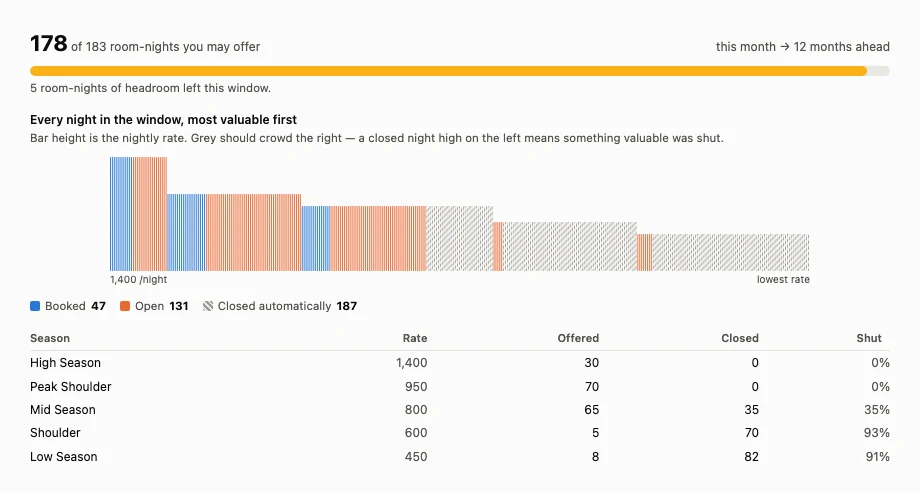
A calendar can't answer "did I close the cheap ones?" unless you know every date's season by heart. Sorted by value, the answer is the *shape*: grey should crowd the right. **A closed night standing tall on the left means something valuable was shut**, and you'd spot it instantly.
The table underneath gives the same thing as numbers — in the example above, 0% of High Season closed, rising to 91% of Low Season. That gradient is the proof.
### How the whole thing runs
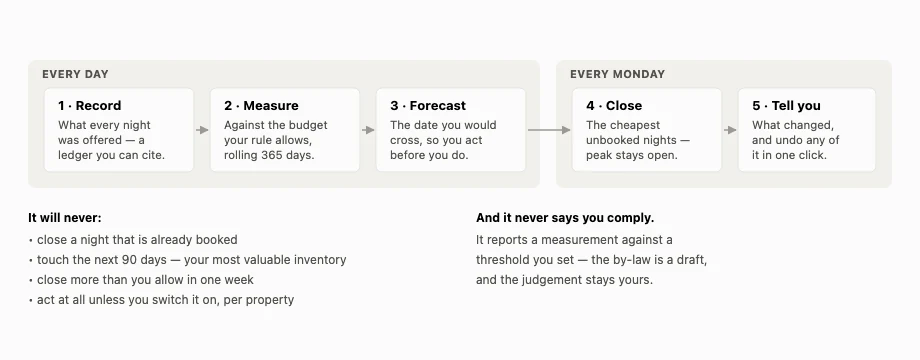
Ranking is by **your own seasonal rate card** — not a demand model. We'd need years of booking history to model demand honestly, and you've already told us which weeks are worth 1,400 and which are worth 450. Your prices are the best demand signal available, they work from day one, and you can argue with them.
If you turn on the weekly pass, closures are proposed and applied in **contiguous runs, furthest out first**. Never scattered single nights — a one-night gap between two blocks is unsellable under any minimum stay, so naive closing destroys more inventory than it saves.
### What it still won't do
It will not tell you whether you comply. It reports a measurement against a threshold you configured — "you are at 97% of your limit" — and never renders a verdict, because that is a judgement about a draft by-law in a jurisdiction we don't administer. It doesn't file anything with the City. And if you haven't connected your channel calendars, it can only see what it can see, so it will **under-report**. Connect the feeds first.
The weekly closing is **off unless you switch it on, per property**, and it costs 2 actions a run — charged only when nights are actually closed. Turning it on asks you twice.
## Setting it up
Roughly ten minutes, once:
1. **[Open an account](/get-started/)** and add the property.
2. **Set the bedroom count** on the Listing tab. The Cape Town rule is counted in room-nights, so the maths needs it — the gauge will prompt you and link straight to the field if it's missing.
3. **Connect your channel calendars.** Paste each platform's iCal URL. This is what makes availability the union rather than a guess, and it's covered in [Every Booking You Already Have, In One Place](/blog/every-booking-you-already-have/).
4. **Import your history** if you have it — a CSV or Google Sheet of past bookings. Every row lands as an availability block, so nothing is invoiced and no guest is emailed. It gives the gauge a past to count.
5. **Open Block Dates → Letting limit**, switch on tracking, and choose Cape Town (draft 2026).
6. **Add your registration number** when you have one. It renders on your booking page automatically, which is what the draft requires.
7. **Decide whether to let it close nights for you.** Off by default. If you switch it on, set how much of the near term is untouchable and the most it may close in a week.
Then leave it alone. It records every night, tells you when something changes, and — if you asked it to — quietly keeps you under the line by giving up your cheapest weeks first.
## If you want to stay under
A few practical moves, none of which require software:
- **Decide your season and block the rest properly.** Availability you never intended to sell is the cheapest availability to give up. A property genuinely closed for four months is a very different number from one left listed "just in case".
- **Check every channel, not your main one.** The most common way to cross this line is a secondary listing nobody has looked at since last year, quietly open all year.
- **Count rooms, not nights.** If you let a whole house, you are spending room-nights three or four times faster than the calendar suggests.
- **Watch the rolling window.** It is not a calendar year. A heavy summer stays in the count until it rolls out twelve months later.
## And if you disagree with it
The comment period closed on **5 October 2026**. Whether the City keeps offered nights as the measure, or moves to sold nights as SASTRA and others asked, is the point to look for in its next text. SASTRA also asked for commercially rated homes to be revalued on what they earn rather than on what they would sell for, which is how hotels and guest houses are valued. The City's own [short-term letting FAQ](https://resource.capetown.gov.za/cityassets/Media%20Centre%20Assets/CCT-short-term-letting-FAQs.pdf) and the [draft by-law page](https://www.capetown.gov.za/Media-and-news/Short-Term%20Letting%20By-Law%20open%20for%20public%20comment) are the places to start.
Whichever side of the threshold you land on, the same thing is true: from here, your availability is data somebody else holds too. Being able to see it before they do is the whole game.
Related: [Why Your iCal Sync Keeps Breaking](/blog/why-your-ical-sync-keeps-breaking/), [One Calendar to Rule Them All](/blog/one-calendar-four-views/), [Every Booking You Already Have, In One Place](/blog/every-booking-you-already-have/), and the companion piece, [South African Short-Term Rental Tax and Rates](/blog/running-your-str-as-a-business-south-africa/).
---
# No-Shows and Guests Who Never Pay
URL: https://www.airflowhq.com/blog/no-shows-and-guests-who-never-pay/
Published: 2026-09-24
Updated: 2026-10-01
Category: guides
Tags: direct, double-bookings, accounting, short-term-rentals, calendar, xero
> Abandoned checkouts, offers that expire, and the stay nobody turned up for. What each one should do to your calendar, your books and your task allowance.
## Four different problems wearing one name
"The guest never paid" covers four situations that look similar and need completely different handling:
1. **The abandoned checkout.** Someone started booking, the dates went on hold, and they vanished at the payment step.
2. **The offer that lapsed.** You built a booking and sent it to a guest to confirm. They never did.
3. **The unpaid balance.** A real, confirmed booking with a deposit paid and the rest never arriving.
4. **The no-show.** Paid or unpaid, the guest simply didn't turn up.
Only the third is a chasing problem, and it has [its own article](/blog/guest-hasnt-paid-the-balance/). This one covers the other three, because each quietly damages something different — your calendar, your books, or your costs — and most tools handle at least one of them badly.
## The abandoned checkout: give the dates back fast
When a guest reaches your payment page, the dates have to be held. Otherwise two people pay for the same week in the ninety seconds it takes to enter a card. So a pending booking blocks availability from the moment checkout starts.
The question is how long you hold it for. Too short and you double-book someone whose bank is being slow about a 3-D Secure prompt. Too long and a busy property sits on dead holds all week.
Airflow holds for **30 minutes**, with a sweep every five, so the worst case is about 35 minutes from abandonment to bookable. That covers a normal card confirmation with real margin, without parking your calendar for an afternoon.
Two design details worth copying if you're evaluating anything else:
**The row is expired, not deleted.** You keep the record. How many guests start and don't finish is a genuinely useful number — a high rate usually means something on your checkout is broken rather than that your guests are flaky. And when someone emails asking "did my booking go through?", you can answer.
**The expired booking stops blocking immediately.** Sounds obvious; isn't always. The availability view has to exclude expired, cancelled, rejected and no-show rows, or the dates stay dark forever while the booking list looks clean.
## The lapsed offer: don't sweep away what you built on purpose
This one produced the most instructive bug we've shipped, and it's worth telling because the same trap exists in most systems.
When an admin builds a booking and sends it to a guest to confirm by paying, that booking is **pending and unpaid by design**, sometimes for days, while the guest decides.
Now recall the rule above: sweep pending, unpaid bookings after 30 minutes. Both are pending. Both are unpaid.
So every offer the portal ever created was destroyed half an hour after it was made, along with its payment schedule. Silently. The host saw an offer go out and a booking disappear, with nothing connecting the two.
The fix is that "abandoned" and "awaiting the guest" are different states, even though they look identical in the data. An anonymous checkout that stops is abandoned — sweep it. A booking you deliberately created and sent is waiting — it gets its own expiry, which you choose: 24 hours, 48, 72, a week, or never.
And a lapsed offer is **cancelled, not deleted**, so you can still see it. A guest who let an offer expire is someone worth following up; a deleted row is someone you've forgotten exists.
The general lesson: a cleanup job that keys on a *state* rather than on how the row came to exist will eventually eat something it shouldn't. Check what your housekeeping rules would do to a booking you created by hand.
## The no-show: decide what it means before it happens
A no-show is the one situation where the right answer is a business decision rather than a setting.
**If they paid in full**, nothing needs to happen operationally. You keep the money under your policy, the booking stands, the invoice stands. Mark it as a no-show rather than cancelling it — cancelling implies a reversal that didn't occur, and your revenue for the month should reflect what you kept.
**If they paid a deposit and never the balance**, you have a decision: keep the deposit under your cancellation policy, or refund some of it as a gesture. Either is legitimate. What matters is that the booking ends up in a state that matches what actually happened with the money — a "cancelled" booking that kept a deposit is a misleading record.
**If they paid nothing** — which should be rare, because a booking with no payment shouldn't be holding dates that long — then it never really existed as a stay, and the question is why it was confirmed.
Whichever way it goes, the invoice needs attention, and this is where no-shows leak into your books. A confirmed booking with an approved invoice that never happened will sit on your debtors list indefinitely. The rule depends entirely on the invoice's live status — delete a draft, void an approved one, credit-note a paid one — and it's laid out in [What Happens to Your Invoice When a Guest Cancels](/blog/what-happens-to-your-invoice-when-a-guest-cancels/).
## The cost nobody counts
Here's something that only shows up in tools with a usage allowance rather than per-property pricing, and it's worth knowing generally: **failed and abandoned work can cost you real money.**
We found this on a real account. A draft invoice was failing for a fixable configuration reason, and a retry job ran every fifteen minutes. Each attempt used an automated task **before** the attempt, with no refund when it failed. Four failures cost four tasks and produced nothing. Left alone, the retry cap would have allowed 55 tasks of pure failure — far more than that plan's whole monthly allowance ([pricing](/pricing/)).
Two changes came out of it, and both are worth asking about wherever your costs are usage-based. **Charge after the work succeeds, or refund when it doesn't.** And **stop the loop at the source** — with no tasks available, skip the account rather than re-attempting every booking and recording a denial for each.
The same logic applies to your own operational costs. An abandoned checkout that triggers a guest email, a calendar sync and an accounting attempt has cost you something, even if the booking never existed.
## A short checklist
- Pending checkouts release within the hour, and expired rows stop blocking availability.
- Expired bookings are kept as records, not deleted.
- Offers you send have their own expiry, separate from abandoned checkouts, and lapse to cancelled.
- No-shows are marked as no-shows, not cancellations, so your revenue reflects what you kept.
- Every ended booking's invoice is resolved from its **live** status.
- Nothing bills you repeatedly for work that keeps failing.
None of this is glamorous, and all of it is the difference between a calendar you can trust and one you have to audit.
Related: [Held for 10 Minutes: How Airflow Stops Double Bookings](/blog/held-for-ten-minutes-stops-double-bookings/), [Setting a Cancellation Policy for Direct Bookings](/blog/cancellation-policy-for-direct-bookings/), [Your Calendar Still Shows a Cancelled Booking](/blog/calendar-still-shows-cancelled-booking/), and [Automated Tasks, Not Per-Property Fees](/blog/actions-not-subscriptions/).
---
# How to Take a Deposit on a Direct Booking
URL: https://www.airflowhq.com/blog/how-to-take-a-deposit-on-a-direct-booking/
Published: 2026-09-24
Updated: 2026-09-27
Category: guides
Tags: direct, payouts, short-term-rentals, pricing, accounting
> How much to ask for, when the balance should fall due, and the edge case that trips up every booking system: a guest who books inside your own balance window.
## Why a deposit is the whole game
When you take bookings through a channel, payment is somebody else's problem. Go direct and it becomes the central design decision of your business — and the deposit is where it's decided.
A deposit does three jobs at once. It filters out people who aren't serious. It gives you working capital months before the stay. And — the one people underrate — **it is the only thing that makes your cancellation policy enforceable.** A policy saying the full amount is due inside thirty days is worth exactly nothing if you're holding none of the guest's money and none of their card details.
So: how much, when, and what happens in between.
## How much to ask for
There's no universal number, but there is a sensible way to reason about it.
**25–30% is the common default**, and it works for most stays. It's enough that a guest thinks twice before cancelling, small enough that it doesn't feel like you're asking for the holiday up front.
Push it higher when your dates are hard to re-let. A remote lodge booking eight months out is carrying real risk on your side, and 50% is defensible. Push it lower — or take the full amount — when the stay is close: at two weeks out, splitting the payment creates admin for a balance that falls due almost immediately.
Two things worth getting right whatever number you pick:
**Charge the deposit as a percentage of the total, not a flat fee.** A flat £200 is a serious commitment on a £400 weekend and a rounding error on a £4,000 fortnight.
**Decide explicitly whether it's refundable**, and write it down. "Deposit non-refundable, balance refunded in full if cancelled more than 60 days out" is a complete, comprehensible sentence that prevents an argument later.
## When the balance falls due
The standard is a number of days before arrival — 30 is the most common, 60 for high-value or hard-to-re-let stays.
Work it backwards from a question nobody asks: **if the balance doesn't arrive, how long do I need to re-let these dates?** That's your window. Thirty days is conventional; it's also useless if your property takes three months to fill.
The balance should then be collected in the same way the deposit was: a link the guest pays from, not an invoice they have to act on. Every additional step between "time to pay" and "paid" is a percentage of guests who don't.
## The edge case every system gets wrong
Here's the one worth the whole article.
Your policy says the balance is due 30 days before arrival. A guest books **three weeks out**.
The balance due date is now in the past. What should happen?
The correct answer is that there is no balance — the schedule **collapses into a single payment**, and the guest pays in full at checkout. They booked inside your window, so the two-stage structure doesn't apply to them.
The wrong answer, which is what a lot of systems actually do, is to create the schedule anyway and then push the past-due balance out by some arbitrary period — seven days is common. Think about what that produces: a guest who would happily have paid in full at checkout has instead been handed a payment plan nobody offered them, with a second payment falling due after they've already mentally finished the transaction. You've manufactured exactly the chase you were trying to avoid.
Airflow builds the schedule from your property's own policy — deposit now, balance at check-in minus your balance-due days — and collapses it to one payment when arrival is already inside that window. If you're evaluating any booking system, this is a good thing to test: **make a booking inside your own balance window and see what the payment schedule looks like.** It's a two-minute check that tells you whether the logic was written by someone who thought about it.
## What happens between the two payments
Three things worth being deliberate about.
**The dates are held from the moment the deposit is paid.** A deposit-paid booking is a confirmed booking, not a provisional one. If your system treats it as tentative, you have a double-booking risk wearing a friendly name.
**Commission, if you pay any, should follow the money.** Charging a platform fee on the full booking value at deposit time means paying commission on money you haven't collected — and if the guest never pays the balance, you've paid for revenue that never existed. Airflow charges proportionally on each payment: commission on the deposit when the deposit lands, on the balance when the balance lands. We wrote up the reasoning in [Commission on What You Collect](/blog/commission-on-what-you-collect/).
**The guest needs somewhere to see what they owe.** Not an email they have to search for six months later — a page with the booking, the amount paid, the amount outstanding, the due date and a pay button. Most balance chasing exists because the guest has no way to check their own status.
## What to do about the abandoned ones
A deposit flow creates a category that pay-in-full doesn't: the guest who starts checkout and never finishes. They reached the payment page, the dates went on hold, and then their card failed or the phone rang.
Those dates must come back. Airflow holds a pending booking for **30 minutes**, with a sweep every five, so worst case is about 35 minutes from abandonment to the dates being bookable again. Long enough to cover a slow card confirmation with margin; short enough that a busy property isn't sitting on dead holds.
One design detail worth copying: the abandoned row is **flipped to expired rather than deleted**. You keep the record — how many people start and don't finish is worth knowing, and when a guest emails saying "I think I booked?", you can actually look.
## The honest limit
Airflow will remind a guest about an unpaid balance automatically, every morning, with a cooldown so nobody gets nagged. What it will **not** do is cancel the booking when the balance never arrives. There's no rule that releases the dates at T-0.
That's deliberate. Cancelling someone's holiday over a late payment is a judgement call about a person, and the failure mode of getting it wrong automatically is far worse than the inconvenience of deciding yourself. But it means the last step is yours — which is exactly why the outstanding list in [What to Do When a Guest Hasn't Paid the Balance](/blog/guest-hasnt-paid-the-balance/) is worth ten minutes a week.
## The short version
- Take **25–30%** as a rule, more when your dates are hard to re-let.
- Set the balance date from **how long you need to re-let**, not convention.
- Test what your system does when someone **books inside that window** — it should ask for one payment, not invent a plan.
- Hold the dates from the deposit, release abandoned checkouts within the hour.
- Pay commission on money you've **actually received**.
- Give the guest a page where they can see what they owe.
Get those right and the deposit stops being a payment step and becomes the thing that makes direct booking work at all.
Related: [Your Own Booking Engine, for Free](/blog/your-own-booking-engine-for-free/), [Setting a Cancellation Policy for Direct Bookings](/blog/cancellation-policy-for-direct-bookings/), and [Held for 10 Minutes: How Airflow Stops Double Bookings](/blog/held-for-ten-minutes-stops-double-bookings/).
---
# What to Do When a Guest Hasn't Paid the Balance
URL: https://www.airflowhq.com/blog/guest-hasnt-paid-the-balance/
Published: 2026-09-24
Updated: 2026-09-24
Category: guides
Tags: payouts, direct, booking-com, airbnb, accounting, short-term-rentals
> The balance was due last Tuesday and nothing happened. How to chase it, how to reach a guest whose email you never got, and what to automate.
## The balance nobody chased
A guest booked in March, paid a deposit, and the balance fell due thirty days before arrival. That was last Tuesday.
Nothing happened. No email went out. The booking still says confirmed. The guest is not thinking about it, because from their side they paid you and the transaction is closed. And you will find out either the week they arrive, or when you do your books, whichever comes first.
This is the single most common way a booking business quietly loses money — not a dramatic default, just a balance that nobody was responsible for asking about. Here's how to fix it, and the part most guides skip: what to do when you don't have the guest's email address at all.
## Start with the list you probably don't have
Before automating anything, get the number. You want one view that answers: **which confirmed bookings have money outstanding, and how overdue is each one?**
Most hosts cannot produce this. Bookings live in one place, payments in another, and "what's owed" is a sum nobody computes. If you can't answer it today, that's the first thing to fix — because everything below is just how to act on that list.
Two refinements that turn it from a report into a worklist:
- **Sort by how overdue, not by arrival date.** A balance three weeks past due on a stay in April is a worse problem than one due next week for a stay in October.
- **Flag the ones where waiting won't help** — no email address on file, the guest has already stayed, or they arrive within a fortnight. Those need a different action, not another reminder.
In Airflow that's the Owed and At-risk filters on the bookings list, with an amber marker on the second category.
## Automate the easy half
If you took the booking directly and you have the guest's email, this should be entirely hands-off.
Airflow runs a job **every morning at 09:00 UTC** that finds direct bookings with a deposit paid and a balance falling due, and emails the guest a payment link — with a seven-day cooldown so nobody gets nagged daily. The guest pays from their portal, the booking updates, and commission is charged proportionally on the balance rather than up front.
That covers the straightforward case completely. Set the policy once and stop thinking about it.
**One honest limit:** nothing auto-cancels a booking whose balance never arrives. There's no rule that releases the dates at T-0. That's a deliberate gap rather than an oversight — automatically cancelling a stay because a payment is late is a decision with a guest and a relationship attached, and we'd rather tell you than make it for you. But it does mean the chase ends with you.
## The hard half: guests you cannot email
Here's what almost nothing addresses, and it's where the real money sits.
Channel bookings frequently arrive **without a usable guest email**. Many channels give you a relay alias rather than a real address, and a relay alias is not something you should store as the guest's email — it expires, it's not theirs, and using it as an identity is a mess later.
The consequence is sharper than it looks: **a payment request cannot be created at all without an address.** Both major card processors require an email to open a transaction. So the automation that works perfectly for direct bookings hard-refuses on these, by design, rather than generating a broken link.
Which leaves a category of booking where real money is owed and no automated chase is possible.
The answer is to notify **you** instead of the guest. A watchdog runs daily at 05:00 UTC across every confirmed booking with a payment-schedule row due today or overdue, and raises it — rising from high to critical once it passes a week. Each one tells you the guest, the reservation, the amount, how overdue it is, and crucially **whether an email is on file**:
- **If there is one**, a payment request can be sent from the booking.
- **If there isn't**, it tells you to chase through the channel's own message thread — the one place the guest reliably reads.
## How a guest with no email actually pays you
This is the part worth setting up before you need it.
Send the guest your guest-page URL and their reservation number through the channel's message thread. They enter the reservation number and their **surname**, and land in their booking — where they can add their own contact details and pay.
The lookup is rate limited and doesn't reveal whether a reference exists when it fails, so it isn't an enumeration tool. And bank transfer and mobile money need no email address at all; only the card path does, and the portal collects it at that moment.
One practical note learned the hard way: the matcher takes the **last word** of the stored guest name as the surname. Tell guests "your last name as it appears on the booking" — a full name also matches — rather than just "your surname", and you'll avoid a round of confused replies.
## Record what actually arrived
When the money lands, record the **real amount**, not the expected one.
Bank transfers arrive light because the sending bank took a fee. Guests round down. Someone pays part now and the rest later. If your system insists on confirming a pre-filled figure, your records drift from your bank account by small amounts that are miserable to reconcile a quarter later.
The field should be editable and should default to the expected amount for the common case. Airflow also shows the exact commission before anything is charged to your card, so you approve a number rather than discover it.
And if you agreed the price in a different currency from the one you bank in, **the balance is tracked in the currency you agreed.** Asking "what's still owed" in your ledger currency gives an answer that changes with the exchange rate. [Quote in Their Currency, Bank in Yours](/blog/quote-in-their-currency-bank-in-yours/) covers that properly.
## A routine that takes ten minutes a week
1. **Open the outstanding list, sorted by days overdue.** Not by arrival.
2. **Anything with an email and no recent reminder** — send the payment request. Usually a click.
3. **Anything without an email** — message them through the channel thread with your guest-page link and their reservation number.
4. **Anything past a week overdue** — that's a phone call or a decision, not a fourth email.
5. **Anything where the guest has already stayed** — accept that this one is a debt, not a pending payment, and treat it accordingly in your books.
The fifth category is the one people avoid, and it's why the list is worth keeping. A balance that goes unasked-for long enough stops being late and starts being written off.
## The underlying point
Chasing money is unpleasant, so it gets deferred, and deferring it is exactly what makes it harder. The fix isn't discipline — it's making the system produce the list, send what it can send on its own, and tell you plainly about the ones it can't touch.
Automate the guests you can reach. Get told about the ones you can't. Never let a balance become invisible just because no email address was attached to it.
Related: [Deposit Now, Balance Later](/blog/deposit-now-balance-later/), [How to Take a Deposit on a Direct Booking](/blog/how-to-take-a-deposit-on-a-direct-booking/), [See the Number Before You Charge It](/blog/see-the-number-before-you-charge-it/), and [Who Collects the Money on a Booking.com Stay?](/blog/when-the-channel-doesnt-collect/).
---
# Your Calendar Still Shows a Cancelled Booking
URL: https://www.airflowhq.com/blog/calendar-still-shows-cancelled-booking/
Published: 2026-09-24
Updated: 2026-09-24
Category: guides
Tags: ical, calendar, double-bookings, airbnb, booking-com, direct, multi-property
> A guest cancelled on the channel, but the dates are still blocked everywhere else. Why feeds leave stale blocks behind, and how to clear them.
## Empty room, full calendar
A guest cancels on a channel. The channel releases the dates. Your listing there shows available again.
Everywhere else — your own website, your other channels, the spreadsheet, whatever you use to see the month at a glance — those nights are still blocked. Nobody can book them. You won't find out until you look, and most hosts look after the dates have passed.
This is the quiet cousin of double booking. Double booking is loud and embarrassing and you deal with it immediately. A stale block is silent, and it just costs you the week.
## Why the block doesn't clear itself
Calendar sync between systems is almost always one-way iCal feeds. A channel publishes a URL, other systems read it on a schedule, and every event in the file becomes a blocked date.
The problem is what a feed *is*. It's a snapshot of what's booked right now. It does not contain a list of what was cancelled. There is no "this reservation has gone away" event — the event simply stops appearing.
So a system reading that feed has to notice an **absence**. It has to remember what it saw last time, compare, spot that something is missing, and work out that the missing thing means "release these dates".
Plenty of tools never do this. They read the feed, create blocks for what's in it, and never reconcile against what they created before. Blocks go in and never come out. Over a season your calendar slowly fills with nights nobody ever booked.
## The three things a feed sync must handle
A sync worth trusting handles all three of these, not just the first:
| Case | What it means | What should happen |
|---|---|---|
| **Matched** | The external event lines up with a booking you already have | Link them. Don't create a second block. |
| **Unmatched** | The dates are sold and your system knew nothing about it | Block immediately, ask for details later |
| **Vanished** | Something you imported before is gone from the feed | It was cancelled upstream — remove your block |
That third row is this article. It's also the one most likely to be missing.
The ordering of the first two matters too, and it's the design decision we'd defend hardest: **block first, ask questions later.** The moment a feed shows dates as sold, they should be protected — even though the system doesn't yet know the guest's name or what they paid. Protection is instant; the ledger detail catches up. The other way round, you spend the gap exposed to a double booking.
## The safeguard that stops it overcorrecting
There's an obvious danger in automatically removing blocks: a feed that fails to load, or returns an empty file, would look exactly like "everything was cancelled". Strip the blocks on that basis and you've just opened your entire season to booking.
So removal has to be constrained. In Airflow, a block records which feed created it and which event it came from, and only that feed's own blocks can ever be removed by that feed's sync. A block you made by hand, or one that came from a spreadsheet import, cannot be cleared by a calendar feed having a bad morning.
This matters more than it sounds, because empty feeds are not rare. When we pulled three real feeds to test this, one public Google Calendar returned **zero events** — not an error, just an empty file — because its sharing wasn't set to show all event details. A sync that trusted that blindly would have released every date on the property.
## Not all feeds tell you the same amount
While testing against real channel feeds, the difference in quality was stark, and it changes how much you can expect automation to do.
**One large channel's reservations carry a reservation reference in the event.** That makes matching deterministic rather than a date-based guess — and, crucially, it survives a guest changing their dates. All four live reservations we tested matched their existing records exactly, by code.
**Another channel's feed says nothing at all.** Every event reads "CLOSED - Not available". No guest, no reference, no distinction between a real reservation and a manual block. One of the events we pulled spanned about five months — a seasonal closure, indistinguishable from a very long booking.
With the second kind, a review queue isn't an edge case, it's the main path. Every event needs a human to say what it was. Any tool promising fully automatic reconciliation from that feed is promising something the data cannot support.
## If your calendar is wrong right now
A practical sequence:
1. **Find blocks with no booking behind them.** These are your suspects — dates held by something nobody can name.
2. **Check each against the source.** Is it still in the channel's feed? If it isn't, and the channel shows the dates available, it's stale.
3. **Look at how old they are.** Stale blocks cluster around cancellations, so a run of them often points at one period where a sync was failing.
4. **Check your feed URLs still work.** A feed that has gone private or been regenerated will fail quietly, and a feed that fails quietly leaves everything it ever created behind.
5. **Then fix the sync**, not just the symptom. Clearing today's stale blocks by hand and leaving the mechanism unchanged means doing it again next quarter.
Airflow surfaces unexplained blocks in a review queue with three answers — add the booking details, mark it as an owner block, or ignore it — so the list shrinks instead of being re-triaged every time you look at it. The import itself runs hourly.
## The underlying point
Your calendar isn't a display. It's the thing that decides whether a stranger can take your dates. Every stale block is a night you can't sell, and every missing block is a double booking with a guest who has already paid.
Both failure modes come from the same root: treating a feed as a list of what's booked, rather than as a snapshot you have to reconcile against what you believed last time.
Related: [Why Your iCal Sync Keeps Breaking](/blog/why-your-ical-sync-keeps-breaking/), [Every Booking You Already Have, In One Place](/blog/every-booking-you-already-have/), [One Calendar to Rule Them All](/blog/one-calendar-four-views/), and [Managing Bookings from 5 Platforms](/blog/managing-bookings-from-five-platforms/). When a cancellation reaches your books rather than your calendar, see [What Happens to Your Invoice When a Guest Cancels](/blog/what-happens-to-your-invoice-when-a-guest-cancels/).
---
# Setting a Cancellation Policy for Direct Bookings
URL: https://www.airflowhq.com/blog/cancellation-policy-for-direct-bookings/
Published: 2026-09-24
Updated: 2026-09-27
Category: guides
Tags: direct, short-term-rentals, guest-experience, accounting, pricing
> Free cancellation until when? What to charge, what to put in writing, and the one safeguard that stops a guest's throwaway email cancelling a real booking.
## The policy you inherited without choosing it
If you take bookings through a channel, you have a cancellation policy. You probably picked it from a dropdown once, years ago, and have not thought about it since.
The moment you start taking direct bookings, that changes. Nobody hands you a policy. You have to decide what happens when a guest cancels six months out, six days out, and the morning of arrival — and then you have to make that decision stick when a real person is asking you, personally, for their money back.
This guide covers the three decisions that make a policy, what to put in writing, and the safeguard that matters more than any of it.
## Decision one: where your cut-off sits
Every policy is really one number — the point before which a guest gets their money back and after which they don't.
The honest way to choose it is to ask how long it takes you to re-let the dates. Not how long you'd like; how long it actually takes, looking at your own booking lead times.
- **A city apartment** that books three weeks out can afford a short window. Fourteen days is often plenty, because if someone cancels at fourteen days you'll probably re-let it.
- **A remote lodge or a villa** that books six months out cannot. If someone cancels at thirty days, that week is very likely gone. Sixty or ninety days is not greedy there, it's arithmetic.
- **Peak weeks** deserve their own, longer window. The dates you'd most struggle to re-let are exactly the dates people most want to cancel when plans wobble.
Two cut-offs is usually the sweet spot: full refund before the first, partial between, nothing after. Three tiers is the most anyone will read.
## Decision two: what "non-refundable" actually means
A policy that says full price is due inside thirty days is worth exactly as much as your ability to collect it. That's not a legal point, it's a practical one, and it's where most policies quietly fail.
Here's a real example. A property's channel policy read: free cancellation until 30 days before arrival, full price charged if cancelled inside 30 days, **no prepayment, and no credit card details required.**
Read that again. The "full price will be charged" clause was unenforceable, because nobody was holding a card to charge. A guest could hold peak dates for months at zero cost and walk away owing nothing collectible.
So the rule is simple and unglamorous: **the enforceable part of your policy is the part you already hold.** If you want a cancellation charge to be real, you need either a deposit already taken or card details on file. Otherwise you have a strongly worded paragraph.
For direct bookings this is straightforwardly in your hands — take a deposit at booking. [How Airflow handles deposit-now, balance-later](/blog/deposit-now-balance-later/) covers the mechanics, and the deposit doubles as the thing that makes your policy mean something.
## Decision three: what happens to the money you already took
Three sub-questions people forget until the first cancellation:
**Is the deposit refundable, partially refundable, or not at all?** Say it explicitly. "Deposit non-refundable, balance refunded in full if cancelled more than 60 days out" is a complete, comprehensible sentence.
**What about the cleaning fee?** It hasn't been incurred, so most hosts refund it even inside the window. If that's your position, put it in writing — it makes a hard conversation easier.
**What happens to your books?** This one bites later, not sooner. A cancelled booking can leave a live invoice sitting in your accounts, overstating your revenue and your debtors. The answer depends on the invoice's status — delete a draft, void an approved one, credit-note a paid one — and we've written the whole thing up in [What Happens to Your Invoice When a Guest Cancels](/blog/what-happens-to-your-invoice-when-a-guest-cancels/).
## Write it once, in plain words
Your policy needs to exist in three places, saying the same thing: on the booking page before they pay, in the confirmation email, and in your own head when someone asks.
A serviceable template:
> **Cancellation policy.** Cancel more than 60 days before arrival for a full refund of everything paid. Between 60 and 14 days, your deposit is retained and any balance paid is refunded. Within 14 days of arrival, no refund is due, though we will refund the cleaning fee. If we are able to re-let the dates, we will refund what we recover.
That last sentence is worth including. It costs you nothing when you can't re-let, it makes you look reasonable, and it turns a confrontation into a shared interest.
## The safeguard that matters more than the policy
Here's the part that isn't about policy at all, and it's the one we'd most want you to take away.
Cancellation emails get recognised by their wording. "Has been cancelled" in a channel's notification. The word "cancel" in a message. Now consider a guest who writes:
> *"Hi — just a heads up, I may have to cancel if my flights change. Will let you know next week."*
If anything in your setup treats that as a cancellation, you have just reopened the dates, released the booking, and possibly voided its invoice — for a guest who is still coming.
Our rule, since 22 September: **only a cancellation email sent by the platform itself, for a channel booking, actually cancels anything.** Every other case — a guest's own email, anything about a direct booking, a WhatsApp message — becomes a **cancellation request**. It shows on the booking as a banner reading "Cancellation request received — nothing has been cancelled yet", with Confirm and Dismiss.
That's deliberately asymmetric. Confirming a real cancellation takes five seconds. Recovering from a wrongly-cancelled booking means re-taking the reservation, un-voiding an invoice, and explaining yourself to a guest who did nothing wrong. When the cost of the two mistakes is that lopsided, you bias hard toward the cheap one.
Direct bookings **always** take the request path, by design. There's no platform in the middle to vouch for the message, so a human confirms.
## What we don't do, and won't pretend to
Airflow does not run refunds for you. There is no engine that decides what a guest is owed under your policy and sends the money back. That's deliberate for now — a refund is a judgement call about a relationship, and the failure mode of getting it wrong automatically is worse than the inconvenience of doing it by hand.
What it does do is make sure the cancellation is real before anything acts on it, reopen the dates, and put the invoice into the right state so your books stay true.
## A ten-minute job
1. Write down how long it really takes you to re-let a week, honestly.
2. Set one or two cut-offs from that number, with a longer one for peak.
3. Take a deposit, so the policy has teeth.
4. Write the paragraph. Put it on the booking page, in the confirmation, and somewhere you can find it.
5. Check that nothing in your setup can cancel a booking on the strength of a guest's email alone.
Step five is the one nobody does, and the only one that can cost you a stay that was never cancelled.
Related: [Deposit Now, Balance Later](/blog/deposit-now-balance-later/), [Your Own Booking Engine, for Free](/blog/your-own-booking-engine-for-free/), and [Held for 10 Minutes: How Airflow Stops Double Bookings](/blog/held-for-ten-minutes-stops-double-bookings/). Or see [how direct bookings work in Airflow](/features/).
---
# What Happens to Your Invoice When a Guest Cancels
URL: https://www.airflowhq.com/blog/what-happens-to-your-invoice-when-a-guest-cancels/
Published: 2026-09-24
Updated: 2026-09-27
Category: guides
Tags: accounting, xero, reconciliation, airbnb, booking-com, bookkeeping, short-term-rentals
> A cancelled booking can leave a live invoice in your accounts. Whether to delete, void or credit-note it depends on one thing: its real status.
## The invoice nobody cancelled
A guest cancels. You update the booking, send the apologetic email, reopen the dates, and move on.
Somewhere in your accounting software, an invoice for that stay is still sitting there. It is still on your debtors list. It will still appear in your revenue for the month. And at some point — probably during your VAT return, or when your accountant asks why a guest who never arrived owes you money — you will have to work out what to do about it.
This is one of the most common bookkeeping messes in a booking business, and almost nobody writes about it. So here is the whole thing: what should happen, why it depends entirely on the invoice's status, and the trap that catches people who try to automate it.
## The short answer: it depends on the invoice's status
There are three cases, and accounting software will only let you do one thing in each.
| Invoice status | What should happen | Why |
|---|---|---|
| **Draft** | Delete it | It was never issued. Nobody has seen it. Nothing to preserve. |
| **Approved, unpaid** | Void it | It was issued, so the number must survive as a voided record. |
| **Paid** | Leave it alone, raise a credit note | Money moved. You cannot un-issue a paid invoice. |
That last row is the one people get wrong, and it's the most expensive one. **A paid invoice must never be voided.** Xero will refuse the request outright, and it should — there is a payment attached to it. The correct instrument is a credit note, which records that you are reversing a sale that genuinely happened, rather than pretending it never did.
If you're doing this by hand: find the invoice, check its actual status in your accounting software, then delete, void or credit-note accordingly. If you're expecting software to do it for you, read the next section first, because there's a trap.
## The trap: your software's idea of the status is probably stale
Here's a failure we built, found and fixed, and it's worth understanding because any tool that syncs invoices can have it.
When a system raises an invoice, it records the status it created it with — usually `DRAFT`. Later you go into your accounting software and approve it. **Your accounting software knows. The system that created it does not**, unless something refreshes that field.
On one real account we checked, **22 of 24 invoiced bookings still read `DRAFT`** in the local record while being approved in Xero. Any automation trusting that stored value would have tried to delete approved invoices and send void requests at drafts — and been rejected every time, on every booking.
So the rule we now hold to, and the one to ask about before you trust any integration with your ledger:
> **Read the live status immediately before you act. Never decide from a stored copy.**
There's a narrower version of the same problem. If you approve an invoice in Xero and something updates the booking in the next hour, a system syncing on an hourly schedule will still believe it's a draft. Checking the live status at the moment of the change closes that window. Checking it hourly does not.
## What "cancel" used to leave behind
Worth being honest about our own history here, because it's the same shape as the problem in most tools.
Deleting a booking in Airflow handled its invoice properly. **Cancelling one did not.** The cancel action set the status and sent the guest an email, and the invoice stayed in Xero untouched — and the job that looks for bookings needing accounting attention excludes cancelled bookings, so it would never be picked up again either. Silently orphaned, forever.
That actually happened. One invoice was voided by hand after the fact, and a second was days away from the same fate when we found it.
Since 21 September, **cancel gets exactly the same invoice handling as delete**:
- **Draft** — removed automatically. No decision to make, nothing was ever issued.
- **Approved and unpaid** — you choose: void it, or keep it. The default is void.
- **Paid** — kept, untouched, and flagged for a credit note, because that's the only correct move.
And every one of those outcomes now reaches you as a notification — invoice removed, invoice kept, or invoice needs attention — rather than as an alert box that only the person who clicked cancel ever saw.
## The other half: a cancelled booking you didn't cancel
There's a second, nastier version of this. Not "the guest cancelled", but "something *told us* the guest cancelled".
Cancellation emails are classified by their wording. A guest writing "I may have to cancel" contains the word cancel. So does a channel's genuine cancellation notice. Treat them the same and you have a stay cancelled, a calendar reopened, and an invoice voided — on the strength of a guest thinking out loud.
Our rule since 22 September: **only a cancellation email sent by the platform itself, for a channel booking, actually cancels anything.** Everything else — a guest's email, a message about a direct booking, a WhatsApp — becomes a *cancellation request* that sits on the booking as a banner saying "nothing has been cancelled yet", which you confirm or dismiss.
It is slightly more work on the rare real cancellation, and it makes the catastrophic case impossible. That's a trade worth making every time, because the cost is asymmetric: confirming a request takes five seconds, and un-voiding an invoice and re-taking a booking takes an afternoon.
## A four-step routine you can run today
Whatever software you use:
1. **List cancelled bookings that still have an invoice reference.** If your system can't tell you this, it's the first thing to fix — a cancelled booking with a live invoice is invisible by default.
2. **Check each invoice's real status** in your accounting software, not in the booking tool.
3. **Apply the rule:** draft → delete, approved unpaid → void, paid → credit note.
4. **Check for orphans afterwards** — invoices with no booking pointing at them at all. These accumulate from deletions and are the ones your accountant finds.
On the last point, one principle that saved us from making the problem worse: **if an invoice can't be removed, don't delete the booking either.** Deleting it strands the invoice with nothing pointing at it — which is the exact mess you were trying to clear. Keep the booking, fix the invoice, then remove both.
## Why this matters more than it sounds
A cancelled stay with a live invoice overstates your revenue, inflates your debtors, and can push you over a VAT threshold you haven't actually crossed. It's not a tidiness problem. It's a numbers problem that compounds quietly across a season until someone does a reconciliation and finds a gap they can't explain.
The fix isn't discipline. It's making the cancellation itself do the accounting work, from the invoice's real status, and telling you what it did.
Related: [Why None of Your OTA Payouts Match Your Invoices](/blog/ota-payouts-dont-match/), [Bank Reconciliation for Short-Term Rentals](/blog/str-bank-reconciliation/), and [Automated Accounting: From Booking Email to Draft Invoice](/blog/automated-accounting-for-hosts/). Setting the policy that governs all this is covered in [Setting a Cancellation Policy for Direct Bookings](/blog/cancellation-policy-for-direct-bookings/).
---
# Cancelling Shouldn't Take Your Listing Down
URL: https://www.airflowhq.com/blog/cancelling-shouldnt-take-your-listing-down/
Published: 2026-09-24
Updated: 2026-10-02
Category: product
Tags: pricing, direct, multi-property
> Downgrading and closing your account are two different decisions. Now they have two different outcomes — one listing stays live, takes bookings, and gets paid.
## Two very different decisions, one button
There are two reasons a host cancels a subscription, and they have almost nothing in common.
The first is "I'm done." The business has wound up, the property has sold, the season is over for good. That host wants their data gone and their account closed.
The second is far more common, and it sounds like this: **"This is more software than I need right now."** Bookings are seasonal. A quiet quarter arrives. The automations and the accounting sync are worth paying for in August and hard to justify in February. That host doesn't want to leave — they want to spend less.
Until this week, both hosts pressed the same button and got the same outcome. Cancelling set the account's plan label to "free" and then quietly dismantled everything underneath it: every listing cancelled, every connected service disconnected, the task allowance zeroed, add-ons switched off, portal login blocked.
So the second host — the one who only wanted to stop paying for a slow month — lost the listing that was still taking bookings. Which is a strange thing for a platform to do to someone who was trying to stay.
That's now fixed. Downgrading is a real, separate outcome from closing.
## What "downgrade" actually keeps
When you cancel, you're now asked which of the two things you mean. If you choose to downgrade, here's what survives:
- **A listing stays live.** The Free plan's listing limit is on [the pricing page](/pricing/); if you have more than that, you pick which stay. It keeps its direct-booking page, and its Airflow Stay listing once Stay opens to travellers.
- **Guests can still book it.** This is the part that was genuinely broken before, and it's worth being specific about why.
- **Guests can still pay you.** Your payment connections — the ones that move money into your account — are deliberately left connected.
- **Your login still works.** You can sign in, see your bookings, and come back.
Your other listings are **archived, not deleted**. That distinction matters more than it reads. Archived means the data is intact and parked; when you upgrade again, those listings come back, unarchived by the same flow that put them away. "Archived, not deleted" had to be true in the database and true to you, not just true in a support article.
### The bug hiding underneath the free plan
While building this, we found something worse than the cancellation behaviour: **the free plan couldn't take bookings at all.**
Airflow plans include an allowance of automated tasks — automated work uses it, and manual work is free. We've explained why we chose that model over per-property pricing in [Automated Tasks, Not Per-Property Fees](/blog/actions-not-subscriptions/). But a direct booking was itself counted as a task, and the free plan was granted no monthly allowance. There was a one-time grace allowance, so a free account could take exactly one booking. Ever. After that, guests hitting the booking page got told online booking was temporarily unavailable.
That wasn't a cancellation problem. It was broken independently, and it would have quietly capped every free account on the platform.
The fix follows from what the free plan is actually for. Free exists to earn commission and nothing else — so **taking a booking is free on the free plan.** Direct bookings, bookings you add yourself, and blocking dates all work without consuming anything. What stays behind the task allowance is the automation layer: accounting sync, automated guest emails, reports, exports, AI features and pricing tools. Those are what you were paying for, and those are what pausing means giving up.
It was a narrower fix than it sounds. Exempting an entire *category* of booking actions would have accidentally handed free accounts free review ingestion too, which sits in the same category and is squarely an automation. Only the two commission-bearing booking actions are exempt.
## What it costs to stay
The free plan is commission-funded. Airflow takes **a commission on bookings through your own booking page** and **a higher marketplace rate on bookings that come through Airflow Stay** — current rates are on [the pricing page](/pricing/). Nothing monthly.
That funding model is the reason for the one condition attached: **a free account needs a card on file.** Commission is settled by invoice against your card, so without one there's nothing to settle against. A free listing cannot go live, and cannot accept a booking, until a card is added.
We gate that at publish time as well as at booking time, and on purpose. A listing that's visible but refuses every guest who tries to book is a worse experience for your guests than a listing that was never published — so we stop it at the door rather than at the checkout.
If you do want automated tasks on a free account, you can enable overage and buy them at the Free plan's per-task rate ([pricing](/pricing/)). Overage is switched off by default when you downgrade, because whatever you'd agreed to before was agreed at a different rate.
## What you give up
Being straight about this is the whole point of the feature.
| Stays with you on free | Goes away until you upgrade |
|---|---|
| A live listing with its direct-booking page (Free plan limit on [the pricing page](/pricing/)) | Your other listings (archived, restored on upgrade) |
| Guest bookings and online payments | Accounting sync to your books |
| Your calendar and blocked dates | Automated guest emails and workflows |
| Your booking history and login | Reports, exports, AI features, pricing tools |
| | Add-ons and extra team seats |
Your accounting and mailbox connections stay connected on downgrade, and so do your payment processors, because taking payment is the one thing the free plan has to keep doing. What stops is the monthly allowance: on the free plan each automated task is pay as you go.
If what you actually want is the accounting automation and not the rest, downgrading is the wrong move; that layer is the part free doesn't include. [How Airflow works](/how-it-works/) walks through what the automation layer does, and [Admin That Handles Itself](/blog/admin-that-handles-itself/) covers the specific chain — booking email in, draft invoice out — that stops when you pause.
## The honest limits
Three things worth saying plainly.
**You cannot sign up for the free plan.** It isn't a self-serve tier and there's no "start free" button, because there is no free signup flow behind one. There are exactly two doors into the free plan: downgrading from a paid plan, which is this feature, and a direct invitation. We removed the "Start for free" line and the free-tier question from the [pricing page](/pricing/) this week for exactly that reason — they pointed somewhere that only sells paid plans, which made them untrue. Every new account still starts on a paid plan with a free trial.
**A card is required, not optional.** Covered above, but it's the condition most likely to surprise someone mid-downgrade, so it appears on the cancellation screen before you confirm rather than after.
**This is new.** The flow was built and verified end to end over 2026-09-23 and 24, including on a three-listing account to prove the archive-and-restore branch works with more than one property. That test caught two real bugs before any customer met them — one where a downgrade could deactivate the account's own owner and leave nobody able to sign in, and one where the listing you'd be left with wasn't reliably the one you picked. Both are fixed. But the mechanism is what we're describing here, not a track record.
## Why we built it this way
The trigger was a small pricing change. Airflow moved to a short free trial, and a short trial means the cancel screen stops being something a customer sees once a year and starts being a weekly event. It's the single most likely moment a host decides between "I'm leaving" and "this is too much software for right now" — and the only moment where getting the difference wrong takes a live, bookable listing offline.
A platform that treats those two as the same decision is optimising for the wrong one. Your guests shouldn't be able to tell that you changed plan.
---
# Show Airbnb and Google Reviews on Your Website
URL: https://www.airflowhq.com/blog/show-airbnb-google-reviews-on-your-website/
Published: 2026-09-23
Updated: 2026-09-27
Category: guides
Tags: reviews, airbnb, website, direct, guest-experience, short-term-rentals
> Your best reviews sit on a channel that charges commission. How to get them onto your own site, what each platform's terms allow, and four pitfalls.
## Your social proof is working for the wrong website
You have years of five-star reviews. They're doing an excellent job of converting visitors into bookings — on a channel that takes a commission on every one of those bookings.
On your own site, where a booking costs you nothing but a card fee, a visitor sees photographs and a price and has no evidence that anyone has ever stayed. That's the single biggest conversion gap on most direct-booking pages, and it's fixable.
Here's how to close it, what's actually allowed, and the mistakes that cause trouble.
## First: what you're allowed to do
Before any implementation, the part most guides skip.
**Google reviews** may be displayed on your own site, and Google's display terms require you to **attribute them** — show the reviewer's name and make clear the review came from Google. Don't present them as unattributed testimonials. The official route is the Places API, and it comes with two hard limits worth knowing before you plan around it: **a maximum of five reviews, and no owner replies.** There is a richer API that returns the full set with replies; access to it is granted case by case, and our own experience is that it cannot simply be enabled on request.
**Airbnb** has no public reviews API. Scraping your listing page is against their terms and breaks whenever the page changes. The route that is legitimate and stable is the one you already have: **the notification email Airbnb sends you when a guest leaves a review.** It's your email, about your property, sent to you.
**Any review you display should be a real review, attributed accurately.** Inventing testimonials or presenting a review from one platform as if it came from another is a consumer-protection problem in most jurisdictions, quite apart from being obvious to anyone who checks.
## The reliable route: your own inbox
If you're doing this properly rather than copy-pasting, the durable source is email.
Every channel emails you when a review lands. Connect that mailbox to something that can read those notifications, and each review becomes a structured record — reviewer, rating, text, date, source — without you retyping anything. Pair it with a periodic pull from your Google Business Profile for the Google side, and both sources converge into one list.
Three things will bite you, and all three are worth designing for:
**The email is often a preview, not the review.** We proved this against a stored notification: the second half of one review appears in neither the plain-text nor the HTML body. The email truncates. If you display what arrived, you publish half a review that ends mid-sentence. The fix is to flag those as partial and paste the full text once — and to derive the flag from the facts rather than storing it, so it keeps working when a second source starts truncating too.
**Some emails contain a private note.** Several channels include a private "note from the guest" section alongside the public review. One real example we looked at was a complaint about noisy neighbours — helpful feedback for the host, actively harmful if published on that host's own website. Never import it.
**Character encoding.** Notification emails are frequently base64-encoded UTF-8. Decode them naively and "We've" becomes "We’ve" across every review you import. It looks like carelessness to a visitor, which for a review is exactly the wrong signal.
## Where to put them
Getting reviews into a database is half the job. The half that converts is placement.
**On your booking page or widget.** This is the highest-value spot, because it's the last thing a visitor sees before deciding. If you embed a booking widget on your own site, the reviews should be able to sit inside it — either as a tab beside the booking form or as a separate strip elsewhere on the page.
A small design decision matters here: **reviews should load when someone asks for them, not on every page load.** Keep the booking path fast; a visitor who never opens the reviews tab shouldn't pay for it.
**On a dedicated page.** A `/reviews` page gives you something to link to from email signatures and social profiles, and it ranks for your property name plus "reviews" — a query people genuinely type when they're deciding.
**On your listing page, above the fold-ish.** The star rating and count near the price, the reviews themselves further down.
If your site is running on something you don't want to rebuild, an iframe embed is the pragmatic answer — the snippet carries its own identity in its URL, so it resolves the right property on any domain.
## Four pitfalls
**Publishing pending reviews.** If you have a moderation step, make sure unmoderated reviews are genuinely excluded from the public page **and** from the headline rating. We shipped exactly this bug: the page fetched both published and pending reviews and counted them in the average. Anything awaiting a decision was already live and already moving the number.
**Showing a typed review as a verified one.** If you can add a review by hand — and you should be able to, for the guest who emailed you instead — then how it arrived must be recorded and shown. Without that, a review you typed is indistinguishable from one the channel sent. On the first real account we did this for, it was 22 imported against 4 typed, identical on the public page until we marked them.
**Cherry-picking only the five-star ones.** A page of nothing but perfect scores reads as fake, because it usually is. A handful of four-stars with a good owner response converts better than uniform perfection.
**Forgetting the owner response.** A calm, specific reply to a mediocre review is often the most persuasive thing on the page. Note that if you're pulling from Google's Places API, replies don't come through — you'll need to add them your side.
## If you're not taking direct bookings at all
Worth saying, because it's a common position: you might keep your existing website and your channels and use accounting software purely for the books, with no public booking page anywhere.
You can still put your reviews on your own site. A reviews-only embed doesn't need a booking page behind it — it's your reviews, on your domain, doing the convincing. Whether the booking then happens through a channel or a phone call is a separate decision.
## The honest summary
The reviews you've earned are an asset you already own and mostly don't control. Getting them onto your own property — attributed correctly, moderated, with responses, and next to your booking form — is one of the few marketing jobs that's genuinely one-off.
Related: [Your Reviews, On Every Surface You Own](/blog/your-reviews-on-every-surface/) for how Airflow does the ingestion, [Your Reviews Are Your Most Underused Asset](/blog/reviews-are-your-most-underused-asset/) for the commercial case, and [Go Live on Your Own Terms](/blog/go-live-on-your-own-terms/) for where the embeds go. Or look at [Airflow's features](/features/).
---
# How to Set Seasonal Rates for a Short-Term Rental
URL: https://www.airflowhq.com/blog/how-to-set-seasonal-rates/
Published: 2026-09-23
Updated: 2026-09-23
Category: guides
Tags: pricing, airbnb, direct, short-term-rentals, multi-property, calendar
> Fixed rack rates or a percentage off a base? Recurring seasons, minimum stays, discount stacking, and a yearly increase that compounds correctly.
## Most rate cards are three numbers and a guess
Ask a host for their rates and you'll usually get something like: "about 620 normally, 810 in high season, and 1,500 over Christmas and New Year." Which is a perfectly good rate card. The trouble starts when you try to express it in software.
Many booking systems only let you set **one base price and percentage adjustments**. So you're asked to describe 1,500 as "+142% on the base", and to keep that percentage correct as the base moves. That's not how you think about your rates, it's not how they appear on your listing elsewhere, and the first time you adjust the base every season silently changes.
This guide covers the model that actually fits: seasons as first-class things, three ways to price one, and the two mechanisms — discounts and escalation — that sit on top.
## Start with absolute rates where you have them
The first decision is per season, and there are three sensible modes:
**A fixed nightly rate.** The season costs what it costs. 1,500 is 1,500, not a percentage of anything. Use this whenever you have a rack rate that must match a number published elsewhere, because a percentage will drift away from it the moment you touch the base.
**A percentage above or below a base.** Genuinely useful when a season is defined relative to normal — "shoulder season is 15% off" is a real pricing policy, and expressing it as a percentage means it stays correct when you reprice.
**No price change at all.** An underrated option. A season that exists purely to set a **minimum stay** — a four-night minimum over a public holiday, say — without touching the rate. Seasons are as much about the rules as the price.
Mixing modes is normal. Fixed rates for your named seasons, a percentage for shoulder, and a no-price season for the school-holiday minimum stay.
## Make seasons recur, or you'll redo this every year
A season should be stored as **month and day, not a date** — 15 December to 10 January, every year — and expanded to real dates when a price is calculated for a specific stay.
Two things to check in whatever you're using:
**Does a season that crosses New Year work?** A range from 15 December to 10 January is, naively read, a range that ends before it starts. It has to be split at the year boundary and handled as two spans. If your tool silently prices those nights at the base rate, your most valuable fortnight of the year is being sold cheap.
**Are seasons set once, or re-entered annually?** If you're typing next year's dates in every autumn, you will eventually forget, and you'll find out from a booking.
## Length-of-stay discounts, and where they apply
On top of seasonal rates sit discount rules. The common set, which maps to what the large channels already offer so your direct rates stay comparable:
- **Weekly** — seven nights or more
- **Monthly** — twenty-eight nights or more
- **Last-minute** — within a few days of arrival
- **Early bird** — booked well in advance
- **Trip length** — your own thresholds
- **Custom promotions** — with usage limits, so a code can't be shared into oblivion
Two details decide whether these behave sanely.
**Stacking.** Some discounts should combine and some absolutely shouldn't. A weekly discount plus an early-bird discount plus a promo code is three reductions on one booking, and if your tool applies all three by default you'll discover it in your margin rather than in your settings. Each rule needs to declare whether it stacks.
**Order of operations.** Discounts should apply **after the seasonal accommodation total and before fees and taxes**. If a length-of-stay discount is applied after the cleaning fee, you're discounting your cleaner's wages. If it's applied after tax, your tax figure is wrong. This sounds pedantic until an accountant asks you to explain a line.
## The yearly increase, and the detail that catches everyone
Most hosts raise rates once a year, in a hurry, from memory. A yearly escalation makes it a setting rather than an annual scramble: a percentage, a base year, and compounding from there.
Two things to get right.
**Escalate per season, not per property.** Your peak season might be exactly right where it is while a quiet season needs a different treatment entirely. A single flat percentage across the property applies the same medicine to both.
**Compound by the year of the night, not the year of the booking.** This is the one that catches people. A guest booking in December for the following August should get August's rate, escalated for August's year. If escalation keys off the booking date instead, then booking eighteen months ahead quietly buys last year's prices — and a stay that crosses New Year is priced wrong on one side of it. Nobody notices until a guest works it out and tells their friends.
## Check what you achieved, not what you charged
Here's the step that turns rate-setting from guesswork into a decision.
The number that matters isn't the rate on your listing. It's **what you actually achieved per night, by season** — because the gap between the two is the entire story. A season that's fully booked at 80% of its nominal rate is telling you the listed rate is fiction. A season achieving 98% and selling out early is telling you it's cheap.
Two rules worth applying before you act on that:
**Only raise a season that's achieving close to what you already ask.** If a season isn't getting the rate you've set, price isn't the constraint — raising it is the wrong lever. A reasonable threshold is 95% of the set rate over the last full year.
**Don't move more than about 15% on one year's evidence.** One exceptional season is a story. Two years agreeing is a trend. This rule mostly protects you from yourself after a good summer.
**And watch what's inside the "achieved" figure.** If your per-night number is derived from the total booking value, it probably includes the cleaning fee — which makes short stays look like they're beating a room rate that excludes cleaning. On one real property, seventeen of twenty-five bookings carried a cleaning fee of around $116 against a 4.4-night average stay. That's a meaningful distortion in exactly the seasons where stays are shortest. Strip it before you draw conclusions.
## A workable sequence
If you're setting this up from scratch:
1. **Write down your rate card** the way you'd say it out loud. Named seasons, absolute numbers where you have them.
2. **Enter seasons as recurring month-day ranges.** Check the one that crosses New Year.
3. **Add minimum stays** as season rules, including any no-price seasons that exist only for that.
4. **Add length-of-stay discounts** to match what your channels already offer, and decide explicitly what stacks.
5. **Check the order**: accommodation, then discounts, then cleaning, fees and taxes.
6. **Leave escalation off until you have a year of data.** Then set it per season, from achieved rates.
7. **Once a year, compare achieved against set**, season by season, and move only the ones the evidence supports.
That's a rate card that survives contact with a real calendar, and an annual review that takes twenty minutes instead of a nervous afternoon.
Related: [Price Next Season Before You Have To](/blog/price-next-season-before-you-have-to/) for how Airflow recommends the increase, [One Resource or One Hundred](/blog/one-resource-or-one-hundred/) for applying this across a portfolio, and [Your Own Booking Engine, For Free](/blog/your-own-booking-engine-for-free/) for taking the direct bookings these rates apply to.
---
# Multi-Currency Airbnb Income in Xero
URL: https://www.airflowhq.com/blog/multi-currency-airbnb-income-in-xero/
Published: 2026-09-23
Updated: 2026-09-28
Category: guides
Tags: xero, multi-currency, airbnb, accounting, reconciliation, payouts, fx-rates
> A foreign-currency booking involves three exchange rates, not one. Which rate belongs on the guest invoice, the payment and the Xero entry, and why.
## One booking, three exchange rates
Ask most hosts what exchange rate applies to a foreign-currency booking and you'll get one answer. The correct answer is three, and almost every reconciliation headache in a multi-currency rental business comes from collapsing them into one.
Here's a real shape. A guest agrees a price in **EUR**. Your business accounts in **USD**. Your Xero organisation's base currency is **KES**. Nothing about that is exotic — it's an ordinary situation for anyone letting property in one country, banking in another, and filing accounts in a third.
Three conversions are genuinely in play:
| Conversion | What it answers | When it's fixed |
|---|---|---|
| **Agreed → ledger** | What is this booking worth in the currency I run my business in? | At booking, then trued up at payment |
| **Payment → realised** | What did I actually receive when the card cleared? | At the moment of payment |
| **Ledger → accounting** | What figure goes into Xero? | At invoice time, at Xero's rate |
Software that offers you a single "currency" field is hiding two of those from you. That's not simplification — it's a silent decision about your books made by someone who never saw them.
## The rate that must never be 1
Before the detail, the single most expensive mistake in this area.
When a system can't find an exchange rate, there is a tempting fallback: use 1. The code runs, no error appears, and the number looks like a number.
For KES to USD that turns **15,000** into **$15,000** instead of roughly $115. A 130-fold overstatement, presented with total confidence, that will flow into your revenue figures, your dashboard and your tax return.
The rule we hold ourselves to, and the one to demand of any tool: **when a rate is unavailable, the correct behaviour is to fail, not to substitute 1.** A booking with no resolvable rate should be excluded and counted as pending, not multiplied by one and added to a total. If you're auditing your own setup, that's the first thing to check — it's invisible until it's catastrophic.
## Which rate goes on the guest invoice
The guest agreed a number. That number is the promise, and it shouldn't move because a currency market moved.
So the guest-facing invoice shows the **agreed currency and agreed total**. If the card is charged in a different currency — because your processor won't settle euros, which is common outside the eurozone — the guest should see the agreed price, the converted amount, and the rate between them. On the receipt, not just in your records.
The mistake to avoid is re-rating unpaid bookings daily. It sounds more accurate. In practice it rewrites every foreign-currency booking every morning, pokes your accounting sync each time, and means no figure on your dashboard is the same two days running. Fix the rate at payment and true it up when the payment confirms — then your books show money that genuinely arrived rather than an estimate from three months ago.
One consequence worth stating plainly: **the outstanding balance is tracked in the agreed currency.** The guest owes their agreed total minus what they've paid, in euros. Asking "what's still owed" in your ledger currency is asking a question whose answer changes daily.
## Which rate goes into Xero
This is the one people get wrong, because it feels like it should be the same rate.
It isn't. Xero has its own base currency and its own moment of truth. The rate that converts your ledger figure into a Xero invoice is taken **at invoice time**, independently of whatever rate you used to charge the guest weeks earlier. That's correct accounting behaviour, not a bug — the invoice records the transaction in your reporting currency at the date it's raised.
Which means you should expect a difference between what the guest paid and what Xero shows, and that difference has a name: **realised FX gain or loss**. It belongs in its own account. If you find yourself editing invoice totals to make two numbers agree, you're hiding an FX movement inside your revenue, and your margin will be quietly wrong all year.
### The failure this causes if your base currency is blank
A short, real cautionary tale. An account connected Xero without its accounting currency ever being set. The code fell back to a default of USD. Xero replied, correctly, that the organisation **is not subscribed to currency USD**, and rejected every draft invoice.
Four invoices failed. The host wasn't told. The retry ran every fifteen minutes and burned a credit per attempt. Everything looked fine from the outside.
Two things came out of that, and both are worth copying if you're building this yourself. The base currency is now read from Xero's own organisation record at the moment you connect, rather than guessed. And when it still isn't known at invoice time, the system **refuses and tells you, with a link to fix it**, rather than defaulting to a currency and failing silently four times. We wrote up that whole episode in [Thirty Emails, or One](/blog/thirty-emails-or-one/).
If you're connecting Xero to anything, check its base currency first. It takes ten seconds and it's the single most common cause of "my invoices just aren't appearing".
## Reconciling a foreign payout
The last piece is the bank line, and multi-currency makes it worse than the usual mismatch.
An Airbnb payout in a foreign currency arrives having been through their conversion, not yours. So the amount hitting your bank will not equal your invoice total, and it will not equal the guest total either. Three separate reasons stack up:
1. The **host service fee** was deducted before payout.
2. **Their** exchange rate applied, at **their** timing.
3. Your bank may have taken its own conversion or fee on receipt.
Trying to match a payout to a single invoice is therefore hopeless by construction. The workable approach is the one we set out in [Why None of Your OTA Payouts Match Your Invoices](/blog/ota-payouts-dont-match/): treat the payout as a settlement of several invoices, book the fee as an expense, and let the FX difference land in its own account rather than adjusting revenue.
## A short checklist
If you run bookings in more than one currency and Xero is your ledger, work through this:
- **Xero's base currency is set**, and whatever feeds it knows what it is.
- **No rate ever falls back to 1** — unresolved rates are excluded and counted, not multiplied.
- **Rates come from a defined source with a fallback chain**, cached, and recorded with the transaction. A rate you can't reproduce later is a rate you can't defend.
- **Guest invoices are in the agreed currency**; the conversion is shown, not hidden.
- **Realised FX differences have their own account**, and nobody is editing invoice totals to make lines agree.
- **The balance owed is tracked in the currency it was agreed in.**
Get those six right and multi-currency stops being a monthly argument with your own spreadsheet.
Related: [Multi-Currency, Made Simple](/blog/multi-currency-made-simple/) for the model, [Multi-Currency Is Breaking Your Spreadsheet](/blog/multi-currency-breaking-your-spreadsheet/) for why manual doesn't scale, and [Quote in Their Currency, Bank in Yours](/blog/quote-in-their-currency-bank-in-yours/) for how Airflow implements it. Or read [how the Xero sync works](/features/).
---
# Import Airbnb Booking History into Xero
URL: https://www.airflowhq.com/blog/import-airbnb-booking-history-into-xero/
Published: 2026-09-23
Updated: 2026-09-23
Category: guides
Tags: xero, airbnb, accounting, bookkeeping, ical, reconciliation, short-term-rentals
> Importing years of past bookings can raise hundreds of draft invoices dated today. The safe order to do it in, and which bookings to leave out.
## The question everyone asks second
The first question a host asks about accounting software is "will it handle my bookings going forward?" The second, about ten minutes later, is much harder:
**"What about the two years I already have?"**
You have a spreadsheet of past stays. You have an Airbnb calendar full of dates that are already sold. You may have a Xero file that's been hand-keyed, half-keyed, or not keyed at all. And somewhere in there is a real question about whether your prior-year figures should change at all.
Most guides skip this because the honest answer is "it depends, and doing it wrong is worse than not doing it". So here is the version nobody writes: what actually happens when you import historical bookings into an accounting workflow, what it can break, and the order that makes it safe.
## The trap: 200 draft invoices dated today
Start with the failure mode, because it's the reason the rest of this exists.
Booking systems that talk to accounting software generally run a background job: find every booking that has a value, has no invoice yet, and belongs to an account with accounting connected — then raise a draft invoice for it. That job is correct and useful for bookings that happen from now on.
Now import 200 historical stays straight into your bookings. Within the job's next cycle — often fifteen minutes — you have **200 draft invoices in Xero, dated today, for stays from 2024 and 2025.**
Every one of them is wrong in the same way. They land in the current period. They'll distort this month's revenue. They may cross a VAT period or a closed financial year. And deleting 200 drafts by hand in Xero is an afternoon you will never get back.
That isn't a hypothetical. It's the precise behaviour of the job that makes automated accounting work, applied to data it was never meant to see. If you take one thing from this article: **historical bookings must not enter the invoicing path by the same door as new ones.**
## The safe order
### Step 1: bring in the dates first, as blocks, not bookings
Before anything touches your books, get your sold dates protected. If you're putting a booking widget on your own website, this is urgent — until the system knows which nights are already gone, it can double-book you on day one.
The right shape here is an **availability block**: a record that says "these nights are unavailable" and nothing more. A block creates no booking, no invoice, no guest email, and in Airflow costs no credits. It's inert by design.
There are two doors:
- **An iCal feed** from Airbnb, Booking.com, or a shared calendar. Paste the URL, and it syncs hourly.
- **A CSV or Google Sheet** of your own records — the spreadsheet you've actually been keeping.
Use both. They know different things: a calendar feed knows dates and keeps them live; a spreadsheet knows the guest and the money. Whichever arrives first creates the block, and the other attaches to it rather than creating a duplicate over the same week.
Airbnb's feed is unusually good for this, because its reservation events carry a confirmation code. That makes matching deterministic rather than a date-based guess, and it survives a guest moving their dates. Booking.com's feed is the opposite — every event just says "not available", with no guest, no reference and no distinction between a reservation and a manual block. Expect to supply the detail yourself there.
### Step 2: check the date format before you trust a single row
The most dangerous field in any booking spreadsheet is the date.
`05/01/2026` is the 5th of January in most of the world and the 1st of May in the United States. Guess wrong and nothing errors — you block the wrong week, in the wrong month, silently, and only discover it when a guest turns up.
A sound import decides date order **per column, from evidence across the whole file**: if any row has a first component above 12 the column is day-first; if any row has a second component above 12 it's month-first; if both appear the file contradicts itself and should be flagged; and if neither appears anywhere, the file is genuinely ambiguous and the right behaviour is to **refuse every row and ask you**, not to pick one.
That last case is more common than you'd think — a file where every date happens to be in the first twelve days of its month is unresolvable, and any tool that imports it confidently is guessing with your calendar.
### Step 3: decide, deliberately, which bookings become financial records
Now the actual accounting question, and it's a judgement call rather than a setting.
**Bookings in a closed period should usually stay out of your books.** If your accountant has filed the year, your Xero figures for that year are correct as filed. Re-creating those stays as invoices now doesn't improve the record — it corrupts a period that was already signed off, and you'll spend longer reconciling the difference than you saved.
**Bookings in the current open period are worth importing properly.** These are the ones where a clean invoice per stay, with the guest, the nights, the cleaning fee and the channel commission itemised, genuinely improves your books.
**Future bookings should absolutely come in.** They haven't been invoiced anywhere yet, they'll be paid through your normal flow, and they belong in your ledger from the start.
This is why conversion from block to booking is a separate, previewed action in Airflow rather than something the import does on your behalf. Converting 47 paid stays will queue 47 draft invoices — which is correct behaviour and exactly what you want *when you've chosen it*. The point is that you choose.
## What "properly" looks like in Xero
If you're going to create historical invoices, create them the way you'd want them to have been created at the time. The most common mistakes are the same ones people make going forward:
**The payout is not the income.** An Airbnb payout is the guest total minus the host service fee, sometimes minus tax withheld. Booking the payout as revenue understates your income and hides the commission entirely. The guest total is your revenue; the host fee is an expense.
**Channel commission is an expense, not a discount.** Netting it out makes your business look smaller and your costs look lower than they are. We covered the mechanics in [How to Track OTA Commissions as Expenses](/blog/track-ota-commissions-as-expenses/).
**Cleaning fees, deposits and taxes are not all revenue.** A refundable damage deposit is a liability until it's released. [Cleaning Fees, Damage Deposits & Taxes](/blog/cleaning-fees-deposits-taxes-bookkeeping/) has the full breakdown.
**Dates matter more than usual on a backfill.** An invoice dated the stay date tells the truth about when the income was earned. An invoice dated the import date tells you when you ran an import, which is of no interest to anyone.
If your Xero file isn't set up for short-term rental income in the first place, fix that before you import anything into it — [Xero + Short-Term Rentals: The Setup Nobody Teaches You](/blog/xero-short-term-rentals-setup/) and [Your Short-Term Rental Chart of Accounts](/blog/str-chart-of-accounts/) are the two to read first. Importing good data into a bad chart of accounts just gives you more to re-categorise.
## What to do about the gap
There's a version of this where you do none of it, and it's often the right answer.
Leave the closed years alone. Import your calendar so your dates are protected. Bring in current-period and future bookings as real records. Let everything from this point forward flow automatically — booking email to structured record to draft invoice, which is the [thing that actually saves you the time](/blog/automated-accounting-for-hosts/).
Your historical data stays where it is, in the spreadsheet, as a record. Your books from here are clean. And you skipped the afternoon deleting 200 drafts.
## Honest limits
Two things worth knowing before you start.
Airflow's bulk import handles CSV and Google Sheets, maps columns, matches against what's already there, and has been run end-to-end against real messy files in production — but it **has not yet been exercised by a host against their own two-year spreadsheet**. It's careful software, not battle-worn software. If you're about to be the first, tell us how it goes and we'll fix what breaks.
And the mapping is deterministic, not AI-guessed per row. One model call maps the columns of a file; real-world headers like Arrival, Departure, Client, Paid, Ref, Source, Notes usually resolve with no model call at all. The same file imported twice gives the same result.
Next: the product side of this is in [Every Booking You Already Have, In One Place](/blog/every-booking-you-already-have/), and if you're moving off a spreadsheet entirely, [From Spreadsheets to Real STR Bookkeeping](/blog/spreadsheets-to-str-bookkeeping/) is the companion piece. Or [get started](/get-started/) and bring your calendar with you.
---
# A Booking Is a Thing at a Time
URL: https://www.airflowhq.com/blog/a-booking-is-a-thing-at-a-time/
Published: 2026-09-23
Updated: 2026-09-23
Category: product
Tags: direct, pricing, calendar, multi-property, automation
> One booking engine for nights, days, per-person tours, appointments and timed sessions, with the same checkout, invoice and books behind every type.
## The shape of the assumption
Every booking in Airflow used to be three facts: a check-in date, a check-out date, and a number of nights.
That is a perfect description of a stay and a completely useless description of almost everything else. A dinner table at 19:30 has no nights. A two-hour appointment on Thursday morning has no checkout. A Saturday departure carries twelve people rather than occupying a building. A pottery class has a start time, a capacity, and eight more of itself next month.
This mattered because of something a host said to us plainly: *a single accounting package can sell many different booking types — a wedding venue has accommodation, events, facilities for hire, professional services, and so on.* Not five businesses. One business, one set of books, one calendar, five kinds of thing being sold.
We had already written about adapting to different kinds of operation in [One Platform, Every Service](/blog/five-verticals-one-platform/). What we discovered on inspection was that the adaptation had never actually reached the product.
## What we found when we looked
An honest inventory, because the cleanup is most of the story:
**The type was stored in two places** — on the organisation and on the resource — and nothing reconciled them.
**Three different vocabularies disagreed.** One dropdown offered five types. Another offered nine. The website translations had fourteen. There was no constraint anywhere enforcing which were real.
**The labels had never reached the portal at all.** Thirteen pages, the menu and the footer were all wired to display type-specific wording — "Guests" versus "Attendees" versus "Clients" — and no part of the system ever supplied it. Every host, whatever they ran, had always seen the hard-coded defaults. The clever fallback for mixed accounts had never once fired in production.
**And changing a resource's type didn't save.** The dropdown posted to an endpoint whose permitted-fields list didn't include it. The interface flipped, you felt pleased, you reloaded, and it was back. That had presumably been true for months, and nobody had reported it, because every account on the platform was a property.
## The rebuild
**The type belongs to the resource.** Not the organisation. The organisation's setting is now a default for new resources and a note about where the customer came from; an account's character is derived from what it actually contains, and "mixed" is a legitimate answer.
**One vocabulary, ten types, five families.** Property, event, experience, tour, service, facility, equipment, vehicle, boat and charity. Every dropdown renders from that one list. Families group them where behaviour is shared. "Rental" stopped being something you could select and became the family that holds vehicles, boats, equipment and facilities.
**The wording follows the type, computed server-side.** An events resource says Attendees and Tickets. A tour says Travellers, Departure and Return. Equipment hire says Renters, Rentals, Pick-up and Return. A charity says Donors and Donations. A mixed account falls back to neutral wording rather than picking a winner. One navigation entry, labelled with the plural of your type when everything in view shares one, and type tabs only when there's more than one.
**And one pricing engine prices all of them.** This is the part that actually matters. Rather than a pricing path per vertical, there is a single engine that prices a booking by its unit: per **night** for accommodation, per **day** or **week** for hire, per **person**, or per **booking multiplied by tickets** for events, services and charity. Booking classes, per-class capacity and a shared availability rule work across all of them, and quote-equals-charge has been proven live rather than assumed.
## Then: what time is it?
Types got us most of the way and left one thing untouched. A booking still had no **time of day**. Which meant two sittings on one evening, or three appointments in a morning, were not merely unsupported — they were inexpressible.
That's what shipped this week, in two parts.
**Sessions.** A session is a real thing with a date, a label, a start and end time, a capacity, an optional price of its own, and notes. A booking points at one. Capacity is counted within the session — so a restaurant can run 19:00 and 21:00 on the same date, each with its own seats, and the bookings don't contend. Where a booking has a time but no session, it gets its own time-range protection. And the original date-range protection that stops two guests occupying a house on the same night was narrowed so it now guards exactly what it always guarded, and nothing else.
Any family can have sessions. Sittings, departures, appointment slots, class times — the same mechanism.
**Repeats.** Nobody is going to create "Tuesday 19:00" fifty-two times. So a pattern describes the repeat — weekdays, times, capacity, price, a validity window — and occurrences are generated out to the property's own booking horizon.
We considered three ways to build that and the choice is worth recording. Creating every occurrence in advance means endless rows and a job to maintain them. Keeping them purely virtual means a booking has nothing to point at and capacity has nowhere to accumulate. So: **materialise on first touch.** One function returns real and virtual occurrences together with booked and remaining counts, feeding every surface from one place — the portal, the manual booking form, the host list, the guest planner. The moment a booking or a host override needs a particular occurrence to be real, it becomes real. Quotes never materialise anything.
Host overrides fall out of this neatly rather than needing their own concept. Closing one Tuesday is that occurrence made real and switched off. A special price on one date is that occurrence made real and edited.
What's live now: the schema, the engine, the quote and booking functions, the portal's Sessions card with its Repeats block, manual session booking, and the host booking list showing seats left per session.
## What you can't do yet, and why
This is where we have to be straight, because everything above could easily read as an invitation to go and list a restaurant.
**Every non-property type is in demo mode: admin-only, and unpublishable.**
A host can't select one. A resource with one of those types cannot be published, cannot appear on the marketplace, and cannot take direct bookings. No guest can reach one. That's enforced on the server, not hidden in the interface, and we tested it by trying — as an admin, who could create and edit but was refused publication, and as an ordinary account holder, who was refused at every write.
The reason is a rule we set ourselves: **a type opens when a real booking has been walked end to end for its family.** Quote, checkout, payment, confirmation email, invoice, guest portal, the lot. Not when the code looks finished.
Today, every account on the platform runs properties. Ten types exist, one is open, and the rest are being walked one family at a time. Emails and PDFs still use accommodation wording in places, and the first walked booking on a non-property type is the next piece of work.
## Why tell you now
Because the interesting thing has already happened, and you can see it in what your own property does.
One pricing engine now prices every unit. Sessions and repeating sessions exist and run. The type lives where it belongs. The labels reach the screen. The model underneath your nightly booking stopped being shaped like a night — it's shaped like *a thing, at a time, with a capacity*, and a night is one case of that.
When a restaurant, a tour operator or a clinic does open, it won't be a separate product with its own invoice logic and its own pricing quirks. It'll be the same engine, the same checkout, the same books.
We'd rather show you the machinery running and tell you which doors are still shut than announce five new verticals and let you discover the difference.
Related: [Airflow Is Not a PMS](/blog/airflow-is-not-a-pms/) on what this is instead, [One Resource or One Hundred](/blog/one-resource-or-one-hundred/) on scaling across a portfolio, and [What's Next for Airflow](/blog/whats-next-for-airflow/). Or look at [how it works](/how-it-works/).
---
# Know What the Import Will Cost Before It Runs
URL: https://www.airflowhq.com/blog/know-what-the-import-will-cost/
Published: 2026-09-23
Updated: 2026-09-27
Category: guides
Tags: xero, accounting, bookkeeping, automation
> Running out of credits mid-batch is worse than being refused at the start. Airflow prices the work before it runs and refuses short batches whole.
## The worst possible outcome is the middle
A host joined Airflow with a year of bookings behind them. They did what the onboarding taught them to do: forwarded booking emails in, one at a time. Fifteen of them.
Partway through, they ran out of actions. Four invoices failed. Nothing told them. They found out later, from a set of books that was missing a chunk of the year with no obvious pattern to which chunk.
That failure mode is worth sitting with, because it's the one that does real damage. Being refused up front is a minor irritation — you top up, you try again, nothing is wrong. Succeeding is obviously fine. **Stopping halfway is the only outcome that leaves you with books you can't trust**, because now you have to work out which records made it and which didn't, and a partial import looks almost exactly like a complete one.
Three changes shipped this week to close that gap.
## One: see the cost before you commit
Airflow prices automated work in actions. Forwarding a booking email, drafting an invoice in your accounting software, syncing to a sheet — each one is an action. Manual work isn't: editing settings, viewing your dashboard, blocking dates and updating your calendar have always been free. You can see what each plan includes on the [pricing page](/pricing/), and we wrote up why we price it that way rather than per property in [Actions, Not Subscriptions](/blog/actions-not-subscriptions/).
The problem wasn't the model, it was the silence. Sending a batch of bookings to your accounting software would simply start, and a shortfall surfaced later as a deferred row in a log nobody reads.
Now, before anything runs, you get the arithmetic: **how many actions this batch needs, how many you have, and — if those two numbers don't work — the two ways out.** Either enable overage so the extra actions are billed as you use them, or move up a plan. You see that at the moment you're deciding, not in a report afterwards.
The same cost line appears on every path that sends bookings to your accounting software, not just the bulk one. A single booking you send by hand tells you what it will cost too.
## Two: a short batch is refused whole
This is the part that took a decision rather than just code.
When you ask to send 47 bookings and you have credit for 30, there are two defensible answers. Do the 30 and tell you about the 17. Or do none of them and tell you why.
Airflow refuses the whole batch.
Partial success sounds more helpful and is worse in practice. Thirty invoices in your accounting software and seventeen missing is a reconciliation job you didn't ask for — and critically, you can't tell by looking which thirty. A refusal leaves your books exactly as they were. Nothing to unpick, nothing to reverse, one clear thing to fix.
It's the same principle we apply to ambiguous import files. A CSV where the date column could be day-first or month-first, with no row anywhere proving which, gets refused rather than guessed — a guess produces a plausible-looking calendar that's silently wrong by months. [Import Airbnb Booking History into Xero](/blog/import-airbnb-booking-history-into-xero/) goes through the ordering traps in detail.
## Three: prove the connection on one booking first
The third change is the one we'd recommend to every new host regardless.
Before you send real invoices in bulk, Airflow now asks you to **send exactly one booking through to your accounting software and look at the result.** Not a simulation — a real synthetic booking driven through the actual pipeline, which raises a genuine draft invoice in your accounts and reports its number and currency back to you. You check it, then it's voided and cleaned up.
This is required once per accounting connection before a batch can run.
The reason it earns its place is currency. A connection can be perfectly authorised and still produce wrong invoices, because your accounting organisation's base currency and your booking currency aren't the same thing, and nothing about connecting the two surfaces that mismatch. You find out when invoices are already in your books in the wrong denomination.
One test invoice shows you the currency on the face of it, before there's anything to clean up. In our own verification run the test raised a draft in Xero, reported its number and currency, and was voided — the proof-of-connection stamp stayed, the invoice didn't.
## The order that works
Putting the three together, the path for a host arriving with existing bookings:
1. **Connect your accounting software.**
2. **Send one booking through it.** Check the invoice number, and check the currency. This costs you nothing.
3. **Bring your existing bookings in.** A CSV, a Google Sheet, an iCal feed, or typed by hand. Every route lands them as availability blocks — the dates are protected, but no invoice is raised, no guest email goes out and no credits are spent. The import itself is inert by design, which we covered in [Every Booking You Already Have, In One Place](/blog/every-booking-you-already-have/).
4. **Then choose what to invoice, and when.** Historic bookings that your accountant has already dealt with don't need to be sent at all. The ones that do get sent when you say so, with the cost shown before the batch starts.
The separation between step 3 and step 4 is the whole design. Getting your bookings into Airflow and raising invoices from them are different decisions with different consequences, and collapsing them into one import button is how people end up with hundreds of draft invoices they didn't intend to create.
## What's live, and what isn't
The cost line, the whole-batch refusal, and the required one-booking accounting test are all live now. They sit on the import page, the bookings list and the Connections page in your portal.
What isn't built is the tidier version of this: a guided onboarding wizard that walks a new host through connect, test, import, invoice in that order without them having to know it's the right order. Today the pieces are all there and correctly gated — you can't run a batch without passing the test — but you assemble the sequence yourself. That wizard is the next piece of work.
One exception worth knowing: staff admins can skip the one-booking test. That's for support situations where the connection has already been proven another way, not a general escape hatch.
If you're moving a book of existing business across, [talk to us](/contact/) before you start — the order above is cheap to follow and expensive to discover afterwards.
---
# Price Next Season Before You Have To
URL: https://www.airflowhq.com/blog/price-next-season-before-you-have-to/
Published: 2026-09-21
Updated: 2026-09-27
Category: product
Tags: pricing, direct, multi-property, airbnb
> See what each season actually achieved against the rate you set, then apply a yearly increase per season, only where your own booking data supports it.
## The annual panic
Repricing usually happens like this. Some time in the autumn you notice next year's calendar is open, you think "I should put the rates up", you look at what you charged last year, add a number that feels about right, and apply it to everything.
That process has two problems. The first is that "about right" is doing an enormous amount of work. The second is that it treats every season the same, when the whole reason you have seasons is that they're different.
Your peak rate might be exactly where it should be — booked out, full price achieved, no reason to touch it. Your shoulder season might be quietly discounting itself into the ground, achieving eighty percent of the rate you nominally charge, which means the number on your listing is fiction. Raising both by 5% makes one slightly better and the other slightly more fictional.
## Start with what you actually achieved
The foundation for any of this is a number most hosts don't have to hand: **what did I really get per night, by season, over time?**
That's now a chart. Each year is its own curve across the months, with the rate you *set* drawn as a separate line, so the gap between the two is the entire story. Months you've already got on the books for the future are drawn differently from months that have been and gone, because a half-full future month is not the same kind of fact as a completed one.
**One caveat, stated up front, because it changes how you should read it.** The nightly value is the **gross booking total spread across the nights** — and it includes the cleaning fee. On one real property, seventeen of twenty-five bookings carried a cleaning fee of roughly $116 against an average stay of 4.4 nights. So short stays look like they comfortably beat a room rate that excludes cleaning, because they're being measured with the cleaning fee folded in.
This matters most exactly where you're most likely to act on it — a two-night booking in a quiet season looks better than it is. A room-only figure is the obvious improvement and it isn't built yet.
We'd rather you read the chart knowing that than trust it blindly.
## Then let it recommend, with its hands tied
Given the achieved numbers, Airflow will recommend a yearly increase **per season**: whether to escalate that season at all, and by how much.
The interesting part is the rules the recommendation has to obey, which are enforced rather than suggested:
**It will only recommend a rise where the most recent full year achieved at least 95% of the rate you set.** If a season isn't getting what you're already asking, the evidence says the asking price isn't the constraint. Raising it is the wrong lever, and the recommendation won't offer it.
**It won't recommend more than 15% unless two years independently agree.** One exceptional year is a story; two is a trend. A single strong season shouldn't be allowed to talk you into a rise you then spend the next year defending.
On the real property we built this against, the recommendation was genuinely mixed: leave peak, high and mid-season alone, escalate one quiet season by 3%, and *lower* the low-season rate. That's a more useful answer than a flat percentage across the board, and it's the kind of answer you only get by looking at seasons separately.
It arrives as a table under your price table with one Apply button. Tick the seasons you agree with, apply, and the escalation settings are written to exactly those seasons. And you can ignore it entirely — on that same property, the host looked at the recommendation and chose not to apply it. That's a perfectly good outcome. The point is to make the decision informed, not to make it for you.
## What escalation actually does
Once set, escalation compounds from a base year, and — this is a detail that sounds pedantic and isn't — **it compounds by the year of each night, not the year the booking was made.**
A guest booking in December for the following August gets August's rate, escalated for August's year. Booking early doesn't accidentally buy last year's prices, and a long stay that crosses New Year is priced correctly on both sides of it. Get this wrong and the error is invisible until someone works out they can book eighteen months ahead to dodge an increase.
Escalation is also per season, not per property. You can compound your green season and leave peak fixed, which is exactly what that real recommendation suggested.
## The seasons underneath
All of this sits on a pricing engine that handles the shapes real businesses actually use.
Each season can be an **absolute nightly rate**, a **percentage above** your base, or a **percentage below** it. The absolute mode exists because that's how rack rates work — a property with three seasonal rates of $620, $810 and $1,500 has three prices, not three percentages off a hypothetical base, and they need to match the listing elsewhere exactly. The earlier system only did percentages, which couldn't express that at all.
Seasons **recur annually**, stored as month-and-day rather than fixed dates, and expanded to the booking year when a price is calculated. Set them once. A season that wraps the New Year is split across the boundary and handled properly.
A season can also carry no price change at all and exist purely to set a minimum stay.
On top of the seasonal total sit discount rules — weekly for seven nights or more, monthly for twenty-eight, last-minute, early bird, trip length, and custom promotions with usage limits. Rules can stack or be marked exclusive. They apply after the accommodation total and before fees and taxes, which is the order that produces a number your accountant recognises.
A quote is then built night by night: resolve each night to its season, take that season's rate with escalation applied for that night's year, sum it, apply discounts, then cleaning, mandatory fees, taxes, extras. You get the full breakdown back — per season, per discount — rather than a single number you have to take on faith.
## Why this is worth an hour
The gap between the rate you set and the rate you achieve is the single most valuable number in a booking business, and almost nobody has it. It's the difference between "we're fully booked, business is great" and "we're fully booked because we're twelve percent cheap".
You do not need software to raise your prices. You need it to tell you **which** prices, and to refuse to recommend a rise where the evidence doesn't support one.
An hour with the chart, honestly read — remembering the cleaning fee is in there — will tell you more about your pricing than a competitor survey will.
If you're building a rate card from scratch rather than reviewing one, start with [How to Set Seasonal Rates for a Short-Term Rental](/blog/how-to-set-seasonal-rates/) — fixed rates versus percentages, recurring seasons, discount stacking, and the escalation detail that catches everyone.
Related: [Stop Paying Per Property](/blog/stop-paying-per-property/) on the cost side, [One Resource or One Hundred](/blog/one-resource-or-one-hundred/) on scaling the same decisions across a portfolio, and [See Your Whole Business in One Place](/blog/see-your-whole-business-in-one-place/) on the reporting around it. Or look at [Airflow's features](/features/).
---
# Quote in Their Currency, Bank in Yours
URL: https://www.airflowhq.com/blog/quote-in-their-currency-bank-in-yours/
Published: 2026-09-20
Updated: 2026-10-02
Category: product
Tags: multi-currency, payouts, fees-commission, direct, accounting
> Quote a guest in their currency and keep your books in yours. How Airflow locks the exchange rate, tracks the balance owed, and keeps Xero reconciled.
## Three currencies, one booking, and only one field
Here's a situation that sounds like an edge case and is actually a Tuesday.
A guest in Europe asks for a price. You quote **EUR 600** — that's the number in the email, the number they said yes to, the number they consider the deal. Your business accounts in **US dollars**, so your books need a dollar figure. Your card processor, for reasons of its own, will settle in dollars or the local currency and flatly refuses euros.
Three currencies, all legitimate, all necessary. Most booking software offers you one field called "currency" and expects you to sort out the rest.
What ours did was worse than offering one field. The manual booking form sent the currency and the amount — EUR, 600 — and the code that saved it **kept the number and threw the currency away.** A EUR 600 stay was stored as USD 600. No error, no warning. Just a booking quietly worth about a hundred dollars less than it should have been, in a system where everything downstream trusted that figure.
## Two pairs, not one field
The fix is conceptually simple and has to be applied ruthlessly, because the temptation to fudge it is everywhere.
A booking now carries **two** amounts.
The **agreed pair** is the price the guest said yes to, in the currency they said it in. EUR 600. This is the promise, and it doesn't move.
The **ledger pair** is the same booking expressed in your accounting currency. USD, whatever the conversion came to. This is what your books, your stats and your reports read.
Between them sits a **locked conversion** — the rate, the date, the source, the original agreed total and the moment it was locked. Not a rate looked up fresh each time anyone asks, which would mean the booking was worth something different every morning. One rate, recorded, reusable, stable when you re-save the booking.
And there is a **third** conversion, which is the one that catches people. The rate used when the booking reaches your accounting software isn't the same rate as the one used to charge the guest. Accounting has its own currency and its own moment of truth. Three conversions is not over-engineering — it's the actual number of conversions in the transaction. Software that offers you fewer is hiding one from you.
If you want the ground-floor version of why this gets so tangled, we wrote it up in [Multi-Currency Is Breaking Your Spreadsheet](/blog/multi-currency-breaking-your-spreadsheet/) and [Multi-Currency, Made Simple](/blog/multi-currency-made-simple/).
## What the guest sees, and what gets charged
The decision we landed on: **charge in the currency that actually works, show the guest the currency they agreed in, and show them the conversion.**
So the card is charged in your ledger currency, because that's what your processor will accept. But the guest's portal shows the agreed price, the converted amount, and the rate between them — and the price they agreed travels with the payment as a field on the checkout, so it appears on their receipt rather than only on your side.
Nobody is surprised at the card machine. That's the entire objective.
## When the rate gets fixed
There's a genuinely difficult question underneath all this: a booking agreed in March and paid in September spans months of currency movement. Which rate is real?
The answer we chose, having rejected the alternative:
**The rate is taken at payment, and trued up when the payment confirms.** When a guest pays, Airflow converts what's still owed in the agreed currency at that day's rate. When the payment confirms, it records what was actually realised and adjusts the ledger total to match — so your books show the money that genuinely arrived rather than an estimate made months earlier.
The rate locked when the booking was created is the *initial estimate*, and nothing more.
The rejected alternative was re-rating every unpaid booking daily. It sounds more accurate and is much worse: it rewrites every foreign-currency booking in your account every morning, pokes your accounting sync every time, and means no figure on your dashboard is the same two days running.
The load-bearing consequence, which took us a while to state clearly: **the balance is tracked in the agreed currency.** The guest owes EUR 600 minus what they've paid, expressed in euros. Asking "what's still owed" in ledger currency is asking a question with a moving answer.
## The near-miss, since we're being honest
The day this shipped, it nearly created a debt that didn't exist.
A guest had paid USD 689.17 under the previous deployment — before the true-up mechanism existed. When the new code looked for the record of realised payments, it found nothing, concluded nothing had been paid, and asked that guest for the **full** amount again.
A post-deployment check caught it within minutes and it was corrected by hand. Exactly one booking in the entire system was in the agreed-currency state at the time, so the blast radius was one guest for a few minutes.
The lesson is general enough to be worth stating: **when you introduce a new source of truth for an amount owed, backfill every record that already has payments before you deploy — not after.** Otherwise the switch itself manufactures a phantom debt. We got away with it because of timing rather than because of care, and the check that caught it existed because the deployment was watched rather than assumed.
## The related thing: getting paid at all
Two smaller fixes in the same area, both of which were quietly costing money.
**A card payment needs a guest email address.** Our processor rejects an empty one, and the function returned a generic "payment initialisation failed" that told nobody anything. Twenty upcoming bookings had no email address on file. Now the guest is asked for their address inline, it saves, and the payment retries — and the processor's own error message is passed through rather than swallowed, so the next failure explains itself.
**Payment schedules follow the total.** A schedule is built from the booking total when the booking is created and used not to move when the total changed. If a currency correction changed the total, the schedule still referred to the old one. An all-unpaid schedule now rescales proportionally, and rows already paid are left strictly alone.
## Where the commission fits
If you take card payments through the connected-account rail, commission is applied automatically as a fee on the charge itself — your plan's booking-page rate on a booking from your own site, and the higher marketplace rate on one that came through the marketplace ([current rates](/pricing/)), because discovery is worth something and your own audience isn't ours to charge for. There is now exactly one place in the code that decides which key, which account and which rate apply, which is the only reason we trust the answer.
Per-account **test mode** also shipped alongside this. A test booking behaves exactly like a real one — it blocks dates, sends emails, raises an accounting draft, the lot — because the point is confidence that the whole circle closes, not a sanitised rehearsal. You delete the test booking and its draft invoice yourself. The single hard exclusion: a test booking never charges your real card for commission.
That whole path passed end to end on 21 September: two test bookings, both confirmed by the payment provider's webhook rather than by anyone clicking anything, both raising accounting drafts, at the correct marketplace and booking-page rates in force at the time ([current rates](/pricing/)).
**And the honest caveat:** that was the *test* environment's webhook. The live one has not yet confirmed a real foreign-currency booking unattended. It is designed, built and proven in test — it is not yet proven in anger. We'll say so when it is.
If Xero is your ledger, the practical companion to this is [Multi-Currency Airbnb Income in Xero: Which Rate Goes Where](/blog/multi-currency-airbnb-income-in-xero/) — which rate belongs on the guest invoice, the payment and the Xero entry, and where the FX difference should land.
Related: [Multi-Currency, Made Simple](/blog/multi-currency-made-simple/), [Get Paid in Kenya: M-Pesa Bookings](/blog/get-paid-in-kenya-mpesa-bookings/), and [See the Number Before You Charge It](/blog/see-the-number-before-you-charge-it/). Or look at [what Airflow does with your money](/features/).
---
# Thirty Emails, or One
URL: https://www.airflowhq.com/blog/thirty-emails-or-one/
Published: 2026-09-19
Updated: 2026-10-02
Category: product
Tags: automation, teams, guest-experience
> One digest instead of an email per event, with a per-event choice of immediately, in the digest, or off, and silent failures surfaced so you can fix them.
## The day the automation worked perfectly and it was awful
A host joined Airflow, connected his mailbox and his accounting, and started forwarding things in. Reviews first, then a batch of bookings. Everything Airflow was supposed to do, it did.
In eight minutes he received roughly **thirty emails**.
Fifteen items went in. Each one produced an "Airflow received and queued your message". Each one then produced a second email announcing the outcome — stored successfully, or not a booking, or needs more detail. A batch of reviews the previous day had turned seven forwarded emails into fourteen replies in four minutes. On top of that came two automated warnings about his credit balance running down.
Not one of those emails was wrong. Each was individually defensible: you told us to tell you when things happen, and things happened. Collectively they were an inbox flood on someone's first real day, and they buried the only message that actually mattered.
## Because something had gone wrong, and it was silent
While thirty emails were going out about things that succeeded, four draft invoices were failing.
They were failing for a completely fixable reason: the account's accounting currency had never been set, and the code fell back to a default currency the connected accounting organisation wasn't subscribed to. Every attempt was rejected. The failure was recorded internally and raised as an issue for us — **and the host was never told.** He had four bookings with no draft invoice and no reason to suspect it.
Worse, the retry made it expensive. A job runs every fifteen minutes and picks up every uninvoiced booking. Once his credits ran out, each denial wrote a row to his activity log. **Eighty rows an hour.** After seventeen hours there were over 1,400 of them, and his activity feed was a wall of the same failure repeating, because that feed had no way to filter by status.
So: thirty emails about success, zero about the failure, and a log drowning in noise. That's not an automation problem. It's a **reporting** problem, and it had exactly one sensible fix.
## One principle, and everything follows from it
> An action writes one ledger row. Hosts are told from the ledger, not from the action. Retries update the row. The digest reads the rows. A failure the host can fix must reach the host.
That's the whole design, and it's worth unpacking the one clause that does most of the work: **retries update the row.**
Under the old model, each of those 80 hourly denials was an independent event that could have emailed you. Under the new one, they upsert into a single record. The fifteen-minute retry storm becomes one line:
> Draft invoices deferred for 11 bookings — no credits (since 18 Sept, 12:56)
Not eleven lines. Not 1,400. One line that tells you the situation, the scale and when it started.
## What you actually receive
Every host-facing notification is now a row waiting to be reported rather than an email trying to leave. A digest goes out once the oldest waiting item is about ten minutes old, then at most hourly while things keep happening — or on a daily schedule at an hour you choose, if you'd rather batch it up properly.
One email, in two halves:
- **Done** — what went through. Bookings stored, invoices raised, reviews received.
- **Needs attention** — what didn't, **and what to do about it**.
Plus where your credits stand, and one link into your activity page.
The second half is the part that didn't exist before at all. A failed draft invoice is now something you're told about, with the reason and a link to the fix, rather than something that happens quietly in a log you'll never read.
## Not everything waits
Some things genuinely shouldn't sit in a queue for an hour, so a short list still goes out immediately:
- A booking that arrived missing information you need to supply
- A reply to an email you personally sent
- Credits depleted, an overage cap reached, or credits topped up
- Your accounting connection dropping
- A failed payment
- A booking waiting on your confirmation
Everything else digests by default — message queued, booking parsed, not a booking, review received, invoice created or updated, invoice deferred, booking modified, duplicate message.
The dividing line is not importance. It's **whether you can do something about it right now.** A booking stored successfully is good news that can wait an hour. A booking that can't be stored until you supply the guest's name is a task, and a task an hour late is an hour of a guest waiting.
## And you decide
Our split won't suit everyone, so it isn't fixed. Preferences now offer three settings per event type — **Immediately**, **In the digest**, or **Off** — across ten grouped controls covering fourteen kinds of event, plus the choice between the rolling digest and a daily one at an hour you pick.
A host running one property who likes knowing things might set bookings to immediate. A management company handling sixty properties probably wants the daily summary and nothing else. Neither is wrong, and neither should have to be the default for the other.
## The three fixes that came first
Before any of the digest work, three things had to be fixed, because a beautifully-reported disaster is still a disaster.
**The retry loop was stopped at the source.** With no credits and overages off, the job now skips the account entirely instead of re-attempting every booking and writing a denial for each. One deferred record, updated, instead of eighty rows an hour.
**The charge order was reversed.** A credit was being consumed *before* the attempt to create the draft invoice, with no refund when the attempt failed. Four failures cost four credits and produced nothing. Now the credit is consumed after the invoice is actually created, or refunded if it isn't. Left alone, the retry cap would have allowed 55 credits of pure failure, far more than that plan's whole monthly allowance.
**The currency guess was removed.** Rather than defaulting to a currency and hoping the accounting system accepts it, Airflow now reads the base currency from your accounting organisation when you connect it — and if it still doesn't know, it refuses and tells you, with a link to set it, instead of failing four times in silence.
That third one is the whole philosophy in miniature. The old behaviour was a guess that failed invisibly. The new behaviour is a refusal that reaches you.
## Still going direct, on purpose
Two paths deliberately stayed immediate rather than moving into the digest: replies to emails you sent yourself, and the message telling you a booking arrived without enough detail. Both are conversations rather than notifications, and a conversation in a daily summary isn't a conversation.
## What we took from it
The host in this story hit all three defects on his first real batch of work — the flood, the silence and the retry loop. Nothing here was found by a test suite or an audit. It was found by someone using the product properly for an afternoon.
That's an uncomfortable way to learn something and a very reliable one. We've written about the ambition behind all this in [Admin That Handles Itself](/blog/admin-that-handles-itself/) — and this is the correction to it. Admin that handles itself must also **report on itself honestly**: quietly when it worked, clearly when it didn't, and never thirty times in eight minutes.
Related: [The 20-Minute Problem](/blog/the-20-minute-problem/) on what manual handling costs, and [Stop Sending Guest Emails Manually](/blog/stop-sending-guest-emails-manually/) on the outbound side. Or see [how Airflow works](/how-it-works/).
---
# The Pin on the Map Is Deliberately Wrong
URL: https://www.airflowhq.com/blog/the-pin-is-deliberately-wrong/
Published: 2026-09-18
Updated: 2026-09-23
Category: insights
Tags: security, guest-experience, direct, website
> Keep your property's exact address private on a public listing, and release it automatically on confirmation, on payment, or days before arrival.
## Everybody does the circle. Almost nobody explains it.
You've seen it on every listing site: a shaded circle on the map instead of a pin, with a line underneath saying the exact location is shared after booking. It's so familiar that most people never ask what it's actually protecting against.
It's protecting against something quite specific. A public listing page tells a stranger the following, all at once: here is a building, here are photographs of its interior, here is a calendar showing precisely which nights nobody will be in it. Add an exact address to that set and you have published something closer to an opportunity than an advertisement.
That's the case for approximate locations. The case for doing it *properly* is different, and it's the one worth writing about, because the obvious implementation doesn't work.
## The obvious version doesn't work
The obvious way to build this is to keep the real coordinates in the property record, and have your public pages draw a circle instead of a pin.
This is theatre. The true position is still sitting in the data that the public page fetched in order to draw its circle. Anyone who opens the browser's network tab, or reads the page source, or calls the same public endpoint directly, has the exact location. The circle is a drawing, and the truth was shipped alongside it.
Ours would have been exactly this. We found out because we built it in stages and checked between them. After the first stages, a host could set their property to approximate, the setting saved correctly, and the map drew the circle — **and switching it on changed nothing at all publicly**, because every public surface was still reading the raw coordinate columns: the marketplace search, the planner pins, the property page's map embed, the structured data on the booking page, the written directions. Five different readers, all correct in their own terms, all reading the truth.
## So we moved the truth
The fix was to change what the public columns *mean*.
The exact coordinates now live in a separate table that only trusted server-side code can read. The columns that every public page already reads hold the **public** pair — which is the true position when a property is set to exact, and an approximate centre when it isn't.
The practical consequence, and the thing we had to write down for ourselves so we never forget it: **the latitude and longitude on a property are the public pair. Never read them expecting the truth.**
Two details that matter:
**The offset is deterministic, not random.** The approximate centre is derived from the property's own identifier, between 150 and 350 metres from the real position. It's essential that it doesn't change between requests. An offset regenerated each time would let anyone average a handful of page loads back to the true centre — the scatter would be centred exactly on your front door. A single fixed offset gives them one wrong point, forever.
**Writers still write the truth.** Your address, your map pin, your directions — you enter them normally. The substitution happens on the way out, not on the way in, so you never have to maintain two versions of where you live. As the host you always see the real thing; the approximation is a fact about what strangers are given.
We chose this shape over the more surgical alternative of restricting access to individual columns, for a boring and decisive reason: the marketplace and the booking-page servers fetch whole property records rather than named fields. Any column-level restriction would have broken them or, worse, appeared to work while the data still flowed. And there's a related trap we'd already been bitten by — revoking access to a single column does nothing at all while access to the whole table stands. It silently succeeds and changes nothing.
## Who gets the real address, and when
Privacy that can't be switched off isn't useful either. A guest with a suitcase at 9pm needs the actual house.
So there's an unlock rule, set per property:
- **On confirmation** — the moment the booking is confirmed.
- **On payment** — when the money has arrived.
- **A set number of days before arrival** — you choose how many.
When the rule is met, the guest's portal serves the true coordinates and the real address. Until then, they see the same approximate area a stranger sees, with a line explaining that the exact location follows.
Trips keep their pins throughout, with an "approximate until confirmed" note, so a traveller planning a route still sees roughly where everything is relative to everything else — which is the actual thing they need at planning time.
## The defaults, and why they're asymmetric
**Existing listings stayed exact. New listings default to approximate.**
That asymmetry is deliberate. Silently moving a live listing's map pin 250 metres is a change to how that host's business appears in public, and it is not our call to make on their behalf — someone's directions page, someone's guest emails, someone's expectations. Existing hosts choose.
New listings get the safer default, because a host setting up their first property has enough decisions in front of them without having to know that this one exists and matters.
Some things are always exact and always will be: publicly-listed places that aren't private homes, and anything a host has explicitly set to exact.
## How we checked it was real
Because this is the kind of feature that can look finished and be decorative, the verification is worth stating.
A real property was flipped to approximate, and then every public reader was checked directly — the marketplace's public data, the planner, the booking-page server. All three served the offset centre. The exact pair was **absent**, not merely unrendered. The private table refused the request outright. Then it was flipped back, and the truth returned everywhere, with the related records still in agreement.
That last part matters as much as the first. A privacy feature that can't be switched off cleanly is a trap of a different kind.
**One phase is still open:** a standing verification script that re-runs those checks automatically, plus the notice that tells existing hosts this setting now exists and they may want it. The protection is live; the routine that proves it's still live next month isn't.
## The general rule
We wrote up the broader version of this thinking in [Security First: A 27-Point Audit](/blog/security-first-27-point-audit/), and it applies here exactly:
**If you don't want data to be public, don't send it to the public page.** Not hidden, not greyed out, not restricted at the last moment before display — not sent. Every other approach is a promise about what a page will choose to draw, and a page is not a place to keep a secret.
Your address isn't marketing collateral. It's the thing a guest needs once, at the end, when they've told you who they are. That's the only moment it should leave the building.
Related: [Held for 10 Minutes: How Airflow Stops Double Bookings](/blog/held-for-ten-minutes-stops-double-bookings/) on a similar "the obvious version doesn't work" problem, and [Your Cleaning Team Can See Your Revenue](/blog/cleaning-team-can-see-your-revenue/) on who sees what inside your own account. Or read about [how Airflow works](/how-it-works/).
---
# It's a Trip, Not a Booking
URL: https://www.airflowhq.com/blog/its-a-trip-not-a-booking/
Published: 2026-09-12
Updated: 2026-10-01
Category: product
Tags: guest-experience, direct, multi-property, automation
> Guests have trips, not bookings. Paste an itinerary or forward a flight confirmation and Airflow builds the plan: stays, flights and activities in one place.
## Nobody thinks in bookings
Ask a guest what they're doing in March and they'll tell you about a trip. Two nights in the city, a flight down the coast, four nights at your place, a boat thing on the Thursday, then home.
Ask your software what they're doing in March and it will tell you about a booking: four nights, two adults, paid. Which is true, and which is roughly two percent of what's actually happening in that person's head.
This gap is not a cosmetic problem. It's the reason guests email you at 11pm asking about airport transfers, the reason they arrive having misread which day they fly, and the reason the next four bookings of their trip were made through four different websites that will each hold their details and none of which will ever mention you again.
Airflow Guest is the other side of the platform: not the host's view of a booking, but the traveller's view of a trip.
## Forward a confirmation, get a plan
The entry point is deliberately unglamorous. A guest who already has an itinerary shouldn't be made to type it into a form.
So the first step is a question rather than a form: **do you already have an itinerary, or are you starting fresh?** If they have one, there are three ways in — paste the text, give a link, or upload a PDF, CSV or text file. The itinerary gets read into a structured plan: title, destination, and for each day the places, activities, transfers and flights. Something that isn't an itinerary is refused rather than turned into an empty trip.
Two details in there took some thinking about.
**Three nights at one lodge is one stay, not three.** An itinerary that lists the same place on days 2, 3 and 4 describes a single booking. Consecutive nights at one place merge into one stay spanning them — otherwise the guest would end up sending the same host three separate availability requests for the same visit.
**Dates are never guessed.** Real itineraries say "Day 1, Day 2, Day 3", not dates. Inventing a start date would put a trip on the calendar the guest never agreed to and quietly corrupt every availability request that followed. So items carry a day offset and no date at all, and the plan says "pick the day your trip starts". That single date then places everything in order and sets the trip window.
## Flights, without pretending to be an airline
Ask the planner about flights and it maps the route — one card per one-way leg, using the stay dates and the airport nearest each stay. Each card asks for what's missing: from, to, date, passengers, cabin. The first card you complete remembers your home airport, and the planner uses it from then on.
Then **Find flights** opens a flight search already filled in.
That last part is a deliberate limit rather than a missing feature. We could have integrated a flight-booking API and sold tickets inside the plan. That raises questions about who the seller of record is, how package-travel rules apply and who handles refunds — a genuinely different business. The lighter loop is better: the guest books with the airline, and Airflow keeps the plan. When the confirmation comes back, forwarded or pasted, the reader extracts the segments, joins connections into single journeys, and matches a journey to the card that was waiting for it. Anything unmatched is added as a booked flight rather than dropped.
There's a nice wrinkle for the parts of the world we care most about. Large flight search engines don't sell seats on small regional and charter operators — the ones that actually fly the routes into a lot of the places worth going. So the planner names the operators it knows for that leg and turns them into a plain web search that reaches the operators' own booking pages. On those legs, that becomes the card's main action.
While building this we found that no forwarded or pasted flight had ever reached a plan at all. A change the previous day had started saving flights and transfers under a category name the database rejected. The insert failed silently, and the table held zero rows. The kind of bug that only surfaces when you go looking for the feature you just built.
## What this is for
It would be easy to read all this as a nice extra for guests. It isn't — it's the part of Airflow that compounds.
Every host who uses Airflow sends their guests into the same planner. That guest has three other stays on the same trip, booked elsewhere. When they plan the next one, the planner is where they start, and the places Airflow already knows about are the ones they can ask for availability immediately. A place we don't yet hold is queued as a lead — deliberately queued, not acted on, because a guest naming a place is a claim about a business rather than a verified business, and a person qualifies it before we spend anything or contact anybody.
There's a suppression check in that path too: a host who has previously said "not me" or "stop" is never silently recreated because someone else's itinerary mentioned them.
Meanwhile we've drafted trip ideas for the marketplace side — 31 routed trips covering 126 stops — which go public when Airflow Stay launches, so a guest arriving with no plan at all won't be looking at an empty box.
## The security you don't see
Two things in here would be irresponsible to build casually.
A URL a guest pastes is, from the server's point of view, attacker-controlled input to a server-side fetch. So link imports allow only http and https, refuse private and link-local addresses, re-check the destination after any redirect, and cap the download size.
And PDFs go straight to the model as documents rather than through a parser we'd have to maintain and patch. Less code, fewer places to get it wrong.
## How well does it work?
We'd rather give you the test numbers than an adjective. The import path has unit tests covering night merging, day offsets, positioning and trip windows; a browser suite covering the modal, each import tab, and the whole plan moving onto real dates; and a live end-to-end run against production on a throwaway guest — six days read, stays merged across nights, flights and transfers carried across, a place we list matched so it can be asked for availability, a place we don't hold queued as a lead with research left open, and something that wasn't an itinerary correctly refused. The flight cards have the same three layers, including a pasted two-way confirmation with a connection joined correctly.
**One thing isn't finished:** forwarding a flight confirmation to the trips inbox needs a mail route that isn't live yet. Until it is, pasting works and forwarding doesn't — which is why the cards say "forward or paste" rather than promising one.
And the write actions in the demo version of the planner are refused rather than simulated, so if you're poking at the demo, the toast telling you nothing was saved is telling the truth.
## Where this goes
The flight card is a pattern, not a one-off. Car hire, airport transfers and travel insurance all have the same shape — a thing the guest needs, on a date you already know, that you currently learn about when they email you about it at 11pm.
If you want the host's side of this, [Every Guest Message in One Thread](/blog/every-message-beside-the-booking/) and [Sell the Airport Pickup at Checkout](/blog/sell-the-airport-pickup-at-checkout/) are the nearest neighbours. Or have a look at [Airflow Guest](/guest/).
---
# Your Reviews, On Every Surface You Own
URL: https://www.airflowhq.com/blog/your-reviews-on-every-surface/
Published: 2026-09-11
Updated: 2026-09-27
Category: product
Tags: reviews, guest-experience, website, direct, automation
> Put your Airbnb and Google reviews on your own booking page, website and embeds. Airflow reads them out of the notification emails you already receive.
## Four years of five stars, working for someone else
You have spent years earning reviews. Early check-ins, replaced kettles, the taxi you arranged at 4am. And almost all of that goodwill sits on a channel's website, where it does an excellent job of convincing people to book — through the channel, at the channel's commission.
On your own site, where a booking costs you nothing, a visitor sees a gallery and a price and has no idea whether anyone has ever stayed.
We made the case for fixing this back in [Your Reviews Are Your Most Underused Asset](/blog/reviews-are-your-most-underused-asset/). What we didn't have then was reviews that actually arrived on their own. This is the post where that became true.
## Two routes in, neither of which is typing
**The first is your inbox.** When a guest leaves you a review, the channel emails you about it. That email is already flowing through Airflow if you've connected your mailbox — the same pipeline that turns booking confirmations into bookings. It now recognises review notifications, extracts the reviewer, the rating and the text, and files the review against the right property.
**The second is a scheduled pull** from your Google Business Profile, on a fixed day each month, with a paid "check now" if you don't want to wait.
The first review ever ingested arrived on a real account and by the end of that day there were 26 of them, with dates spanning two years. Not typed in. Read out of emails that had been sitting in an inbox the whole time.
## Why it had never worked before
This feature's page in our own records said "future, mechanism to be decided, zero rows". That was wrong on every count. The pipeline had been built and running since May. It had simply never produced a single review, because of four independent defects, each of which was individually fatal.
The model's answer was being thrown away — the code read the wrong field from the response, fell through to an empty default which was valid JSON, so no error ever fired, and the review was constructed with no name, no rating and no text while looking perfectly healthy. A step that checked for duplicates returned an empty result when there was no duplicate, and an empty result ends that branch — so **only an actual duplicate could reach the insert**. A required field was being read from somewhere that had never been populated. And the source was hardcoded to one channel in two separate places.
Fix any one of those and you still get nothing. All four were found and fixed in a single sitting.
The lesson we took from it, and now apply generally: **do not trust an old status label over the database.** The page said "no mechanism". The database said "zero rows". Both were true, and both were misleading — the mechanism existed and was broken.
## The decisions we'd make again
Getting reviews into a database is easy. Getting them onto a public page without embarrassing anybody turned out to need several judgement calls.
**Pending reviews were public, and shouldn't have been.** The booking page was fetching both published and pending reviews and counting them in the headline rating. Anything awaiting your moderation was already live and already moving your average. Narrowed to published only, in the page and in the database permissions both.
**We never import the private note.** Some channels include a private "note from the guest" section alongside the public review. One of the real ones we looked at was a complaint about noisy neighbours. Published on the host's own website, it would have been actively harmful. That section is never imported.
**A channel's email is a snapshot, not the review.** We proved this against a stored email: the second half of one review appears in neither the plain-text nor the HTML body. The email simply truncates. So imported reviews are flagged **Partial** until you paste the full text, and the flag is derived from the facts rather than stored — which meant when we discovered a second source truncates with an ellipsis, the same flag covered it with no migration.
**How a review arrived is recorded.** Without that, a review you typed in yourself claiming to be from a channel is indistinguishable from one the channel actually sent. On the first real account: 22 imported versus 4 typed, identical on the public page until we recorded the difference. Now verified reviews carry a badge and host-entered ones say so.
## And then it goes everywhere
Collecting reviews is half of it. The other half shipped the same week: reviews now render wherever your booking widget renders.
The mode lives in the URL, which makes three products out of one embed snippet:
| Parameter | What you get |
|---|---|
| `widget=1` | Booking widget only — exactly as before, existing embeds unchanged |
| `widget=tabs` | Booking widget with a Reviews tab beside Reservations |
| `widget=reviews` | A reviews-only strip, with a link back to booking |
Because the mode is in the URL rather than a per-property setting, you can put both on one page — bookings in a sidebar, reviews in a footer. A single mode switch would have forbidden that.
There's also a one-toggle option that adds the Reviews tab to **every existing embed** without you re-pasting anything anywhere, and an optional `/reviews` page on your Airflow site, with per-property sections if you have several.
Two design decisions worth stating. Reservations stays the default tab and reviews load only when clicked, so the booking path pays nothing for a feature the visitor may not use. And if you don't have the Reviews add-on, the tab is **hidden entirely — no teaser, no upgrade prompt**. Upsell noise inside a guest-facing booking widget advertises to the wrong audience and costs you the booking. Selling happens in your portal, never in someone's checkout.
The reviews-only strip also works in accounting-only mode. If you kept your own website and your own channels and have no Airflow booking page at all, you can still put your Airflow reviews on your site.
## What isn't true yet
**Google's review API is not available to us.** We established this properly rather than assuming: the version of the API that returns reviews and owner replies cannot be enabled for our project, and the allowlist process rejects it because the project is already allowlisted — for a different family of APIs that has never included reviews. The working path returns at most five reviews and no owner replies. We still attempt the better API first, so if access is ever granted it upgrades with no deployment.
**There's no automatic first pull** when you connect a business profile. Reviews wait for the monthly run or a manual check.
**Owner responses are live in the portal** — one response per review, editable — but a response you write can't be pushed back to the channel it came from.
For the practical version — what each platform's terms allow, where to place reviews on your site, and the four pitfalls that cause trouble — see [How to Show Your Airbnb and Google Reviews on Your Own Website](/blog/show-airbnb-google-reviews-on-your-website/).
If reviews are what stands between a visitor and a direct booking, that's the gap worth closing first. [Your Own Booking Engine, For Free](/blog/your-own-booking-engine-for-free/) covers the page they'd land on, and [Go Live on Your Own Terms](/blog/go-live-on-your-own-terms/) covers where to put the embed. Or start with [what Airflow does](/features/).
---
# Go Live on Your Own Terms
URL: https://www.airflowhq.com/blog/go-live-on-your-own-terms/
Published: 2026-09-08
Updated: 2026-09-23
Category: product
Tags: direct, website, multi-property, automation
> Publish your direct booking page, your marketplace listing and your website embed separately, per property. Or run Airflow accounting-only, with no public page.
## "Publish" is usually a trapdoor
Most booking software gives you one button called Publish, and it does several things at once: it puts you on a marketplace, it turns on a public booking page, and it starts accepting reservations from strangers. You press it when you're ready for all of that, which in practice means you press it much later than you'd like — or you press it early and spend the next fortnight nervous.
That's the wrong shape. The decisions underneath it are genuinely separate, and hosts have real reasons to want them separate.
A host with an established website and a full calendar wants Airflow for the books and nothing else — no public Airflow page, thank you. A host launching a second property wants it on the marketplace immediately but doesn't want it on their own site until the photos are redone. A host in their first week wants to take direct bookings from people they already know, quietly, before anything appears anywhere public.
So publishing in Airflow is now four decisions, not one.
## First: is it actually ready?
Before the Publish button does anything, there's a six-point readiness check, computed from your real data rather than from a checklist you tick yourself:
- a name
- a description of at least 40 characters
- at least one photo
- a price
- a location
- a capacity
Each miss comes with a link that takes you straight to the tab where you fix it. The Publish button stays disabled until all six pass. It's a small thing, but it removes the most common launch failure, which is a listing that technically went live and converts nothing because it has no photo and a one-line description.
## Then: where does it sell?
Once published, two independent switches decide where.
**Direct bookings** control whether you have a public Airflow booking page at all. On, and your page takes reservations. Off, and you're in what we think of as accounting-only mode: keep your channels, keep your existing website, forward your booking emails, get your books done — and have no public Airflow page whatsoever. This is enforced at the edge, on the servers that render every custom domain and subdomain, not just hidden in the interface.
**Marketplace visibility** controls whether the property appears on Airflow Stay.
Both default to on, so nothing that was already published changed its visibility when this shipped. And unpublishing takes both down at once, which is the behaviour you want when you want it now.
Each switch shows its preview URL and an honest state line — "Taking direct bookings", or "Off — accounting-only" — rather than leaving you to infer what a toggle did.
**One caveat we'd rather state than bury:** the marketplace switch is built, stored and respected by the portal, but the Stay front end doesn't yet filter on it. Turning it off today doesn't remove a listing from the marketplace. The direct-booking switch is fully enforced; this one is waiting on the other half.
## Then: your own website
The fourth section is about the site you already have, and it offers three routes depending on where you are.
If you have a website you like, you get a copy-paste embed — an iframe of your booking widget that drops into any page of any site. It carries its own identity in the URL, so property resolution works correctly on someone else's domain. This is how a host keeps a site they've spent years on and still takes bookings through Airflow.
If you'd rather Airflow built the site, there's the website add-on. And whether or not you use either, the guest portal is included — the place a guest lands after booking to see their details, pay a balance and add extras.
Embeds turned out to be more flexible than we expected, because the mode lives in the URL rather than in a setting. The same snippet with a different parameter gives you a booking-only widget, a booking widget with a Reviews tab, or a reviews-only strip. Which means you can put **both** on one page — bookings in the sidebar, reviews in the footer — something a single per-property mode switch would have made impossible.
And the reviews strip works in accounting-only mode. If you've kept your own website and your own channels and have no Airflow booking page at all, you can still embed your Airflow reviews on your site. That falls straight out of separating the switches; we didn't design it deliberately, it just became possible.
## Several properties, several answers
If you run more than one property, each publishes independently. There's a property picker at the top of the tab, and the whole thing — the readiness check, the two switches, the embed snippets — applies to whichever property you're looking at.
That's the honest shape of a multi-property business. One might be on the marketplace and your website. One might be direct-only while you test it. One might be accounting-only because it's managed by someone else. Forcing all three into a single account-level Publish setting would be tidy for us and wrong for you. We made the same argument about pricing in [One Resource or One Hundred](/blog/one-resource-or-one-hundred/).
## The demo, which is the honest way to show this
There's a related piece worth mentioning, because it answers the question people actually ask: what does my listing look like in all these places?
Rather than describing it, there's now a live demo listing that appears in every placement at once — a marketplace search result, a full property page with gallery, seasons, pricing rules, calendar and reviews, a trip planner entry, and a guest portal on a demo booking. You can click through all of it.
It is genuinely a demo rather than a staged screenshot, and it's built so it can't do any harm: every page is sandboxed so that no request leaves it, every write is refused with a visible "nothing is sent or saved" message, browser storage is replaced with an in-memory store so a real guest's session is never touched, and every view is marked and excluded from search engines. Its dates are offsets from the moment you load it, so it never goes stale.
We tested it in a headless browser with every network request logged and the real API hosts blocked, which is how we caught the one defect that mattered. The bundler used for deployment inserts extra function calls that don't exist in a browser, and those were being carried into the sandbox code — so on the first live deploy the sandbox threw on its first line and the demo pages quietly behaved like the real app. Nothing was written, because the API refused the requests anyway. But it's a good illustration of why you test the deployed bundle and not just the source.
## What this is really about
The pattern across all of this is the same one we keep arriving at: **software shouldn't make you commit to more than you've decided.**
You have decided you want your books in order. You may not have decided whether you want a public booking page, or whether you want to be on a marketplace, or whether you're ready to replace the website you built in 2019. Those are four questions, and the answer to the first one shouldn't drag the other three along with it.
Turn on what you're ready for. Leave the rest off. Change your mind later, per property, without anyone having to re-paste an embed code.
If you're weighing up the direct-booking side of this, [Your Own Booking Engine, For Free](/blog/your-own-booking-engine-for-free/) makes the case, and [Your Booking Business Deserves a Real Website](/blog/your-booking-business-deserves-a-real-website/) covers the site itself. Or go and look at [what Airflow actually does](/features/).
---
# Who Collects the Money on a Booking.com Stay?
URL: https://www.airflowhq.com/blog/when-the-channel-doesnt-collect/
Published: 2026-09-04
Updated: 2026-10-01
Category: insights
Tags: booking-com, airbnb, payouts, reconciliation, fees-commission, accounting
> Airbnb collects from the guest and remits. Booking.com usually does not. Why that hides money you are owed, and how to track what each channel collects.
## Two channels, two completely different money flows
Here is a distinction almost every booking tool gets wrong, including ours until recently.
When a guest books through one large channel, the channel charges their card, holds the money, and remits it to you afterwards minus a host fee. By the time the guest arrives, the money question is settled. Your job is to record what happened.
When a guest books through another large channel, on most rate plans, **nothing of the sort occurs.** The channel takes no money. You collect the full amount from the guest yourself, and the channel invoices you for its commission at the end of the month. The guest arrives owing you everything.
Those are not variations on a theme. They are opposite cash flows wearing the same word — "booking" — and software that assumes the first model will be confidently, silently wrong about the second.
## What that assumption cost
We found this the way these things are usually found: on a real account, with real money.
The guest portal had the assumption hardcoded. Two separate branches checked only whether a booking came from a channel, and if it did, rendered **"Paid"** in green and hid the payment button entirely. A guest who owed USD 3,120 was shown a green tick and no way to pay.
The bookings list inferred settlement from the **channel's name** — if the name was in the "already collected" list, nothing was owed. So every reservation from the collect-yourself channel reported a balance of zero. Worse, that calculation only ran on the single-booking detail page and never on the list, which is why nobody noticed for so long.
The function that requests a balance payment looked in the direct-bookings table only, so asking a channel guest for money returned a 404. The host could not chase money they were plainly owed, even if they realised they were owed it.
And the guest portal link minted for these bookings pointed at the wrong table entirely, so the guest saw an empty trip.
Five separate places, one shared false assumption. Across the account, **USD 14,478 of genuinely-owed money was classified as collected.** Not lost, not stolen — just filed in the wrong column, invisible, with every screen agreeing it was fine.
We've written before about [why OTA payouts never match your invoices](/blog/airbnb-payouts-dont-match-invoices/). This is the more brutal version of the same lesson: when the model is wrong, everything downstream agrees with it.
## The fix is a fact on the booking, not a guess from the name
Who collects is now recorded per reservation, because it genuinely varies per reservation. The same channel can be collect-yourself on one rate plan and collect-for-you on another, at the same property, in the same week. Any rule based on the channel's name is a coin flip.
There are three values:
- **Channel collects** — the channel charged the guest and remits to you.
- **You collect** — the money comes from the guest, and the guest portal is where that happens.
- **On arrival** — you take it in person.
Every existing booking was backfilled from what each channel actually does, and nothing now infers settlement from a name.
## What follows once the fact is right
The interesting thing about fixing a foundational assumption is how much falls out of it for free.
**Access follows real payment.** A flag derived from the same wrong assumption was gating documents, the meeting link, digital content, companion details and pre-arrival agreements. A guest who owed the entire amount was being handed the house manual and the arrival details. Now any completed payment of a cent or more unlocks — so a deposit unlocks exactly as a full payment does, and nothing unlocks for someone who has paid nothing.
**Deposit schedules work the same as a direct booking.** The same deposit-now, balance-before-arrival machinery that powers your own checkout now drives channel bookings too, taking the schedule from your property's own policy. And if a guest books inside your balance window, the schedule collapses to a single payment rather than inventing a payment plan nobody offered them.
**You can see what's owed, at a glance.** The bookings list shows the outstanding amount, with filters for Owed and At risk, and an amber marker on the rows where waiting will not help — no email address on file, the guest has already stayed, or they arrive within a fortnight.
**A guest with no email can still pay you.** This one is our favourite, because it solves a problem we thought needed a data-entry campaign. Some channels never give you the guest's address. Those guests can now go to your guest page, enter their reservation number and surname, and land in the portal — able to add their contact details and pay. The lookup is rate limited and doesn't reveal whether a reference exists when it fails. Bank transfer and mobile money need no email address at all.
## Commission was never the problem here
Worth saying plainly, because it's the first question hosts ask: Airflow charges **no commission on the stay value of a channel booking**, and has since June. We didn't originate that booking, so we take no origination cut. Only add-ons you sell through Airflow are commissioned ([pricing](/pricing/)).
What the channel charges you is a different thing entirely, and it's an expense rather than a deduction from your income. The closest honest model is a direct booking with an agent fee: the guest is invoiced the full amount, and the channel's commission is a cost that reduces your profit and never appears on the guest's invoice.
One detail there will save you an argument with your accountant. **Channel commission is charged on a commissionable amount, not on the total.** On one real reservation: total 1,560, commissionable 1,533.56, commission 230.03 — exactly 15.00% of the commissionable figure and not of the total. Any tool that multiplies your headline rate by the booking total will be wrong on every single booking. The commissionable amount is now stored on the booking. There's more on treating this properly in [Track OTA Commissions as Expenses](/blog/track-ota-commissions-as-expenses/).
## What is still open, and why we're telling you
This is not a finished story, and it would be easy to write it as though it were.
**Presentable is not the same as enforceable.** On the account where we found this, the channel's own policy was set to free cancellation until 30 days out, full price if cancelled inside 30 days, no prepayment, and no card details required. Read that again: the "full price will be charged" clause is unenforceable, because nobody holds a card to charge. A guest can hold your dates for months at zero cost. Airflow can now show the balance, schedule it and chase it — but the actual fix is a setting in the channel's own extranet requiring card details, and no amount of software replaces it.
**The guest isn't chased automatically — you are.** The reminder that emails a guest a payment link only covers direct bookings, and it can't help a channel guest anyway: a payment request needs an email address to create the transaction, and a channel relay alias isn't one. So instead a watchdog runs every morning across every confirmed booking with a payment due today or overdue, and tells **you** — the guest, the reservation, the amount, how late it is, and whether an email is on file. It escalates once a balance passes a week. The chase is then yours to send, through the channel's own message thread if that's the only way to reach them.
**The accounting split isn't finished.** Today the net payout is still booked as revenue and the commission isn't recorded as a cost, which understates both sides of your profit and loss. The right shape — guest invoice at full value, commission as an expense — is designed and not yet built.
**Add-on revenue is undercounted** in the income figures, because the view behind them doesn't join to add-ons at all.
We'd rather list those than let you find them. If you run bookings through a channel that doesn't collect, the most valuable ten minutes you'll spend this month is opening your bookings list, switching to the Owed filter, and seeing whether the number surprises you.
Related reading: [Booking.com Accounting and Payouts](/blog/booking-com-accounting-payouts/), [Commission on What You Collect, Not What You Hope to Collect](/blog/commission-on-what-you-collect/), and [See the Number Before You Charge It](/blog/see-the-number-before-you-charge-it/). Or look at [how Airflow handles the money side](/features/).
---
# Every Booking You Already Have, In One Place
URL: https://www.airflowhq.com/blog/every-booking-you-already-have/
Published: 2026-08-26
Updated: 2026-09-27
Category: guides
Tags: ical, calendar, direct, multi-property, double-bookings
> Import existing bookings three ways: a CSV or Google Sheet, an iCal feed, or typed by hand. Every route blocks the dates before it touches your books.
## The real reason people don't switch
Ask a host why they haven't moved their bookings somewhere better and you'll rarely hear "the software isn't good enough". You'll hear something much more practical: **I have two years of bookings in a spreadsheet, a calendar feed from a channel, and eleven reservations already confirmed for next season. I can't start from an empty screen.**
That's a completely reasonable objection, and for most of Airflow's life we didn't have a good answer to it. You could forward booking emails and watch new bookings appear — which is lovely for the future and useless for the past. If you put a booking widget on your website before Airflow knew what dates were already sold, you'd double-book yourself on day one.
So we built the other half. There are now three ways to get what you already have into Airflow, and they're designed to be used together rather than instead of each other.
## Door one: the calendar you already publish
If your bookings live on a channel or a shared calendar, that system almost certainly publishes an iCal feed. Paste the URL into Airflow and it pulls it hourly.
Every event in that feed gets sorted into one of three outcomes:
| Outcome | What it means | What Airflow does |
|---|---|---|
| **Matched** | The external event lines up with a booking Airflow already has | Links the two, shows it as reconciled. No duplicate. |
| **Unmatched** | The dates are sold and Airflow knew nothing about it | Blocks the dates immediately, and raises a "needs details" item |
| **Vanished** | A previously-imported event is gone from the feed | The upstream booking was cancelled, so the block is removed |
The ordering matters more than it looks. **Protection is instant; the detail catches up afterwards.** The moment a feed is connected, every sold date is blocked, even though Airflow doesn't yet know the guest's name or what they paid. You can put a booking widget on your website that same afternoon without holding your breath.
One thing worth knowing before you connect: feeds are not equally generous. When we tested three live feeds side by side, the differences were stark. One channel's reservations carried a reservation reference, which meant every single one of them matched an existing Airflow booking exactly — not fuzzily, not by date-guessing, but deterministically, and it stays matched even when the guest changes their dates. Another channel's feed said nothing but "not available" on every event, with no reference, no guest and no distinction between a booking and a manual block. For that one, the review queue isn't an edge case — it's the whole path.
And if you've pointed Airflow at a Google Calendar that returns nothing, the usual cause is sharing: a calendar that isn't set to show all event details publicly returns an empty file rather than an error. It looks like it worked. It didn't.
We've written before about [why iCal sync keeps breaking](/blog/why-your-ical-sync-keeps-breaking/) — this is the inbound half of that story.
## Door two: the spreadsheet
A calendar feed knows the dates. Your spreadsheet knows the guest, the money and the note about the late arrival. So Airflow takes that too — a CSV or a Google Sheet, mapped to columns and imported in bulk.
Here's the part we want to be straight about, because it's the design decision the whole feature rests on:
**Every imported row becomes an availability block. Nothing becomes a booking without a deliberate, separate step.**
That isn't fussiness. Consider what happens if it worked the other way. Import 200 historical stays straight into your bookings, and if you have accounting software connected, the job that raises draft invoices for uninvoiced bookings picks all 200 up within fifteen minutes and dates them today — for stays that happened years ago. A block does none of that. A block creates no booking, no draft invoice, no guest email, and costs no credits. It protects your calendar and nothing else, which is exactly what you want on the way in.
Turning those blocks into real bookings and real invoices is then something you choose, preview and do on purpose.
### The bug that would have quietly ruined your calendar
The single most dangerous thing in a spreadsheet of bookings is the date format. `05/01/2026` is the 5th of January to most of the world and the 1st of May in the United States. Guess wrong and nothing errors — you simply block the wrong week, in the wrong month, silently.
So Airflow decides date order **per column, never per row**, using evidence from the whole file. If any row has a first component above 12, the column is day-first. If any row has a second component above 12, it's month-first. If both appear, the file contradicts itself and gets flagged. And if neither appears anywhere in the file — every value works both ways — Airflow refuses every row and asks you, rather than picking one and hoping.
We built a dry-run harness before any of this could write to a real account, ran it against a genuine 23-booking ledger, and it found three faults in itself before production ever saw it. The best one: duplicate rows were being double-counted in the income total, showing USD 16,174 where the truth was 14,194. That's the kind of number a host would have quoted to their accountant.
A later live test against a deliberately messy 12-row owner's log gave: 2 blocks to create, 7 past records, 1 duplicate, 3 skipped, 2 needing more information — and it correctly flagged one row as "already in Airflow, likely the same booking", caught an overlap between two rows in the same file, and refused a row whose checkout was before its check-in. The undo put the account back to exactly its previous state.
**Honest status:** the import, the column mapping, the matching and the portal screens are live. What hasn't happened yet is a real host running a real, genuinely messy file of their own through it. If you're that host, we'd like to hear how it goes.
## Door three: you type it in
Some bookings aren't in a feed or a file. Someone phoned. Someone messaged you on WhatsApp. A returning guest asked for the same week as last year.
So an admin can now build the same booking a guest would build at checkout — guest details, dates, number of adults and children, currency, the accommodation total, extras priced exactly the way the public checkout prices them, special requests, an agent fee, and a payment route — and send it to the guest as an offer they confirm by paying.
The status isn't something you pick from a dropdown and hope is right. It's **derived**: pending until a payment is recorded, confirmed outright if it's a comp stay or pay-on-arrival. You can set an expiry — 24 hours, 48, 72, a week, or never — and a lapsed offer is cancelled rather than deleted, so you can still see it.
This one existed in a broken form for a while, and the failure was instructive. A housekeeping job deleted every pending, unpaid direct booking older than thirty minutes. That rule was written for anonymous website checkouts abandoned mid-payment, which is sensible. But a host's offer is *unpaid by design* while the guest thinks about it — so every offer the portal ever created was destroyed half an hour after it was made, along with its payment schedule. It now only sweeps what it was meant to sweep.
Extras work on channel bookings too. If a booking came in from a channel that already collected the money, adding an airport transfer afterwards bills the guest for the transfer only — never for the stay the channel already took. There's more on that in [Sell the Airport Pickup at Checkout](/blog/sell-the-airport-pickup-at-checkout/).
## The three doors are one system
The point isn't that there are three importers. It's that they know about each other.
A calendar feed knows the dates and keeps them live. A spreadsheet knows the guest and the money. They are not competitors — whichever arrives first creates the block, and later evidence links to the same block rather than creating a second one over the same week. Without that, a feed event arriving after a spreadsheet import would create a duplicate block over the same dates, hourly, forever.
So a realistic first hour looks like this:
1. **Connect your feeds.** Every sold date is blocked within the hour. You are now safe to publish.
2. **Import your spreadsheet.** The guests and the money attach to the dates you already blocked.
3. **Add the ones that live in your head.** Phone bookings, WhatsApp bookings, the regular who always takes the first week of March.
4. **Then decide** what becomes a real booking with a real invoice, deliberately, in your own time.
You don't start from zero, and you don't have to be brave about it either.
## What this doesn't do yet
Two things we'd rather tell you than have you discover:
- The onboarding flow doesn't yet walk a brand-new account through connecting a feed as step one. You can do all of this today, but you have to go and find it rather than being led there.
- Bulk import hasn't yet been exercised by a human against a real, messy file — only by us, against test files and one real ledger. It's careful software, but it isn't battle-worn software.
Everything else above is live.
If your accounting software is already connected, read [How to Import Your Airbnb Booking History into Xero](/blog/import-airbnb-booking-history-into-xero/) before you import anything — it covers which historical bookings should become invoices and which should be left alone.
If you're weighing up whether to move at all, [The 20-Minute Problem](/blog/the-20-minute-problem/) makes the case for what all this manual handling actually costs you, and [Managing Bookings from Five Platforms](/blog/managing-bookings-from-five-platforms/) covers what it looks like once everything's in one place. Or just [get started](/get-started/) and bring your calendar with you.
---
# Accepting PayPal Payments for Your Bookings
URL: https://www.airflowhq.com/blog/accept-paypal-for-bookings/
Published: 2026-06-14
Updated: 2026-09-27
Category: guides
Tags: paypal, payments, direct
> How PayPal fits into your booking workflow, where Airflow handles the payment, and how to keep your accounts clean either way.
PayPal is one of the most familiar ways for a guest to pay, and plenty of hosts still rely on it for deposits, balances and the occasional add-on. If that's you, the question isn't whether to use PayPal — it's how to use it without creating a second pile of admin every time money moves.
This guide explains where PayPal sits in an Airflow workflow, what we handle directly, and how to keep your books tidy whichever way a guest pays.
## What Airflow processes directly
Airflow handles online card payments through Stripe Connect and Paystack. In both cases the host owns the funds — Airflow never holds your money. Payments land in your own connected account, and the booking record updates automatically once a payment succeeds. That gives you a checkout link you can send a guest, a clear paid/unpaid status against each booking, and an invoice drafted in your accounting software without retyping anything.
PayPal is not a built-in checkout processor inside Airflow today. So if a guest pays you on PayPal, that transaction happens in PayPal, and the booking in Airflow is where you record and reconcile it.
## Using PayPal alongside Airflow
There's a simple, reliable pattern for hosts who take PayPal:
1. **Keep the booking in Airflow.** Whether the enquiry came by email, iCal or a direct booking, the booking record is your single source of truth — dates, guest, total and balance.
2. **Take the PayPal payment as normal.** Send your PayPal request or invoice the way you already do.
3. **Record the payment against the booking.** Mark the amount received so the balance updates and the booking shows as paid or part-paid.
4. **Let the accounting draft flow through.** Airflow drafts the invoice in Xero, QuickBooks, Sage, FreshBooks or Google Sheets, so the income still lands in your books with the right property and currency.
The point is that PayPal handling the money doesn't mean PayPal handling your records. The booking, the balance and the accounting entry all stay in one place.
## Why a card link is often less work
Many hosts keep PayPal as an option but nudge guests towards a card link for one reason: less manual reconciliation. When a guest pays through an Airflow checkout link, the booking updates itself and the invoice drafts automatically. With PayPal, you record the payment yourself.
Neither is wrong. If your guests prefer PayPal, take PayPal. Just be aware that the card route removes a step, and for a busy month that adds up. We wrote about exactly how much admin a single booking quietly costs in [The 20-Minute Problem](/blog/the-20-minute-problem/).
## Fees and reconciliation
Whatever processor a guest uses, the gross amount and the fee rarely match the figure that lands in your account. PayPal takes its cut; cards take theirs. The amount you actually receive is what matters for reconciliation.
Airflow lets you record the real amount received against a booking, so when you reconcile your bank or PayPal balance, the numbers line up instead of leaving a small unexplained gap on every line. If you've ever chased a few pounds across a statement at month-end, that's the problem this solves.
## Keeping it simple
The honest summary: PayPal is a payment method your guests may prefer, and it works fine in an Airflow workflow as long as you record the payment against the booking. For payments you'd rather not touch by hand, the built-in card checkout through Stripe Connect or Paystack does the reconciliation for you.
To see how Airflow ties payments, bookings and accounting together, read about our [connections and integrations](/features/connections-integrations/), or [get started](/get-started/).
---
# Admin That Handles Itself
URL: https://www.airflowhq.com/blog/admin-that-handles-itself/
Published: 2026-06-14
Updated: 2026-09-27
Category: insights
Tags: automation, automation-workflows, bookkeeping
> A booking email arrives. By the time you've read it, the data is filed, the invoice is drafted in your accounting software, and the next steps are already moving.
## The work that shouldn't be work
Most of the admin in a booking business isn't thinking. It's transcription. A booking lands in your inbox, and your job is to copy the same facts — guest, dates, property, amount — from an email into a spreadsheet, then into a calendar, then into your accounting software. The same five facts, retyped three times, for every single booking.
It's not hard. It's just relentless. And it's exactly the kind of work a computer should do without being asked. We put a number on the cost of all this manual handling in [The 20-Minute Problem](/blog/the-20-minute-problem/). The short version: it adds up to days a month.
Airflow's answer is simple to state and harder to build: **the admin should handle itself.** Here's what that means in practice.
## Step one: the email becomes data
It starts with a booking email — a confirmation from a channel, a message from a guest, a notification from your own booking page. You forward it to Airflow (or set forwarding up once, so it happens automatically), and the AI reads it the way a person would.
It pulls out the guest's name, the dates, the property, the amount, the fees, the currency — and turns that loose text into a clean, structured record filed against the right resource. No form to fill in. No copy-paste. The email arrives as prose and lands as data.
We dug into why booking emails are such a rich, underused source of structure in [Booking Emails Are a Goldmine](/blog/booking-emails-are-a-goldmine/). The point here is that this single step replaces the most tedious part of the whole job.
## Step two: the invoice drafts itself
Once Airflow has a structured booking, it can do something the email never could: turn it into an accounting record. Airflow drafts an invoice in your accounting software — Xero, QuickBooks, Sage, FreshBooks, or a Google Sheet — with the line items, fees, taxes and currency already in place.
A few things matter about how this works:
- **It's a draft, not a leap of faith.** Airflow prepares the invoice; you stay in control of your books. The transcription is done for you, but nothing is posted behind your back.
- **The categories are right.** Income, cleaning fees, commission, taxes — split out the way your accountant expects, not lumped into one figure.
- **The currency is handled.** Cross-border bookings are converted consistently, so the numbers in your accounts make sense.
What used to be five minutes of careful data entry per booking becomes a record that's already there, waiting for a glance and a tick.
## Step three: the money lines up
The most frustrating part of the books usually comes later, when the payout arrives. The amount that hits your bank rarely matches the booking total — there are platform fees, currency conversions, and timing gaps in between. Reconciling that by hand, weeks after the fact, is where evenings disappear.
Because Airflow captured the booking cleanly at the start, the matching information is already waiting when the money comes in. You're not reconstructing what a payout was *for* — the link between booking and payment is there from the beginning. We wrote about exactly this mismatch in [When Your Airbnb Payouts Don't Match Your Invoices](/blog/airbnb-payouts-dont-match-invoices/).
For direct bookings, Airflow connects to Stripe and Paystack so guests can pay you online — and to be clear, **the money goes to you, never through us.** Airflow never holds your funds. It records the payment against the booking; the payout is yours, processed by your own connected account.
## Step four: the next thing happens
Structured bookings don't just sit there. They become the trigger for everything that should follow:
- The guest gets the right message at the right time, instead of you remembering to send it
- The cleaning team sees the changeover, without you forwarding a thing
- The pending booking that never got confirmed surfaces before it slips through
Each of these is a small task you'd otherwise hold in your head. Strung together, they're the difference between running the business and being run by it. (If manual guest emails are your particular bane, see [Stop Sending Guest Emails Manually](/blog/stop-sending-guest-emails-manually/).)
## What "handles itself" really means
It's worth being honest about the boundary. Automation that handles itself doesn't mean you lose sight of anything — it means you stop doing the parts that never needed your judgement.
You still decide. You still review the invoice, approve the booking, set the rules. What Airflow removes is the typing, the cross-checking, the chasing, and the late-night reconciliation. The decisions stay yours; the drudgery goes away.
| The old way | With Airflow |
|---|---|
| Read email, retype into spreadsheet | Email forwarded, read and filed automatically |
| Manually create invoice, pick categories | Invoice drafted in your accounting software |
| Reconcile payouts weeks later | Matching data ready when the money arrives |
| Remember to send each guest message | The right message triggers on its own |
## Let the admin run itself
The work that doesn't need you shouldn't get your evenings. Airflow turns the inbox-to-accounts grind into something that happens quietly in the background, so you can spend your time on the parts of the business only you can do.
See how [Automation & Workflows](/features/automation-workflows/) fit together, watch [how it all works](/how-it-works/), or [get started](/get-started/).
---
# Forward Booking Emails from Gmail to Airflow
URL: https://www.airflowhq.com/blog/forward-booking-emails-from-gmail/
Published: 2026-06-14
Updated: 2026-09-27
Category: guides
Tags: gmail, airbnb, automation
> Your Airbnb and Booking.com confirmations land in Gmail. Here's how to turn them into structured bookings, by hand or automatically.
For most hosts, the booking arrives the same way every time: a confirmation email lands in Gmail. Airbnb, Booking.com, VRBO, Expedia, a direct enquiry — they all funnel into one inbox. The trouble is what happens next, which is usually you reading it, copying the details somewhere, and updating a calendar.
Airflow turns that confirmation into a structured booking record. There are two ways to feed it from Gmail, and you can use both at once.
## Option one: forward an email
Every resource you create in Airflow gets its own unique email address. When a booking confirmation lands in Gmail, forward it to that address. That's the whole setup — no API keys, no developer.
Once it arrives, Airflow reads the email and pulls out the details:
- **Guest** — name, contact, number of guests
- **Dates** — check-in, check-out, nights
- **Pricing** — total, fees and currency
- **The property** — matched to the right resource
A booking record appears in your portal, ready to invoice and reconcile. If you manage several properties, forward each confirmation to that property's address and everything files itself in the right place.
This is the quickest way to start, and it works from any device. Open Gmail, hit forward, done.
## Option two: connect Gmail directly
If you'd rather not forward anything, connect your Gmail account and let Airflow watch the inbox for you. It scans for unread emails from known OTA senders, routes them through the same extraction flow, and marks them as processed so nothing gets handled twice.
You can run both methods together: automatic scanning on your main inbox, plus manual forwarding for the odd booking that arrives somewhere else — a personal address, a co-host's inbox, a screenshot from a guest. Nothing slips through.
## A Gmail tip: filter and auto-forward
If you'd like to be fully hands-off without connecting your account, Gmail's own filters can help. Create a filter for messages from your OTA senders and set it to forward to your resource's Airflow address automatically. New confirmations then flow straight through while you carry on with your day.
That said, the direct connection is simpler and catches more, so most hosts use that rather than maintaining filters.
## What gets logged, and what doesn't
Not every email is a booking, and Airflow knows the difference. Confirmations become records. Review notifications are tagged separately. General enquiries are processed but don't create a phantom booking. A receipt or a newsletter you forward by mistake won't turn into junk on your calendar.
This matters because the whole point is trust: if you're going to stop reading every confirmation by hand, the system has to be right about what is and isn't a booking.
## Why this is the foundation
Email forwarding is the core of how Airflow works. Once a booking is in, everything downstream follows — the invoice drafts in your accounting software, the payout reconciles when it arrives, and the guest record is ready for messaging. For the full picture of what happens after a forward, read [How Booking Email Forwarding Works](/blog/help-forward-booking-emails/).
To set it up across all your properties, see [automation and workflows](/features/automation-workflows/), or [get started](/get-started/).
---
# Forward Booking Emails from Outlook to Airflow
URL: https://www.airflowhq.com/blog/forward-booking-emails-from-outlook/
Published: 2026-06-14
Updated: 2026-09-27
Category: guides
Tags: outlook, automation
> Booking confirmations sitting in Outlook? Here's how to turn them into structured records, by forwarding or by connecting your account.
If your booking confirmations land in Outlook, the workflow is the same one every host knows too well: read the email, copy the dates, update a spreadsheet or calendar, remember to invoice later. Airflow removes that middle part. The confirmation that arrives in Outlook becomes a structured booking record, with the guest, dates, pricing and property already filled in.
Here's how to set it up.
## Option one: forward the email
Every resource in Airflow has its own unique email address. When a confirmation lands in Outlook — from Airbnb, Booking.com, VRBO, Expedia or a direct enquiry — forward it to that address.
Airflow reads the message and extracts the details: guest name and contact, check-in and check-out, total and fees, currency, and the property it belongs to. A booking record appears in your portal, ready to invoice and reconcile. Manage several properties? Each has its own address, so forwarding to the right one files everything correctly.
No API keys, no setup beyond knowing the address. It works from the Outlook desktop app, the web version or your phone.
## Option two: connect Outlook directly
To skip forwarding entirely, connect your Outlook account. Airflow watches the inbox for booking emails from known OTA senders, runs them through the same extraction flow, and marks them as processed so nothing is handled twice.
You can combine both: automatic scanning on your main Outlook inbox, plus manual forwarding for anything that arrives elsewhere. That covers the messy reality of bookings — the co-host's address, the personal account, the one platform that emails a different inbox.
## An Outlook tip: use a rule
If you'd rather stay hands-off without connecting, Outlook's rules can forward for you. Create a rule that matches your OTA senders and forwards those messages to your resource's Airflow address. New confirmations then flow through automatically.
The direct connection is simpler and catches more, so most hosts prefer it over maintaining rules — but the option is there if you want it.
## It knows what's a booking and what isn't
Forwarding the wrong thing won't break anything. Airflow distinguishes booking confirmations from review notifications, general enquiries, receipts and newsletters. Only genuine bookings become records. You won't find a phantom entry on your calendar because you forwarded a receipt by mistake.
## What happens after the forward
Once a booking is in, the rest follows on its own. The invoice drafts in Xero, QuickBooks, Sage, FreshBooks or Google Sheets. The payout reconciles when it lands. The guest record is ready for messaging. Forwarding from Outlook is simply the front door to all of it.
For the full walkthrough of the extraction step, read [How Booking Email Forwarding Works](/blog/help-forward-booking-emails/). To set it up across your portfolio, see [automation and workflows](/features/automation-workflows/), or [get started](/get-started/).
---
# Guest Marketing with Mailchimp
URL: https://www.airflowhq.com/blog/guest-marketing-with-mailchimp/
Published: 2026-06-14
Updated: 2026-09-27
Category: guides
Tags: mailchimp, guest-experience
> Mailchimp is where your newsletters go out. Here's how Airflow keeps clean guest records that feed it, without double data entry.
A returning guest is worth far more than a new one, and the cheapest way to bring them back is an email you already have permission to send. Plenty of hosts use Mailchimp for exactly that — a seasonal newsletter, a "we have a gap next month" nudge, a thank-you after checkout. The hard part is rarely the email. It's keeping a guest list that's actually clean and up to date.
Here's where Airflow fits, and an honest account of what it does and doesn't do.
## Where the guest data comes from
Every booking Airflow processes carries the guest with it — name, contact details and the history of their stay. Because bookings come in through email forwarding, iCal and direct bookings, that guest list builds itself as you trade. You aren't maintaining a separate contact spreadsheet that drifts out of date the moment you stop updating it.
That clean, current record is the raw material for any marketing you do. Whatever tool sends the email, the value is in the list behind it.
## How Mailchimp fits
Airflow does not have a one-click Mailchimp sync today. Mailchimp is an adjacent tool in your stack — the place your campaigns go out from — and Airflow is the place your guest records are kept accurate.
The practical workflow most hosts use:
1. **Let Airflow keep the source of truth.** Every booking adds and updates a guest record automatically.
2. **Export the contacts you want to market to.** Pull the guest details you need for a campaign.
3. **Import into Mailchimp** as a list or audience and send from there.
It's a manual step rather than a live pipe, and we'd rather say so plainly than imply an integration that isn't there. For an occasional newsletter, a periodic export keeps your audience fresh without much effort.
## Mind your permissions
One important caveat: marketing email needs consent. A guest giving you their address to confirm a booking is not the same as opting in to a newsletter. Before you add someone to a Mailchimp audience, make sure you have the right to email them — your local rules (GDPR in the UK and EU, for example) will tell you what counts. Airflow holds the data; the responsibility for how you market with it sits with you.
## What Airflow handles directly
Where Airflow does send email on your behalf, it's transactional, not marketing: booking confirmations, balance reminders and guest-portal messages tied to a specific stay. That's the front-desk communication a guest expects, and it goes out automatically. We covered that side of things in [stop sending guest emails manually](/blog/stop-sending-guest-emails-manually/).
Mailchimp picks up where that leaves off — the broadcast, the seasonal campaign, the re-engagement of past guests who haven't booked in a while.
## The honest summary
Airflow keeps a clean, always-current guest list as a by-product of running your bookings. Mailchimp is a fine tool for turning that list into repeat stays. There's no native sync between the two yet, so the bridge is a simple export. If repeat business matters to you, the list is the asset — and that's the part Airflow looks after.
To see how guest records are built and used, read about [guest and client management](/features/guest-client-management/), or [get started](/get-started/).
---
# Taking Bookings from Instagram & Facebook (Meta)
URL: https://www.airflowhq.com/blog/instagram-and-facebook-bookings-meta/
Published: 2026-06-14
Updated: 2026-09-27
Category: guides
Tags: meta, direct, guest-experience
> A lot of enquiries start on Instagram or Facebook. Here's how to turn that interest into a real booking without losing it in your DMs.
For a growing number of hosts, the first sign of a booking isn't an email from an OTA. It's a DM. Someone sees a reel of your villa, a photo of your boat, a story about a free weekend, and they message you on Instagram or Facebook to ask if it's available. Meta's platforms have quietly become the top of the funnel for direct bookings — which is great, because direct bookings carry no platform commission.
The risk is the same one every social-led business knows: that interest evaporates in a sea of unread messages. Here's how to make sure it doesn't.
## Meta is the shop window, not the booking system
Let's be honest about what Airflow does and doesn't do here. There's no native Instagram or Facebook integration that pulls a DM into a booking automatically. Meta is an adjacent channel — the place the conversation starts. Airflow is where you turn that conversation into a confirmed, paid, recorded booking.
That division of labour is actually the healthy one. You don't want your booking system tangled up in your social inbox. You want a clean handoff: spark the interest on Meta, then move the guest to something that takes a real booking and a real payment.
## The handoff: from DM to confirmed booking
The workflow most hosts settle on:
1. **Engage in the DM.** Answer the question, confirm the dates are free.
2. **Send a booking or payment link.** Airflow gives you a direct checkout link, processed through Stripe Connect or Paystack, where the host owns the funds — Airflow never holds your money.
3. **The guest pays, the booking is recorded.** Once payment succeeds, the booking updates itself and the invoice drafts into your accounting software.
The guest gets a proper, secure way to pay instead of a back-and-forth about bank transfers. You get a real record instead of a half-remembered agreement buried in your messages. And because it's a direct booking, there's no OTA commission skimming the top.
## Why direct bookings are worth the effort
Every booking that comes through a Meta DM and converts directly is a booking you didn't pay commission on. Over a year, for a host doing meaningful volume, that's a real number. The whole reason to nurture an Instagram audience is that it sends you guests you own outright — no middleman, no fee, and a guest relationship that's yours to keep.
That last part matters for the next booking, too. A guest who came to you directly is one you can welcome back directly. We wrote about why that repeat relationship is so undervalued in [reviews are your most underused asset](/blog/reviews-are-your-most-underused-asset/) — the same logic applies to the audience you've built on social.
## Keep the conversation, wherever it moves
Once a guest is booked, the conversation often shifts off Instagram anyway — to email, to WhatsApp, to the guest portal. Airflow keeps that communication tied to the booking, so the thread doesn't fragment across four apps. You can pick up where the DM left off without scrolling back through a social inbox to remember what was agreed.
## The honest summary
Meta is where many of your best, commission-free guests first appear. Airflow doesn't replace your social presence — it catches what your social presence generates and turns it into bookings, payments and clean records. Treat Instagram and Facebook as the shop window, and let Airflow be the till.
To set up direct checkout links and see how guest bookings flow through, read about [guest and client management](/features/guest-client-management/), or [get started](/get-started/).
---
# One Resource or One Hundred
URL: https://www.airflowhq.com/blog/one-resource-or-one-hundred/
Published: 2026-06-14
Updated: 2026-09-27
Category: insights
Tags: multi-property, pricing, short-term-rentals
> Airflow works the same whether you run a single room or a hundred properties. Start small, grow without re-platforming, and never change how you work.
## The tool you outgrow
Most booking software is built for a particular size of business. The simple tools are lovely until you add a second property and discover they were never meant for two. The serious platforms are powerful but assume a portfolio from day one — so the person with a single cottage spends their first month configuring features they'll never use.
Either way, you end up paying a tax for being the wrong size. Too small for the big tool, too ambitious for the small one. And the moment your business changes shape — you take on a property, you wind one down — you're either re-learning everything or migrating to something new.
Airflow is built on a different premise: **the same system should serve one resource or one hundred, without you changing how you work.**
## A "resource" is whatever you let
Airflow doesn't think in "properties." It thinks in **resources** — and a resource is whatever you take bookings against. A holiday cottage. A hotel room. A boat. A meeting room. A tour. A piece of equipment. A single chair in a studio.
That generality is the point. Whether you've got one of them or a hundred, every resource is captured, scheduled, and accounted for the same way. The cottage owner and the company running forty apartments use the identical mechanics — bookings arrive, get structured, feed the calendar and the books. Nothing about the workflow assumes a particular scale.
It's also why operators in very different lines of business run on the same platform. We wrote about that breadth in [Five Verticals, One Platform](/blog/five-verticals-one-platform/).
## Start with one. Add the rest later.
There's no minimum portfolio. You can run Airflow with a single resource and use exactly the same booking capture, the same automated invoicing, the same guest communication that a large operator uses. You're not on a stripped-down version waiting to graduate. You're on the whole thing, scaled to you.
When you grow, you add resources. That's it. The calendar shows the new one alongside the old; the dashboard rolls it into the totals; your books gain a new line of income. There's no migration, no re-platforming, no "now you've outgrown the starter tier, please move your data." The system you started on is the system you scale on.
## Pricing that follows the work, not the count
Here's where most tools quietly punish growth: they charge per property, every month, whether that property is booked solid or sitting empty in the off-season. Add a resource and your bill rises immediately — even if it won't take a booking for weeks.
Airflow charges for **bookings processed**, not properties listed. Each plan includes a number of resources, with extra resources added at a modest per-resource rate, and a monthly allowance of bookings to match. A quiet month costs you less because you're not paying for capacity you didn't use. A busy month is covered by your allowance.
| You run | What you need |
|---|---|
| One room | A small plan, a handful of bookings a month |
| A few properties | More included resources, a larger booking allowance |
| A growing portfolio | Add resources as you go; the workflow doesn't change |
| A large operation | Higher allowances, more resources, same system |
The mechanics never change as you move up — only the numbers do. We made the full case for this model in [Stop Paying Per Property](/blog/stop-paying-per-property/), and showed how it plays out for seasonal businesses in particular.
## Many resources, and many businesses
Scale isn't only about property count. Some operators run more than one distinct business — a rental portfolio and an events space, a villa company and a small tour operation, properties they own alongside properties they manage for someone else.
Airflow handles this with **multiple organisations under one account.** Each business keeps its own resources, its own books, and its own clean dashboard, fully separated — and you move between them from a single login. So "scaling up" can mean a hundred resources in one business, or several businesses each with their own, without juggling multiple subscriptions.
## Nothing changes except the size
The quiet promise here is consistency. The person who signs up with one studio and the company that arrives with ninety apartments learn the same thing once:
- Bookings arrive and become structured records, automatically
- The calendar shows every resource on one timeline
- Invoices draft into your accounting software, whatever the volume
- The dashboard rolls everything up into one honest picture
That's true at one resource. It's true at a hundred. The difference is how much the system is doing for you in the background — not how it works.
## Whatever size you are today
You don't have to predict how big you'll get. Start with the one thing you take bookings against, and let the system grow with you — no re-platforming, no relearning, no penalty for the off-season.
See how the [Dashboard & Reporting](/features/dashboard-reporting/) view scales with your portfolio, look at [how it all works](/how-it-works/), or [get started](/get-started/).
One resource or one hundred. Same Airflow.
---
# See Your Whole Business in One Place
URL: https://www.airflowhq.com/blog/see-your-whole-business-in-one-place/
Published: 2026-06-14
Updated: 2026-09-27
Category: insights
Tags: dashboard-reporting, multi-property, short-term-rentals
> Bookings, revenue, clients and activity across every property — and every business you run — on a single dashboard. No more flicking between tabs.
## How many tabs are open right now?
If you run a booking business, you already know the answer. A channel inbox for the platform emails. A spreadsheet for who's arriving this week. Your accounting software, somewhere. A calendar app for the cottage, another for the apartment, a third for the studio. And a notebook on the desk for the things none of them quite capture.
Each tool holds a slice of the truth. None of them holds all of it. So the real picture — what's actually happening across the business this week — lives only in your head, reassembled every morning from half a dozen places.
That's the problem Airflow's dashboard is built to solve. **One screen, every property, every booking, every number that matters.**
## One view, not twelve
When a booking arrives — by forwarded email, through an iCal calendar feed, or as a direct booking on your own site — Airflow reads it, structures it, and files it against the right property. That structured record is what feeds the dashboard. You don't enter anything twice. You don't reconcile one tool against another. The data is captured once and shown everywhere it's needed.
The result is a single home screen that answers the questions you actually ask:
- **Who's arriving and leaving this week**, across every property at once
- **What you've earned** this month, and how that compares to last
- **Which bookings are confirmed, pending, or on hold** right now
- **What's happened recently** — every booking, message, and change, in order
No tab-switching. No mental arithmetic to add up three calendars. The number is already there.
## Every property, side by side
Most tools force you to look at one property at a time. That's fine when you have one. It falls apart the moment you have three, because the question you care about isn't "how is the cottage doing" — it's "how is *the business* doing."
Airflow treats your portfolio as a portfolio. Revenue rolls up across every property. The calendar shows every resource on one timeline, so a gap in one place is obvious against a full week in another. (For more on how that unified calendar works, see [One Calendar, Four Views](/blog/one-calendar-four-views/).)
And because Airflow charges for bookings processed rather than per property, adding a fourth or fortieth resource doesn't change how the dashboard works — it just shows more on the same screen. We wrote about why that pricing model matters in [Stop Paying Per Property](/blog/stop-paying-per-property/).
## More than one business? One account.
Plenty of operators don't run a single business. They run a few. A holiday-let portfolio and a separate events space. A villa company and a small tour operation. A property they manage for an owner alongside the ones they own.
Traditional tools make you keep separate logins, separate subscriptions, separate everything — and there's no way to step back and see the lot. Airflow handles this with **multiple organisations under one account**. Each business keeps its own properties, its own books, and its own settings, fully separated. You switch between them from a single login, and each has its own clean dashboard.
It means a managing agent can see the picture for each owner's portfolio without untangling them, and an operator running two distinct brands doesn't pay twice for the privilege of logging in twice.
## Numbers in the currency you think in
If you take bookings from guests in different countries, your dashboard shouldn't make you do conversions in your head. Airflow stores every value consistently behind the scenes and displays it in **your chosen currency**, so the totals on your screen are the totals you actually reason about — whatever mix of currencies your guests paid in.
For seasonal or international operators, that's the difference between a dashboard you trust at a glance and one you double-check with a calculator. We go deeper on this in [Multi-Currency Made Simple](/blog/multi-currency-made-simple/).
## The activity feed: what just happened
A dashboard isn't only about totals. It's about knowing you haven't missed anything. Airflow keeps a running activity timeline — every booking that came in, every message exchanged, every change to a reservation — in plain chronological order.
When you sit down in the morning, you don't have to go hunting. You scroll the feed and you're caught up. When something looks off, the trail of what happened is right there, not scattered across four apps and a memory.
## What it actually changes
The point of seeing everything in one place isn't tidiness for its own sake. It's the decisions it unlocks:
- You spot the quiet property before the month ends, not after
- You notice the booking that never got confirmed while there's still time to chase it
- You answer "how are we doing" with a glance instead of an afternoon
- You stop carrying the whole business in your head
That last one matters more than any single feature. The mental load of holding a fragmented business together is real, and it's exhausting. A single, honest view of everything takes that weight off.
## See it for yourself
The dashboard isn't a separate product you bolt on. It's the natural result of capturing every booking as clean, structured data the moment it arrives — so the whole picture assembles itself.
Explore what the [Dashboard & Reporting](/features/dashboard-reporting/) view brings together, see [how it all works](/how-it-works/), or [get started](/get-started/).
Your business is one thing. Your screen should show it that way.
---
# Export Your Bookings to Google Sheets
URL: https://www.airflowhq.com/blog/sync-bookings-to-google-sheets/
Published: 2026-06-14
Updated: 2026-10-01
Category: guides
Tags: google-sheets, dashboard-reporting, reconciliation
> Prefer a spreadsheet? Airflow can draft your booking records straight into Google Sheets, so your numbers stay live without retyping.
Not every host wants to run their numbers through full accounting software. For a lot of small operations, a well-kept spreadsheet is the whole finance department — one sheet that shows what came in, from where, in which currency, and whether it's been paid. The problem with that spreadsheet has always been the typing. Every booking is a row you add by hand, and every row is a chance to fat-finger a date or a total.
Airflow can keep that sheet for you. Google Sheets is one of the destinations our booking records draft into, alongside Xero, QuickBooks, Sage and FreshBooks.
## How it works
When a booking is processed — whether it arrived by forwarded email, iCal or a direct booking — Airflow structures the details and can draft the record into a connected Google Sheet. The line carries what you'd otherwise type yourself:
- **Guest and property**
- **Check-in and check-out dates**
- **Total, fees and currency**
- **Payment status**
You don't add the row. The row appears, already filled in, the moment the booking is processed. The spreadsheet you were keeping by hand keeps itself instead. This is one-way: Airflow writes to the sheet and never reads it back, and anything you type into the exported tab is overwritten — so keep your own notes and formulas on a separate tab.
## Why a sheet still earns its place
Spreadsheets get a bad reputation in finance, and for good reason when they're maintained manually — they drift, they break, they hide errors in a corner you don't check. But a sheet that's populated automatically keeps the thing people actually like about spreadsheets: total freedom to slice the data however you want.
Want a pivot of revenue by property? A chart of bookings by month? A running total in your own currency? It's your sheet. Build whatever view helps you understand the business on a separate tab, on top of data you can trust because you didn't type it.
We've written before about the painful version of this — [moving from spreadsheets to proper bookkeeping](/blog/spreadsheets-to-str-bookkeeping/) — and a self-updating sheet is a sensible halfway house for hosts who aren't ready for full accounting software yet.
## Reconciliation without the gap
The most useful column in any booking sheet is the one that answers "did we actually get paid?" Airflow lets you record the real amount received against a booking, not just the amount you expected. When a payout lands a little short of the headline figure — because a platform or processor took its cut — your sheet reflects what truly arrived.
That's the difference between a sheet that looks tidy and a sheet you can reconcile against your bank without a row of small mysteries at the bottom.
## When to graduate
A Google Sheet is a great starting point and, for some hosts, the finish line. But if you outgrow it — more properties, VAT to handle, an accountant who wants real books — the same booking data drafts straight into Xero, QuickBooks, Sage or FreshBooks instead. You don't rebuild anything; you just point the records at a different destination.
## Getting set up
To draft your bookings into a sheet, connect Google Sheets as your accounting destination and let the records flow in. For the wider view of how Airflow turns bookings into clean financial data, see [dashboard and reporting](/features/dashboard-reporting/), or [get started](/get-started/).
---
# Pin Up a QR Code. Your Cleaning Team Gets the Checklist.
URL: https://www.airflowhq.com/blog/qr-checklists-for-cleaners/
Published: 2026-06-13
Updated: 2026-09-23
Category: Product
Tags: operations, cleaning-team, checklists, qr-code, emerging-markets
> Getting field staff into a system is the hard part. Airflow gives each property a printable QR code — your cleaners and maintenance crew scan it to get the day's checklist and tick tasks off as a team. No email, no app, no login.
## The hardest part of operations isn't the software. It's getting your team into it.
You can build the cleanest turnover checklist in the world, but it's worth nothing if the person holding the mop never sees it. And the people doing the work on the ground — the cleaner who comes in between guests, the handyman who fixes the leaking tap, the gardener who shows up on Thursdays — often don't have a company email, don't want to install yet another app, and shouldn't have to remember a password just to confirm the bins went out.
That's the gap. Most property software assumes everyone on your team is a logged-in user with an inbox. In the real world, your field staff aren't, and forcing them to be is exactly why "we have a system" so often means "the manager re-types everything later."
So we built the opposite. As of today, your team doesn't need an account at all.
## Pin up a code. That's the whole setup.
Open Airflow, go to the property's operations, and generate a **QR code**. Print it. Pin it up — in the linen cupboard, by the front door, inside the utility cabinet, wherever your team starts their work.
A staff member points their phone camera at it. The property's checklist for the day opens instantly. No sign-up screen. No login. No app to download. They just start ticking things off.
That's it. A printed card on a wall is now the entire onboarding process for a cleaner who's never touched your software.
## The whole team works the same list
Because everyone scans the *same* code, they all land on the *same* checklist. This is where it gets genuinely useful for a crew rather than a single person.
Say three people arrive to turn over a four-bedroom villa before a 3pm check-in. One scans the code and starts on the bathrooms. Another scans it and takes the kitchen. The third takes the bedrooms. When the first person ticks "bathrooms cleaned and restocked," the other two see it. Nobody doubles up. Nobody finishes and wonders what's left. The list completes in real time, in front of all of them, and the manager can see it's done without a single phone call.
## It already knows which list to show
The code is aware of what's happening at the property, so staff always see the *right* checklist without choosing one.
- **Between guests?** It shows your day-to-day operations checklist.
- **Guest arriving?** It surfaces the pre-arrival checks.
- **Guest leaving?** It shows the turnover clean.
The list that matters today is the one that appears. Your team never has to know which booking is which — Airflow sorts that out and just hands them the work.
## What the code can — and can't — do
This is the part that makes it safe to leave a code on a wall in a busy, shared space.
QR access is **checklist-only, for one property**. It carries no guest information, no financials, no settings — nothing sensitive. The worst thing a stranger could do with a photographed code is tick a cleaning checklist. There's no data to leak and no money to touch.
Anything that has to be tied to a *named person* stays behind a personal login: signing off a completed job, reporting damage with a photo, adjusting inventory. Those are accountability actions — you want to know exactly who did them — so they need a real email login, not a shared code.
Two tiers, and the line between them is deliberate: **one tier for getting the work done, one tier for the things you need a name against.**
## Lost a code? Reprint it.
Printouts go missing. People move on. So you stay in control: regenerate the code from your portal and print the new one. The old code stops working the moment you regenerate it — anyone still holding the previous printout simply loses access. No accounts to deactivate, no passwords to change. Print, pin, done.
## Why this matters
For a manager running cleaners across several properties — especially in markets where a smartphone is universal but a personal work email is not — this removes the single biggest barrier to actually using checklists: the team itself. No invitations to chase, no apps to support, no "I forgot my password" on a Saturday morning.
Your checklists stop being something the office maintains and start being something the people on the ground actually use. Which is the only place a checklist was ever supposed to live.
## Get started
QR checklists are part of Airflow's property operations tools. Set up a checklist for a property, print its code, and pin it up — your team is working from it the same day.
[Start your free trial](/get-started/) and get your cleaning team set up in minutes.
---
# Run Your Bookings From WhatsApp: Forward, Complete, Confirm
URL: https://www.airflowhq.com/blog/whatsapp-bookings/
Published: 2026-06-13
Updated: 2026-10-01
Category: Product
Tags: ai-extraction, automation, booking-pipeline, emerging-markets, integrations, whatsapp
> Airflow lives on WhatsApp. Forward a booking and it's logged automatically, ask about your income and upcoming guests, change prices, block dates, pause a listing, and add photos to your gallery — all from the chat. No browser required.
## Your guests are already on WhatsApp. Now your whole business can be too.
In Nairobi, Dar es Salaam, Lagos and Lamu, business does not happen in a browser tab. It happens on WhatsApp. The enquiry comes in on WhatsApp. The deposit is agreed on WhatsApp. The "is the room ready?" message at 11pm is on WhatsApp. For a huge number of hosts across emerging markets, WhatsApp is not one channel among many. It is the channel.
So why should running your property mean stopping what you're doing, opening a laptop, finding the right tab, and clicking through a system?
It shouldn't. And now it doesn't.
Airflow works directly on WhatsApp. Forward a booking and it's logged automatically. Ask how much you've earned and you get a real number. Change a price, block some dates, pause a listing, or add a photo to your gallery — just by typing, in the chat you already live in.
**👉 [Chat with Airflow on WhatsApp](https://wa.me/447450300554?text=Hi%20Airflow%2C%20what%20can%20you%20do%3F)** — it's live now on **+44 7450 300554**.
## Forward a booking, get it logged
The core idea is simple. You get a booking confirmation — from Airbnb, Booking.com, a direct enquiry, a message from a returning guest, anything — and you forward it to Airflow on WhatsApp.
From there, the AI does the work:
- **Guest details** — name, contact, number of guests
- **Dates** — check-in, check-out, number of nights
- **Pricing** — total amount, nightly rate, fees, currency
- **The property** — matched to the right resource in your account
A booking record is created and appears on your calendar. No retyping. No switching apps. No "I'll log it later" that turns into a forgotten booking three weeks down the line.
### When something's missing, Airflow asks
Real bookings are messy. A guest WhatsApps you "Hi, me and my husband want to come to Seaview Cottage from the 10th of September, is it free?" That's a booking forming in real time — but there's no check-out date and no agreed total yet. Forward that to most systems and it's either rejected for being incomplete or saved as a broken half-record.
Airflow does something different. It takes what it can read, works out what's missing, and **asks you for it** — "I've got Aisha's booking from 10 Sept, but I still need the check-out date and total." You reply in plain language ("checkout 17 Sept, total 1800 USD"), it shows you a clean summary, and you reply **YES** to add it or **CANCEL** to discard. Confirm before add. Cancel anytime.
## Ask Airflow anything about your business
Airflow on WhatsApp isn't only for forwarding — it's an account manager you can ask. Type a question in plain English and get a straight answer drawn from your real data:
- **"What's my forward income?"** — everything booked but not yet stayed, across every year.
- **"What's my total income to date?"** — what you've actually earned so far, all-time.
- **"What are my 2027 bookings?"** — any year, broken down.
- **"Who's checking in next?"** — your upcoming arrivals, dates and guests.
- **"Who are my best clients?"** — top guests by spend.
It answers from your actual bookings, not guesswork. And when something genuinely isn't available over chat, it says so and points you to your portal — rather than inventing a number.
## Run your place from the chat
This is the part that turns Airflow on WhatsApp from a logbook into a remote control for your listing. Ask for a change in plain language and Airflow makes it — always showing you exactly what it's about to do and waiting for your **YES** first:
- **Set your nightly price** — "change Seaview Cottage to $250 a night"
- **Block or unblock dates** — "block 10–15 Sept for an owner stay" (it won't let a block clash with a real booking)
- **Pause or publish a listing** — "pause my listing" to stop taking bookings, "go live" to reopen
- **Turn instant book on or off**
- **Set max guests, check-in and check-out times**
- **Set your cleaning fee, security deposit or extra-guest fee**
Every change is confirmed before it's applied and logged to your account, so nothing happens by accident.
## Add photos from your phone
Your best marketing photo is often the one you just took on your phone. Send it on WhatsApp and Airflow files it for you:
- **Add it to a property's gallery** — send the photo with a caption as the title (or Airflow asks what to call it and which property it's for). The first photo on a property becomes its main image.
- **Update your owner profile photo** — send a selfie captioned "profile photo" and it becomes your owner picture across your account.
No exporting, no uploading, no laptop. Snap, send, done.
## It knows what isn't a booking
What happens when you forward something that isn't a booking — a receipt, a newsletter, a message from your cleaner? Airflow recognises it and tells you, rather than inventing a junk booking. The same intelligence that reads a confirmation also knows when there's nothing to read, so your calendar stays clean.
## Connect in one tap
To turn on automatic processing, link your WhatsApp number to your Airflow account. Two ways, both quick:
1. **Tap to connect.** From your Airflow portal, tap the WhatsApp connect button — it opens a pre-filled chat with a secure single-use code already typed. Hit send and you're linked.
2. **Send a code.** Or message `CONNECT` followed by your property code to the Airflow number.
Once your number is connected, everything above works against your account — matched to the right property, in your currency, on your calendar.
**[Connect on WhatsApp](https://wa.me/447450300554?text=CONNECT)** · **[Ask Airflow a question](https://wa.me/447450300554?text=What%20can%20you%20do%20on%20WhatsApp%3F)**
## Why WhatsApp-first matters
Most booking software is built browser-first, with everything else bolted on. That's the wrong default for a guesthouse in Lamu, a tour operator in Arusha, or a serviced apartment in Lagos, where the phone is the office and WhatsApp is the front desk.
| | Browser-first workflow | Airflow on WhatsApp |
|---|---|---|
| Where you work | Open laptop, find the tab | The app you're already in |
| Logging a booking | Switch apps, type it in | Forward the message |
| Missing details | Save a broken record, fix later | Airflow asks, you reply |
| Checking your income | Open the stats page | Just ask |
| Changing a price or blocking dates | Find the listing, edit, save | Say it, confirm with YES |
| Adding a photo | Export, upload | Send it in the chat |
| Asking for help | Search docs or email support | Ask in the chat |
## How to get started
If you're already on Airflow:
1. Open WhatsApp and message **+44 7450 300554** — or just **[tap here](https://wa.me/447450300554?text=Hi%20Airflow)**.
2. Tap the WhatsApp connect button in your portal, or send `CONNECT` and your property code.
3. Forward a booking, ask about your income, change a price, or send a photo — and watch it happen.
If you're not on Airflow yet, this is a good moment to start. [Get started](/get-started/) ([plans and pricing](/pricing/)), connect your WhatsApp, and run your bookings from the app you already live in. Or [see how Airflow works](/how-it-works/) first.
Your guests are on WhatsApp. Now your whole business can be too.
---
# Accounting for Short-Term Rentals: OTA Income, Fees & Reconciliation (The Complete Guide)
URL: https://www.airflowhq.com/blog/accounting-for-short-term-rentals/
Published: 2026-06-13
Updated: 2026-10-02
Category: guides
Tags: accounting, bookkeeping, reconciliation, short-term-rentals, guide
> A complete guide to short-term rental accounting: why OTA income never matches your bank, how to structure your books, and how to reconcile Airbnb and Booking.com payouts.
## The booking happened. Your accounts never heard about it.
A guest books your flat for four nights. The OTA confirms it, charges the guest, takes its cut, and a couple of weeks later a payout lands in your bank. Somewhere in that chain, the actual accounting — the part where this becomes a clean, reconciled record you can hand to an accountant or a tax authority — quietly fails to happen.
This is the core problem with short-term rental bookkeeping. The platforms are very good at taking bookings and very poor at giving you accounts. The booking confirmation email contains everything you need: guest, dates, nightly rate, cleaning fee, service fee, payout, currency, reference. But none of it reaches your books unless you type it in by hand.
This guide covers why OTA income is genuinely hard to account for, how to structure your books so it stops fighting you, and how to reconcile the numbers that never match. It is the hub for three more detailed guides: [recording Airbnb income in Xero](/blog/record-airbnb-income-in-xero/), [reconciling Booking.com payouts](/blog/booking-com-accounting-payouts/), and [getting your books ready for tax](/blog/str-tax-prep-get-books-ready/).
## Why OTA income is hard to account for
Most small businesses invoice a customer, get paid the invoiced amount, and reconcile one figure against one deposit. Short-term rental income breaks that model in five ways at once.
### 1. Gross, payout and deposit are three different numbers
The guest pays one amount. The platform deducts its fees and pays you a smaller amount. Your bank receives a third amount after currency conversion and bank charges. If you only record the figure that hits your bank, you have understated your gross income and made your platform fees invisible — which is exactly the income a tax return wants to see in full.
### 2. Fees are structured differently on every platform
Some platforms net their commission out of the payout. Others bill you commission separately on their own invoice, sometimes with VAT applied, sometimes fortnightly, sometimes in a different currency from your payout. Treating both the same way guarantees your books drift. We cover this in detail for [Booking.com](/blog/booking-com-accounting-payouts/), whose commission-invoice model is the most commonly mis-recorded.
### 3. Currencies multiply the confusion
A guest pays in euros, the platform reports in dollars, your bank deposits pounds, and your accountant wants everything in your accounting currency. Pick the wrong rate or the wrong moment to convert and every downstream figure is slightly off. We have written separately about how [multi-currency breaks your spreadsheet](/blog/multi-currency-breaking-your-spreadsheet/).
### 4. Volume turns a small task into a real job
One booking is a five-minute job. Forty bookings a month across three platforms is several hours of repetitive data entry where one transposed digit quietly corrupts a month's reconciliation. This is the part that does not scale — and the part most hosts quietly stop doing properly.
### 5. Tax treatment varies by line and by jurisdiction
Accommodation, cleaning fees and service fees may each be treated differently for VAT or sales tax, and the rules differ by country. A single lumped figure cannot carry that distinction, which is why structure matters from the start.
## The four numbers that never match
If you have ever tried to reconcile a month of OTA income, you have met these four numbers. They are all "the price of the booking", and they are all different.
| Number | What it is | Why it differs |
|---|---|---|
| **Booking value (gross)** | What the guest paid | The headline figure, before anyone takes a cut |
| **Platform payout** | What the OTA sends you | Booking value minus the platform's service/commission fee |
| **Bank deposit** | What lands in your account | Payout minus FX conversion and any bank charges |
| **Taxable income** | What your return reports | Gross income, with fees recorded separately as expenses |
The mistake almost everyone makes is to record the bank deposit as income and stop there. It is the easiest number to see and the least useful one to book. It hides your gross revenue, hides your platform costs, and makes your accommodation income look smaller than it is.
The correct approach is to record the **gross booking value as income**, record the **platform fee as an expense**, and let the **bank deposit reconcile** against the resulting net. Do that consistently and the four numbers stop being a contradiction and start being an audit trail.
## How to structure your chart of accounts
You do not need an elaborate setup. You need separation. The goal is that every distinct type of money has its own home, so reports and tax returns can tell them apart.
| Account | Type | Purpose |
|---|---|---|
| Accommodation Income | Revenue | Nightly rate revenue |
| Cleaning Fee Income | Revenue | Cleaning fees charged to guests |
| Service / Extras Income | Revenue | Additional services and add-ons |
| Platform Commission | Expense | OTA service and commission fees |
| FX Gains / Losses | Other | Currency conversion differences |
A few principles make this hold up over time:
- **One line item per money type, not per booking.** A booking is not a single number; it is accommodation plus cleaning plus fees. Book it that way.
- **Fees are expenses, not invisible deductions.** Recording commission as an expense keeps gross revenue honest and lets you compare the real cost of each channel.
- **A contact per guest.** Reusing one generic "Airbnb bookings" contact saves a minute now and costs you guest-level history, refund traceability and repeat-booking insight later.
- **Decide your currency rule once.** Invoice in your accounting currency, record the rate used, and keep the original booking currency in the reference. Inconsistency here is what makes reconciliation impossible.
For platform-specific setup, our [Xero short-term rentals guide](/blog/xero-short-term-rentals-setup/) walks through account codes and invoice structure in detail.
## A reconciliation approach that actually closes
Reconciliation is just proving that the money you recorded matches the money that moved. It only feels hard because the numbers do not match on their face. Here is a sequence that closes cleanly:
1. **Record each booking at gross** — accommodation, cleaning and extras as separate income lines, in your accounting currency, with the rate noted.
2. **Record the platform fee** as an expense against that booking, so net equals what the platform will actually pay you.
3. **Match the payout** when it arrives. Because your net figure was built from gross minus fee, the payout should line up.
4. **Handle the FX difference** between the recorded rate and the rate your bank actually used by posting it to FX gains/losses, rather than fudging the income figure.
5. **Reconcile commission invoices separately** for platforms that bill you outside the payout — chiefly [Booking.com](/blog/booking-com-accounting-payouts/).
Done this way, the bank reconciliation becomes a confirmation step rather than an investigation. The detective work disappears because the structure already explains every difference.
## Where multiple platforms multiply the problem
Everything above is hard enough for one platform. Run two or three — say Airbnb, Booking.com and a direct booking channel — and the difficulties do not just add up, they interact.
Each platform reports differently. One nets its commission out of the payout; another bills you separately, sometimes with VAT. One pays per booking; another pays fortnightly in batches. Each may report in a different currency. The booking references follow different formats. The cleaning-fee and service-fee fields sit in different places in each confirmation email. A reconciliation routine that works for one platform quietly fails for the next, and the host ends up maintaining three mental models at once.
The practical effect is that the more successful you are — the more channels you list on, the more bookings you take — the worse the bookkeeping burden becomes, precisely when you have the least time for it. This is the trap that catches growing hosts: the accounting load scales faster than the business, and at some point the manual approach simply stops being viable. We cover the operational side of this in [managing bookings from five platforms](/blog/managing-bookings-from-five-platforms/).
The way out is not a different spreadsheet. It is to normalise every platform into the same structured record at the point the booking arrives, so that downstream — in your accounts, your reports, your tax return — they all look the same regardless of which channel produced them.
## How Airflow turns a booking email into a reconciled draft invoice
The reason this is painful is the manual step in the middle: reading a booking email and turning it into structured accounting entries. That is the step Airflow removes.
You either **forward a booking confirmation email** to Airflow, or connect your Gmail or Outlook so new bookings are picked up automatically. Airflow's extractor reads the email and pulls out the guest, the dates, the nightly rate, the cleaning fee, the platform service fee, the host payout, the currency and the booking reference.
From that, it creates a **draft invoice in your connected accounting software** — Xero, QuickBooks, Sage or FreshBooks are all supported — with:
- **Separate line items** for accommodation, cleaning and extras, plus the platform fee handled as its own line or expense
- **Correct tax treatment** per line, based on your registration status
- **Contact resolution** that finds an existing guest or creates a new one, so you are not duplicating contacts
- **Currency conversion** at invoice time, with a fresh rate, recording the rate, source and timestamp for audit
Two things are worth being precise about, because they matter.
First, **the invoice lands as a draft.** Airflow does not post anything to your books automatically. You review it, you approve it, and only then does it become part of your accounts. The automation removes the typing, not your control.
Second, the **multi-currency handling is layered on purpose.** The original booking currency is preserved, a reporting figure is held in a standard currency with the rate locked at booking time, and the accounting figure is converted again at invoice time with a fresh rate. Every conversion logs its rate, source and timestamp, so an accountant can always see exactly how a number was produced. More on that in our [multi-currency guide](/blog/multi-currency-breaking-your-spreadsheet/).
One honest boundary: for OTA bookings, Airflow simply parses and invoices them — there is no Airflow fee. Airflow only charges commission on direct bookings where it processes the payment, and even then it is deducted from your payout, never added to the guest's total.
## The payoff
Structured books are not an accounting luxury. They are the difference between a tax season that takes a weekend and one that takes a fortnight of forensic spreadsheet work. When every booking is a clean, multi-line, correctly-converted draft invoice the moment the email arrives, reconciliation becomes a review rather than a reconstruction. That is the whole point of [automated accounting for hosts](/blog/automated-accounting-for-hosts/).
To go deeper, read the three companion guides:
- [How to Record Airbnb Income in Xero](/blog/record-airbnb-income-in-xero/) — the payout anatomy and the correct line structure
- [Booking.com Accounting: Why Your Payouts Never Match](/blog/booking-com-accounting-payouts/) — the commission-invoice model and how to reconcile it
- [Short-Term Rental Tax Prep: Get Your Books Ready in a Weekend](/blog/str-tax-prep-get-books-ready/) — what records you need and how to assemble them fast
And if you are juggling several platforms at once, our guide to [managing bookings from five platforms](/blog/managing-bookings-from-five-platforms/) and to [connecting everything](/blog/connect-everything/) covers the wider workflow.
[Get started](/get-started/) — see [plans and pricing](/pricing/). Connect your accounting software, forward your first booking email, and watch a reconciled draft invoice appear. Paid plans start with a free trial: a card is required at checkout and isn't charged until the trial ends.
---
# Airbnb & UK Tax: Getting Your Books Ready for HMRC
URL: https://www.airflowhq.com/blog/airbnb-uk-tax-hmrc/
Published: 2026-06-13
Updated: 2026-10-02
Category: guides
Tags: tax, airbnb, bookkeeping, guide
> Airbnb tax in the UK explained for hosts: the property and trading allowances, VAT threshold, Making Tax Digital, and the records HMRC expects you to keep.
*This article is general information, not tax or financial advice. Rules and thresholds change, and your circumstances are specific to you — check the current HMRC guidance or speak to an accountant before filing.*
## The income is real, so the records should be too
A lot of UK Airbnb hosts treat their letting as a side activity right up until the moment HMRC treats it as income. The platform does not file your return for you, the payouts arrive net of fees, and the detail you will need at year end is scattered across confirmation emails and bank statements. None of that makes the obligation go away.
The good news is that getting your books HMRC-ready is mostly about keeping the right records, consistently, from the start. This guide walks through the parts of UK tax that most affect short-term lets — at a non-advisory level — and how clean, structured bookkeeping makes the whole thing manageable. It is part of our wider guide to [accounting for short-term rentals](/blog/accounting-for-short-term-rentals/).
## The property allowance and the trading allowance
The UK gives individuals a **property allowance** — a tax-free amount of property income per year. If your gross rental income is below that allowance, you may not need to report it; if it is above, you can often choose between deducting the allowance or deducting your actual allowable expenses, whichever is better for you.
There is also a separate **trading allowance** that can apply where your activity looks more like a trade than a passive let — for example, where you provide significant services. Whether your Airbnb activity is taxed as property income or as a trade affects which allowances and rules apply, and it is genuinely case-specific. This is exactly the kind of question worth putting to an accountant rather than guessing.
The practical point for your bookkeeping: to make either choice sensibly, you need to know your **gross income** and your **actual allowable expenses** as separate, accurate figures. If your books only show net payouts, you cannot evaluate the allowance against your real costs — the comparison is impossible without the underlying detail.
## Furnished holiday lettings and the moving rules
UK hosts with short-term lets have historically looked at the **furnished holiday lettings** rules, which carried particular conditions around availability and actual letting. The tax treatment in this area has been changing, and the reliefs that once applied to qualifying holiday lets have been subject to reform. Because this is an area in active flux, it is one to confirm against current HMRC guidance for the relevant tax year rather than relying on older summaries.
Again, the bookkeeping implication is the same regardless of how the rules settle: keep clean records of nights let, gross income and expenses, and you are positioned to apply whatever treatment is correct. Patchy records leave you unable to demonstrate qualification either way.
## The VAT threshold
VAT is the one that surprises hosts who grow. Once your taxable turnover crosses the **VAT registration threshold** over a rolling twelve-month period, registration becomes compulsory. Short-term holiday accommodation is generally standard-rated, which is different from long residential lets — so a host scaling up several properties can approach the threshold faster than expected.
For your books, two things matter. First, you need to track **gross turnover on a rolling basis**, not just per tax year, so you can see the threshold approaching before you cross it. Second, if you do register, you will need your income and expenses recorded with the correct VAT treatment per line — which is far easier if accommodation, cleaning and platform fees were separated from the start rather than lumped into net payouts.
## Making Tax Digital
**Making Tax Digital** is HMRC's programme to move record-keeping and reporting into compatible software, with digital records and periodic submissions rather than one annual paper exercise. It already applies to VAT-registered businesses and is being extended to income tax self-assessment for landlords and the self-employed above certain income levels, on a phased timetable.
The direction of travel is clear: HMRC increasingly expects **digital, software-held records** rather than a shoebox of receipts reconciled in a spreadsheet once a year. If your bookkeeping already lives in software like Xero, QuickBooks, Sage or FreshBooks, with each booking recorded as a proper invoice, you are largely working the way Making Tax Digital expects. If it lives in a spreadsheet rebuilt every spring, you will feel the friction sooner.
## What records to keep
Whatever allowance, treatment or threshold applies, the records HMRC expects come down to being able to show your income and expenses clearly. For each booking, keep:
- **Gross income** — the full booking value the guest paid, before any platform fee
- **The platform service fee** — Airbnb's commission, as a deductible expense
- **Cleaning and other fees** — recorded separately from accommodation
- **Dates and nights let** — relevant to several of the rules above
- **The booking reference** — so any figure can be traced back to its source
- **Allowable expenses** — cleaning, maintenance, insurance, and the like, with receipts
The recurring theme is that **net payouts are not enough**. Almost every UK rule above depends on knowing your gross income and your real expenses as separate numbers. Record only what landed in your bank and you have erased the very figures HMRC asks for. We dig into why net payouts mislead in [why your Airbnb payouts don't match your invoices](/blog/airbnb-payouts-dont-match-invoices/).
## How Airflow keeps the records HMRC wants
The reason hosts end up with net-only books is that recording the full breakdown by hand, booking after booking, is tedious — so it gets skipped. Airflow removes that step.
You forward each Airbnb booking email, or connect Gmail or Outlook so they are picked up automatically. Airflow's extractor reads the email and pulls out the guest, dates, nightly rate, cleaning fee, service fee, payout, currency and reference, then builds a **draft invoice** in your accounting software with gross income, fees and extras on separate lines and the right tax treatment applied. The service fee is recorded as a deductible expense, not netted away. Each invoice is a draft you review and approve — nothing posts automatically — so your oversight stays intact while the data entry disappears.
The result is software-held, digitally structured records with gross income and itemised expenses preserved for every booking: exactly the shape that allowances, the VAT threshold and Making Tax Digital all assume. Airflow works with Xero, QuickBooks, Sage and FreshBooks. When the return is due, our guide to [getting your books ready in a weekend](/blog/str-tax-prep-get-books-ready/) shows how clean draft invoices turn filing from a scramble into a review.
## Ready beats rushed
UK tax for Airbnb hosts is not especially punishing, but it does assume you can show your gross income and real expenses clearly — and several rules turn on exactly that detail. Keep structured, software-held records from the first booking and HMRC season becomes a confirmation rather than an archaeology project. For the full picture, read the [complete short-term rental accounting guide](/blog/accounting-for-short-term-rentals/).
[Get started](/get-started/) — see [plans and pricing](/pricing/). Connect your accounting software, forward a booking email, and watch the records build themselves into reviewable drafts. Paid plans start with a free trial: a card is required at checkout and isn't charged until the trial ends.
---
# Airbnb & US Taxes: 1099-K, Schedule E and Clean Books
URL: https://www.airflowhq.com/blog/airbnb-us-tax-1099k/
Published: 2026-06-13
Updated: 2026-10-02
Category: guides
Tags: tax, airbnb, bookkeeping, guide
> Airbnb taxes in the US for hosts: 1099-K thresholds, Schedule E versus Schedule C, the 14-day rule, and the records you need for clean, defensible books.
*This article is general information, not tax or financial advice. Thresholds and rules change, and your situation is specific to you — check current IRS guidance or speak to a CPA before filing.*
## The form arrives whether your books are ready or not
A lot of US Airbnb hosts meet their tax obligation in the shape of a **1099-K** landing in January, reporting a gross figure that may be larger than anything they recorded all year. The platform reports the gross; it does not reconcile it to your books, separate your expenses, or tell you which schedule your activity belongs on. That work is yours, and it is much easier if the records were kept along the way.
This guide walks through the parts of US tax that most affect short-term-rental hosts — at a non-advisory level — and why clean, structured books make the difference between a smooth filing and a January scramble. It is part of our wider guide to [accounting for short-term rentals](/blog/accounting-for-short-term-rentals/).
## The 1099-K and what it actually reports
Payment platforms issue a **1099-K** reporting the gross amount of payments processed for you. The reporting thresholds have been the subject of changing rules and phased adjustments, so the exact dollar trigger for a given tax year is something to confirm against current IRS guidance rather than assume from a prior year.
The crucial thing to understand is what the 1099-K figure *is*: it is **gross**, before platform fees, refunds and adjustments. It is not your taxable income and it is not your payout. If your books only ever recorded the net amounts that reached your bank, the 1099-K will be larger than your records, and you will have to explain the difference — fees, refunds, timing — from scratch. That reconciliation is painful precisely when your books are thin.
The way to make a 1099-K painless is to have already recorded **gross income** and **platform fees as a separate expense** for every booking. Then the gross on the form matches the gross in your books, and your deductible fees are right there to bring it down to your actual taxable position. We cover why net payouts mislead in [why your Airbnb payouts don't match your invoices](/blog/airbnb-payouts-dont-match-invoices/).
## Schedule E or Schedule C
A central question for US hosts is whether the activity is reported on **Schedule E** as rental income or on **Schedule C** as a business. The distinction generally turns on the level of services you provide to guests. A relatively passive rental tends toward Schedule E; providing **substantial services** — the kind a hotel or B&B might offer — can push the activity toward Schedule C, with different treatment including potential self-employment tax.
This is a genuinely case-specific determination with real consequences, and it is exactly the kind of question to put to a CPA rather than decide alone. What your bookkeeping needs to support either answer is the same: a clean record of **gross income**, **itemized expenses** by category, and the **services and nights** associated with each booking. Whichever schedule applies, you will be asked to substantiate income and expenses — and you can only do that if they were recorded separately and accurately.
## The 14-day rule
There is a well-known provision often called the **14-day rule**: if you rent a dwelling that you also use as a residence for very few days in the year — at or below the threshold the rule sets — the rental income may not need to be reported at all, with corresponding limits on deducting expenses. It is a narrow rule with specific conditions, and whether it applies to you depends on your particular use of the property.
The bookkeeping point is, again, about records. To know whether you are inside or outside a day-count threshold, you need an accurate log of **nights actually let** across the year. A host who has been tracking dates per booking can answer the question immediately; one working from net payouts cannot reconstruct it reliably. This is one more reason the date detail on each booking is worth preserving.
## State and local taxes
Beyond federal income tax, many states and localities levy **occupancy, lodging or transient taxes** on short-term stays. Sometimes the platform collects and remits these; sometimes the host is responsible. The rules vary widely by jurisdiction, and a host operating in more than one location can face more than one regime.
For your books, the implication is to keep occupancy or lodging tax **visible as its own line** rather than folded into a net figure, so you can see what was collected, what was remitted on your behalf, and what — if anything — you still owe. Lumping everything into the payout hides exactly the amounts a local authority may later ask about.
## What records to keep
Across all of the above, the records that keep you ready come down to the same short list. For each booking, keep:
- **Gross income** — the full booking value, before any platform fee, to match the 1099-K
- **The platform service fee** — recorded as a deductible expense
- **Cleaning and other fees** — separate from accommodation
- **Dates and nights let** — for the 14-day rule and general substantiation
- **Occupancy / lodging tax** — visible as its own line
- **The booking reference** — so any figure traces back to its source
- **Operating expenses** — supplies, maintenance, insurance, with receipts
The recurring theme is that **the 1099-K reports gross, so your books must too**. Record only net payouts and you start every January owing yourself a reconciliation between a big number on a form and a smaller number in your records.
## How Airflow keeps the books the IRS expects
Hosts end up with net-only books because recording the full breakdown by hand, booking after booking, is tedious enough to skip. Airflow removes that step.
You forward each Airbnb booking email, or connect Gmail or Outlook so they are picked up automatically. Airflow's extractor reads the email and pulls out the guest, dates, nightly rate, cleaning fee, service fee, payout, currency and reference, then builds a **draft invoice** in your accounting software with gross income, fees and extras on separate lines. The service fee is recorded as a deductible expense, not netted away, and the booking dates are preserved. Each invoice is a draft you review and approve — nothing posts automatically — so your oversight stays intact while the data entry disappears.
The result is structured books where gross income matches what a 1099-K reports, expenses are itemized for whichever schedule applies, and nights let are on record for day-count questions. Airflow works with Xero, QuickBooks, Sage and FreshBooks. When filing season arrives, our guide to [getting your books ready in a weekend](/blog/str-tax-prep-get-books-ready/) shows how clean draft invoices turn it into a review rather than a reconstruction.
## Match the gross, keep the dates, file calmly
US tax for Airbnb hosts is manageable when your books speak the same language as the forms: gross income that matches the 1099-K, expenses itemized for Schedule E or C, and dates on record for the 14-day rule. Keep that detail from the first booking and January stops being a scramble. For the full picture, read the [complete short-term rental accounting guide](/blog/accounting-for-short-term-rentals/).
[Get started](/get-started/) — see [plans and pricing](/pricing/). Connect your accounting software, forward a booking email, and watch the records build themselves into reviewable drafts. Paid plans start with a free trial: a card is required at checkout and isn't charged until the trial ends.
---
# Best Airbnb Accounting Software in 2026 (Xero, QuickBooks, Sage & FreshBooks)
URL: https://www.airflowhq.com/blog/best-airbnb-accounting-software/
Published: 2026-06-13
Updated: 2026-10-03
Category: guides
Tags: airbnb, accounting, xero, quickbooks, sage, freshbooks, bookkeeping
> The best accounting software for an Airbnb host is usually Xero or QuickBooks, whichever your accountant already uses. A plain comparison of Xero, QuickBooks, Sage and FreshBooks, and how to get your booking income into them.
## The short answer
For most Airbnb hosts the best accounting software is **Xero or QuickBooks, whichever one your accountant already uses**. Choose **Sage** if your accountant's practice runs on Sage, and **FreshBooks** if you are a sole operator who mainly wants simple invoicing.
All four keep proper books for a rental business. None of them reads an Airbnb booking for you. So the choice that saves you the most time is the second one: **how your booking income gets into the software.**
## The four compared
| Accounting software | Generally suits | Worth knowing |
|---|---|---|
| **Xero** | Hosts who want strong multi-currency and a clean bank-reconciliation flow; popular with accountants in the UK, Australia, New Zealand and across Africa | Per-property reporting works well with tracking categories |
| **QuickBooks** | Hosts in markets where their accountant defaults to QuickBooks; strong US ecosystem | Class and location tracking can stand in for per-property views |
| **Sage** | Hosts and accountants already standardised on Sage | Solid, conventional double-entry; common in established practices |
| **FreshBooks** | Smaller hosts and sole traders who want simple invoicing over deep ledger features | Lighter on advanced reporting, easier to start with |
Our honest take: **the right one is usually whichever your accountant already uses.** Don't switch software to chase a feature comparison. For a rental business, the cost of moving your accountant off the system they know almost always outweighs the difference in features. If you don't have an accountant yet, any of the four is a defensible place to start.
## How to choose in five questions
1. **What does your accountant use?** If they have a preference, that settles it.
2. **Do guests pay in more than one currency?** If so, check how the software records foreign-currency invoices and exchange differences. Xero is strong here.
3. **Do you have more than one property?** You will want income and costs per property: tracking categories in Xero, classes or locations in QuickBooks.
4. **Are you registered for VAT or sales tax?** Check that the tax return for your country is supported.
5. **How many bookings a month?** The more you have, the more the data entry matters, which is the next section.
## Is QuickBooks good for Airbnb?
Yes. QuickBooks handles rental income well once each booking is recorded properly: accommodation and cleaning on separate income lines, the platform's fee as an expense, and a class or location per property. What it does not do is read your Airbnb bookings. Someone, or something, has to enter them. We walk through the line-item structure in [recording VRBO income in QuickBooks](/blog/vrbo-income-in-quickbooks/); the same structure applies to Airbnb.
## Does Airbnb have its own accounting software?
No. Airbnb gives you an earnings report and a transaction history you can download. That is a record of what Airbnb paid you. It is not a set of books: it holds no expenses, no bookings from other platforms and no direct bookings, and it shows payouts after Airbnb's fee has been taken off.
## The part the "best software" lists skip
Here is what a single Airbnb booking confirmation contains, and what your accounts need it to become:
- The **nightly rate** and total accommodation — its own income line
- The **cleaning fee** — a separate line, often taxed differently
- The **platform service fee** — an expense, not something to delete from the total
- The **host payout** — the net figure that lands in your bank, which is *not* what you earned
- The **currency** — which may not be your home currency
- A **booking reference** — to tie it back when the payout arrives batched with others
Your accounting software, on its own, knows none of this. So the income gets in one of three ways:
1. **You type it in by hand.** Accurate if you are disciplined, but it takes roughly 15–20 minutes per booking when done properly, and it tends to become a month-end scramble.
2. **You pay a bookkeeper.** Reliable, but you are paying a person for structured, repetitive data entry.
3. **You automate the step from booking to ledger.**
The best Airbnb accounting setup is a good ledger **plus a reliable way to feed it.** Most lists rate the first half and ignore the second.
## How Airflow fits — it feeds the ledger you already chose
Airflow isn't a fifth accounting package competing with Xero or QuickBooks. It's the layer that sits in front of them and does the booking-to-ledger work for you. It connects to **all four** — Xero, QuickBooks, Sage and FreshBooks — so it works with whichever one your accountant prefers.
The flow is deliberately plain:
1. **You forward a booking email** — or connect Gmail or Outlook so confirmations are picked up automatically. This works for Airbnb confirmations, and for Booking.com, VRBO, Expedia and direct enquiries too. (To be clear about scope: Airflow reads the booking *emails* these platforms already send. It is not a two-way channel-manager API into the OTAs — more on that boundary below.)
2. **Airflow reads it.** The extractor pulls out the guest, dates, nightly rate, cleaning fee, platform service fee, host payout, currency and reference.
3. **A draft record is created in your accounting software** with gross income on its own lines, the platform commission booked as an expense rather than netted away, tax treatment applied per line, the property tagged for per-property reporting, and any foreign currency converted at invoice time with the rate, source and timestamp logged.
4. **You review and approve.** Every record lands as a **draft** — nothing posts to your books automatically. You stay in control of what's committed.
When the payout later arrives in your bank feed, the matching record is already there, so reconciliation becomes a check and not an investigation. We go deeper on that in [short-term rental bank reconciliation](/blog/str-bank-reconciliation/) and [why your payouts don't match your invoices](/blog/airbnb-payouts-dont-match-invoices/).
## Why "connects to all four" matters
You don't have to pick your accounting software around what your tooling supports. You pick the ledger your accountant wants, and Airflow feeds it. If you ever switch accountants, or run different businesses on different packages, the booking-to-ledger layer doesn't have to change with them.
## A word on what Airflow is not
We try to be straight about boundaries, because comparison content is where overselling usually creeps in.
- Airflow is **not a channel manager.** It does not push your rates and availability to the OTAs or prevent double-bookings via live API sync. If that's your problem, you want a PMS — and Airflow is happy to sit alongside one. We cover that split in [Hostaway and Guesty do channels — but who does your books?](/blog/hostaway-guesty-who-does-your-books/) and [Airflow is not a PMS](/blog/airflow-is-not-a-pms/).
- Airflow **creates draft records for you to approve** — it doesn't silently post to your ledger behind your back.
- Bookings are read from **emails**, not from a direct two-way OTA integration. That's the point: it works with any platform that sends a confirmation email, with no API keys to wire up.
## So — what's the best Airbnb accounting software?
**Whichever of Xero, QuickBooks, Sage or FreshBooks your accountant already uses, paired with something that gets your booking income into it cleanly.** The ledgers are close. The feed is where hosts lose hours and accuracy.
For the wider picture, start with the [complete short-term rental accounting guide](/blog/accounting-for-short-term-rentals/), or see how the booking-to-draft flow works in [automated accounting for hosts](/blog/automated-accounting-for-hosts/).
[Get started](/get-started/) — connect your accounting software, forward a booking email, and watch the draft appear.
---
# Booking.com Accounting: Why Your Payouts Never Match (and How to Fix It)
URL: https://www.airflowhq.com/blog/booking-com-accounting-payouts/
Published: 2026-06-13
Updated: 2026-10-02
Category: guides
Tags: booking-com, reconciliation, payouts, fees-commission, guide
> Booking.com payout reconciliation explained: the commission-invoice model, VAT on commission, fortnightly payouts, and how to make your bank deposits match your books.
## The deposit is right. Your books are wrong.
If you take bookings through Booking.com and have ever sat down to reconcile a month, you will recognise the feeling: the bank deposit is a clean number, your records say something else, and there is no obvious reason for the gap. Nothing has gone wrong with the money. What has gone wrong is the model in your head, because Booking.com handles commission in a fundamentally different way from platforms that net their fee out of the payout.
This guide explains why Booking.com payouts never match on their face, how the commission-invoice model actually works, and how to reconcile it cleanly. It is part of our wider guide to [accounting for short-term rentals](/blog/accounting-for-short-term-rentals/).
## The key difference: separate commission invoices
On a platform that nets its fee, the arithmetic is simple — the guest pays, the platform keeps a slice, and you get the rest in one payout. The fee is deducted before the money reaches you, so the payout is already net of commission.
Booking.com, in many setups, works the other way. Depending on how you are configured, the guest may pay you (or you collect on arrival), and Booking.com **bills you commission separately** on its own invoice. The commission is not deducted from a payout — it is an expense you owe, raised on a Booking.com invoice, often covering a batch of bookings over a period.
This single difference is the root of almost every reconciliation headache:
- The money coming **in** and the commission going **out** are two separate flows, not one net figure.
- The commission invoice arrives on its own schedule, not aligned to any single booking.
- In some countries, **VAT is applied to that commission**, adding another line that has nothing to do with the guest payment.
Treat a Booking.com booking the way you would treat an Airbnb one — as a single net payout — and your books will never close. We cover the general version of this mismatch in [why your payouts don't match your invoices](/blog/airbnb-payouts-dont-match-invoices/).
## Why the bank deposit never equals the booking value
Several things sit between the headline booking value and what you can actually reconcile.
| Factor | Effect on reconciliation |
|---|---|
| Commission billed separately | The booking value arrives in full (or is collected by you); commission leaves later as its own expense |
| VAT on commission | In some jurisdictions, commission carries VAT, which must be recorded and may be reclaimable |
| Fortnightly / batched payouts | One bank deposit can cover several bookings, so deposit ≠ any single booking |
| Currency conversion | Guest currency, payout currency and your bank currency may all differ |
| Collection model | Whether the guest pays you directly or via the platform changes which figure hits your account |
The practical consequence is that **the bank deposit is almost never equal to a single booking's value.** It may be a batch of several bookings, before commission, in a converted currency. Reconciling it requires holding the booking income and the commission expense as separate records and bringing them together deliberately.
## How to reconcile Booking.com cleanly
The fix is to stop expecting one number to match one number, and instead record the two flows separately so they can be reconciled against their own evidence.
1. **Record each booking at its gross value** — accommodation, cleaning and any extras as separate income lines, in your accounting currency, with the rate noted. Do this per booking, regardless of when payout or commission lands.
2. **Record the commission invoice as an expense** when it arrives, matched to the bookings it covers. If VAT is applied, record it on its own line so it is visible and, where applicable, reclaimable.
3. **Match the payout (or collected amount)** against the income you recorded. Because income and commission are separate, the payout reconciles against income while the commission invoice reconciles against the expense.
4. **Post the FX difference** between your recorded rate and the rate your bank actually used to FX gains/losses, rather than adjusting the income figure.
The mental shift is the whole trick: **booking income and platform commission are two transactions, not one net figure.** Once they live in separate accounts, each reconciles against its own source document and the gap that used to be mysterious is fully explained.
For the chart-of-accounts structure that supports this, see our [Xero short-term rentals setup guide](/blog/xero-short-term-rentals-setup/).
## The currency layer
Booking.com's international reach means currency is rarely simple. A guest may pay in one currency, the platform may report in another, and your bank may convert to a third. If you pick the wrong rate or convert at the wrong moment, every downstream figure is slightly off — and across a fortnight of bookings, "slightly off" compounds into a reconciliation that will not close.
The discipline is the same as everywhere else: convert at a defined moment, record the rate you used, and keep the original currency in the reference. We go deeper on this in [multi-currency is breaking your spreadsheet](/blog/multi-currency-breaking-your-spreadsheet/).
## How Airflow parses Booking.com bookings into draft invoices
The manual work here is reading each Booking.com confirmation, separating income from commission, applying the right tax treatment, converting currency and recording it — for every booking, then reconciling the commission invoices on top. Airflow removes the data-entry half of that.
You either forward the Booking.com confirmation email to Airflow, or connect Gmail or Outlook so new bookings are picked up automatically. Airflow's extractor reads the email and pulls out the guest, dates, nightly rate, cleaning fee, platform service fee, host payout, currency and booking reference. From that it creates a **draft invoice in your connected accounting software** — Xero, QuickBooks, Sage or FreshBooks — with:
- **Separate line items** for accommodation, cleaning and extras, with the platform fee captured as its own line
- **Correct tax treatment** per line, based on your registration status
- **Contact resolution** that finds or creates the guest without duplicating contacts
- **Currency conversion** at invoice time with a fresh rate, logging the rate, source and timestamp for audit
Two honest boundaries. First, **the invoice is a draft** — Airflow does not post anything to your books automatically; you review and approve each one. Second, the commission-invoice reconciliation itself — matching Booking.com's separate commission bill against the bookings it covers — is still a step you carry out in your accounting software. What Airflow gives you is a clean, structured, correctly-converted income record for every booking, which is exactly the foundation that makes reconciling those commission invoices straightforward rather than forensic.
And to be clear: Airflow does not take a cut of OTA bookings. It parses and invoices them. Airflow's own commission applies only to direct bookings where it processes payment, and even then it comes out of your payout, never the guest's total.
## Stop reverse-engineering your deposits
Booking.com reconciliation feels hard because the model is genuinely different, not because you are doing it wrong. Once income and commission are recorded as separate flows from the start, the bank deposit stops being a puzzle to reverse-engineer and becomes a figure you simply confirm.
For the full picture, read the [complete short-term rental accounting guide](/blog/accounting-for-short-term-rentals/). For the Airbnb side of the comparison, see [recording Airbnb income in Xero](/blog/record-airbnb-income-in-xero/). And when tax time arrives, [getting your books ready in a weekend](/blog/str-tax-prep-get-books-ready/) shows how clean records pay off. If you are running several platforms, [managing bookings from five platforms](/blog/managing-bookings-from-five-platforms/) covers the wider workflow.
[Get started](/get-started/) — see [plans and pricing](/pricing/). Connect your accounting software, forward a Booking.com confirmation, and review the draft invoice. Paid plans start with a free trial: a card is required at checkout and isn't charged until the trial ends.
---
# Bookkeeper vs PMS vs Airflow: An Honest Breakdown
URL: https://www.airflowhq.com/blog/bookkeeper-vs-pms-vs-airflow/
Published: 2026-06-13
Updated: 2026-10-02
Category: insights
Tags: comparison, accounting, automation
> Bookkeeper vs PMS vs Airflow for short-term rentals: what each one actually does, what it does not, and how to combine them without paying for overlap.
## Three tools people treat as alternatives
When a host's admin starts hurting, three solutions get suggested: hire a bookkeeper, buy a property management system, or use middleware like Airflow. They are often framed as competing answers to the same question — "how do I get on top of this?" — and that framing is wrong. They solve different problems, and the honest answer for most hosts is not picking one but understanding what each is for.
This is a deliberately even-handed breakdown. We will be clear about what Airflow does not do, because pretending otherwise helps nobody. It is part of our wider guide to [accounting for short-term rentals](/blog/accounting-for-short-term-rentals/).
## What a bookkeeper does
A bookkeeper is a person (or service) who keeps your books accurate and your records compliant. A good one categorises transactions, reconciles your accounts, advises on treatment, spots problems, and prepares everything for your accountant or tax return. The value is **judgement** — knowing how to handle a refund, an unusual deposit, a VAT edge case — which no software replaces.
What a bookkeeper does not do is generate the underlying data. They work from what you give them, and if what you give them is a pile of net payouts and confirmation emails, they will spend expensive hours transcribing and untangling before any judgement is applied. Bookkeepers bill for time, and manual data entry is the most expensive way to use theirs.
So a bookkeeper is not a data-entry machine, and using one as such is a waste. They are at their best applying judgement to data that is already clean.
There is also a cost shape worth understanding. A bookkeeper's bill scales with how much work you hand them, and the messiest work — turning netted payouts and confirmation emails into structured invoices — is the most time-consuming part. Hosts who give their bookkeeper raw platform data are effectively paying a professional rate for transcription. Hosts who hand over clean, structured records pay for the judgement, which is the part that is genuinely worth a professional. The difference between those two invoices, over a year, is not small.
## What a PMS does
A property management system (and the channel-manager features that usually come with one) is built for **operations and distribution.** It pushes your rates and availability across OTAs in real time, pulls bookings back to prevent double-bookings, manages guest messaging, coordinates cleaning and turnovers, and runs the day-to-day of hosting at scale. Tools in this category are genuinely good at it.
What a PMS is **not** is an accounting system. It knows your bookings, but it does not keep your books — it does not produce a tax-ready P&L, separate gross income from platform fees in your accounts, handle multi-currency at invoice level, or hand your accountant the structured records they need. Some integrate with accounting software to a degree, but distribution and operations are the job they are built for, and the books are not it.
If your acute pain is double-bookings and managing rates across channels, that is a PMS problem, and Airflow does not solve it. We are explicit about this in [Airflow is not a PMS](/blog/airflow-is-not-a-pms/) and [channel manager vs better accounting](/blog/channel-manager-vs-accounting/).
It is also worth being honest about price. A full PMS is a substantial commitment, justified when distribution and operations across many listings are genuinely your bottleneck. A host with one or two properties and calendars that rarely clash may be paying for distribution muscle they do not need, while still having no answer on the books. Buying a PMS to fix an accounting problem is one of the more expensive ways to not fix it.
## What Airflow does
Airflow is **middleware that connects your bookings to your accounting.** Its job is narrow on purpose: take a booking from any platform and turn it into a correctly structured draft invoice in your accounting software, with gross income, cleaning, extras and platform commission on separate lines, the right tax treatment, deduplicated contacts and currency handled properly.
That is the books-and-admin side — the part a PMS does not touch and the part that costs a bookkeeper their most expensive hours. Airflow does not distribute your rates, does not prevent double-bookings in real time, is not a channel manager or a PMS, and does not replace a bookkeeper's judgement. It produces the clean, structured data that makes everything else — including a bookkeeper's work — faster and cheaper. We explain the model in [why STR hosts need middleware](/blog/why-str-hosts-need-middleware/).
## The honest comparison
| Job to be done | Bookkeeper | PMS / channel manager | Airflow |
|---|---|---|---|
| Distribute rates/availability across OTAs | No | Yes | No |
| Prevent double-bookings in real time | No | Yes | No |
| Guest messaging & turnover ops | No | Yes | Partial |
| Turn each booking into a structured draft invoice | By hand | No | Yes |
| Separate gross income from platform fees | Yes (with data) | No | Yes |
| Multi-currency at invoice level | Yes (with data) | Rarely | Yes |
| Apply judgement to edge cases | Yes | No | No |
| Hand your accountant clean records | Yes (with data) | No | Yes |
Read the rows, not the columns. No single column wins everything, because the jobs are genuinely different.
## How they fit together
For most hosts the right answer is a combination, sized to the business:
- **Small, one or two properties, calendars roughly fine:** Airflow into your accounting software may be most of what you need on the admin side — clean books without a bookkeeper's bill, and no PMS because distribution is not your pain.
- **Scaling across many channels, double-bookings a real risk:** you likely want a **PMS for distribution and Airflow for the books**. They complement rather than compete — the PMS keeps your calendar honest, Airflow keeps your accounts honest.
- **High volume or complex tax position:** keep the **bookkeeper for judgement**, and use Airflow to feed them clean, structured data so their time goes to advice rather than transcription. This is often the cheapest way to use a bookkeeper, not the most expensive.
The combinations are additive, not exclusive. The mistake is buying one tool to do a job it was never built for — a PMS for accounting, a bookkeeper for data entry, or Airflow for distribution.
## How Airflow does its part
You forward a booking email, or connect Gmail or Outlook so bookings are picked up automatically. Airflow's extractor reads the email and pulls out the guest, dates, nightly rate, cleaning fee, platform service fee, payout, currency and reference, then builds a **draft invoice** in your accounting software with separated lines, correct tax treatment, deduplicated contacts and currency converted at invoice time with the rate, source and timestamp logged.
Every invoice lands as a **draft you review and approve** — nothing posts automatically. Whether you review it yourself or hand it to a bookkeeper, the data underneath is already clean. Airflow works with Xero, QuickBooks, Sage and FreshBooks.
## Pick the right tool for the right job
The honest conclusion: a bookkeeper brings judgement, a PMS brings distribution, and Airflow brings clean books from your bookings. They are not three answers to one question — they are three answers to three questions. Work out which questions your business is actually asking, and you will stop paying for overlap and start covering your real gaps.
For the wider context, read the [complete short-term rental accounting guide](/blog/accounting-for-short-term-rentals/), and on the PMS-versus-books question specifically, see [Hostaway and Guesty do channels — but who does your books?](/blog/hostaway-guesty-who-does-your-books/).
[Get started](/get-started/) — see [plans and pricing](/pricing/). Connect your accounting software, forward a booking email, and see the draft invoice appear. Paid plans start with a free trial: a card is required at checkout and isn't charged until the trial ends.
---
# Channel Manager vs. Better Accounting: What You Actually Need
URL: https://www.airflowhq.com/blog/channel-manager-vs-accounting/
Published: 2026-06-13
Updated: 2026-10-02
Category: insights
Tags: comparison, accounting, automation, calendar
> A channel manager distributes rates and availability across OTAs. Airflow connects bookings to your accounting. Here is how to tell which problem you actually have.
## Two different problems wearing similar clothes
When hosts start juggling several platforms, two pains usually arrive together: keeping rates and availability in sync so they do not get double-booked, and keeping the money straight so the books actually reconcile. They feel like one problem — "managing my listings is a mess" — so people reach for one tool to fix both. That is where the confusion starts.
These are two genuinely different problems, solved by two different kinds of tool. A channel manager handles distribution. Better accounting handles the money. Buying the wrong one for your actual pain is a common and expensive mistake. This article is part of our wider guide to [accounting for short-term rentals](/blog/accounting-for-short-term-rentals/).
## What a channel manager actually does
A channel manager's job is distribution. It pushes your rates and availability out to multiple OTAs in real time and pulls bookings back, so that when a guest books on one platform, your availability updates across the others quickly enough to prevent a double-booking. That real-time, two-way push across channels is the core of what a channel manager is for.
If your central problem is that you are getting double-booked because your calendars drift, or you are tired of updating rates by hand on five different extranets, that is a channel-manager problem. We are not going to pretend otherwise. Airflow is not a channel manager, and it does not do real-time rate and availability distribution across OTAs. If you need that, you need a channel manager, and you should buy one.
It is worth being precise about why. Real-time cross-OTA sync requires deep, write-level integrations with each platform's inventory system. That is a different discipline from connecting bookings to your accounts, and conflating the two is how people end up disappointed by whichever tool they bought.
## What Airflow actually does
Airflow is middleware that connects your bookings to your accounting. Its job starts where a channel manager's ends: once a booking exists, on any platform, Airflow turns it into a correctly structured **draft invoice** in your accounting software, with accommodation, cleaning, extras and platform commission on separate lines, the right tax treatment, deduplicated contacts and currency handled properly.
That is the admin and money side of multi-platform hosting — the part a channel manager generally does not touch. A channel manager keeps you from being double-booked; it does not record your gross income, separate out your platform fees, or hand your accountant clean books at year end.
So the honest framing is this:
| Job to be done | Channel manager | Airflow |
|---|---|---|
| Push rates/availability across OTAs in real time | Yes | No |
| Prevent double-bookings via instant cross-OTA sync | Yes | No |
| Turn each booking into a structured draft invoice | No | Yes |
| Record gross income and platform fees correctly | No | Yes |
| Handle multi-currency at booking and invoice time | No | Yes |
| Reconcile batched, netted OTA payouts | No | Yes |
| Connect to Xero, QuickBooks, Sage, FreshBooks | No | Yes |
Different rows, different tools. They are complementary, not competing.
## Where the calendar fits — honestly
Airflow does have a calendar, and it is worth being exact about what it does so you do not mistake it for channel management.
Airflow gives you a **unified calendar** of bookings across your platforms and publishes **iCal feeds** that OTAs can import on their own refresh schedule. This is **pull-based**: the OTA fetches your feed every few hours when it next refreshes. It is genuinely useful for keeping calendars broadly aligned, and for personal calendars Airflow's Google and Outlook sync is two-way.
But iCal is not real-time, and Airflow does not push availability into OTAs the moment a booking happens. If two guests book the same dates on two platforms within the same refresh window, an iCal feed will not catch it in time — that is precisely the gap a channel manager exists to close. We are candid about this in [why your iCal sync keeps breaking](/blog/why-your-ical-sync-keeps-breaking/). If real-time double-booking prevention is your priority, weight that accordingly.
## How to tell which one you need
A simple test. Ask which of these sentences describes your week:
- *"I keep getting double-booked, and updating rates across platforms by hand is eating my time."* — That is a distribution problem. Get a channel manager.
- *"My calendars are roughly fine, but my books are a mess — payouts don't match invoices, fees vanish, and tax season is dread."* — That is an accounting problem. That is what Airflow is for.
- *"Both."* — Then you likely want both tools. A channel manager for distribution, Airflow for the accounting and admin behind it. They are not substitutes.
Most hosts who think they need "an all-in-one platform" actually have one acute pain and one nagging one. Naming which is which saves you from paying for capability you will not use, or worse, buying a tool that does not address your real bottleneck. If your acute pain is the money, our guide to [managing bookings from five platforms](/blog/managing-bookings-from-five-platforms/) walks through the admin side in detail.
A second test is about cost. Channel managers usually price on the value of distribution — they are protecting revenue you would otherwise lose to empty nights or double-bookings. Accounting automation prices on the time and accuracy it returns at the books end. If you cannot point to lost bookings, but you can point to hours spent reconciling and a P&L you do not trust, the maths favours fixing the accounting first. The two pains scale differently too: distribution pressure grows with the number of channels you list on, while accounting pressure grows with the number of bookings and currencies flowing through them. Knowing which curve is steeper for your business tells you where to spend next.
## Why we stay in our lane
It would be easy to claim Airflow does everything. We do not, on purpose. Real-time channel management is a hard, specialised job done well by tools built for it, and bolting a half-version onto an accounting product would help nobody. What we do instead is the part that is consistently neglected: making sure every booking, from every platform, lands in your accounts correctly, as a draft you review and approve.
A channel manager keeps your calendar honest. Airflow keeps your books honest. Knowing which problem you have is the whole game — and there is no shame in needing both. You can read more about how the accounting side connects up in [connect everything](/blog/connect-everything/).
[Get started](/get-started/) — see [plans and pricing](/pricing/). Connect your accounting software, forward a booking email, and see the draft invoice appear. Paid plans start with a free trial: a card is required at checkout and isn't charged until the trial ends.
---
# Cleaning Fees, Damage Deposits & Taxes: Where Do They Go in Your Books?
URL: https://www.airflowhq.com/blog/cleaning-fees-deposits-taxes-bookkeeping/
Published: 2026-06-13
Updated: 2026-10-02
Category: guides
Tags: accounting, bookkeeping, tax, guide
> Airbnb cleaning fee accounting explained: where cleaning fees, refundable damage deposits and occupancy taxes belong in your books, and how to record each correctly.
*This article is general information, not tax or financial advice. Treatment varies by jurisdiction and your circumstances — confirm the specifics with an accountant.*
## Not all the money in a booking is income
A single booking bundles several kinds of money together, and they do not all belong in the same place in your books. Some of it is revenue. Some of it is a liability you owe back. Some of it is tax you are collecting on someone else's behalf. Treat all of it as income and you overstate your earnings, muddle your tax position, and create headaches every time you refund a deposit.
This guide sorts the three most-confused amounts — cleaning fees, damage deposits and occupancy taxes — into their correct homes, and shows how Airflow records each one properly without you having to think about it each time. It is part of our wider guide to [accounting for short-term rentals](/blog/accounting-for-short-term-rentals/).
## Cleaning fees: income, with a cost to match
A cleaning fee charged to the guest **is income.** The guest paid it to you, you keep it, and it shows up in your revenue. The only nuance is to record it in its **own income account**, separate from accommodation, rather than folding it into the nightly rate.
There are two good reasons for the split:
- **Tax treatment can differ.** In some jurisdictions cleaning is treated differently from accommodation for VAT or sales tax, so you need them on separate lines to apply the right rate.
- **You want to see it against your cleaning costs.** When cleaning fee income sits in its own account and what you pay cleaners sits in its own expense account, you can tell at a glance whether the fee actually covers the work — or whether you are quietly subsidising turnovers.
So cleaning fees go to a **Cleaning Fee Income** account, and the money you pay cleaners goes to a **Cleaning & Turnover** expense account. Two accounts, one clear picture. We cover the full structure in [your short-term rental chart of accounts](/blog/str-chart-of-accounts/).
## Damage deposits: a liability, not revenue
This is the one hosts get wrong most often. A **refundable damage deposit is not income.** It is the guest's money, held by you, that you owe back unless you make a claim against it. In accounting terms it is a **liability** while you hold it.
Booking a deposit as income does two unhelpful things. It inflates your revenue with money you will mostly hand back, and it turns every refund into an awkward reversal that distorts the month it falls in. Far cleaner to record the deposit to a **Damage Deposits Held** liability account when you receive it, and clear it from that account when you refund it.
The treatment changes only if you actually retain some of the deposit — say, to cover damage. At that point the **retained amount becomes income** (or an offset against the repair cost, depending on how you account for it), and you move just that portion out of the liability account. The unretained balance still goes back to the guest and never touches your revenue.
| Event | Account movement |
|---|---|
| Receive refundable deposit | Increase Damage Deposits Held (liability) |
| Refund deposit in full | Clear it from the liability account |
| Retain part for damage | Move the retained part to income (or against repair cost); refund the rest |
A note worth keeping in mind: some platforms collect or guarantee deposits on your behalf rather than passing the cash to you. In that case there may be no money to hold at all, and the "deposit" is a claims process, not a balance on your books. Check how each platform actually handles it before recording anything.
## Occupancy and tourist taxes: money you are passing through
Many cities and regions levy an **occupancy, tourist or lodging tax** on short stays. Where you collect this from the guest to remit onward to the authority, it is **not your income** — you are a collection agent for it. It belongs in a **liability account** (Occupancy Tax Collected) until you pay it over, at which point you clear the account.
The complication is that platforms handle this inconsistently. Some collect and remit the local tax themselves, so it never reaches you and you record nothing. Others pass it through to you and expect you to remit it, so it must sit as a liability until you do. Getting this wrong in either direction causes problems: book pass-through tax as income and you overstate revenue and pay income tax on money you owe the city; ignore tax the platform actually handed you and you may fail to remit it. The safe move is to confirm, per platform and per location, who is responsible — then record accordingly.
## VAT and sales tax on your own supply
Separate from occupancy tax is the **VAT or sales tax on your own accommodation supply**, if you are registered. That flows through its own control account: tax you charge guests is a liability you owe, tax you pay on costs may be reclaimable, and the difference is what you settle with the authority. Short-term holiday accommodation is often standard-rated even where long lets are not, which catches some hosts out as they grow. We cover registration and OTA VAT in [VAT for short-term rentals](/blog/vat-for-short-term-rentals/).
## How Airflow records each correctly
The reason these amounts get mis-filed is that sorting them by hand on every booking is tedious, so they get lumped together. Airflow keeps them apart by default.
You forward a booking email, or connect Gmail or Outlook so bookings are picked up automatically. Airflow's extractor reads the email and pulls out the guest, dates, nightly rate, cleaning fee, platform service fee, payout, currency and reference. From that it builds a **draft invoice** in your accounting software with:
- **Cleaning fee on its own income line**, separate from accommodation
- **Accommodation and extras on their own lines**, each with the right tax treatment
- **The platform commission as an expense**, not netted away
- **Currency converted at invoice time** with the rate, source and timestamp logged
Every invoice lands as a **draft you review and approve** — nothing posts automatically, so you keep full control over how deposits and pass-through taxes are mapped for your jurisdiction. Because deposits and collected taxes vary so much by location and platform, the review step is where you confirm those land in the right liability accounts. Airflow works with Xero, QuickBooks, Sage and FreshBooks.
## Put each amount in its right home
The rule is simple once you see the categories: cleaning fees are income with a matching cost, refundable deposits are liabilities you owe back, and collected taxes are money you are passing through. Keep them separate as you record them, and your revenue stays honest, your refunds stay clean, and your tax position stays clear.
For the wider context, read the [complete short-term rental accounting guide](/blog/accounting-for-short-term-rentals/), and to see where every one of these lines belongs, build it into [your short-term rental chart of accounts](/blog/str-chart-of-accounts/). When filing season comes, [getting your books ready in a weekend](/blog/str-tax-prep-get-books-ready/) shows how clean records make it painless.
[Get started](/get-started/) — see [plans and pricing](/pricing/). Connect your accounting software, forward a booking email, and review how each amount is recorded. Paid plans start with a free trial: a card is required at checkout and isn't charged until the trial ends.
---
# Commission on What You Collect, Not What You Hope to Collect
URL: https://www.airflowhq.com/blog/commission-on-what-you-collect/
Published: 2026-06-13
Updated: 2026-10-02
Category: product
Tags: commission, payments, deposits, billing, fairness, product
> Airflow now charges its booking commission proportionally to the money you've actually received — pay on the deposit when it lands, the rest when the balance is paid. Live now across cards, Paystack, and manual payments.
## A deposit isn't a full payment — so why was your commission charged like one?
Here's a situation every host knows. A guest books a stay, pays a 30% deposit to hold the dates, and the balance falls due closer to arrival. The booking is real, but most of the money isn't in your hands yet.
Until today, Airflow billed your booking commission on the **full** booking value the moment that deposit landed — including the portion the guest hadn't paid. If the guest later paid the balance, fine. But if they didn't, you'd already been charged commission on money that never arrived.
We looked hard at that and decided it was wrong. As of today, **your commission tracks the money you've actually received** — nothing more, nothing earlier.
## What changed
The principle is simple: **you pay commission proportionally, on each payment, as it comes in.**
- **Guest pays in full** → commission on the full amount, charged once. (Exactly as before — nothing changes here.)
- **Guest pays a deposit** → commission on just that deposit now. The rest is charged later, when the balance is paid.
- **Guest pays the balance** → commission on the balance, charged at that moment.
So a booking paid in two parts has its commission charged in two parts, each one matched to the cash that actually moved. No more paying upfront for a balance that may never arrive.
**This didn't change your commission rate.** This isn't a discount, and we're not pretending it is. The *rate* is exactly what it was. What's changed is *when* it's charged and *how much at a time* — so the total only ever reflects money you've genuinely collected.
## A quick example
Say a guest books a $700 stay, paying a 30% deposit of $210 up front. Your commission rate is the one for your plan, on [the pricing page](/pricing/).
- **Today:** you're charged commission on the $210 deposit only, **30% of the booking's commission**, at the moment the deposit is paid.
- **Later, when the $490 balance is paid:** you're charged commission on that, **the other 70%**.
Same total commission across the whole booking. But it arrives in step with your cash, not ahead of it. And if that guest never pays the balance, the second charge simply never happens.
*(Figures are illustrative — your actual rate is whatever's set on your account.)*
## Why this matters: deposits, cancellations, and no-shows
This is the part that turns a billing tweak into real money in your pocket.
**Deposits are non-refundable.** That's the whole point of taking one — it protects you if a guest backs out. So when a guest pays a deposit and then cancels, you keep that deposit. Good.
But under the old model, you'd already paid commission on the *entire* booking — including the balance the guest never paid and never will. You kept a $210 deposit, but you'd been charged commission as if the full $700 had come in. You were paying commission on revenue that vanished.
Now that can't happen. **You only ever pay commission on money you actually kept.**
- A guest cancels after paying a deposit? You keep the deposit; you paid commission only on the deposit. The unpaid balance was never charged.
- A no-show who never pays the balance? No commission on the balance — because no balance arrived.
- A booking that's paid in full and goes ahead? Identical to before. One payment, one commission charge.
There's an important honesty point here, and we want to be straight about it: **there's no refund involved, because there's nothing to refund.** We didn't build a system that overcharges you and pays it back later. We built one that never overcharges in the first place. Commission is non-refundable — but it's also only ever charged on real, collected money, so you're never out of pocket for revenue that didn't show up.
## It works the same way across every payment method
This isn't a card-only feature. Proportional commission applies no matter how your guests pay:
| Payment method | How commission is handled |
|----------------|---------------------------|
| **Card (Stripe)** | Deducted automatically at the moment of each payment — deposit now, balance later. You never get a separate bill. |
| **Paystack** | Billed to your Airflow billing account per payment, matched to each amount as it's collected. |
| **Manual / bank transfer** | Billed to your Airflow billing account when you confirm each payment received. |
For card payments, you don't have to think about any of this — the commission comes out of each payment as it settles, automatically. For Paystack and manual payments, where you're confirming the money yourself, the matching commission is applied to your billing account for that specific payment.
## No surprises on manual payments — you see the number first
Manual payments are where hosts most want certainty, because you're the one marking the money as received. So before you confirm any manual payment, Airflow now shows you a **clear confirmation popup with the exact commission amount** about to be charged.
You see the payment amount, you see the commission, and you confirm — or you don't. There's no guessing and no charge that lands without you having seen it coming first. What you confirm is what you pay.
## The principle we're standing on
We could have left the old model in place. It was simpler for us to bill everything once, up front. But it asked hosts to pay commission on money they hadn't received and might never receive — and that's not a relationship we want with the people who run their businesses on Airflow.
So here's the rule we're committing to, in plain words:
**Your Airflow commission always tracks real money received. Simple, fair, predictable.**
You collect a deposit, you pay commission on the deposit. You collect the balance, you pay commission on the balance. The guest disappears after the deposit? You keep the deposit, and the commission you paid matches exactly what you kept. Your cash flow and your commission move together, in the same direction, at the same time.
## Nothing for you to do
This is live now and applies automatically to new payments — there's no setting to switch on and nothing to configure. If you take deposits, you'll simply notice that your commission now arrives in step with your guests' payments instead of all at once.
Want to see how guest payments and deposits flow end to end? Read [Guest Payments & Deposits](/blog/help-guest-payments/), or take a look at [how Airflow handles commission on direct bookings](/features/). If you're not set up yet, [get started here](/get-started/).
---
# Deposit Now, Balance Later — and the Books Stay Right
URL: https://www.airflowhq.com/blog/deposit-now-balance-later/
Published: 2026-06-13
Updated: 2026-09-27
Category: product
Tags: deposits, payments, direct-bookings, billing, accounting, product
> Let guests pay a deposit to hold their dates and the balance closer to arrival. Airflow tracks every stage automatically — deposit paid, balance remaining, fully paid — and the accounting stays reconciled the whole way. Live across cards, Paystack, and manual payments.
## Asking for everything up front costs you bookings
A guest finds your place, loves it, and is ready to book a stay three months out. Then they hit the payment screen and it wants the full amount today. For a lot of guests, that's the moment they hesitate — and a hesitating guest is a guest who goes to "think about it" and books somewhere else.
So you do what every seasoned host does: you take a deposit to hold the dates and collect the balance closer to arrival. It's the right call. The problem has always been everything that happens *after* you make it — chasing the balance by hand, remembering who's paid what, and reconciling two payments that arrived weeks apart against one booking.
Airflow handles the whole lifecycle for you. **The guest pays a deposit, the dates are held, the balance is tracked automatically, and the books stay right at every single stage.** Here's how it works.
## The host sets the rule once
You decide how guests can pay, per property, in your settings. The options are simple:
- **Pay in full** — the whole booking value at checkout.
- **Deposit** — a percentage of the total now (you set the percentage), with the balance due before arrival.
That's the choice that does the work. Set a deposit policy on a property and every guest who books it gets the deposit option at checkout automatically — no per-booking fiddling, no manual invoicing, no follow-up reminders to write yourself.
> Beyond a single deposit, Airflow also has the groundwork for staged and monthly payment schedules for longer stays. Those are rolling out — this post is about the deposit-then-balance flow, which is live now.
## The guest pays the deposit — and the dates are held
When a guest chooses the deposit option, they're charged just the deposit at checkout, not the full amount. The moment that deposit lands, **the dates are held and the booking is confirmed.** Your calendar reflects it, the guest gets their confirmation, and the slot is off the market.
Behind the scenes, Airflow records exactly what happened: how much was paid, how much remains, and that the booking now sits in a **deposit paid** state with a balance still due. None of that is something you have to track. It's recorded the instant the deposit clears.
## The balance tracks itself
This is the part that used to live in a spreadsheet — or worse, in your head.
Once the deposit is in, Airflow knows the remaining balance and the date it's due (typically before check-in). As arrival nears, the guest gets a **payment link for the balance** through their guest portal, where they can see exactly what they've already paid, what's left, and a button to settle it.
When the balance is paid, the booking **flips to fully paid** on its own. The amount remaining drops to zero, the status changes, and you didn't have to send a single "just a reminder about your balance" email. The deposit held the dates; the balance closed the booking; you stayed out of the admin entirely.
## The books stay right at every stage
A two-part payment is where accounting usually goes sideways. One booking, two payments, weeks apart — it's exactly the kind of thing that drifts out of sync if a human is keeping the ledger.
Airflow keeps it reconciled automatically. **Each payment is recorded as it happens, and the booking's payment schedule updates to match.** Deposit recorded, balance recorded, schedule marked off — the booking always reflects precisely what's been received and what hasn't.
And here's where it ties into something we shipped alongside this: **your commission is charged proportionally, per payment.** When the deposit lands, you pay commission on the deposit. When the balance lands, you pay commission on the balance. You're never charged commission on money that hasn't arrived yet — and if a guest pays a deposit and never comes back for the balance, the commission on that balance is simply never charged. We wrote about exactly how that works in [Commission on What You Collect, Not What You Hope to Collect](/blog/commission-on-what-you-collect/).
Put the two together and the picture is clean: every payment is recorded, the schedule updates, and the commission matches the cash. Your accounting reflects exactly what you've actually received — not a single dollar of optimism baked in.
## It works the same across every payment method
This isn't a card-only feature. The deposit-then-balance lifecycle works no matter how your guests pay:
| Payment method | How the deposit and balance flow |
|----------------|----------------------------------|
| **Card (Stripe)** | Guest is charged the deposit at checkout, then the balance via their portal link later. Each payment settles to your Stripe account, with commission taken proportionally and automatically at the moment of each charge. |
| **Paystack** | Guest pays the deposit through Paystack (card, M-Pesa, or bank transfer), then the balance the same way. When the balance is verified, the booking flips to fully paid and the matching commission slice is billed for that payment. |
| **Manual / bank transfer** | You collect the deposit, mark it received, and the booking is held. When the balance arrives, you confirm it and the booking flips to fully paid — with the commission for each payment applied as you confirm it. |
For card and Paystack payments, the guest drives the balance payment themselves through their portal. For manual payments — where you're the one marking the money received — you confirm each amount, and Airflow records it and updates the balance. (Manual payments also show you the exact commission before you confirm anything, so there are no silent charges. More on that in a future post.)
## The host's view: no spreadsheet, one screen
Open any booking in your portal and the whole payment story is right there:
- **Deposit paid** — the amount already collected.
- **Balance remaining** — what's still due.
- **Status** — whether it's deposit paid or fully paid.
That's it. No tab-switching, no reconciling two payments against one reservation, no wondering whether the balance ever came in. The booking detail page is the single source of truth, and it's always current because it updates itself as each payment lands.
## One honest note on deposits
Deposits are **non-refundable** — that's the whole point of taking one. It protects you if a guest backs out, because you keep what they've paid to hold the dates. Because Airflow only ever charges commission on money you've actually received, a guest who pays a deposit and cancels leaves you in a clean position: you keep the deposit, and the commission you paid matches exactly what you kept. Nothing was charged on the balance that never arrived. (We unpack that scenario fully in the [commission post](/blog/commission-on-what-you-collect/).)
## The principle
Taking a deposit shouldn't mean taking on a second job. You make one decision — how guests can pay — and Airflow handles the rest of the lifecycle: holding the dates, tracking the balance, prompting the guest, flipping the booking to paid, and keeping the accounting reconciled the entire way.
**You collect a deposit, you collect a balance, and the books stay right in between.** That's the whole idea.
Want to see how guest payments and deposits flow end to end? Read [Guest Payments & Deposits](/blog/help-guest-payments/), or take a closer look at [how Airflow handles direct bookings](/features/). If you're not set up yet, [get started here](/get-started/).
---
# Every Guest Message in One Thread, Beside the Booking
URL: https://www.airflowhq.com/blog/every-message-beside-the-booking/
Published: 2026-06-13
Updated: 2026-09-27
Category: product
Tags: guest-messaging, communication, bookings, inbox, product
> Stop hunting for the right conversation across email, your OTA inbox, and confirmation messages. Airflow gives every booking its own communication thread — the original booking email, your guest's replies, and the emails you send, all on one timeline right beside the reservation.
## The conversation is never where you need it
A guest emails to ask whether you allow an early check-in. You answer. Three weeks later they message again — this time through the booking platform — asking about parking. You answer that too. Then the day before arrival they reply to your automated confirmation email with a question about the door code.
Three messages, three different places. None of them sitting next to the booking they belong to. When you finally open the reservation to remember what was agreed, the actual conversation is scattered across your personal inbox, an OTA's message centre, and a reply buried under a confirmation email. You end up reconstructing the story from memory — and memory is exactly the thing that drops a guest's request on a busy turnover day.
This is the quiet tax of running bookings across channels. The booking lives in one system; the conversation about it lives somewhere else entirely. Airflow closes that gap. **Every booking in Airflow carries its own communication thread, and the messages tied to that booking show up right beside it.**
## A thread per booking, built automatically
Open any booking in your portal and, alongside the guest details and the money, you'll find a **communication thread**: a single chronological timeline of everything that's passed between you and that guest about that stay.
You don't create the thread. You don't tag messages into it. Airflow assembles it for you by pulling together the things that already happen around a booking:
- The **original booking email** — the OTA confirmation or enquiry that started it all — sits at the top as the first event.
- **Guest emails** picked up from your connected Gmail account, matched to the booking by the guest's email address.
- **Replies you've sent** to that guest, so the timeline shows both sides of the conversation.
- **Automated emails** Airflow sent on your behalf — confirmations and the like — logged in the same place.
The result is one screen that answers the question you actually have when you open a booking: *what's been said, and is anything waiting on me?*
## How the thread gets built
There are no pre-made "conversation" records sitting empty, waiting to be filled. A thread is simply **the booking itself, viewed as a timeline.** When you open the thread, Airflow gathers every message connected to that reservation — across your inbound booking emails, the emails Airflow sent for you, and the guest emails scanned from your Gmail — and lays them out in order.
That matters for one practical reason: nothing falls through the cracks because it was filed in the wrong folder. A message is part of the thread because it relates to the booking, not because someone remembered to attach it. The booking is the thread.
### Your guest emails, threaded in
If you connect your Gmail account, Airflow periodically scans it for emails to and from your booking guests' addresses. When it finds one, it works out the direction — a message *from* the guest is something awaiting your reply; a message *from you* is a reply already sent — and drops it onto the right booking's timeline. Emails from the OTA platforms themselves are filtered out, because the booking pipeline already handles those. What lands in the thread is the real back-and-forth with the actual guest.
So the early-check-in question your guest sent to your personal email three weeks ago? If it came from the address on the booking, it's there in the thread, in order, next to everything else.
## Send the next message without leaving the booking
The thread isn't just a record to read — it's also where you reply. The booking page has a **Send message** card with a live preview, so you can write to the guest and see exactly how the email will look before it goes out.
Airflow sends it the right way for your setup: through your connected **Gmail** if you have one, or through Airflow's own mail otherwise. Either way, the message you just sent appears in the thread immediately, so the timeline stays complete and you never have to switch to another app to keep a conversation going.
This is the part that turns "a place to look things up" into "a place to actually work." You open the booking, read the full history, answer the question, and you're done — all on one screen.
## Where this is today, honestly
We want to be precise about what's live, because messaging is an area where it's easy to oversell.
**What's live now:** every booking has its own communication thread on the booking detail page. It brings together the original booking email, automated emails Airflow sent, guest emails scanned from a connected Gmail, and the replies you send from within Airflow. There's also a **Threads view** in your portal's Messages page that lists your bookings as conversations, with a full-timeline page for any one of them.
**What this isn't — yet:** this is not a single unified inbox that pulls live messages out of every OTA's messaging centre in real time. Guest email threading today works through a connected Gmail account and the booking emails that flow through Airflow. Replies inside an OTA's own message system still live in that platform. We're building toward a fuller picture over time, but we'd rather tell you exactly what the thread contains than imply it captures every channel the moment it happens.
What it *does* deliver right now is the thing that saves you the most: **the conversation tied to each booking, in one place, beside the booking** — instead of reconstructed from three inboxes every time you open a reservation.
## Why a thread per booking beats one giant inbox
It's tempting to think the answer to scattered messages is one enormous inbox with everything in it. But a flat inbox just moves the problem: now everything is in one place, and *none* of it is connected to the booking it's about. You're still scrolling, still matching a name to a reservation, still guessing which "Hi, quick question" goes with which stay.
Tying the conversation to the booking is what actually helps:
| | Scattered across channels | One flat inbox | Thread per booking (Airflow) |
|---|---|---|---|
| **Find a guest's history** | Hunt across email + OTA + replies | Scroll and match by name | Open the booking — it's right there |
| **See what's awaiting reply** | Hold it in your head | Skim everything | The thread shows the last message and direction |
| **Context for the stay** | Cross-reference manually | None — inbox doesn't know the booking | Sits next to dates, guest, and payments |
| **Reply** | Switch apps | Switch apps | Send from the booking, logged to the thread |
The booking is the natural home for the conversation, because the booking is what the conversation is *about*. Everything you'd want while reading a guest's message — the dates, the property, what they've paid — is already on the same page.
## The principle
You shouldn't have to be your own filing system. The message a guest sent and the reservation it concerns belong together, and keeping them together shouldn't be a manual job you do in your head on a turnover morning.
**Open the booking, and the conversation is already there.** The booking email that started it, the guest's questions, the emails you sent — one timeline, beside the dates and the money, ready for your next reply. That's the whole idea.
Want to see how a booking becomes the hub for everything about a guest? Read [Deposit Now, Balance Later — and the Books Stay Right](/blog/deposit-now-balance-later/) to see the payment side of the same booking, or take a closer look at [how Airflow handles direct bookings](/features/). If you're not set up yet, [get started here](/get-started/).
---
# Expedia Bookings and Your Accountant
URL: https://www.airflowhq.com/blog/expedia-bookings-accounting/
Published: 2026-06-13
Updated: 2026-10-02
Category: guides
Tags: expedia, accounting, guide
> Expedia accounting for hosts: how Expedia's commission and remittance model differs, the right invoice structure, and how to automate the draft in your books.
## Expedia plays by its own rules
If you list on Expedia alongside Airbnb or Booking.com, your accountant has probably flagged the Expedia bookings as the awkward ones. There is a reason. Expedia's commercial model — how it charges commission, when it remits, and how it reports the numbers — is different enough that the habits you have built for other platforms quietly produce wrong figures when you apply them here.
This guide covers what makes Expedia accounting distinct, how to structure the invoice so your books stay honest, and how to take the manual transcription out of it entirely. It is part of our wider guide to [accounting for short-term rentals](/blog/accounting-for-short-term-rentals/).
## What is different about Expedia
Three things tend to trip hosts up with Expedia.
**Commission is charged against the booking, not netted as a simple host fee.** Expedia typically takes a commission percentage on the booking value. Depending on your arrangement, the guest may pay Expedia and you receive a remittance, or the booking may be billed differently again. Either way, the headline rate the guest sees is not the figure that reaches your bank, and the gap is the commission you need to record as a cost.
**Remittance timing does not follow the stay.** Expedia often remits on its own schedule, batching bookings together. A single deposit can cover several stays, sometimes well after check-out. When several bookings arrive as one payment, no individual invoice matches that payment on its own — you are reconciling a sum against its parts.
**The reporting lives in Expedia's own statements.** The detail you need — booking value, commission, any adjustments — sits in Expedia's transaction reporting rather than in a tidy per-booking invoice. If you only ever look at the bank deposit, that detail never makes it into your books.
There is also a currency wrinkle to watch. If you take guests who pay in a different currency, or your property and your bank are in different currencies, the remittance can pass through one or more conversions before it reaches you — and the rate applied is rarely the rate your books assumed. That residual difference shows up on every foreign booking and quietly widens the gap between what you invoiced and what arrived. We cover why this is so awkward to handle by hand in [multi-currency breaking your spreadsheet](/blog/multi-currency-breaking-your-spreadsheet/).
None of this is unique to Expedia in spirit; every platform nets and batches in its own way. We cover the cross-platform version in [why none of your OTA payouts match](/blog/ota-payouts-dont-match/).
## Why the net-payout shortcut fails here especially
With Expedia, the temptation to just record the remittance as income is strong, because the per-booking detail is harder to see than on some platforms. But recording the net remittance:
- **Understates gross revenue**, because it hides the booking value before commission
- **Loses the commission as a deductible expense**, because it disappears into the net
- **Breaks reconciliation**, because one remittance covers several bookings and matches none of them individually
- **Falls apart at tax time**, when your return needs gross income and itemised costs
The shortcut reconciles instantly because you are matching the deposit to itself. It just leaves you with books that do not reflect what actually happened.
## The correct invoice structure
Structure each Expedia booking so every type of money is separated. This is the same discipline that works across platforms; only the commission mechanics differ.
| Line item | Account | Tax treatment |
|---|---|---|
| Booking reference (zero value) | — | Traceability: code, guest, dates, Expedia |
| Accommodation | Accommodation Income | Per your registration status |
| Cleaning fee | Cleaning Fee Income | May differ from accommodation |
| Extras / add-ons | Service / Extras Income | Per line |
| Expedia commission | Platform Commission (expense) | Recorded as a cost, not netted away |
The principles that keep this robust:
- **Record gross accommodation income**, not the net remittance, so your revenue is honest.
- **Book the commission as an expense.** This keeps gross income accurate and shows exactly what Expedia costs you per booking and per month.
- **Keep one contact per guest**, created on first booking and reused, for history and traceable refunds.
- **Invoice in your accounting currency**, with the rate recorded and the booking currency kept in the reference if they differ.
When a batched remittance arrives, you reconcile it against the sum of the individual invoices it covers — which now match, because each carries its full breakdown. The structure here is the same one we use for [Booking.com payouts](/blog/booking-com-accounting-payouts/), where batching is also the central challenge.
## How Airflow automates the Expedia flow
The detail Expedia buries in its statements is exactly what gets skipped when you reconcile by hand. Airflow does the extraction so the detail survives into your books.
Airflow connects to your accounting software through OAuth — a secure integration with automatic token refresh, no API keys to manage. You either forward the Expedia booking email to Airflow, or connect Gmail or Outlook so new bookings are picked up automatically. Airflow's extractor reads the email and pulls out the guest, dates, nightly rate, cleaning fee, commission, payout, currency and booking reference. From that it builds a **draft invoice** with:
- **Separate line items** for accommodation, cleaning and extras, with commission handled as its own expense line
- **Correct tax treatment** applied per line, based on your registration status
- **Contact resolution** that finds the guest or creates one only when needed, avoiding duplicates
- **Currency conversion** to your accounting currency at invoice time with a fresh rate, recording the rate, source and timestamp for audit
The invoice lands as a **draft**. Airflow does not post anything to your books on its own — you open the draft, check it, and approve it. The automation removes the data entry, not your oversight.
When Expedia's batched remittance later arrives, your books already hold the individual invoices it covers, so the deposit reconciles against the sum of its parts instead of sitting there as an unexplained number. Airflow supports Xero, QuickBooks, Sage and FreshBooks, so the approach is not tied to any one system. More in [automated accounting for hosts](/blog/automated-accounting-for-hosts/).
## Give your accountant the detail, not the deposit
The reason Expedia bookings frustrate accountants is not the platform itself — it is that the per-booking detail rarely makes it into the books, leaving a batched deposit with nothing to reconcile against. Capture the gross income, the commission and the currency for each booking, and Expedia becomes no harder than any other channel.
For the full picture, read the [complete short-term rental accounting guide](/blog/accounting-for-short-term-rentals/).
[Get started](/get-started/) — see [plans and pricing](/pricing/). Connect your accounting software, forward an Expedia booking email, and review the draft invoice that appears. Paid plans start with a free trial: a card is required at checkout and isn't charged until the trial ends.
---
# Get Paid in Kenya: M-Pesa Bookings With Real Books Behind Them
URL: https://www.airflowhq.com/blog/get-paid-in-kenya-mpesa-bookings/
Published: 2026-06-13
Updated: 2026-09-27
Category: product
Tags: paystack, m-pesa, kenya, payments, xero, product
> Kenyan and African hosts can take direct bookings paid by M-Pesa, card, or bank transfer through their own Paystack account — and the accounting draft and commission flow happen automatically. Live now in KES.
## Most booking software was never built for the way Kenya pays
If you run a lodge in Nairobi, a beach house on the coast, or a guesthouse in Nakuru, you already know the problem. The big international booking platforms don't settle to Kenyan bank accounts in KES, and most of them don't take M-Pesa at all — the way a huge share of your guests actually want to pay. So you end up stitching together a workaround: a card link that half your guests abandon, an M-Pesa till number on a WhatsApp message, and a spreadsheet to remember who paid what.
The payment is only half the pain. The other half is the books. A guest pays by M-Pesa, the money lands in your account, and then you're typing it into Xero by hand later that week — if you remember the booking reference, and if the exchange rate hasn't drifted.
Airflow closes both gaps at once. **A guest books your property, pays the way Kenyans pay — M-Pesa, card, or bank transfer — through your own Paystack account, and the accounting draft and commission are handled automatically.** This is live now, in KES, end to end.
## You use your own Paystack account — not ours
This is the part to be precise about, because it's the part that matters most for your money.
Airflow runs on a **direct-merchant model**. You connect *your own* Paystack account, with your own keys, and **guest payments settle directly to you** in your Kenyan bank account, in KES. Airflow never sits between your guest and your money. We don't hold your funds, we don't pay them out to you on a delay, and we don't take a cut at the point of payment. The money is yours from the moment it lands.
Paystack is the right tool here for a simple reason: it supports Kenyan business onboarding, settles in KES to Kenyan banks, and natively handles the payment methods your guests reach for first — including M-Pesa mobile money. The international card-only processors simply can't do that for a Kenyan merchant.
Connecting it is a one-time setup in your portal:
1. Open the **Payments** tab on your connections page.
2. Paste your Paystack secret keys (you can store both a test key and a live key, and toggle between them).
3. Register the webhook URL Paystack asks for in your Paystack dashboard, so confirmations flow back automatically.
That's it. From then on, every guest who books one of your properties pays through your Paystack account, and Airflow takes care of everything that happens after the money moves.
## The guest pays the way they want to pay
When a guest books your property on your direct booking site, they're sent to a Paystack checkout that offers the payment methods Kenyan guests expect:
- **M-Pesa** and other mobile money
- **Card**
- **Bank transfer**
No app to download, no foreign-currency surprise, no "this card isn't supported in your region" wall. The guest pays in KES, the amount they see is the amount they pay, and the money goes straight to your account.
The moment that payment clears, Paystack sends a confirmation back to Airflow, and the booking is confirmed automatically. Your calendar updates, the dates are held, and the guest gets their confirmation email. You didn't have to watch for the M-Pesa SMS or mark anything off by hand.
## The books are already done
Here's the part that usually gets left to a late-night data-entry session.
When the M-Pesa payment is confirmed, Airflow **creates a draft invoice in your accounting software** — in KES, with the exchange rate locked at the moment the invoice is generated, so the numbers trace cleanly back to the booking. If you keep your books in Xero, the draft is waiting for you there; you review it and approve it, rather than building it from scratch.
This solves the exact problem we wrote about in [Why Your Airbnb Payouts Never Match Your Invoices](/blog/airbnb-payouts-dont-match-invoices/): the gap between what a guest paid, what landed in your bank, and what your accounting says. Because Airflow records the payment as it happens and converts at a fresh, traceable rate, **your draft reflects what actually occurred** — not a number you reconstructed from memory three weeks later.
For hosts running properties across more than one country, the same booking is also converted to a standard currency (USD) behind the scenes for cross-property reporting, so your Kenyan lodge in KES sits alongside your other properties in one dashboard. The accounting draft stays in your accounting currency; the reporting view normalises so you can compare like with like.
## Commission is billed separately — never skimmed off the top
Because you're paid directly through your own Paystack account, Airflow's commission isn't taken out of the guest's payment. Instead, **the commission is billed separately to your Airflow billing account** through Stripe, matched to the payment that came in. Your guest's M-Pesa payment reaches you in full; the commission is handled on the side, on your existing billing relationship with Airflow.
And it's billed on what you actually collected. We recently moved to charging commission proportionally, per payment, as the money lands — so a deposit now is charged on the deposit, and the balance later is charged on the balance. If a guest pays a deposit and never returns for the rest, the commission on the rest is simply never charged. The full reasoning is in [Commission on What You Collect, Not What You Hope to Collect](/blog/commission-on-what-you-collect/), and the deposit-then-balance lifecycle — which works through Paystack and M-Pesa too — is covered in [Deposit Now, Balance Later](/blog/deposit-now-balance-later/).
## What a single booking looks like, start to finish
To make it concrete, here's the whole flow for one M-Pesa booking. (The figures are illustrative — your actual rate is whatever's set on your account.)
1. A guest finds your coastal cottage and books a KES 40,000 stay on your direct site.
2. They pay via M-Pesa at the Paystack checkout. The KES 40,000 settles to **your** Kenyan bank account.
3. Paystack confirms the charge; Airflow confirms the booking, holds the dates, and emails the guest.
4. A **draft invoice in KES** appears in your accounting software, rate locked at generation time, ready for you to review.
5. Airflow's commission for that payment is billed to your Airflow account via Stripe — separately, never deducted from the guest's money.
Five steps, and the only one you touch is the first conversation with the guest. The payment, the confirmation, the calendar, and the books take care of themselves.
## Built for the way you already do business
| The old way | With Airflow + Paystack |
|-------------|--------------------------|
| Card link that M-Pesa guests abandon | M-Pesa, card, and bank transfer at checkout |
| Money held and paid out on a delay | Settles directly to your KES account |
| Commission skimmed off the top | Commission billed separately, on what you collected |
| Booking typed into Xero by hand later | Draft invoice created automatically in KES |
| Did this guest actually pay? | Booking confirms the moment payment clears |
This isn't a bolt-on or a "coming soon." It's live now and proven on real bookings from Kenyan hosts. If your guests pay by M-Pesa and your bank is in Kenya, you no longer have to choose between getting paid the way your market pays and keeping clean books.
## Get set up
If you're a Kenyan or African host and you've been waiting for booking software that actually fits how you take payments, this is it. Connect your own Paystack account, start taking M-Pesa bookings on your direct site, and let the accounting draft and commission flow themselves.
See [how Airflow handles direct bookings and payments](/features/), read more on [keeping your books reconciled across currencies](/blog/airbnb-payouts-dont-match-invoices/), or [get started here](/get-started/).
---
# Held for 10 Minutes: How Airflow Stops Double Bookings at Checkout
URL: https://www.airflowhq.com/blog/held-for-ten-minutes-stops-double-bookings/
Published: 2026-06-13
Updated: 2026-09-27
Category: product
Tags: double-booking, direct-bookings, payments, checkout, availability, product
> When a guest starts paying, Airflow holds their dates for about 10 minutes so no one else can grab the same slot. Complete the payment and it's confirmed; abandon it and the hold auto-expires and the dates free up. And a database-level guard makes a true double-book impossible, even in a race.
## Two guests, one set of dates, the same thirty seconds
Here's the scenario that keeps direct-booking hosts up at night. Two different guests land on your property page at almost the same moment, both want the same week, and both hit "book" within seconds of each other. One of them is partway through entering their card details. What happens to the other?
If your booking flow only locks the dates once a payment fully clears, you have a problem. There's a window — short, but real — where both guests look at an open calendar, both pass the availability check, and both pay. Now you've sold the same week twice, and one of those guests is about to get an apology email you really don't want to write.
Airflow closes that window. **The moment a guest starts paying, their dates are held for about ten minutes** so a second guest can't grab the same slot. If the first guest completes the payment, the booking is confirmed and the dates lock permanently. If they wander off and never finish, the hold quietly expires and the dates go back on the market. And underneath all of that, a database-level guard makes a genuine double-book impossible even if two payments somehow race each other to the line.
Here's how the whole thing works.
## The hold: dates come off the market the instant checkout begins
When a guest fills in your booking form and heads to payment, Airflow doesn't wait to see whether the money arrives before reacting. It creates the booking immediately in a **pending** state and stamps it with a short expiry — roughly **ten minutes** from now — for any booking that's being paid online through a card processor or a service like M-Pesa.
For as long as that pending hold is alive, those dates are treated as taken. Anyone else who tries to book the same range over the same window is turned away with a "those dates are no longer available" response. The first guest gets their ten minutes of breathing room to finish 3-D Secure, dig out their card, or confirm a mobile-money prompt — without the floor disappearing from under them mid-transaction.
Ten minutes is a deliberate choice. It's long enough to be patient with a real guest fumbling through a bank confirmation, and short enough that a slot doesn't sit frozen for ages if someone bails. It covers the normal length of an online checkout with margin to spare.
## Finish paying, and the hold becomes permanent
If the guest completes the payment, the picture simplifies fast. Airflow's payment confirmation step clears the short expiry off the booking entirely. **The temporary ten-minute hold becomes a permanent lock.** The booking is confirmed, your calendar reflects it, the guest gets their confirmation, and those dates are off the market for good — not because a timer is running, but because the booking is now a real, paid reservation.
There's nothing for you to do here. You don't confirm the hold, you don't extend it, you don't babysit a countdown. The payment landing is the signal, and Airflow reads it automatically.
## Abandon it, and the dates free themselves back up
The more interesting case is the guest who *doesn't* finish. They get distracted, their card gets declined, they decide to think about it. Under a naive booking system, that half-finished attempt would leave a pending booking sitting on your calendar, blocking those dates indefinitely — sometimes so badly that even the *same* guest couldn't come back and rebook. Dead dates, no revenue, and you none the wiser.
Airflow handles abandonment two ways, and both end with the dates back on sale.
**If the guest hits a failure or backs out of payment**, they land on a payment-failed page that immediately releases the hold. The pending booking is marked as failed, and those dates are bookable again right away — no waiting.
**If the guest simply vanishes** — closes the tab, walks away, never comes back — a background job sweeps for expired holds every few minutes. Any online-payment booking still sitting pending past its ten-minute window gets flipped to expired, which removes it from your availability. In the worst case, an abandoned slot is back on the market within minutes of the hold lapsing, completely hands-off.
And Airflow doesn't just silently drop the guest. When a hold expires, it sends them a friendly **"your booking hold has expired"** email with a **"rebook now"** link that points straight back to the right place — your custom domain, your Airflow-hosted site, or your marketplace listing, depending on how they found you in the first place. A guest who got distracted for fifteen minutes gets a gentle nudge back, and the dates they almost booked are waiting for them (or for someone else).
> One honest note on scope: the ten-minute hold applies to **online payments** — cards and mobile-money checkouts where the money is supposed to move right now. Bookings paid by **bank transfer, cash on arrival, or via a pre-booking inquiry** work differently, because there's no live payment to race against. Those get longer, more appropriate hold behaviour rather than a ten-minute timer. This post is about the online-checkout case, which is where the double-booking risk is sharpest.
## The real guard: a double-book that's impossible at the database level
Everything above is the courteous layer — it keeps the calendar honest in normal use and frees up dead dates. But "normal use" isn't what hosts actually worry about. They worry about the freak coincidence: two payments completing in the exact same instant, both having slipped past the availability check a heartbeat apart.
For that, Airflow has a guard that doesn't rely on timing at all. The direct-bookings table carries a **PostgreSQL exclusion constraint** — internally it's called `no_overlapping_bookings` — that the database itself enforces on every write. In plain terms: the database will physically refuse to store two active bookings whose date ranges overlap for the same property. It's not a check the application politely runs and hopes nobody skips; it's a rule baked into the data layer that *cannot* be bypassed, no matter how two requests are timed.
So even in the one-in-a-million race where two guests both complete payment at the same microsecond, the database lets exactly one of them through and rejects the other outright. There is no sequence of events — no race condition, no double-click, no simultaneous tab — that can produce a true overlapping double-book. The hold is what makes that race vanishingly unlikely; the constraint is what makes it impossible.
## Why two layers instead of one
You might reasonably ask why both the hold and the database guard exist. Couldn't one do the job?
They solve different problems, and the combination is what makes the experience clean:
| Layer | What it does | What it protects against |
|-------|--------------|--------------------------|
| **10-minute hold** | Takes the dates off the market the moment checkout starts; auto-expires on abandonment | The common case — two guests browsing the same dates, abandoned carts blocking your calendar |
| **Payment confirmation** | Turns the temporary hold into a permanent lock when money lands | A paid booking ever being treated as anything less than final |
| **Database exclusion constraint** | Physically refuses to store overlapping bookings | The rare race — two payments completing at the same instant |
The hold makes everyday booking feel fair and frees up dead dates without you lifting a finger. The constraint is the last line of defence that turns "very unlikely" into "can't happen." Together they mean you can take direct bookings — on your own site, on a custom domain, or through the marketplace — without ever lying awake wondering whether two guests just bought the same week.
## What this means for you
If you take direct or online bookings, the practical upshot is simple:
- **No more accidental double-sells.** The same dates can't be confirmed twice, full stop.
- **No dead calendar.** Abandoned checkouts don't quietly block your dates for hours — they free themselves up within minutes.
- **No manual cleanup.** You're never hunting for stale pending bookings to cancel by hand so the dates can go back on sale.
- **A second chance at the booking.** Guests who drop off mid-payment get a friendly nudge to come back, with a link that lands them in the right place.
You don't configure any of this. There's no setting to switch on, no timer to tune. It's simply how Airflow takes bookings — quietly making sure that when a guest is paying, the dates are theirs, and when they're not, the dates are yours again.
Want to see how guest payments flow end to end once a booking is held? Read [Guest Payments & Deposits](/blog/help-guest-payments/), or see how the [deposit-then-balance lifecycle](/blog/deposit-now-balance-later/) keeps the books right after the dates are locked. Curious how commission tracks the money you actually collect? That's in [Commission on What You Collect](/blog/commission-on-what-you-collect/). If you're not set up yet, [get started here](/get-started/).
---
# Hostaway & Guesty Do Channels — But Who Does Your Books?
URL: https://www.airflowhq.com/blog/hostaway-guesty-who-does-your-books/
Published: 2026-06-13
Updated: 2026-10-02
Category: insights
Tags: comparison, accounting, integrations
> Hostaway and Guesty are excellent channel managers, but they are not accounting tools. Here is the books-side gap they leave, and how Airflow fills it honestly.
## Great at distribution, silent on the books
Hostaway and Guesty are well-regarded property management systems, and hosts who use them are usually happy with what they do. They distribute your rates and availability across OTAs, pull bookings back to keep your calendar in sync, handle guest messaging, coordinate operations, and run multi-property hosting at scale. If distribution and operations are your problem, these are serious, capable tools and we are not here to talk you out of them.
But there is a question they are not built to answer: **who does your books?** Distribution and accounting are different disciplines, and being excellent at the first does not make a tool an accounting system. This article is honest about that gap and how Airflow fills it alongside — not instead of — a PMS. It is part of our wider guide to [accounting for short-term rentals](/blog/accounting-for-short-term-rentals/).
## What a channel manager is built to do
The core job of a PMS and channel manager is **getting your inventory in front of guests and keeping it consistent.** That means pushing rates and availability to multiple OTAs in real time, pulling reservations back so you do not get double-booked, and giving you one operational view across platforms. Around that sits messaging, tasks, turnover coordination and reporting on occupancy and performance.
This is hard, valuable work that requires deep, write-level integrations with each OTA's inventory system. Tools built for it do it well. If you are listing across many channels and double-bookings are a live risk, this is exactly the capability you want — and Airflow does not provide it. We are clear about that in [Airflow is not a PMS](/blog/airflow-is-not-a-pms/) and [channel manager vs better accounting](/blog/channel-manager-vs-accounting/).
## What a channel manager is not built to do
Knowing your bookings is not the same as keeping your books. A PMS sees every reservation, but it is not an accounting system, and treating its operational reports as your accounts leaves real gaps:
- **It does not produce a tax-ready P&L** in the structure your accountant and tax authority expect.
- **It does not separate gross income from platform fees** in your actual accounts — the netted-payout problem persists. See [why your payouts don't match your invoices](/blog/airbnb-payouts-dont-match-invoices/).
- **It does not handle multi-currency at the accounting level**, with rates recorded against each invoice for audit. See [multi-currency is breaking your spreadsheet](/blog/multi-currency-breaking-your-spreadsheet/).
- **It does not reconcile your bank** the way accounting software does, matching netted, batched payouts to invoices. See [short-term rental bank reconciliation](/blog/str-bank-reconciliation/).
- **It does not give your accountant clean, structured records** they can work from directly.
Some PMS platforms offer accounting modules or integrations, and they vary in depth. But the centre of gravity of these tools is distribution and operations — the books are an add-on, not the mission, and it shows in how far the accounting side actually goes.
## The gap, stated plainly
So the host running a PMS often has a calendar that behaves and operations under control — and books that are still a mess, because the platform was never built to do them. The reservations are visible; the accounting structure is not. Gross income and fees are still tangled, currency is still ad hoc, and tax season is still a reconstruction job.
This is not a flaw in the PMS. It is a category boundary. Distribution tools distribute; accounting tools account. Expecting a channel manager to keep your books is like expecting your accounting software to manage your OTA inventory — wrong tool, wrong job.
The gap tends to stay hidden because the PMS dashboard looks so complete. It shows revenue, occupancy, channel performance — numbers that feel like accounting. But operational revenue figures and tax-ready accounts are not the same thing. A PMS revenue total may be gross, net, or some blend depending on how each channel reports, and it is not reconciled against your bank or structured for a tax return. Hosts often only discover the difference when their accountant asks for records the PMS cannot produce in the form required, late in the season, when reconstructing them is hardest. The dashboard was never lying; it was simply answering a different question than the one the tax authority asks.
## How Airflow fills the books side
Airflow is **middleware that connects your bookings to your accounting**, and it is designed to sit happily alongside a PMS rather than replace it.
You forward a booking email, or connect Gmail or Outlook so bookings are picked up automatically. Airflow's extractor reads the email and pulls out the guest, dates, nightly rate, cleaning fee, platform service fee, host payout, currency and reference. From that it builds a **draft invoice** in your accounting software with:
- **Gross income on separate accommodation, cleaning and extras lines**
- **The platform commission recorded as an expense**, not netted away
- **Correct tax treatment per line** and the property tagged for per-property reporting
- **Currency converted at invoice time** with the rate, source and timestamp logged
- **Deduplicated guest contacts**, created only when needed
Every invoice lands as a **draft you review and approve** — nothing posts automatically. Airflow connects to Xero, QuickBooks, Sage and FreshBooks, so the clean books land in the package you already use. The PMS keeps distributing and operating; Airflow keeps the accounts honest.
## Use both — that is the point
The right setup for a scaling host is often **a PMS for channels and Airflow for the books.** They do not overlap, so you are not paying twice for the same capability — you are covering two genuinely different needs with two tools built for them.
| Job to be done | PMS (Hostaway, Guesty, etc.) | Airflow |
|---|---|---|
| Distribute rates/availability across OTAs | Yes | No |
| Prevent double-bookings in real time | Yes | No |
| Guest messaging & operations | Yes | Partial |
| Structured draft invoice per booking | No | Yes |
| Gross income vs platform fees in your accounts | No | Yes |
| Multi-currency at invoice level | Rarely | Yes |
| Bank reconciliation support | No | Yes |
| Clean records for your accountant | No | Yes |
If you already run a PMS and your calendar behaves, the question is no longer distribution — it is the books. That is the gap Airflow is built for.
A practical note on getting them working together: because Airflow reads booking emails, you do not need a deep technical integration between your PMS and your accounting to benefit. You forward the confirmation emails the platforms already send, or connect the inbox they arrive in, and Airflow builds the draft invoices regardless of which PMS sits in front of distribution. That keeps the books-side setup simple and avoids the brittle, half-finished accounting integrations that some all-in-one tools ship and then under-maintain. The PMS does what it is good at; the accounting flow runs in parallel rather than depending on it.
## Distribution is solved; now solve the books
Hostaway, Guesty and tools like them earn their place by doing distribution and operations well. They were never meant to do your accounting, and they do not pretend to. So if your channels are handled but your books still are not, you do not need a different PMS — you need something on the accounting side. That is exactly where Airflow fits.
For the wider context, read the [complete short-term rental accounting guide](/blog/accounting-for-short-term-rentals/), and for the three-way view including bookkeepers, see [bookkeeper vs PMS vs Airflow](/blog/bookkeeper-vs-pms-vs-airflow/).
[Get started](/get-started/) — see [plans and pricing](/pricing/). Keep your PMS, connect your accounting software, forward a booking email, and see the draft invoice appear. Paid plans start with a free trial: a card is required at checkout and isn't charged until the trial ends.
---
# Your Website, Imported by AI in One Paste
URL: https://www.airflowhq.com/blog/import-your-website-with-ai/
Published: 2026-06-13
Updated: 2026-09-27
Category: product
Tags: ai-flow, onboarding, migration, ai-assistant, product
> Paste the URL of your existing website and Airflow's AI reads it for you — crawling your pages and filling in your property details, descriptions, photos, and branding. Onboarding goes from an afternoon of copy-paste to a couple of minutes.
## The worst part of switching tools is the typing
You've decided to move your booking business onto something new. The features look right, the pricing makes sense, and then you hit the wall every host hits: the empty setup form. Property name. Description. The amenities list. The photos you have to find, download, and re-upload one at a time. The location, the rates, the little blurb about the view from the terrace that you wrote two years ago and would rather not write again.
None of it is hard. It's just slow, fiddly, and demoralising — an afternoon of copy-pasting from a website you already built into a form that's asking for the same information all over again. For a lot of people, that form is where the switch quietly stalls. The account gets created and then sits empty for a month.
Here's the thing, though: **all of that information already exists.** It's on your current website, written in your own words, with your own photos. So why are we asking you to type it in by hand?
You don't have to. **Paste your website's address into AI Flow, and it reads the site for you** — then fills in your property, your descriptions, your photos, and your branding. Here's how it works.
## Paste a URL, not a form
Open AI Flow in your Airflow portal and give the Account Manager agent the address of your existing site — your own property website, your business homepage, wherever your details live today. That's the whole input. One URL.
From there, the agent does the reading:
1. **It crawls your site** — not just the homepage, but up to several pages across your domain, prioritising the ones that actually hold the good stuff: your gallery, your rooms or rates page, your about and contact pages.
2. **It extracts what's there** — your property description, the details that describe the place, pricing where the site states it, your images at full resolution, and your branding (logo, colours, cover image).
3. **It shows you the plan before it touches anything** — what it found and what it's about to set up. You give one go-ahead, and it builds the whole thing in a single pass.
The result is an account that's actually populated: a real resource with a real description, your photos already imported, and a website that looks like *yours* rather than a blank template — all from a link you pasted in under a minute.
## What it actually pulls in
We want to be precise here, because "AI sets up your account" can mean anything, and most of the time it means less than it claims. Here's what the import genuinely brings across when it reads a real property website:
- **Your property description and the copy** that describes the place — in your own words, lifted from your pages rather than rewritten into something generic.
- **Your images, at full size.** The crawler is built to find the large originals, not the thumbnails — including on sites built with common website builders, where the real image URLs are buried behind resizing parameters.
- **Pricing, where your site states it.** If your rates are published on the page, the agent picks them up to seed your setup.
- **Your branding** — logo, cover image, and accent colour — so the website Airflow generates for you carries your look from the first second, not a placeholder.
- **Your location and contact details** from the relevant pages.
It assembles all of that into a working resource and a website you can publish — descriptions filled, photos loaded, brand applied. The job that used to be an afternoon becomes a review-and-confirm.
## You're always in the driver's seat
This isn't a black box that rewrites your account while you're not looking. The agent works on a **confirmation model**: it tells you what it found and what it intends to do, and nothing is written until you say go. One upfront "yes, do it all" covers the whole import, so you're not clicking approve fifteen times — but the approval is yours, and you see the plan first.
And because it's a conversation, you can steer it. Wrong nightly rate? Tell it. Want a different photo as the cover? Say so. Prefer to publish later? It'll set everything up in draft and wait. The import gets you ninety percent of the way there in one paste; the conversation handles the last ten.
## Where it works well — and where it doesn't
Honesty matters more than hype, so let's be clear about the edges.
The import shines on **real property and business websites** — sites you built on your own domain, including the popular drag-and-drop builders. That's where the content is served plainly enough for the crawler to read it, photos and all.
It does **not** work well against the big listing platforms. Pages on the major short-let marketplaces load their photos and details through scripts after the page opens, which means a crawler arriving at the URL finds the shell but not the gallery. So if your "website" is really just your listing on one of those platforms, the photo import in particular won't have much to grab. We'd rather tell you that up front than have you paste a link and wonder why the pictures didn't come through.
The short version: **if you have your own website, this will save you a genuine afternoon.** If all you have is a marketplace listing, the import can still help with text, but plan to add your photos yourself.
## Part of a bigger idea
This import isn't a standalone gadget. It's one of the things the Account Manager agent inside [AI Flow](/blog/introducing-ai-flow/) can do — the same assistant that knows your bookings, answers questions about your business, and can set up resources for you. Importing your site is simply the fastest way to go from a brand-new, empty account to one that's ready to take bookings.
We built it because the first five minutes of a new tool decide whether you ever come back to it. An empty form says *here's a pile of homework.* A populated account says *you're basically set up — let's go.* The difference between those two experiences is the difference between a tool you adopt and a tab you forget.
## The point
Your business information already exists, written the way you want it, with the photos you chose. Re-typing all of it into a setup form is busywork, and busywork is exactly the kind of thing software should be removing, not creating.
**Paste your URL. Let the AI read your site. Review what it found. Go live.** That's the onboarding we wanted — and for hosts coming across from their own website, that's the onboarding you get.
Curious what else the assistant can do? Read [Meet AI Flow](/blog/introducing-ai-flow/). Want to see the whole picture before you commit? Take a look at [how it works](/how-it-works/). Ready to bring your site across? [Get started here](/get-started/).
---
# Multi-Property Short-Term Rental Accounting: A Clean P&L Per Property
URL: https://www.airflowhq.com/blog/multi-property-str-accounting/
Published: 2026-06-13
Updated: 2026-10-02
Category: guides
Tags: accounting, multi-property, reconciliation, guide
> Multi-property Airbnb accounting done right: how to get a clean profit and loss per property using tracking categories, and automate the per-property tagging.
## Three properties, one number, no idea
When you run a single short-term rental, your whole business is one P&L and that is fine. Add a second and third property and the single P&L starts lying to you — not by being wrong, but by being too blunt. It tells you the portfolio made money. It cannot tell you that property A subsidised property C all year, or that the unit you are proudest of is your worst earner once its costs are counted.
The fix is not three separate sets of books. It is one set of books that can slice every figure by property, so each unit gets its own honest profit and loss. This guide shows how to structure that, and how Airflow tags every booking to the right property automatically. It is part of our wider guide to [accounting for short-term rentals](/blog/accounting-for-short-term-rentals/).
## Why a portfolio P&L hides the truth
A combined P&L averages everything. Strong properties carry weak ones, and the average looks healthy enough that you never investigate. Meanwhile the decisions that actually grow a portfolio — which property to refurbish, which to sell, which channel mix to push, where to raise rates — all depend on per-unit numbers you do not have.
The questions a per-property P&L answers are exactly the ones that matter:
- Which property earns the most **after** its own cleaning, maintenance and platform fees?
- Which unit's cleaning fees fail to cover its cleaning costs?
- Where is platform commission eating the most margin, making direct bookings most worth chasing?
- Is a property's revenue growth real, or just more bookings at thinner margins?
None of these survive being averaged into a portfolio total. You need the detail preserved per property, from the moment each booking is recorded.
## Don't run separate books — tag instead
The instinct is to keep a separate ledger, or even a separate accounting subscription, per property. Resist it. Separate books multiply your admin, fracture your reporting, and make portfolio-level questions (total tax position, overall cash flow) just as hard as per-property ones were before.
The right approach is **one set of books with a per-property dimension.** Every accounting package has a mechanism for this:
- **Xero** uses tracking categories.
- **QuickBooks** uses classes or locations.
- **Sage** and **FreshBooks** have their own equivalents.
You set up a category like "Property" with a value per unit, then tag every income and expense line with the property it belongs to. Your chart of accounts stays single and clean — you do not duplicate accounts per property — and you can run a P&L filtered to any one property, or the whole portfolio, from the same data. We cover the underlying account structure in [your short-term rental chart of accounts](/blog/str-chart-of-accounts/), and the Xero specifics in [Xero short-term rentals setup](/blog/xero-short-term-rentals-setup/).
## The reconciliation problem multiplies
Per-property tagging makes reporting honest, but it makes reconciliation harder — because the platforms do not care about your property structure. A single Booking.com payout can settle bookings across three of your properties at once, netted of fees, possibly in another currency. Now you are not just splitting one transfer into its bookings; you are splitting it across units too.
This is where multi-property hosts most often give up and record net payouts, which destroys the per-property detail they set up in the first place. The only sustainable answer is to have **each booking recorded as its own invoice, tagged to its property, with gross income and fees separated** — so a batched payout can be matched to the individual, property-tagged invoices it settled. We go deep on the matching itself in [short-term rental bank reconciliation](/blog/str-bank-reconciliation/) and the payout mismatch in [OTA payouts don't match](/blog/ota-payouts-dont-match/).
## Currency makes it harder again
Add a property abroad, or guests booking in foreign currencies, and the per-property picture needs consistent currency handling or it stops comparing like with like. If one property's income is recorded at booking-time rates and another's at whatever rate was handy, the comparison is noise.
A disciplined approach records each booking's original currency, converts to your accounting currency at invoice time with a documented rate, and keeps a stable reporting currency so portfolio figures add up. We explain why ad-hoc conversion breaks down in [multi-currency is breaking your spreadsheet](/blog/multi-currency-breaking-your-spreadsheet/).
## How Airflow keeps every property clean
The hard part of multi-property accounting is not the structure — it is applying it consistently to every booking, across platforms, currencies and properties, without missing a tag. That is exactly the discipline that slips under volume, and exactly what Airflow automates.
You forward a booking email, or connect Gmail or Outlook so bookings are picked up automatically. Airflow's extractor reads the email and pulls out the guest, dates, nightly rate, cleaning fee, platform service fee, payout, currency and reference — and identifies which property the booking belongs to. From that it builds a **draft invoice** in your accounting software with:
- **The property tagged** via your tracking category, class or location, so per-property reports work
- **Gross income split** across accommodation, cleaning and extras lines
- **Platform commission recorded as an expense**, not netted away, against that property
- **Correct tax treatment per line**
- **Currency converted at invoice time** with the rate, source and timestamp logged, consistently across every property
Every invoice lands as a **draft you review and approve** — nothing posts automatically. Because every booking is tagged consistently, a clean P&L per property falls out of your normal reporting instead of requiring a year-end reconstruction. Airflow works with Xero, QuickBooks, Sage and FreshBooks, and there is no per-property pricing trick — actions come from one shared monthly pool, so a fourth property does not mean a fourth bill. More on that in [stop paying per property](/blog/stop-paying-per-property/).
## Know which property earns its keep
A portfolio is only as good as your ability to see inside it. Tag every booking to its property, keep gross income and fees separated, and handle currency consistently — and each unit tells you the truth about itself. That is what turns a pile of properties into a portfolio you can actually manage.
For the wider context, read the [complete short-term rental accounting guide](/blog/accounting-for-short-term-rentals/), and to handle the workload across units, see [managing bookings from five platforms](/blog/managing-bookings-from-five-platforms/).
[Get started](/get-started/) — see [plans and pricing](/pricing/). Connect your accounting software, forward a booking email, and see it land tagged to the right property. Paid plans start with a free trial: a card is required at checkout and isn't charged until the trial ends.
---
# Why None of Your OTA Payouts Match Your Invoices
URL: https://www.airflowhq.com/blog/ota-payouts-dont-match/
Published: 2026-06-13
Updated: 2026-10-02
Category: insights
Tags: payouts, reconciliation, accounting, fees-commission, insight
> Airbnb, Booking.com and VRBO each net fees and commission differently, so OTA payouts rarely match your invoices. Here is why, and how to reconcile cleanly.
## The same booking, three different numbers
If you list across more than one platform, you have probably noticed something maddening: the amount that lands in your bank almost never equals the amount the guest paid, and the gap is different on every platform. A two-night stay sold for the same headline price on Airbnb, Booking.com and VRBO will produce three different payouts. None of them will match a naive invoice for the booking value.
This is not an error, and it is not your accountant being difficult. It is the direct result of how each platform handles fees, commission, netting and currency. Once you understand the four moving parts, the mismatch stops being a mystery and becomes something you can reconcile reliably. This article is part of our wider guide to [accounting for short-term rentals](/blog/accounting-for-short-term-rentals/).
## Part one: who keeps the commission, and how
The first difference is structural. Platforms take their cut in different ways, and that changes what your payout looks like.
- **Some platforms deduct a host service fee** from your payout. The guest pays the full booking value, the platform keeps a percentage, and you receive the remainder. Your gross income is higher than your payout.
- **Some platforms charge commission against the property rate** and may collect payment from the guest themselves, remitting you a net figure on a schedule that does not line up with check-in or check-out.
- **Some platforms run both guest-side and host-side fees**, so the guest pays more than your rate while you still receive less than your rate.
The headline price a guest sees is rarely the number that reaches you, and the route from one to the other is different on each platform. That is reason number one why a single "booking value" invoice never matches the payout.
## Part two: payout timing and batching
The second difference is timing. Platforms do not pay per booking on a single, predictable cadence.
- One platform might pay you shortly after check-in, one booking at a time.
- Another might batch several bookings into a single payout, sometimes weeks after the stay, sometimes monthly.
- A third might remit on its own schedule entirely, lumping bookings, adjustments and refunds into one deposit.
When several bookings arrive as one bank deposit, no individual invoice will ever match that deposit on its own. You are reconciling a sum against its parts, and without the breakdown the deposit is just an unexplained number. We go deeper on the single-platform case in [why your Airbnb payouts don't match your invoices](/blog/airbnb-payouts-dont-match-invoices/) and on the batching problem specifically in [Booking.com accounting and payouts](/blog/booking-com-accounting-payouts/).
## Part three: currency conversion
The third difference is currency, and it bites hardest if you host abroad or take guests who pay in another currency.
A booking might be priced in one currency, settled by the platform in another, and deposited into your bank in a third. Each hop can apply a different exchange rate, and the platform's rate is rarely the mid-market rate — there is usually a spread. By the time the money reaches you, the conversion has quietly changed the figure again.
If your books record the booking at one rate and the bank deposit lands at another, you get a residual difference on every foreign booking. Multiply that across a busy month and the small gaps add up to a reconciliation you cannot close. Our guide to [multi-currency breaking your spreadsheet](/blog/multi-currency-breaking-your-spreadsheet/) covers why this is so hard to handle by hand.
## Part four: adjustments, refunds and resolution payments
The fourth difference is the messy one. Cancellations, partial refunds, damage claims, resolution-centre payments and promotional adjustments all flow through the payout — and each platform reports them differently. Some net them silently into a future deposit. Some itemise them. Some apply them retroactively.
These are the entries that turn a near-match into a permanent discrepancy, because they appear in the payout but were never on the original invoice. Without a line-by-line record of what each adjustment was, you are left guessing why a deposit is short.
## Why a single net figure makes it worse
Faced with all this, the tempting shortcut is to record only the payout — the number you can see in your bank — as your income. It reconciles instantly, because you are matching a figure to itself.
It is also wrong, in a way that compounds. Recording the net payout:
- **Understates your gross revenue**, because it hides the booking value the guest actually paid
- **Erases your platform costs**, because the commission disappears instead of being recorded as a deductible expense
- **Hides your currency losses**, because the FX spread vanishes into the rounding
- **Breaks at tax time**, because your return needs gross income and itemised expenses, not a net lump
The shortcut feels efficient until you need accurate books, at which point the missing detail has to be reconstructed — usually under deadline.
## The structure that actually reconciles
The way to make OTA payouts reconcile is to stop treating the payout as the source of truth and treat it as the *result* of several recorded amounts. For each booking, regardless of platform, record:
- **Gross accommodation income** at the booking value
- **Cleaning and extras** as their own income lines
- **Platform commission or service fee** as a deductible expense
- **The booking currency and the rate applied**, so foreign bookings can be traced
- **Any adjustment or refund** as its own line, not netted away
Do that, and the arithmetic resolves: gross income, minus fees, plus or minus adjustments and FX, equals the payout your bank feed shows. The deposit matches because you have recorded everything that went into it — even when one deposit covers several bookings across several platforms.
## How Airflow keeps the detail
Doing this by hand across platforms is exactly the work that gets skipped. Airflow handles the extraction so the detail survives.
You forward each booking email — Airbnb, Booking.com, VRBO, Expedia and others — or connect Gmail or Outlook so they are picked up automatically. Airflow's extractor reads each one and pulls the guest, dates, nightly rate, cleaning fee, platform fee, payout, currency and reference, then builds a **draft invoice** in your accounting software with every amount on its own line. Commission is recorded as an expense, not netted away. Currency is converted at invoice time with a fresh rate, and the rate, source and timestamp are logged for audit.
The invoices are drafts you review and approve — nothing posts automatically. But because each one carries the full breakdown, your batched, fee-laden, multi-currency payout finally has something to reconcile against. Airflow works with Xero, QuickBooks, Sage and FreshBooks; more on that in [automated accounting for hosts](/blog/automated-accounting-for-hosts/).
## The mismatch was never the problem
The payouts not matching your invoices was never the real issue. The issue was invoices that did not carry the detail to explain the difference. Record the gross income, the fees, the currency and the adjustments, and every payout — however it is batched or netted — reconciles to something you can point at.
For the full picture, read the [complete short-term rental accounting guide](/blog/accounting-for-short-term-rentals/).
[Get started](/get-started/) — see [plans and pricing](/pricing/). Connect your accounting software, forward a booking email, and see the breakdown appear as a draft invoice. Paid plans start with a free trial: a card is required at checkout and isn't charged until the trial ends.
---
# Owner Statements That Write Themselves — and Land in Xero
URL: https://www.airflowhq.com/blog/owner-statements-that-write-themselves/
Published: 2026-06-13
Updated: 2026-09-27
Category: product
Tags: owner-statements, accounting, xero, property-management, multi-property, product
> If you manage properties for owners, the monthly statement is the job everyone dreads. Airflow now builds each owner's payout statement automatically — rent collected, deductions, your management fee, net payout — emails it, shows it in a portal, and pushes it to Xero as a draft owner remittance. Live now.
## The end-of-month job nobody wants
If you manage properties on behalf of owners, you already know the worst week of the month. It's the one where you sit down with a spreadsheet for each owner and reconstruct the story of every property: how much rent came in, what you spent on their behalf, what your management fee works out to, and — finally — what's actually owed to them.
Do that for five owners and it's a long afternoon. Do it for fifty and it's a part-time job that produces nothing but statements. And every line is a chance to fumble a number, miss a receipt, or copy last month's figure into this month's sheet by mistake.
The frustrating part is that all the underlying data already lives in your booking system. The bookings are there. The payments are there. The commission is there. The only thing missing was something to assemble it into the statement your owner needs — and then put it where your accounting actually lives.
That's what we built, and **it's live now.** Airflow builds each owner's monthly statement automatically, lets you review it, emails it to the owner, shows it to them read-only in a portal, and pushes it into Xero as a draft owner remittance for you to approve.
## What goes into an owner statement — and where it comes from
An owner statement answers one question: at the end of this period, how much do you owe this owner? Getting there means pulling four things together, and Airflow already holds all of them.
- **Rent collected** — the income from every booking on that owner's properties for the period. Airflow has this from the moment each booking is recorded, whether it arrived from an OTA email, a direct booking, or a payment you confirmed by hand.
- **Deductions** — money spent on the owner's behalf: cleaning, maintenance, supplies, repairs, a damaged-item charge. These come off the top before the owner is paid.
- **Your management fee** — the cut you take for running the property. You set a default for the org and can override it per property.
- **Net payout** — what's left for the owner once your fee and the deductions come out of the rent collected. This is the number the whole statement exists to produce.
You set the management fee and the commission structure once. From there, Airflow does the arithmetic for the period and assembles the line items into a single statement per owner — no spreadsheet, no re-keying, no carrying figures forward by hand.
*(All figures are illustrative — your actual fees, commission, and deductions are whatever you've configured on your account.)*
## Deductions can arrive by email — just forward the receipt
Deductions are usually where owner statements get messy, because the expenses happen all month long and live in your inbox as supplier invoices and receipts. Re-typing each one into a statement at month-end is exactly the kind of busywork that invites errors.
So Airflow lets you do the same thing with a receipt that you already do with a booking email: **forward it in, and it becomes a line on the statement.**
Forward a supplier invoice or receipt to your property's expense address and Airflow reads it — vendor, amount, currency, date, category — converts the amount to your accounting currency at the date on the receipt, and files it as a deduction against that property. When you generate the owner's statement, that expense is already sitting there as a line item, with the original receipt attached and an "email" badge so you can see at a glance where it came from.
It runs through the same inbound pipeline as your booking emails, which means it gets the same protections: only verified senders are processed, duplicates are caught, and every forwarded message is logged. In practice you just forward the receipt the moment it lands, and it's waiting for you at month-end. (This shipped alongside the statements themselves and is fully working end to end — including across currencies.)
## You review it — then it goes to the owner
A statement that sends itself without you looking at it is a liability, not a feature. So the flow keeps you in the loop at the point that matters.
Airflow generates the statement and shows it to you with every line laid out: rent collected, each deduction, your management fee, and the net payable to the owner. You check it. If something needs adjusting — a deduction to add, a fee to tweak — you do it there. Nothing is final until you say so.
Once you're happy, the owner gets their statement two ways:
- **By email.** You can turn on a monthly statement email per org, and Airflow sends each owner their finalised statement on a schedule at the start of the month. It's idempotent — an owner gets their statement once, not five times if something retries.
- **In a portal.** The owner can see their finalised statements read-only in their own portal view, alongside the authoritative Xero document once it's been pushed. They get transparency; you don't get a flurry of "can you resend last month's?" emails.
## And it lands in Xero — as a draft you approve
Here's the part that separates this from a prettier spreadsheet. **The statement doesn't just get emailed — it goes into your accounting.**
When you push a statement to Xero, Airflow creates a **draft owner remittance** — a bill recording what you owe the owner (rent collected, minus your fee and the deductions, equals the net payable). It's tagged to that property's tracking category, so it lands in the right place in your books and rolls up into a clean per-property picture. If you want the detail on how that per-property tagging works, we wrote about it in [Multi-Property Short-Term Rental Accounting](/blog/multi-property-str-accounting/).
Two honest points about what "push to Xero" means, because the distinction matters:
- **It's a draft, never auto-approved.** Airflow creates the record in Xero. You're the one who reviews and sends it from Xero. We assemble the financial truth and tag it correctly; Xero remains where that truth officially lives. This is the same principle behind everything Airflow does with your accounting — it [creates draft invoices, it doesn't send them on your behalf](/blog/help-accounting-sync/).
- **The owner's read-only portal view shows the authoritative Xero document.** Once the remittance exists in Xero, the owner sees that real document — not a separate Airflow-only copy that might drift out of sync.
This is the same engine that already turns bookings into draft accounting records. If you've seen [how a booking flows from checkout into your books](/blog/from-checkout-to-account/), owner statements are the other side of that coin: the money going *out* to owners, captured and tagged with the same care as the money coming *in*.
## What this replaces
Put the pieces together and the month-end ritual changes shape entirely.
| The old way | With Airflow |
|---|---|
| Rebuild a spreadsheet per owner from scratch | Statement generated automatically from booking data |
| Hunt through your inbox for receipts and re-type them | Forward each receipt once; it's already a deduction line |
| Calculate the management fee by hand, every time | Fee applied from your default, with per-property overrides |
| Email each owner a PDF you made yourself | Monthly statement email sent on a schedule (opt-in) |
| Re-enter the remittance into Xero separately | Draft owner remittance pushed to Xero, tagged per property |
| Field "can you resend it?" requests all month | Owner sees their statements read-only in a portal |
The work that's left is the work that should be left: reviewing the numbers and approving them. Everything mechanical — the gathering, the arithmetic, the formatting, the filing — Airflow does.
## Honest scope, so you know exactly what you're getting
This shipped and it works, and we'd rather you know its edges than discover them.
- **Statements are computed in your accounting currency (USD-based today).** Multi-currency owner statements are on the list, not done.
- **The Xero push creates a draft owner remittance bill.** It's never approved or paid automatically — that's deliberate, and it's your call inside Xero.
- **The expense-email ingestion processes receipts from verified senders**, so the reliable pattern is to forward receipts in yourself rather than pointing vendors directly at the address.
- **Owner statements aren't in the main portal navigation yet** — today you reach the page from your accounting settings. That's a placement detail we'll tidy; the feature underneath is fully live.
We'd rather ship the thing that eliminates the afternoon of spreadsheet work and be straight about the corners still being rounded off, than oversell a "fully automated" promise that falls apart on the first edge case.
## The principle
Managing property for owners means being trusted with their money, and that trust is built one accurate, on-time statement at a time. The statement itself shouldn't be the hard part — gathering the truth and presenting it clearly is something software is good at, and you are better spent on the relationships and the properties.
**You collect the rent, you spend on the owner's behalf, you take your fee — and Airflow assembles the statement, shows it to you, sends it to the owner, and files the remittance in Xero.** You stay in charge of every number. You just stop being the one who types them all out.
Want to see how the rest of the accounting picture fits together? Read [Multi-Property Short-Term Rental Accounting](/blog/multi-property-str-accounting/) for the per-property P&L side, or [Automatic Accounting Sync](/blog/help-accounting-sync/) for how bookings become draft invoices in the first place. If you run properties for owners and you're not set up yet, [get started here](/get-started/) or [talk to us](/contact/) about your portfolio.
---
# How to Record Airbnb Income in Xero (Without the Manual Entry)
URL: https://www.airflowhq.com/blog/record-airbnb-income-in-xero/
Published: 2026-06-13
Updated: 2026-10-02
Category: guides
Tags: airbnb, accounting, xero, how-to
> How to record Airbnb income in Xero correctly: what a payout really contains, the right line-item structure for accommodation, cleaning and service fees, and how to automate it.
## The payout is not the income
When an Airbnb payout lands in your bank, it is tempting to treat that figure as your income for the booking, reconcile it, and move on. It is the simplest thing to do and it is wrong. That payout is a net number — booking value minus Airbnb's host service fee, possibly converted into your bank's currency — and booking it as income quietly understates your revenue and erases your platform costs.
Recording Airbnb income in Xero correctly is not difficult, but it does require understanding what a payout actually contains and structuring the invoice to match. This guide walks through both, and then shows how Airflow turns a booking email into the same structured draft invoice without the typing. It is part of our wider guide to [accounting for short-term rentals](/blog/accounting-for-short-term-rentals/).
## What an Airbnb payout actually contains
A single Airbnb payout bundles several distinct amounts together:
- **Accommodation** — the nightly rate multiplied by the number of nights
- **Cleaning fee** — charged to the guest, paid through to you
- **Other extras** — additional fees you may have set
- **Host service fee** — Airbnb's commission, deducted before the payout reaches you
What you receive is the sum of the first items minus the last. The guest paid more than your payout; Airbnb kept the difference. If you only ever see the payout, that difference is invisible — and so is your true gross revenue.
This matters beyond tidiness. Your gross accommodation income is what a tax return reports. The service fee is a deductible expense. Lump them into one net figure and you have made both harder to report accurately. We cover the broader version of this in [why your Airbnb payouts don't match your invoices](/blog/airbnb-payouts-dont-match-invoices/).
## The manual Xero workflow, and where it breaks
The textbook manual process looks like this:
1. Open the booking confirmation email
2. Create a new contact for the guest (or find an existing one)
3. Create a draft invoice
4. Add a line for accommodation
5. Add a line for the cleaning fee
6. Add a line for the service fee or record it as an expense
7. Apply the correct tax rate to each line
8. Convert from the booking currency to your accounting currency
9. Note the booking reference for reconciliation
10. Repeat for every booking
For one booking it is fine. The trouble is volume and consistency. At thirty or forty bookings a month the process becomes repetitive enough that corners get cut: the cleaning fee gets folded into accommodation, the service fee gets dropped, the guest contact gets replaced with a generic one, the currency conversion uses whatever rate was handy. Each shortcut is small. Together they produce books that do not reconcile and a P&L that does not reflect reality.
The break is not in Xero. Xero handles multi-line invoices, contacts, tax rates and currencies perfectly well. The break is in the human step of reading an email and transcribing it accurately, dozens of times a month.
## The correct line-item structure
A properly structured Airbnb invoice in Xero separates every type of money so reports and tax treatment can tell them apart.
| Line item | Account | Tax treatment |
|---|---|---|
| Booking reference (zero value) | — | For traceability: code, guest, dates, platform |
| Accommodation | Accommodation Income | Per your registration status |
| Cleaning fee | Cleaning Fee Income | May differ from accommodation |
| Extras / add-ons | Service / Extras Income | Per line |
| Host service fee | Platform Commission (expense) | Recorded as a cost, not netted away |
A few details make this robust:
- **Keep accommodation and cleaning separate.** They can carry different tax treatment, and your accountant needs the split.
- **Record the host service fee as an expense.** Booking it as an expense keeps gross revenue honest and lets you see exactly what Airbnb costs you per booking and per month.
- **One contact per guest.** Created on first booking, reused thereafter. This gives you guest history and makes refunds traceable to the original invoice.
- **Invoice in your accounting currency**, with the rate recorded and the booking currency kept in the reference. Our [Xero short-term rentals setup guide](/blog/xero-short-term-rentals-setup/) goes through account codes for this in full.
## Handling the host service fee
The host service fee is the line most often mishandled, because Airbnb nets it out of your payout rather than billing it to you. The temptation is to ignore it — you never "paid" it in the sense of writing a cheque.
But you did pay it; it was deducted from money that was yours. The correct treatment is to record the **full booking value as income** and the **service fee as an expense**. The arithmetic then works out: gross income minus the fee expense equals the payout you actually received, which is the figure your bank reconciliation will match. Ignore the fee and your books will show income that never arrived, with no expense to explain the gap.
## How Airflow automates this in Xero
Airflow connects to Xero through OAuth — a proper, secure integration with automatic token refresh, no API keys to manage, no manual re-authentication.
You either forward the Airbnb booking confirmation email to Airflow, or connect Gmail or Outlook so new bookings are picked up automatically. Airflow's extractor reads the email and pulls out the guest, dates, nightly rate, cleaning fee, service fee, payout, currency and booking reference. From that it builds a **draft invoice in Xero** with:
- **Separate line items** for accommodation, cleaning and extras, with the service fee handled as its own line or expense
- **Correct tax rates** applied per line, based on your registration status
- **Contact resolution** that searches for the guest by name and email and creates one only if needed, so you do not accumulate duplicates
- **Currency conversion** to your accounting currency at invoice time with a fresh rate, recording the rate, source and timestamp for audit
It is worth being clear about one thing: **the invoice lands as a draft.** Airflow does not post anything to your books on its own. You open the draft, check it, and approve it. The automation removes the data entry, not your oversight — which is exactly what you want from anything touching your accounts.
When the Airbnb payout later arrives, Xero's bank rules can match it to the invoice because the amounts, reference and dates line up. The reconciliation that used to take twenty minutes of cross-referencing becomes a confirmation.
Airflow supports the same flow for QuickBooks, Sage and FreshBooks, so the approach is not Xero-specific. More on the broader picture in [automated accounting for hosts](/blog/automated-accounting-for-hosts/).
## Stop transcribing emails
There is no skill or judgement in turning a booking email into a Xero invoice — only accuracy, repeated dozens of times a month, which is precisely the kind of work that should be automated. Your time is better spent on guests and properties than on data entry a machine does more reliably.
For the wider context, read the [complete short-term rental accounting guide](/blog/accounting-for-short-term-rentals/), and if Booking.com is in your mix, see [why those payouts never match](/blog/booking-com-accounting-payouts/). When tax season comes, [getting your books ready in a weekend](/blog/str-tax-prep-get-books-ready/) explains how clean draft invoices make it painless.
[Get started](/get-started/) — see [plans and pricing](/pricing/). Connect Xero, forward a booking email, and review the draft invoice that appears. Paid plans start with a free trial: a card is required at checkout and isn't charged until the trial ends.
---
# Your Referral Engine Is Already Built (and Free)
URL: https://www.airflowhq.com/blog/referral-engine-already-built/
Published: 2026-06-13
Updated: 2026-10-01
Category: product
Tags: referrals, growth, credits, portal, hosts, product
> Every Airflow host already has a complete referral toolkit in their account — a shareable link, a QR code, ready-made social and print assets, and live stats. Invite another host and you both earn bonus automated tasks when they take their first booking. No setup, no cost.
## You already recommend Airflow. You just don't get anything for it yet.
If you run your business on Airflow, odds are you've already told another host about it. The friend with two cottages who's drowning in spreadsheets. The manager you met at a property meetup who's still chasing balances by email. You mentioned what you use, maybe spelled out the name, and moved on.
That word-of-mouth is the most valuable marketing there is — and until you knew where to look, it earned you nothing. Here's the part most hosts haven't noticed: **there's already a full referral toolkit sitting in your Airflow account.** A link, a QR code, ready-to-paste social posts, printable cards, and a live stats panel. You didn't set it up. You don't pay for it. It's just there, in your portal, under **Referrals**.
This post is a tour of what's in that drawer — and how to turn the recommendations you're already making into bonus automated tasks in your account.
## What's actually in the toolkit
Open the Referrals page in your portal and you get three tabs. The first one is the growth engine.
**Invite a Host.** Type another host's email, add an optional personal note, and Airflow sends them a branded invitation *from you* — your name, your organisation. They see a clean "you've been invited" email with a get-started button, not a cold marketing blast. There's a live preview right on the page so you can see exactly what lands in their inbox before you hit send.
**Your referral link.** Every host has one unique referral link tied to their account. Copy it, drop it in a WhatsApp message, an email signature, a forum reply, a DM — anywhere another host might be. When someone signs up through it, the referral is automatically attributed to you. No codes to read out, no manual tracking.
**A QR code.** The same link, rendered as a scannable QR. Useful at a meetup, on a flyer, in a host group's notice board — anywhere a printed code beats a typed URL.
**Ready-made share assets.** You don't have to write the pitch. The page generates a ready-to-paste social post you can drop straight into a post or story, plus quick-share buttons for email, WhatsApp, X, Facebook, and LinkedIn that pre-fill your link and message. Copy, paste, done.
**Printable cards and posters.** Want something physical? The toolkit prints a business card (90×55mm) and an A4 poster carrying your QR code. Tuck a card into a welcome pack, pin a poster where other hosts will see it.
**Live stats.** A small dashboard shows what your sharing has actually done: tasks earned, referrals converted, and how many are still pending. The referral history table lists who signed up and where each one stands.
None of this needed configuring. It's generated from your account the moment you open the page.
## What you get for it: bonus automated tasks, for both of you
Here's where we're going to be precise, because referral programmes are where products love to oversell. So, plainly:
**When a host you refer signs up and processes their first confirmed booking, you both receive 10 bonus automated tasks.** Ten for you, ten for them. They never expire and land directly in each account's balance, where they cover the automated work Airflow does for you.
A few honest specifics worth knowing:
- **The reward is automated tasks, not a cash payout.** We're not promising you money or a percentage of anything. The incentive is extra automated tasks on your account — useful, real, and yours to keep, but not cash.
- **It triggers on the first *booking*, not the signup.** A referred host has to actually start using Airflow — get a real booking through — before the tasks are awarded. That's deliberate. It rewards genuine adoption, not empty sign-ups.
- **It's automatic.** When that first booking is confirmed, Airflow detects the conversion and awards both sides their tasks on its own. You don't claim anything, and you don't have to chase it. Your stats panel simply updates from "pending" to "converted."
- **Already an Airflow host?** If the person you invite is already a member, the system recognises it and marks them as such — no double-dipping, no confusion.
That's the whole deal. No fine print we're hiding, no tiers to unlock, no minimum payout threshold. Refer a host, they take a booking, you both get ten automated tasks.
## Why we built it this way
A lot of referral schemes are designed to *feel* generous and pay out rarely. Big headline reward, then a maze of conditions that quietly ensures most people never qualify.
We went the other direction: a modest, clear reward that actually fires, on a condition that's good for everyone. Tying the reward to the referred host's **first real booking** means the reward lands exactly when the new host has felt Airflow work for them — and it filters out hollow sign-ups that help nobody. You're not rewarded for spamming a link; you're rewarded for bringing in a host who genuinely starts using the platform.
And making the whole toolkit free and pre-built reflects a simple belief: **the hosts already running their business on Airflow are our best possible advocates.** They know the product, they know the pain it solves, and they know other hosts. The least we can do is hand them a proper kit instead of asking them to cobble one together.
## One toolkit, two jobs
There's a bonus tucked into the same page, and it's worth knowing about. Alongside the host-referral tools, the Referrals page has a tab for **sharing your own property** — the same link, QR, social, and print machinery, but pointed at your listing or website instead of at Airflow.
So the one page does double duty: it helps you bring other hosts onto the platform *and* helps you promote your own place to guests. Same controls, same convenience. We'll dig into the guest-promotion side properly in a future post — for now, just know it's there when you open the tab.
## How to actually use it this week
You don't need a campaign. You need to point the tools you already have at the conversations you're already having.
1. **Open Referrals in your portal** and copy your link. Paste it into your email signature so every guest and contact you email carries it quietly.
2. **Invite one host by name.** Think of a single person you've already recommended Airflow to and send them the branded invite, with a one-line personal note. That's the highest-converting share you'll ever make.
3. **Drop your social post once.** The text is written for you. Paste it into a host group or your own feed.
4. **Print a card** if you go to meetups or have a co-working desk. Let the QR do the talking.
5. **Check your stats next month.** Watch the pending column. When a referred host takes their first booking, you'll see it flip — and the tasks will already be in your balance.
## The principle
You were going to recommend Airflow anyway. The only thing that's changed is that now there's a built-in, no-cost toolkit to make those recommendations easy to share and easy to track — and a clear, automatic reward when they land.
**Refer a host, they take their first booking, you both earn ten automated tasks. No setup, no cost, no catch.** It's already in your account, waiting in the Referrals tab.
Want to see how automated tasks work across the rest of the platform once you've earned them? Take a look at [plans and pricing](/pricing/), or read [Commission on What You Collect, Not What You Hope to Collect](/blog/commission-on-what-you-collect/) for the same fairness-first thinking applied to billing. If you're not set up yet, [get started here](/get-started/).
---
# See the Number Before You Charge It: Manual Payments, Done Right
URL: https://www.airflowhq.com/blog/see-the-number-before-you-charge-it/
Published: 2026-06-13
Updated: 2026-09-27
Category: product
Tags: payments, manual-payments, commission, bank-transfer, mpesa, product
> In bank-transfer, cash, and mobile-money markets, you collect the money yourself. Airflow lets you record the exact amount received — and shows you the precise commission before anything is charged. No silent charges. Live now for PayPal, M-Pesa, and bank transfer.
## Not every guest pays by card — and your software should know that
In a lot of the world, the card-on-file model that booking software assumes simply isn't how money moves. Your guests pay by bank transfer. They send M-Pesa or mobile money. They hand you cash at the door, or settle by PayPal. The card-everywhere assumption quietly leaves these markets out — and the hosts in them get tools that don't fit how they actually get paid.
It gets worse when commission enters the picture. If you collect the money yourself, you need to *tell* the software what came in. And the moment a tool charges you a commission off the back of that, a fair question follows: **how much, exactly, and when?** Too many systems answer that question only *after* the charge has already landed.
Airflow does it the other way around. You record the real amount you received, and **before anything is charged, you see the exact commission about to come off your card.** You confirm it, or you don't. Here's how it works.
## You set the methods you actually accept
Manual payments aren't a single switch — they're the methods that make sense in your market. In your connections settings, you turn on the ones you use and configure each:
- **Bank transfer** — add up to three bank accounts in different currencies. Guests pick which account to pay into, and if the booking currency differs from the account, the converted amount is shown automatically.
- **M-Pesa / mobile money** — add your provider and paybill or till number. Guests see it at checkout and pay straight from their phone.
- **PayPal** — add your PayPal email. The guest sends payment to it directly.
Each method has its own enable toggle, so you show guests only what you genuinely accept. You can also surface your contact details alongside the instructions, so a guest can reach you to confirm they've sent the money.
The point is that **the guest pays you directly**, through the channel you already use. Airflow isn't sitting in the middle of that transfer. It's keeping the record straight around it.
## The guest gets clear payment instructions
When a guest reaches checkout and chooses one of your manual methods, they don't get a dead end. They get **the exact instructions for paying you** — your bank details and the converted amount, your paybill number, or your PayPal address — right there on screen, with your contact details below if you've enabled them.
So the guest knows precisely where to send the money and how much. No back-and-forth emails to dig out account numbers. No guessing at the right amount when the currencies differ. The instructions are generated for that specific booking, in that specific currency.
## You record the amount you actually received — not the amount you hoped for
This is the part most software gets wrong, and it matters more than it sounds.
When the money lands in your account, you open the booking and mark the payment received. Airflow pre-fills the **expected** amount — the deposit, or the full total — so the common case is one tap. But that field is **editable**, and that's the whole point.
Bank transfers arrive light because the sending bank took a fee. A guest rounds down, or pays in a slightly different amount than quoted. Cash comes up short, or the guest pays part now and the rest later. In all of those cases, you type in **what genuinely arrived** — not a number the system insisted on.
Airflow records that real figure, updates the balance, and works out what's still due. If the guest paid in full, the booking flips to fully paid. If they paid part of it, the booking shows the remaining balance and waits for the rest. **Your records reflect the money that actually moved**, because you told the software the truth instead of confirming a placeholder.
## And before you confirm — you see the exact commission
Here's the moment that defines the whole feature.
Because you're the one marking the money received, you're also the one triggering the commission charge. So before that charge happens, Airflow shows you a **clear confirmation step with the exact commission amount** about to be charged to your card on file. Not a percentage you have to do mental arithmetic on. The actual number, in the booking's currency.
You see:
- The amount you're recording as received.
- The commission about to be charged — the precise figure.
- A confirm button that does exactly, and only, what it says.
If it's a partial payment, the popup tells you so, and shows you that the commission is being charged **only on the amount received now** — the rest comes later, as the balance is paid. If the commission for the booking has already been charged in full, it tells you that too, so you're never double-charged by confirming again. And on a test or zero-value booking where there's no commission, it says plainly that nothing will be charged.
**Nothing comes off your card that you didn't see first.** There are no silent charges, no surprise line items at the end of the month, no "wait, what was that for?" That's the rule, and the confirmation step is how we keep it.
## Why this is the proportional-commission story, made visible
We recently changed how Airflow charges commission across the board: you pay it **proportionally, on the money you've actually received**, not on money you merely hope to collect. A deposit gets commission on the deposit; the balance gets commission on the balance; a guest who pays a deposit and vanishes never triggers a charge on the balance that never arrived. We wrote about the principle in detail in [Commission on What You Collect, Not What You Hope to Collect](/blog/commission-on-what-you-collect/).
Manual payments are where that principle becomes something you can *see with your own eyes*. On a card payment, the proportional commission happens automatically in the background and you never think about it. On a manual payment, **you're standing at the exact point where money becomes commission** — so Airflow shows you the math, in full, and asks you to confirm it.
| Step | What happens |
|------|--------------|
| **Guest checks out** | Picks your bank transfer, M-Pesa, or PayPal method and gets exact payment instructions. |
| **Money arrives** | You record the real amount received — editable, not a forced "expected" figure. |
| **Before charging** | Airflow shows the exact commission, proportional to this payment, and asks you to confirm. |
| **You confirm** | The commission is charged to your card, the balance updates, and a receipt link is available. |
The deposit-then-balance flow rides on top of this cleanly: confirm the deposit, see and approve the commission on the deposit; later, confirm the balance, see and approve the commission on the balance. We covered that full lifecycle in [Deposit Now, Balance Later — and the Books Stay Right](/blog/deposit-now-balance-later/). This post is the piece that one promised: the manual side, where you see every number before it's charged.
## What this means if you run a cash or transfer business
If most of your guests pay by card, none of this is a feature you'll think about much — and that's fine. But if you operate in a market where bank transfer, mobile money, or cash is how business is actually done, this is the difference between software that fits and software that fights you.
- You accept the **methods your guests really use**, configured to your accounts.
- Guests get **precise instructions**, in the right currency, every time.
- You record **what actually arrived**, down to the cent — fees, shortfalls, partials and all.
- You **see the commission before it's charged**, never after.
No spreadsheet to reconcile two transfers against one booking. No commission charged on a balance that hasn't shown up. No charge you didn't approve.
## The principle we're standing on
Manual payments are the setting where trust matters most, because you're doing the bookkeeping by hand and the software is charging you on the back of it. So the commitment is simple, and we'll say it plainly:
**You record the real amount. You see the exact commission. Nothing is charged until you've seen the number and said yes.**
That's how manual payments should work — and it's how they work in Airflow today, live now for bank transfer, M-Pesa and mobile money, and PayPal.
Want to see how the rest of the payment picture fits together? Read [Commission on What You Collect](/blog/commission-on-what-you-collect/) and [Deposit Now, Balance Later](/blog/deposit-now-balance-later/), or take a closer look at [how Airflow handles direct bookings](/features/). If you're not set up yet, [get started here](/get-started/).
*(Commission figures throughout are illustrative — your actual rate is whatever's set on your account.)*
---
# Sell the Airport Pickup at Checkout: Guest Extras in Action
URL: https://www.airflowhq.com/blog/sell-the-airport-pickup-at-checkout/
Published: 2026-06-13
Updated: 2026-09-27
Category: product
Tags: extras, upsells, revenue, direct-bookings, guest-portal, product
> Offer airport transfers, late checkout, activities, and a private chef as paid extras — guests can buy them while booking or during their stay. The money flows to your account, the commission is handled, and there's no extra admin. Live now across your booking pages and the guest portal.
## The same booking can be worth more — you just have to offer the extra
A guest books four nights at your place. They're arriving on a late flight, they don't know the area, and they'd happily pay for a pickup if someone offered one. Most of the time, nobody does. The booking goes through at the nightly rate, the guest sorts out their own transfer, and a clean piece of revenue walks straight past you.
That's the quiet gap in most hosting setups. The guest is already paying, already in a buying mood, already on your checkout page — and that's the single best moment to offer them something more. A transfer. A late checkout. A welcome basket. A private chef for one evening. None of it changes the nightly rate; all of it lifts what each booking is worth.
Airflow lets you sell those extras directly. **You set up your add-ons once, and guests can buy them while they book or any time before they check out. The money lands in your account, the commission is handled automatically, and every extra is tracked against the booking.** No invoices to write, no follow-up to chase. Here's how it works.
## You build your menu of extras once
In your portal, each property has an **Extras** panel where you create the things you want to sell. Each one takes a name, a short description, an icon, a price, and a pricing unit — per stay, per night, or one-time. Flip it active and it's live.
Typical extras hosts add:
- **Airport pickup** — a flat transfer fee, charged once.
- **Late checkout** — a one-time fee to hold the room past the usual hour.
- **Activities and excursions** — a boat trip, a guided hike, paddleboards for the week.
- **A private chef** — a per-stay or per-night add-on for an in-villa dinner.
- **A welcome pack** — groceries, wine, a fruit basket waiting on arrival.
That's the whole setup. Once an extra is active on a property, it appears automatically wherever guests can book or manage that stay — you don't touch it again per booking.
> Alongside optional extras, the same panel handles **mandatory fees and taxes** — a cleaning fee, a tourism levy, a service charge. Those are applied automatically and shown to the guest separately from the optional stuff, so the things they *can* skip and the things they *can't* are never confused. This post is about the optional extras, which is where the extra revenue lives.
## Guests can buy at checkout — while their wallet is already out
This is the highest-converting moment, and it's built in. When a guest books one of your properties — on your own booking site, on your marketplace listing, or through the portal — your active extras show up as selectable cards in the checkout flow, each with its icon, name, and price.
The guest ticks the airport pickup, adds a welcome pack, and **the total updates to include them.** When they pay, they pay for the stay and the extras in one go, through your own payment processor. There's a clear "skip extras" path too, so nobody's forced past them — but the offer is right there at the exact moment they're most likely to say yes.
Behind the scenes, each chosen extra is recorded against the booking the instant it's paid. You don't reconcile anything. The booking already knows it included a transfer and a welcome pack, and for how much.
## Guests can also buy during the stay — not just at booking
The checkout isn't the only chance. Once a booking exists, the guest can open their trip in the **guest portal** and browse the same extras there — before arrival or mid-stay.
This is where the late-decision revenue lives. The guest who didn't think about a chef at booking but wants one for their last night. The family who decides on day two that they'd like a boat trip. They open their trip, pick the extra, and pay for it through the portal — again, straight to your account.
Some extras you'll want to gate behind a quick yes from you. If an extra needs your sign-off — a chef on a specific date, an excursion with limited capacity — the guest **requests** it, you approve it, and then they can pay. Extras that don't need approval can be bought outright. Either way, the request and the payment are tracked against the booking automatically.
## The money goes to you, and the commission is handled
This is the part that makes extras real revenue rather than a nice idea. **Extras are paid through your own connected payment processor** — the same Stripe or Paystack account that handles your booking payments. The money for that airport pickup lands where your booking money lands. There's no separate payout to wait for and no third party sitting between you and your guest.
Airflow's commission is handled in the background, the same way it is on the booking itself. When an extra is paid at checkout as part of the booking, it's simply part of that booking's value, and commission is taken proportionally — you can read exactly how that proportional model works in [Commission on What You Collect, Not What You Hope to Collect](/blog/commission-on-what-you-collect/). When an extra is bought later through the portal, it's charged through your processor and the matching commission is accounted for on that payment. You never get a separate bill to puzzle over, and you're never charged on money you didn't collect.
## A quick look at the upside
Say you run a place at $200 a night and a guest books four nights — an $800 stay.
- **Airport pickup:** +$40
- **Late checkout:** +$30
- **Welcome pack:** +$25
- **One chef dinner:** +$120
That's **$215 of extras on an $800 booking — a little over 25% more revenue from the same guest, the same dates, the same property.** Not every guest takes every extra, and plenty take none. But the offer costs you nothing to make, it's sitting in front of every guest automatically, and across a season the ones who say yes add up fast.
*(Figures are illustrative — your prices and your guests' choices are entirely your own.)*
## There's a private side to this too
Not every charge is something you advertise. Airflow also supports **host-only items** — private charges like a damage claim, a lost-key fee, or a late-checkout penalty — that you assign to a booking yourself. These never appear in your public extras menu and guests can't add them, but once you assign one, it shows up in the guest's portal as an amount due that they can pay online. Same payment rails, same tracking, kept cleanly separate from the things you're actively selling.
## Where this is today — and where it's headed
We want to be straight about the edges. What's **live now**:
- Building your extras menu per property in the portal.
- Optional extras (plus mandatory fees and taxes) shown at checkout across your booking pages, with the total updating and a skip path.
- Guests buying extras during their stay through the guest portal, with host approval where you want it.
- Payment through your own Stripe or Paystack account, with commission handled automatically.
- Every extra tracked against its booking, and host-only charges for private items.
**Still in development:** a richer fulfilment dashboard — a single view to move every requested extra through confirmed, fulfilled, and delivered — and per-property reporting that totals your extras revenue over a period. Further out, a cross-property network where adjacent local providers can offer their services into your guests' extras menu. Those are coming; the revenue-earning core above is here today.
## The principle
A booking shouldn't be a single take-it-or-leave-it number. Your guests want more than four walls and a bed, and the moment to offer it is while they're already saying yes — and again while they're already enjoying the place. Airflow turns that into a few cards on a screen and a payment to your own account, with nothing extra on your plate.
**You set up the extras once. Guests buy them at checkout or during the stay. The money's yours, the commission's handled, and it's all tracked.** That's a bigger booking for the same work.
Want to see how the rest of the guest payment flow fits together? Read [Deposit Now, Balance Later](/blog/deposit-now-balance-later/) and [Commission on What You Collect](/blog/commission-on-what-you-collect/), or take a closer look at [how Airflow handles direct bookings](/features/). If you're not set up yet, [get started here](/get-started/).
---
# From Spreadsheets to Real STR Bookkeeping (Without the Pain)
URL: https://www.airflowhq.com/blog/spreadsheets-to-str-bookkeeping/
Published: 2026-06-13
Updated: 2026-10-02
Category: guides
Tags: bookkeeping, automation, guide
> Moving from an Airbnb spreadsheet to real bookkeeping: where spreadsheets break for hosts, what proper accounting gives you, and how to make the switch painless.
## The spreadsheet that was meant to be temporary
Almost every short-term rental host starts with a spreadsheet. It is free, it is flexible, and for the first handful of bookings it does the job. The trouble is that it was supposed to be temporary, and three years and two properties later it is still the system of record — held together by formulas you no longer trust and a colour-coding scheme only you understand.
There is no shame in starting with a spreadsheet. The mistake is staying on one past the point where it quietly stops being accurate. This guide explains where spreadsheets break for hosts, what real bookkeeping gives you instead, and how to make the switch without a painful migration. It is part of our wider guide to [accounting for short-term rentals](/blog/accounting-for-short-term-rentals/).
## Where the spreadsheet breaks
Spreadsheets do not fail loudly. They fail quietly, in ways you only discover at tax season.
- **Net-only entries.** Under time pressure you type in the payout, not the gross-plus-fee breakdown, because that is the number your bank shows. Now your revenue is understated and your platform costs are invisible. We explain the damage in [why your payouts don't match your invoices](/blog/airbnb-payouts-dont-match-invoices/).
- **No reconciliation.** A spreadsheet does not check itself against your bank. Errors accumulate undetected because nothing forces income and bank to agree. Proper reconciliation is covered in [short-term rental bank reconciliation](/blog/str-bank-reconciliation/).
- **Currency chaos.** A foreign-currency booking gets converted with whatever rate you grabbed that day, if at all. Across a year the totals drift and stop adding up. We cover this in [multi-currency is breaking your spreadsheet](/blog/multi-currency-breaking-your-spreadsheet/).
- **Fragile formulas.** One inserted row, one mis-dragged formula, and a total is silently wrong for months.
- **No per-property view.** Tabs per property turn into a maintenance burden, and rolling them up into a portfolio total means yet more manual formulas.
- **It is not what tax authorities increasingly want.** The drift is toward digital, software-held records rather than an annually rebuilt sheet — a direction we cover for the UK in [Airbnb and UK tax for HMRC](/blog/airbnb-uk-tax-hmrc/) and the US in [Airbnb US tax and the 1099-K](/blog/airbnb-us-tax-1099k/).
Each problem is survivable alone. Together they mean your spreadsheet tells you a story that is plausible, tidy and not quite true.
## What real bookkeeping gives you
Moving to proper accounting software — Xero, QuickBooks, Sage or FreshBooks — is not about ceremony. It is about getting things a spreadsheet structurally cannot give you:
- **Invoices with separated lines**, so accommodation, cleaning, extras and platform fees stay distinct and carry their own tax treatment.
- **A contact per guest**, building guest history and making refunds traceable.
- **Real reconciliation**, where the software matches payouts to invoices and surfaces anything that does not fit.
- **Proper multi-currency**, with rates recorded against each transaction.
- **Per-property reporting** through tracking categories or classes, without separate tabs. See [multi-property short-term rental accounting](/blog/multi-property-str-accounting/).
- **Reports your accountant can actually use**, in a format they already work with.
The difference is not cosmetic. A spreadsheet stores numbers; accounting software enforces relationships between them, which is what makes the figures trustworthy.
## The fear that keeps hosts on spreadsheets
If real bookkeeping is so much better, why do hosts stay on spreadsheets? Two fears, both reasonable.
The first is **migration pain** — the dread of moving years of data into new software. In practice you rarely need to. You start fresh from a sensible date, keep the spreadsheet as a historical archive, and run the new system forward. There is no need to re-key three years of bookings to benefit from doing the next three years properly.
The second, bigger fear is **data entry.** Hosts assume real accounting means typing every booking into invoice software by hand — the spreadsheet's tedium, with extra clicks. That assumption is exactly what kept the spreadsheet alive, and it is the part Airflow removes. Without automation, the move from spreadsheet to software trades one form of manual entry for another. With it, the manual entry simply disappears.
## How Airflow makes the switch painless
The whole reason hosts cling to spreadsheets is that the alternative seemed to mean more typing. Airflow inverts that.
You forward a booking email, or connect Gmail or Outlook so new bookings are picked up automatically. Airflow's extractor reads the email and pulls out the guest, dates, nightly rate, cleaning fee, platform service fee, payout, currency and reference. From that it builds a **draft invoice** in your accounting software with:
- **Separate lines** for accommodation, cleaning and extras
- **The platform commission recorded as an expense**, not netted away
- **Correct tax treatment per line** and the property tagged for per-property reporting
- **Currency converted at invoice time** with the rate, source and timestamp logged
- **Deduplicated guest contacts**, created only when needed
Every invoice lands as a **draft you review and approve** — nothing posts automatically. So the switch is not "spreadsheet typing becomes accounting typing." It is "manual entry becomes a quick review of a draft that built itself." You get the structure, reconciliation and reporting that a spreadsheet could never provide, without the data-entry burden that made the move feel not worth it. Airflow works with Xero, QuickBooks, Sage and FreshBooks. More on the broader picture in [automated accounting for hosts](/blog/automated-accounting-for-hosts/).
## Make the next year the clean one
You do not need to fix the last three years. You need to make the next one accurate from the first booking — and that is the easy part to start. Pick a date, connect your accounting software, and let each booking land as a reviewable draft instead of a spreadsheet row you will second-guess in April.
For the wider context, read the [complete short-term rental accounting guide](/blog/accounting-for-short-term-rentals/), and when filing comes around, [getting your books ready in a weekend](/blog/str-tax-prep-get-books-ready/) shows how far ahead clean records put you.
[Get started](/get-started/) — see [plans and pricing](/pricing/). Connect your accounting software, forward a booking email, and see the spreadsheet replace itself with a real draft invoice. Paid plans start with a free trial: a card is required at checkout and isn't charged until the trial ends.
---
# Bank Reconciliation for Short-Term Rentals: A Step-by-Step Guide
URL: https://www.airflowhq.com/blog/str-bank-reconciliation/
Published: 2026-06-13
Updated: 2026-10-02
Category: guides
Tags: reconciliation, bookkeeping, accounting, guide
> Short-term rental bank reconciliation made simple: why OTA payouts never match your invoices, the step-by-step method, and how to automate the matching.
## Reconciliation is where the truth comes out
Bank reconciliation is the moment your books meet reality. You take what your accounting software says happened and compare it against what your bank statement says happened, line by line, until the two agree. For most businesses this is tedious but straightforward. For short-term rental hosts it is the single most painful part of the month, because the figures almost never line up cleanly — and the reason they do not is built into how the platforms pay you.
This guide explains why short-term rental reconciliation is uniquely awkward, walks through a reliable step-by-step method, and shows how Airflow removes most of the manual matching. It is part of our wider guide to [accounting for short-term rentals](/blog/accounting-for-short-term-rentals/).
## Why hosts' payouts never match their invoices
If you invoice a guest for £600 and the matching payout that lands in your bank is £510, your reconciliation has a problem before you start. The gap is not an error — it is the platform's fee, deducted before the money reached you. Multiply that across dozens of bookings and several platforms, and you get a bank statement full of round-ish numbers that correspond to no single invoice.
Three platform habits cause most of the pain:
- **Fees are netted out.** The guest pays gross; you receive net. The difference is the platform's commission, invisible unless you record it deliberately.
- **Payouts are batched.** Booking.com and others frequently roll several bookings into one transfer, so one bank line maps to many invoices.
- **Currency is converted.** A booking priced in euros can land in your sterling account at a rate the platform chose, on a date you did not pick.
We cover the mechanics of this in detail in [why your Airbnb payouts don't match your invoices](/blog/airbnb-payouts-dont-match-invoices/) and the broader pattern across platforms in [OTA payouts don't match](/blog/ota-payouts-dont-match/). The short version: if your invoices only ever record the net payout, your books will reconcile easily and be wrong. If they record gross income and fees correctly, they will be right and harder to reconcile by hand — which is the problem this guide solves.
## The step-by-step method
Done manually, a sound reconciliation for a rental business looks like this:
1. **Export your bank transactions** for the period from your bank or accounting software.
2. **List your draft and approved invoices** for the same period, each showing gross income and the platform fee separately.
3. **Group invoices by payout.** For batched platforms, work out which bookings were settled in each transfer.
4. **Match each bank deposit to its invoice group.** The deposit should equal the gross of those invoices minus the platform fees.
5. **Account for the fee.** Where the deposit is short by exactly the commission, the fee expense explains the gap — confirm it is recorded.
6. **Handle currency.** Where a foreign-currency booking landed in your home currency, record the conversion and any FX difference rather than forcing a match.
7. **Flag the outliers.** Refunds, chargebacks, adjustments and held deposits will not fit the pattern; set them aside for individual treatment.
8. **Confirm the period balances.** Once every deposit is explained, your bank balance and your books should agree.
The method is not complicated. What makes it exhausting is volume and the batching step — pulling apart one transfer into the four or five bookings it actually settled, then proving each one nets correctly.
## Where it goes wrong
The failures are predictable. A host short on time folds the cleaning fee into accommodation, drops the platform fee entirely, or replaces the guest with a generic "Airbnb" contact. Each shortcut makes one reconciliation faster and the next twelve harder, because the underlying detail that lets a deposit be explained has been erased.
The most common outcome is a "reconciliation" that balances only because income was recorded net. The books agree with the bank, but they understate revenue and hide every penny of platform cost — so the P&L is fiction and the tax return is wrong. A reconciliation that hides errors is worse than one that surfaces them.
## How Airflow makes deposits explainable
Airflow does not reconcile your bank for you — your accounting software does that, and it does it well once the underlying invoices are right. What Airflow does is make every deposit *explainable* by creating the correctly structured invoice in the first place.
You forward a booking email, or connect Gmail or Outlook so new bookings are picked up automatically. Airflow's extractor reads the email and pulls out the guest, dates, nightly rate, cleaning fee, platform service fee, host payout, currency and booking reference. From that it builds a **draft invoice** in your accounting software with:
- **Gross income and the platform fee on separate lines**, so the difference between what the guest paid and what you received is recorded, not erased
- **The booking reference preserved**, so any bank deposit can be traced back to its source booking
- **Currency converted at invoice time** with the rate, source and timestamp logged, so FX differences are documented rather than guessed
- **Deduplicated guest contacts**, so refunds and adjustments tie back to the original invoice
Every invoice lands as a **draft you review and approve** — nothing posts to your books on its own. When the payout arrives, your accounting software's bank rules can match it to the right invoice because the amounts, reference and dates line up, and the netted fee is already accounted for. The reconciliation that used to be an afternoon of detective work becomes a confirmation.
Airflow connects to Xero, QuickBooks, Sage and FreshBooks, so the approach is not tied to one package. More on the full picture in [automated accounting for hosts](/blog/automated-accounting-for-hosts/).
## A note on batched and multi-currency payouts
Two situations deserve extra care, and they are exactly the ones hosts dread.
For **batched payouts**, the trick is having each booking already recorded as its own invoice with its own reference, so a single transfer can be matched to the group of invoices it settled. Without per-booking invoices, you are reverse-engineering a lump sum; with them, you are confirming a sum.
For **multi-currency**, the goal is to document the conversion rather than fight it. Because Airflow records the rate and source used at invoice time, any difference between that and what your bank actually gave you is a small, explainable FX line — not a mystery that blocks the whole reconciliation. We go deeper on this in [multi-currency is breaking your spreadsheet](/blog/multi-currency-breaking-your-spreadsheet/).
## Reconciliation should be a confirmation
The aim is not to make reconciliation disappear — it is a genuine control, and you want to keep doing it. The aim is to make it honest and quick: every deposit explained, every fee accounted for, every currency conversion documented, so the monthly check confirms what you already know rather than uncovering a mess you have to fix.
For the wider context, read the [complete short-term rental accounting guide](/blog/accounting-for-short-term-rentals/), and when filing season comes, [getting your books ready in a weekend](/blog/str-tax-prep-get-books-ready/) shows how clean, reconciled invoices make it painless.
[Get started](/get-started/) — see [plans and pricing](/pricing/). Connect your accounting software, forward a booking email, and review the draft invoice that appears. Paid plans start with a free trial: a card is required at checkout and isn't charged until the trial ends.
---
# Your Short-Term Rental Chart of Accounts: A Template That Works
URL: https://www.airflowhq.com/blog/str-chart-of-accounts/
Published: 2026-06-13
Updated: 2026-10-02
Category: guides
Tags: accounting, bookkeeping, guide
> A short-term rental chart of accounts template: the income, expense and liability accounts hosts actually need, why the split matters, and how to keep it clean.
## The structure decides everything downstream
A chart of accounts is just the list of buckets your money goes into — income here, expenses there, liabilities somewhere else. It sounds like a formality, but it quietly decides what your books can ever tell you. Get the structure right and your P&L answers real questions: what each platform costs, which property earns most, how much of your revenue is cleaning. Get it wrong and you spend every tax season untangling a single "Rental Income" account that lumps everything together.
This guide gives you a chart of accounts template built for short-term rental hosts, explains why each split earns its place, and shows how Airflow files every booking into the right accounts automatically. It is part of our wider guide to [accounting for short-term rentals](/blog/accounting-for-short-term-rentals/).
## The mistake of one big income account
Most hosts start with a single income account and a vague pile of expenses. It works for ten bookings a year. It collapses the moment you want to know anything specific — because once accommodation, cleaning, extras and platform fees are mixed together, no report can separate them again without manual surgery.
The whole point of a chart of accounts is to keep distinct kinds of money distinct *as they are recorded*, so that distinction is available forever afterwards. The cost of splitting is a few extra accounts; the cost of not splitting is recreating the detail by hand, repeatedly, under deadline.
## The income accounts
Keep your different revenue streams separate. They can carry different tax treatment, and you will want to report on them independently.
| Account | What it holds | Why separate |
|---|---|---|
| Accommodation Income | Nightly rate × nights | Your core revenue; may differ in tax treatment |
| Cleaning Fee Income | Cleaning charged to guests | Often taxed differently; useful to track against cleaning costs |
| Extras / Add-ons Income | Late checkout, equipment hire, experiences | Lets you see ancillary revenue on its own |
| Direct Booking Income | Bookings taken on your own site | Higher margin; worth isolating to see the channel mix |
Keeping accommodation and cleaning apart is the split hosts skip most and regret most — your accountant needs it, and it lets you check whether cleaning fees actually cover your cleaning costs.
## The expense accounts
This is where the host-specific detail lives. A generic chart misses most of these.
- **Platform Commission — one per platform.** Airbnb Commission, Booking.com Commission, VRBO Commission. Splitting by platform shows you what each channel really costs, which is the foundation of any direct-booking decision. We go deep on this in [tracking OTA commissions as expenses](/blog/track-ota-commissions-as-expenses/).
- **Cleaning & Turnover.** What you pay cleaners, against the cleaning fee income above.
- **Maintenance & Repairs.** Fixes, replacements, wear and tear.
- **Utilities.** Power, water, internet, where you cover them.
- **Insurance.** Property and liability cover.
- **Supplies & Consumables.** Toiletries, linens, welcome items.
- **Software & Subscriptions.** Your tools, including accounting and any channel manager.
- **Payment Processing Fees.** Card and processor costs on direct bookings.
- **Professional Fees.** Accountant, bookkeeper, legal.
The recurring theme is that **platform commission is an expense, not a reduction of income.** Record gross revenue and the fee as a cost, and your P&L stays honest. Net it out and both your revenue and your costs disappear. More on that in [why your payouts don't match your invoices](/blog/airbnb-payouts-dont-match-invoices/).
## The liability and holding accounts
Some money that passes through your accounts is not income at all, and it needs its own home.
- **Damage Deposits Held.** A refundable damage deposit is a liability, not revenue — you are holding the guest's money, and you owe it back unless you make a claim. Booking it as income overstates your earnings and creates a mess when you refund. We unpack this in [cleaning fees, deposits and taxes: where do they go?](/blog/cleaning-fees-deposits-taxes-bookkeeping/).
- **Occupancy / Tourist Tax Collected.** Where you collect a local tax from guests to remit onward, it is a liability until you pay it over, not your income.
- **VAT / Sales Tax Control.** If you are registered, tax collected and reclaimable tax flow through their own control accounts.
Mixing these into income is one of the most common and most distorting errors hosts make, because it inflates revenue with money that was never yours to keep.
## Tag by property, not just by account
If you run more than one property, your chart of accounts alone is not enough — you also want a way to slice every account *by property*, so you can produce a clean P&L per unit. Most accounting packages do this with tracking categories, classes or locations rather than by duplicating accounts.
The payoff is real: you find out which property actually makes money once its own cleaning, maintenance and platform fees are charged against its own income. We cover the setup in [multi-property short-term rental accounting](/blog/multi-property-str-accounting/), and the Xero-specific account codes in [Xero short-term rentals setup](/blog/xero-short-term-rentals-setup/).
## How Airflow files bookings into the right accounts
A chart of accounts only helps if every booking lands in the right buckets — and that is exactly the discipline that slips when you are entering invoices by hand at speed.
You forward a booking email, or connect Gmail or Outlook so new bookings are picked up automatically. Airflow's extractor reads the email and pulls out the guest, dates, nightly rate, cleaning fee, platform service fee, payout, currency and reference. From that it builds a **draft invoice** in your accounting software with:
- **Accommodation, cleaning and extras posted to their own income accounts**
- **Platform commission posted to its expense account**, not netted away
- **Damage deposits and collected taxes kept out of income** where applicable
- **Correct tax treatment per line**, and the property tagged so per-property reports work
- **Currency converted at invoice time** with the rate, source and timestamp logged
Every invoice lands as a **draft you review and approve** — nothing posts automatically. Because the mapping is consistent, your accounts stay clean by default rather than by heroic effort each spring. Airflow works with Xero, QuickBooks, Sage and FreshBooks.
## Build it once, benefit all year
A good chart of accounts is a half-hour decision that pays off every month afterwards. Set up the income, expense, liability and per-property structure once, keep each booking mapped to it consistently, and your books answer the questions that actually drive the business — what each channel costs, what each property earns, and what you genuinely owe at year end.
For the wider context, read the [complete short-term rental accounting guide](/blog/accounting-for-short-term-rentals/), and when filing season arrives, [getting your books ready in a weekend](/blog/str-tax-prep-get-books-ready/) shows how a clean structure turns tax prep into a review.
[Get started](/get-started/) — see [plans and pricing](/pricing/). Connect your accounting software, forward a booking email, and watch each line land in the right account. Paid plans start with a free trial: a card is required at checkout and isn't charged until the trial ends.
---
# Short-Term Rental Tax Prep: Get Your Books Ready in a Weekend
URL: https://www.airflowhq.com/blog/str-tax-prep-get-books-ready/
Published: 2026-06-13
Updated: 2026-10-02
Category: guides
Tags: tax, bookkeeping, accounting, guide
> Short-term rental tax prep made manageable: what records you need, a quick UK and US overview, and how clean draft invoices and an activity log make Airbnb tax preparation fast.
## Tax prep is only painful when your books are a year behind
The dread around short-term rental tax season is rarely about the rules. It is about reconstruction — sitting down in front of a year of booking emails, bank statements and platform reports and trying to rebuild, from scratch, what actually happened. The numbers never quite match, the currencies are inconsistent, and the platform fees are buried. What should be a review becomes an excavation.
It does not have to be that way. If your bookings have been recorded cleanly as they happened, tax prep collapses into a weekend of reviewing and totalling rather than weeks of detective work. This guide covers what records you need, a short overview of the UK and US contexts, and how clean draft invoices plus a complete activity log make the whole thing fast. It is part of our wider guide to [accounting for short-term rentals](/blog/accounting-for-short-term-rentals/).
> This article is general information, not tax advice. Rules vary by country, region and your personal circumstances. Confirm anything specific with a qualified accountant or your local tax authority.
## What records you actually need
Wherever you operate, the underlying records are broadly the same. Tax prep is fast when you can produce, for the whole period:
- **Gross income per booking** — accommodation, cleaning and extras recorded separately, not as a single net figure
- **Platform fees and commission** — recorded as expenses, so your gross revenue and your costs are both visible
- **Currency records** — the rate, source and moment of each conversion, so foreign-currency income is defensible
- **Bank deposits** — reconciled against the income you recorded, with any FX difference explained
- **Other expenses** — cleaning, maintenance, supplies, utilities and the like
- **An audit trail** — a record of what was entered, when, and from what source
The single biggest determinant of how painful tax prep is comes down to one question: was each booking recorded properly at the time, or is it all still sitting in your inbox? Everything below is easier when the answer is "recorded as it happened."
## A short UK overview
In the UK, short-term rental income generally needs to be reported to HMRC, typically through Self Assessment, with allowable expenses deducted from your gross rental income. The key word is *gross* — which is exactly why recording the booking value in full, and platform commission as a separate expense, matters from the start.
Two things worth being aware of in general terms:
- **VAT threshold.** If your taxable turnover exceeds the VAT registration threshold, VAT registration becomes relevant, which changes how you treat your income lines and potentially the commission your platforms charge. Whether and when this applies depends on your circumstances.
- **Making Tax Digital (MTD).** HMRC has been extending digital record-keeping and reporting requirements. The direction of travel is towards keeping records digitally and reporting through compatible software rather than reconstructing figures once a year — which rewards exactly the kind of clean, ongoing bookkeeping described here.
None of this is advice on your specific position. The point is that UK requirements increasingly assume your records exist in good order throughout the year, not just at the deadline.
## A short US overview
In the US, short-term rental income is generally reportable, often on Schedule E (or Schedule C in some active-business situations), with expenses deducted against rental income. As in the UK, that depends on gross income and properly categorised expenses, so the same record-keeping discipline applies.
A couple of general points:
- **1099-K reporting.** Payment platforms and OTAs may issue a 1099-K reporting the gross amount processed on your behalf. That figure is the gross, before fees — which is another reason to record income at gross and fees as expenses, so your books reconcile to the form rather than contradicting it.
- **Expense categorisation.** Accurate categorisation of cleaning, supplies, fees and other costs is what turns gross income into a defensible taxable figure.
Again, this is general context, not advice for your situation. State and local rules vary, and how you should file depends on factors specific to you.
## How clean records turn weeks into a weekend
The difference between a painful tax season and a manageable one is entirely upstream. If every booking was captured at the time as a structured, multi-line, correctly-converted record, then at year-end you are reviewing and totalling, not rebuilding.
| Without clean records | With clean records |
|---|---|
| Re-read a year of booking emails | Income already recorded per booking |
| Reconstruct currency conversions | Rate, source and timestamp already logged |
| Hunt for platform fees | Fees already recorded as expenses |
| Manually total each income type | Reports already separate accommodation, cleaning and fees |
| Hope the bank deposits roughly match | Deposits already reconciled, FX explained |
This is where the work Airflow does during the year pays off at tax time.
## How Airflow gets you ready
Throughout the year, Airflow turns each booking email into a structured accounting record so there is nothing to reconstruct at the deadline.
You either forward booking confirmation emails to Airflow, or connect Gmail or Outlook so they are picked up automatically. Airflow's extractor reads each email and pulls out the guest, dates, nightly rate, cleaning fee, platform service fee, host payout, currency and booking reference, then creates a **draft invoice in your connected accounting software** — Xero, QuickBooks, Sage or FreshBooks — with:
- **Separate line items** for accommodation, cleaning and extras, with platform fees recorded as their own line or expense
- **Correct tax treatment** per line, based on your registration status
- **Contact resolution** so guests are not duplicated
- **Currency conversion** at invoice time with a fresh rate, logging the rate, source and timestamp — so foreign-currency income is defensible at year-end
Every invoice lands as a **draft you review and approve** — Airflow does not post to your books automatically. And every conversion and action is logged, giving you the audit trail that makes a year's accounts explainable rather than mysterious. By the time tax season arrives, the records already exist in good order. More on the ongoing workflow in [automated accounting for hosts](/blog/automated-accounting-for-hosts/) and [connecting everything](/blog/connect-everything/).
## Make next year's tax prep boring
The goal is not a heroic weekend of catching up. It is for tax prep to be boring — a quick review of records that already balance. That only happens if the bookkeeping happens continuously, as bookings arrive, rather than all at once under deadline pressure.
For the full picture, read the [complete short-term rental accounting guide](/blog/accounting-for-short-term-rentals/). For platform specifics, see [recording Airbnb income in Xero](/blog/record-airbnb-income-in-xero/) and [why Booking.com payouts never match](/blog/booking-com-accounting-payouts/). And if currencies are part of your headache, [multi-currency is breaking your spreadsheet](/blog/multi-currency-breaking-your-spreadsheet/) is worth a read.
[Get started](/get-started/) — see [plans and pricing](/pricing/). Connect your accounting software, forward your bookings as they come in, and arrive at tax season with your books already done. Paid plans start with a free trial: a card is required at checkout and isn't charged until the trial ends.
---
# How to Track OTA Commissions as Expenses (Airbnb, Booking.com & VRBO)
URL: https://www.airflowhq.com/blog/track-ota-commissions-as-expenses/
Published: 2026-06-13
Updated: 2026-10-05
Category: guides
Tags: fees-commission, accounting, bookkeeping, guide
> How to track Airbnb, Booking.com and VRBO commission in your accounting as a proper expense, why netting it out costs you, and how to automate the split.
## The fee you paid but never saw
Every OTA booking carries a commission, and on most platforms you never actually hand it over — it is deducted before the payout reaches your bank. That quiet deduction is exactly why so many hosts fail to record it. You did not write a cheque, so it does not feel like an expense. But it is one, and ignoring it distorts both your revenue and your costs.
This guide explains how each major platform charges, how to record those commissions correctly as expenses, and how Airflow does the split for you. It is part of our wider guide to [accounting for short-term rentals](/blog/accounting-for-short-term-rentals/).
## How each platform charges
The three big platforms structure their fees differently, and the differences matter for your books.
- **Airbnb.** Most software-connected hosts, and most hosts outside the US, are on Airbnb's **host-only fee** — typically around 15% (roughly 14–16%) deducted from the host. A minority remain on the older **split-fee** model, where the host pays a smaller share (around 3%) and the guest pays a separate service fee on top. Which model you are on changes the fee figure you will see, so check your own payout breakdown rather than assuming.
- **Booking.com.** Charges a **commission per booking**, often in the mid-teens percent, and frequently bills it separately or invoices it rather than netting it from each payout. This makes it look like a normal supplier expense — which it is — but you still need to match it back to the bookings it relates to. See [Booking.com accounting and payouts](/blog/booking-com-accounting-payouts/).
- **VRBO.** Typically deducts a **host commission per booking**, with the exact rate depending on your plan. We cover the bookkeeping for it in [recording VRBO income in QuickBooks](/blog/vrbo-income-in-quickbooks/), and compare the platforms in [VRBO vs Airbnb fees and accounting](/blog/vrbo-vs-airbnb-fees-accounting/).
The common thread: each platform takes a cut, and that cut is a deductible business expense. The only question is whether your books record it.
## Why netting it out costs you
The tempting shortcut is to record only the net payout as income. If a £600 booking pays out £510, you book £510 and move on. It reconciles instantly. It is also wrong in two ways that compound.
First, it **understates your revenue.** Your gross income was £600; that is the figure a tax return reports and the figure that determines whether you cross a VAT threshold. Record £510 and you have quietly shrunk your turnover by every fee, all year.
Second, it **hides a deductible cost.** The £90 commission is an allowable expense that reduces your taxable profit. Netted away, it never appears — so you cannot deduct it, cannot see what each platform actually costs you, and cannot compare channels on profitability. You end up paying tax on income you never received while losing a deduction you were entitled to.
| Approach | Income recorded | Fee recorded | Result |
|---|---|---|---|
| Net payout only | £510 | £0 | Understated revenue, lost deduction |
| Gross + fee expense | £600 | £90 expense | Accurate revenue, deduction captured |
Both end at the same £510 in the bank. Only one tells the truth about how you got there.
## The correct way to record commission
The principle is simple: record the **full booking value as income** and the **commission as a separate expense.** The arithmetic then works out — gross income minus the fee expense equals the net payout your bank reconciliation will match.
In practice:
1. **Create an expense account** for platform commission, ideally one per platform (Airbnb Commission, Booking.com Commission, VRBO Commission) so you can see each channel's cost.
2. **On each booking invoice, record gross income** across accommodation, cleaning and extras lines.
3. **Add the commission as an expense line** (or a separate bill, for platforms that invoice it), tagged to the same booking reference.
4. **Apply the correct tax treatment** to the fee — commission may carry VAT or reverse-charge treatment depending on where you and the platform are based, which is worth confirming with your accountant.
5. **Tag by property** if you run more than one, so each property's P&L carries its own platform costs. See [multi-property short-term rental accounting](/blog/multi-property-str-accounting/).
Done this way, your monthly P&L shows a clean line for what each platform costs you — often a sobering number, and exactly the one you want when deciding where to push for direct bookings.
## How Airflow splits it automatically
Recording gross-plus-fee by hand, booking after booking, is precisely the work that gets skipped under time pressure. Airflow removes the step.
You forward a booking email, or connect Gmail or Outlook so bookings are picked up automatically. Airflow's extractor reads the email and pulls out the guest, dates, nightly rate, cleaning fee, **platform service fee**, host payout, currency and reference. From that it builds a **draft invoice** in your accounting software with:
- **Gross income on accommodation, cleaning and extras lines**, kept separate
- **The platform commission recorded as its own line or expense**, never netted away, so the deduction is captured and the channel's cost is visible
- **Correct tax treatment** applied per line based on your registration status
- **The booking reference preserved** so the fee ties back to its booking
- **Currency converted at invoice time** with the rate, source and timestamp logged
The fee line comes from the booking email. Where the email states the fee, as Airbnb's does, the draft carries it. Where a channel bills its commission separately, as Booking.com often does, the email does not carry it, so record that bill yourself against the same booking reference.
Every invoice lands as a **draft you review and approve** — nothing posts automatically. The result is books where every platform's commission shows up as the deductible expense it is, ready to reconcile against the netted payout. Airflow works with Xero, QuickBooks, Sage and FreshBooks.
One thing worth separating clearly: the **commission your OTA charges** is a cost you record as an expense. Airflow's own commission applies only to **direct bookings** it processes payment for (a rate that depends on your plan — see [pricing](/pricing/) — deducted from the host payout) and does not apply to OTA bookings at all — those are simply parsed and invoiced. More on that model in [commission on what you collect](/blog/commission-on-what-you-collect/).
## See what your channels really cost
Tracking OTA commission as a proper expense is not bookkeeping pedantry — it is how you find out which platforms are worth it. Once every fee is recorded, your P&L answers the question that actually matters: what does each channel cost me per booking, and where would a direct booking pay better?
For the wider context, read the [complete short-term rental accounting guide](/blog/accounting-for-short-term-rentals/), and to see how the fee lines flow into a clean per-property picture, see [your short-term rental chart of accounts](/blog/str-chart-of-accounts/).
[Get started](/get-started/) — see [plans and pricing](/pricing/). Connect your accounting software, forward a booking email, and review the draft invoice — commission line included. Paid plans start with a free trial: a card is required at checkout and isn't charged until the trial ends.
---
# VAT for Short-Term Rentals: When to Register & How to Handle OTA VAT
URL: https://www.airflowhq.com/blog/vat-for-short-term-rentals/
Published: 2026-06-13
Updated: 2026-10-02
Category: guides
Tags: tax, fees-commission, accounting, guide
> VAT for short-term rentals explained: when registration becomes compulsory, why holiday lets are standard-rated, and how to handle VAT on OTA commission.
*This article is general information, not tax or financial advice. VAT rules, thresholds and rates differ by country and change over time, and your situation is specific to you — confirm the current position with an accountant before acting.*
## The tax that surprises growing hosts
Most short-term rental hosts never think about VAT — until they scale, and one day discover their turnover has quietly crossed a threshold that turns it from someone else's problem into theirs. VAT is the tax that catches successful hosts, precisely because it tracks how much you turn over rather than how much you profit.
This guide explains, at a non-advisory level, when VAT registration becomes relevant, why holiday accommodation is treated differently from long lets, and the often-missed question of VAT on the commission your OTAs charge. It is part of our wider guide to [accounting for short-term rentals](/blog/accounting-for-short-term-rentals/).
## Holiday accommodation is usually standard-rated
The first thing that surprises hosts: short-term holiday accommodation is generally **standard-rated for VAT**, even in places where long-term residential letting is exempt. The fact that long residential rent carries no VAT leads many hosts to assume their nightly lets are the same. They usually are not.
This matters because it changes the maths of growth. If your activity were exempt, turnover would not push you toward VAT registration. Because short stays are typically taxable, every booking counts toward whatever threshold applies in your country — so a host adding properties can approach registration faster than they expect. The exact rates, categories and any reduced rates vary by jurisdiction, which is genuinely worth confirming locally rather than assuming.
## When registration becomes compulsory
Most VAT systems have a **registration threshold**: once your taxable turnover over a defined period crosses it, registration stops being optional. Two details about that threshold trip hosts up.
First, it is usually measured on a **rolling basis**, not neatly per tax year — so you can cross it mid-year and be required to register from that point, not from the next April or January. If your books only show turnover per tax year, you may not see the threshold coming.
Second, the figure that counts is **gross turnover**, not your net payouts and not your profit. This is where net-only bookkeeping becomes actively dangerous: if you record only what landed in your bank after platform fees, you understate your true turnover and may believe you are comfortably below a threshold you have in fact crossed. The number VAT cares about is the full booking value the guest paid, before the platform took its cut. We explain why net payouts mislead in [why your payouts don't match your invoices](/blog/airbnb-payouts-dont-match-invoices/).
The practical takeaway: track **gross turnover on a rolling basis** so you can see the threshold approaching, and decide deliberately — with your accountant — when and whether to register.
## VAT on OTA commission
Here is the part hosts most often miss. The **commission your OTA charges** is a service supplied to you, and that service can itself carry VAT — or, where the platform is based abroad, fall under reverse-charge rules that make *you* account for the VAT on the supply.
The mechanics depend on where you and the platform are established and on local rules, so the specifics are firmly an accountant's question. But the bookkeeping prerequisite is the same in every case: you need the **commission recorded as its own expense line with its VAT treatment captured**, not buried inside a net payout. If the fee is invisible in your books, neither you nor your accountant can apply the right VAT treatment to it. We cover recording these fees in [tracking OTA commissions as expenses](/blog/track-ota-commissions-as-expenses/).
This is one more reason the gross-plus-fee approach is not pedantry. Net-only books do not just understate turnover for the threshold test — they also erase the very fee line whose VAT you may need to account for.
## What VAT registration means for your books
If you do register, your bookkeeping has to carry more detail per booking, not less:
- **Output VAT** on your accommodation supply, at the correct rate, on its own.
- **Cleaning and extras** with their own VAT treatment, which can differ from accommodation — another reason to keep them on separate lines.
- **Input VAT** on costs you can reclaim, including potentially the VAT element of platform commission.
- **A VAT control account** so what you owe and what you can reclaim net off correctly each return.
A host who separated accommodation, cleaning, extras and platform fees from the start barely notices registration — the structure is already there. A host running net-only books faces reconstructing all of it. We lay out the underlying account structure in [your short-term rental chart of accounts](/blog/str-chart-of-accounts/), and the deposit and tax distinctions in [cleaning fees, deposits and taxes](/blog/cleaning-fees-deposits-taxes-bookkeeping/).
## How Airflow keeps you VAT-ready
The reason hosts end up with net-only books is that recording the full breakdown by hand, booking after booking, is tedious — so it gets skipped, and the turnover and fee detail VAT depends on goes with it. Airflow removes that step.
You forward a booking email, or connect Gmail or Outlook so bookings are picked up automatically. Airflow's extractor reads the email and pulls out the guest, dates, nightly rate, cleaning fee, platform service fee, payout, currency and reference. From that it builds a **draft invoice** in your accounting software with:
- **Gross income on separate accommodation, cleaning and extras lines**, each with the tax treatment you have configured
- **Platform commission as its own expense line**, so its VAT treatment can be applied rather than lost
- **The full booking value preserved**, giving you the gross turnover figure the threshold test needs
- **Currency converted at invoice time** with the rate, source and timestamp logged
Every invoice lands as a **draft you review and approve** — nothing posts automatically, so you and your accountant stay in control of the VAT treatment applied. The result is books that show gross turnover and itemised, VAT-aware fees for every booking: exactly the shape the threshold test and a VAT return both assume. Airflow works with Xero, QuickBooks, Sage and FreshBooks.
## See the threshold before it sees you
VAT does not have to be a nasty surprise. The whole problem is visibility: if your books show gross turnover on a rolling basis and record platform commission as a proper, VAT-aware expense, you will see registration coming and be ready when it arrives — rather than discovering after the fact that you crossed a line months ago.
For the wider context, read the [complete short-term rental accounting guide](/blog/accounting-for-short-term-rentals/). UK hosts will also want [Airbnb and UK tax for HMRC](/blog/airbnb-uk-tax-hmrc/), and when filing comes around, [getting your books ready in a weekend](/blog/str-tax-prep-get-books-ready/) shows how clean records make it painless.
[Get started](/get-started/) — see [plans and pricing](/pricing/). Connect your accounting software, forward a booking email, and review the VAT-aware draft invoice that appears. Paid plans start with a free trial: a card is required at checkout and isn't charged until the trial ends.
---
# VRBO Income in QuickBooks: the Setup Nobody Explains
URL: https://www.airflowhq.com/blog/vrbo-income-in-quickbooks/
Published: 2026-06-13
Updated: 2026-10-02
Category: guides
Tags: vrbo, accounting, quickbooks, how-to
> How to record VRBO income in QuickBooks correctly: what a payout contains, the line-item structure for accommodation and fees, and how to automate the draft invoice.
## VRBO does not hand you an invoice
Plenty of hosts come to QuickBooks expecting VRBO to behave like an invoicing system. It does not. VRBO sends you a payout, posts a transaction summary in your dashboard, and leaves the bookkeeping entirely to you. The figure that arrives in your bank is a net amount, and if you record it as your income for the booking, you have already lost the detail your books need.
This guide explains the VRBO-to-QuickBooks setup that nobody walks you through: what a payout actually contains, how to structure the invoice so reports and tax treatment stay honest, and how to stop transcribing it by hand. It is part of our wider guide to [accounting for short-term rentals](/blog/accounting-for-short-term-rentals/).
## What a VRBO payout actually contains
VRBO's commercial model differs from some other platforms, and that shows up in your payout. Depending on how you are set up, a single payout can bundle:
- **Accommodation** — nightly rate times the number of nights
- **Cleaning fee** — charged to the guest, passed through to you
- **Other guest fees** — any extras you have configured
- **Platform service fee** — VRBO's commission, deducted before you are paid
What lands in your account is the gross booking value minus the platform's cut. The guest paid more than your payout shows; the difference is the platform fee. If the payout is the only number you record, that fee is invisible — and so is your true gross revenue.
This matters for two reasons. Your gross accommodation income is what a tax return reports, not your net payout. And the platform service fee is a deductible cost. Collapse both into one net figure and you have made each harder to report correctly. We unpack the cross-platform version of this in [why none of your OTA payouts match your invoices](/blog/ota-payouts-dont-match/).
## The manual QuickBooks workflow, and where it breaks
The textbook process in QuickBooks looks like this:
1. Open the VRBO booking confirmation
2. Find or create a customer record for the guest
3. Create an invoice
4. Add a line for accommodation
5. Add a line for the cleaning fee
6. Record the platform service fee as an expense or a separate line
7. Apply the right tax or sales-tax treatment per line
8. Convert from the booking currency if it differs from your home currency
9. Note the booking reference for reconciliation
10. Repeat for every booking
For one booking, that is fine. The problem is volume and consistency. At thirty or forty bookings a month the steps get repetitive enough that corners get cut: the cleaning fee folds into accommodation, the platform fee gets dropped, a generic customer replaces the guest, the currency conversion uses whatever rate was handy. Each shortcut is small. Together they produce books that do not reconcile and a profit-and-loss report that does not reflect reality.
The break is not in QuickBooks. QuickBooks handles multi-line invoices, customers, tax codes and currencies perfectly well. The break is in the human step of reading a confirmation and transcribing it accurately, dozens of times a month.
## The correct line-item structure
A properly structured VRBO invoice in QuickBooks separates every type of money so your reports and tax treatment can tell them apart.
| Line item | Account | Tax treatment |
|---|---|---|
| Booking reference (zero value) | — | Traceability: code, guest, dates, platform |
| Accommodation | Accommodation Income | Per your registration status |
| Cleaning fee | Cleaning Fee Income | May differ from accommodation |
| Extras / add-ons | Service / Extras Income | Per line |
| Platform service fee | Platform Commission (expense) | Recorded as a cost, not netted away |
A few details make this hold up:
- **Keep accommodation and cleaning separate.** They can carry different tax treatment, and your accountant needs the split.
- **Record the platform service fee as an expense.** Booking it as a cost keeps gross revenue honest and shows exactly what VRBO costs you per booking and per month.
- **One customer per guest.** Created on first booking, reused after. This gives you guest history and makes refunds traceable to the original invoice.
- **Invoice in your accounting currency**, with the rate recorded and the booking currency kept in the reference if they differ.
If you run the same property across more than one platform, the account structure here lines up with our [Xero short-term rentals setup guide](/blog/xero-short-term-rentals-setup/) — the principles transfer cleanly between the two systems.
## Handling the platform service fee
The platform service fee is the line most often mishandled, because VRBO nets it out of your payout rather than billing you for it. The temptation is to ignore it — you never wrote a cheque for it.
But you did pay it; it was taken from money that was yours. The correct treatment is to record the **full booking value as income** and the **platform fee as an expense**. The arithmetic then resolves: gross income minus the fee expense equals the payout you actually received, which is the figure your bank feed will match. Ignore the fee and your books show income that never arrived, with no expense to explain the gap.
## How Airflow automates this in QuickBooks
Airflow connects to QuickBooks through OAuth — a secure integration with automatic token refresh, no API keys to manage, no manual re-authentication.
You either forward the VRBO booking confirmation to Airflow, or connect Gmail or Outlook so new bookings are picked up automatically. Airflow's extractor reads the email and pulls out the guest, dates, nightly rate, cleaning fee, platform service fee, payout, currency and booking reference. From that it builds a **draft invoice in QuickBooks** with:
- **Separate line items** for accommodation, cleaning and extras, with the platform fee handled as its own line or expense
- **Correct tax treatment** applied per line, based on your registration status
- **Customer resolution** that searches for the guest by name and email and creates one only if needed, so you do not accumulate duplicates
- **Currency conversion** to your accounting currency at invoice time with a fresh rate, recording the rate, source and timestamp for audit
One point matters here: **the invoice lands as a draft.** Airflow does not post anything to your books on its own. You open the draft, check it, and approve it. The automation removes the data entry, not your oversight — which is exactly what you want from anything touching your accounts.
When the VRBO payout later arrives, QuickBooks can match it to the invoice because the amounts, reference and dates line up. The reconciliation that used to take twenty minutes of cross-referencing becomes a confirmation.
Airflow runs the same flow for Xero, Sage and FreshBooks, so the approach is not QuickBooks-specific. More on the broader picture in [automated accounting for hosts](/blog/automated-accounting-for-hosts/).
## Stop transcribing confirmations
There is no skill or judgement in turning a VRBO confirmation into a QuickBooks invoice — only accuracy, repeated dozens of times a month, which is precisely the work that should be automated. Your time is better spent on guests and properties than on data entry a machine does more reliably.
For the wider context, read the [complete short-term rental accounting guide](/blog/accounting-for-short-term-rentals/). When tax season comes, [getting your books ready in a weekend](/blog/str-tax-prep-get-books-ready/) explains how clean draft invoices make it painless.
[Get started](/get-started/) — see [plans and pricing](/pricing/). Connect QuickBooks, forward a VRBO booking email, and review the draft invoice that appears. Paid plans start with a free trial: a card is required at checkout and isn't charged until the trial ends.
---
# VRBO vs Airbnb Fees for Hosts: What Each One Takes in 2026
URL: https://www.airflowhq.com/blog/vrbo-vs-airbnb-fees-accounting/
Published: 2026-06-13
Updated: 2026-10-03
Category: insights
Tags: vrbo, airbnb, fees-commission, comparison
> Airbnb takes 15.5% from most hosts. VRBO takes about 8% from the host and charges the guest 6–15% on top. A side-by-side table, a worked $1,000 booking, and what the difference means for your books.
## The short answer
**Airbnb takes more from the host. VRBO takes more from the guest.** Add the two sides together and the platforms keep a similar share of what the guest pays.
- **Airbnb** now charges most hosts a single service fee of **15.5%** of the booking subtotal, taken out of the payout. The guest pays no separate Airbnb service fee.
- **VRBO** charges hosts on its standard pay-per-booking plan about **8%**: a 5% commission plus a 3% payment processing fee. The guest then pays a separate VRBO service fee, usually **6–15%**, on top of your price.
So VRBO's deduction from your payout is roughly half of Airbnb's, but a VRBO guest sees a higher total than the price you set, and an Airbnb guest does not.
## VRBO vs Airbnb host fees, side by side
| | Airbnb (single fee) | Airbnb (old split fee) | VRBO (pay-per-booking) |
|---|---|---|---|
| Host pays | 15.5% for most hosts (14–16% range; 16% in Brazil and Mexico) | 3% for most hosts | 5% commission + 3% payment processing |
| Guest pays on top | Nothing | 14.1–16.5% service fee | Service fee, usually 6–15% |
| Charged on | Nightly rate plus your cleaning, pet and extra-guest fees; not taxes | The same subtotal | Commission on rent and your fees; processing on the whole payment, including taxes and any refundable deposit |
| Taken from your payout | Yes | Yes | Yes |
| Who is on it | Most hosts: anyone using property management software, hotels and serviced apartments, and hosts in a growing list of countries | Being phased out | Every new host |
Three notes on the table:
- **Airbnb's split fee is on its way out.** Airbnb's own help centre says the split-fee structure "is being phased out and will no longer be available after all hosts are migrated to the single service fee structure". If you still see a 3% host fee on your payouts, expect that to change.
- **VRBO's annual subscription is closed to new hosts.** Owners who already hold one pay a yearly fee in place of the 5% commission. If you are joining VRBO now, you are on pay-per-booking.
- **Listings connected through property management software** often pay VRBO the 5% commission only, because the software takes the payment in place of VRBO.
Rates change, and they vary by country. The only figure that is certain is the one on your own payout breakdown.
## A worked example: a $1,000 booking
Take a stay where the nightly rate and cleaning fee come to $1,000, before tax.
| | Airbnb (single fee) | VRBO (pay-per-booking) |
|---|---|---|
| Guest pays, before tax | $1,000 | $1,060–$1,150 |
| Taken from the host | $155 | $80 |
| **Host receives** | **$845** | **$920** |
| Platform keeps in total | $155 | $140–$230 |
VRBO's 3% processing fee is charged on the whole payment, so where tax applies it comes to slightly more than the $30 shown here.
The same price puts $75 more in your account on VRBO. But the guest paid up to $150 more for the same stay. Guests compare totals, so that difference comes back to you as fewer bookings or pressure on your nightly rate.
## What to charge to earn the same on both
If you want **$1,000 in your account** from either platform:
- On **Airbnb**, set the price at about **$1,183**. The guest pays $1,183.
- On **VRBO**, set the price at about **$1,087**. The guest pays roughly $1,152–$1,250 once the VRBO service fee is added.
That is the comparison that matters. Many hosts copy one price to both platforms and wonder why the payouts differ by 7 or 8 percent.
## Does Airbnb or VRBO have more fees?
For the **host**, Airbnb has the higher fee: 15.5% against about 8%.
For the **guest**, VRBO has the higher fee: 6–15% on top of the price, against nothing on Airbnb's single-fee structure.
For the **booking as a whole**, they are close. In the example above Airbnb keeps 15.5% of what the guest paid, and VRBO keeps somewhere between 13% and 20%.
## Is VRBO cheaper than Airbnb for owners?
On the payout statement, yes. Per booking, the owner gives up about 8% on VRBO and 15.5% on Airbnb.
Whether it is cheaper for your business depends on what each platform brings you. A lower fee on a platform that sends you two bookings a year is worth less than a higher fee on one that fills your calendar. Compare what each nets you over a season: bookings, average stay length and the nightly rate you can hold once the guest's total is taken into account.
## How each one pays you
Both platforms pay you **net of their fee**. The guest pays the full amount, the platform keeps its share, and the remainder lands in your bank.
That is where the bookkeeping trouble starts on either one. If you record only what arrives in the bank, you understate your income and the fee disappears from your books. On Airbnb's single fee the gap is larger, because the whole 15.5% comes out before you are paid. On a $1,000 booking, recording the $845 payout as income hides $155 of revenue and $155 of expenses.
Payout timing and grouping differ too. Each platform releases money on its own schedule and may combine several bookings into one transfer, so a bank deposit rarely matches a single booking. We explain why in [why your payouts don't match your invoices](/blog/airbnb-payouts-dont-match-invoices/) and, across platforms, in [OTA payouts don't match](/blog/ota-payouts-dont-match/).
## What the fees mean for your books
The rule is the same on both platforms: **record the full booking value as income, and the platform's fee as an expense.**
- **Airbnb, single fee:** one expense line of 15.5% of the subtotal.
- **VRBO:** two charges, the 5% commission and the 3% processing fee. Both are costs of the booking. Some hosts keep them on separate lines so the payment cost is visible.
- **The guest's service fee** on VRBO is not your income and not your expense. The guest pays it to VRBO directly, so it stays out of your books.
The tax treatment of a platform's fee depends on where you and the platform are registered. We cover that in [tracking OTA commissions as expenses](/blog/track-ota-commissions-as-expenses/).
Everything else is identical work on both: separating accommodation from cleaning, keeping a contact per guest, converting currency consistently and tagging each booking by property. We cover the VRBO-into-QuickBooks flow in [recording VRBO income in QuickBooks](/blog/vrbo-income-in-quickbooks/) and the Airbnb-into-Xero flow in [recording Airbnb income in Xero](/blog/record-airbnb-income-in-xero/).
## Listing on both
Many hosts list on VRBO and Airbnb to fill more nights. That is sensible for bookings and hard on the bookkeeping: two fee structures, two payout schedules, two email formats and two streams of net payouts feeding one set of books. We describe the full version in [managing bookings from five platforms](/blog/managing-bookings-from-five-platforms/).
## How Airflow handles both the same way
The two platforms feel like two problems because of the typing. Remove that, and VRBO and Airbnb become the same input.
You forward a booking email from either platform, or connect Gmail or Outlook so bookings are picked up automatically. Airflow's extractor reads the email, whatever the platform's format, and pulls out the guest, dates, nightly rate, cleaning fee, platform service fee, host payout, currency and reference. From that it builds a **draft invoice** in your accounting software with:
- **Gross income on separate accommodation, cleaning and extras lines**
- **The platform commission recorded as its own expense**, whichever fee structure applies, never netted away
- **Correct tax treatment per line** and the property tagged for per-property reporting
- **Currency converted at invoice time** with the rate, source and timestamp logged
- **Deduplicated guest contacts**, so repeat guests across platforms tie together
Every invoice lands as a **draft you review and approve** — nothing posts automatically. Airflow works with Xero, QuickBooks, Sage and FreshBooks.
To be clear about Airflow's own fee: the commission it charges (it depends on your plan — see [pricing](/pricing/)) applies only to **direct bookings** it processes payment for, deducted from the host payout — it never applies to VRBO or Airbnb bookings, which are simply parsed and invoiced. More on that in [commission on what you collect](/blog/commission-on-what-you-collect/).
## Compare on what you keep
Choose between VRBO and Airbnb on what each leaves you after fees, the guests it brings and how it suits your property. Whichever you choose, or if you run both, the accounting is the same: gross income recorded, fees expensed, currency handled, books that reconcile.
For the wider context, read the [complete short-term rental accounting guide](/blog/accounting-for-short-term-rentals/), and to see how the channels feed one workflow, see [connect everything](/blog/connect-everything/).
[Get started](/get-started/) — see [plans and pricing](/pricing/). Connect your accounting software, forward a VRBO or Airbnb booking email, and review the draft invoice that appears. Paid plans start with a free trial: a card is required at checkout and isn't charged until the trial ends.
---
# Your Website Builder Bill Is Just the Start
URL: https://www.airflowhq.com/blog/your-website-builder-bill-is-just-the-start/
Published: 2026-06-11
Updated: 2026-10-05
Category: insights
Tags: migration, wix, cost-comparison, website, direct, pricing, direct-bookings
> A website builder gives you a brochure. For less than a Wix subscription, Airflow gives hosts the website and the operating system behind it — and moves your old site over in one conversation.
## The bill that doesn't end where you think it does
A website builder is a fine thing. It puts a clean, mobile-ready site online without you touching a line of code, and for a lot of small businesses that's exactly enough.
But a short-term rental isn't a lot of small businesses. The website is the easy part. The hard part is everything that happens after a guest decides they want to stay: checking real availability, taking a deposit, blocking the dates everywhere else they're listed, sending the directions, raising the invoice, and making sure the cleaner knows there's a turnover on Tuesday.
A website builder does none of that. So your monthly bill is never really the website bill — it's the website bill *plus* whatever you bolt on to actually run a booking business. That's the part worth doing the maths on.
## What the website-only bill actually looks like
Let's be precise about the numbers. As of June 2026, a popular website builder's plans run like this on annual billing:
| Plan | Annual billing | Month-to-month |
|---|---|---|
| Light | $17/mo | $24/mo |
| Core | $29/mo | $36/mo |
| Business | $39/mo | $46/mo |
| Business Elite | $159/mo | $172/mo |
To take payments on your site, a host realistically needs Core or Business — call it $29–$46 a month. And that buys you a **website**. A nice one. But the moment a guest wants to book, you're back to a contact form, a back-and-forth email, a bank transfer, and a calendar you update by hand.
So you add a booking plugin, or a separate channel manager, or both. Now you're maintaining two systems that don't talk to each other, paying two bills, and reconciling the gap between them yourself. The website was the cheap bit.
## What's included at every Airflow tier
Here's where the comparison stops being like-for-like. Airflow's plans start free, with paid plans that grow from a single property to a portfolio — [see current pricing](/pricing/). Direct bookings carry a small platform fee that falls as your plan grows; marketplace bookings carry a higher marketplace rate.
Every one of those tiers — including Starter — includes a hosted booking page, an embeddable booking widget and share links, *and* the system that runs underneath them. A complete hosted website is a low-cost add-on, Website + Hosting ([pricing](/pricing/)).
### A real website, not a brochure
With the Website + Hosting add-on, you get a fully hosted site at `{yourname}.airflowhost.com`, with custom domains supported. It has a branded header with your logo, a hero section, photo galleries with a proper lightbox, and unlimited content pages — location, features, things to do nearby, FAQ, whatever you need. SEO metadata and contact pages are built in. You edit it all from your portal, or you let the AI Account Manager edit it for you in plain English.
### A booking engine on every page
This is the bit a website builder can't give you on its own. Every page carries a live availability calendar, seasonal pricing, and your choice of instant booking or inquiry mode. Guests pay through Stripe, Paystack, or a manual flow you control. No plugin, no embed code that breaks on mobile, no second subscription.
### A guest portal for every booking
Once a guest books, they get a trip hub of their own at `airflowguest.com`: their itinerary, their payments, the documents you release before check-in, a messaging thread, and any paid extras you offer. That's a guest experience most boutique hotels can't match, included on every plan.
### One calendar, kept current
Forward your Airbnb and Booking.com confirmation emails and Airflow reads them into your calendar automatically. Each listing has an iCal link your channels read, and Airflow reads their calendar links every hour, so blocked dates travel both ways. One calendar, kept current.
### Accounting that does itself
Connect Xero, QuickBooks, FreshBooks, or Sage and every booking raises a draft invoice automatically. The reconciliation you'd otherwise do by hand on a Sunday evening simply stops being a task.
## The part that removes the switching cost
The usual reason hosts stay on a website builder they've outgrown is the same reason anyone stays anywhere: rebuilding is a pain. You've already poured a weekend into the copy and the photos. Starting again somewhere else feels like a tax.
Airflow removes that tax. The **AI Account Manager migrates your existing site in one conversation**. Point it at your current Wix, Squarespace, or WordPress site and it:
1. Crawls the site and reads what's there.
2. Creates the property in your account.
3. Imports your photos at full size — no thumbnails, no quality loss.
4. Installs your logo, and if your logo is white, automatically switches the header to a dark background so it actually shows up.
5. Rebuilds every content page with the copy cleaned up.
6. Puts the new site live.
Minutes, not weeks. There's no rebuild project, no agency quote, no weekend lost. You have a conversation, and the site moves.
## The operations layer, when you're ready for it
Most hosts don't need this on day one, so it's an optional addon from a small monthly amount — but it's worth knowing it's there, because no website builder has anything like it.
Airflow's Property Operations addon turns the booking you just took into work that organises itself. Turnover and pre-arrival checklists spawn automatically for each booking. Cleaners and staff log damage and incident reports with photos. You track stock, charge guests for extras in one click, and your team logs in through a dedicated staff portal at `team.airflowhost.com` with nothing more than an email address and a one-time code — no accounts to provision, no passwords to reset.
That's not a website feature. It's the difference between a brochure and a business that runs.
## Brochure versus operating system
| | Website builder (Core/Business) | Airflow (Starter/Growth) |
|---|---|---|
| Monthly cost | $29–$46/mo | [See pricing](/pricing/) |
| Hosted website | Yes | Yes (Website + Hosting add-on) |
| Custom domain | Yes | Yes |
| Live booking engine | Bolted on (extra) | Included on every page |
| Real availability calendar | No | Yes |
| Calendar from email, with iCal links both ways | No | Yes |
| Guest trip portal | No | Yes |
| Draft invoices in your accounting software | No | Yes |
| One-conversation site migration | No | Yes |
| Staff operations portal | No | Optional addon |
The point isn't that one tool is good and the other is bad. A website builder builds a good website. The point is that a host needs more than a website — and pays for a website builder *plus* the gap. Airflow closes the gap and costs less than the builder alone.
## Try it the honest way
You don't have to take any of this on faith, and you don't have to cancel anything first.
[Import your existing site](/get-started/) and let the AI Account Manager rebuild it in a conversation. Look at the result side by side with what you've got now — the same photos, the same pages, but with a booking engine on every one and a calendar that keeps itself straight.
If it's better, point your domain at it and cancel the website builder bill. If it isn't, you've lost a conversation's worth of time and nothing else. [Compare the plans](/pricing/) and see where your portfolio lands.
Your website builder bill was only ever the start of the spend. This is where it ends.
---
# Plans & Upgrading
URL: https://www.airflowhq.com/blog/help-plans-upgrade/
Published: 2026-05-28
Updated: 2026-10-02
Category: guides
Tags: help, airflow-core, plans, upgrade, pricing, credits
> Understanding Airflow's plans, what's included at each level, how your automated-tasks allowance works, and how to upgrade when you're ready to grow.
> **Grow at your own pace** — Start with the basics and unlock more features as your business grows. Paid plans start with a free trial — see [pricing](/pricing/).
## Four plans, one platform
Airflow has four plans — Free, Starter, Growth and Portfolio. They all run the same platform; what changes is how many listings, team seats and automated tasks each one includes, and the commission on bookings you take through Airflow. See [the pricing page](/pricing/) for what each plan includes.
### The core pipeline
Forward your booking emails, let Airflow extract the data, and sync draft invoices to your accounting software for you to review. This is the "set it up in five minutes" experience.
**Includes:**
- Email forwarding and automatic booking extraction
- Booking dashboard and guest records
- Accounting sync (Xero, QuickBooks, FreshBooks, Sage)
- Activity log and basic reporting
- A monthly allowance of automated tasks for booking processing
### Direct bookings
Accept direct bookings, collect payments, and give guests their own trip portal.
**Adds:**
- A booking page and embeddable booking widget for every listing
- Direct booking checkout (Stripe, Paystack, manual)
- Guest portal for trip management and payments
- Deposit and balance payment collection
- A full branded website on your own domain with the Website + Hosting add-on
### Connected tools
Connect your email, calendars, and tools. Automate guest communications. Sync availability across all channels.
**Adds:**
- Gmail and Outlook integration
- Google Calendar and Outlook Calendar sync
- iCal feeds for OTA availability
- Automated guest email sequences
- Team collaboration with role-based access
## How automated tasks work
Each booking that Airflow processes uses one automated task. Tasks are drawn in this order:
1. **Your plan's allowance** is used first (included with your monthly subscription)
2. **Purchased top-ups** are used next (if you've bought additional packs)
3. **Overage** kicks in if both are exhausted (charged at your plan's per-task rate)
Things that **don't** use automated tasks:
- Viewing bookings, settings, and your activity log
- Updating resource information and settings
- Using the free support chat for help and navigation
Some automated jobs do use tasks — for example, generating a report, automated guest emails, or running one of the AI Flow agents (such as the Account Manager). You'll always see the cost before it runs.
Automated guest emails use one automated task per send.
## Plans and pricing
Prices, included automated tasks, listing limits, and the cost of extra listings and team seats are all on [the pricing page](/pricing/). Direct Booking + Payments is included on every plan, with a small commission on direct bookings that falls as your plan grows; bookings that come through the Airflow Stay marketplace carry a marketplace rate. Current rates are on [the pricing page](/pricing/).
## Upgrading your plan
You can upgrade at any time from the **Upgrade** page in your portal. When you upgrade:
- Your new plan takes effect immediately
- You're charged a prorated amount for the remainder of your billing period
- Your larger allowance of automated tasks and new features unlock instantly
- Your existing bookings and data remain unchanged
## A free trial on paid plans
Paid plans start with a free trial (its length is on [the pricing page](/pricing/)). A card is required at checkout and isn't charged until the trial ends. During the trial you have full access to all features of your chosen plan — no functionality is restricted. If you decide Airflow isn't for you, cancel before the trial ends and you won't be charged.
---
## Related help articles
- [Getting Started with Airflow](/blog/getting-started-with-airflow/) — Your first five minutes
- [Your Connected Ecosystem](/blog/help-connected-ecosystem/) — Email, calendars and tools
- [Your Custom Booking Website](/blog/help-custom-booking-website/) — Direct bookings and your website
---
**Previous:** [Notifications & Alerts](/blog/help-notifications/)
**Next:** More help articles coming soon
---
# Calendar & Channel Sync
URL: https://www.airflowhq.com/blog/help-calendar-sync/
Published: 2026-05-27
Updated: 2026-10-05
Category: guides
Tags: availability, double-bookings, ical, help, calendar, channel-management, airflow-integrated
> How Airflow consolidates bookings from every source into one calendar and publishes an availability feed your channels can import — helping prevent double-bookings.
> **Calendar sync** — One calendar for all your bookings. Publish one availability feed your channels can read, and cut down on double-bookings.
## The double-booking problem
If you list on multiple platforms — Airbnb, Booking.com, your own website — keeping availability in sync is a constant worry. A guest books on Airbnb while another books the same dates on your website. Now you have a problem, an awkward conversation, and a potential bad review.
Airflow helps by consolidating all bookings into one calendar and publishing a single availability feed that your other platforms can import. Note that OTAs like Airbnb and Booking.com refresh imported iCal feeds on their own schedule (typically every few hours), so cross-platform availability is kept current on their refresh cycle rather than instantly — but you finally have one authoritative calendar feeding them all.
## How calendar sync works
### Bookings flow in
Every booking that enters Airflow — whether from a forwarded OTA email, a direct website booking, or a manual entry — is added to your unified calendar. Each booking shows:
- Guest information (without exposing names on shared feeds for privacy)
- Check-in and check-out dates
- Source platform (Airbnb, Booking.com, Direct, etc.)
- Booking status (confirmed, pending, cancelled)
- Number of nights and guest count
- Booking value
### Availability flows out
Airflow generates iCal feeds for each resource that you can import into any platform:
- **Full feed** (for your own use) — includes booking details like provider, confirmation code, nights, guest count, and value
- **Blocked feed** (for sharing with OTAs) — shows only "Not available" blocks, keeping your booking details private
These feeds also include:
- Manual availability blocks (maintenance periods, owner stays)
- Turnaround/buffer days between bookings
### Availability flows in
Paste another calendar's iCal link under **Bookings > Import**. Airflow reads it every hour and blocks the dates it has no booking for, so a booking taken on Airbnb or Booking.com closes those dates on your own page too.
## Google Calendar & Outlook integration
Connect Google Calendar or Outlook Calendar and choose a calendar for each listing. Press **Sync now** in the portal and Airflow writes your bookings into it as events, each with:
- Summary: "Booked — [Platform] ([Confirmation Code])"
- Description: guest count, number of nights, booking value
- Correct start and end dates
Airflow remembers which bookings it has already written, so a changed booking updates its event and does not add a second one.
Two things to know. The sync runs when you press Sync now, not on a schedule. And events already in your Google or Outlook calendar do not block dates in Airflow: to block those dates, paste that calendar's private iCal address under **Bookings > Import**, and Airflow reads it every hour.
## Multi-resource management
If you manage multiple properties, each resource gets its own:
- Calendar view in the portal
- iCal feed URL (full and blocked versions)
- Google/Outlook calendar connection
Availability is managed per-resource, so there's no cross-contamination between properties.
## Setting up calendar sync
1. **iCal feeds** — available immediately. Copy your feed URL from the resource settings and paste it into your OTA's calendar import. Then paste each channel's own calendar link under Bookings > Import, so their bookings block your dates
2. **Google Calendar** — connect from the Connections page, select which calendar to use, then press Sync now to write your bookings into it
3. **Outlook Calendar** — same process as Google Calendar
iCal feeds you paste into OTAs are pull-based: those platforms re-read your feed on their own refresh schedule. Airflow reads the links you paste in every hour. Google and Outlook calendars are written when you press Sync now.
## Buffer days
You can configure turnaround days between bookings — time for cleaning, maintenance, or simply a breather. These buffer days appear as blocked on your calendar feeds, preventing back-to-back bookings that don't leave enough preparation time.
---
## Related help articles
- [Your Connected Ecosystem](/blog/help-connected-ecosystem/) — All your tools in one place
- [Automated Guest Communications](/blog/help-automated-communications/) — Stay in touch automatically
- [Your Custom Booking Website](/blog/help-custom-booking-website/) — Accept direct bookings
---
**Previous:** [Automated Guest Communications](/blog/help-automated-communications/)
**Next:** More help articles coming soon
---
# Notifications & Alerts
URL: https://www.airflowhq.com/blog/help-notifications/
Published: 2026-05-26
Updated: 2026-10-01
Category: guides
Tags: help, airflow-integrated, notifications, alerts, updates
> How Airflow keeps you informed — booking alerts, payment notifications, system updates, and action reminders delivered to your portal and inbox.
> **Notifications** — Stay informed without being overwhelmed. Notifications tell you what matters, when it matters.
## What you get notified about
Airflow sends notifications for events that need your attention — not every system event, just the ones that matter for running your business.
### Booking notifications
- **New booking received** — a forwarded email was processed and a booking created
- **Booking modification** — dates, pricing, or guest count changed
- **Booking cancellation** — a booking was cancelled
- **Guest check-in today** — reminder on the morning of arrival
### Payment notifications
- **Payment received** — a guest completed a payment via your portal
- **Balance due reminder** — an upcoming payment due date for a guest
- **Subscription renewed** — your Airflow plan was charged
### System notifications
- **Connection issue** — an accounting or email connection needs re-authorisation
- **Automated tasks low** — your monthly allowance of automated tasks ([pricing](/pricing/)) is running low
- **Email processing failed** — a forwarded email couldn't be processed
### Team notifications
- **Invitation accepted** — a team member joined your organisation
- **Role change** — your access level was updated
## Where notifications appear
### In the portal
The notification bell in the portal header shows a badge count of unread notifications. Click it to see your notification list with timestamps and quick-action links.
### In your inbox
Critical notifications are also sent to your email so you don't miss them even when you're not in the portal. These include new bookings, payments, and connection issues.
## Managing notifications
From the Notifications page you can:
- **Mark as read** — clear individual notifications
- **Mark all as read** — clear everything at once
- **Filter by type** — show only booking, payment, or system notifications
Notification preferences can be configured from your account settings to control what gets emailed versus what stays in-portal only.
---
## Related help articles
- [Your Activity Timeline](/blog/help-activity-timeline/) — Detailed log of every action
- [Automated Guest Communications](/blog/help-automated-communications/) — What triggers guest emails
- [Your Connected Ecosystem](/blog/help-connected-ecosystem/) — Connection health monitoring
---
**Previous:** [Calendar & Channel Sync](/blog/help-calendar-sync/)
**Next:** [Plans & Upgrading](/blog/help-plans-upgrade/)
---
# Why We're Opening Airflow Slowly — Our Early-Access Approach
URL: https://www.airflowhq.com/blog/beta-launch/
Published: 2026-05-25
Updated: 2026-10-02
Category: insights
Tags: beta, launch, announcement
> We're rolling Airflow out to a focused group of booking businesses first — deliberately. Here's why a careful early-access launch makes for a better product.
> **What is Airflow?** Airflow turns booking data from any channel into structured records, draft invoices, and a clear dashboard. No manual entry. No spreadsheets. No switching between tabs.
## We're opening up — but not the way you might expect.
Most platforms launch with a big splash. A waitlist. A countdown timer. We're doing the opposite.
Airflow is in early access, and we're starting small — deliberately. We're onboarding a focused group of booking businesses to help us test, break, and refine the platform before we open the doors to everyone.
### Why a deliberate rollout?
Because we want to get it right. Airflow connects your booking channels, payments, and accounting into one calm system. That's a lot of moving parts. Email parsing, draft invoices in your accounting software, Stripe payments, multi-currency support — every piece needs to work reliably before we invite the world in.
A smaller early-access group lets us:
- **Fix issues quickly.** With a focused group, we can respond to every report personally and ship fixes the same day.
- **Shape the product around real needs.** Your workflow is unique. During early access, your requests carry real weight — we don't have thousands of users to balance against. If something would make your life easier, we can build it.
- **Build trust before scale.** We'd rather have a small group of users who love the platform than a large one that merely tolerates it.
### What does early access mean in practice?
It means the platform works — bookings are processed, draft invoices are generated, dashboards are live. But there will be rough edges. A button that doesn't quite do what you expect. An email that could be clearer. A report that's missing a column you need.
That's where you come in. Every piece of feedback helps us improve. And because the user base is small right now, changes happen fast. Features you request today could be live tomorrow.
### What do you get?
- **A free trial.** Paid plans start with a free trial — a card is required at checkout and isn't charged until the trial ends. See [plans and pricing](/pricing/).
- **Direct access to the team.** Report issues, suggest features, or just tell us what's confusing. We read everything.
- **A platform shaped by your input.** The tools we build during early access become the foundation for everyone who follows. Your needs define the product.
### Who is this for?
Right now, we're focused on booking-based businesses willing to try something new — holiday rentals, boat charters, salons, tour operators. If you take bookings and want less admin, this is for you.
Anyone can sign up on the site, but during early access we're giving this smaller group personal attention to make sure the experience is solid.
### There will be issues. We'll fix them.
We're not pretending early access means perfect. It means we're confident enough to let real businesses use it, and honest enough to say we're still building. If something breaks, tell us. We'll fix it — often within hours.
This is the best time to get involved. The platform is malleable. Your voice matters more now than it ever will again.
### Ready to try it?
[Get started →](/get-started/)
Or just forward your first booking email and see what happens.
---
# Automated Guest Communications
URL: https://www.airflowhq.com/blog/help-automated-communications/
Published: 2026-05-25
Updated: 2026-10-05
Category: guides
Tags: automation, help, guest-experience, communications, airflow-integrated, email-automation
> How Airflow sends the right message to your guests at the right time — booking confirmations, pre-arrival info, check-in instructions, and follow-ups.
> **Guest email automations** — Automated emails that make your guests feel looked after, without you lifting a finger.
## The right message at the right time
Great hospitality is about anticipation — giving guests what they need before they ask. But manually sending check-in instructions, welcome messages, and follow-ups for every booking is exhausting, especially when you manage multiple properties.
Airflow automates this entire communication timeline. You set it up once, and every guest gets a consistent, professional experience.
## The communication timeline
Airflow supports triggered emails at key moments in the booking lifecycle:
### Booking confirmed
Sent immediately when a booking is created. Includes booking summary, property details, and a link to the guest portal where they can manage their trip.
### Pre-arrival
Sent 7 to 48 hours before check-in (you choose the offset). This is where you share:
- Directions and parking information
- Local recommendations
- What to bring
- Weather expectations
### Check-in day
Sent on the morning of check-in: a welcome and your own arrival message. The default wording does not include access details. Airflow has no field for a door code or a WiFi password, so keep those in a document with guest access, or write them into your own message.
### Post-checkout
Sent after check-out. Thank the guest, ask for feedback, and invite them to book directly next time (with a link to your booking page).
### Review request
A follow-up requesting a review on your preferred platform. Timed to arrive when the stay is still fresh in memory.
### Balance due
If a deposit was collected and the remaining balance is approaching its due date, an automated reminder is sent with a payment link to the guest portal.
## How it works technically
Each automation trigger is configured with:
- **Offset** — when to send relative to the trigger event (e.g., 2 days before check-in)
- **Template** — customisable content with dynamic tags
- **Sending method** — via your connected Gmail, Outlook, or Mailgun
- **Frequency limits** — maximum send count per property to prevent spam
### Dynamic tags
Templates support personalisation tags that are replaced with real booking data:
- `{{guest_first_name}}` — the guest's first name
- `{{booking_reference}}` — the confirmation code
- `{{check_in_date}}` — formatted check-in date
- `{{check_out_date}}` — formatted check-out date
- `{{property_name}}` — the resource name
- And many more
### Sent from your email
When you connect Gmail or Outlook, automated emails are sent from your actual email address. Guests see your name, your email — not a generic "noreply@" address. This builds trust and ensures replies come back to you.
If Gmail or Outlook isn't connected, emails are sent via Mailgun with your branding.
## Branded emails
Every automated email uses your branding:
- Your logo and business name
- Your colour scheme
- Professional HTML layout with a plain-text fallback
- A "Manage your Trip" button linking to the guest portal
The emails are designed to look like they came from a well-organised host — because they did.
## Activity logging
Every automated email is logged in your portal's activity timeline. You can see:
- What was sent and when
- Which guest received it
- Which booking it relates to
- The sending method used
Nothing happens in the dark. Every action is visible.
---
## Related help articles
- [Your Connected Ecosystem](/blog/help-connected-ecosystem/) — All your tools in one place
- [Calendar & Channel Sync](/blog/help-calendar-sync/) — Keep availability current everywhere
- [The Guest Portal Experience](/blog/help-guest-portal/) — What your guest sees
---
**Previous:** [Your Connected Ecosystem](/blog/help-connected-ecosystem/)
**Next:** [Calendar & Channel Sync](/blog/help-calendar-sync/)
---
# Team Collaboration & Invitations
URL: https://www.airflowhq.com/blog/help-team-invitations/
Published: 2026-05-24
Updated: 2026-10-01
Category: guides
Tags: help, team, collaboration, roles, airflow-integrated, teams, invitations
> How to invite team members, assign roles, and manage access across your Airflow organisation — from owner to staff.
> **Teams** — Your hosting operation doesn't run alone. Invite your team, assign roles, and everyone sees exactly what they need.
## Built for teams
Whether you're a solo host with a cleaning manager, or a property company with a full team, Airflow supports multiple users per organisation with role-based access.
## Roles and access levels
Every team member has one of three roles:
### Owner
- Full access to all settings, bookings, billing, and connections
- Can invite and remove team members
- Can manage subscription and payment methods
- One owner per organisation (transferable)
### Manager
- Can view and manage bookings, guests, and communications
- Can update resource settings and pricing
- Can view reports and activity logs
- Cannot change billing, subscription, or team membership
### Staff
- Scoped to their assigned properties, with per-area permissions you set
- View the calendar and arrivals/departures; complete checklists and turnovers in the Team Portal
- No access to revenue, billing, or guest financials by default
- Ideal for check-in staff, cleaners, or virtual assistants
> Inviting, removing, and changing the role of team members is **owner-only**. Managers run the day-to-day but can't change who's on the team.
## Inviting team members
1. Go to **Team** in your organisation settings
2. Enter the team member's email address
3. Select their role (Manager or Staff)
4. Click **Send Invitation**
The invitee receives a magic link email. When they click it, they're added to your organisation with the assigned role. No password setup required.
## How access works
Each team member gets their own login (magic link to their email). When they log in, they see only the organisations they belong to. The context switcher shows their accessible properties.
Role-based visibility is enforced throughout the portal:
- Menu items are shown or hidden based on role
- Settings pages are read-only for staff
- Billing and subscription pages are owner-only
- Managers see full booking and guest information; staff see the operational details scoped to their assigned properties
## Multi-organisation teams
A single person can belong to multiple organisations. This is common for property managers who manage rentals for different owners. Each organisation has its own team, settings, and billing — completely separate.
---
## Related help articles
- [Managing Your Account & Profile](/blog/help-account-profile/) — Your personal settings
- [Your Connected Ecosystem](/blog/help-connected-ecosystem/) — All tools working together
- [Managing Your Properties](/blog/help-manage-properties/) — Properties your team can access
---
**Previous:** [Automated Guest Communications](/blog/help-automated-communications/)
**Next:** [Calendar & Channel Sync](/blog/help-calendar-sync/)
---
# Your Connected Ecosystem
URL: https://www.airflowhq.com/blog/help-connected-ecosystem/
Published: 2026-05-23
Updated: 2026-10-05
Category: guides
Tags: help, airflow-integrated, connections, integrations, ecosystem
> How Airflow connects your email, calendars, accounting, payments, and guest tools into one automated hub — so nothing falls through the cracks.
> **Connections** — Connect everything. Email, calendars, accounting, payments, and guest tools — all flowing through one hub.
## One place, everything connected
Running a hosting business means juggling tools: email for enquiries, spreadsheets for bookings, accounting software for invoices, a calendar for availability, payment processors for deposits. Each tool has its own login, its own data, and its own version of the truth.
Airflow sits in the middle and connects them all. Data flows between your tools automatically — you just manage your business.
## What you can connect
From the Connections page in your portal, you can link:
### Email
- **Gmail** — automatic booking email scanning, send emails as yourself
- **Outlook** — same automatic scanning and sending
- **Mailgun** — fallback email sending for system notifications
When connected, Airflow watches your inbox for booking emails from OTAs, processes them automatically, and labels them so you know what's been handled. You can also send emails to guests directly from the portal through your own email address.
### Accounting
- **Xero** — draft invoices with multi-line items, FX support, tax handling
- **QuickBooks Online** — invoice creation with proper categorisation
- **FreshBooks** — client and invoice sync
- **Sage Accounting** — OAuth connection with invoice creation
Each booking automatically generates a draft invoice. Modifications update the existing draft. Cancellations adjust accordingly.
### Payments
- **Stripe** — card payments for direct bookings and subscription billing
- **Paystack** — cards and M-Pesa for East & Southern African hosts
Your payment processor handles the money. Airflow tracks the status and keeps your records up to date.
### Calendars
- **Google Calendar** — your bookings written into your calendar as events when you press Sync now
- **Outlook Calendar** — the same
- **iCal links** — a feed for each listing that your channels read, and their calendar links read into Airflow every hour
### Your Website
- **Custom domain** — your booking website on your own domain
- **SSL certificate** — automatically provisioned and renewed
## How connections work
Every connection follows the same pattern:
1. Click "Connect" on the Connections page
2. Authorise Airflow with your provider (OAuth for most services)
3. Data starts flowing immediately
Airflow securely stores your connection tokens and refreshes them automatically. If a token expires (rare), you'll see a notification in your portal to reconnect.
## Connection availability by region
Not all payment processors are available everywhere. Airflow automatically shows only the connections relevant to your business location:
- **Stripe** — available globally (except where Stripe doesn't operate)
- **Paystack** — available to East & Southern African hosts (cards and M-Pesa)
Accounting and email connections are available everywhere.
## The compound effect
Each connection you add makes the whole system more powerful:
- **Email + Accounting** = bookings automatically become invoices
- **Email + Calendar** = bookings automatically block your calendar
- **Website + Payments** = guests book and pay directly
- **Website + Calendar** = direct bookings check against everything already booked, so no double bookings
- **All together** = a fully automated hosting operation
You don't need to connect everything at once. Start with email forwarding, add accounting when you're ready, and grow into direct bookings when the time is right.
---
## Related help articles
- [Automated Guest Communications](/blog/help-automated-communications/) — Let Airflow handle guest emails
- [Calendar & Channel Sync](/blog/help-calendar-sync/) — Keep availability up to date everywhere
- [Automatic Accounting Sync](/blog/help-accounting-sync/) — Bookings flow into your accounting
---
**Previous:** [Guest Payments & Deposits](/blog/help-guest-payments/)
**Next:** [Automated Guest Communications](/blog/help-automated-communications/)
---
# Managing Your Properties
URL: https://www.airflowhq.com/blog/help-manage-properties/
Published: 2026-05-22
Updated: 2026-10-01
Category: guides
Tags: help, airflow-core, properties, resources, setup
> How to add, configure, and manage your properties (resources) in Airflow — from a single villa to a portfolio of rentals.
> **Your properties, organised** — Whether you manage one property or twenty, Airflow keeps each one separate with its own bookings, settings, and email address.
## What is a resource?
In Airflow, a "resource" is anything that gets booked — a villa, a lodge, a guesthouse, a boutique hotel, a safari camp, an apartment. We use the term "resource" internally, but you'll see it labelled as "property" throughout the portal if you're in the hospitality vertical.
Each resource gets:
- Its own **Airflow email address** for receiving booking emails
- Its own **booking calendar** with availability tracking
- Its own **settings** — pricing, capacity, location, description
- Its own **booking page** for direct bookings
## Adding a new resource
When you set up your account, the onboarding wizard creates your first resource. To add more:
1. Go to **Resources** in your portal menu
2. Click **Add Resource**
3. Enter a name and category
4. Configure settings (location, capacity, amenities)
Each new resource appears in your dashboard and can receive bookings immediately.
## Resource settings
Each resource has a comprehensive settings page where you configure:
### Basic information
- **Name and description** — shown on your booking website and in communications
- **Location** — address, map coordinates, directions
- **Capacity** — maximum guests, bedrooms, bathrooms
- **Amenities** — WiFi, parking, pool, kitchen, etc.
### Pricing
- **Base nightly rate** — your standard price
- **Seasonal adjustments** — higher rates for peak season, lower for off-peak
- **Weekly and monthly discounts** — percentage off for longer stays
- **Cleaning fee** — one-time fee added to each booking
- **Minimum stay** — minimum number of nights per booking
### Booking settings
- **Availability** — default available or blocked
- **Buffer days** — turnaround time between bookings
- **Check-in / check-out times** — default arrival and departure times
- **Deposit percentage** — how much guests pay upfront for direct bookings
### Email address
Your resource's unique Airflow email address is shown here. Forward booking confirmations to this address, or connect your Gmail/Outlook for automatic scanning.
## Multi-property management
If you manage multiple properties, the context switcher in the top menu lets you filter your entire portal by property. Bookings, stats, and settings all scope to the selected property. Choose "All" to see everything across your portfolio.
Each property can belong to a different organisation if needed — useful for property managers who manage rentals for multiple owners.
---
## Related help articles
- [How Booking Email Forwarding Works](/blog/help-forward-booking-emails/) — Each property gets its own email
- [Your Custom Booking Website](/blog/help-custom-booking-website/) — Your properties on your website
- [Calendar & Channel Sync](/blog/help-calendar-sync/) — Keep availability in sync
---
**Previous:** [Guest Payments & Deposits](/blog/help-guest-payments/)
**Next:** [Your Connected Ecosystem](/blog/help-connected-ecosystem/)
---
# Guest Payments & Deposits
URL: https://www.airflowhq.com/blog/help-guest-payments/
Published: 2026-05-21
Updated: 2026-10-05
Category: guides
Tags: payments, help, stripe, paystack, airflow-direct, direct, deposits
> How Airflow handles guest payments — from deposit collection at booking to balance payments via the guest portal, with support for Stripe, Paystack, and manual methods.
> **Guest payments** — Collect payments directly from your guests. Deposits at booking, balance before arrival — all tracked automatically.
## Get paid directly — not via an OTA
When guests book through your Airflow booking page or website, you own the payment relationship. No OTA holding your money for weeks. No mysterious "adjustments" to your payout. The guest pays you, and you see it immediately.
## How payment collection works
Airflow supports a flexible payment model that matches how hospitality businesses actually operate:
### At booking
When a guest completes their booking on your website, they can pay:
- **Full amount** — the total booking value upfront
- **Deposit** — a percentage of the total (you configure the deposit percentage in your settings)
### Before arrival
If a deposit was collected, the remaining balance is due before check-in. The guest portal shows:
- The amount already paid
- The remaining balance
- The due date (typically 14 days before check-in)
- A "Pay Now" button to complete the payment
### Payment confirmation
When a payment completes — whether at booking or later via the portal — both sides are updated:
- **Guest** receives a payment receipt and updated booking confirmation
- **Host** sees the payment reflected on their dashboard with a green indicator
- **Booking status** updates to "confirmed" (or "fully paid" for balance payments)
- **Accounting** — if connected, the invoice is updated with payment details
## Supported payment methods
You choose which payment methods to offer, based on your market:
### Stripe (card payments)
Connect your own Stripe account from the Connections page. Guests pay by card through Stripe's secure checkout. Funds go directly to your Stripe account — Airflow never holds your money.
### Paystack
Popular with East and Southern African hosts. Connect your Paystack merchant account and guests can pay via card or M-Pesa through Paystack's checkout. You own the merchant relationship — Airflow facilitates, not intermediates.
### Manual payment methods
For markets where card payments aren't the norm, you can display:
- **Bank transfer details** — your account number and bank name
- **M-Pesa** — your M-Pesa number with FX conversion to local currency
For manual methods, you mark the payment as received in your portal once funds arrive.
## How Airflow earns on direct bookings
Airflow charges a commission only on bookings a guest makes and pays through Airflow. On your booking page, website or embedded booking widget the rate depends on your plan and falls as your plan grows. Bookings that come through the Airflow Stay and Guest marketplace carry a marketplace rate. Current rates are on [the pricing page](/pricing/). On Stripe card payments the commission is deducted automatically from that payment as an application fee, so there's no separate charge. For Paystack, M-Pesa, bank and manual payments it's billed to your card on file when the payment is recorded. Your payment processor's own fee (Stripe's card processing fee, for example) is separate and charged by them on top.
## Payment security
All card payments are processed through Stripe or Paystack's PCI-compliant infrastructure. Airflow never sees or stores card numbers. Guest portal payment links are secure, time-limited, and unique to each booking.
---
## Related help articles
- [The Guest Portal Experience](/blog/help-guest-portal/) — The guest's self-service hub
- [Your Custom Booking Website](/blog/help-custom-booking-website/) — Where the booking journey starts
- [Automatic Accounting Sync](/blog/help-accounting-sync/) — Payments flow into your accounting
---
**Previous:** [The Guest Portal Experience](/blog/help-guest-portal/)
**Next:** [Your Connected Ecosystem](/blog/help-connected-ecosystem/)
---
# Why Your iCal Sync Keeps Breaking — and What to Do About It
URL: https://www.airflowhq.com/blog/why-your-ical-sync-keeps-breaking/
Published: 2026-05-21
Updated: 2026-09-27
Category: insights
Tags: double-bookings, ical, airbnb, homeexchange, calendar, booking-com, calendar-sync
> Double bookings, stale calendars, and missing reservations. iCal sync is the glue holding most booking businesses together — and it's failing. Here's why, and a better approach.
## The silent crisis in vacation rental management
If you manage a property listed on more than one platform, you've almost certainly experienced it: the gut-punch moment when two guests book the same dates on different channels.
The cause is almost always iCal sync — the invisible thread connecting Airbnb, Booking.com, VRBO, and every other platform. It's a 25-year-old protocol doing a job it was never designed for, and it breaks in predictable ways that most hosts only discover after the damage is done.
## How iCal sync actually works (and why it fails)
iCal (technically iCalendar, or `.ics`) is a file format for sharing calendar events. When you paste your Airbnb iCal URL into Booking.com, here's what happens:
1. Booking.com fetches the `.ics` file from Airbnb
2. It reads the blocked dates
3. It marks those dates as unavailable on its own calendar
4. It repeats this process every **few hours**
That last point is where the problems start.
### The sync delay
Most platforms refresh iCal feeds every **2 to 24 hours**. Airbnb refreshes roughly every 3 hours. Booking.com can take up to 12. That means there's a window — sometimes half a day — where a booking on one platform hasn't blocked dates on another.
During peak season, half a day is an eternity. A guest books on Airbnb at 9am. Another books the same dates on Booking.com at 11am. The iCal sync doesn't run until 3pm. You now have a double booking and an awkward conversation.
### One-way blindness
iCal only tells the receiving platform that dates are blocked. It doesn't say *why*. It doesn't pass guest names, booking values, confirmation codes, or any other useful data. It's a blunt instrument: dates blocked, or dates open.
This means you can't use iCal to:
- See which platform a booking came from
- Track revenue per channel
- Reconcile payouts against bookings
- Generate accounting records
You get date-blocking. That's it.
### The HomeExchange problem
Home exchange platforms like HomeExchange, LoveHomeSwap, and ThirdHome add another layer of complexity. Many don't offer iCal feeds at all, or their feeds don't include swap confirmations. You end up manually blocking dates for swaps — which means manually unblocking them if the swap falls through.
For hosts who use exchange platforms alongside Airbnb and Booking.com, the calendar becomes a patchwork of manual blocks and automated syncs, with no unified view of what's actually happening.
## What a unified calendar actually looks like
Airflow takes a different approach. Instead of daisy-chaining iCal feeds between platforms, it becomes the single source of truth for your availability.
**Every booking — from any platform — feeds into one calendar.** Airbnb confirmations, Booking.com reservations, VRBO bookings, HomeExchange swaps, and direct bookings all appear in the same view. Not as anonymous blocked dates, but as real bookings with guest names, platform source, dates, and financial details.
### How it works
You forward your booking confirmation emails to Airflow. The AI reads the email, extracts the booking details — guest name, dates, platform, amounts, fees — and creates a proper booking record. No iCal delay on the way in, no missing data — the booking is captured the moment the email lands.
For home swaps, Airflow recognises confirmations from HomeExchange and similar exchange platforms. These create zero-value bookings that block your calendar without generating invoices — exactly as they should.
### The outbound feed
Once your bookings are in Airflow, you can share your availability back to any platform using Airflow's iCal feed. Two modes:
- **Full calendar** — includes booking details (no guest names) for your own reference
- **Availability only** — shows only "Not available" blocks, designed for pasting into OTAs
Copy the feed URL, paste it into Airbnb, Booking.com, VRBO, Google Calendar, or Apple Calendar. Each platform re-reads the feed on its own refresh schedule (usually every few hours) — the same way iCal has always worked outbound — but the crucial difference is *what* they're reading.
Instead of platforms syncing with each other (and failing), they all pull from one authoritative source: your Airflow calendar.
## Four views of the same truth
Airflow's portal calendar gives you four ways to see your bookings:
- **Day view** — everything happening on a single date, across all resources
- **Week view** — the operational workhorse, with swim-lane layout so bookings never overlap
- **Month view** — the planning view, with booking bars spanning across days
- **Year view** — a 365-day heatmap showing occupancy patterns at a glance
Every view shows every resource. Toggle properties on or off. Click any booking to see its detail page. Click any date to zoom in.
## The real cost of broken sync
Double bookings aren't just embarrassing — they're expensive. A cancelled guest leaves a bad review. A relocated guest costs you the difference in alternative accommodation. Platform penalties can affect your listing ranking for months.
Beyond double bookings, the hidden cost is **time**. Checking three calendars before confirming an enquiry. Manually blocking dates after a phone booking. Reconciling what's on Airbnb with what's in your spreadsheet. These small tasks compound into hours every week.
## Stop syncing. Start consolidating.
iCal sync is a workaround for a problem that shouldn't exist: multiple platforms with no shared truth. Airflow replaces the workaround with the solution — one calendar, every platform, every booking type, with bookings captured the moment you forward the email and a single authoritative feed for everything downstream.
If your iCal sync has ever cost you a double booking, a missed reservation, or just a sleepless night wondering if the calendars are in sync, [get started with Airflow](/get-started/). Forward your first booking email and see the difference in 60 seconds.
---
# Your Activity Timeline
URL: https://www.airflowhq.com/blog/help-activity-timeline/
Published: 2026-05-20
Updated: 2026-10-05
Category: guides
Tags: help, airflow-core, activity-log, audit-trail, transparency
> How Airflow logs every action — bookings processed, invoices created, emails sent, settings changed — so you always know what happened and when.
> **Full transparency** — Every action in Airflow is logged. Nothing happens in the dark.
## Every action, recorded
Airflow maintains a detailed activity log of everything that happens in your account. This isn't just for auditing — it's how you stay on top of a busy hosting operation without needing to check every booking, invoice, and email manually.
## What gets logged
### Booking events
- New booking created (from email forwarding or direct booking)
- Booking modified (dates, pricing, guest count changed)
- Booking cancelled
- Booking status changes (pending → confirmed → checked in → checked out)
### Financial events
- Draft invoice created in your accounting software
- Invoice updated (modification or FX rate refresh)
- Payment received from guest
- Automated task used
### Communication events
- Booking confirmation email sent to guest
- Pre-arrival email sent by a guest automation you've set up
- Guest portal link generated and delivered
- Manual email sent from booking detail page
### System events
- Settings updated (organisation, resource, or account)
- Connection established (Gmail, Xero, Stripe, etc.)
- Calendar sync completed
- Account Manager action performed
## How to use the activity log
The activity log is available from your portal's Activity page. Each entry shows:
- **What happened** — the action type and a clear description
- **When** — timestamp in your local timezone
- **Which booking** — linked to the relevant booking when applicable
- **Which resource** — which property was affected
- **Task cost** — whether the action used automated tasks (and how many)
You can filter by action type, date range, and resource to find specific events.
## Why this matters
When a guest asks "did you send me the check-in details?", you don't need to guess. When your bookkeeper asks "was that invoice updated?", you can show them. When you're reviewing your month, the timeline tells the complete story.
Every account-changing action is logged — this is a core design principle, not an afterthought.
---
## Related help articles
- [How Booking Extraction Works](/blog/help-ai-booking-extraction/) — What generates booking events
- [Automatic Accounting Sync](/blog/help-accounting-sync/) — What generates invoice events
- [Automated Guest Communications](/blog/help-automated-communications/) — What generates email events
---
**Previous:** [The Guest Portal Experience](/blog/help-guest-portal/)
**Next:** [Guest Payments & Deposits](/blog/help-guest-payments/)
---
# The Guest Portal Experience
URL: https://www.airflowhq.com/blog/help-guest-portal/
Published: 2026-05-19
Updated: 2026-10-05
Category: guides
Tags: help, guest-experience, airflow-direct, trip-management, guest-portal, direct
> After booking, your guests get their own trip portal — itinerary, property details, documents, payments, and companion sharing. No app download required.
> **Guest portal** — Every guest gets a personal trip portal. No app to download, no account to create — just a secure link.
## A better experience for your guests
When a guest books through your Airflow booking page or website, they immediately receive a confirmation email containing a "Manage your Trip" link. This takes them to their personal guest portal at airflowguest.com — a dedicated space for everything related to their stay.
No app download. No account creation. No password. Just a secure, token-based link that works instantly.
## What guests see in their portal
The guest portal is designed to answer every question a guest might have before, during, and after their stay:
### Trip details
- **Property information** — photos, description, amenities, location
- **Booking summary** — check-in/check-out dates, number of guests, confirmation code
- **Host contact** — who to reach out to with questions
### Payment & deposits
- **Payment schedule** — deposit amount paid, remaining balance, and due date
- **Make a payment** — guests can pay their remaining balance directly from the portal using the host's connected payment processor (Stripe, Paystack, or manual methods)
- **Payment history** — a clear record of what's been paid
### Documents & welcome pack
- **Welcome documents** — property guides, house rules, WiFi details, local recommendations
- **Check-in instructions** — access codes, directions, arrival procedures
- **Availability settings** — documents can be configured to appear only a set number of days before check-in, so sensitive information like access codes isn't shared too early
### Trip planning
- **Timeline items** — guests can add activities, restaurant bookings, and notes to their itinerary
- **Companion sharing** — guests can invite travel companions to view the trip details (view-only access scoped to the booking dates)
## How the secure link works
Guest portal access uses secure, time-limited links. This means:
- No passwords to manage or forget
- The link is unique to each booking
- It expires automatically after the stay
- Companion invite links are scoped to a narrow window around the booking dates
## Guest profile continuity
When a guest provides their contact details in the portal (name, email, phone, WhatsApp), Airflow creates a guest profile. If they book again — through your website or even through an OTA — their profile is matched and updated. Over time, you build a real guest database, not just a list of booking emails.
## For OTA bookings too
The guest portal isn't limited to direct bookings. When you forward an OTA booking email, the confirmation email to the guest can include the same "Manage your Trip" link. This gives your Airbnb and Booking.com guests the same premium experience — and starts the relationship directly with you, not the OTA.
---
## Related help articles
- [Your Custom Booking Website](/blog/help-custom-booking-website/) — Where the booking journey starts
- [Guest Payments & Deposits](/blog/help-guest-payments/) — How payment collection works
- [Automated Guest Communications](/blog/help-automated-communications/) — Staying in touch without the effort
---
**Previous:** [Your Custom Booking Website](/blog/help-custom-booking-website/)
**Next:** [Guest Payments & Deposits](/blog/help-guest-payments/)
---
# Stop Sending Guest Emails Manually — Automate the Entire Journey
URL: https://www.airflowhq.com/blog/stop-sending-guest-emails-manually/
Published: 2026-05-19
Updated: 2026-10-05
Category: product
Tags: automation, guest-communication, email, guest-experience, automations, addon, workflow
> Airflow's Automations addon sends the right email at the right time — pre-arrival, check-in, post-checkout — once you've set it up, automatically for every booking.
## The email you forgot to send
It's 11pm. You're scrolling through tomorrow's check-ins and realise you never sent the pre-arrival email to the family arriving at 2pm. The one with the door code, the Wi-Fi password, the parking instructions, and the note about the tricky gate latch.
You type it out from memory, attach the wrong PDF (that was the old check-in guide), and hit send. The guest replies at midnight asking which gate. You're up until 1am.
This happens more often than any host wants to admit. Not because you're disorganised — because manually sending the right email to the right guest at the right time, for every booking, across every property, is a task that scales terribly.
## What guest email automations do
Airflow's guest email automations replace manual guest communication with triggered, personalised emails that send themselves. You set them up once, and they run for every booking, every property, every guest — without you touching your inbox.
### Five automations across the booking journey
| Automation | When it sends | Typical use |
|---|---|---|
| **Pre-Arrival** | Three days before check-in by default; you choose the hours or days | Dates and booking reference, directions, the optional extras you offer |
| **Check-In Day** | The morning of arrival | A welcome and your own arrival message |
| **Post-Checkout** | After departure | Thank you, and an invitation to book direct next time |
| **Review Request** | After the stay | A request for a review while the stay is fresh |
| **Balance Due Reminder** | When a balance is coming due on a deposit booking | What is owed, the due date and a payment link |
The booking confirmation is separate: it goes out with every booking on every plan. The default Check-In Day email does not carry door codes or a WiFi password, because Airflow has no field for them. Put those in a document with guest access, or in your own message on that email. [What to send a guest before arrival, and when](/blog/what-to-send-guests-before-arrival/) sets out the timing.
Each trigger is independently configurable per property. Your beachfront villa might need different pre-arrival instructions than your city apartment. Set them up separately, and they'll fire correctly for each resource.
### Merge tags for personalisation
Every email supports merge tags that pull from your booking data:
- `{{guest_first_name}}` — the guest's first name
- `{{property_name}}` — the property they booked
- `{{check_in_date}}` — formatted arrival date
- `{{check_out_date}}` — formatted departure date
- `{{booking_reference}}` — the booking reference
- `{{total_amount}}` — booking total
"Hi {{guest_first_name}}, we're looking forward to welcoming you to {{property_name}} on {{check_in_date}}" becomes "Hi Sarah, we're looking forward to welcoming you to Villa Azure on 15 June" — automatically.
### One automated task per send
Each automated email uses one automated task when it sends. There are no per-message surcharges or hidden fees — sends simply draw from the same monthly allowance as your booking processing ([pricing](/pricing/)).
## The real cost of manual emails
"I only have 3 properties, I can handle the emails myself."
Let's do the maths. Three properties, average 80% occupancy, average 4-night stay. That's roughly 220 bookings per year. If you send 3 emails per booking (confirmation, pre-arrival, post-checkout), that's 660 emails per year.
At 5 minutes per email (finding the template, filling in the details, checking the dates, hitting send), that's 55 hours per year. More than a full working week spent copying and pasting check-in instructions.
And that's the optimistic version — the one where you never forget, never send the wrong details, and never have a guest arrive without a door code.
## Use cases
### The property manager who sleeps through check-in
Maria manages 5 apartments in Lisbon. Check-ins happen between 2pm and 8pm, and she used to be glued to her phone all afternoon sending door codes. Guests on different flights, arriving at different times, needing different instructions for different apartments.
Now, the check-in email fires automatically on the morning of arrival. Every guest gets the welcome and the arrival message Maria wrote for that apartment, and the access details sit in a document only that guest can open. Maria's phone stays in her pocket. Her guests arrive informed and happy.
**Time saved: ~12 hours/month. Missed check-ins: zero.**
### The safari lodge that nurtures every booking
A luxury safari lodge in Botswana uses the full automation sequence: booking confirmation with a packing list, pre-arrival email with transfer details, a check-in day welcome, and a post-checkout email followed by a review request.
The guest experience feels premium and personal — but it's entirely automated. The lodge owner focuses on the in-person experience, not the email admin.
**Guest satisfaction scores increased 15% after implementing automations.**
### The seasonal host who disappears in winter
Tom runs a holiday let in the Scottish Highlands. Bookings happen year-round, but he travels in winter. Before Automations, he'd miss emails, forget to send check-in details, and occasionally have guests arrive to locked doors with no information.
With Automations configured, his property runs on autopilot. Bookings come in, confirmation emails go out, pre-arrival details follow, and post-checkout review requests send themselves. Tom checks his portal once a week from wherever he is.
**Peace of mind: priceless. And affordable — [see current pricing](/pricing/).**
## What it replaces
The difference between Airflow's automations and generic email tools is context. Mailchimp doesn't know when your guest checks in. Sendinblue doesn't know which property the guest booked. A virtual assistant costs hundreds per month. Airflow does it all — because the automations are built into the same system that manages your bookings. [See current pricing](/pricing/).
## What it costs
Guest email automations are on every plan and are switched on from your Airflow portal, listing by listing. There is no add-on fee: each email sent uses one automated task ([pricing page](/pricing/)).
Set up your first automation in under 10 minutes. Watch the emails send themselves. Wonder why you ever did it manually.
## The bottom line
Guest communication is the single biggest time drain in running a booking business. It's repetitive, error-prone, and scales linearly with your bookings. Every new property, every new booking, every new guest adds another email you need to remember to send.
Automations turn that linear cost into a flat one. Set it up once. Let it run. Focus on the parts of hosting that actually need a human touch.
---
# Your Custom Booking Website
URL: https://www.airflowhq.com/blog/help-custom-booking-website/
Published: 2026-05-18
Updated: 2026-10-05
Category: guides
Tags: help, airflow-direct, website, direct, custom-domain, direct-bookings
> How Airflow gives you a branded direct booking website where guests can browse availability, book, and pay — with zero OTA commission.
> **Direct bookings** — Your own branded booking page and website. Guests book directly with you — no OTA commission, no middleman.
## Stop paying OTA commission on every booking
OTAs charge 15–20% per booking. For many hosts, that's thousands per year going to platforms instead of into the business. Airflow gives every listing a booking page and embeddable widget, and the Website + Hosting add-on turns them into a professionally designed website under your own brand — where guests can find you, check availability, and book directly.
## What your website includes
Your booking page and website come with:
- **Property listings** — photos, descriptions, amenities, and location for each of your resources
- **Live availability calendar** — real-time availability pulled from your Airflow bookings (including OTA bookings, so there's never a double-booking)
- **Book Now checkout** — a smooth, mobile-friendly booking flow
- **Your branding** — your logo, cover image, colours, and custom domain
- **SEO-ready pages** — proper metadata, structured data, and fast loading times
## How the booking flow works
When a guest visits your website and decides to book:
1. **They select dates** on the availability calendar — unavailable dates are automatically blocked
2. **Pricing calculates instantly** — base rate multiplied by nights, plus seasonal adjustments, weekly/monthly discounts, cleaning fee, and any addons
3. **They enter their details** — name, email, phone, number of guests
4. **They choose a payment method** — Stripe card payment, Paystack (for supported regions), or manual payment options like bank transfer or M-Pesa
5. **Booking is confirmed** — a unique confirmation code (AF-XXXXXX) is generated
The entire flow is designed to feel as smooth as booking on Airbnb — but the money goes to you.
## Payment options
Airflow supports multiple payment processors to match your market:
- **Stripe** — card payments via your connected Stripe account
- **Paystack** — cards and M-Pesa for East & Southern African hosts
- **Manual methods** — bank transfer or M-Pesa with your account details displayed to the guest
- **Inquiry mode** — for properties that prefer to confirm manually before taking payment
You can offer deposit payments (a percentage upfront, balance due before check-in) or full payment at booking.
## Double-booking protection
Before any booking is confirmed, Airflow checks the requested dates against all existing bookings — including those from OTAs that you've forwarded in by email. If the dates overlap, the booking is blocked, so a guest can't book dates that are already taken.
## Custom domains
With the Website + Hosting add-on ([pricing](/pricing/)), your website can run on a custom domain (e.g., book.yourvilla.com). Airflow handles the SSL certificate and DNS configuration through Cloudflare. Your guests see your brand, not ours.
## The booking enters Airflow automatically
Once a guest completes a direct booking, it flows into exactly the same pipeline as an OTA booking:
- A booking record appears in your portal
- A draft invoice is created in your accounting software (if connected)
- The guest receives a confirmation email with a link to their guest portal
- The dates are marked as booked, so your website won't take an overlapping booking
The difference? No OTA commission. Just a small Airflow commission per booking, which falls as your plan grows — see [pricing](/pricing/).
---
## Related help articles
- [The Guest Portal Experience](/blog/help-guest-portal/) — What your guest sees after booking
- [Guest Payments & Deposits](/blog/help-guest-payments/) — How payment collection works
- [Automatic Accounting Sync](/blog/help-accounting-sync/) — Bookings flow into your accounting software
---
**Previous:** [Automatic Accounting Sync](/blog/help-accounting-sync/)
**Next:** [The Guest Portal Experience](/blog/help-guest-portal/)
---
# WordPress Booking Plugins Are Holding You Back
URL: https://www.airflowhq.com/blog/wordpress-booking-plugins-holding-you-back/
Published: 2026-05-18
Updated: 2026-10-05
Category: product
Tags: shortcodes, iframe, booking-plugins, woocommerce, website, direct, embed-widget, direct-bookings, wordpress
> WooCommerce Bookings, Amelia, Jetwoobuilder — WordPress plugins promise booking management but deliver frustration. Here's why they fail, and how Airflow's WordPress plugin and embeddable widgets turn any website into a direct booking system.
## The WordPress booking trap
If you run a booking business and your website is on WordPress, chances are you've been through the plugin cycle: install a booking plugin, configure it for three days, discover it doesn't handle your use case, try another one, repeat.
The WordPress ecosystem has dozens of booking plugins — WooCommerce Bookings, Amelia, Jetwoobuilder, BookingPress, Simply Schedule Appointments, MotoPress Hotel Booking. Each promises to turn your WordPress site into a booking engine. And each delivers about 60% of what you need, with the remaining 40% requiring custom code, paid add-ons, or compromises you didn't sign up for.
## The problems are always the same
### Plugin conflicts
WordPress booking plugins don't exist in isolation. They interact with your theme, your page builder (Elementor, Divi, Gutenberg), your caching plugin, your security plugin, and every other plugin in your stack. One update to any of these can break your booking form, your availability calendar, or your payment processing — usually at the worst possible moment.
### No real accounting integration
Most WordPress booking plugins can accept payment. Very few can create a proper invoice in Xero, QuickBooks, or any real accounting system. You end up with payments in Stripe, bookings in WordPress, and accounting in a spreadsheet — three disconnected systems that you reconcile manually every month.
### Multi-channel blindness
Your WordPress site handles direct bookings. But your Airbnb listings, Booking.com profile, and VRBO page exist in completely separate universes. The WordPress plugin doesn't know about your OTA bookings. Your OTA doesn't know about your WordPress bookings. You're back to manually syncing calendars and hoping nothing overlaps.
### Scaling pain
Add a second property and most plugins start struggling. Add five properties across two verticals (say, holiday lets and boat hire) and you're looking at either a very expensive premium plugin tier or a custom development project. WordPress was built for content management, not multi-resource booking operations.
## What booking businesses actually need
The fundamental problem isn't that WordPress plugins are badly built. Many are well-engineered for what they do. The problem is that they try to solve every layer of the booking problem inside WordPress — and WordPress isn't the right place for operational complexity.
A booking business needs:
1. **A booking engine** that guests can use to check availability, see pricing, and pay — on your website
2. **A unified calendar** showing bookings from every channel in one place
3. **Accounting automation** that turns bookings into invoices without manual data entry
4. **Team access** so staff can see what they need without seeing what they shouldn't
5. **Financial visibility** — revenue per resource, per channel, per period
No WordPress plugin delivers all five. Airflow does — and it comes with a WordPress plugin that brings the booking engine directly into your site.
## Airflow's WordPress plugin
Airflow includes a purpose-built WordPress plugin that you download directly from your Airflow portal. No marketplace search, no compatibility roulette, no annual licence fees.
### How it works
From your Airflow portal's Connections page, go to **Embed & Share** and download the WordPress plugin as a `.zip` file. Upload it to your WordPress site via **Plugins → Add New → Upload**, and activate it.
The plugin automatically creates:
- **A shortcode for each of your properties** — drop `[airflow_booking_villa_azure]` into any post, page, or widget area, and a full booking interface appears
- **A WordPress widget for each property** — drag and drop into any sidebar or widget-ready area from **Appearance → Widgets**
- **An admin menu** with a quick-reference table of all your shortcodes, a link back to your Airflow portal, and a sync button to pull the latest property data
### What guests see
When a guest visits your WordPress page with an Airflow shortcode or widget, they see a complete booking interface — calendar availability, pricing, guest count, and a secure Stripe-powered checkout. The booking flow runs inside an iframe powered by your Airflow HOST domain, so it's always up to date with your latest pricing, availability blocks, and booking rules.
The guest never leaves your website. They see your branding, your domain, your content — with a professional booking engine embedded right in the page.
### Property sync
Click **Sync from Airflow** in the WordPress admin panel, and the plugin pulls your latest properties from your Airflow account. For each property, it can create or update a WordPress page with:
- Property hero image
- Tagline and description
- Location, capacity, and pricing
- The booking widget (iframe with calendar and checkout)
- A link to your property's page on Airflow
Add a new property in Airflow, hit sync, and your WordPress site has a new booking page — no manual setup required.
### Technical details
- **WordPress 6.7+ compatible**
- **GPL v2 licensed** — standard WordPress plugin conventions
- **No external dependencies** — the plugin ZIP is generated client-side in your browser, no server round-trip
- **Version-stamped** — each download is timestamped so you always know which version you're running
- **Lightweight** — the plugin itself is just a shortcode/widget wrapper around the Airflow iframe; all booking logic runs on Airflow's infrastructure
## Not on WordPress? Embed anywhere.
The WordPress plugin is one of four ways to add Airflow booking to any website — WordPress, Squarespace, Wix, custom-built, or anything else with HTML.
### Iframe embed
Copy a single iframe tag from your Airflow portal and paste it into any webpage:
```html
```
The iframe renders the full booking experience — availability calendar, your pricing, guest details form, and Stripe checkout — inside your existing page. Configure the width and height to fit your layout. Preview it in your portal before copying.
This works on any website that supports HTML: WordPress (without the plugin), Squarespace, Wix, Webflow, Ghost, a hand-coded HTML site, or anything else.
### HTML card embed
For a lighter touch, Airflow generates embeddable HTML cards — styled property cards with an image, name, location, and a "Book" call-to-action button. Copy the HTML/CSS snippet from your portal and drop it into any page.
The card links to your property's booking page on Airflow, so guests click through to complete their reservation. It's ideal for blog posts, partner websites, or tourism directories where a full iframe would be too heavy.
### Share links
Every property gets a direct booking URL that you can share anywhere — WhatsApp, Facebook, X, LinkedIn, email, or printed on a business card. Your portal generates one-click share buttons for each platform, pre-filled with your property name, image, and booking link.
There's also an org-level link that shows all your properties in one portfolio view — perfect for operators with multiple resources.
## The commission advantage
When guests book through your embedded widget or WordPress plugin, the booking is tagged as a **direct booking** — which carries your plan's booking-page rate instead of the higher rate for bookings that come through the Airflow Stay discovery marketplace ([current rates](/pricing/)).
This is the opposite of the OTA model. Airbnb charges 15-20% and owns the guest relationship. With Airflow's embeddable tools, you keep the guest relationship, you keep your branding, and you pay a fraction of the commission.
| Channel | Commission | Guest relationship |
|---|---|---|
| Airbnb | 15-20% | Airbnb owns it |
| Booking.com | 15-18% | Booking.com owns it |
| Airflow Stay (discovery, pre-launch) | Marketplace rate — [see pricing](/pricing/) | You own it |
| **Airflow widget / WordPress plugin** | **Your plan's booking-page rate — [see pricing](/pricing/)** | **You own it** |
## The full stack, connected
Here's what makes Airflow's approach fundamentally different from a WordPress booking plugin:
**The booking widget on your website** is just the guest-facing surface. Behind it, the full Airflow platform handles:
- **Calendar sync** — the widget reads live availability, including Airbnb and Booking.com bookings that were forwarded to Airflow via email
- **Accounting automation** — every direct booking creates a draft invoice in Xero, QuickBooks, Sage, or FreshBooks with multi-line items, correct tax treatment, and currency conversion
- **Payment processing** — Stripe Connect routes funds directly to your bank account
- **Team management** — Owner, Manager, and Staff roles with property-level access scoping
- **Multi-currency** — guests pay in their currency, your books record in yours, with full FX audit trail
- **Multi-vertical** — the same system works for holiday lets, hotels, safari lodges, boat hire, salons, restaurants, and professional services
A WordPress booking plugin gives you a form on a page. Airflow gives you a booking business operating system with a form on your page.
## Keep your website. Add a booking engine.
Your WordPress site (or Squarespace, or Wix, or custom site) does what it does best: content, branding, SEO. Airflow adds the operational layer — booking, accounting, calendar, payments, team access — without replacing anything.
Download the WordPress plugin, paste an iframe, or share a link. Your website becomes a direct booking channel in minutes, not days.
[Get started with Airflow](/get-started/) and turn your website into a booking engine — with lower commissions, real accounting, and zero plugin conflicts.
---
# Managing Your Account & Profile
URL: https://www.airflowhq.com/blog/help-account-profile/
Published: 2026-05-17
Updated: 2026-10-05
Category: guides
Tags: help, airflow-core, account, profile, settings
> How to set up your Airflow profile, manage your login, update contact details, and configure your display preferences.
> **Getting set up** — Your account is the foundation of your Airflow experience. A complete profile helps your guests, your team, and your account tools work better for you.
## Your profile is your identity
When you first log in to Airflow, you'll want to complete your profile. This is the information that appears on emails sent to guests, on your booking website, and in your team's view of your account.
## What to set up
### Personal details
- **Full name** — used in guest communications and team views
- **Email address** — your primary contact and magic link login
- **Phone number** — optional, shown to guests when configured
- **Display photo** — your avatar across the portal
### Login & security
Airflow uses magic links — no passwords to remember or manage. When you need to log in, enter your email and click the link sent to your inbox. Each link is valid for one session and expires automatically.
When you belong to more than one organisation, switching between them keeps your access cleanly separated.
### Display preferences
- **Display currency** — choose how monetary values appear throughout your portal (independent of your accounting currency)
- **Timezone** — affects how dates and times are shown
### Organisation membership
Your account can belong to multiple organisations. Each organisation has its own properties, bookings, and settings. You can switch between organisations using the context switcher in the top menu.
## Account vs Organisation settings
Your **account** settings are personal to you — name, email, display preferences. They follow you across all organisations you belong to.
**Organisation** settings are shared — business name, branding, accounting connections, plan tier. These are managed separately on the Organisation Settings page.
---
## Related help articles
- [Your Connected Ecosystem](/blog/help-connected-ecosystem/) — How all your tools connect
- [How Booking Email Forwarding Works](/blog/help-forward-booking-emails/) — Getting started with bookings
- [Team Collaboration & Invitations](/blog/help-team-invitations/) — Adding team members
---
**Previous:** [Automatic Accounting Sync](/blog/help-accounting-sync/)
**Next:** [Your Custom Booking Website](/blog/help-custom-booking-website/)
---
# Automatic Accounting Sync
URL: https://www.airflowhq.com/blog/help-accounting-sync/
Published: 2026-05-16
Updated: 2026-10-05
Category: guides
Tags: quickbooks, xero, automation, accounting, help, airflow-core, invoices
> How Airflow automatically creates draft invoices in Xero, QuickBooks, FreshBooks, or Sage from your booking data — with correct line items, taxes, and FX.
> **Accounting sync** — The final step in the core pipeline: booking data flows straight into your accounting software as draft invoices.
## No more manual invoice entry
Once Airflow extracts a booking, the next step happens automatically: a draft invoice is created in your connected accounting software. Every line item, every fee, every tax adjustment — all handled without you opening your accounting app.
## Supported accounting providers
Airflow connects to the accounting tools hospitality businesses actually use:
- **Xero** — full integration with multi-line draft invoices
- **QuickBooks Online** — invoice creation with proper categorisation
- **FreshBooks** — client and invoice sync
- **Sage Accounting** — OAuth connection with invoice creation
Connect your account from the Connections page in your portal. The setup takes about 60 seconds — just authorise Airflow and you're done.
## What goes into each invoice
Every draft invoice is built with detailed line items derived from the booking:
- **Accommodation** — the base nightly rate multiplied by the number of nights
- **Cleaning fee** — separated as its own line item (when applicable)
- **Platform commission** — the OTA's cut, shown as a negative line item
- **Guest service fee** — platform fees charged to the guest
- **Discounts** — weekly or monthly rate discounts applied
- **Taxes (VAT/GST)** — calculated based on your organisation's tax settings
- **Withholding tax** — where applicable, based on your accounting configuration
- **Bank fees** — if configured, deducted from payout calculations
The invoice contact is automatically created or matched to the guest's name from the booking email.
## Multi-currency and FX handling
If your bookings come in one currency but your accounting is in another, Airflow handles the conversion automatically:
- **Booking currency** — the currency the guest paid in (e.g., USD on Airbnb)
- **Payout currency** — the currency you receive from the OTA
- **Accounting currency** — your accounting software's base currency
Exchange rates are applied at invoice creation time, so you always get a rate. For OTA bookings, rates are refreshed around check-in date when the payout typically processes — giving you more accurate accounting.
## Draft invoices only
Airflow creates **draft** invoices, never finalised ones. This means:
- You always have the chance to review before sending
- Your bookkeeper can verify line items match their expectations
- Modifications to bookings update the existing draft (they don't create duplicates)
- Already-approved invoices are never overwritten
This is a deliberate design choice. Your accounting records are yours — Airflow automates the data entry, not the approval.
## Automatic sync schedule
Invoices are synced on two triggers:
- **Immediately** — when a new booking is created or modified
- **Periodic refresh** — Airflow regularly checks for any bookings that need invoice updates, so nothing is missed
You can also trigger a manual sync from any booking's detail page in the portal.
---
## Related help articles
- [How Booking Extraction Works](/blog/help-ai-booking-extraction/) — How booking data is extracted
- [How Booking Email Forwarding Works](/blog/help-forward-booking-emails/) — Getting emails into the system
- [Your Custom Booking Website](/blog/help-custom-booking-website/) — Accept direct bookings without OTA fees
---
**Previous:** [How Booking Extraction Works](/blog/help-ai-booking-extraction/)
**Next:** [Your Custom Booking Website](/blog/help-custom-booking-website/)
---
# Airbnb Payouts Don't Match Your Invoices — Here's Why
URL: https://www.airflowhq.com/blog/airbnb-payouts-dont-match-invoices/
Published: 2026-05-15
Updated: 2026-10-05
Category: insights
Tags: xero, fees-commission, reconciliation, accounting, airbnb, multi-currency, payouts
> The guest paid €1,200. After Airbnb's ~15% host-only fee and a currency conversion, your bank received £867. Your Xero invoice says something else entirely. Here's what's happening — and how to fix it.
## The number never matches
You hosted a guest. They paid €1,200 on Airbnb. You check your dashboard — Airbnb shows a host payout of €1,020 after their roughly 15% host-only service fee. A few days later, your bank shows a deposit of £867. You open Xero and stare at the screen, trying to figure out what number to put on the invoice.
This isn't a bug. It's the natural result of three currency conversions, two fee deductions, and one exchange rate that nobody tells you about.
And if you're managing this manually, it's costing you hours every month — and probably costing you accuracy too.
## Where the numbers go wrong
### Layer 1: The guest payment
The guest pays in their currency. A German guest booking your Portuguese villa pays €1,200. This is the "gross booking value" — the total before any platform fees.
### Layer 2: Airbnb's cut
Airbnb deducts their service fee — and which fee depends on your model. Most hosts connected through software or a channel manager, and most hosts outside the US, are on Airbnb's **host-only fee**, typically around 14–16% (we'll use 15%). That turns your €1,200 booking into a host payout of roughly €1,020. (A minority of hosts are still on the older split-fee model, where Airbnb takes about 3% from the host and charges the guest a separate service fee on top — but host-only is now the norm for connected listings.)
But Airbnb also deducts cleaning fees, resolution centre charges, and any other adjustments from this amount. The number you see in your Airbnb dashboard may not be the number that arrives in your bank.
### Layer 3: The currency conversion
If your bank account is in a different currency from the booking, Airbnb converts the payout using their exchange rate — which includes a spread (typically 1-2%) that isn't shown separately. Your €1,020 becomes £867, but you don't know the exact rate they used, making reconciliation a guessing game.
### Layer 4: The bank's cut
Some banks charge an incoming international payment fee. Others apply their own exchange rate on top. By the time the money lands in your account, the number has been through four transformations, and the trail is cold.
## Why this breaks your accounting
If you're using Xero, QuickBooks, or any proper accounting software, you need to record the income. But which number?
- The gross booking value (€1,200)? That's what the guest paid, but it's not what you received.
- The host payout (€1,020)? That's before currency conversion.
- The bank deposit (£867)? That's what you actually got, but it doesn't account for the booking's true value.
Most hosts pick one and hope for the best. Their accountant picks a different one. Nobody's confident the books are right. At tax time, the reconciliation is a nightmare.
## The three-currency reality
International booking businesses operate in at least three currencies simultaneously:
| Currency | Example | Purpose |
|---|---|---|
| **Booking currency** | EUR (€1,200) | What the guest paid |
| **Reporting currency** | USD ($1,280) | Standardised for cross-property comparison |
| **Accounting currency** | GBP (£987) | What goes into your books and tax returns |
Trying to manage all three in a spreadsheet is a recipe for errors. Trying to manage them with Airbnb's CSV exports is worse — the exports show amounts in one currency with no FX metadata.
## How Airflow handles this
Airflow's multi-currency system was designed specifically for this problem. It tracks every booking across three currency layers simultaneously:
### Original amount preserved
When a booking email arrives, Airflow extracts the original booking amount in its original currency. €1,200 stays as €1,200. No premature conversion. No rounding. The source of truth is preserved.
### Standard conversion for reporting
For cross-property and cross-channel reporting, Airflow converts to a standard currency (USD) using live exchange rates from a multi-provider fallback chain. This lets you compare revenue across your Spanish villa (EUR), Kenyan lodge (KES), and UK cottage (GBP) in a single dashboard.
### Accounting conversion for your books
When Airflow creates a draft invoice in your accounting software, it converts to your accounting currency using a fresh exchange rate at the time of invoice generation. The invoice includes:
- The original booking amount and currency
- Platform fees broken out as separate line items
- The converted amount in your accounting currency
- The exchange rate used, with source and timestamp
Your Xero invoice shows exactly what happened, why the numbers are what they are, and how to trace them back to the original booking.
### Bank spread adjustment
Airflow lets you configure a bank spread percentage — the typical markup your bank applies to international transfers. This is factored into the accounting conversion, so your invoice amount more closely matches what actually lands in your bank account.
## The reconciliation workflow
Here's what changes with Airflow:
| Step | Without Airflow | With Airflow |
|---|---|---|
| Booking arrives | Check Airbnb dashboard, note amounts | Email forwarded, booking created automatically |
| Create invoice | Open Xero, manually enter line items | Draft invoice created automatically with correct amounts |
| Currency conversion | Guess the rate, Google the FX | Rate captured automatically with source and timestamp |
| Payout arrives | Try to match bank deposit to booking | The booking shows the payout to expect, with its reference, so the deposit is quick to match |
| Month-end | Scramble through CSVs and bank statements | One draft invoice per booking to match in your accounting software. Airflow does not read your bank feed |
## Stop guessing, start reconciling
Every booking processed through Airflow carries complete financial metadata — original currency, converted amounts, exchange rates, platform fees, and accounting line items. No guessing. No spreadsheets. No month-end panic.
If you're tired of the payout mismatch problem, [get started with Airflow](/get-started/). Connect your Xero, QuickBooks, Sage, or FreshBooks account, forward your first booking email, and see a clean, accurate draft invoice appear in seconds.
---
# How Booking Extraction Works
URL: https://www.airflowhq.com/blog/help-ai-booking-extraction/
Published: 2026-05-15
Updated: 2026-10-05
Category: guides
Tags: help, airflow-core, bookings, extraction
> Airflow reads your booking emails and extracts guest details, dates, pricing, and platform fees — automatically creating structured records.
> **Booking extraction** — The engine that turns unstructured emails into clean, actionable booking data.
## From messy emails to clean data
Every OTA formats their booking confirmations differently. Airbnb uses one layout, Booking.com another, VRBO another still. Manually copying guest names, dates, and amounts from each email into a spreadsheet or accounting system is tedious and error-prone.
Airflow handles this in seconds.
## What gets extracted
When you forward a booking email, Airflow reads it and pulls out the details that matter:
- **Guest name** — first and last name, used to create or match a guest contact
- **Check-in and check-out dates** — parsed from any date format
- **Number of guests** — adults, children where specified
- **Nightly rate and total amount** — the gross booking value
- **Platform fees** — Airbnb service fees, Booking.com commission, etc.
- **Cleaning fees** — separated as their own line item
- **Net payout amount** — what actually hits your bank account
- **Confirmation code** — the OTA's reference number for cross-referencing
- **Platform source** — which OTA or channel the booking came from
## What you get back
Within seconds, a clean booking record appears in your portal — linked to the right property, with the guest, dates, pricing, fees, and confirmation code all in place. No copy-pasting, no spreadsheets.
If the guest has booked with you before, their existing profile is updated rather than duplicated.
## Modifications and cancellations
Airflow doesn't just handle new bookings. When you forward a modification email, it updates the existing booking record with the new dates or pricing. Cancellation emails update the booking status and adjust any related invoices.
## When it isn't a booking
If you forward something that isn't actually a booking — a marketing email from an OTA, for example — Airflow recognises that and doesn't create a record (or use an automated task) for it.
## One automated task per booking
Each successfully extracted booking uses one automated task from your plan's allowance ([pricing](/pricing/)). The task is counted at the point of record creation, not at email receipt. This means:
- Failed extractions don't use automated tasks
- Non-booking emails don't use automated tasks
- Duplicate emails (same booking forwarded twice) are detected and don't use additional tasks
---
## Related help articles
- [How Booking Email Forwarding Works](/blog/help-forward-booking-emails/) — Getting emails into the system
- [Automatic Accounting Sync](/blog/help-accounting-sync/) — What happens after extraction
- [Getting Started with Airflow](/blog/getting-started-with-airflow/) — Your first five minutes
---
**Previous:** [How Booking Email Forwarding Works](/blog/help-forward-booking-emails/)
**Next:** [Automatic Accounting Sync](/blog/help-accounting-sync/)
---
# How Booking Email Forwarding Works
URL: https://www.airflowhq.com/blog/help-forward-booking-emails/
Published: 2026-05-14
Updated: 2026-10-05
Category: guides
Tags: help, airflow-core, email, bookings, getting-started
> Learn how to forward OTA booking confirmations to Airflow and watch them turn into structured records automatically.
> **Email forwarding** — This is the foundation of Airflow. Forward a booking email, and the system does the rest.
## The simplest workflow you'll ever set up
Every resource you create in Airflow gets its own unique email address. When a booking confirmation lands in your inbox — from Airbnb, Booking.com, VRBO, Expedia, or any other platform — you simply forward it to that address.
That's the entire setup. No API keys, no OAuth flows, no developer required.
## What happens when you forward
1. **The email arrives** at your resource's Airflow address
2. **It's queued for processing** — nothing gets lost, even during a busy period
3. **The details are read** — Airflow reads the email and pulls out every detail (more on this in the [next article](/blog/help-ai-booking-extraction/))
4. **A booking record is created** in your portal with guest name, dates, pricing, platform fees, and payout amount
## Supported platforms
Airflow recognises booking emails from all major OTAs and direct booking formats:
- **Airbnb** — new reservations, modifications, and cancellations
- **Booking.com** — confirmations and updates
- **VRBO / HomeAway** — booking confirmations
- **Expedia** — reservation details
- **Direct enquiries** — any structured booking email
- **HomeExchange** — zero-value home swap bookings
Airflow is built to detect booking-related details like reservation, confirmation, check-in, and payout across a range of email formats.
## Automatic email connection
For an even smoother experience, connect your Gmail or Outlook account directly. Airflow will watch your inbox for booking emails automatically — no forwarding required. It scans for unread emails from known OTA senders, marks them as processed, and routes them through the same flow.
You can use both methods together: automatic scanning for your main inbox, plus manual forwarding for any emails that arrive elsewhere.
## Multi-property routing
If you manage multiple properties, each resource has its own Airflow email address. Forward each booking to the correct resource address, and the system files everything in the right place. When using automatic email scanning, Airflow matches property names in the email subject and body to route bookings to the correct resource.
## What doesn't count as a booking
Not every email is a booking. Airflow distinguishes between:
- **Booking emails** — these use one automated task from your plan's allowance ([pricing](/pricing/)) and create a record
- **Review notifications** — detected and tagged separately
- **General enquiries** — processed but don't use automated tasks
- **Settings changes** — free, never use automated tasks
---
## Related help articles
- [How Booking Extraction Works](/blog/help-ai-booking-extraction/) — What happens after your email is forwarded
- [Automatic Accounting Sync](/blog/help-accounting-sync/) — How bookings become invoices
- [Getting Started with Airflow](/blog/getting-started-with-airflow/) — Your first five minutes
---
**Previous:** [Getting Started with Airflow](/blog/getting-started-with-airflow/)
**Next:** [How Booking Extraction Works](/blog/help-ai-booking-extraction/)
---
# Managing Bookings from 5 Platforms Without Losing Your Mind
URL: https://www.airflowhq.com/blog/managing-bookings-from-five-platforms/
Published: 2026-05-13
Updated: 2026-10-05
Category: insights
Tags: double-bookings, airbnb, homeexchange, vrbo, calendar, booking-com, multi-channel, booking-management, consolidation
> Airbnb, Booking.com, VRBO, HomeExchange, and direct enquiries — all in separate tabs, separate calendars, separate inboxes. There's a better way.
## The tab-switching tax
Here's a typical morning for a multi-platform host:
1. Open Airbnb. Check messages. Two new enquiries. One booking confirmation.
2. Open Booking.com. Check the extranet. One new reservation. A modification request.
3. Open VRBO. Check the dashboard. Nothing new — but better check the calendar to be sure.
4. Open HomeExchange. A swap request for July. Need to check availability across all platforms before responding.
5. Open email. A direct enquiry from a returning guest. Need to check availability across all platforms before responding.
6. Open the spreadsheet. Try to update all the bookings you just found across four platforms.
7. Open Xero. Create invoices for yesterday's bookings. Try to remember the amounts.
By 10am, you've opened seven applications, switched between a dozen tabs, and done an hour of admin work. You haven't responded to a single guest yet.
This is the multi-channel tax. It doesn't appear on any invoice, but it costs you time, focus, and eventually mistakes.
## Why multi-channel management is harder than it looks
### Each platform has its own data format
Airbnb sends confirmation emails with one layout. Booking.com uses a completely different format. VRBO uses another. HomeExchange is different again. Manually extracting guest names, dates, amounts, and booking references from four different email formats is error-prone and tedious.
### Calendars don't truly sync
Even with iCal sync between platforms, there's a delay window where double bookings can occur. And iCal only blocks dates — it doesn't tell you who booked, what they paid, or which platform the booking came from.
### Revenue is fragmented
Your Airbnb revenue is in the Airbnb dashboard. Your Booking.com revenue is in the extranet. Your direct booking revenue is in your Stripe account. Your home swap has no monetary value at all. Getting a unified picture of your business performance means manually consolidating data from multiple sources.
### Guest communication is scattered
Messages come through Airbnb's inbox, Booking.com's messaging system, email, WhatsApp, and sometimes phone calls. There's no single place to see all guest communication, and no way to ensure nothing falls through the cracks.
## The consolidation solution
Airflow acts as a single hub for bookings from every channel. The mechanism is deliberately simple: **email forwarding**.
### One inbox, every platform
Set up auto-forwarding from your booking notification emails to your Airflow address. Every booking confirmation — from any platform — gets processed automatically:
- **Airbnb** bookings: Guest name, dates, amounts, fees, and payout extracted
- **Booking.com** reservations: Guest details, room type, rate, and commission extracted
- **VRBO** bookings: Guest information, dates, and financial details extracted
- **HomeExchange** swaps: Guest name and dates extracted, zero-value booking created (no invoice generated)
- **Direct enquiries**: Forward the email and Airflow creates a booking record from whatever details are available
The AI reads booking emails regardless of how they're laid out — recognising confirmation codes, date formats, currency symbols, and fee structures.
### One calendar, every booking
Once bookings flow into Airflow, they all appear on the same calendar. Four views — day, week, month, and year — each showing every resource and every booking from every channel.
The calendar uses a swim-lane algorithm, so even when bookings overlap (a departure and an arrival on the same day), they never cover each other. Colour-coded by resource, filterable, and interactive — click any booking to see its full detail.
### One accounting pipeline
Every booking — regardless of source — flows through the same accounting pipeline. Airflow creates draft invoices in your connected accounting software (Xero, QuickBooks, Sage, or FreshBooks) with:
- Correct line items for accommodation, cleaning fees, and extras
- Platform commission broken out separately
- Currency conversion with tracked exchange rates
- Tax categories applied automatically
No more copying numbers from four dashboards into four invoices.
### One availability feed
Airflow generates an iCal feed from your unified calendar. Paste this into each platform, and they all reference the same authoritative source of availability. Two feed modes:
- **Full calendar** — includes booking summaries
- **Availability only** — shows blocked dates only, designed for OTA consumption
## The compound effect
The value of consolidation isn't just the time saved on each individual task. It's the elimination of the gaps between tasks.
| Without consolidation | With Airflow |
|---|---|
| Check 4 platforms for new bookings | Bookings arrive automatically |
| Cross-reference 4 calendars before responding to enquiry | Check one calendar |
| Create invoices from 4 different sources | Invoices created automatically |
| Reconcile 4 payment streams | One financial overview |
| Update spreadsheet with data from 4 platforms | Data already consolidated |
The morning routine that took an hour? It takes zero minutes. Bookings process themselves. Invoices create themselves. Calendars update themselves. You start the day with guest communication instead of data entry.
## Start consolidating
If you're managing bookings across multiple platforms and spending your mornings in a tab-switching marathon, [get started with Airflow](/get-started/). Set up email forwarding from each platform, and within minutes you'll have a unified view of your entire booking business.
No migration. No switching platforms. No learning new booking engines. Just forward your emails and let the automation handle the rest.
---
# Your Reviews Are Your Most Underused Asset — Here's How to Fix That
URL: https://www.airflowhq.com/blog/reviews-are-your-most-underused-asset/
Published: 2026-05-12
Updated: 2026-10-05
Category: product
Tags: reputation, airbnb, reviews, addon, google-reviews
> Airflow's Reviews addon collects reviews from Google, from Airbnb's review-notification emails, and from your direct guests into one dashboard — with tracking, responses, and automated review requests.
## Five stars on Airbnb, invisible everywhere else
You've spent years building a 4.8-star rating on Airbnb. Guests love your place. They write glowing reviews about the location, the cleanliness, the little touches you add. It's your best marketing asset.
And it's locked inside Airbnb.
Your Google Business profile has 3 reviews from 2023. Your direct booking page has zero social proof. Your website — if you have one — shows no ratings at all. The platform with the highest commission gets all your credibility, and every other channel gets none.
This is the review fragmentation problem, and it's costing you bookings you'll never know about.
## What guests actually do before booking
Travellers lean heavily on reviews when booking accommodation. But here's the part most hosts miss: guests don't just read reviews on the platform where they found you. They cross-reference.
A guest finds your property on Google. They check your Google reviews (3 reviews, 4.2 stars — not great). They search your property name and find your Airbnb listing (127 reviews, 4.9 stars). The disconnect creates doubt. "Is this the same place? Why are the ratings so different? Is something wrong?"
The guest who would have booked directly just went back to Airbnb — where the reviews are — and you just paid 15% commission because your review strategy is platform-dependent.
## What the Reviews addon does
Airflow's Reviews addon pulls all your reviews into a single dashboard inside your portal. Not just aggregation — active management.
### Cross-platform tracking
Reviews from Google (collected automatically), Airbnb (captured from review notification emails), and direct guests all appear in one timeline. You see every review, every rating, from every source, without bouncing between platforms.
### Review requests, sent automatically
Pair the Reviews addon with Airflow's guest email automations and a review request goes out after every checkout — set it up once, and it sends at the right time for every booking. The timing is yours to choose, and the email is branded to your business, not to Airflow.
Actively asking for reviews is the single most effective thing you can do for your online reputation — and once it's configured, it happens on its own.
### Respond from one place
Responding to reviews matters — Google's algorithm factors in response rates, and guests notice when hosts engage. The Reviews addon lets you read every collected review, moderate what appears on your website, and write owner responses — all from one place in your portal.
### Rating overview
See your total reviews, average rating, and review count by platform — all in one stats panel. Instead of mentally averaging scores across Airbnb, Google, and Booking.com, you get the full picture at a glance.
## Use cases
### The multi-property manager drowning in platforms
Rebecca manages 8 holiday lets in Cornwall. Each property is listed on Airbnb, Booking.com, and her own website. That's 24 review streams to monitor. Before the Reviews addon, she checked each platform weekly — logging into three accounts, scrolling through reviews, trying to remember which ones she'd already responded to.
Now, every review appears in her Airflow dashboard. She responds from one place and tracks trends across all 8 properties, instead of logging into three accounts to piece the picture together.
**One dashboard instead of three accounts. Far less time spent chasing reviews.**
### The new host with no review history
Daniel just listed his first property. He has zero reviews. Every booking request feels like a miracle because guests are taking a chance on an unreviewed property. He activated the Reviews addon and set up an automatic review request after checkout — so the ask reaches guests at the right moment, every time, without him remembering to send it.
Steadily, his collected reviews built into real social proof he could display on his own booking site.
**Impact: social proof that compounds with every stay. [See current pricing](/pricing/).**
### The lodge owner responding to a negative review
A guest left a 2-star review on Google complaining about road conditions to a remote safari lodge. The review was unfair — the road is a public road, not maintained by the lodge — but it was dragging the average down.
The lodge owner saw it immediately in their Airflow dashboard (instead of discovering it weeks later during a random Google check). They wrote a response directly in the portal — acknowledged the inconvenience, explained the situation, and offered directions for the better route. The response turned a negative into a demonstration of how responsive and caring the lodge is.
**Impact: every future guest who reads that review now sees a professional, empathetic response.**
## Why reviews are worth the effort
Reviews aren't just reputation — they're revenue. Higher-rated properties command higher nightly rates and convert more of the guests who consider them. Listings with more reviews rank better and reassure first-time bookers. And hosts who respond to reviews signal that they care, which is exactly what a wavering guest is looking for before they commit.
The Reviews addon brings all of that into one place so you can actually act on it — [see current pricing](/pricing/).
## Try the Reviews addon
Activate the Reviews addon from your Airflow portal. It gives you cross-platform tracking, moderation, and centralised owner responses, with reviews displayed on your booking site.
If you manage one property or twenty, the Reviews addon turns scattered feedback into a competitive advantage. [See current pricing](/pricing/) and see what your reviews are actually telling you.
---
# Stop Paying Per Property — You're Overpaying in the Off-Season
URL: https://www.airflowhq.com/blog/stop-paying-per-property/
Published: 2026-05-12
Updated: 2026-10-02
Category: insights
Tags: guesty, actions, per-property, cost-comparison, pricing, hostaway, seasonal
> Per-property pricing charges you the same in January as in July. If your bookings are seasonal, you're subsidising empty months. There's a fairer model.
## The per-property problem
Most property management software charges by the property. Guesty starts at $21 per property per month. Hostaway charges per listing. Lodgify, Hospitable, Beds24 — same model, different numbers.
On the surface, it's simple: more properties, higher cost. Predictable. Easy to budget.
But look closer, and the model has a fundamental flaw: **it charges you the same whether a property is fully booked or completely empty**.
## How seasonal businesses get burned
Consider a typical holiday rental operator in southern Europe. Five properties, peak season June through September, quiet from November to March.
At Guesty's Growth plan ($21/property/month), that's $105/month, $1,260/year. Sounds reasonable — until you realise you're paying the same $105 in February (zero bookings) as you are in August (fully booked).
Over the quiet months (November to March), you're paying $525 for software that's processing zero bookings. That's dead money.
| Month | Bookings | Per-property cost | Cost per booking |
|---|---|---|---|
| January | 2 | $105 | $52.50 |
| February | 0 | $105 | ∞ |
| March | 3 | $105 | $35.00 |
| July | 22 | $105 | $4.77 |
| August | 25 | $105 | $4.20 |
The per-property model rewards high-volume months and punishes quiet ones. If your business is seasonal — and most tourism businesses are — you're overpaying for at least half the year.
## The scaling trap
It gets worse as you grow. Add two more properties and your cost jumps to $147/month — even if those new properties are being renovated and won't take bookings for three months. You're paying for capacity you're not using.
And if you decide to try a new channel — listing on HomeExchange or a local tourism board — the per-property model doesn't care. Your cost is the same whether you get bookings from one platform or ten.
## What if you paid for what you actually used?
Each Airflow plan includes a monthly allowance of automated tasks — processing a booking is one task. You pay for bookings processed, not properties listed.
The paid plans — Starter, Growth and Portfolio — each include more listings and a bigger monthly allowance of automated tasks. See [current plans](/pricing/) for prices, included automated tasks and listing limits.
### What this means in practice
Take the same five-property operator on the Growth plan, plus any extra listings it needs ([see current pricing](/pricing/)):
- **February** (0 bookings): one flat plan price, no automated tasks used
- **August** (25 bookings): the same flat plan price, 25 automated tasks used from the monthly allowance
Compare that to the per-property model, where the same operator pays $105 every month — $1,260 a year — and the bill climbs with every property added. Work out your own Airflow figure on [the pricing page](/pricing/).
And that's before accounting for the fact that Airflow automatically drafts your accounting invoices, handles multi-currency conversion, and gives you a unified calendar — features that the per-property platforms charge extra for, or don't offer at all.
### Unused tasks don't cost extra
Your plan comes with a monthly allowance of automated tasks. If you use only a quarter of it in a quiet month, the rest simply resets at your next billing date. You're not penalised for slow periods.
If you exceed your monthly allocation during peak season, you can top up with additional task packs — still dramatically cheaper than the effective per-booking cost of a per-property model during quiet months.
## The hidden costs of per-property pricing
Beyond the base fee, per-property platforms typically add costs for:
- **Channel manager** — connecting to more than 2-3 channels often requires a higher tier
- **Accounting integration** — Xero/QuickBooks sync is usually a premium feature
- **Team members** — adding staff often means a higher plan
- **API access** — automated workflows usually require enterprise pricing
- **Payment processing** — direct booking engines charge additional commission
These add-ons can double or triple your effective monthly cost. A $21/property plan becomes $50/property once you add the features you actually need.
Airflow includes accounting integration (Xero, QuickBooks, Sage, and FreshBooks), team management (Owner/Manager/Staff roles), multi-channel support, and an iCal feed — the operational essentials, not locked behind the top tier. A few advanced capabilities, like the website builder or reviews management, are optional add-ons you switch on only if you need them — no surprise per-property surcharges to get the core working.
## Who benefits most from allowance-based pricing?
- **Seasonal businesses** — pay less during quiet months
- **Growing operators** — add resources without cost spikes
- **Multi-channel hosts** — more channels = more bookings from the same properties, not more cost
- **Boutique operators** — small portfolios with moderate booking volume get outsized value
## Make the switch
If you're paying per property and your off-season months feel like wasted money, [get started with Airflow](/get-started/). The Growth plan covers several listings and a monthly allowance of automated tasks ([see current pricing](/pricing/)) — with real accounting integration included, not bolted on as a premium add-on.
Your properties don't charge rent when they're empty. Your software shouldn't either.
---
# Airflow is Now in Early Access
URL: https://www.airflowhq.com/blog/airflow-early-access/
Published: 2026-05-10
Updated: 2026-10-05
Category: announcements
Tags: launch, early-access, product-update
> We're opening Airflow to our first users. Here's what's ready, what's coming next, and how to get started.
> **What is Airflow?** Airflow turns booking data from any channel into structured records, draft invoices, and a clear dashboard. No manual entry. No spreadsheets. No switching between tabs.
## We're live
After months of building, testing, and refining, Airflow is now open for early access. If you run a booking business and you're tired of being the human middleware between your platforms and your accounting, this is for you.
## What's ready now
The core Airflow system is live and processing real bookings for our first users. Here's what's working today:
**Email-based booking processing.** Forward an Airbnb confirmation or direct booking email to your Airflow address. Our AI extracts guest details, dates, pricing, fees, and payout amounts — creating a clean booking record in your personal ledger.
**Automatic Xero invoicing.** Connected to Xero, every processed booking generates a draft invoice with correct line items, tax categories, and contact details. The draft invoice is already waiting when the payout arrives.
**Your dashboard.** A calm, clear view of your operation — current guests, upcoming arrivals, revenue stats, automated tasks remaining, and a complete activity timeline. Designed mobile-first, accessible via magic link (no passwords).
**Multi-currency support.** Bookings in any currency, stored and converted correctly. Essential for operators in international markets.
**Guest conversations.** Threaded, per-booking message views so nothing falls through the cracks.
**Direct booking engine.** Accept bookings directly through hosted pages with Stripe payments — now live. Airflow Stay, our marketplace at airflowstay.com, is in pre-launch.
**Google Sheets and CSV export.** Flexible data export for reporting and analysis.
## What's coming next
We're building Airflow in phases. Here's what's on the near-term roadmap:
- **Expense processing** — forward receipts and expense emails for automatic categorisation
- **Advanced reconciliation** — matching payouts to bookings across multiple bank feeds
And longer term, we're building toward a system where property operators can manage every service within their operation — restaurant, spa, activities, transport — through the same platform.
## How to get started
Airflow is open for early-access signups. We're onboarding businesses thoughtfully and gathering feedback that shapes the product — and you can sign up and be running in minutes.
To get started:
1. Visit [airflowhq.com](/get-started/) and select a plan
2. Complete the checkout — paid plans start with a free trial (card required at checkout, not charged until the trial ends; see [pricing](/pricing/))
3. You're in straight away — we send a magic link to your inbox, no password to set
We're prioritising businesses that:
- Process 10+ bookings per month
- Use Xero for accounting
- Manage bookable resources across one or more platforms
- Are willing to share feedback during the early access period
## Our commitment
Early access means you're helping shape Airflow. In return, we commit to:
- **No price increases** during your first 12 months
- **Direct access** to the founding team for feedback and support
- **Priority features** — early user requests carry weight in our roadmap
- **Data ownership** — your data is yours, always exportable, never locked in
## The vision
Airflow exists because we believe running a business should feel calm, clear, and manageable. Not overwhelming, fragmented, and chaotic.
We're not building another mega-platform that replaces everything. We're building the intelligent layer that connects what you already use — and handles the admin you shouldn't be doing.
If that resonates, [Get started](/get-started/) and join us.
---
# HomeExchange, HomeSwap, and the Calendar Problem Nobody Talks About
URL: https://www.airflowhq.com/blog/homeexchange-calendar-problem/
Published: 2026-05-08
Updated: 2026-09-23
Category: insights
Tags: booking-management, home-swap, zero-value-bookings, ical, homeexchange, calendar
> Home exchange platforms are great for free travel. But they don't give you a unified calendar, accounting records, or any way to manage swaps alongside paid bookings. Here's how to fix that.
## The home exchange gap
Home exchange platforms — HomeExchange, LoveHomeSwap, HolidaySwap, LiveKindred, ThirdHome — are brilliant for what they do. List your home, find a match, swap for free. Millions of families use them. The concept works.
But if you also rent your property on Airbnb, Booking.com, or take direct bookings, home exchanges create an operational blind spot that nobody talks about.
## The calendar fragmentation
When a home swap is confirmed, you need to block those dates on every other platform. But home exchange platforms don't always offer iCal feeds. And even when they do, the feeds are unreliable or incomplete.
This means you're manually blocking dates on:
- Airbnb (go to calendar, click dates, mark as blocked)
- Booking.com (go to extranet, adjust availability)
- VRBO (go to dashboard, block the dates)
- Your own website (if you have a booking widget)
- Google Calendar (if you use one for reference)
That's five manual updates for a single swap. Miss one, and you risk a double booking. Cancel or modify a swap, and you need to unblock all five — remembering which dates you blocked and why.
## The accounting hole
Home swaps have no monetary value. You don't receive a payment. You don't issue an invoice. But that doesn't mean they're invisible to your business.
Swaps occupy your property. They consume your availability. They affect your occupancy metrics, your seasonal pricing decisions, and your revenue-per-available-night calculations. If your accounting system doesn't know about swaps, your financial picture is incomplete.
Most hosts deal with this by ignoring swaps in their books entirely. The dates are blocked, no money changes hands, and the swap lives only in the exchange platform and their memory. This works until:
- Your accountant asks why August revenue is lower than expected (three swap weeks you forgot to mention)
- You're calculating occupancy rates for a bank loan and the numbers don't add up
- Tax time arrives and you can't explain gaps in your booking calendar
## What should happen instead
A home swap should be treated as a booking — just a zero-value one. It occupies your calendar. It blocks your availability. It has a guest (the exchange partner), dates, and a source platform. The only difference is that no money changes hands.
This is exactly how Airflow handles it.
## How Airflow processes home swaps
When you receive a swap confirmation email from HomeExchange (or a similar exchange platform), forward it to Airflow — the same way you'd forward any booking confirmation.
Airflow's AI recognises the email as a home swap confirmation. It extracts:
- **Guest name** — your exchange partner
- **Dates** — check-in and check-out
- **Platform** — HomeExchange, LoveHomeSwap, etc.
- **Booking value** — $0 (recognised as a swap, not a paid booking)
A zero-value booking is created in your calendar. The dates are blocked. Your iCal feed updates automatically, so any platform consuming your feed sees those dates as unavailable.
### What happens with accounting
Because the booking is $0, Airflow excludes it from your invoice queue. No draft invoice is created in Xero or QuickBooks. The swap appears in your booking list and calendar — giving you full visibility — but it doesn't create unnecessary accounting records.
Your occupancy reports include swap nights. Your revenue reports exclude them. Both are accurate.
### What happens if the swap is cancelled
If the swap falls through, you mark the booking as cancelled in Airflow. The calendar dates are freed. Your iCal feed updates. Every connected platform sees the dates as available again. No need to manually unblock dates on five different platforms.
## The operational benefits
### Everything in one view
With swaps processed through Airflow alongside your paid bookings, your calendar shows the complete picture:
- Airbnb bookings (paid)
- Booking.com reservations (paid)
- Direct bookings (paid)
- HomeExchange swaps (zero-value)
- Manual blocks (maintenance, personal use)
One calendar. Every booking type. No gaps, no guessing.
### Turnaround protection
Airflow factors in turnaround days — the buffer between bookings for cleaning and preparation. If you have a swap ending on Friday and an Airbnb booking starting on Sunday, Airflow shows the turnaround day on Saturday. This works the same whether the surrounding bookings are paid or swaps.
### Availability feed
Your iCal feed includes swap bookings as blocked dates. The "availability only" mode (designed for pasting into OTAs) shows swaps as "Not available" without revealing any details about the exchange.
## The bigger picture
Home exchanges are growing. HomeExchange alone has over 2 million members. As more property owners explore exchange platforms alongside traditional rentals, the operational gap between "paid booking management" and "swap management" becomes a real problem.
The solution isn't a better exchange platform. It's a system that treats every type of booking — paid, exchanged, or blocked — as a first-class citizen in your operational workflow.
Airflow does this. Forward your swap confirmations alongside your Airbnb and Booking.com bookings, and get a unified, accurate view of your property's life.
[Get started with Airflow](/get-started/) and bring your home exchanges out of the blind spot.
---
# Getting Started with Airflow: Your First Five Minutes
URL: https://www.airflowhq.com/blog/getting-started-with-airflow/
Published: 2026-05-06
Updated: 2026-10-02
Category: guides
Tags: getting-started, onboarding, setup
> A step-by-step guide to setting up your Airflow account, connecting your first resource, and seeing your first automated booking in action.
> **What is Airflow?** Airflow turns booking data from any channel into structured records, draft invoices, and a clear dashboard. No manual entry. No spreadsheets. No switching between tabs.
## Five minutes to a calmer business
Airflow is designed to be the simplest tool you set up this year. No complex integrations, no developer required, no multi-day onboarding. Just forward an email and watch the data appear.
Here's exactly what happens in your first five minutes.
## Step 1: Create your account (60 seconds)
Visit our [get started page](/get-started/) and select a plan — **paid plans start with a free trial**, applied automatically at checkout. You'll enter your email and validate your payment method through Stripe (this prevents spam and prepares your billing, and your card isn't charged until the trial ends).
Once confirmed, you'll receive a magic link to access your Airflow portal. No passwords to remember — ever.
## Step 2: Set up your first resource (90 seconds)
A "resource" in Airflow is anything that gets booked — a villa, a lodge, a guesthouse, a boutique hotel, a safari camp. When you log in for the first time, the setup wizard asks you to name your first resource and give it a category.
Each resource gets its own unique Airflow email address. This is where the magic happens.
## Step 3: Forward your first booking email (30 seconds)
Open your inbox, find a recent booking confirmation from Airbnb or a direct booking enquiry. Forward it to your resource's Airflow email address.
That's it. That's the setup.
## What happens next
Within seconds, Airflow's AI reads the email, extracts the guest name, dates, pricing breakdown, platform fees, and payout amount. It creates a clean, structured booking record in your personal ledger.
If you've connected Xero (or plan to), a draft invoice is generated automatically with the correct line items, tax categories, and contact details. Your bookkeeper will think you hired an assistant.
## Your dashboard comes alive
Open your portal and you'll see:
- **Today's activity** — current guests, upcoming arrivals, recent bookings
- **Stats at a glance** — revenue this month, bookings processed, automated tasks remaining
- **Activity timeline** — every email processed, every invoice created, every action logged
## What counts as an automated task?
Each booking email that Airflow processes uses one automated task. Your plan includes a monthly allowance of them ([see pricing](/pricing/)) — enough to see the system work across your bookings. Settings changes, info requests, and general emails to Airflow don't use tasks.
## Ready to scale?
Once you've seen your first few bookings flow through automatically, you'll understand why our early users describe Airflow as the tool they didn't know they needed. Paid plans start with a free trial — [see current pricing](/pricing/).
Visit our [pricing page](/pricing/) to see the full breakdown, or explore [how it works](/how-it-works/) for a deeper look at the system.
Questions? Our [FAQ](/faq/) covers the most common ones, or [get in touch](/contact/) directly.
---
# Your Booking Business Deserves a Real Website — Not a Linktree
URL: https://www.airflowhq.com/blog/your-booking-business-deserves-a-real-website/
Published: 2026-05-05
Updated: 2026-10-05
Category: product
Tags: addon, hosting, website, direct, custom-domain, direct-bookings
> Airflow's Website addon gives property managers a professionally designed, mobile-ready site with booking integration, custom domains, and managed hosting.
## The link-in-bio problem
You've got an Airbnb listing. Maybe a Booking.com profile. A Google Business page. An Instagram account. And when someone asks for your website, you send them... a Linktree? A Facebook page? A PDF brochure?
Most booking businesses don't have a website because building one feels disproportionately hard. You'd need to choose a platform (WordPress? Squarespace? Wix?), pick a template, fight with a page builder, figure out SSL, set up hosting, and then somehow connect it to your booking system. That's a weekend project that turns into a month-long headache.
Meanwhile, your competitor has a clean website with a booking button and a custom domain. Guests trust them more. Google ranks them higher. They look like a business. You look like a side hustle.
## What the Website addon actually gives you
Airflow's Website addon isn't a website builder. It's a website — already built, already connected, already hosted. You fill in your content from your Airflow portal, and the site goes live.
Here's what's included:
### Professional design, no templates to wrestle
Your site is generated from your Airflow data — property descriptions, photos, amenities, location, pricing. The design is clean, mobile-ready, and fast. No drag-and-drop. No template conflicts. No "your theme needs updating" notifications.
### Booking integration built in
Your booking widget is already on the site. Guests see live availability, pick dates, and pay — without leaving your website. No embed codes, no iframes, no third-party scripts that break on mobile.
### Custom domain or free subdomain
Connect your own domain (yourbusiness.com) or use a free airflowhost.com subdomain to get started. Custom domain setup takes about 5 minutes — add two DNS records, click verify, done. SSL is automatic.
### Managed hosting
Your site runs on Cloudflare's global edge network. It's fast everywhere, and you don't have to think about backups or server maintenance.
### Content managed from your portal
Update your site from the same dashboard where you manage bookings. Change a photo, update a description, add a page — it all happens in the portal. No separate CMS login. No WordPress admin panel.
## The cost of not having a website
"I don't need a website, my guests find me on Airbnb."
Maybe. But consider:
- **Google "holiday rental [your location]"** — OTA listings dominate the results. Without a website, you don't exist outside the platforms
- **Guest trust** — most travellers research accommodation independently before booking. A professional website signals legitimacy
- **OTA dependency** — algorithms change. Ranking drops. Commission increases. Without a direct channel, you have no safety net
- **Repeat guests** — when a previous guest wants to come back, where do they go? If the answer is "back to Airbnb," you're paying commission on loyalty you already earned
A website isn't a luxury. It's your insurance policy against platform dependency.
## Use cases
### The safari operator going direct
James runs walking safaris in Tanzania. His guests come from Google searches and word-of-mouth referrals. Before Airflow, he used a single-page Wix site with a contact form. Guests would email, he'd reply with availability, send a bank transfer request, wait for confirmation, then manually block his calendar.
Now he has a proper site on his own domain with live availability and Stripe checkout. Booking goes from a multi-day email back-and-forth to a few minutes, so guests don't drop off mid-conversation.
**Value: bookings that used to slip away now close on the spot. [See current pricing](/pricing/).**
### The Algarve property manager with 4 villas
Lucia manages family-run villas in the Algarve. Each villa has its own page on her Airflow website with photos, amenities, pricing, and a booking button. She shares the site link on her Instagram bio, her Google Business profile, and her email signature.
Previously, each villa had a separate Airbnb listing and nothing else. Now guests can see all four properties in one place, compare, and book directly — shifting a meaningful share of her bookings off high-commission channels.
**Saving: every direct booking is commission she keeps. [See current pricing](/pricing/).**
### The boutique hotel building a brand
A 20-room hotel in Zanzibar wants to establish a brand presence beyond OTA listings. Their Airflow website gives them a professional homepage, individual room pages, a gallery, and an integrated booking flow. They connected their own domain, and within weeks they were ranking on Google for "[hotel name] Zanzibar."
The website isn't just a booking tool — it's the foundation of a brand that guests remember and return to.
## What it actually buys you
Let's break it down against the alternatives:
| | Airflow Website | Squarespace + booking plugin | WordPress + WooCommerce Bookings |
|---|---|---|---|
| Booking integration | Built in | Bolted on | Bolted on |
| Calendar sync | Automatic | Manual or third-party | Manual or third-party |
| Accounting integration | Xero/QuickBooks/Sage/FreshBooks via Airflow | Not included | Not included |
| Custom domain | Included | Included | Included |
| SSL | Automatic | Automatic | Depends on host |
| Maintenance | Zero (managed) | Theme + plugin updates | Constant updates |
| Mobile-ready | Yes | Yes (template-dependent) | Template-dependent |
The Airflow website isn't the cheapest option. It's the one that actually works without ongoing maintenance, third-party plugin conflicts, or disconnected booking systems. [See current pricing](/pricing/).
## Try it free
The Website addon comes with a free trial. Activate it from your Airflow portal, fill in your content, and see your site live — before you spend anything.
If it works for your business (and we think it will), [check current pricing](/pricing/). If not, the trial ends and you lose nothing.
No contracts. No setup fees. No annual commitment required.
## The bottom line
Your guests are searching for you on Google. Previous guests want to book again without going through Airbnb. Referrals from friends need somewhere to land.
A professional website with integrated booking turns all of that latent demand into revenue you actually capture. It's one of the highest-ROI investments in your booking business. [Get started](/get-started/).
---
# Your Booking Confirmation Emails Are a Goldmine You're Ignoring
URL: https://www.airflowhq.com/blog/booking-emails-are-a-goldmine/
Published: 2026-05-04
Updated: 2026-10-05
Category: product
Tags: bookkeeping, email-processing, booking-pipeline, accounting, automation, airbnb, booking-com, data-entry, ai-extraction
> Every booking confirmation email contains guest details, dates, amounts, fees, and platform data. You're reading them once and filing them. Here's what you should be doing instead.
## Every booking email tells a story
When a guest books your property on Airbnb, you receive an email. That email contains:
- Guest name
- Check-in and check-out dates
- Number of guests
- Booking reference number
- Total amount paid
- Cleaning fee
- Service fee
- Your payout amount
- The property booked
All of that data sits in your inbox. You read it, maybe add the dates to a calendar, and move on. Later, you'll open Xero and type those same numbers into an invoice. Manually. From memory, or by going back and finding the email.
This is the most common workflow in the booking industry. It's also the most wasteful.
## The manual data entry tax
For most hosts, processing a single booking — from reading the email to creating the accounting record — takes roughly **20 minutes**.
| Task | Time |
|---|---|
| Read the booking email | 2 min |
| Find/create the guest contact in accounting software | 3 min |
| Create an invoice with correct line items | 5 min |
| Categorise fees and commissions correctly | 3 min |
| Update your booking calendar or spreadsheet | 3 min |
| Note special requests or guest details | 2 min |
| Reconcile when the payout arrives | 2 min |
| **Total** | **20 min** |
At 20 bookings per month, that's nearly 7 hours of admin — an entire working day spent re-typing information that already exists in structured form in your inbox.
And it's not just time. Manual data entry introduces errors: wrong dates, swapped digits in amounts, miscategorised fees, forgotten bookings. Each error costs more time to find and fix.
## What if the email did the work?
Airflow's booking pipeline starts with a single action: **forwarding an email**.
When you forward a booking confirmation to Airflow, the AI reads it and extracts:
- **Guest details** — name, email, phone number, number of guests
- **Dates** — check-in, check-out, number of nights
- **Financial breakdown** — total amount, nightly rate, cleaning fee, service fee, platform commission, taxes, payout
- **Booking metadata** — confirmation code, platform source, property reference
- **Currency** — original booking currency, with automatic conversion to your reporting and accounting currencies
It reads booking confirmations from Airbnb, Booking.com, VRBO, Expedia, and HomeExchange — even when those platforms change their email layout.
## From email to invoice in seconds
Here's what happens after you forward:
**Step 1: Classification.** The AI determines whether the email is a booking confirmation, a modification, a cancellation, or something else entirely. Non-booking emails are ignored — no false positives cluttering your system.
**Step 2: Extraction.** Guest details, dates, and financial data are extracted and structured. The AI handles multiple date formats, currency symbols, and fee structures without configuration.
**Step 3: Booking creation.** A booking record is created in Airflow with all extracted data. The booking appears on your unified calendar immediately.
**Step 4: Currency conversion.** If the booking currency differs from your accounting currency, a live exchange rate is applied. The rate, source, and timestamp are recorded for audit purposes.
**Step 5: Accounting sync.** A draft invoice is created in your connected accounting software — Xero, QuickBooks, Sage, or FreshBooks — with multi-line items:
- Accommodation (broken down per night or as a total)
- Cleaning fee (separate line item)
- Platform service fee (separate line item)
- Tax categories applied automatically
- Currency conversion with recorded exchange rate
The invoice is created as a **draft** — you review and approve it. Airflow doesn't post anything to your books without your oversight.
## The data you've been throwing away
Beyond the immediate time savings, processing booking emails through Airflow builds a dataset that transforms your business visibility:
### Revenue by channel
When every booking is tagged with its source platform, you can see — for the first time — exactly how much revenue each channel generates. Is Airbnb really your best platform? Or is Booking.com delivering higher-value bookings with lower commissions? Without structured data from every booking email, these questions are unanswerable.
### Revenue by resource
Across multiple properties, you can compare performance per resource. Which property earns the most per available night? Which one has the highest occupancy? Which one costs the most in platform fees?
### Seasonal patterns
With a full year of processed bookings, the year-view heatmap shows your seasonal patterns at a glance. Dark cells for high occupancy, light cells for gaps. Plan your pricing, marketing, and maintenance around actual data instead of gut feel.
### Guest intelligence
Returning guests are recognised. Their booking history, preferences, and past communication are available in one profile. When a guest who stayed with you last summer sends a direct enquiry, you know who they are before you respond.
## Set up auto-forwarding
The fastest way to start is auto-forwarding. Set up a rule in Gmail or Outlook that forwards emails from Airbnb, Booking.com, and your other booking platforms directly to your Airflow address. Every new booking processes automatically — no manual forwarding required.
For platforms you use less frequently, manual forwarding works just as well. The processing is the same either way.
## Your inbox is already doing the hard part
Your booking platforms are already sending you structured data in every confirmation email. The guest name, dates, and financial details are all there — you're just not extracting them.
[Get started with Airflow](/get-started/), forward your first booking email, and watch 20 minutes of admin work happen in seconds. Your inbox has been sitting on a goldmine. Time to start mining it.
---
# From Checkout to Account in 60 Seconds
URL: https://www.airflowhq.com/blog/from-checkout-to-account/
Published: 2026-05-02
Updated: 2026-10-02
Category: product
Tags: onboarding, stripe, automation, account-creation
> Pick your plan, enter your card, and your entire Airflow account is live before you finish your coffee. Here's how the onboarding pipeline works.
## Most onboarding is broken
Sign up for a typical SaaS product and here's what happens: you fill in a form, confirm your email, wait for a welcome email that takes 10 minutes to arrive, set a password, log in, stare at an empty dashboard, and then spend 30 minutes figuring out how to actually set things up. Some products require an admin to manually approve your account. Others make you book a demo call before you can even see the interface.
Airflow's onboarding takes 60 seconds. From clicking "Get Started" to landing in a fully provisioned account with your first resource already configured.
Here's exactly how it works.
## The five-step checkout
### Step 1: Name your organisation and pick your vertical
Your organisation is the top-level container for everything in Airflow. Name it (your business name works fine) and select your vertical — holiday rentals, boutique hotels, safari camps, or similar property types. This helps Airflow configure sensible defaults for your business.
Takes about 10 seconds.
### Step 2: Add your first resource
A resource is the thing that gets booked — a villa, a lodge, a guesthouse, a boutique hotel. You'll add more later, but we get you started with one right here in checkout. Give it a name and you're done.
Another 10 seconds.
### Step 3: Choose your plan
One selection here — your Airflow plan. Each plan includes platform access, team seats, integrations, features, and a monthly allowance of automated tasks. Plans range from Starter to Portfolio ([see current pricing](/pricing/)), clearly laid out with feature comparisons so you can pick the right tier.
Paid plans start with a free trial — applied automatically at checkout — so you can explore the full platform before you're charged.
About 20 seconds to review and select.
### Step 4: Optional add-ons
This is where you can bolt on extras if you need them: website + hosting, reviews management, and more. Each add-on has its own pricing, clearly shown. (Direct bookings and payments are included free on every plan — no add-on needed.) Most people skip this step on first sign-up and add things later — that's fine.
5 seconds if you skip, 15 if you browse.
### Step 5: Pay via Stripe
Standard Stripe checkout. Card details, billing address, done. Your plan and any add-ons are bundled into a single Stripe session. One payment, one receipt.
15 seconds.
**Total time: approximately 60 seconds.** We've timed it.
## What happens behind the scenes
This is the part most users never see, but it's where the real engineering lives. When your Stripe payment succeeds, a cascade of automated steps fires in sequence:
**1. Stripe webhook received.** Stripe sends a `checkout.session.completed` event to our billing processor. This contains your subscription details, payment confirmation, and metadata from the checkout flow.
**2. Billing spine processes the event.** Our billing system validates the webhook, creates your subscription records, and maps your selected plan to the correct entitlements. Plan features, automated-task allowances, and add-on access are all provisioned here.
**3. Account provisioning fires.** This is the big one. In a single atomic operation, the system creates:
- Your **organisation** with the correct plan and vertical
- Your **first resource** (the one you named in step 2)
- Your **team membership** as the organisation owner
- Your **automated-task allowance** — your plan's monthly pool of automated tasks
- Your **magic link** for first login
All of this happens in under 5 seconds.
**4. Welcome email sent.** You receive an email with a magic link to access your account. No password to set, no email to confirm. Click the link and you're in.
**5. You land in your portal.** Your dashboard is ready. Your resource is listed. Your automated-task balance is visible. You can immediately connect Xero, set up email forwarding, and start processing bookings.
## No passwords, ever
Airflow uses magic link authentication. Every time you log in, you request a link sent to your email. Click it, and you're authenticated. No passwords to remember, no passwords to reset, no passwords to be compromised.

This isn't just convenient — it's more secure than traditional password auth for the vast majority of users. The weak link in most security breaches is reused or weak passwords. Magic links eliminate that entire category of vulnerability.
## A free trial on paid plans
Not ready to commit? Every paid plan starts with a free trial — applied automatically at checkout (its length is on [the pricing page](/pricing/)). That's enough time to process real bookings end-to-end, including AI extraction and accounting sync. Your card is required (standard practice to prevent abuse), but it isn't charged until the trial ends.
This isn't a limited preview. You get the full platform. Process real bookings, connect real accounting software, see real results. If it's not for you, cancel before the trial ends and pay nothing.
## Annual billing costs less
If you know Airflow is right for you, annual billing costs less than paying monthly — the saving is shown on [the pricing page](/pricing/). Every paid plan offers yearly pricing, and the discount applies across the board. For a business on a bigger plan, that's a meaningful saving over 12 months.
You can switch from monthly to annual at any time from your billing settings.
## Multi-product checkout
One of the things we're quietly proud of is the checkout architecture. Most SaaS products with add-ons force you through separate purchase flows — sign up for the base plan here, enable extras somewhere else.
Airflow bundles everything into a single Stripe Checkout session. Your plan and any add-ons are selected during checkout and processed as one transaction. One payment method, one receipt, one confirmation.
This matters because it means you're never in a half-provisioned state. Everything provisions together, atomically.
## What if something goes wrong?
Honest answer: the provisioning pipeline has multiple fallback layers. If any step fails, the system retries. If retries fail, the failure is logged and our team is alerted. In practice, provisioning succeeds on the first attempt in the vast majority of cases.
If you somehow end up in a state where payment succeeded but your account isn't ready, our support team can see exactly where the pipeline stalled and resolve it quickly. But in the months since launch, this has been exceptionally rare.
## Try it yourself
The best way to understand the checkout experience is to try it. Go to the checkout page, walk through the five steps, and see how fast it is. Paid plans start with a free trial, so you can explore the full platform before you're charged.
[Get started](/get-started/) — it really does take 60 seconds.
---
# Xero + Short-Term Rentals: The Setup Nobody Teaches You
URL: https://www.airflowhq.com/blog/xero-short-term-rentals-setup/
Published: 2026-05-01
Updated: 2026-10-05
Category: guides
Tags: bookkeeping, xero, reconciliation, invoicing, accounting, short-term-rentals, multi-currency, vat, tax, setup
> Xero is powerful accounting software. But setting it up for short-term rental income — with multiple properties, platforms, currencies, and fee structures — is harder than it should be. Here's the right way.
## Xero wasn't built for this
Xero is excellent accounting software. It handles invoicing, bank reconciliation, payroll, and reporting beautifully for most businesses. But short-term rental income has characteristics that Xero doesn't handle natively:
- **Multiple revenue streams per booking** — accommodation, cleaning fees, extras
- **Platform commissions** — deducted before payout, not invoiced separately
- **Multi-currency** — guests pay in one currency, your bank receives another
- **Variable tax treatment** — VAT on accommodation but not on deposits, or different rates for short vs. long stays
- **High volume** — 20-50 invoices per month across multiple properties
Most hosts and their accountants end up creating a "good enough" setup that works until it doesn't — usually at tax time, when the reconciliation falls apart.
## The common mistakes
### Mistake 1: One line item per booking
The simplest approach — one invoice line showing the total payout — is also the least useful. It lumps accommodation, cleaning fees, and platform commissions into a single number. Your accountant can't separate revenue types. Your tax return can't distinguish between taxable and non-taxable income. Your P&L shows a number that doesn't match what the guest actually paid.
### Mistake 2: Ignoring platform fees
When Airbnb takes their host-only fee — typically around 15% for hosts on connected listings — you receive a payout that's noticeably less than the booking value. Many hosts record only the payout amount, ignoring the commission entirely. This understates gross revenue and hides the true cost of each platform.
The correct treatment: record the full booking value as income, and the platform commission as an expense. This gives you accurate gross revenue figures and lets you compare the real cost of each channel.
### Mistake 3: Wrong currency handling
If a guest pays €1,200 and you receive £987 in your UK bank account, which currency goes on the invoice? If you invoice in GBP at the bank amount, you've lost the connection to the original booking value. If you invoice in EUR, you need to handle the FX conversion on the bank reconciliation.
Neither approach is wrong, but most hosts don't choose deliberately — they use whatever currency they think of first, and end up with an inconsistent mix that makes reconciliation impossible.
### Mistake 4: No contact per guest
Creating a new Xero contact for every guest is tedious. Skipping it and using a generic "Airbnb Bookings" contact saves time but eliminates guest-level tracking. If a guest books twice, you can't see their history. If you need to issue a refund, you can't find the original invoice.
### Mistake 5: Manual data entry
The biggest mistake isn't a configuration issue — it's the process itself. Manually creating invoices from booking emails is slow, error-prone, and doesn't scale. At 20 bookings per month, you're spending 2-3 hours per month on data entry. At 50 bookings, it's a part-time job.
## The right setup
Here's how a properly configured Xero setup for short-term rentals should work:
### Chart of accounts
| Account | Type | Purpose |
|---|---|---|
| Accommodation Income | Revenue | Nightly rate revenue |
| Cleaning Fee Income | Revenue | Cleaning fees charged to guests |
| Service Fee Income | Revenue | Additional services and extras |
| Platform Commissions | Expense | Airbnb/Booking.com/VRBO fees |
| FX Gains/Losses | Other | Currency conversion differences |
### Invoice structure (per booking)
A properly structured invoice should have separate line items:
1. **Booking summary** — zero-value line with confirmation code, guest name, dates, and platform (for reference)
2. **Accommodation** — nightly rate x number of nights (or total if rate varies)
3. **Cleaning fee** — separate line item with appropriate tax treatment
4. **Platform service fee** — deducted commission as a negative line item or separate expense
5. **Tax** — VAT/GST applied to applicable line items based on your registration status
### Currency handling
Invoices should be created in your accounting currency (the currency your bank and tax returns use), with the exchange rate recorded for audit. The original booking currency should be noted in the invoice reference or description for traceability.
### Contact management
Each guest should be a Xero contact, created automatically on first booking and reused for repeat guests. This enables guest-level revenue tracking and simplifies refund processing.
## How Airflow automates all of this
Airflow connects to Xero via OAuth — a proper, secure integration with automatic token refresh. No API keys to manage. No manual re-authentication.
When a booking is processed, Airflow creates a draft invoice in Xero with:
- **Contact resolution** — searches for existing guest contact by name and email; creates one if not found
- **Multi-line items** — accommodation, cleaning fees, service fees, and platform commissions as separate lines
- **Correct account codes** — mapped to your chart of accounts, configurable per organisation
- **Tax handling** — VAT rates applied based on your registration status and line item type
- **Withholding tax** — supported for jurisdictions that require it
- **Currency conversion** — booking amount converted to your accounting currency with the exchange rate, source, and timestamp recorded
- **Bank spread adjustment** — configurable percentage to account for your bank's FX markup
The invoice is created as a **draft**. You review it, approve it, and it's ready for reconciliation when the payout arrives.
### Volume without the grind
A busy weekend of bookings turns into a stack of clean, correctly structured draft invoices waiting for your review on Monday morning — not a backlog of manual data entry. The processing keeps pace whether you take two bookings or twenty.
### The reconciliation payoff
When your Airbnb payout arrives in your bank account, Xero's bank rules can match it to the corresponding invoice because the amounts, references, and dates all line up. What used to take 20 minutes of detective work per payout becomes a one-click bank reconciliation.
## Beyond Xero
Airflow supports direct integrations with four accounting platforms:
- **Xero** — full OAuth integration, draft invoices, contact management, automatic token refresh
- **QuickBooks** — OAuth connection, customer creation, multi-line invoices
- **Sage Accounting** — OAuth connection with automatic token refresh and invoice creation
- **FreshBooks** — OAuth, client search/create, detailed line items
All four follow the same pattern: connect your account via OAuth, configure your account codes, and start processing bookings. Draft invoices are created automatically with the same multi-line structure — accommodation, fees, commissions, tax, and currency conversion.
### Google Sheets and CSV export
For other accounting platforms, Airflow supports a **Google Sheets export** (one-way) — push your booking data to a connected spreadsheet with one click. You can also export booking and financial data as CSV for import into any accounting tool. This gives you flexibility regardless of which software your accountant uses.
## Stop doing your accountant's job
Your time is better spent on guest experience, property maintenance, and growing your business — not on creating invoices that a machine can create more accurately in seconds.
[Get started with Airflow](/get-started/), connect your Xero account, and forward your first booking email. The draft invoice that appears will have more detail, better structure, and fewer errors than anything you'd create manually.
Your accountant will thank you at year-end.
---
# Why Your Cleaning Team Can See Your Revenue (And How to Fix It)
URL: https://www.airflowhq.com/blog/cleaning-team-can-see-your-revenue/
Published: 2026-04-30
Updated: 2026-09-27
Category: product
Tags: multi-property, roles, security, staff-management, teams, permissions
> Most booking tools give everyone the same access. Your cleaner sees your revenue. Your co-host sees your billing. Here's why proper team permissions matter — and what they should look like.
## The spreadsheet permission problem
You manage three properties. You have a cleaner, a co-host who handles guest communication, and a maintenance person. They all need access to some information — but not the same information.
The cleaner needs to know when guests check in and check out. They don't need to know what the guest paid.
The co-host needs to see booking details and guest messages. They don't need to see your Stripe billing or your annual revenue.
The maintenance person needs to know when properties are vacant for repairs. They don't need to see guest names, booking amounts, or platform commissions.
In practice, most booking businesses handle this with one of two approaches:
**Option A: Share everything.** Everyone gets the same Google Sheet, the same Airbnb login, the same dashboard access. Your cleaner can see that last week's booking brought in €2,400. Your maintenance person can see every guest's phone number. Privacy? Not a consideration.
**Option B: Share nothing.** You manually text the cleaner before each turnover. You email the co-host booking details one at a time. You call the maintenance person when you need something fixed. Everyone has the information they need, but only because you're acting as a human middleware layer — adding hours of coordination to your week.
Neither approach scales. And both create problems.
## Why it matters
### Financial privacy
Your team doesn't need to know your revenue. It's not about trust — it's about boundaries. When staff can see booking values, it changes the dynamic. Salary negotiations reference your income. Contractors adjust their pricing. Part-time staff form opinions about what you can "afford."
Financial transparency is valuable with business partners and investors. With operational staff, it's unnecessary exposure.
### Data protection
Guest personal information — names, email addresses, phone numbers — is subject to data protection regulations in most jurisdictions (GDPR in Europe, POPIA in South Africa, various state laws in the US). Giving every team member access to every guest's personal data isn't just careless — it may be a compliance issue.
### Operational clarity
When everyone sees everything, nobody knows what's relevant to them. A cleaner scrolling past revenue figures and guest messages to find the check-in date is wasted time. A co-host wading through maintenance logs to find a booking detail is friction.
The right permissions aren't restrictive — they're clarifying. Each person sees exactly what they need, nothing more, nothing less.
## What proper team permissions look like
Airflow implements a three-tier role system designed for booking businesses:
### Owner
Full access to everything: bookings, calendar, settings, billing, team management, connections, and financial data. The owner can see revenue, manage subscriptions, invite team members, and configure integrations.
There's always at least one owner per organisation. This is the person who's accountable for the business — and inviting, removing, or changing the role of team members is owner-only.
### Manager
Everything the owner can see and do, except billing and team management. Managers can:
- View and edit bookings
- Access the full calendar
- Manage guest communication
- Update resource settings
- View financial reports
Managers are your co-hosts, property managers, and operational leads. They run the day-to-day without access to your Stripe billing, plan details, payment methods — or the ability to add and remove team members, which stays with owners.
### Staff
Operational access, scoped to specific resources. By default staff can:
- View the calendar for their assigned properties
- See check-in/check-out dates
- Complete their assigned cleaning checklists and turnovers in the Team Portal
Staff don't see booking values, guest contact details, revenue reports, or any financial information unless you explicitly grant it. They see the operational data they need — arrivals, departures, cleaning schedules — and nothing else.
### How it works in practice
| Information | Owner | Manager | Staff |
|---|---|---|---|
| Calendar (dates, property names) | Yes | Yes | Yes (assigned only) |
| Guest names | Yes | Yes | No |
| Booking amounts | Yes | Yes | No |
| Revenue reports | Yes | Yes | No |
| Resource settings | Yes | Yes (edit) | No |
| Billing & subscription | Yes | No | No |
| Team management | Yes | No | No |
| Connections (Xero, Stripe) | Yes | No | No |
## How this compares
Most booking management tools fall into one of three categories:
**No roles at all.** Everyone with access sees everything. Common in spreadsheet-based operations and simpler PMS tools.
**Binary roles.** Admin and viewer. Either you can do everything, or you can see everything but change nothing. The viewer still sees all financial data.
**Over-engineered roles.** Enterprise platforms with dozens of granular permissions that take hours to configure. You need a permission for "view booking amount" separate from "view booking details" separate from "edit booking dates." By the time you've configured it, you've lost an afternoon.
Airflow's three tiers hit the sweet spot: enough granularity to protect financial privacy and scope operational access, simple enough to set up in seconds.
## Setting it up
Inviting a team member takes less than a minute:
1. Go to your organisation settings
2. Click "Invite Member"
3. Enter their email address
4. Choose their role: Manager or Staff
5. For staff, select which resources they can access
The invited member receives a magic link email — no password to create, no account to set up. They click the link, and they're in with exactly the permissions you assigned.
Need to change someone's role? Update it in settings. Need to remove someone? Revoke their access instantly. No shared passwords to change. No spreadsheet permissions to update.
## The trust equation
Good team permissions aren't about distrust. They're about professionalism. Your cleaner doesn't expect to see your tax returns. Your maintenance contractor doesn't expect to read guest messages. By giving each person exactly the access they need, you're respecting their role and protecting your business — without adding any operational friction.
If your current setup gives everyone the same access — or requires you to manually relay information to your team — [get started with Airflow](/get-started/). Set up your team with the right roles in minutes, and stop being the human middleware between your staff and your booking data.
---
# What's Next for Airflow: The Road Ahead
URL: https://www.airflowhq.com/blog/whats-next-for-airflow/
Published: 2026-04-28
Updated: 2026-10-05
Category: announcements
Tags: roadmap, product-update, future, development
> A transparent look at what we're building next — from direct booking sites to AI agents to trusted device security.
## Building in public
We believe that if you're trusting a platform with your business data, you deserve to know where that platform is going. Not vague promises about "exciting things ahead" — actual specifics about what we're building, why we've prioritised it that way, and what's still months out.
This is our current roadmap. Some of it is weeks away. Some of it is further out. We'll be honest about which is which.
## What's live right now
Before we look ahead, here's what's already shipped and working in production:
**Automated booking extraction.** Our AI reads booking confirmation emails and turns them into structured data — guest details, dates, amounts, fees, taxes — reliably and consistently. Forward an email, get a booking record. It works with Airbnb confirmations and direct booking emails. (This is separate from AI Flow, the in-portal assistant — more on that below.)
**4-view calendar.** Day, week, month, and year views across all your resources. Multi-resource visibility so you see your entire operation at a glance.
**Multi-vertical support.** Airflow is built for short-term property rentals — villas, lodges, guesthouses, boutique hotels, safari camps — with the flexibility to manage add-on services like restaurants, spas, and activities within your property operation.
**Multi-currency.** All values stored in USD internally, displayed in your local currency. Xero invoices created in your accounting currency with the exchange rate recorded. No manual conversion, no rounding errors.
**Automated accounting.** Booking to draft invoice in Xero, automatically. Correct line items, tax treatment, contacts. The pipeline that saves 20 minutes per booking.
**Automated tasks.** Each plan includes a monthly allowance of automated tasks, with plans that scale from a single property to a portfolio ([pricing](/pricing/)). No per-property pricing traps.
**Team management.** Invite team members, assign roles (Owner, Manager, Staff), manage permissions. Multi-org support so one person can operate multiple businesses from a single account.
**Full security audit.** Rate limiting, input validation, RLS policies on every table, session management, CSRF protection, magic link authentication. We've been through a comprehensive security review and addressed every finding.
**Billing pipeline.** End-to-end Stripe integration with subscription management, customer portal access, webhook processing, and automated-task allowances. Production-ready payment infrastructure.
That's the foundation. Here's what we're building on top of it.
## Coming soon
These were the high-priority items in active development when this post was written. **Update: all of them have since shipped** — notes inline below.
### Direct booking pages — now live
This was the biggest thing we were working on, and it shipped.
Every property gets its own booking page and an embeddable booking widget. You manage it from your Airflow portal — add your properties, set availability, configure pricing — and your guests book directly through a clean, fast booking page. (Airflow Stay, our marketplace at airflowstay.com, is in pre-launch.)
Why this matters: every booking through Airbnb or other OTAs costs you 15-20% in commissions. A direct booking channel means you keep that margin. Your booking page uses Stripe Connect for payments, so funds go directly to your account, with a small Airflow commission per booking ([pricing](/pricing/)) instead of a 15–20% OTA commission.
Custom domains are live too, with the Website + Hosting add-on. Your brand, your booking site, your customer relationship.
### Overages system
This one has since shipped. Rather than pausing booking processing when you run out of automated tasks, the overages system now automatically bills for additional tasks at your plan's rate when you run low, so you never miss a booking because of a billing gap.
This is revenue-critical infrastructure. A missed booking is worse than an unexpected charge.
### Invitation emails — shipped
Team invitations now send a magic-link email automatically. When you invite someone to your organisation, they get an email that takes them straight to login — exactly as it should be.
### Real Stripe Price IDs — shipped
The billing pipeline now runs on production Stripe with verified price IDs and live API keys. Real payments, processed at scale.
### Google and Outlook Calendar — shipped
Connect Google or Outlook Calendar, press Sync now, and your Airflow bookings are written into it as events. Your team sees availability wherever they already look: on their phone, on their laptop, on their watch.
Blocked dates travel by iCal: each listing has a link your channels read, and Airflow reads other calendars' links every hour. A block you add in Google reaches Airflow through that calendar's own iCal address.
## On the horizon
These were the planned features with clear specifications. Most of them have since shipped as well — status notes inline.
### Trusted Devices — shipped
Security that doesn't make you hate your software. Trusted Devices lets returning visitors authenticate with a PIN or biometric (Face ID, fingerprint) instead of waiting for a magic link email every time.
The system remembers your device, stores a secure token, and offers fast re-authentication on return visits. Plan tiers determine how many devices you can trust — solo operators might need two (phone and laptop), while teams might need more.
The goal: magic link security for first-time access, biometric convenience for daily use. This is live today.
### PWA Wrapper — shipped
Install Airflow to your home screen on any device. The Progressive Web App wrapper gives you an app-like experience — full screen, no browser chrome, fast loading — without the overhead of a native app or an app store submission. App install is live.
### AI Flow Agents — first agents live
This is where things get interesting. AI Flow started by extracting data from emails. The evolution — specialised AI agents that actively help you run your business — has begun, with the first five agents now live in the portal (including an account agent that can import your property from a website URL). The full line-up we're building toward:
**Marketing Manager** — analyses your booking patterns, suggests pricing adjustments for low-demand periods, drafts listing descriptions and social media content.
**Revenue Analyst** — tracks occupancy rates, average booking values, revenue per resource, seasonal trends. Surfaces insights you'd normally need a spreadsheet and two hours to figure out.
**Guest Front Desk** — handles guest communications, responds to common questions, manages check-in instructions and house rules. Available 24/7, consistent in tone, never forgets a detail.
**SEO Consultant** — optimises your direct booking site for search engines. Suggests title tags, meta descriptions, content improvements.
**Designer** — generates property photos, marketing materials, and visual content tailored to your brand and listing platforms.
**PA / Email Automator** — manages your inbox, drafts responses to booking enquiries, follows up on pending payments, sends review requests after checkout.

Each agent is optional. You enable the ones that match your workflow. They work with your data — your bookings, your guests, your revenue — not generic advice from a training set.
### Event ticketing, in testing
Event ticketing is built and in testing: ticket classes with their own price and capacity, QR tickets and check-in at the door. It is not on sale yet. When it opens, workshops, conferences and venue hire will sit in the same system as your property bookings.
### Products and sales
Sell physical products and services alongside bookings. Airport transfers, welcome hampers, equipment hire, cleaning services, late checkouts — line items that attach to a booking and flow through to your Xero invoice automatically.
This turns Airflow from a booking processor into a revenue platform. Every touchpoint with your guest becomes an opportunity, and every sale is accounted for without manual entry.
## How we prioritise
Every feature request, every idea, every shiny new technology gets filtered through one question: **does this help a real business process a booking and get paid faster?**
Revenue-critical before nice-to-have. Reliability before features. Boring infrastructure before exciting demos.
That's why direct bookings were ahead of AI Agents in the queue. Direct bookings are money in your pocket today. AI agents are powerful, but they build on a foundation that needs to be rock-solid first.
That's why overages are ahead of trusted devices. Missing a booking because of a billing gap is a revenue problem. Needing to click a magic link is an inconvenience.
We'd rather ship five things that work perfectly than fifteen things that mostly work.
## The honest bit
We're a small team building fast. The "coming soon" items are genuinely close — weeks of development, not aspirational quarter targets. The "on the horizon" items are further out, and the order might shift based on what our users tell us matters most.
We don't have a marketing team spinning roadmap items into press releases. We have engineers building software and writing about it plainly. If something slips, we'll say so. If priorities change because users need something different, we'll explain why.
That's the deal with building in public. You see the real picture, not the polished one.
## Shape what comes next
Early access users don't just get the software first — they get a voice in what we build. Every feature in the "on the horizon" section can move up the queue if enough real users tell us it matters.
If you're running a booking business and spending too much time on admin, we built Airflow for you. Join now, connect your first integration, and tell us what you need next.
[Get started](/get-started/) ([plans and pricing](/pricing/)) or [see how Airflow works](/how-it-works/).
---
# Your Own Booking Engine, for Free — Why Direct Bookings Change Everything
URL: https://www.airflowhq.com/blog/your-own-booking-engine-for-free/
Published: 2026-04-28
Updated: 2026-10-02
Category: product
Tags: payments, commission, stripe, addon, direct, direct-bookings
> Every Airflow plan includes direct booking: a Stripe-powered checkout, draft invoices, and full guest ownership — with no monthly fee for the booking engine.
## The OTA tax you've been paying for years
Every booking through Airbnb, Booking.com, or VRBO comes with a cut. Typically 3–15% of the booking value goes to the platform. On a $200/night property booked for a week, that's $84–$210 per booking disappearing before it reaches your bank account.
Multiply that across a year and you're looking at thousands — sometimes tens of thousands — in commissions. For what? Calendar placement and a checkout page.
The frustrating part: most of your repeat guests already know who you are. They found you once. They'd happily book directly next time. But you don't have a checkout page. Or if you do, it's a clunky contact form that requires back-and-forth emails, manual invoicing, and bank transfers that take days to clear.
## What Direct Booking actually does
Airflow's direct booking, included with every plan, gives you a fully functional, Stripe-powered booking engine. Guests see your availability, pick their dates, and pay — all in one flow. No contact forms. No manual invoicing. No chasing payments.
Here's what happens behind the scenes when a guest books directly:
1. **Availability check** — the requested dates are checked against your unified Airflow calendar, which includes OTA bookings forwarded by email, iCal imports, and Google Calendar blocks
2. **Stripe checkout** — PCI-compliant card payments through Stripe's secure, hosted checkout
3. **Booking confirmation** — automatic email to the guest with all the details
4. **Invoice generation** — if you've connected Xero, QuickBooks, Sage, or FreshBooks, a draft invoice is created automatically
5. **Calendar block** — the dates are instantly blocked on your Airflow calendar and published to your iCal feed, which your connected channels consume
No double bookings. No spreadsheet reconciliation. No midnight panic.
## The maths: OTA vs direct
Let's say you manage a holiday rental that does $60,000 in annual bookings. Here's how the numbers compare:
| | Airbnb (15% host+guest fee) | Booking.com (15% commission) | Airflow direct booking |
|---|---|---|---|
| Gross bookings | $60,000 | $60,000 | $60,000 |
| Platform fee | $9,000 | $9,000 | Your plan's rate ([pricing](/pricing/)) |
| You keep | $51,000 | $51,000 | $60,000 less that commission |
| **Annual saving** | — | — | **Most of the $9,000** |
That's most of $9,000 back in your pocket. Per property. Per year. How much depends on your plan: Airflow's commission is lower on paid plans, so check your plan's rate on [the pricing page](/pricing/). And the booking engine has no monthly fee — it's included with every Airflow plan.
## Use cases
### The safari lodge owner in Kenya
Sarah runs a 6-room lodge near Masai Mara. Half her guests are return visitors — families from Europe who come back every other year. They used to book through a tour operator who took 20%. Now, Sarah sends them a direct booking link. The guest pays via Stripe, Sarah keeps everything but Airflow's commission ([see pricing](/pricing/)) and the card fee, and a draft invoice appears in her Xero for her to approve.
**Saving: ~$18,000/year across 6 rooms.**
### The coastal villa manager in Portugal
Marco manages 3 villas in the Algarve. He lists on Airbnb and Booking.com for discovery, but once guests message him directly (which they always do for local tips), he sends them his Airflow booking page. The guest gets a cleaner checkout experience, Marco avoids the 15% commission, and his calendar stays in sync.
**Saving: ~$8,100/year across 3 properties.**
### The boutique hotel with a website
A 12-room hotel in Bali already has a website. They share their Airflow booking link across their site, social media, and email signatures. Guests book on the hotel's own terms, pay via Stripe, and the hotel retains full control of the guest relationship — email, preferences, dietary notes, everything.
**Saving: ~$27,000/year vs OTA-only distribution.**
## You own the guest relationship
This is the part that doesn't show up in spreadsheets but matters more than any commission saving.
When a guest books through an OTA, the platform owns the relationship. You don't get the guest's real email address. You can't market to them. You can't send a personalised welcome email or a post-stay thank-you. The platform sits between you and your guest — permanently.
With direct bookings, the guest is yours. Their email, their booking history, their preferences — all in your Airflow dashboard. You can build loyalty. You can send offers. You can create the kind of repeat-booking flywheel that turns a seasonal business into a year-round one.
## Why it's free
Direct Booking is included with every Airflow plan — permanently, not as a trial. We charge a commission on direct bookings instead of a fee for the booking engine — a rate that falls as your plan grows ([current rates](/pricing/)). That means:
- **No upfront cost** — you don't pay until you earn
- **Aligned incentives** — we only make money when you make money
- **No risk** — if you don't get direct bookings, you pay nothing
Compare that to platforms that charge $30–$100/month just for a booking widget, whether you use it or not.
## Getting started takes five minutes
1. Sign up for Airflow (any plan)
2. Add your property
3. Connect Stripe from the Connections page
4. Share your booking link — or embed it on your website
That's it. Your first direct booking could happen today.
## The bottom line
Every booking that goes through an OTA instead of your direct channel is money you're giving away. Airflow's direct booking eliminates the technical barrier — you get a real booking engine, real payment processing, and real accounting integration, without paying a monthly fee for it.
The question isn't whether you can afford to take direct bookings. It's whether you can afford not to.
---
# Meet AI Flow: Your Booking Business Has an AI Assistant Now
URL: https://www.airflowhq.com/blog/introducing-ai-flow/
Published: 2026-04-24
Updated: 2026-10-01
Category: product
Tags: automation, actions, ai-assistant, ai-flow
> AI Flow is a context-aware AI assistant built into Airflow. It knows your bookings, your settings, and your business — and it costs a fraction of what you'd expect.
## What if your booking software actually knew your business?
You've probably tried asking ChatGPT a question about your bookings. Maybe something like "how much revenue did I make in March?" or "what's my average booking value this quarter?" The answer is always the same: it doesn't know. It can't know. It has no idea what your business looks like.
AI Flow is different. It's an AI assistant built directly into your Airflow portal, and it has full read access to your actual data — your bookings, your resources, your guests, your settings, your revenue. When you ask it a question, the answer comes from your numbers, not from a generic model guessing.
## How it works
AI Flow is powered by a fast, capable language model. But the model is only half the story. What makes AI Flow useful is **context injection** — before the AI sees your question, Airflow loads relevant data into the conversation.

This means AI Flow knows:
- **Your bookings** — dates, amounts, guest names, statuses, payment records
- **Your resources** — properties, venues, boats, whatever you manage
- **Your org settings** — currency, timezone, vertical, plan tier
- **Your vertical** — it knows if you run holiday rentals or a boutique hotel or a safari lodge, and it speaks your language accordingly
When you ask "which property had the most cancellations last month?", AI Flow doesn't ask you to paste a spreadsheet. It already has the data. It gives you the answer.
## Session-based pricing (not per-message)
Here's where AI Flow diverges from every other AI product you've used.
Most AI tools charge per message, per token, or per query. ChatGPT Plus costs $20/month for unlimited use. Specialized AI tools charge $0.01-0.10 per API call. The mental math of "is this question worth asking?" kills adoption.
AI Flow uses **session-based pricing**. One automated task opens a 2-hour session. During that session, you can send as many messages as you want. Ask follow-ups. Dig deeper. Change topics. The session stays open.
| | AI Flow | ChatGPT Plus | Custom GPT API |
|---|---|---|---|
| Cost per interaction | 1 automated task / session | $20/month flat | $0.01-0.10/query |
| Knows your data | Yes | No | Requires setup |
| Session length | 2 hours | N/A | N/A |
| Messages per session | Unlimited | Unlimited | Per-call |

One automated task. One session. All your questions. That's it.
## What you can actually ask
AI Flow isn't a novelty chatbot. It's a business tool. Here's what real users are asking:
**Revenue and performance:**
- "What was my total revenue last month?"
- "Which resource generates the most income?"
- "What's my average booking value across all properties?"
**Booking lookups:**
- "Do I have any bookings arriving this weekend?"
- "What are the details for booking #4521?"
- "Show me all bookings for the Smith family"
**Guest intelligence:**
- "How many times has this guest booked with me?"
- "What's the total lifetime value of repeat guests?"
**Business insights:**
- "What's my busiest month historically?"
- "How does this quarter compare to the same period last year?"
- "What percentage of my bookings come from each channel?"
**Help and guidance:**
- "How do I set up a new resource?"
- "What does the reconciliation status mean?"
- "How do automated tasks work?"
The AI also suggests follow-up questions based on your conversation. Ask about revenue, and it might suggest breaking it down by resource or by month. Ask about a booking, and it might suggest checking the guest's history. It's designed to help you explore your data, not just answer one-off questions.
## Context-aware, not generic
This is worth emphasising. AI Flow doesn't give you the same answer it would give any other user. It adapts to your business.
If your vertical is **Property**, it talks about properties, guests, check-ins, and check-outs. If your vertical is **Event**, it switches to venues, attendees, and event dates. If you run a **Rental** business, it's assets, renters, and pickup dates. Same intelligence, different vocabulary.
It also respects your currency. If your account is set to EUR, revenue figures come back in euros. If you're in GBP, pounds. No conversion confusion, no dollar-defaulting.
## Free support chat — no automated tasks needed
Not every conversation needs AI Flow. Sometimes you just need help with a setting or want to understand how something works.
Airflow includes a **free support chat** that runs on a lighter model at no task cost. It can answer general questions about the platform, help with navigation, and guide you through common tasks.
Think of it as the difference between asking a colleague a quick question (free) and sitting down for a deep-dive analysis session (one automated task). Both are available. You choose which one fits.
## Beyond questions: AI Flow now acts
Since launch, AI Flow has grown from a question-answering assistant into a set of five specialised agents. The account agent, for example, can set up resources for you — it can even import your property from an existing website URL, pulling in descriptions, details, and images automatically.
Honesty about what AI Flow still **doesn't** do:
- **It doesn't reach into external accounts.** It works with your Airflow data — it can't read your Airbnb inbox or modify your Xero account directly.
- **It doesn't predict the future.** It can show you trends and patterns, but it's not a forecasting engine.
We'd rather ship something reliable today than something powerful but error-prone — every new capability earns its place by working dependably first.
## The bigger picture
AI Flow is part of a broader belief: your booking software should be getting smarter, not just bigger. Adding another settings page or another report doesn't help if you still have to find, read, and interpret the data yourself.
An AI that already knows your business — that can answer a question in 3 seconds that would take you 10 minutes to figure out from a dashboard — that's a genuine productivity shift. Not a gimmick. Not a chatbot bolted onto the side.
It's built into the product because it should be part of the product.
## Try it
AI Flow is available now in every Airflow portal. Open the AI panel, ask a question, and see what your data has to say.
If you're not on Airflow yet, [get started](/get-started/) — your plan's automated tasks ([pricing](/pricing/)) let you try AI Flow from day one. Or [see how it works](/how-it-works/) before you commit.
---
# Multi-Currency Bookings Are Breaking Your Spreadsheet
URL: https://www.airflowhq.com/blog/multi-currency-breaking-your-spreadsheet/
Published: 2026-04-22
Updated: 2026-10-05
Category: insights
Tags: fees-commission, reconciliation, accounting, multi-currency, exchange-rates, international, spreadsheets, fx
> EUR bookings, GBP payouts, USD reporting, KES bank deposits. If you're managing multi-currency bookings in a spreadsheet, something is already wrong. Here's why — and how to fix it.
## The multi-currency nightmare
You run a safari lodge in Kenya. A German guest books for €3,200. A British couple books for £2,800. An American family pays $4,500 directly. A South African group pays via local transfer in ZAR.
Your bank account is in KES. Your Xero is in KES. Your tax obligations are in KES.
Now: what's your monthly revenue?
If you're using a spreadsheet, the answer depends on which exchange rate you used, when you looked it up, whether you converted at booking time or payout time, and whether you remembered to update the rates this week.
For international booking businesses — safari operators, European villa managers, island resorts, yacht charters — multi-currency isn't an edge case. It's every booking. And spreadsheets can't handle it.
## Where spreadsheets fail
### The exchange rate problem
Exchange rates change constantly. The EUR/KES rate today is different from yesterday, and different from what it'll be when the payout arrives in three weeks. A spreadsheet captures one rate at one moment — but which moment?
- **Booking time** — the rate when the guest paid
- **Invoice time** — the rate when you created the accounting record
- **Payout time** — the rate when the money hit your bank
- **Report time** — the rate when you ran your monthly numbers
Each gives a different answer. Most hosts pick whichever rate they find first on Google and hope for the best. The result: monthly revenue figures that shift depending on when you looked at them.
### The conversion cascade
With four currencies in play (EUR, GBP, USD, KES), you need six exchange rate pairs to convert everything. Add a fifth currency and you need ten pairs. Each pair changes daily.
A spreadsheet with hardcoded rates goes stale immediately. A spreadsheet with formulas pulling live rates gives you different totals every time you open it. Neither is suitable for accounting.
### The reconciliation gap
When your EUR payout arrives in your KES bank account, the bank applies their own exchange rate — which includes a spread (typically 1-3%) that you don't control and can't predict. The amount in your bank doesn't match the amount in your spreadsheet, and the difference is too small to investigate but too large to ignore.
Over a year, these small discrepancies compound into a reconciliation nightmare. Your books say one thing. Your bank says another. Your accountant bills you for the hours spent figuring out why.
### The reporting impossibility
You want to know: "How much revenue did my Mombasa property generate last quarter?" If bookings were in EUR, GBP, and USD, you can't just add the numbers. You need to convert everything to a common currency — but at which rate? Historical rates from each booking date? Today's rate? An average?
There's no right answer in a spreadsheet. Every approach is a compromise, and every compromise produces a number that's only approximately correct.
## The three-layer solution
Airflow handles multi-currency with a three-layer model that preserves accuracy at every stage:
### Layer 1: Original currency (preserved)
Every booking retains its original amount in its original currency. €3,200 stays as €3,200. £2,800 stays as £2,800. No premature conversion. No rounding. The source of truth is always the number the guest actually paid.
### Layer 2: Standard currency (USD, for reporting)
For cross-property, cross-currency reporting, every booking is converted to a standard currency (USD) using the exchange rate at booking time. This lets you compare revenue across properties and currencies on a level playing field.
When you ask "how much did the Mombasa property earn last quarter?", the answer is calculated from standardised USD figures that were locked at booking time — consistent, comparable, and independent of today's exchange rate.
### Layer 3: Accounting currency (for your books)
When Airflow creates a draft invoice in your accounting software, it converts to your accounting currency using a fresh exchange rate fetched at invoice time. The rate is sourced from reputable live providers with automatic fallback, so a conversion never silently fails.
The rate, source, and timestamp are recorded on every booking — a complete audit trail that your accountant can verify.
### Bank spread adjustment
Airflow lets you configure a bank spread percentage that reflects your bank's typical FX markup. This is factored into the accounting conversion, so your invoice amount more closely matches what actually arrives in your bank account.
Over time, as you confirm actual payout amounts against expected amounts, the system tracks the variance — giving you data to negotiate better banking rates or switch providers.
## What this looks like in practice
Take the Kenyan safari lodge example:
| Booking | Original | Standard (USD) | Accounting (KES) |
|---|---|---|---|
| German family | €3,200 | $3,456 | KSh 446,880 |
| British couple | £2,800 | $3,528 | KSh 456,192 |
| American family | $4,500 | $4,500 | KSh 581,850 |
| SA group | ZAR 45,000 | $2,430 | KSh 314,199 |
| **Total** | *4 currencies* | **$13,914** | **KSh 1,799,121** |
Each layer serves a different purpose:
- **Original** — for guest receipts and platform reconciliation
- **Standard** — for business reporting and cross-property comparison
- **Accounting** — for Xero/QuickBooks invoices and tax returns
No spreadsheet does this. No manual process maintains this level of accuracy across 50 bookings per month in four currencies.
## The FX audit trail
Every currency conversion in Airflow is recorded with:
- **Rate used** — the exact exchange rate applied
- **Rate source** — which provider supplied the rate
- **Rate date** — the date the rate was valid for
- **Fetch timestamp** — when the rate was actually retrieved
- **Base and quote currencies** — exactly which pair was converted
This isn't metadata — it's an audit trail. When your accountant asks "what rate did you use for this EUR/KES conversion?", you can answer with the exact number, source, and timestamp.
## Stop converting manually
If your booking business operates across currencies and you're still using a spreadsheet to track revenue, you're guaranteeing inaccurate books. Not because you're careless, but because the problem is fundamentally too complex for a static tool.
[Get started with Airflow](/get-started/) and let every booking carry its full currency story — from the guest's payment to your bank account to your accounting software. No manual conversion. No stale rates. No reconciliation surprises.
Your spreadsheet served you well. It's time to let it retire.
---
# Security First: How We Passed a 27-Point Code Audit
URL: https://www.airflowhq.com/blog/security-first-27-point-audit/
Published: 2026-04-20
Updated: 2026-10-05
Category: insights
Tags: security, code-audit, magic-links, trust
> We ran a comprehensive security audit across every page and edge function in Airflow. All 27 items resolved. Here's what we found and fixed.
## Building fast is important. Building secure is non-negotiable.
Before opening Airflow to more users, we needed to answer a simple question: is this thing actually safe?
Not "probably safe." Not "safe enough for now." Actually safe — every page, every edge function, every piece of user-rendered content. The kind of safe where you can look a customer in the eye and tell them their booking data, their revenue numbers, and their guest information are locked down properly.
So we ran a full security audit. Not a quick scan or an automated tool. A manual, line-by-line review across the entire codebase — portal pages, edge functions, and the public website. The audit ran to 27 points across our stack, and we worked through every one.
Here's what we found, what we fixed, and why it matters.
## The audit: 27 findings, zero left open
The audit was conducted by KEVIN, our dedicated code review agent, who crawled every file in the Airflow codebase with a single mandate: find everything that could go wrong. No false positives dismissed, no "we'll fix it later" items deferred.
The 27 findings broke down into four categories: authentication hardening, XSS protection, infrastructure cleanup, and code quality. Some were critical. Some were housekeeping. All of them got resolved in the same sprint.
## Authentication hardening
This is where the serious work happened.
**SHA-256 token hashing.** Airflow uses magic links for authentication — more on why below. Every magic link token is now hashed with SHA-256 before storage. If someone somehow accessed our token table, they'd find a list of irreversible hashes, not usable tokens.
**Sliding window session refresh.** Sessions have an 8-hour TTL with a 5-minute re-validation window. This means your session stays alive while you're actively using the portal, but goes stale quickly when you walk away. It's the difference between "stay logged in forever" (dangerous) and "stay logged in while you're working" (practical).
**Server-side logout revocation.** When you log out, it's not just your browser forgetting a cookie. The session is revoked server-side, immediately. Even if someone copied your session data before you logged out, it's dead the moment you click that button.
## XSS protection
Cross-site scripting is one of those vulnerabilities that feels theoretical until it isn't. A malicious string in a guest name, a booking note, or a property description could execute arbitrary code in another user's browser.
**Centralized escapeHtml().** We built a single, shared escapeHtml() function and applied it across every instance where user-provided content is rendered. Not some instances. Every instance. One function, one pattern, no exceptions.

**Event listener migration.** Inline `onclick` handlers were replaced with delegated event listeners across the portal. This isn't just cleaner code — it removes an entire class of injection vectors where script could be embedded in HTML attributes.
## Infrastructure cleanup
This category had the most items and the least drama. It's the kind of work that doesn't make for exciting reading but prevents real problems.
**Centralized Supabase configuration.** We found hardcoded anonymous keys scattered across multiple files. Every one of them now pulls from a single configuration source. One place to rotate keys, one place to audit access.
**Diagnostic endpoints removed.** During development, we'd left a handful of diagnostic and debug endpoints accessible. They didn't expose sensitive data, but they had no business existing in production. Gone.
**Dev and test pages purged.** Seven pages that existed for development and testing purposes were still reachable in the production build. None of them were linked from navigation, but they were there if you knew the URL. Removed.
**Cache-busting implemented.** 36 pages across the portal now include proper cache-busting parameters on static assets. This prevents browsers from serving stale JavaScript after a security update — which is exactly the scenario where you need users to get fresh code immediately.
## Code quality

**Edge function migration.** Every direct Supabase REST call from the client was moved behind edge functions. The client never talks to the database directly. Every request passes through a server-side function that validates authentication, checks permissions, and sanitizes input before touching the database.
**Dead code removal.** Unused functions, abandoned components, and orphaned imports were stripped out. Less code means less surface area. Less surface area means fewer places for things to go wrong.
**CSS block fixes.** Unclosed CSS blocks were identified and fixed. Not a security issue in isolation, but malformed CSS can cause rendering inconsistencies that mask UI elements — including security-relevant UI like permission warnings or session indicators.
## Why magic links instead of passwords
This deserves its own section because it's a deliberate architectural choice, not a shortcut.
Airflow uses magic links for all authentication. No passwords. No password database. Here's why:
**Nothing to breach.** The most common attack vector for SaaS platforms is the password database. If you don't have one, that entire category of attack doesn't apply. We can't leak passwords because we don't store them.
**Tokens expire.** Every magic link token is single-use and time-limited. Click it once, it's consumed. Wait too long, it's expired. There's no persistent credential sitting in a database waiting to be discovered.
**Scoped access.** Magic link tokens are scoped to a specific organisation and resource context. A token generated for Organisation A cannot be used to access Organisation B, even if both belong to the same user.
**Every API call validates.** This is the part most people miss. It's not just the login that uses the magic link token. Every subsequent API call validates the active session against the server-side session store. There are no JWT tokens stored client-side. No session cookies with sensitive data. The client holds a session identifier; the server holds the truth.
## What shipped since
Security is ongoing. The audit was a milestone, not a finish line. The items we committed to next have since gone live:
**Rate limiting on public endpoints.** Now live. Public-facing endpoints enforce request limits to prevent brute-force attacks and abuse.
**Server-side entitlement enforcement.** Now live. Plan-level feature gates are enforced server-side, so even if someone manipulates the client, edge functions reject requests that exceed their plan's entitlements.
**Trusted device system.** Now live. Returning users on recognised devices authenticate via PIN or biometric confirmation instead of a fresh magic link. Device limits vary by plan tier.
## Honesty about where we stand
We're not going to tell you Airflow is impenetrable. No software is. What we can tell you is that we've systematically reviewed every line of code that touches user data, authentication, or access control — and we've resolved every issue we found.
Security isn't a checkbox. It's a practice. The 27-point audit gives us a clean baseline, and every feature we ship from here forward goes through the same scrutiny.
Your booking data, your revenue numbers, your guest information, your team's access — all of it matters. We treat it that way.
---
Ready to see what secure booking middleware looks like in practice? [Get started](/get-started/) ([plans and pricing](/pricing/)) or [see how it works](/how-it-works/).
---
# One Calendar to Rule Them All
URL: https://www.airflowhq.com/blog/one-calendar-four-views/
Published: 2026-04-16
Updated: 2026-09-23
Category: product
Tags: scheduling, calendar, multi-property, booking-management
> Day, week, month, and year views — all in one calendar. See every booking across every property at a glance.
## Most booking calendars are broken
Here's a common experience: you manage four properties. You open your booking calendar. It shows you one property at a time. To see all four, you click through tabs, or open four browser windows, or squint at a tiny sidebar.
This is how most booking software handles calendars. One property. One view. Scroll left for the past, scroll right for the future. Bookings stacked on top of each other until nothing is readable.
It's 2026. We can do better.
## Four views, one calendar
Airflow's calendar gives you four distinct ways to look at your bookings, all accessible from the same page. Switch between them with a single click. Every view shows every resource. No tabs, no windows, no guessing.
### Day view — the detail lens
Day view shows you everything happening on a single date. Arrivals, departures, in-progress stays, gaps. It's the view you use when a guest calls and asks "is Thursday available?" or when you need to see exactly what's happening at check-in time.
Each resource gets its own row. Bookings appear as coloured bars with guest names, dates, and status visible at a glance. Nothing overlaps. Nothing hides.
### Week view — the operational workhorse
Week view is where most users spend their time, and for good reason. It shows seven days across all your resources in a swim-lane layout. Every booking gets its own horizontal row within its resource, so even if you have three overlapping bookings on a single property (think: a departure, a same-day turnaround, and a new arrival), each one is clearly visible.
This is the view that answers "what does my week look like?" in two seconds. It's also the default view on mobile, because it strikes the right balance between detail and overview on smaller screens.
### Month view — the full picture
Month view gives you the traditional calendar grid, but with a twist: booking bars span across days, colour-coded by resource. You can see at a glance where your gaps are, which weekends are fully booked, and where cancellations have opened up availability.
It's the view you use for planning — deciding when to block dates for maintenance, spotting slow periods that need a pricing adjustment, or just getting a sense of the overall rhythm of your business.
### Year view — the heatmap
Year view is the one nobody else offers. It compresses the entire year into a heatmap grid — 365 days, colour-coded by occupancy. Dark cells mean high occupancy. Light cells mean gaps. You can instantly see seasonal patterns, identify your strongest months, and spot the dead zones.

No other booking calendar shows you a full year of data this cleanly. It's not a view you use daily, but when you need the big picture — for investor updates, annual planning, or just curiosity — nothing else comes close.
## The swim-lane algorithm
Most calendars handle overlapping bookings by stacking them vertically, which creates a mess. Three bookings on the same day? Three layers of tiny rectangles, with text cut off and colours bleeding together.
Airflow uses a **swim-lane layout algorithm**. Each booking gets its own horizontal lane within its resource row. The algorithm calculates the minimum number of lanes needed to show all bookings without overlap, then assigns each booking to a lane.
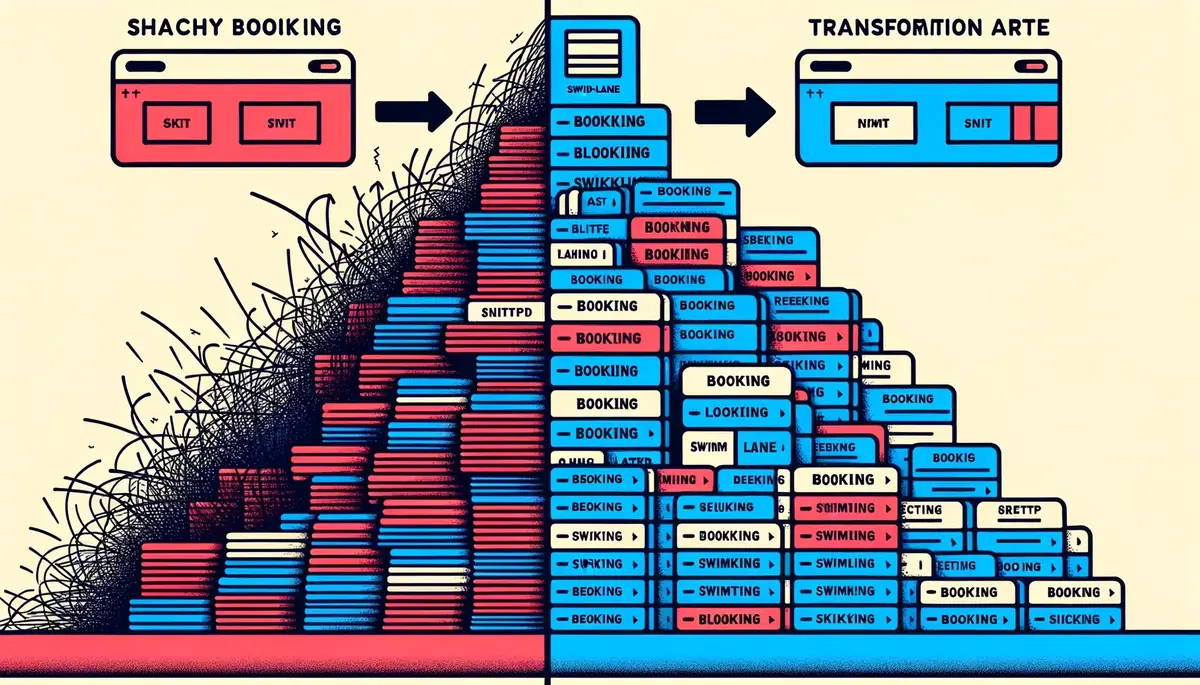
The result: bookings never cover each other. You never miss a booking because it's hiding behind another one. Even during your busiest week, every booking is visible, readable, and clickable.
## Multi-resource visibility
The calendar shows all your resources simultaneously, with each resource identifiable by a colour-coded bar. You control which resources are visible — toggle them on or off depending on what you need to see.
Managing ten properties but only care about the three in Barcelona right now? Toggle off the rest. Checking availability across your entire portfolio? Toggle them all on.
The colour coding is consistent across every view. If your beach house is blue in day view, it's blue in year view. No relearning, no legend-checking.
## Interactive by default
The calendar isn't just a display — it's a navigation tool.
- **Click any booking** to jump directly to its detail page. See the full guest record, financial summary, notes, and status without searching.
- **Click any date** to switch to the day view for that date. Spotted something interesting in month view? One click to zoom in.
- **Today button** snaps you back to the current date from wherever you've scrolled. It's a small thing, but when you've been browsing November and need to get back to today, it matters.
## Built for mobile
Booking businesses don't sit at desks all day. You're at the property, on the boat, at the salon chair. The calendar needs to work on a phone.
Airflow's calendar is mobile-first, not mobile-adapted. That's an important distinction. We didn't shrink the desktop calendar to fit a phone screen. We designed the mobile experience separately.

On mobile:
- **Week view is the default** — it gives the best information density for a small screen
- **Swipe navigation** — swipe left and right to move between time periods, no tiny arrows to tap
- **Enlarged booking bars** — touch targets are bigger on mobile, so you can actually tap the booking you want
- **Simplified grid** — the background grid is less dense, keeping the focus on your bookings
## The design philosophy
We made a deliberate decision with the calendar's visual design: **the data is the star**.
The grid lines are subtle. The date numbers are faded. The background is clean and neutral. All the visual emphasis goes to the booking bars themselves — bold colours, clear text, high contrast against the background.
This isn't an aesthetic choice. It's a functional one. When you glance at the calendar, your eye should go to the bookings, not the chrome around them. The busier your calendar gets, the more this matters. A cluttered UI on top of a busy schedule is unusable. A clean UI on top of a busy schedule is still readable.
## See it yourself
The calendar is the centre of your Airflow portal. Every plan includes it. Every resource you add appears on it automatically.
If you're managing multiple bookable resources and your current calendar makes you open three tabs to see what's happening, [try Airflow](/get-started/). Or [see how the whole system works](/how-it-works/) before you sign up.
One calendar. Four views. Every booking. No tab-switching required.
---
# Managing Teams Without the Complexity
URL: https://www.airflowhq.com/blog/teams-without-complexity/
Published: 2026-04-12
Updated: 2026-10-01
Category: product
Tags: multi-org, access-control, roles, teams
> Owners, managers, and staff — with permissions that make sense. Add your team without needing an IT department.
## The permissions problem
Team management in most SaaS tools falls into one of two traps.
Trap one: everyone sees everything. You invite your cleaner to the platform so they can check the calendar, and now they can see your monthly revenue, your guest phone numbers, and your pricing strategy. Not ideal.
Trap two: you need a computer science degree to configure permissions. Role hierarchies, custom permission matrices, conditional access policies, scope inheritance rules. You spend an afternoon setting it up, get it wrong, and your manager can't access the one page they actually need.
Airflow finds the middle ground. Three roles. Clear boundaries. No configuration manual required.
## Real roles for real businesses
Here's the actual problem. Your cleaner needs to see the calendar but not the revenue. Your manager needs to edit bookings but not change the billing plan. Your accountant needs financial reports but not guest contact details.
These aren't edge cases. These are the three most common team scenarios in every booking business we've talked to. And yet most platforms either ignore the problem entirely or overcomplicate it beyond recognition.
Airflow's role system was designed around these real scenarios, not around an abstract permission framework.
## Two levels, three roles
Airflow uses a two-level role system: organisation level and property level.
### Organisation level
**Owner** — Full administrative access plus billing control. Owners can manage subscriptions, view invoices, add and remove team members, and access every feature across every property. There's always at least one owner per organisation. This is typically the business owner or primary account holder.
**Manager** — Edit access to everything except billing. Managers can create and modify bookings, manage calendars, run reports, handle guest communications, and oversee staff. They cannot change the subscription plan, update payment methods, or access billing history. This is the role for your operations lead — the person who runs the day-to-day without needing access to the financial relationship with Airflow itself.
### Property level
**Staff** — Scoped to specific properties with granular read/write permissions per feature. A staff member sees only the properties they've been assigned to, and within those properties, only the features you've enabled for them.
This is where it gets practical. Access is controlled per area, with separate read and write where it makes sense:
| Permission | What it controls |
|-----------|-----------------|
| `bookings_read` | View bookings and booking details |
| `bookings_write` | Create, edit, and cancel bookings |
| `calendar_read` | View the property calendar |
| `calendar_write` | Edit availability and calendar entries |
| `revenue_read` | View revenue and financial figures |
| `documents_read` | View property documents |
| `messages_read` | View guest messages |
| `messages_write` | Reply to guest messages |
| `settings_read` | View property settings |
| `settings_write` | Edit property settings |
Your cleaner gets `calendar_read` and nothing else. They see when the next guest arrives and departs — no revenue figures, no guest phone numbers, no booking financials. Day-to-day operational work — cleaning checklists, turnovers and task sign-off — happens in the **Team Portal** (`team.airflowhost.com`), a stripped-back mobile view built for on-the-ground staff, so they never need access to the full host dashboard at all.
The right people see the right things. That's it.
## What each role actually sees
Here's a practical comparison of what each role accesses:
| Feature | Owner | Manager | Staff |
|---------|-------|---------|-------|
| All properties | Yes | Yes | Assigned only |
| Bookings | Full access | Full access | Per permission |
| Calendar | Full access | Full access | Per permission |
| Revenue & reports | Yes | Yes | No |
| Guest details & messages | Yes | Yes | Per permission |
| Documents | Yes | Yes | Per permission |
| Team management | Yes | No | No |
| Billing & subscription | Yes | No | No |
| Organisation settings | Yes | No | No |
| Operational tasks (Team Portal) | Yes | Yes | Yes (assigned) |
No surprises. No hidden access. No "wait, they can see that?" moments three months after you've invited someone.
## Multi-org architecture
Here's something most team management systems don't handle well: people who work across multiple businesses.
A property manager might oversee their own portfolio and also help manage a friend's listings. A cleaner might service properties for three different owners. An accountant might handle books for a dozen clients.
Airflow supports this natively. One email address, multiple organisations. Each organisation is completely isolated — separate properties, separate team members, separate billing, separate data. An org switcher in the top menu lets users move between organisations without logging out and back in.
Your cleaner who works for three different owners has one Airflow account with three organisation memberships. Each owner controls what that cleaner can see within their own organisation. Clean separation, zero leakage between clients.
## How invitations work
Adding someone to your team takes about 30 seconds:
1. Go to Team in your portal
2. Click Invite Member
3. Enter their email address
4. Select their role (Manager or Staff)
5. If Staff, select the property and permissions
6. Send the invitation
The invitee receives a magic link email. They click it, and they're in — with exactly the access you configured. No password to create, no account to set up, no activation code to type.
Invitations expire after 14 days. If someone doesn't accept in time, you send a fresh one. No lingering access tokens sitting in inboxes indefinitely.
## Trusted Devices
Trusted Devices adds a layer of convenience without sacrificing security — and it's live.
When a team member logs in from a device they've used before, they can authenticate with a PIN or biometric confirmation (fingerprint, face recognition) instead of requesting a new magic link every time. The device is recognised, the identity is confirmed with a quick local check, and they're in.
Device limits scale by plan tier — solo plans get fewer trusted devices, team plans get more. This keeps the security model tight while making daily access faster for your staff who log in from the same phone or tablet every shift.
## What we don't do (yet)
Honesty time. Airflow doesn't have delegate roles — you can't create a "junior manager" or a "senior staff" variant. There are no custom permission sets where you define your own role from scratch. And there's no time-based access (like "staff can only log in during business hours").
Owner, Manager, and Staff covers roughly 90% of real-world team structures we've observed. The cleaner, the manager, and the business owner. The operations lead, the maintenance crew, and the accountant. Three roles handle it.
If you genuinely need a 47-role hierarchy with conditional inheritance and time-gated scopes, Airflow probably isn't the right fit today. But if you need your team to access the right things without a two-hour setup process, we've built exactly that.
## The bottom line
Team management should take minutes, not meetings. Invite someone, pick their role, choose their permissions, done. They see what they need to see. They don't see what they shouldn't.
No IT department required. No permission matrix spreadsheet. No "can you check if Sarah can access the calendar" Slack messages.
---
Ready to invite your first team member? [Get started](/get-started/) ([plans and pricing](/pricing/)) and add your team in minutes. Want to see the permission system in action? [Watch how it works](/how-it-works/).
---
# Your Money, Every Currency: How Airflow Handles Multi-Currency Bookings
URL: https://www.airflowhq.com/blog/multi-currency-made-simple/
Published: 2026-04-08
Updated: 2026-10-01
Category: product
Tags: accounting, fx-rates, multi-currency, international
> Bookings in euros, payouts in pounds, accounting in dollars — Airflow's three-layer currency model handles it all without spreadsheets.
## The currency nightmare
If you take bookings from international guests, you already know this pain. An Airbnb booking comes in at EUR 1,200. Your bank account is in GBP. Your accountant does everything in USD. Booking.com pays you in a different currency again.
Now multiply that by 30 bookings a month across three platforms. You're juggling exchange rates, manually converting amounts in spreadsheets, and praying that your month-end numbers actually add up.
Most booking tools store everything in one currency. That means either your original booking amounts are wrong, your reports are wrong, or your accounting exports are wrong. Pick your poison.

We built Airflow's currency model to eliminate all three problems.
## The three-layer currency model
Every financial amount in Airflow exists in up to three layers. Each layer serves a different purpose, and none of them interfere with each other.
### Layer 1: Original currency
This is exactly what was charged or paid. A EUR 1,200 booking stays EUR 1,200. A USD 85 cleaning fee stays USD 85. We never modify the original amount — it's the source of truth for what actually happened on the platform.
This matters because when you need to reconcile against your Airbnb or Booking.com statements, the numbers need to match exactly. No rounding differences, no conversion artefacts. The original is the original.
### Layer 2: Standard currency (USD)
For aggregation and reporting, every amount is also stored in USD. This is the canonical layer — the one that makes your dashboard numbers meaningful.
Without a standard currency, you can't answer simple questions like "what was my total revenue last month?" when bookings came in across EUR, GBP, AUD, and THB. You'd be adding apples to oranges.
USD standardisation means your stats, charts, and reports always aggregate cleanly. Total revenue, average booking value, platform comparison — all calculated from a single consistent base.
### Layer 3: Accounting currency
This is whatever currency your accounting software uses. If your Xero org is set to GBP, invoices export in GBP. If it's AUD, they export in AUD.
The accounting layer converts from the standard USD amount to your accounting currency, ensuring that what lands in Xero or QuickBooks matches your chart of accounts and tax reporting requirements.
## How conversion works at ingest
When a booking email arrives and the AI extracts the financial data, the conversion happens immediately:
1. **Original amount captured** — EUR 1,200 (from the booking email)
2. **Market FX rate fetched** — EUR/USD rate at time of processing
3. **Standard amount calculated** — USD 1,308.00
4. **Accounting amount calculated** — GBP 1,044.00 (using USD/GBP rate)
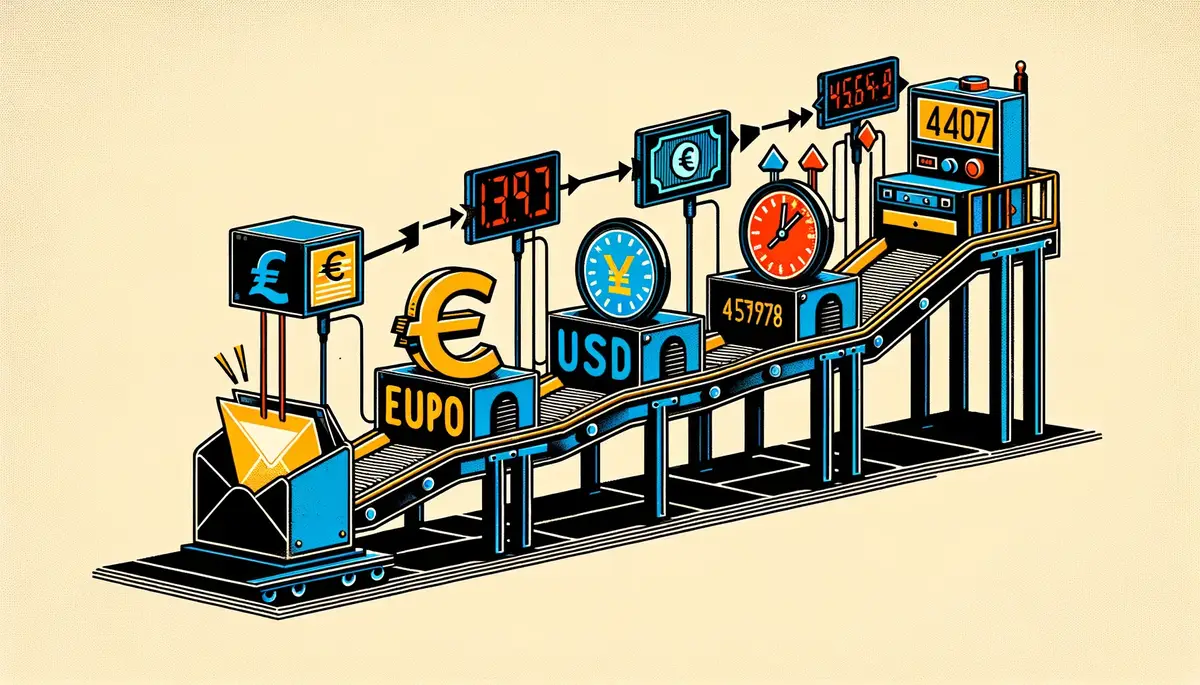
Each conversion stores the exchange rate used, the source of that rate, and the exact timestamp. Full audit trail. No guessing what rate was applied three months later.
## The flow in practice
Here's what a single booking looks like across all three layers:
| Component | Original (EUR) | Standard (USD) | Accounting (GBP) |
|-----------|----------------|-----------------|-------------------|
| Accommodation | EUR 1,200.00 | USD 1,308.00 | GBP 1,044.00 |
| Cleaning fee | EUR 80.00 | USD 87.20 | GBP 69.60 |
| Platform fee | -EUR 180.00 | -USD 196.20 | -GBP 156.60 |
| **Host payout** | **EUR 1,100.00** | **USD 1,199.00** | **GBP 957.00** |
Every row preserves its original EUR value for reconciliation. Every row aggregates correctly in USD for reporting. Every row exports correctly in GBP for your accountant.
## Display currency preference
Your Airflow dashboard shows amounts in whichever currency you prefer. If you're based in the UK and think in pounds, set your display currency to GBP. If you prefer euros, set it to EUR.
This is purely a display preference — it doesn't change any stored data. The three layers remain intact. You're just choosing which lens to view your numbers through.
Switch it anytime. No recalculation needed.
## FX overrides for reconciliation
Here's where we get honest about a real-world problem: the exchange rate your bank applies is almost never the same as the market rate at time of ingest. Banks add margins. Payment processors have their own rates. The payout that hits your account might differ from the calculated amount by a few pounds.
Airflow supports FX overrides for exactly this situation. When you reconcile and notice the bank amount differs, you can adjust the accounting-layer amount to match what actually arrived. The original and standard amounts stay untouched — only the accounting layer shifts to match reality.

This means your accounting records match your bank statement, your reports stay consistent in USD, and the original booking data remains pristine.
## What we don't do
A note on honesty: Airflow uses market exchange rates captured at the time of ingest. These are not live rates — they're point-in-time snapshots. If you process a booking on Monday and the rate moves on Tuesday, the stored rate doesn't change.
For most booking businesses, this is more than accurate enough. The difference between the market rate at 10am and 2pm on the same day is negligible. But if you need live, second-by-second FX rates for financial trading purposes, that's not what this is.
We also don't currently support custom base currencies for the standard layer — it's USD. This keeps aggregation simple and consistent across all accounts. Your display currency and accounting currency can be anything, but the canonical middle layer is always USD.
## Why this matters for your business
Multi-currency isn't a nice-to-have for international booking businesses. It's a compliance requirement. Your tax authority wants amounts in your local currency. Your accountant wants consistent records. Your bank statement is in whatever currency your account uses.
Without a proper currency model, you end up with one of these problems:
- **Spreadsheet city** — manual FX lookups and conversion formulas for every booking
- **Rounding errors** — small discrepancies that compound over hundreds of bookings
- **Audit risk** — inability to trace back from an accounting entry to the original booking amount
- **Reporting chaos** — dashboard numbers that mix currencies and mean nothing
Airflow's three-layer model solves all four. Original for reconciliation, standard for reporting, accounting for export. Clean, traceable, automatic.
## Stop doing currency math in your head
If you're currently converting EUR to GBP on Google before typing numbers into Xero, there's a better way. Forward the booking email, and Airflow handles the rest — extraction, conversion, categorisation, and accounting sync. In every currency, at every layer.
[Get started](/get-started/) ([plans and pricing](/pricing/)) or [see how it works](/how-it-works/).
---
# Automated Accounting: From Booking Email to Draft Invoice in Seconds
URL: https://www.airflowhq.com/blog/automated-accounting-for-hosts/
Published: 2026-04-04
Updated: 2026-10-01
Category: product
Tags: bookkeeping, xero, automation, invoicing, accounting
> How Airflow turns a forwarded booking confirmation into a categorised, tax-ready draft invoice in your accounting software — without you touching a spreadsheet.
## The booking-to-invoice problem
Every booking business has the same bottleneck: turning booking confirmations into clean financial records. It sounds simple, but the reality is messy.
A single Airbnb booking email contains the guest name, check-in date, check-out date, nightly rate, cleaning fee, Airbnb service fee, host payout amount, and currency. Extracting all of this, categorising it correctly, and creating an invoice in Xero takes time — typically 15-20 minutes per booking when done properly.
Multiply that by 20 bookings a month and you're spending an entire working day on data entry. Most business owners don't do it properly — they batch it at month-end, scramble at tax time, or pay a bookkeeper to handle what should be automated.
## How Airflow solves it
The process is deliberately simple:
**1. You forward a booking email.** Any booking confirmation — an Airbnb confirmation or a direct booking enquiry. Forward it to your resource's unique Airflow email address.
**2. AI extracts the data.** Within seconds, Airflow's AI reads the email and pulls out every relevant data point: guest details, dates, pricing breakdown, fees, taxes, currency, and platform source. No templates to configure, no rules to set up — the AI understands booking emails natively.
**3. A draft invoice appears in Xero.** If you've connected your Xero account, Airflow creates a draft invoice with the correct contact, line items, tax treatment, and category. The invoice matches your chart of accounts and follows your preferred categorisation.
**4. Bank reconciliation becomes automatic.** When the payout arrives in your bank feed, the matching invoice is already there waiting. One click to reconcile instead of hunting through emails and spreadsheets.
## What the AI actually extracts
For a typical Airbnb booking, Airflow captures:
- **Guest name and email** — matched to an existing contact or created as new
- **Check-in and check-out dates** — with number of nights calculated
- **Nightly rate and total accommodation** — broken down per line item
- **Cleaning fee** — if applicable, as a separate line item
- **Platform service fee** — the amount Airbnb (or other platform) charges
- **Host payout** — the net amount you'll actually receive
- **Currency** — with multi-currency support for international bookings
- **Booking reference** — linked back to the original platform booking ID
All of this becomes structured data in your Airflow ledger, and flows through to your accounting software in the correct format.
## Multi-currency, handled
For businesses operating across currencies — common in international holiday rentals and lodges serving guests from multiple countries — Airflow stores the original booking currency and handles conversion at your preferred rate. No more manual currency lookups or mismatched exchange rates in your accounts.
## The cost comparison
Let's be direct about the numbers:
- **Manual bookkeeping cost per booking:** approximately $10 (at $30/hour, 20 minutes per booking)
- **20 bookings/month manual cost:** $200+
- **Airflow cost for 20 bookings:** a Starter plan ([current price](/pricing/)), with a monthly allowance of automated tasks included
That's a **fraction of the cost** of manual bookkeeping, with better accuracy and real-time data instead of month-end scrambles.
## Beyond invoicing
Automated invoicing is the foundation, but Airflow's accounting automation goes further:
- **Revenue reporting** — see income by resource, by platform, by period
- **Occupancy and utilisation tracking** — know how your resources are performing
- **Expense categorisation** — coming soon, with receipt and expense email processing
- **Tax-ready reports** — categorised income summaries for your accountant
## Getting started
If you're currently spending hours on booking-to-invoice admin, the switch to Airflow takes about five minutes. Connect Xero, forward your first booking email, and see the invoice appear.
No migration required. No data import. Just start forwarding emails and let the system build your ledger from today forward.
[Get started](/get-started/) ([plans and pricing](/pricing/)) or [see how it works](/how-it-works/).
---
# Connect Everything: Xero, Stripe, Google, and Beyond
URL: https://www.airflowhq.com/blog/connect-everything/
Published: 2026-03-31
Updated: 2026-10-05
Category: product
Tags: xero, automation, accounting, connections, stripe, google, integrations
> Airflow connects your booking channels to your accounting, payments, calendar, and email — without replacing any of them.
## Your tools already work
You don't need better accounting software. Xero works. You don't need a new payment processor. Stripe works. Your calendar, your email, your booking channels — they all work fine individually.
The problem is none of them talk to each other.
A booking comes in on Airbnb. You copy the details into a spreadsheet. You open Xero, create a contact, build an invoice, categorise the income. You check your calendar, block the dates. You send a confirmation email. Twenty minutes gone, and you haven't done anything that a computer shouldn't be handling automatically.
This is the gap Airflow fills. Not by replacing your tools, but by connecting them.
## The middleware approach
We've written about this in detail in our [Airflow Is Not a PMS](/blog/airflow-is-not-a-pms/) post, but the short version: Airflow is a thin, intelligent layer that sits between your existing tools and makes data flow between them. You keep what works. We handle the plumbing.

This means fewer tools to learn, lower switching costs, and no vendor lock-in. If you want to move from Xero to QuickBooks next year, you change one connection. Your booking data, your guest records, your history — it all stays in Airflow.
Here's what's connected today and what's coming next.
## Xero: automated accounting sync
This is the integration most of our users connect first, and for good reason. The booking-to-invoice pipeline is where the most manual time gets burned.
Here's what Airflow does with Xero:
**Automatic draft invoices.** When a booking is processed, Airflow creates a draft invoice in Xero with the correct line items, amounts, tax treatment, and contact details. Not a rough estimate — an accurate, reconciliation-ready invoice that matches the booking confirmation exactly.
**Contact management.** Guests and customers are synced as Xero contacts. If a returning guest books again, Airflow finds the existing contact rather than creating duplicates.
**OAuth with auto-refresh.** The connection uses OAuth 2.0 with automatic token refresh every 20 minutes. No API keys to manage, no tokens expiring at awkward moments. Connect once, and it stays connected.
**Multi-currency support.** If your bookings come in different currencies, the invoices reflect that. Airflow stores all values in USD internally and converts to your accounting currency at invoice time, with the exchange rate, source, and timestamp recorded for audit.
**Clean, deduplicated books.** Airflow pushes draft invoices into Xero and reads your existing contacts back so it never creates a duplicate customer. The goal is that your accountant never has to ask where a number came from.
The result: a booking confirmation email arrives, Airflow's AI extracts the data, and a draft invoice appears in Xero within minutes. No manual entry. No copy-paste errors. No reconciliation headaches at month-end.
## Stripe: payments end-to-end
Stripe powers the payment layer for both Airflow's own billing and — through Stripe Connect — direct payments for your business.
**Stripe Connect.** Your customers can pay you directly through Stripe, with funds going to your connected Stripe account. Airflow takes a commission on direct bookings that depends on your plan ([current rates](/pricing/)), and you get the rest deposited directly. No invoicing back and forth, no chasing payments.
**Customer portal.** Subscribers can manage their billing — update payment methods, view invoices, change plans — through Stripe's hosted customer portal. One less thing for you to build or support.
**Webhook pipeline.** Stripe events (successful payments, failed charges, subscription changes) flow into Airflow in real time via webhooks. This means your booking records and automated-task balances update the moment something happens, not when you next check.
**Secure by design.** All payment processing happens through Stripe's PCI-compliant infrastructure. Airflow never sees or stores card numbers. Your financial data stays where it should.
## Google: one connection, multiple services
Google integration is live. A single OAuth consent screen unlocks multiple services:
**Gmail for email.** Airflow scans your inbox for booking emails automatically and sends guest communications from your own email address — not from a generic noreply. Your brand, your domain, your inbox.
**Google or Outlook Calendar.** Connect your calendar and press Sync now to write your bookings into it as events, so your team sees availability at a glance. To block dates you hold in that calendar, paste its iCal address into Airflow, which reads it every hour.
**Google Sheets for report exports.** Need to pull booking data into a spreadsheet for your accountant or business partner? Export your bookings (31 columns of data) to a connected Google Sheet that Airflow keeps updated (one-way — edits you make in the sheet are overwritten).
One OAuth flow, multiple scopes. Connect once, unlock everything.
## PayPal Commerce: framework ready
For businesses whose customers prefer PayPal, we've built the integration framework using PayPal's Partner Referral API. Merchant onboarding, OAuth callbacks, and the payment pipeline are architected and ready. This one's waiting for demand signals before we prioritise the final production push — if PayPal matters to your business, tell us.
## Mailgun: the email backbone
Email isn't just a notification channel for Airflow. It's a core data pipeline.
**Inbound processing.** Forward a booking confirmation to your Airflow address, and Mailgun receives it, passes it to our AI extraction engine, and the booking enters your system. This is the simplest integration we offer: no API keys, no OAuth dance, no setup wizard. Just forward an email.
**Outbound notifications.** Welcome emails for new users, magic link authentication, low-allowance alerts, booking confirmations — all delivered through Mailgun's EU endpoint for GDPR compliance and deliverability.
**Custom domain support.** Emails come from your domain, not ours. Professional, branded, trustworthy.
## Email-first: the integration anyone can set up
This is worth emphasising because it's unusual. Most SaaS platforms require you to connect via API keys, OAuth flows, or third-party middleware like Zapier. Those work, and we support them where they make sense.
But the fastest way to get data into Airflow is to forward an email.
Booking confirmation from Airbnb? Forward it. Reservation email from Booking.com? Forward it. Invoice from a supplier? Forward it. Airflow's AI extraction handles the rest — parsing the email, identifying the booking details, structuring the data, and pushing it downstream to your connected services.

No technical setup. No permissions to configure. If you can forward an email, you can use Airflow.
## Connection management
Every integration is managed from your organisation settings in the Airflow portal. Each connection shows:
- **Status indicators** — connected, disconnected, needs re-authentication
- **Last sync timestamp** — when data last flowed successfully
- **Connect/disconnect controls** — one-click management, no hidden settings
- **Re-auth flows** — if a token expires or permissions change, reconnect without losing your data
We designed this to be boring. You shouldn't have to think about your integrations. They should just work. And when they need attention, it should be obvious what to do.
## The automation pipeline
Here's the full happy path, from email to reconciliation:
1. **Email arrives** — a booking confirmation lands in your forwarding inbox
2. **AI extraction** — Airflow's AI Flow parses the email and extracts structured booking data
3. **Data normalisation** — guest details, dates, amounts, fees, and taxes are standardised
4. **Xero draft invoice** — a complete invoice is created with correct line items and contacts
5. **Calendar update** — the booking appears in your Airflow calendar (and in Google Calendar, if connected)
6. **Reconciliation ready** — when the payout arrives in your bank, the invoice is waiting in Xero
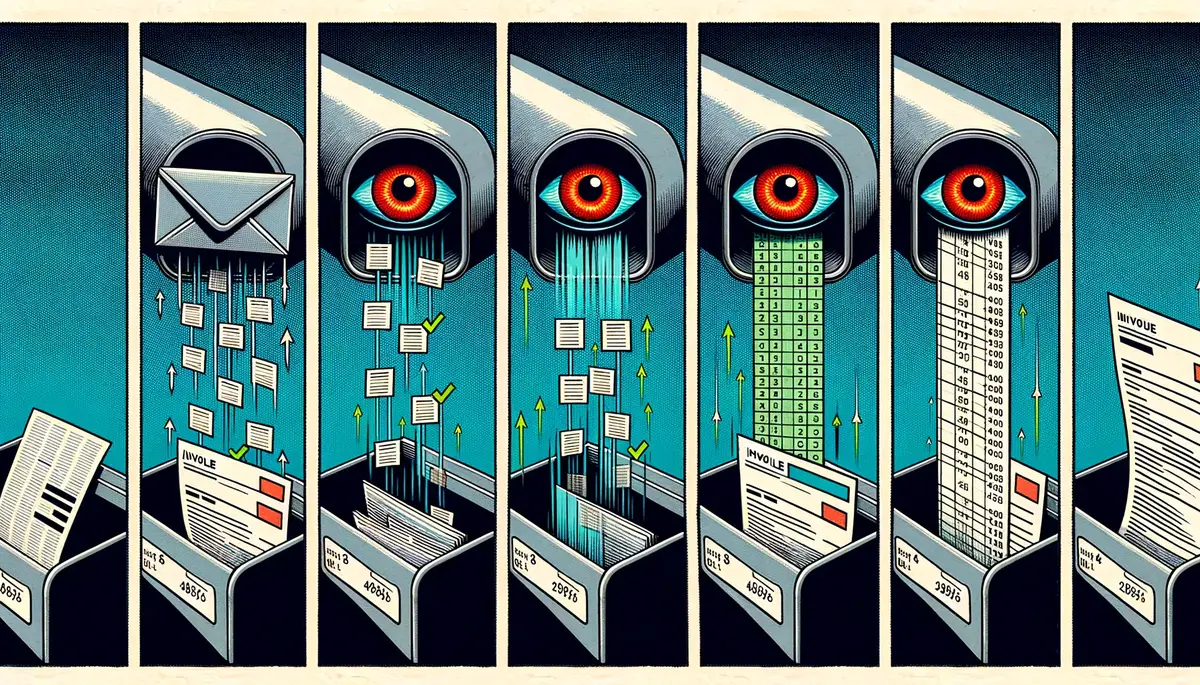
One manual step in the happy path: you approve the draft invoice. The entire pipeline runs in minutes, not days. And because every step produces deterministic output — not "best guess" approximations — you can trust the data without checking every record.
## What's next
Since this post was written, several of the most-requested integrations have shipped: Google and Outlook Calendar, iCal links in both directions, Gmail and Outlook inbox scanning, and three more accounting providers — QuickBooks, Sage, and FreshBooks — alongside Xero. Paystack is also live for hosts across East and Southern Africa, taking cards and M-Pesa.
Still on the integration roadmap:
- **Xero re-auth UI improvements** — smoother reconnection when tokens expire
- **Deeper Stripe reporting** — revenue dashboards that pull from your Stripe data
## Connect your first integration
If you're spending time manually copying data between tools, that time has a cost. Airflow eliminates it by connecting the tools you already use.
Start with one integration. Most users begin with Xero, because that's where the biggest time savings are. Forward your first booking email. Watch the invoice appear. Then decide if you want to connect more.
[Get started with Airflow](/get-started/) or [see how it works](/how-it-works/).
---
# Automated Tasks, Not Per-Property Fees: Why We Chose a Fairer Pricing Model
URL: https://www.airflowhq.com/blog/actions-not-subscriptions/
Published: 2026-03-27
Updated: 2026-10-02
Category: insights
Tags: actions, transparency, pricing, business-model
> Most booking software charges per property per month, whether you use it or not. We think you should pay for what you actually process.
## The pricing problem nobody talks about
The SaaS industry has a dirty secret: most subscription pricing is designed to benefit the vendor, not the customer.
You pay the same amount whether you process 5 bookings or 500. Quiet month? Same bill. Seasonal business where 80% of your revenue comes in four months? Same bill, twelve months a year. The vendor gets predictable revenue. You get a pricing model that ignores how your business actually works.
This is especially egregious in booking software. The standard model is per-property pricing — $30 to $50 per property per month. A host with 5 properties pays $150 to $250 per month regardless of occupancy. In January, when your ski chalet gets 20 bookings, that might feel reasonable. In April, when it gets 2, you're paying the same amount for a service that's barely doing anything.
We looked at this model and decided we could do better.
## Per-property pricing doesn't make sense
Let's run the numbers on a typical per-property setup.
A holiday rental host manages 5 properties. The software charges $50 per property per month. That's $250/month or $3,000/year. If they average 15 bookings per property per month during peak season (75 total), the cost per booking is $3.33. Reasonable.
But in the off-season, those same 5 properties might see 3 bookings each — 15 total. The monthly cost is still $250, which means each booking now costs $16.67 to process. For a booking worth $200, that's over 8% of revenue going to software fees.
The host is paying for capacity, not usage. Five property slots sit there consuming budget whether they're occupied or not. And if the host adds a sixth property for a single season, the cost jumps to $300/month — permanently, even if that property only books three months a year.
This is the model we rejected.
## How Airflow's automated tasks work
An automated task is a unit of work Airflow does for you. The most common one is processing a booking through the full pipeline — email forwarding, AI data extraction, categorisation, and accounting sync — so for most hosts, one booking is one task. (A few other automated jobs, like a generated report or an automated guest email, also use tasks; everyday things like settings changes and support questions are free.)
The system is simple on purpose. There's no complex formula, no variable pricing based on booking value, no surprise charges for API calls or storage.
### One shared monthly pool
Your plan includes a monthly allowance of automated tasks shared across all your properties — there's no per-property quota. If you have 100 tasks and 5 properties, any property can draw from the same pool. The allowance resets on your billing date, so you get a fresh batch each cycle.
### Busy month? Top-ups, not hard stops
If you process more bookings than your monthly allowance covers, Airflow doesn't stop working. Once your included tasks are used up, additional bookings draw from pay-as-you-go top-up tasks at your plan's overage rate, so nothing falls through the cracks during a busy spell.
Think of your monthly allowance as your budget for normal operations, with top-ups quietly catching any overflow — you're only ever charged for what you actually process.
## The plan tiers
We designed the paid plans — Starter, Growth and Portfolio — to match real business sizes, each with more listings and a bigger monthly allowance of automated tasks. See [current plans](/pricing/) for prices, included automated tasks and listing limits.
The more you process, the cheaper each booking gets: bigger plans include more tasks for the money, so a high-volume host pays a fraction of what manual processing costs.
Paid plans start with a free trial (its length is on [the pricing page](/pricing/)), so you can see the system work before committing.
## The math that matters
Let's compare Airflow's plans against the two most common alternatives: per-property software and manual bookkeeping.
**Manual bookkeeping** at a bookkeeper's rate of $30/hour, with each booking taking roughly 20 minutes to process: that's $10 per booking. At 50 bookings per month, you're spending $500 on bookkeeping alone.
**Per-property software** at $50/property/month with 5 properties: $250/month regardless of volume.
**Airflow** on the Growth plan at 50 bookings: one plan, one monthly price ([see current pricing](/pricing/)), with 50 bookings well inside its allowance of automated tasks.
| Method | Monthly Cost (50 bookings) | Per Booking |
|--------|---------------------------|-------------|
| Manual bookkeeping | $500 | $10.00 |
| Per-property software | $250 | $5.00 |
| Airflow (Growth) | [See pricing](/pricing/) | A fraction of either |

That's not a marginal improvement. It's an order of magnitude cheaper than manual processing and far less than per-property alternatives — and you get AI-powered extraction and automatic accounting sync included.
## Full transparency on consumption
Every automated task is logged. You can see exactly which booking or automated job used a task, when it was consumed, and what it was for. Full audit trail, always.
This matters because opaque billing erodes trust. We've all been burned by SaaS products where you can't figure out why your bill changed. With Airflow, every task has a paper trail.
## Low-allowance alerts
Nobody likes surprise outages. When your remaining automated tasks run low, Airflow sends automated alerts. You'll know in good time, giving you the chance to wait for the monthly reset or add top-up tasks.
The system never stops processing without warning. You always have visibility into your task balance and usage rate.
## The honest trade-off
I want to be upfront about the trade-off. An allowance of automated tasks means you need to think about volume. If you consistently process more bookings than your plan includes, you'll need to upgrade your plan or lean on pay-as-you-go top-ups. That's a mental overhead that flat-rate pricing doesn't have.
We think the trade-off is worth it. You pay for what you use. Quiet months cost less. Busy months cost more — but you're making more revenue in those months. The pricing scales with your business instead of against it.
For seasonal businesses especially, this is a fundamentally fairer model. You're not subsidising your quiet months at peak-season rates. You're not paying for property slots that sit empty. You're paying for bookings processed, which is the thing that actually generates value.
## One more thing
The task-allowance model also means we're incentivised to make Airflow more valuable per booking, not to lock you into more property slots. Our growth comes from processing more bookings better, not from charging you for unused capacity.
When the vendor's incentives align with the customer's outcomes, good things tend to happen.
[See all plans at /pricing](/pricing/) or [get started](/get-started/).
---
# One Platform, Every Service: How Airflow Adapts to Your Property Operation
URL: https://www.airflowhq.com/blog/five-verticals-one-platform/
Published: 2026-03-23
Updated: 2026-10-01
Category: product
Tags: multi-vertical, property, hotels, lodges, safari, services
> Villas, lodges, boutique hotels, safari camps — plus restaurants, spas, and activities within your property. Airflow adapts its entire interface to your operation. Here's how.
## A safari lodge is not a city apartment
Property management software has a vocabulary problem. Most tools were built for a single property type and then stretched to fit others. The result? A boutique hotel has to think in terms that were designed for Airbnb apartments. A safari lodge sees "nightly rate" when they sell all-inclusive packages. A guesthouse owner navigates a dashboard built for property managers with hundreds of units.
Beyond just properties, many operators run additional services — a restaurant, a spa, activities, airport transfers — and need those to work within the same system. Most software ignores this entirely.
Airflow was built to handle both: adaptive vocabulary for your property type, and the flexibility to manage every service within your operation.
## The problem with one-size-fits-all
Most property management platforms fall into one of two traps:
**Trap 1: Build for one property type, force everyone else to adapt.** This is the most common approach. The software was designed for city apartments, so a safari lodge or boutique hotel has to work within that framework. Labels don't match, workflows feel wrong, and the software never quite fits.
**Trap 2: Build separate products for each property type.** Some companies create distinct software for hotels, villas, and lodges. This avoids the vocabulary problem but creates a maintenance nightmare. Each product diverges over time, features don't stay in sync, and the company ends up supporting multiple codebases.
Airflow takes a third approach: **one engine, adaptive vocabulary** — built for short-term property rentals but flexible enough to manage every service within your operation.
## Property types and add-on services
When you sign up for Airflow, you choose your property type. This single choice transforms the entire interface. Not just one label — everything. Menus, forms, table headers, reports, messages, calendar labels, booking confirmations. The entire portal speaks your language.
Here are the property types and services Airflow supports:
### Villas & Holiday Rentals
Holiday homes, serviced apartments, co-living spaces, Airbnb-style rentals. This is the classic short-term rental — the default vocabulary most people expect from booking software. Guests check in and check out, hosts manage properties, and occupancy drives the numbers.
### Boutique Hotels & Guesthouses
Hotels, B&Bs, lodges, and guesthouses. Room management, front-desk operations, and reservations with a hospitality focus.
### Safari Camps & Lodges
Game lodges, tented camps, and eco-lodges. All-inclusive packages, activity scheduling, and guest experiences in remote locations where operations need to be self-contained.
### Add-on services within your property
Many property operators run additional services alongside accommodation. Airflow lets you manage these within the same system:
- **Restaurant** — table reservations, meal packages, F&B revenue tracking
- **Spa & Wellness** — treatment bookings, therapist scheduling, package deals
- **Activities & Experiences** — game drives, boat trips, guided tours, cooking classes
- **Transport** — airport transfers, vehicle hire, shuttle services
Each service type adapts its vocabulary. A restaurant reservation uses "covers" and "sittings." A spa booking uses "treatments" and "therapists." Everything flows through the same accounting pipeline.
## How the label system works
Under the hood, Airflow uses sixteen configurable labels that adapt based on your vertical. Here's a sample of how they translate across a few verticals:
| Default | Villa Rental | Boutique Hotel | Safari Lodge | Restaurant |
|---------|-------------|----------------|-------------|------------|
| Resource | Property | Room | Lodge/Camp | Venue |
| Booking | Booking | Reservation | Booking | Reservation |
| Guest | Guest | Guest | Guest | Diner |
| Check-in | Check-in | Check-in | Arrival | Seating |
| Checkout | Check-out | Check-out | Departure | Departure |
| Host | Host | Manager | Camp Manager | Manager |
| Stay | Stay | Stay | Safari | Sitting |
| Rate | Nightly rate | Room rate | Package rate | Cover rate |
These aren't just display labels — they propagate through the entire system. When a safari lodge operator opens their booking list, the column header reflects their terminology. When a restaurant within your property books a new reservation, the date picker uses "Seating" and "Departure." When a spa manager views their calendar, the bars are labelled with "Treatment," not "Stay."
## Portal-wide consistency
The label system touches every surface of the product:
**Navigation menus.** The sidebar adapts to your property type and services. A safari lodge sees "Lodges" and "Activities," not generic "Properties." You never have to mentally translate.
**Forms and inputs.** Creating a new booking? The fields are labelled correctly for your property type. No generic "property name" field when you're adding a safari camp. No mismatched vocabulary when booking a spa treatment.
**Reports and dashboards.** Your stats page shows "Reservations this month" if you're looking at your restaurant service, not "Bookings this month." Revenue breakdowns are labelled by property or service type, depending on what you actually manage.
**Booking confirmations.** When your guests receive communications, the language matches your operation. A lodge guest sees "your safari," not "your booking." A spa client sees "your treatment," not "your stay."

**AI Flow conversations.** Even the AI assistant adapts. Ask AI Flow about your bookings, and it responds using your property type's vocabulary. It knows you have "lodges," not "properties." It refers to your "activities," not generic "bookings." The consistency runs deep.
## The engine underneath doesn't change
Here's what matters technically: the underlying data model is identical across all property types and services. A booking is a booking. A resource is a resource. A guest is a guest. The database schema, the business logic, the calendar algorithm, the invoicing engine — all the same.
This is why the system works without compromise. We're not maintaining separate products for each property type. We're running one platform with an adaptive presentation layer.
When we ship a new feature — say, a new calendar view or a better export tool — every property type gets it simultaneously. It's one product with one release cycle.
## Extensible by design
The label system is architected to support new property types and services without rebuilding anything. Adding a new type means defining sixteen label translations and adding a new option to the signup flow. The rest of the platform adapts automatically.
This matters for a simple reason: property operations are more diverse than any category system can capture. A villa resort with a restaurant, spa, and activities programme has different vocabulary needs than a standalone guesthouse. The system is ready for all of them. And if none of the presets fit, you can configure every label yourself.
## Why this matters for your business
Software that speaks your language is software your team actually uses correctly. When every label matches how you think about your operations, there's less training, fewer mistakes, and faster adoption.
It also makes a difference to your clients. When a booking confirmation lands in their inbox using the right terminology, it feels professional. It feels like the software was built for your industry — because, in every way that matters to the user, it was.
## Pick your vertical
When you sign up for Airflow, the first question we ask is "what kind of property do you manage?" Your answer shapes everything that follows — and as you add services like restaurants, spas, or activities, the platform adapts to each one.
[Get started](/get-started/) ([plans and pricing](/pricing/)) and see the platform in your language from the first click. Or [explore how it works](/how-it-works/) to see the adaptive system in action before you commit.
One platform. Your property. Every service within it.
---
# Airflow Is Not a PMS (And That's the Point)
URL: https://www.airflowhq.com/blog/airflow-is-not-a-pms/
Published: 2026-03-19
Updated: 2026-10-01
Category: insights
Tags: product-philosophy, middleware, pms, business-model
> Why we deliberately chose not to build another property management system — and why the middleware approach serves businesses better.
## The PMS trap
When we started building Airflow, the obvious path was to create a property management system. The market is large, the pain points are real, and investors love the category.
We chose not to.
Here's why: the PMS model is fundamentally broken for the majority of booking businesses. A full PMS tries to be everything — a booking engine, a channel manager, a CRM, a communication hub, an accounting bridge, a pricing tool, a task manager, and a reporting dashboard. The result is software that's expensive, complex, and creates as many problems as it solves.
The average PMS costs $50-200 per property per month. For a business with 5 properties, that's $250-1,000 monthly before you've processed a single booking. And you're locked into their ecosystem — their booking engine, their calendar, their communication tools.
## What most businesses actually need
We talked to hundreds of booking business operators before writing a line of code. The pattern was clear: most don't need a mega-platform. They need their existing tools to work together.
Airbnb is already a good listing platform. Xero is already a good accounting system. Stripe already handles payments well. Gmail already works for email. What's missing is the **connection** between them.
The single biggest time sink? **Getting booking data from the platform into the accounting system.** That one workflow — booking confirmation to draft invoice — accounts for the majority of repetitive admin work.
## The middleware philosophy
Airflow solves this differently. We're not replacing any tool in your stack. We're adding a thin, intelligent layer between them that handles the data flow.
The principles behind this approach:
**One source of truth.** Every booking, from every channel, normalised into a single ledger. No duplicates, no conflicting records, no reconciliation nightmares.
**Email-first.** We work through the tool every business already uses. No new app to learn, no software to install. Forward an email, and the data flows.
**Deterministic, not heuristic.** When Airflow processes a booking, the output is always correct — the right guest, the right dates, the right amounts, the right invoice. Not "probably right" or "close enough."
**Boring infrastructure.** Airflow is designed to be invisible when things work and precise when things matter. We're not building for excitement — we're building for reliability.
## What this means in practice
With a traditional PMS, adding a new booking channel means migrating your entire workflow. With Airflow, you forward emails from the new channel and the system adapts.
With a PMS, switching accounting software means reconfiguring integrations. With Airflow, you connect the new system and your booking data flows there instead.
With a PMS, you're paying for features you don't use. With Airflow, you pay for what you process — an allowance of automated tasks for your bookings, with plans that scale from a single resource to a portfolio.
## Beyond short-term rentals
The middleware approach also means Airflow handles more than just accommodation. Many property operators manage additional services — a restaurant, a spa, activities, transport — alongside their rooms or villas. Each of these is a bookable resource with its own revenue stream and accounting requirements, and the same middleware pattern applies.
We're focused on short-term property rentals because we know the domain deeply — villas, lodges, guesthouses, boutique hotels, safari camps. But within that world, properties often run multiple service types, and Airflow handles them all through the same pipeline.
## The honest trade-off
Airflow won't manage your Airbnb listing. It won't adjust your nightly pricing. It won't push rates and availability through OTA APIs like a channel manager (your unified calendar and iCal feeds handle availability instead). Those are PMS features, and there are good tools that handle them.
What Airflow does — and does better than anything else — is turn your booking chaos into accounting clarity. One focused job, done properly.
If that's the job you need done, [get started](/get-started/) — see [plans and pricing](/pricing/). If you need a full PMS, we respect that — and we'll probably integrate with it someday.
---
# Why Every Booking Business Needs a Middleware Layer
URL: https://www.airflowhq.com/blog/why-str-hosts-need-middleware/
Published: 2026-03-15
Updated: 2026-10-01
Category: insights
Tags: middleware, automation, business-operations, accounting
> You're the human middleware between your booking platforms, your accounting software, and your clients. Here's why that needs to change.
## You are the middleware
If you run a booking business — whether that's holiday rentals, a salon, a charter company, or a consulting practice — you're doing a job that software should handle.
Every day, you copy data from one platform to another. A booking comes in on Airbnb, and you manually enter it into Xero. A guest messages on Booking.com, and you update your spreadsheet. A payout arrives in your bank, and you reconcile it against three different sources.
You are the human middleware between your tools. And it's costing you more than you think.
## The real cost of manual admin
We've measured it across hundreds of bookings: the average manual admin time per booking is **20 minutes**. That includes reading the confirmation, entering data into accounting, updating your calendar, noting the guest details, and reconciling the payout when it arrives.
For a business processing 20 bookings a month, that's **6.7 hours** — nearly a full working day — spent on data entry that could be automated. At typical bookkeeper rates, that's over **$200 per month** in labour costs.
And that's just the direct cost. The indirect costs — missed reconciliations, late invoicing, compliance gaps, forgotten guest responses — compound quietly in the background.
## Why existing tools don't solve this
Most booking businesses use between 5 and 15 different tools. The problem isn't any individual tool — Airbnb is fine for listings, Xero is excellent for accounting, Stripe handles payments well. The problem is that **none of them talk to each other** in the way your business needs.
Property management systems try to solve this by becoming everything — a booking engine, a channel manager, a CRM, an accounting system, and a guest portal all in one. But they're expensive, complex, and force you to replace tools that are already working.
What's missing isn't another mega-platform. It's a **layer** that sits between your existing tools and connects them intelligently.
## The middleware approach
Airflow takes a fundamentally different approach. Instead of replacing your tools, it connects them. Instead of requiring you to learn a new system, it works through email — the one tool every business already uses.
Forward your booking confirmations to Airflow. The AI reads them, extracts the structured data, and pushes it to your accounting software. That's the core loop, and it handles the single most time-consuming piece of admin work: the booking-to-invoice pipeline.
From there, Airflow adds layers: client conversations, revenue analytics, booking tracking, multi-currency handling, and a clean dashboard that shows your whole operation at a glance.
## Built for any booking business
While our first users are short-term rental operators, the middleware pattern works for any business that takes bookings from multiple channels and needs clean financial records.
Salon owners juggling walk-ins, online bookings, and accounting. Charter companies managing vessel availability across platforms. Restaurant owners reconciling delivery app payouts. Consultants tracking billable time across clients.
If you have resources that get booked, clients that pay, and accounting that needs to stay clean — you need middleware.
## The calm alternative
We built Airflow because we believe running a business should feel calm and clear, not chaotic and overwhelming. The tools exist. The data exists. What's missing is the intelligent connection between them.
Explore [how Airflow works](/how-it-works/), see our [use cases](/use-cases/), or [get started](/get-started/) ([plans and pricing](/pricing/)) to experience it yourself.
---
# The 20-Minute Problem: Why Every Booking Costs You More Than You Think
URL: https://www.airflowhq.com/blog/the-20-minute-problem/
Published: 2026-03-11
Updated: 2026-10-02
Category: insights
Tags: productivity, cost-analysis, admin-automation, savings
> Each booking takes 20 minutes of admin work that software should handle. Here's the breakdown — and what to do about it.
## 20 minutes per booking
We've tracked admin time across hundreds of bookings from different types of property businesses — holiday rentals, boutique hotels, safari lodges, guesthouses. The number is remarkably consistent: **20 minutes of manual admin per booking**.
That might not sound like much. But it adds up fast.
## Where does the time go?
Here's the typical breakdown for a single booking:
| Task | Time |
|------|------|
| Read and interpret the booking email | 2 min |
| Open accounting software, find/create contact | 3 min |
| Create invoice with correct line items | 5 min |
| Categorise income, fees, and taxes correctly | 3 min |
| Update your booking tracker/calendar | 3 min |
| Note any special requests or guest details | 2 min |
| Reconcile when payout arrives (later) | 2 min |
| **Total** | **20 min** |
Each step is small. But they're repetitive, error-prone, and happen for every single booking.
## The monthly reality
| Bookings/month | Admin hours | At $30/hr |
|---|---|---|
| 10 | 3.3 hrs | $100 |
| 20 | 6.7 hrs | $200 |
| 30 | 10 hrs | $300 |
| 50 | 16.7 hrs | $500 |
| 100 | 33.3 hrs | $1,000 |
At 20 bookings per month — a typical volume for a small holiday rental business or a boutique guesthouse — you're losing nearly a full working day to admin. At 50, you're losing two full days.
And these numbers only count the direct admin time. They don't include:
- **Time spent fixing errors** — wrong amounts, duplicate entries, missed bookings
- **Month-end scramble** — catching up on bookings you didn't process in real time
- **Tax preparation** — reconstructing records that should have been clean all along
- **Mental overhead** — the constant background worry that something's been missed
## The hidden costs
Beyond the hours, there are costs that don't show up on a timesheet:
**Late invoicing.** When you batch your bookkeeping instead of processing in real time, invoices go out late. This affects cash flow visibility and makes reconciliation harder.
**Compliance gaps.** Missing or miscategorised bookings create tax liabilities you don't see coming. In multi-currency operations, incorrect exchange rates compound the problem.
**Opportunity cost.** Every hour spent on admin is an hour not spent on growing your business, improving your service, or simply living your life.
## What Airflow changes
Airflow reduces that 20-minute workflow to approximately **15 seconds** — the time it takes to forward an email.
The AI handles the reading, extraction, categorisation, and invoice creation. The accounting sync happens automatically. The reconciliation data is already waiting when the payout arrives.
For a business processing 20 bookings per month:
| | Without Airflow | With Airflow |
|---|---|---|
| Admin time/month | 6.7 hours | ~5 minutes |
| Bookkeeping cost | $200+ | $0 |
| Airflow cost | — | [See plans](/pricing/) |
| **Net saving** | — | **$200+ a month, less your plan price** |
And beyond the cost saving, you get real-time data instead of month-end catch-up. Clean books instead of best-guess reconciliation. Peace of mind instead of background anxiety.
## Try it with your own numbers
We've built an [interactive savings calculator](/pricing/) on our pricing page where you can input your actual booking volume, admin hourly rate, and current hosting costs to see exactly what Airflow saves you.
The numbers speak for themselves. [See your savings](/pricing/) or [get started](/get-started/).
 When they are ready, the card on the right of their page is the checkout.
- **It names the partner** and says plainly what happens next: the trip is sent as it stands, and they come back with the cost and what is available.
- **It does not ask them to describe themselves again.** Their contact details and how they like to travel are already on their profile.
- **They see exactly what will be sent** before they send it, and can change it.
- **One button** sends it: Send for costing.
## What arrives in your account
This is the part that is different from an enquiry form.
An enquiry form gives you a name, a month and "we want to see the migration". You then spend three emails finding out how many people, how long, what budget and what they have already ruled out.
A trip from Airflow arrives with the work done:
- **The route**, stop by stop, with dates and nights.
- **Who is travelling**: how many, and whether there are children.
- **What they chose**: the places they ticked at each stop, and what they wrote about each one.
- **How they like to travel**: the preferences saved on their profile, their budget per person per day if they gave one, and where they fly from.
- **How to reach them**: email, phone or WhatsApp, whichever they picked.
- **Their own words**, if they added a message.
It lands as a trip in your Airflow account, ready to cost. You are told by email the moment it arrives.
You are replying to someone who has already decided to go, knows roughly where, and has asked for you.
## Try it yourself
Everything above is live. It takes about five minutes to walk through as a traveller would.
1. Open [The Safari Vibe's page](https://airflowstay.com/expert/?slug=the-safari-vibe) and look at how it follows their own site.
2. Open one of their journeys, for example [Rwanda, slowly](https://airflowstay.com/trip/the-safari-vibe-tsv-09/), pick a start date and press **Start planning this trip**.
3. Airflow Guest asks for your email so the trip has somewhere to live. The trip opens with its stops in place.
4. Press **View options** on a stop. Tick a lodge and write a line about what you would want there.
5. Press **Check out with The Safari Vibe** to see what would be sent.
Stop there unless you mean it. **Send for costing** is a real request and a real person will reply.
## You run the trip
The traveller comes to you from Airflow. They are our lead, and that is what the commission is for: the trip you arrange for them, and the trips they book with you afterwards. The trip itself is yours to run.
- **You cost the trip** in your account, leg by leg: camps, guides, flights, transfers.
- **You bill the traveller**, on one invoice. Directly, in your own name, or through Airflow if you would rather we take the payment.
- **The itinerary and what has been paid stay in one place** that you and the traveller can both see.
- **The traveller keeps their trip page.** It is where they follow the plan before they go and while they are away, and where they start the next one.
Airflow does not contact the camps and lodges you name on your journeys. Those relationships are yours.
The Safari Vibe's own page says it to travellers in four lines:

## What it costs
There is no fee to join, no listing fee and no subscription.
You pay a commission on trips that come to you from Airflow, including later trips by the same traveller. The rate is agreed with you before you start and written into your agreement. You choose to pay it by card or by bank transfer. A trip you bring to Airflow yourself, for a client of your own, carries no commission.
If Airflow sends you nothing, you pay nothing.
A partner account is a full Airflow account, so you can take it further when you want to. Like any business on Airflow, you can [move to a plan](/pricing/) that switches on more automation and the accounting connections, or launch your own website on Airflow with your trips and places on it.
## Add your own places
If you own or manage camps, lodges, villas or boats, list them on Airflow as well.
- **They are offered on your journeys.** At each stop, the places you name are what the traveller chooses between. Your own can be among them.
- **They take direct bookings.** A listing has its own booking page, calendar and payments, for the guests who are not on a planned trip at all.
- **They are found on their own.** A place on Airflow Stay is shown to travellers looking in that area, whoever is arranging their trip.
- **You can write itineraries around them.** A host can put forward a route with their own place at one of the stops and the extras they offer there.
Airflow Stay is still being filled before its search opens to travellers. Places listed now are there from the first day.
You do not need a second account. Your partner page, your trips and your listings all sit in one place.
## What we ask of a partner
Not much, but it matters.
- **Answer the traveller.** They have chosen you and are waiting. A first reply within a day or two is what keeps a trip alive.
- **Keep your page true.** The journeys and places on it should be ones you would arrange tomorrow.
- **Record what the traveller pays you** on the trip, so the commission is worked out on real figures.
We keep the number of partners in each region small on purpose. A traveller should be handed to someone who will pick up the trip, not to a list.
## How to become a partner
1. **Apply.** The form takes about two minutes and asks where you work and what kinds of trip you arrange. A person reads every application and replies.
2. **Agree terms.** We send your agreement with your commission. You agree online and choose how you will pay it.
3. **We set you up.** We build your account and your page, starting from your own website, the way we did for The Safari Vibe. You check it, then we switch it on.
[Apply to be an Airflow partner](https://airflowstay.com/partners/)
Have places of your own? [List a place on Airflow Stay](https://airflowstay.com/host/) and it can be offered on your journeys from the start.
---
# How to Connect Airbnb to Make
URL: https://www.airflowhq.com/blog/connect-airbnb-to-make/
Published: 2026-10-04
Updated: 2026-10-04
Category: guides
Tags: airbnb, automation, booking-com, vrbo
> Airbnb has no Make app for hosts. Here is how to send each new, changed or cancelled Airbnb booking to a Make scenario through a custom webhook, what the message contains and what the method cannot do.
## The short answer
Airbnb gives hosts no API, so Make has nothing to connect to directly. What Airbnb does send you is a confirmation email for every booking. Airflow reads that email, turns it into a booking, and sends a message to your Make scenario each time a booking is **created, changed or cancelled**. The same works for Booking.com and Vrbo, and for direct bookings on your own booking page.
## Set it up
1. **Add a webhook.** In a new scenario, add the **Webhooks** module and choose **Custom webhook**. Create a webhook and copy the address Make gives you.
2. **Add the address in Airflow.** Open **Connections**, choose the **External automations** tab, then **Add an address**. Paste the address and choose the events to send.
3. **Let Make learn the fields.** In Make, the webhook waits for a first message so it can work out the data structure. Press **Send test event** in Airflow. Make shows "Successfully determined".
4. **Add your modules.** A Slack message, an Airtable record, a Trello card. The booking's fields are now available to map.
5. **Switch the scenario on** and set it to run **Immediately**.
## What arrives
The event type (`booking.created`, `booking.updated`, `booking.cancelled` or `payment.received`), your listing, the booking reference, the channel, check-in and check-out dates, nights, the number of guests, the total, the payout and the status. It also carries the money lines: accommodation, cleaning fee, other fees, taxes, discounts and what the channel kept. Guest name, email and phone are left out unless you switch on **Include guest contact details** for the address. The full format is in the [Connect out guide](/blog/help-connect-out-webhooks/).
## Route by event
Add a **Router** after the webhook with three routes, each filtered on the event type. The booking reference is the same on all three, so the change and cancellation routes can search for the card or record the first route made and update or remove it.
To act on one listing or one channel only, add a filter on the listing name or the channel.
## Things to build
- A message to a Slack or Teams channel for each new booking
- A card in Trello or a task in Asana due on check-out day, moved when the dates change and removed on cancellation
- A record in Airtable or Notion
- A reminder the day before check-in
- An invoice in an accounting system Airflow does not connect to, built from the money lines and marked paid when the payment arrives
- A call to your own software
If you only want bookings in Google Sheets, in your accounts or on a Google calendar, Airflow [does those itself](/features/connections-integrations/).
## The limits
- **It is one way.** Airflow tells Make what happened. Make cannot change a booking in Airflow or anything on Airbnb.
- **Four events only.** Created, changed, cancelled, and a payment received on a booking you collect yourself. Nothing is sent for a refund, a review or a guest message.
- **It starts from today.** Bookings already in your account when you add your first address are not sent as new.
- **It carries what the email carries.** Airbnb hides the guest's email address, so nothing can pass it on.
## What it costs
Each booking sent out uses one automated task from your Airflow allowance, the first time it is delivered. Later changes to that booking, its cancellation, payments on it, a second address, test events and failed deliveries are free. In Make, each message uses operations from your Make plan. Connect out is part of the Growth plan and above; see [pricing](/pricing/).
[Get started](/get-started/) — see [plans and pricing](/pricing/).
---
# How to Connect Airbnb to n8n
URL: https://www.airflowhq.com/blog/connect-airbnb-to-n8n/
Published: 2026-10-04
Updated: 2026-10-04
Category: guides
Tags: airbnb, automation, booking-com, vrbo
> Airbnb has no n8n node for hosts. Here is how to get each new, changed or cancelled Airbnb booking into an n8n workflow through a Webhook node, with the fields you receive and how to check the signature.
## The short answer
Airbnb gives hosts no API, so n8n has nothing to connect to. What Airbnb does send you is a confirmation email for every booking. Airflow reads that email, turns it into a booking, and sends a message to your n8n workflow each time a booking is **created, changed or cancelled**. The same works for Booking.com and Vrbo, and for direct bookings on your own booking page.
It works with n8n Cloud and with a self-hosted n8n, as long as the address is reachable from the internet over `https`.
## Set it up
1. **Add a Webhook node.** In a new workflow, add the **Webhook** trigger. Set **HTTP Method** to `POST`. Leave **Respond** on **Immediately**: Airflow waits up to 10 seconds for an answer, and a workflow that finishes its work first may take longer.
2. **Copy the Production URL.** The Webhook node shows two addresses. The Test URL only listens while you have the workflow open and press "Listen for test event". Use the **Production URL** in Airflow.
3. **Publish the workflow.** The Production URL only answers when the workflow is active.
4. **Add the address in Airflow.** Open **Connections**, choose the **External automations** tab, then **Add an address**. Paste the Production URL and choose the events to send.
5. **Send a test.** Press **Send test event**. In n8n, open **Executions** to see the sample booking that arrived. **Recent deliveries** in Airflow shows the same send with the status n8n answered.
## What arrives
The booking is under `body`:
| Field | Example |
|---|---|
| `body.type` | `booking.created`, `booking.updated`, `booking.cancelled` or `payment.received` |
| `body.data.booking.reference` | `HM1234ABCD` |
| `body.data.booking.channel` | `airbnb`, `booking_com`, `vrbo`, `direct` |
| `body.data.booking.listing.name` | `Sea Cottage` |
| `body.data.booking.check_in` / `check_out` | `2027-01-10` / `2027-01-14` |
| `body.data.booking.nights` | `4` |
| `body.data.booking.guests.adults` | `2` |
| `body.data.booking.total` / `payout` / `currency` | `800` / `676` / `USD` |
| `body.data.booking.status` | `confirmed` |
| `body.data.booking.financials` | Accommodation, cleaning fee, fees, taxes, discounts, what the channel kept, total and payout |
| `body.data.payment.amount` | On `payment.received` only: the amount just received |
Guest name, email and phone are left out unless you switch on **Include guest contact details** for the address. The full format is in the [Connect out guide](/blog/help-connect-out-webhooks/).
## Route by event
Add a **Switch** node after the Webhook and route on `{{ $json.body.type }}`: one branch for a new booking, one for a change, one for a cancellation. The booking reference is the same on all three, so the change and cancellation branches can look up what the first branch made and update or remove it.
To act on one listing or one channel only, add an **If** node on `{{ $json.body.data.booking.listing.name }}` or `{{ $json.body.data.booking.channel }}`.
## Things to build
- A message to a Slack or Teams channel for each new booking
- A task in Trello, Asana or Todoist due on check-out day, moved when the dates change and removed on cancellation
- A record in Airtable, Notion or your own database
- A reminder the day before check-in, using a **Wait** node set to a date worked out from `check_in`
- An invoice in an accounting system Airflow does not connect to, built from `financials` and marked paid on `payment.received`
- A call to your own software
If you only want bookings in Google Sheets, in your accounts or on a Google calendar, Airflow [does those itself](/features/connections-integrations/).
A workflow that waits does not know the booking was cancelled afterwards. Have the cancellation branch remove what the reminder points to, or have the reminder look the booking up before it sends.
## Check the message really came from Airflow
Optional, and worth doing if the workflow does anything that costs money or sends messages.
1. In the Webhook node, open **Options** and switch on **Raw Body**. The signature is worked out over the exact text Airflow sent, not the parsed fields.
2. When you add the address in Airflow, copy the **signing secret**. It is shown once.
3. In a **Code** node, work out the HMAC-SHA256 of the timestamp, a full stop and the raw body, using the secret as the key, and compare it with the `v1` value in the `airflow-signature` header. Refuse a message whose timestamp is more than five minutes old.
4. Answer with a **Respond to Webhook** node: `200` when it matches, `401` when it does not. Set the Webhook node's **Respond** to **Using 'Respond to Webhook' Node** for this.
The method, with a code sample, is in the [Connect out guide](/blog/help-connect-out-webhooks/#checking-the-signature).
## The limits
- **It is one way.** Airflow tells n8n what happened. n8n cannot change a booking in Airflow or anything on Airbnb.
- **Four events only.** Created, changed, cancelled, and a payment received on a booking you collect yourself. Nothing is sent for a refund, a review or a guest message.
- **It starts from today.** Bookings already in your account when you add your first address are not sent as new.
- **It carries what the email carries.** Airbnb hides the guest's email address, so nothing can pass it on.
- **A message can arrive twice.** Use `body.id` to ignore one you have already handled.
## What it costs
Each booking sent out uses one automated task from your Airflow allowance, the first time it is delivered. Later changes to that booking, its cancellation, payments on it, a second address, test events and failed deliveries are free. In n8n, each message received is one execution. Connect out is part of the Growth plan and above; see [pricing](/pricing/).
[Get started](/get-started/) — see [plans and pricing](/pricing/).
---
# How to Connect Airbnb to Zapier, Make or Slack
URL: https://www.airflowhq.com/blog/connect-airbnb-to-zapier/
Published: 2026-10-04
Updated: 2026-10-04
Category: guides
Tags: airbnb, automation, booking-com, vrbo
> Airbnb gives hosts no Zapier app. Here is how to send each new, changed or cancelled Airbnb booking to Zapier or Slack, what Airflow already does without it, eight automations worth building, and what the method cannot do.
## The short answer
Airbnb does not give hosts a way to connect to Zapier. Its connections are kept for approved software partners, and we could not find an official Airbnb app in Zapier's directory when we checked in October 2026.
What you can do is use the one thing Airbnb does send you: the booking confirmation email. Airflow reads that email, turns it into a booking, and then sends a message to any web address you choose each time a booking is **created, changed or cancelled**. Zapier, Make and n8n all give you such an address. From there the booking can go anywhere those tools reach.
The same route works for Booking.com and Vrbo, and for direct bookings taken on your own booking page.
## How it works
1. **The channel emails you.** Airbnb sends its usual confirmation.
2. **Airflow reads it.** Forward the email to your listing's Airflow address, or connect your inbox and Airflow picks it up itself. The booking appears on your Airflow calendar.
3. **Airflow tells your other system.** Within about a minute it sends a message to the web address you added.
4. **Your automation runs.** Zapier, Make or n8n receives the booking and carries out the steps you set up.
## First, check what Airflow already does
Several things people reach for Zapier to do are built into Airflow. Use the built-in one where it exists: there is nothing to set up in a second tool and nothing to keep in step.
| You want | Built into Airflow | Reach for Zapier when |
|---|---|---|
| A row per booking in a spreadsheet | [Google Sheets export](/blog/sync-bookings-to-google-sheets/) | You keep your log in Airtable or Notion |
| Invoices in your accounts | Xero, QuickBooks, Sage and FreshBooks | Your accounts are in something else: each message carries the booking's money lines |
| Emails to guests before and after a stay | [Guest email automations](/blog/stop-sending-guest-emails-manually/) | You message guests from a CRM or an SMS tool |
| A checklist for each clean | [Checklists for cleaners](/blog/qr-checklists-for-cleaners/) | Your cleaners already work in another app |
| Bookings on your own calendar | Google and Outlook calendar connections, and a calendar link for anything else | You need the entry created without pressing Sync |
| Guests on a mailing list | Mailchimp | Your list is somewhere else |
Connect out is for the other case: your team already lives in a tool Airflow does not connect to, and you want the booking to arrive there.
## Eight things worth building
Each one starts with a message from Airflow. "When" is the event that starts it.
| What it does | When | What your tool does |
|---|---|---|
| **Tell the team where they already talk** | New booking | Posts the listing, dates and guest count to a Slack or Teams channel |
| **Text the cleaner** | New, changed, cancelled | Sends an SMS through Twilio or a similar service |
| **Plan each turnover** | New, changed, cancelled | Creates a task in Trello, Asana or Todoist due on check-out day, and moves or removes it later |
| **Keep a base, not a sheet** | New, changed, cancelled | Adds and updates a record in Airtable or Notion, linked to your own tables |
| **Remind the day before** | New booking | Waits until the day before check-in, then reminds whoever prepares the place |
| **Flag short notice** | New booking | Alerts you only when check-in is within the next seven days |
| **Feed your own system** | New, changed, cancelled | Sends the booking to a CRM, an owner dashboard or software you wrote yourself |
| **Invoice in another accounting system** | New booking, payment received | Creates an invoice from the booking's money lines in Zoho Books, FreeAgent or another system, and marks it paid when the payment arrives |
### Narrowing it down
Every message carries the listing, the channel and the dates, so your tool can filter on them: only Airbnb bookings, only one listing, only stays of a week or more. In Zapier this is a **Filter** step, in Make a filter on the route, in n8n an **If** node.
## Changes and cancellations are the useful part
Most Airbnb-to-Zapier methods only catch a new booking. That is enough to create a cleaning task. It is not enough to keep the task right.
Airflow also sends a message when the dates, the guest count or the total change, and when a booking is cancelled. Each message carries the same booking reference, so your automation can find the task, calendar entry or row it made earlier and move it or remove it. Without that, a cancelled stay leaves a cleaner booked for a turnover that is not happening.
A practical way to build it: make three small automations, one per event, that all look up the same reference.
## A worked example: a Slack message to your cleaner
1. In Zapier, create a Zap with the trigger **Webhooks by Zapier** and the event **Catch Hook**. Zapier gives you a web address.
2. In Airflow, open **Connections** and choose the **External automations** tab. Choose **Add an address**, paste the address from Zapier, and tick **New booking**.
3. Press **Send test event**. Zapier receives a sample booking so you can see the fields.
4. Add the action **Slack: Send Channel Message** and build the message from the fields, for example: *New booking at* **listing name**: **check-in** *to* **check-out**, **adults** *adults. Clean on* **check-out**.
5. Turn the Zap on.
Using a different tool? The same steps are written out for [n8n](/blog/connect-airbnb-to-n8n/) and for [Make](/blog/connect-airbnb-to-make/).
## Automations that wait
A reminder the day before check-in is built with your tool's own waiting step: **Delay Until** in Zapier, **Sleep** in Make, **Wait** in n8n. Airflow sends its message when the booking is made; the waiting happens on their side.
One thing to build in: a waiting automation does not know the booking was cancelled afterwards. Either have your cancellation automation remove the task the reminder points to, or have the reminder check the booking log before it sends.
## What each message contains
The event type, your listing, the booking reference, the channel it came from, check-in and check-out dates, nights, the number of guests, the total, the payout and the status. It also carries the money lines: accommodation, cleaning fee, other fees, taxes, discounts and what the channel kept.
The guest's name, email and phone are **not** sent unless you switch that on for the address. Once sent, the other system holds your guests' details, so only switch it on when the automation needs them. The full format is in the [Connect out guide](/blog/help-connect-out-webhooks/).
## The limits
- **It is one way.** Airflow can tell your other systems what happened on Airbnb. It cannot change anything on Airbnb: no prices, no replies to guests, no blocked dates beyond the usual calendar link.
- **Four events only.** A booking created, changed or cancelled, and a payment received on a booking you collect yourself. Airbnb pays you outside Airflow, so an Airbnb payout is not a payment event. Nothing is sent for a refund, a review or a guest message.
- **It starts from today.** Bookings already in your account when you add your first address are not sent as new.
- **It is as fast as the email.** With a connected inbox the message follows the confirmation by a minute or two. If you forward emails by hand, it waits for you.
- **It carries what the email carries.** Airbnb hides the guest's email address, so nothing can pass it on. Guest follow-up works best for direct bookings.
- **It is not an Airbnb integration.** Airflow is not an Airbnb partner and does not sign in to your Airbnb account. It reads the emails Airbnb sends you.
## What it costs
Each booking sent out uses one automated task from your allowance, the first time it is delivered. Later changes to that booking, its cancellation, payments on it, a second address, test events and failed deliveries are free. Connect out is part of the Growth plan and above; see [pricing](/pricing/).
[Get started](/get-started/) — see [plans and pricing](/pricing/).
---
# Connect Out: Send Booking Events to Your Other Systems
URL: https://www.airflowhq.com/blog/help-connect-out-webhooks/
Published: 2026-10-04
Updated: 2026-10-05
Category: guides
Tags: automation, help, airflow-integrated
> How Connect out works: add a web address, choose the events, and Airflow sends a signed message when a booking is created, changed or cancelled, or a payment is received. What is sent, the money lines, how retries work and how to check a signature.
> **Connect out** — Airflow tells your other systems when a booking is created, changed or cancelled, and when a payment is received. It works with Zapier, Make, n8n or your own server.
## What it does
You add a web address. When a booking in your account is created, changed or cancelled, Airflow sends a message to that address, usually within a minute. It covers every booking Airflow holds: those read from Airbnb, Booking.com and Vrbo emails, direct bookings from your booking page, and bookings you added by hand or imported.
## What people build with it
A message to the cleaner for each new booking. A task per turnover that moves when the booking moves. A shared calendar, a booking log, an income sheet. A reminder the day before check-in. [How to Connect Airbnb to Zapier, Make or Slack](/blog/connect-airbnb-to-zapier/) walks through eight of these and one worked example. There are step-by-step guides for [n8n](/blog/connect-airbnb-to-n8n/) and [Make](/blog/connect-airbnb-to-make/) too.
## Adding an address
1. Open **Connections** and choose the **External automations** tab.
2. Choose **Add an address** and paste the address from Zapier, Make, n8n or your own server. It must start with `https://`.
3. Choose which events to send.
4. Copy the **signing secret** that appears. It is shown once. You only need it if your system checks the signature; Zapier and Make do not.
5. Press **Send test event** to check it arrives. You can send 20 test events an hour.
Only an owner or manager of the account can add or change an address.
You can have up to five addresses. Each one receives the events of every listing in the account; to act on one listing only, filter on `listing.name` in your own tool.
## The events
| Event | Sent when |
|---|---|
| `booking.created` | A booking is first confirmed. An unpaid or abandoned booking is not announced. |
| `booking.updated` | The dates, guests, total or status of a booking change. |
| `booking.cancelled` | A booking is cancelled. |
| `payment.received` | More has been received on a booking than at the last check: a deposit, a balance, or a payment you record by hand. |
Bookings that were already in your account when you added your first address are the starting point. They are not sent as new.
## What a message looks like
```json
{
"id": "evt_3ca06bd71aa4…",
"type": "booking.created",
"api_version": "2026-10-04",
"created": "2026-10-04T10:15:02Z",
"organisation": { "id": "…", "name": "Your business" },
"data": {
"booking": {
"id": "…",
"reference": "HM1234ABCD",
"source": "channel",
"channel": "airbnb",
"status": "confirmed",
"check_in": "2027-01-10",
"check_out": "2027-01-14",
"nights": 4,
"guests": { "adults": 2, "children": 0, "infants": 0 },
"currency": "USD",
"total": 800,
"payout": 676,
"financials": {
"currency": "USD",
"accommodation": 720,
"cleaning_fee": 80,
"fees": [],
"taxes": [],
"taxes_included": null,
"discounts": [],
"channel_fee": 124,
"airflow_commission": null,
"total": 800,
"payout": 676,
"paid": null,
"balance_due": null
},
"listing": { "id": "…", "name": "Sea Cottage" }
}
}
}
```
`source` is `channel` for a booking read from a channel's email or added by hand, and `direct` for one made on your booking page.
`channel` is always lower case with words joined by an underscore: `airbnb`, `booking_com`, `vrbo`, `direct`.
`booking.reference` stays the same across the created, changed and cancelled messages for one booking. Use it to find what your automation made earlier.
## The money lines
Every booking message carries a `financials` block, so the system that receives it can raise an invoice with proper lines, not one total.
| Field | What it is |
|---|---|
| `accommodation` | The stay itself, before fees |
| `cleaning_fee` | The cleaning fee, where there is one |
| `fees`, `taxes`, `discounts` | Lists of lines, each with a `name` and an `amount` |
| `taxes_included` | Whether the prices already include tax, where the channel says so |
| `channel_fee` | What the channel kept: Airbnb's host service fee or Booking.com's commission. Empty on a direct booking |
| `airflow_commission` | Airflow's commission on a direct booking. Empty on a channel booking |
| `total`, `payout` | What the guest pays, and what reaches you |
| `paid`, `balance_due` | Received so far and still owed, for bookings you collect yourself. Empty where the channel collects from the guest |
A value Airflow does not hold is `null`. What a channel booking carries depends on what the channel's email states, so check the fields on a real booking before you rely on one.
## Payments
A `payment.received` message has a `payment` block beside the booking:
```json
"payment": {
"amount": 300,
"currency": "USD",
"paid_total": 300,
"balance_due": 500,
"method": "card",
"reference": null,
"received_at": "2026-10-04T10:15:02Z"
}
```
`amount` is this payment; `paid_total` is everything received on the booking so far. `method`, `reference` and `received_at` are filled in when Airflow holds them, and are `null` otherwise. Payments that were already on your bookings when payments were first switched on are not sent. Refunds are not sent.
## Using it for accounting
Airflow connects to Xero, QuickBooks, Sage and FreshBooks itself: use that where you can. For any other accounting system, send `booking.created` to Zapier, Make or n8n, create the invoice there from the money lines, and use `payment.received` to mark it paid. `booking.reference` links the two. Nothing comes back into Airflow, so invoice numbers and statuses stay in your accounting system.
## Guest contact details
By default a message has no guest name, email or phone. Switch on **Include guest contact details** for an address and a `guest` block is added to `booking`. The system that receives it then holds your guests' details, and looking after them there is your responsibility.
## Retries
Your address should answer with a `2xx` status within 10 seconds. If it does not, Airflow tries again after 1 minute, 5 minutes, 30 minutes, 2 hours, 6 hours and 12 hours, then gives up on that message. An address that fails 20 deliveries in a row is switched off and you are notified. **Recent deliveries** on each address shows what was sent and what came back.
A message can arrive more than once. Use its `id` to ignore one you have already handled. After a retry, messages can also arrive out of order: `created` is when the event happened.
Airflow keeps its record of what was sent, and what came back, for 60 days.
## Checking the signature
Every message carries an `Airflow-Signature` header:
```
Airflow-Signature: t=1791060000,v1=5f3c…
```
`v1` is the HMAC-SHA256 of the text `t`, a full stop and the raw request body, using your signing secret as the key. Work out the same value and compare. `t` is the time the message was sent, in seconds; refuse a message more than five minutes old. In Node.js:
```js
const crypto = require('crypto');
function isFromAirflow(rawBody, header, secret) {
const t = (header.match(/t=(\d+)/) || [])[1];
const v1 = (header.match(/v1=([0-9a-f]+)/) || [])[1];
if (!t || !v1) return false;
const expected = crypto.createHmac('sha256', secret).update(`${t}.${rawBody}`).digest('hex');
if (expected.length !== v1.length) return false;
return crypto.timingSafeEqual(Buffer.from(expected), Buffer.from(v1));
}
```
Use the body exactly as it arrived, before any parsing. In n8n, switch on **Raw Body** in the Webhook node's options to get it. **New signing secret** on an address replaces the secret at once.
## What it costs
One automated task for each booking sent out, taken the first time an event for that booking is delivered. Later changes to it, its cancellation, payments on it, further addresses, failed deliveries and test events cost nothing. If you run out of tasks, your addresses are paused and events are held for 72 hours. Connect out is part of the Growth plan and above; see [pricing](/pricing/).
## What it does not do
- It is one way: Airflow sends, and does not accept instructions back. It cannot change anything on Airbnb, Booking.com or Vrbo.
- It sends four events. Nothing is sent for a refund, when an invoice is drafted, when a review is left or when a guest writes to you.
- It does not wait. A step such as "the day before check-in" is built with the waiting step in your own tool, using the `check_in` date.
---
# Nobody Should Manage a Night Cap by Hand
URL: https://www.airflowhq.com/blog/automate-letting-limit-blocks/
Published: 2026-10-03
Updated: 2026-10-03
Category: product
Tags: short-term-rentals, automation, calendar, multi-property, direct, guide
> Counting nights against a letting limit every month, for every property, forever, is a job that fails quietly. What it takes to hand it over safely — and what should still need your say-so.
Suppose you do the responsible thing. Your city caps letting at ninety nights a year, you
know it, and you decide to stay under.
Here is the job you have just taken on. Once a month, open the calendar. Count the nights
already let, and the nights still open. Work out where that lands you by December. If it
lands you over, decide which nights to close. Go and close them. Remember that a booking
cancelled last week has given you a night back, and that the new iCal feed you connected
has quietly added nights you did not count. Then do it again next month. Then do it for
the second property. Then do it every year, forever.
Nobody does this. Not because hosts are careless, but because the task has the worst
possible shape: it is dull, it is monthly, it has no deadline, and **getting it wrong
produces no signal at all.** You do not find out you are over. You find out eleven months
later, or when somebody official asks.
## The failure mode is doing nothing
Most admin fails loudly. An unpaid invoice chases you. A double booking produces an angry
guest. A night cap does neither. The calendar keeps selling, the money keeps arriving,
and the number keeps climbing — and the only evidence that anything is wrong is a figure
nobody is looking at.
That is the case for automating it, and it is a narrower case than "automate everything".
The counting should be automatic because counting is arithmetic and you will not do it.
Whether to close inventory is a revenue decision, and revenue decisions should not happen
behind your back.
So the honest version of "set it once" is two different promises:
- **The count, the forecast and the warning are automatic.** Always on, no opt-in needed.
- **Closing nights is opt-in, per property, with guardrails you set.** Off by default,
and it tells you what it proposes before it does anything.
## What automatic closing has to get right
Handing over the calendar is a real risk, so the controls matter more than the feature.
Four of them do the work.
### A protected horizon
The automation must never touch the next stretch of your calendar. Those are the weeks
with enquiries in flight, deposits taken and guests mid-decision — exactly the nights
where an unexpected block does damage. You set how far ahead is untouchable, and nothing
inside it is ever closed automatically.
This is also what makes the whole thing safe to switch on in the first place. The worst
case is a mistake months away, with months to notice it.
### A cap per run
It runs weekly and may close only so many nights each time. That is a brake on error,
not a limitation: if the forecast moves for a bad reason — a feed hiccup, a batch of
cancellations misread — you get a small wrong block you can see and undo, rather than a
quarter of your year gone in one pass.
### A target, not a cliff edge
You do not aim at the limit. You aim at a percentage of it, and the automation works
toward that. Arriving at exactly ninety of ninety in October leaves you no room for a
booking you actually want, and no room for the count to move. Sitting at eighty-five with
a fortnight spare is a position you can still make decisions from.
### Blocks you can take back
Every night the automation closes is tagged as its own, shown as its own, and removable
by you in one action. If it has closed a week you want back, you take it back and the
next run respects that. An automatic block that cannot be undone is not automation, it is
a lock.
## Cheapest first, in runs
When it does close nights, it closes the ones you were least likely to sell well — the
year ranked against your own seasonal rates, working upward from the bottom — and it
takes them out in contiguous ranges rather than scattering single days through the
shoulder season. A lone closed Tuesday in May does not just cost you that Tuesday; it
creates a one-night gap that no minimum stay will let anyone book.
Your rates are the starting point. Once a year or more of your bookings is in Airflow,
the ranking also weighs how often each month has actually sold, so a cheap month that
always fills is kept open ahead of a dearer one that never does.
That ranking is the interesting half of this, and it has its own article: [Which Nights
Should You Give Up?](/blog/which-nights-should-you-block/)
## The honest part
**It closes more than a quiet host strictly needs.** Where a rule counts nights *let*
rather than nights *offered* — London, Amsterdam, Paris — planning has to treat every
open night as a night that might sell. The guarantee it gives you is "even if everything
sold, you stay under", which is a strong guarantee and a conservative one. If your winter
rarely fills, it will close nights you would never have let anyway. That trade is the
reason it is opt-in rather than on by default, and the reason the protected horizon and
the target are yours to set rather than ours.
**It is only as good as the calendars it can see.** A channel that is not connected is a
channel whose bookings are invisible, and a count built on half your bookings is an
undercount. If you take anything from this article, take that one: connect every feed
before you trust the number, not after.
**It never tells you that you are compliant.** It will tell you that you are at 75% of
the threshold you set, that you are forecast to cross it on a particular date, and which
nights it would close to stop that. Compliance is a legal conclusion about your
circumstances, and a measurement tool has no business claiming it. What you get is the
number and the working — which is what an inspector actually asks for, as we covered in
[What to Show an Inspector](/blog/short-term-rental-compliance-statement/).
## Where it earns its keep: more than one property
For a single listing, a diligent host with a reminder in their phone can keep up. The
case gets much stronger at three.
Three properties under a night cap is three separate counts, three forecasts, three sets
of nights to rank, three calendars to close — and the limits may differ, because the
rule usually attaches to the property rather than to you. That is no longer a monthly
chore, it is a standing job. Automated, it is a portfolio summary you glance at: which
properties are comfortable, which are tightening, and which have already had nights
closed on your behalf this week.
The same logic runs through most of what we automate — see the [automation and workflows
page](/features/automation-workflows/) for the rest of it, and [Let Owners Block Their
Own Dates](/blog/let-owners-block-their-own-dates/) for the other half of who gets to
close a night.
## What to do this week
1. **[Create an account](/get-started/)** — start free; a card is needed at sign-up.
2. **Connect every calendar you let through**, not just the busiest one. An incomplete
feed is the single biggest cause of a wrong count.
3. **Turn on the letting limit** for each property and pick your city's rule from the
list.
4. **Leave automatic closing off for a month.** Watch what it would have proposed, check
it against your own judgement, and switch it on when the proposals stop surprising
you.
That last step is not a disclaimer. It is how you should adopt any automation that
touches inventory: let it be right in public for a while before you let it act.
Checked 2026-10-02: London's cap is 90 nights per calendar year under section 25 of the
Greater London Council (General Powers) Act 1973, as amended by section 44 of the
Deregulation Act 2015, with a further condition on council-tax liability — see the
[Greater London Authority's
guidance](https://www.london.gov.uk/programmes-strategies/housing-and-land/buying-and-owning-home/guidance-short-term-and-holiday-lets-london)
and [GOV.UK](https://www.gov.uk/guidance/when-is-permission-required). Limits change, and
some cities are tightening them; check your own before relying on any article's number.
[Start free →](/get-started/)
---
Related: [Which Nights Should You Give Up?](/blog/which-nights-should-you-block/), [A
Night Cap Is an Accounting Problem, Not a Calendar
Problem](/blog/night-cap-is-an-accounting-problem/), and [London's 90 Nights: How to
Count Them Before the Council Does](/blog/london-90-night-limit/).
---
# The Best Way to Export Rental Financials for Tax Prep
URL: https://www.airflowhq.com/blog/export-rental-financials-for-tax-prep/
Published: 2026-10-03
Updated: 2026-10-03
Category: guides
Tags: tax, accounting, bookkeeping, reconciliation, short-term-rentals
> Export one row per booking with gross income, platform fees, taxes and payout kept apart, by property, for the tax year. What your accountant needs, and how to get it out of each platform.
## The short answer
The best export for tax prep is **one row per booking, for the tax year, with the gross amount, the platform's fee, the cleaning fee, any tax collected and the payout in separate columns, and the property named on every row**. Send it as a CSV or spreadsheet, not a PDF, so your accountant can sort and total it.
A list of bank deposits is not enough. Deposits are what was left after the platforms took their fees, and several bookings are often paid together.
## What your accountant needs
For income:
- **Gross booking value**: what the guest paid for the stay, before the platform's fee
- **Cleaning fees and extras**, on their own
- **Platform fees and commission**, as costs
- **Taxes the platform collected or you charged**: occupancy tax, tourist tax, VAT
- **Payout**: what reached your bank, and the date
- **Currency and exchange rate**, if the guest paid in another currency
- **Property**, on every row
- **Check-in and check-out dates and nights**, which also show how many days each property was let
For costs: cleaning, repairs, utilities, insurance, software, mortgage interest and anything else you spent on the property, with dates and receipts.
For the calendar: nights let, nights you used the property yourself, and nights it was empty. In several countries the split decides how the income is taxed.
## Which date to export by
Ask your accountant before you set the date range. Some rental businesses report income when the money arrives. Others report it when the stay takes place. A booking paid in December for a stay in January falls in different tax years under the two methods.
If you are unsure, export by check-in date and include the payout date as a column. Your accountant can then use either.
## Getting it out of each platform
- **Airbnb** has an earnings section with a transaction history you can download as a CSV, and yearly earnings summaries.
- **VRBO** has payout and reservation reports in its owner dashboard.
- **Booking.com** has reservation statements and commission invoices in the extranet's finance section.
- **Direct bookings** come from your payment provider's export and your own booking records.
Each export has its own columns, its own date logic and its own currency. Putting them together is where the time goes: renaming columns, converting currencies, removing cancelled bookings and checking that nothing is counted twice.
## Common mistakes
- **Exporting payouts and calling it income.** This understates your income and loses the platform fees as a deductible cost. We explain why in [why your payouts don't match your invoices](/blog/airbnb-payouts-dont-match-invoices/).
- **One total for all properties.** Per-property figures are needed for most tax returns and for any sensible view of which property earns its keep.
- **Leaving out cancellations and refunds.** A refund in January for a booking taken in November changes two periods.
- **Converting currency at today's rate.** Use the rate from the time of the booking or payout, and keep a note of where it came from.
- **Sending a PDF.** It can be read but not totalled.
## How Airflow handles this
Airflow holds every booking from every platform in one list, with the amounts already separated. That makes the export a single step.
**Download a CSV.** In **Bookings → Export Bookings → Export to CSV**, set the date range and the property, then download. Each row is one booking and includes the guest, check-in and check-out, nights, channel, property, nightly rate, cleaning fee, platform fee and its percentage, the channel total and payout, the same figures in your accounting currency, the exchange rate with its date and source, and the invoice number and status.
**Run a report.** The **Reports** page has a Revenue Report for this month, this quarter, this year or all time, with a downloadable CSV. Reports can be saved and scheduled.
**Keep a live spreadsheet.** If your accountant prefers Google Sheets, Airflow can write your bookings to a sheet with a tab per property. It is one-way: edit the sheet's own copy and your changes will be overwritten. See [export your bookings to Google Sheets](/blog/sync-bookings-to-google-sheets/).
**Or skip the export.** If you connect accounting software, each booking becomes a draft invoice there, with income, fees and tax on separate lines for you to approve. By tax time the figures are already in the system your accountant works in. See [short-term rental tax prep: get your books ready in a weekend](/blog/str-tax-prep-get-books-ready/).
Two limits to know about. Airflow exports your booking income; your expenses live in your accounting software or your own records. And Airflow does not fill in a tax return or give tax advice. For the rules where you are, start with our guides to [UK tax for Airbnb hosts](/blog/airbnb-uk-tax-hmrc/) and [US taxes and the 1099-K](/blog/airbnb-us-tax-1099k/), and ask your accountant.
Some exports and reports use tasks from your plan's allowance — see [pricing](/pricing/).
[Get started](/get-started/) — see [plans and pricing](/pricing/).
---
# How to Find Your Airbnb iCal Link and Sync It with Other Calendars
URL: https://www.airflowhq.com/blog/find-your-airbnb-ical-link-and-sync-it/
Published: 2026-10-03
Updated: 2026-10-03
Category: guides
Tags: ical, calendar, airbnb, vrbo, booking-com, double-bookings
> Where the Airbnb calendar link is, how to paste it into VRBO, Booking.com or Google Calendar, how to import their calendars back, and what an iCal link can and cannot carry.
## The short answer
Your Airbnb iCal link is in your listing's calendar settings: **Calendar → Availability → Connect to another website**. Airbnb shows you a link ending in `.ics`. Copy it and paste it into the other platform's calendar import. Then do the same in reverse, so each calendar can see the other's booked dates.
The rest of this guide covers each step, what the link carries, and where it falls short.
## What is an iCal connection?
iCal (short for iCalendar) is a standard file format for calendar events. An iCal link is a web address that returns a list of your booked or blocked dates. When you give that link to another platform, the platform reads it every so often and blocks the same dates on its side.
Two things follow from that:
- **It is one-way.** A link sends dates out of one calendar. For two platforms to block each other's dates you need two links, one in each direction.
- **It is not instant.** The receiving platform decides how often to re-read the link. That can be every few hours or as little as once a day.
## How to find your Airbnb calendar link
1. Sign in to Airbnb and open **Calendar**.
2. Choose the listing, then open **Availability**.
3. Under the calendar connection settings, choose **Connect to another website**.
4. Airbnb shows two steps. The first is your **Airbnb calendar link**. Copy it.
5. Leave that window open. The second step is where you paste the other platform's link.
Each listing has its own link. If you have three listings, you repeat this three times.
## How to sync Airbnb with VRBO, Booking.com or your own calendar
Syncing means doing the exchange in both directions.
**Send Airbnb's dates out:** paste the Airbnb link into the other platform's calendar import.
- **VRBO:** open the listing's **Calendar**, choose **Import/Export**, and add the Airbnb link as an imported calendar.
- **Booking.com:** in the extranet, go to **Rates & Availability → Sync calendars** and add a calendar connection. This is available for most single-unit properties.
- **Google Calendar:** choose **Other calendars → From URL** and paste the link. Apple Calendar and Outlook have the same option under "subscribe".
**Bring the other platform's dates in:** each of those screens also gives you an export link. Copy it, go back to Airbnb's **Connect to another website** window, and paste it into the second step with a name you will recognise.
Menu names change from time to time. If a label has moved, look for "sync", "import" or "export" in the platform's calendar settings.
## What an iCal link does not carry
An iCal link carries dates and very little else.
- **No guest details and no prices.** An Airbnb link shows a date range marked "Reserved" with a reservation reference. A Booking.com link shows only "Not available".
- **No reason for a block.** The other platform cannot tell a paid booking from a week you closed for repairs.
- **No cancellations as such.** When a booking is cancelled, the dates simply stop appearing the next time the link is read.
So a link is good for blocking dates. It cannot tell you who is arriving, what they paid, or what to put in your books.
## Why you can still get a double booking
Because each platform re-reads the link on its own schedule, there is a gap between a booking on one platform and the block appearing on another. In a busy week, a second guest can book the same dates inside that gap.
Chaining platforms makes the gap longer. If Airbnb feeds VRBO and VRBO feeds Booking.com, a new Airbnb booking has to wait for two refreshes before Booking.com sees it. We go through the failure cases in [why your iCal sync keeps breaking](/blog/why-your-ical-sync-keeps-breaking/) and [your calendar still shows a cancelled booking](/blog/calendar-still-shows-cancelled-booking/).
## How Airflow handles this
Airflow keeps one calendar per property and sits in the middle, so every platform reads from one place.
**Bringing calendars in.** In **Bookings**, pick a property and open **Import Bookings → Import from another calendar**. Paste the calendar link from Airbnb, Booking.com, VRBO, Google Calendar or Apple Calendar and choose **Add calendar**. Airflow reads each connected calendar about once an hour, and there is a **Sync now** button when you don't want to wait.
- Dates blocked on the other platform are blocked in Airflow.
- An Airbnb reservation is matched to the booking Airflow already holds, by its confirmation code.
- Dates Airflow cannot explain go to **Needs Attention**, where you can add the booking details, mark the dates as your own block, or ignore them.
- If a link fails, Airflow leaves your dates blocked. It never frees dates or cancels a booking because a link went quiet.
**Sending availability out.** In **Export Bookings**, each property has two links. The private one is for your own Google, Apple or Outlook calendar and shows the booking's platform, reference, nights and value, with no guest names. The public one shows only "Not available" and is the one to paste into Airbnb, Booking.com and VRBO.
**Getting the details a link cannot carry.** Forward the booking confirmation email, or connect Gmail or Outlook, and Airflow reads the guest, dates, amounts and fees from it. The booking is recorded when the email arrives, with no wait for a calendar refresh.
One limit stays the same: the platforms still re-read Airflow's link on their own schedule, as they do with any iCal link. Airflow does not push availability into Airbnb or Booking.com through their private connections. If you need that, you need a channel manager, and Airflow can sit alongside one.
[Get started](/get-started/) — see [plans and pricing](/pricing/).
---
# Can I Move from WordPress to Booking Software?
URL: https://www.airflowhq.com/blog/move-from-wordpress-to-booking-software/
Published: 2026-10-03
Updated: 2026-10-03
Category: guides
Tags: wordpress, website, direct, direct-bookings, booking-plugins
> Yes. You can keep your WordPress site and add a booking engine to it, or move the whole site across. What comes with you, what does not, and the order to do it in.
## The short answer
Yes, and you have two routes.
1. **Keep WordPress and add booking software to it.** Your site stays where it is. The calendar, prices and checkout come from the booking software and appear inside your pages.
2. **Move the whole site.** The booking software hosts your website as well, on your own domain, and WordPress is retired.
Neither route means starting again. Your text, photos, prices, future bookings and domain can all come with you.
## Which route suits you
| | Keep WordPress, add booking | Move the whole site |
|---|---|---|
| Best when | You have a site you like, a blog that brings visitors, or a designer who looks after it | The site is mostly a few property pages and you are tired of maintaining it |
| What changes | A booking calendar and checkout appear on your pages | The site is rebuilt and hosted for you |
| What you still look after | WordPress updates, theme, plugins, hosting | Nothing technical |
| Risk to search rankings | Low: your pages stay where they are | Some: see the checklist below |
If you are unsure, start with the first route. It is quick to undo, and you can move the site later.
## What you can bring with you
**Your pages and photos.** Give Airflow your website address in the setup chat and it reads the site for you: up to about ten pages, including descriptions, photos, prices where the site shows them, your logo and colours, your location and contact details. It shows you what it plans to do and waits for your OK before it saves anything. We describe the process in [your website, imported by AI in one paste](/blog/import-your-website-with-ai/).
**Your future bookings.** Export them from your WordPress booking plugin as a spreadsheet, then in **Bookings → Import Bookings → Import from a spreadsheet** drop in the CSV or paste a Google Sheet link. You get a report on every row before anything is saved. Importing blocks the dates first, so nobody can book over them; turning the rows into full bookings is a separate step you preview, and each import can be undone.
**Bookings from Airbnb, Booking.com and VRBO.** These never lived in WordPress. Forward the confirmation emails, or connect Gmail or Outlook, and they join the same calendar.
**Your domain.** You keep it. Airflow websites can run on your own domain on every plan; it needs the Website and Hosting add-ons — see [pricing](/pricing/).
## What does not come across
- **Reviews and amenity lists** are not part of the website import. You add those yourself.
- **Large sites.** The import reads the main pages of a site. A blog with hundreds of posts will not be copied across. If your blog brings in visitors, that is a strong reason to keep WordPress and take the first route.
- **Plugin settings.** Rates, seasons and rules set inside a WordPress booking plugin are set up again in Airflow. Prices shown on your public pages can be picked up by the import.
- **Past bookings in your accounts.** If they are already in your accounting software, leave them there.
## Route 1: keep WordPress and add booking
In your Airflow account, open **Connections → Embed & Share**. There are three ways to put booking on a WordPress page:
- **The booking plugin.** Download the plugin file, upload it in WordPress under **Plugins → Add New → Upload**, and place a shortcode for each property on the page you want.
- **An embed.** Copy one snippet and paste it into a page as custom HTML. This also works on Squarespace, Wix and hand-built sites.
- **A link.** Point your existing "Book now" button at your Airflow booking page.
Guests see live availability and pay by card. Bookings made this way are direct bookings and carry your plan's booking-page rate — see [pricing](/pricing/). For the longer case against doing all of this inside WordPress, see [WordPress booking plugins are holding you back](/blog/wordpress-booking-plugins-holding-you-back/).
## Route 2: move the whole site
Do it in this order, and keep WordPress live until the last step.
1. **Write down what you have.** List your pages, and note which ones get visitors. Export future bookings from your plugin.
2. **Set up the property** in Airflow and run the website import. Check the text, photos and prices it brought in.
3. **Import future bookings**, so the calendar is correct before any guest sees it.
4. **Connect payments** and make one small test booking from start to finish.
5. **Keep the same page addresses where you can.** A page that has always lived at `/the-cottage/` should still be found there, or the old address should send visitors on to the new one. This is what protects your place in search results.
6. **Move the domain last.** Once the new site has taken a test booking, point your domain at it.
7. **Leave the old site in place for a few weeks**, without its booking form, in case you need to look something up.
## Before you switch off the plugin
Three checks save most of the trouble:
- Every future booking in the old plugin appears in the new calendar.
- Your old booking form is switched off, so no guest can book through it by accident.
- A test booking has reached your calendar, your inbox and your payment account.
## So, can you?
Yes. Most of the work is deciding which route to take. If the WordPress site earns its keep, leave it and add booking to it. If it has become a chore, move the site, and bring the text, photos, prices, bookings and domain with you.
[Get started](/get-started/) — see [plans and pricing](/pricing/).
---
# Is There One Inbox for Airbnb, VRBO and Booking.com Guest Messages?
URL: https://www.airflowhq.com/blog/one-inbox-for-airbnb-vrbo-booking-com-messages/
Published: 2026-10-03
Updated: 2026-10-03
Category: guides
Tags: airbnb, vrbo, booking-com, automation, guest-communication
> Yes, but only from software with an official connection to each platform. What a unified inbox needs, which kind of tool provides it, what it costs you in setup, and what Airflow does and does not do here.
## The short answer
Yes. A **channel manager or property management system with an official connection to each platform** can show Airbnb, VRBO and Booking.com guest messages in one inbox and let you reply from it. Hostaway and Guesty are two examples.
It has to be that kind of software. Airbnb, VRBO and Booking.com keep guest conversations inside their own systems and only open them to approved partners. A tool without that approval cannot read or answer those messages, whatever its inbox looks like.
Airflow is not that kind of software, and we would rather say so here than have you find out after signing up. What Airflow does with guest messages is described further down.
## Why messages are scattered in the first place
Each platform runs its own messaging:
- **Airbnb** keeps the conversation in the Airbnb app and hides the guest's real email address.
- **Booking.com** gives you a relay email address for the guest, which passes messages through its own system.
- **VRBO** has its own inbox in the owner dashboard.
- **Direct guests** write to your ordinary email, or message your phone.
Four places, four notification sounds, and no shared record of who has been answered.
## What a real unified inbox needs
- **An approved connection to each platform**, so messages arrive and replies go back through the platform's own thread. Ask any provider which platforms they are an official partner of.
- **Replies that land in the right place.** A reply to an Airbnb guest must appear in the Airbnb conversation, or the guest never sees it and the platform records no response from you.
- **The booking beside the message**: dates, property, what was paid.
- **Saved replies and scheduled messages** for the questions every guest asks.
- **A way to share it** with a co-host or cleaner without sharing your platform passwords.
## What it costs you
A connected inbox comes as part of a channel manager, and that is a larger commitment than an inbox. Your listings are connected to the software, rates and availability are then managed from it, and on Airbnb a software-connected listing is on the single host fee. Setup takes time, and the monthly price usually rises with the number of listings.
For one or two properties, a lighter set-up is often enough:
- Turn on notifications in each platform's app and reply there. Response time on the platform is what the platform measures.
- Save your standard answers as quick replies in each app.
- Put the answers guests ask for most on a page they can open themselves. See [guests keep asking the same questions](/blog/guests-keep-asking-the-same-questions/).
- Send arrival details automatically, so fewer questions are asked at all. See [what to send a guest before arrival, and when](/blog/what-to-send-guests-before-arrival/).
## What Airflow does with guest messages
Airflow keeps a thread for every booking. It is a record beside the booking, not a replacement for the platforms' inboxes.
Each thread holds:
- the original booking email
- every email Airflow sent the guest for you, such as a confirmation or arrival details
- emails the guest sent you, found in your connected Gmail and matched by the guest's email address
- your replies
You can reply from the thread **by email**. The reply goes from your connected Gmail or Outlook account, or from Airflow's own mail if you have not connected one. The Messages page shows which bookings are waiting for a reply and for how long.
What it does not do:
- **Messages sent inside Airbnb, Booking.com or VRBO are not shown.** They stay on those platforms, and you answer them there.
- **WhatsApp messages from guests are not shown.**
- **A booking with no guest email address cannot be emailed.** That is common with Airbnb, which hides the address.
So Airflow is most useful here for direct bookings and for any guest whose email address you hold. We describe the thread in [every guest message in one thread, beside the booking](/blog/every-message-beside-the-booking/).
## Which do you need?
- **Many listings on several platforms, and a team answering guests:** a channel manager with a connected inbox. Airflow can sit alongside it and handle the bookkeeping. See [Hostaway and Guesty do channels — but who does your books?](/blog/hostaway-guesty-who-does-your-books/)
- **A few properties and a growing share of direct bookings:** answer platform guests in the platforms' apps, and keep everything else, with the booking and the money, in one place.
[Get started](/get-started/) — see [plans and pricing](/pricing/).
---
# Open an Airflow Account Without Leaving WhatsApp
URL: https://www.airflowhq.com/blog/open-an-airflow-account-on-whatsapp/
Published: 2026-10-03
Updated: 2026-10-03
Category: product
Tags: whatsapp, getting-started, setup, automation, direct, short-term-rentals
> Message Airflow on WhatsApp and you can sign up, set up your listing from a link to it, set your price and put your booking page live, all in the chat. Here is how it works, step by step, and what it does not do yet.
Most people who run a holiday home do not sit at a desk. They are at the property, on the
road, or at their other job. The phone is where the business happens, and for a great
many hosts the app that is always open is WhatsApp.
Until now you could run an Airflow account from WhatsApp, but you could not start one
there. You had to go to a website, fill in a form, and come back. That step is gone. You
can now open an account, set up your listing and put your booking page live without
leaving the chat.
[Start on WhatsApp →](https://wa.me/447450300554?text=Hi%2C%20I%27d%20like%20to%20create%20a%20free%20Airflow%20account)
## What happens when you message us
Send a message to Airflow on WhatsApp (+44 7450 300554) and say you would like an
account. The assistant asks for five things, a couple at a time:
- your name
- the name of your business
- what kind of business it is
- your email address, which it reads back so you can check it
- which plan you want
That is the whole form. The Free plan has no monthly fee, and it is the one most people
start on. The paid plans and what they include are on the [pricing page](/pricing/).
## The card step
Every Airflow account has a card on file, including a free one. On the Free plan nothing
is charged for the plan itself. The card is there for the things that are pay as you go:
automated tasks, commission on bookings you take through Airflow, and any add-ons you
choose later.
You never type card details into the chat. The assistant sends you a link to Stripe's
secure page, you add the card there, and Stripe brings you back to WhatsApp. If you send
card details in a message by mistake, the assistant will tell you not to.
A minute or two later you get a message saying your account is ready. Your WhatsApp
number is now linked to it, and a welcome email with your sign-in link is in your inbox.
## Set up your listing from a link
This is the part that saves the most time. The first thing the assistant asks is whether
your place is already listed anywhere online.
If it is on Airbnb, or you have your own website, paste the link. The assistant reads the
page and tells you what it found:
- the name of the place and where it is
- bedrooms, bathrooms and how many guests it sleeps
- how many photos it can bring across
- whether there is a description, and whether a nightly price is shown
Nothing is saved yet. You reply **YES**, which also confirms the listing is yours to
copy, and Airflow creates your listing with the description, the room details and up to
twelve photos.
Two honest limits. The assistant only records what the page actually says, so if your
price depends on the dates it will not guess one. And some sites block automated reading.
Booking.com is one of them, so for a Booking.com listing you will be asked for another
link or for the details by hand.
If your place is not listed anywhere yet, just say what it is called and which town and
country it is in. That is enough to create it.
## From draft to a live booking page
A new listing starts as a draft. Before it can take bookings it needs a photo, a price,
a location, and the basics of the property. You can finish all of that in the chat:
- tell the assistant your price per night
- tell it how many bedrooms, bathrooms and guests
- send a photo, and it goes into the listing's gallery
Ask "what's next?" at any point and the assistant looks at your account and tells you the
one thing still to do. It is reading your real setup, not a script.
When nothing is missing, say **publish**. The same checks run as in the portal, and the
reply is the link to your own Airflow booking page, ready to share with guests.
One warning the assistant will give you, and you should take seriously: if you already
take bookings somewhere else, bring that calendar into Airflow before you go live.
Otherwise your new page could sell a night you have already sold.
## Every change asks first
Nothing in your account changes because of a misread message. Each change, whether it is
creating the listing, setting a price or going live, comes back to you as a plain
question, and it only happens when you reply YES. Reply NO and nothing changes.
## What it costs
Setting up is free on every plan, including Free. That covers the sign-up conversation,
creating your listing from a link, and getting it ready to publish.
After setup, on the Free plan the WhatsApp assistant is pay as you go, like the other
automated tasks on that plan, and it needs Overages switched on in your billing settings.
On the paid plans it uses the tasks your plan includes. The details are on the
[pricing page](/pricing/).
## What you can do once you are set up
The same chat is where you run things afterwards:
- forward a booking confirmation and it is added to your calendar
- ask who is arriving next, or what you have earned this year
- change your nightly price, block dates, or pause your listing
- add more photos
There is more on that in [Run Your Bookings From WhatsApp](/blog/whatsapp-bookings/).
## What it does not do yet
- **Booking.com links.** The page cannot be read automatically. Airbnb and your own
website work.
- **Other kinds of business.** The chat sets up places to stay. Tours, experiences and
other listing types are still set up in the portal.
- **More than one listing.** The chat sets up your first. Add the rest in the portal.
- **The finer details.** Editing your description, placing the map pin and connecting
your inbox, payments or accounting are done in the portal.
## Try it
It takes about ten messages to go from "hello" to an account, and one link to go from an
account to a listing with your photos in it.
[Start on WhatsApp →](https://wa.me/447450300554?text=Hi%2C%20I%27d%20like%20to%20create%20a%20free%20Airflow%20account)
Prefer a form? [Sign up on the website →](/get-started/)
---
Related: [Run Your Bookings From WhatsApp: Forward, Complete, Confirm](/blog/whatsapp-bookings/)
and [Getting Started with Airflow](/blog/getting-started-with-airflow/).
---
# Which Nights Should You Give Up?
URL: https://www.airflowhq.com/blog/which-nights-should-you-block/
Published: 2026-10-03
Updated: 2026-10-03
Category: guides
Tags: short-term-rentals, calendar, pricing, multi-property, direct, guide
> If a night cap means closing part of your year, the question is not how many nights but which ones. Rank the year by your own rate card and the answer changes by thousands.
Every article about night caps stops at the number. Ninety in London, thirty in
Amsterdam, seventy in Copenhagen. Useful, as far as it goes — but if you let more than
that, knowing the number is the easy half. The hard half arrives the moment you accept
it: **you are going to close part of your year, and nobody tells you which part.**
That decision is worth real money, and most hosts make it the worst way possible.
## The default answer is the expensive one
Faced with "stop at 90", the two instincts are both bad.
The first is to do nothing and stop when you hit the limit. That means you give up
whatever falls at the end — November, December, the first quiet weeks of next year if
the window is a rolling one. It sounds harmless. It is the only strategy that guarantees
you never choose at all; you simply let the calendar choose for you, in the order
bookings happened to arrive.
The second is to close the nearest thing. You are over, you want it fixed today, so you
block the next two months. Those are the months with deposits already taken and the
highest chance of an enquiry. You have paid peak prices for a problem you could have
solved in February.
A cap is not a ban. It is a budget. And a budget spent well is not the same as a budget
spent first.
## It is the same question your rate card already answers
If you set seasonal rates, you have already decided which parts of your year are worth
more. That is all the information the decision needs.
Rank the year by what each night is actually worth to you, then work upward from the
bottom until you are under the limit. The nights you give up are the ones you were least
likely to sell well anyway — and the ones you keep are the ones that pay for the year.
Here is a one-bedroom listing on demo data. It is forecast to let 179 nights, so under a
90-night cap it must close 89 of them.
When they are ready, the card on the right of their page is the checkout.
- **It names the partner** and says plainly what happens next: the trip is sent as it stands, and they come back with the cost and what is available.
- **It does not ask them to describe themselves again.** Their contact details and how they like to travel are already on their profile.
- **They see exactly what will be sent** before they send it, and can change it.
- **One button** sends it: Send for costing.
## What arrives in your account
This is the part that is different from an enquiry form.
An enquiry form gives you a name, a month and "we want to see the migration". You then spend three emails finding out how many people, how long, what budget and what they have already ruled out.
A trip from Airflow arrives with the work done:
- **The route**, stop by stop, with dates and nights.
- **Who is travelling**: how many, and whether there are children.
- **What they chose**: the places they ticked at each stop, and what they wrote about each one.
- **How they like to travel**: the preferences saved on their profile, their budget per person per day if they gave one, and where they fly from.
- **How to reach them**: email, phone or WhatsApp, whichever they picked.
- **Their own words**, if they added a message.
It lands as a trip in your Airflow account, ready to cost. You are told by email the moment it arrives.
You are replying to someone who has already decided to go, knows roughly where, and has asked for you.
## Try it yourself
Everything above is live. It takes about five minutes to walk through as a traveller would.
1. Open [The Safari Vibe's page](https://airflowstay.com/expert/?slug=the-safari-vibe) and look at how it follows their own site.
2. Open one of their journeys, for example [Rwanda, slowly](https://airflowstay.com/trip/the-safari-vibe-tsv-09/), pick a start date and press **Start planning this trip**.
3. Airflow Guest asks for your email so the trip has somewhere to live. The trip opens with its stops in place.
4. Press **View options** on a stop. Tick a lodge and write a line about what you would want there.
5. Press **Check out with The Safari Vibe** to see what would be sent.
Stop there unless you mean it. **Send for costing** is a real request and a real person will reply.
## You run the trip
The traveller comes to you from Airflow. They are our lead, and that is what the commission is for: the trip you arrange for them, and the trips they book with you afterwards. The trip itself is yours to run.
- **You cost the trip** in your account, leg by leg: camps, guides, flights, transfers.
- **You bill the traveller**, on one invoice. Directly, in your own name, or through Airflow if you would rather we take the payment.
- **The itinerary and what has been paid stay in one place** that you and the traveller can both see.
- **The traveller keeps their trip page.** It is where they follow the plan before they go and while they are away, and where they start the next one.
Airflow does not contact the camps and lodges you name on your journeys. Those relationships are yours.
The Safari Vibe's own page says it to travellers in four lines:

## What it costs
There is no fee to join, no listing fee and no subscription.
You pay a commission on trips that come to you from Airflow, including later trips by the same traveller. The rate is agreed with you before you start and written into your agreement. You choose to pay it by card or by bank transfer. A trip you bring to Airflow yourself, for a client of your own, carries no commission.
If Airflow sends you nothing, you pay nothing.
A partner account is a full Airflow account, so you can take it further when you want to. Like any business on Airflow, you can [move to a plan](/pricing/) that switches on more automation and the accounting connections, or launch your own website on Airflow with your trips and places on it.
## Add your own places
If you own or manage camps, lodges, villas or boats, list them on Airflow as well.
- **They are offered on your journeys.** At each stop, the places you name are what the traveller chooses between. Your own can be among them.
- **They take direct bookings.** A listing has its own booking page, calendar and payments, for the guests who are not on a planned trip at all.
- **They are found on their own.** A place on Airflow Stay is shown to travellers looking in that area, whoever is arranging their trip.
- **You can write itineraries around them.** A host can put forward a route with their own place at one of the stops and the extras they offer there.
Airflow Stay is still being filled before its search opens to travellers. Places listed now are there from the first day.
You do not need a second account. Your partner page, your trips and your listings all sit in one place.
## What we ask of a partner
Not much, but it matters.
- **Answer the traveller.** They have chosen you and are waiting. A first reply within a day or two is what keeps a trip alive.
- **Keep your page true.** The journeys and places on it should be ones you would arrange tomorrow.
- **Record what the traveller pays you** on the trip, so the commission is worked out on real figures.
We keep the number of partners in each region small on purpose. A traveller should be handed to someone who will pick up the trip, not to a list.
## How to become a partner
1. **Apply.** The form takes about two minutes and asks where you work and what kinds of trip you arrange. A person reads every application and replies.
2. **Agree terms.** We send your agreement with your commission. You agree online and choose how you will pay it.
3. **We set you up.** We build your account and your page, starting from your own website, the way we did for The Safari Vibe. You check it, then we switch it on.
[Apply to be an Airflow partner](https://airflowstay.com/partners/)
Have places of your own? [List a place on Airflow Stay](https://airflowstay.com/host/) and it can be offered on your journeys from the start.
---
# How to Connect Airbnb to Make
URL: https://www.airflowhq.com/blog/connect-airbnb-to-make/
Published: 2026-10-04
Updated: 2026-10-04
Category: guides
Tags: airbnb, automation, booking-com, vrbo
> Airbnb has no Make app for hosts. Here is how to send each new, changed or cancelled Airbnb booking to a Make scenario through a custom webhook, what the message contains and what the method cannot do.
## The short answer
Airbnb gives hosts no API, so Make has nothing to connect to directly. What Airbnb does send you is a confirmation email for every booking. Airflow reads that email, turns it into a booking, and sends a message to your Make scenario each time a booking is **created, changed or cancelled**. The same works for Booking.com and Vrbo, and for direct bookings on your own booking page.
## Set it up
1. **Add a webhook.** In a new scenario, add the **Webhooks** module and choose **Custom webhook**. Create a webhook and copy the address Make gives you.
2. **Add the address in Airflow.** Open **Connections**, choose the **External automations** tab, then **Add an address**. Paste the address and choose the events to send.
3. **Let Make learn the fields.** In Make, the webhook waits for a first message so it can work out the data structure. Press **Send test event** in Airflow. Make shows "Successfully determined".
4. **Add your modules.** A Slack message, an Airtable record, a Trello card. The booking's fields are now available to map.
5. **Switch the scenario on** and set it to run **Immediately**.
## What arrives
The event type (`booking.created`, `booking.updated`, `booking.cancelled` or `payment.received`), your listing, the booking reference, the channel, check-in and check-out dates, nights, the number of guests, the total, the payout and the status. It also carries the money lines: accommodation, cleaning fee, other fees, taxes, discounts and what the channel kept. Guest name, email and phone are left out unless you switch on **Include guest contact details** for the address. The full format is in the [Connect out guide](/blog/help-connect-out-webhooks/).
## Route by event
Add a **Router** after the webhook with three routes, each filtered on the event type. The booking reference is the same on all three, so the change and cancellation routes can search for the card or record the first route made and update or remove it.
To act on one listing or one channel only, add a filter on the listing name or the channel.
## Things to build
- A message to a Slack or Teams channel for each new booking
- A card in Trello or a task in Asana due on check-out day, moved when the dates change and removed on cancellation
- A record in Airtable or Notion
- A reminder the day before check-in
- An invoice in an accounting system Airflow does not connect to, built from the money lines and marked paid when the payment arrives
- A call to your own software
If you only want bookings in Google Sheets, in your accounts or on a Google calendar, Airflow [does those itself](/features/connections-integrations/).
## The limits
- **It is one way.** Airflow tells Make what happened. Make cannot change a booking in Airflow or anything on Airbnb.
- **Four events only.** Created, changed, cancelled, and a payment received on a booking you collect yourself. Nothing is sent for a refund, a review or a guest message.
- **It starts from today.** Bookings already in your account when you add your first address are not sent as new.
- **It carries what the email carries.** Airbnb hides the guest's email address, so nothing can pass it on.
## What it costs
Each booking sent out uses one automated task from your Airflow allowance, the first time it is delivered. Later changes to that booking, its cancellation, payments on it, a second address, test events and failed deliveries are free. In Make, each message uses operations from your Make plan. Connect out is part of the Growth plan and above; see [pricing](/pricing/).
[Get started](/get-started/) — see [plans and pricing](/pricing/).
---
# How to Connect Airbnb to n8n
URL: https://www.airflowhq.com/blog/connect-airbnb-to-n8n/
Published: 2026-10-04
Updated: 2026-10-04
Category: guides
Tags: airbnb, automation, booking-com, vrbo
> Airbnb has no n8n node for hosts. Here is how to get each new, changed or cancelled Airbnb booking into an n8n workflow through a Webhook node, with the fields you receive and how to check the signature.
## The short answer
Airbnb gives hosts no API, so n8n has nothing to connect to. What Airbnb does send you is a confirmation email for every booking. Airflow reads that email, turns it into a booking, and sends a message to your n8n workflow each time a booking is **created, changed or cancelled**. The same works for Booking.com and Vrbo, and for direct bookings on your own booking page.
It works with n8n Cloud and with a self-hosted n8n, as long as the address is reachable from the internet over `https`.
## Set it up
1. **Add a Webhook node.** In a new workflow, add the **Webhook** trigger. Set **HTTP Method** to `POST`. Leave **Respond** on **Immediately**: Airflow waits up to 10 seconds for an answer, and a workflow that finishes its work first may take longer.
2. **Copy the Production URL.** The Webhook node shows two addresses. The Test URL only listens while you have the workflow open and press "Listen for test event". Use the **Production URL** in Airflow.
3. **Publish the workflow.** The Production URL only answers when the workflow is active.
4. **Add the address in Airflow.** Open **Connections**, choose the **External automations** tab, then **Add an address**. Paste the Production URL and choose the events to send.
5. **Send a test.** Press **Send test event**. In n8n, open **Executions** to see the sample booking that arrived. **Recent deliveries** in Airflow shows the same send with the status n8n answered.
## What arrives
The booking is under `body`:
| Field | Example |
|---|---|
| `body.type` | `booking.created`, `booking.updated`, `booking.cancelled` or `payment.received` |
| `body.data.booking.reference` | `HM1234ABCD` |
| `body.data.booking.channel` | `airbnb`, `booking_com`, `vrbo`, `direct` |
| `body.data.booking.listing.name` | `Sea Cottage` |
| `body.data.booking.check_in` / `check_out` | `2027-01-10` / `2027-01-14` |
| `body.data.booking.nights` | `4` |
| `body.data.booking.guests.adults` | `2` |
| `body.data.booking.total` / `payout` / `currency` | `800` / `676` / `USD` |
| `body.data.booking.status` | `confirmed` |
| `body.data.booking.financials` | Accommodation, cleaning fee, fees, taxes, discounts, what the channel kept, total and payout |
| `body.data.payment.amount` | On `payment.received` only: the amount just received |
Guest name, email and phone are left out unless you switch on **Include guest contact details** for the address. The full format is in the [Connect out guide](/blog/help-connect-out-webhooks/).
## Route by event
Add a **Switch** node after the Webhook and route on `{{ $json.body.type }}`: one branch for a new booking, one for a change, one for a cancellation. The booking reference is the same on all three, so the change and cancellation branches can look up what the first branch made and update or remove it.
To act on one listing or one channel only, add an **If** node on `{{ $json.body.data.booking.listing.name }}` or `{{ $json.body.data.booking.channel }}`.
## Things to build
- A message to a Slack or Teams channel for each new booking
- A task in Trello, Asana or Todoist due on check-out day, moved when the dates change and removed on cancellation
- A record in Airtable, Notion or your own database
- A reminder the day before check-in, using a **Wait** node set to a date worked out from `check_in`
- An invoice in an accounting system Airflow does not connect to, built from `financials` and marked paid on `payment.received`
- A call to your own software
If you only want bookings in Google Sheets, in your accounts or on a Google calendar, Airflow [does those itself](/features/connections-integrations/).
A workflow that waits does not know the booking was cancelled afterwards. Have the cancellation branch remove what the reminder points to, or have the reminder look the booking up before it sends.
## Check the message really came from Airflow
Optional, and worth doing if the workflow does anything that costs money or sends messages.
1. In the Webhook node, open **Options** and switch on **Raw Body**. The signature is worked out over the exact text Airflow sent, not the parsed fields.
2. When you add the address in Airflow, copy the **signing secret**. It is shown once.
3. In a **Code** node, work out the HMAC-SHA256 of the timestamp, a full stop and the raw body, using the secret as the key, and compare it with the `v1` value in the `airflow-signature` header. Refuse a message whose timestamp is more than five minutes old.
4. Answer with a **Respond to Webhook** node: `200` when it matches, `401` when it does not. Set the Webhook node's **Respond** to **Using 'Respond to Webhook' Node** for this.
The method, with a code sample, is in the [Connect out guide](/blog/help-connect-out-webhooks/#checking-the-signature).
## The limits
- **It is one way.** Airflow tells n8n what happened. n8n cannot change a booking in Airflow or anything on Airbnb.
- **Four events only.** Created, changed, cancelled, and a payment received on a booking you collect yourself. Nothing is sent for a refund, a review or a guest message.
- **It starts from today.** Bookings already in your account when you add your first address are not sent as new.
- **It carries what the email carries.** Airbnb hides the guest's email address, so nothing can pass it on.
- **A message can arrive twice.** Use `body.id` to ignore one you have already handled.
## What it costs
Each booking sent out uses one automated task from your Airflow allowance, the first time it is delivered. Later changes to that booking, its cancellation, payments on it, a second address, test events and failed deliveries are free. In n8n, each message received is one execution. Connect out is part of the Growth plan and above; see [pricing](/pricing/).
[Get started](/get-started/) — see [plans and pricing](/pricing/).
---
# How to Connect Airbnb to Zapier, Make or Slack
URL: https://www.airflowhq.com/blog/connect-airbnb-to-zapier/
Published: 2026-10-04
Updated: 2026-10-04
Category: guides
Tags: airbnb, automation, booking-com, vrbo
> Airbnb gives hosts no Zapier app. Here is how to send each new, changed or cancelled Airbnb booking to Zapier or Slack, what Airflow already does without it, eight automations worth building, and what the method cannot do.
## The short answer
Airbnb does not give hosts a way to connect to Zapier. Its connections are kept for approved software partners, and we could not find an official Airbnb app in Zapier's directory when we checked in October 2026.
What you can do is use the one thing Airbnb does send you: the booking confirmation email. Airflow reads that email, turns it into a booking, and then sends a message to any web address you choose each time a booking is **created, changed or cancelled**. Zapier, Make and n8n all give you such an address. From there the booking can go anywhere those tools reach.
The same route works for Booking.com and Vrbo, and for direct bookings taken on your own booking page.
## How it works
1. **The channel emails you.** Airbnb sends its usual confirmation.
2. **Airflow reads it.** Forward the email to your listing's Airflow address, or connect your inbox and Airflow picks it up itself. The booking appears on your Airflow calendar.
3. **Airflow tells your other system.** Within about a minute it sends a message to the web address you added.
4. **Your automation runs.** Zapier, Make or n8n receives the booking and carries out the steps you set up.
## First, check what Airflow already does
Several things people reach for Zapier to do are built into Airflow. Use the built-in one where it exists: there is nothing to set up in a second tool and nothing to keep in step.
| You want | Built into Airflow | Reach for Zapier when |
|---|---|---|
| A row per booking in a spreadsheet | [Google Sheets export](/blog/sync-bookings-to-google-sheets/) | You keep your log in Airtable or Notion |
| Invoices in your accounts | Xero, QuickBooks, Sage and FreshBooks | Your accounts are in something else: each message carries the booking's money lines |
| Emails to guests before and after a stay | [Guest email automations](/blog/stop-sending-guest-emails-manually/) | You message guests from a CRM or an SMS tool |
| A checklist for each clean | [Checklists for cleaners](/blog/qr-checklists-for-cleaners/) | Your cleaners already work in another app |
| Bookings on your own calendar | Google and Outlook calendar connections, and a calendar link for anything else | You need the entry created without pressing Sync |
| Guests on a mailing list | Mailchimp | Your list is somewhere else |
Connect out is for the other case: your team already lives in a tool Airflow does not connect to, and you want the booking to arrive there.
## Eight things worth building
Each one starts with a message from Airflow. "When" is the event that starts it.
| What it does | When | What your tool does |
|---|---|---|
| **Tell the team where they already talk** | New booking | Posts the listing, dates and guest count to a Slack or Teams channel |
| **Text the cleaner** | New, changed, cancelled | Sends an SMS through Twilio or a similar service |
| **Plan each turnover** | New, changed, cancelled | Creates a task in Trello, Asana or Todoist due on check-out day, and moves or removes it later |
| **Keep a base, not a sheet** | New, changed, cancelled | Adds and updates a record in Airtable or Notion, linked to your own tables |
| **Remind the day before** | New booking | Waits until the day before check-in, then reminds whoever prepares the place |
| **Flag short notice** | New booking | Alerts you only when check-in is within the next seven days |
| **Feed your own system** | New, changed, cancelled | Sends the booking to a CRM, an owner dashboard or software you wrote yourself |
| **Invoice in another accounting system** | New booking, payment received | Creates an invoice from the booking's money lines in Zoho Books, FreeAgent or another system, and marks it paid when the payment arrives |
### Narrowing it down
Every message carries the listing, the channel and the dates, so your tool can filter on them: only Airbnb bookings, only one listing, only stays of a week or more. In Zapier this is a **Filter** step, in Make a filter on the route, in n8n an **If** node.
## Changes and cancellations are the useful part
Most Airbnb-to-Zapier methods only catch a new booking. That is enough to create a cleaning task. It is not enough to keep the task right.
Airflow also sends a message when the dates, the guest count or the total change, and when a booking is cancelled. Each message carries the same booking reference, so your automation can find the task, calendar entry or row it made earlier and move it or remove it. Without that, a cancelled stay leaves a cleaner booked for a turnover that is not happening.
A practical way to build it: make three small automations, one per event, that all look up the same reference.
## A worked example: a Slack message to your cleaner
1. In Zapier, create a Zap with the trigger **Webhooks by Zapier** and the event **Catch Hook**. Zapier gives you a web address.
2. In Airflow, open **Connections** and choose the **External automations** tab. Choose **Add an address**, paste the address from Zapier, and tick **New booking**.
3. Press **Send test event**. Zapier receives a sample booking so you can see the fields.
4. Add the action **Slack: Send Channel Message** and build the message from the fields, for example: *New booking at* **listing name**: **check-in** *to* **check-out**, **adults** *adults. Clean on* **check-out**.
5. Turn the Zap on.
Using a different tool? The same steps are written out for [n8n](/blog/connect-airbnb-to-n8n/) and for [Make](/blog/connect-airbnb-to-make/).
## Automations that wait
A reminder the day before check-in is built with your tool's own waiting step: **Delay Until** in Zapier, **Sleep** in Make, **Wait** in n8n. Airflow sends its message when the booking is made; the waiting happens on their side.
One thing to build in: a waiting automation does not know the booking was cancelled afterwards. Either have your cancellation automation remove the task the reminder points to, or have the reminder check the booking log before it sends.
## What each message contains
The event type, your listing, the booking reference, the channel it came from, check-in and check-out dates, nights, the number of guests, the total, the payout and the status. It also carries the money lines: accommodation, cleaning fee, other fees, taxes, discounts and what the channel kept.
The guest's name, email and phone are **not** sent unless you switch that on for the address. Once sent, the other system holds your guests' details, so only switch it on when the automation needs them. The full format is in the [Connect out guide](/blog/help-connect-out-webhooks/).
## The limits
- **It is one way.** Airflow can tell your other systems what happened on Airbnb. It cannot change anything on Airbnb: no prices, no replies to guests, no blocked dates beyond the usual calendar link.
- **Four events only.** A booking created, changed or cancelled, and a payment received on a booking you collect yourself. Airbnb pays you outside Airflow, so an Airbnb payout is not a payment event. Nothing is sent for a refund, a review or a guest message.
- **It starts from today.** Bookings already in your account when you add your first address are not sent as new.
- **It is as fast as the email.** With a connected inbox the message follows the confirmation by a minute or two. If you forward emails by hand, it waits for you.
- **It carries what the email carries.** Airbnb hides the guest's email address, so nothing can pass it on. Guest follow-up works best for direct bookings.
- **It is not an Airbnb integration.** Airflow is not an Airbnb partner and does not sign in to your Airbnb account. It reads the emails Airbnb sends you.
## What it costs
Each booking sent out uses one automated task from your allowance, the first time it is delivered. Later changes to that booking, its cancellation, payments on it, a second address, test events and failed deliveries are free. Connect out is part of the Growth plan and above; see [pricing](/pricing/).
[Get started](/get-started/) — see [plans and pricing](/pricing/).
---
# Connect Out: Send Booking Events to Your Other Systems
URL: https://www.airflowhq.com/blog/help-connect-out-webhooks/
Published: 2026-10-04
Updated: 2026-10-05
Category: guides
Tags: automation, help, airflow-integrated
> How Connect out works: add a web address, choose the events, and Airflow sends a signed message when a booking is created, changed or cancelled, or a payment is received. What is sent, the money lines, how retries work and how to check a signature.
> **Connect out** — Airflow tells your other systems when a booking is created, changed or cancelled, and when a payment is received. It works with Zapier, Make, n8n or your own server.
## What it does
You add a web address. When a booking in your account is created, changed or cancelled, Airflow sends a message to that address, usually within a minute. It covers every booking Airflow holds: those read from Airbnb, Booking.com and Vrbo emails, direct bookings from your booking page, and bookings you added by hand or imported.
## What people build with it
A message to the cleaner for each new booking. A task per turnover that moves when the booking moves. A shared calendar, a booking log, an income sheet. A reminder the day before check-in. [How to Connect Airbnb to Zapier, Make or Slack](/blog/connect-airbnb-to-zapier/) walks through eight of these and one worked example. There are step-by-step guides for [n8n](/blog/connect-airbnb-to-n8n/) and [Make](/blog/connect-airbnb-to-make/) too.
## Adding an address
1. Open **Connections** and choose the **External automations** tab.
2. Choose **Add an address** and paste the address from Zapier, Make, n8n or your own server. It must start with `https://`.
3. Choose which events to send.
4. Copy the **signing secret** that appears. It is shown once. You only need it if your system checks the signature; Zapier and Make do not.
5. Press **Send test event** to check it arrives. You can send 20 test events an hour.
Only an owner or manager of the account can add or change an address.
You can have up to five addresses. Each one receives the events of every listing in the account; to act on one listing only, filter on `listing.name` in your own tool.
## The events
| Event | Sent when |
|---|---|
| `booking.created` | A booking is first confirmed. An unpaid or abandoned booking is not announced. |
| `booking.updated` | The dates, guests, total or status of a booking change. |
| `booking.cancelled` | A booking is cancelled. |
| `payment.received` | More has been received on a booking than at the last check: a deposit, a balance, or a payment you record by hand. |
Bookings that were already in your account when you added your first address are the starting point. They are not sent as new.
## What a message looks like
```json
{
"id": "evt_3ca06bd71aa4…",
"type": "booking.created",
"api_version": "2026-10-04",
"created": "2026-10-04T10:15:02Z",
"organisation": { "id": "…", "name": "Your business" },
"data": {
"booking": {
"id": "…",
"reference": "HM1234ABCD",
"source": "channel",
"channel": "airbnb",
"status": "confirmed",
"check_in": "2027-01-10",
"check_out": "2027-01-14",
"nights": 4,
"guests": { "adults": 2, "children": 0, "infants": 0 },
"currency": "USD",
"total": 800,
"payout": 676,
"financials": {
"currency": "USD",
"accommodation": 720,
"cleaning_fee": 80,
"fees": [],
"taxes": [],
"taxes_included": null,
"discounts": [],
"channel_fee": 124,
"airflow_commission": null,
"total": 800,
"payout": 676,
"paid": null,
"balance_due": null
},
"listing": { "id": "…", "name": "Sea Cottage" }
}
}
}
```
`source` is `channel` for a booking read from a channel's email or added by hand, and `direct` for one made on your booking page.
`channel` is always lower case with words joined by an underscore: `airbnb`, `booking_com`, `vrbo`, `direct`.
`booking.reference` stays the same across the created, changed and cancelled messages for one booking. Use it to find what your automation made earlier.
## The money lines
Every booking message carries a `financials` block, so the system that receives it can raise an invoice with proper lines, not one total.
| Field | What it is |
|---|---|
| `accommodation` | The stay itself, before fees |
| `cleaning_fee` | The cleaning fee, where there is one |
| `fees`, `taxes`, `discounts` | Lists of lines, each with a `name` and an `amount` |
| `taxes_included` | Whether the prices already include tax, where the channel says so |
| `channel_fee` | What the channel kept: Airbnb's host service fee or Booking.com's commission. Empty on a direct booking |
| `airflow_commission` | Airflow's commission on a direct booking. Empty on a channel booking |
| `total`, `payout` | What the guest pays, and what reaches you |
| `paid`, `balance_due` | Received so far and still owed, for bookings you collect yourself. Empty where the channel collects from the guest |
A value Airflow does not hold is `null`. What a channel booking carries depends on what the channel's email states, so check the fields on a real booking before you rely on one.
## Payments
A `payment.received` message has a `payment` block beside the booking:
```json
"payment": {
"amount": 300,
"currency": "USD",
"paid_total": 300,
"balance_due": 500,
"method": "card",
"reference": null,
"received_at": "2026-10-04T10:15:02Z"
}
```
`amount` is this payment; `paid_total` is everything received on the booking so far. `method`, `reference` and `received_at` are filled in when Airflow holds them, and are `null` otherwise. Payments that were already on your bookings when payments were first switched on are not sent. Refunds are not sent.
## Using it for accounting
Airflow connects to Xero, QuickBooks, Sage and FreshBooks itself: use that where you can. For any other accounting system, send `booking.created` to Zapier, Make or n8n, create the invoice there from the money lines, and use `payment.received` to mark it paid. `booking.reference` links the two. Nothing comes back into Airflow, so invoice numbers and statuses stay in your accounting system.
## Guest contact details
By default a message has no guest name, email or phone. Switch on **Include guest contact details** for an address and a `guest` block is added to `booking`. The system that receives it then holds your guests' details, and looking after them there is your responsibility.
## Retries
Your address should answer with a `2xx` status within 10 seconds. If it does not, Airflow tries again after 1 minute, 5 minutes, 30 minutes, 2 hours, 6 hours and 12 hours, then gives up on that message. An address that fails 20 deliveries in a row is switched off and you are notified. **Recent deliveries** on each address shows what was sent and what came back.
A message can arrive more than once. Use its `id` to ignore one you have already handled. After a retry, messages can also arrive out of order: `created` is when the event happened.
Airflow keeps its record of what was sent, and what came back, for 60 days.
## Checking the signature
Every message carries an `Airflow-Signature` header:
```
Airflow-Signature: t=1791060000,v1=5f3c…
```
`v1` is the HMAC-SHA256 of the text `t`, a full stop and the raw request body, using your signing secret as the key. Work out the same value and compare. `t` is the time the message was sent, in seconds; refuse a message more than five minutes old. In Node.js:
```js
const crypto = require('crypto');
function isFromAirflow(rawBody, header, secret) {
const t = (header.match(/t=(\d+)/) || [])[1];
const v1 = (header.match(/v1=([0-9a-f]+)/) || [])[1];
if (!t || !v1) return false;
const expected = crypto.createHmac('sha256', secret).update(`${t}.${rawBody}`).digest('hex');
if (expected.length !== v1.length) return false;
return crypto.timingSafeEqual(Buffer.from(expected), Buffer.from(v1));
}
```
Use the body exactly as it arrived, before any parsing. In n8n, switch on **Raw Body** in the Webhook node's options to get it. **New signing secret** on an address replaces the secret at once.
## What it costs
One automated task for each booking sent out, taken the first time an event for that booking is delivered. Later changes to it, its cancellation, payments on it, further addresses, failed deliveries and test events cost nothing. If you run out of tasks, your addresses are paused and events are held for 72 hours. Connect out is part of the Growth plan and above; see [pricing](/pricing/).
## What it does not do
- It is one way: Airflow sends, and does not accept instructions back. It cannot change anything on Airbnb, Booking.com or Vrbo.
- It sends four events. Nothing is sent for a refund, when an invoice is drafted, when a review is left or when a guest writes to you.
- It does not wait. A step such as "the day before check-in" is built with the waiting step in your own tool, using the `check_in` date.
---
# Nobody Should Manage a Night Cap by Hand
URL: https://www.airflowhq.com/blog/automate-letting-limit-blocks/
Published: 2026-10-03
Updated: 2026-10-03
Category: product
Tags: short-term-rentals, automation, calendar, multi-property, direct, guide
> Counting nights against a letting limit every month, for every property, forever, is a job that fails quietly. What it takes to hand it over safely — and what should still need your say-so.
Suppose you do the responsible thing. Your city caps letting at ninety nights a year, you
know it, and you decide to stay under.
Here is the job you have just taken on. Once a month, open the calendar. Count the nights
already let, and the nights still open. Work out where that lands you by December. If it
lands you over, decide which nights to close. Go and close them. Remember that a booking
cancelled last week has given you a night back, and that the new iCal feed you connected
has quietly added nights you did not count. Then do it again next month. Then do it for
the second property. Then do it every year, forever.
Nobody does this. Not because hosts are careless, but because the task has the worst
possible shape: it is dull, it is monthly, it has no deadline, and **getting it wrong
produces no signal at all.** You do not find out you are over. You find out eleven months
later, or when somebody official asks.
## The failure mode is doing nothing
Most admin fails loudly. An unpaid invoice chases you. A double booking produces an angry
guest. A night cap does neither. The calendar keeps selling, the money keeps arriving,
and the number keeps climbing — and the only evidence that anything is wrong is a figure
nobody is looking at.
That is the case for automating it, and it is a narrower case than "automate everything".
The counting should be automatic because counting is arithmetic and you will not do it.
Whether to close inventory is a revenue decision, and revenue decisions should not happen
behind your back.
So the honest version of "set it once" is two different promises:
- **The count, the forecast and the warning are automatic.** Always on, no opt-in needed.
- **Closing nights is opt-in, per property, with guardrails you set.** Off by default,
and it tells you what it proposes before it does anything.
## What automatic closing has to get right
Handing over the calendar is a real risk, so the controls matter more than the feature.
Four of them do the work.
### A protected horizon
The automation must never touch the next stretch of your calendar. Those are the weeks
with enquiries in flight, deposits taken and guests mid-decision — exactly the nights
where an unexpected block does damage. You set how far ahead is untouchable, and nothing
inside it is ever closed automatically.
This is also what makes the whole thing safe to switch on in the first place. The worst
case is a mistake months away, with months to notice it.
### A cap per run
It runs weekly and may close only so many nights each time. That is a brake on error,
not a limitation: if the forecast moves for a bad reason — a feed hiccup, a batch of
cancellations misread — you get a small wrong block you can see and undo, rather than a
quarter of your year gone in one pass.
### A target, not a cliff edge
You do not aim at the limit. You aim at a percentage of it, and the automation works
toward that. Arriving at exactly ninety of ninety in October leaves you no room for a
booking you actually want, and no room for the count to move. Sitting at eighty-five with
a fortnight spare is a position you can still make decisions from.
### Blocks you can take back
Every night the automation closes is tagged as its own, shown as its own, and removable
by you in one action. If it has closed a week you want back, you take it back and the
next run respects that. An automatic block that cannot be undone is not automation, it is
a lock.
## Cheapest first, in runs
When it does close nights, it closes the ones you were least likely to sell well — the
year ranked against your own seasonal rates, working upward from the bottom — and it
takes them out in contiguous ranges rather than scattering single days through the
shoulder season. A lone closed Tuesday in May does not just cost you that Tuesday; it
creates a one-night gap that no minimum stay will let anyone book.
Your rates are the starting point. Once a year or more of your bookings is in Airflow,
the ranking also weighs how often each month has actually sold, so a cheap month that
always fills is kept open ahead of a dearer one that never does.
That ranking is the interesting half of this, and it has its own article: [Which Nights
Should You Give Up?](/blog/which-nights-should-you-block/)
## The honest part
**It closes more than a quiet host strictly needs.** Where a rule counts nights *let*
rather than nights *offered* — London, Amsterdam, Paris — planning has to treat every
open night as a night that might sell. The guarantee it gives you is "even if everything
sold, you stay under", which is a strong guarantee and a conservative one. If your winter
rarely fills, it will close nights you would never have let anyway. That trade is the
reason it is opt-in rather than on by default, and the reason the protected horizon and
the target are yours to set rather than ours.
**It is only as good as the calendars it can see.** A channel that is not connected is a
channel whose bookings are invisible, and a count built on half your bookings is an
undercount. If you take anything from this article, take that one: connect every feed
before you trust the number, not after.
**It never tells you that you are compliant.** It will tell you that you are at 75% of
the threshold you set, that you are forecast to cross it on a particular date, and which
nights it would close to stop that. Compliance is a legal conclusion about your
circumstances, and a measurement tool has no business claiming it. What you get is the
number and the working — which is what an inspector actually asks for, as we covered in
[What to Show an Inspector](/blog/short-term-rental-compliance-statement/).
## Where it earns its keep: more than one property
For a single listing, a diligent host with a reminder in their phone can keep up. The
case gets much stronger at three.
Three properties under a night cap is three separate counts, three forecasts, three sets
of nights to rank, three calendars to close — and the limits may differ, because the
rule usually attaches to the property rather than to you. That is no longer a monthly
chore, it is a standing job. Automated, it is a portfolio summary you glance at: which
properties are comfortable, which are tightening, and which have already had nights
closed on your behalf this week.
The same logic runs through most of what we automate — see the [automation and workflows
page](/features/automation-workflows/) for the rest of it, and [Let Owners Block Their
Own Dates](/blog/let-owners-block-their-own-dates/) for the other half of who gets to
close a night.
## What to do this week
1. **[Create an account](/get-started/)** — start free; a card is needed at sign-up.
2. **Connect every calendar you let through**, not just the busiest one. An incomplete
feed is the single biggest cause of a wrong count.
3. **Turn on the letting limit** for each property and pick your city's rule from the
list.
4. **Leave automatic closing off for a month.** Watch what it would have proposed, check
it against your own judgement, and switch it on when the proposals stop surprising
you.
That last step is not a disclaimer. It is how you should adopt any automation that
touches inventory: let it be right in public for a while before you let it act.
Checked 2026-10-02: London's cap is 90 nights per calendar year under section 25 of the
Greater London Council (General Powers) Act 1973, as amended by section 44 of the
Deregulation Act 2015, with a further condition on council-tax liability — see the
[Greater London Authority's
guidance](https://www.london.gov.uk/programmes-strategies/housing-and-land/buying-and-owning-home/guidance-short-term-and-holiday-lets-london)
and [GOV.UK](https://www.gov.uk/guidance/when-is-permission-required). Limits change, and
some cities are tightening them; check your own before relying on any article's number.
[Start free →](/get-started/)
---
Related: [Which Nights Should You Give Up?](/blog/which-nights-should-you-block/), [A
Night Cap Is an Accounting Problem, Not a Calendar
Problem](/blog/night-cap-is-an-accounting-problem/), and [London's 90 Nights: How to
Count Them Before the Council Does](/blog/london-90-night-limit/).
---
# The Best Way to Export Rental Financials for Tax Prep
URL: https://www.airflowhq.com/blog/export-rental-financials-for-tax-prep/
Published: 2026-10-03
Updated: 2026-10-03
Category: guides
Tags: tax, accounting, bookkeeping, reconciliation, short-term-rentals
> Export one row per booking with gross income, platform fees, taxes and payout kept apart, by property, for the tax year. What your accountant needs, and how to get it out of each platform.
## The short answer
The best export for tax prep is **one row per booking, for the tax year, with the gross amount, the platform's fee, the cleaning fee, any tax collected and the payout in separate columns, and the property named on every row**. Send it as a CSV or spreadsheet, not a PDF, so your accountant can sort and total it.
A list of bank deposits is not enough. Deposits are what was left after the platforms took their fees, and several bookings are often paid together.
## What your accountant needs
For income:
- **Gross booking value**: what the guest paid for the stay, before the platform's fee
- **Cleaning fees and extras**, on their own
- **Platform fees and commission**, as costs
- **Taxes the platform collected or you charged**: occupancy tax, tourist tax, VAT
- **Payout**: what reached your bank, and the date
- **Currency and exchange rate**, if the guest paid in another currency
- **Property**, on every row
- **Check-in and check-out dates and nights**, which also show how many days each property was let
For costs: cleaning, repairs, utilities, insurance, software, mortgage interest and anything else you spent on the property, with dates and receipts.
For the calendar: nights let, nights you used the property yourself, and nights it was empty. In several countries the split decides how the income is taxed.
## Which date to export by
Ask your accountant before you set the date range. Some rental businesses report income when the money arrives. Others report it when the stay takes place. A booking paid in December for a stay in January falls in different tax years under the two methods.
If you are unsure, export by check-in date and include the payout date as a column. Your accountant can then use either.
## Getting it out of each platform
- **Airbnb** has an earnings section with a transaction history you can download as a CSV, and yearly earnings summaries.
- **VRBO** has payout and reservation reports in its owner dashboard.
- **Booking.com** has reservation statements and commission invoices in the extranet's finance section.
- **Direct bookings** come from your payment provider's export and your own booking records.
Each export has its own columns, its own date logic and its own currency. Putting them together is where the time goes: renaming columns, converting currencies, removing cancelled bookings and checking that nothing is counted twice.
## Common mistakes
- **Exporting payouts and calling it income.** This understates your income and loses the platform fees as a deductible cost. We explain why in [why your payouts don't match your invoices](/blog/airbnb-payouts-dont-match-invoices/).
- **One total for all properties.** Per-property figures are needed for most tax returns and for any sensible view of which property earns its keep.
- **Leaving out cancellations and refunds.** A refund in January for a booking taken in November changes two periods.
- **Converting currency at today's rate.** Use the rate from the time of the booking or payout, and keep a note of where it came from.
- **Sending a PDF.** It can be read but not totalled.
## How Airflow handles this
Airflow holds every booking from every platform in one list, with the amounts already separated. That makes the export a single step.
**Download a CSV.** In **Bookings → Export Bookings → Export to CSV**, set the date range and the property, then download. Each row is one booking and includes the guest, check-in and check-out, nights, channel, property, nightly rate, cleaning fee, platform fee and its percentage, the channel total and payout, the same figures in your accounting currency, the exchange rate with its date and source, and the invoice number and status.
**Run a report.** The **Reports** page has a Revenue Report for this month, this quarter, this year or all time, with a downloadable CSV. Reports can be saved and scheduled.
**Keep a live spreadsheet.** If your accountant prefers Google Sheets, Airflow can write your bookings to a sheet with a tab per property. It is one-way: edit the sheet's own copy and your changes will be overwritten. See [export your bookings to Google Sheets](/blog/sync-bookings-to-google-sheets/).
**Or skip the export.** If you connect accounting software, each booking becomes a draft invoice there, with income, fees and tax on separate lines for you to approve. By tax time the figures are already in the system your accountant works in. See [short-term rental tax prep: get your books ready in a weekend](/blog/str-tax-prep-get-books-ready/).
Two limits to know about. Airflow exports your booking income; your expenses live in your accounting software or your own records. And Airflow does not fill in a tax return or give tax advice. For the rules where you are, start with our guides to [UK tax for Airbnb hosts](/blog/airbnb-uk-tax-hmrc/) and [US taxes and the 1099-K](/blog/airbnb-us-tax-1099k/), and ask your accountant.
Some exports and reports use tasks from your plan's allowance — see [pricing](/pricing/).
[Get started](/get-started/) — see [plans and pricing](/pricing/).
---
# How to Find Your Airbnb iCal Link and Sync It with Other Calendars
URL: https://www.airflowhq.com/blog/find-your-airbnb-ical-link-and-sync-it/
Published: 2026-10-03
Updated: 2026-10-03
Category: guides
Tags: ical, calendar, airbnb, vrbo, booking-com, double-bookings
> Where the Airbnb calendar link is, how to paste it into VRBO, Booking.com or Google Calendar, how to import their calendars back, and what an iCal link can and cannot carry.
## The short answer
Your Airbnb iCal link is in your listing's calendar settings: **Calendar → Availability → Connect to another website**. Airbnb shows you a link ending in `.ics`. Copy it and paste it into the other platform's calendar import. Then do the same in reverse, so each calendar can see the other's booked dates.
The rest of this guide covers each step, what the link carries, and where it falls short.
## What is an iCal connection?
iCal (short for iCalendar) is a standard file format for calendar events. An iCal link is a web address that returns a list of your booked or blocked dates. When you give that link to another platform, the platform reads it every so often and blocks the same dates on its side.
Two things follow from that:
- **It is one-way.** A link sends dates out of one calendar. For two platforms to block each other's dates you need two links, one in each direction.
- **It is not instant.** The receiving platform decides how often to re-read the link. That can be every few hours or as little as once a day.
## How to find your Airbnb calendar link
1. Sign in to Airbnb and open **Calendar**.
2. Choose the listing, then open **Availability**.
3. Under the calendar connection settings, choose **Connect to another website**.
4. Airbnb shows two steps. The first is your **Airbnb calendar link**. Copy it.
5. Leave that window open. The second step is where you paste the other platform's link.
Each listing has its own link. If you have three listings, you repeat this three times.
## How to sync Airbnb with VRBO, Booking.com or your own calendar
Syncing means doing the exchange in both directions.
**Send Airbnb's dates out:** paste the Airbnb link into the other platform's calendar import.
- **VRBO:** open the listing's **Calendar**, choose **Import/Export**, and add the Airbnb link as an imported calendar.
- **Booking.com:** in the extranet, go to **Rates & Availability → Sync calendars** and add a calendar connection. This is available for most single-unit properties.
- **Google Calendar:** choose **Other calendars → From URL** and paste the link. Apple Calendar and Outlook have the same option under "subscribe".
**Bring the other platform's dates in:** each of those screens also gives you an export link. Copy it, go back to Airbnb's **Connect to another website** window, and paste it into the second step with a name you will recognise.
Menu names change from time to time. If a label has moved, look for "sync", "import" or "export" in the platform's calendar settings.
## What an iCal link does not carry
An iCal link carries dates and very little else.
- **No guest details and no prices.** An Airbnb link shows a date range marked "Reserved" with a reservation reference. A Booking.com link shows only "Not available".
- **No reason for a block.** The other platform cannot tell a paid booking from a week you closed for repairs.
- **No cancellations as such.** When a booking is cancelled, the dates simply stop appearing the next time the link is read.
So a link is good for blocking dates. It cannot tell you who is arriving, what they paid, or what to put in your books.
## Why you can still get a double booking
Because each platform re-reads the link on its own schedule, there is a gap between a booking on one platform and the block appearing on another. In a busy week, a second guest can book the same dates inside that gap.
Chaining platforms makes the gap longer. If Airbnb feeds VRBO and VRBO feeds Booking.com, a new Airbnb booking has to wait for two refreshes before Booking.com sees it. We go through the failure cases in [why your iCal sync keeps breaking](/blog/why-your-ical-sync-keeps-breaking/) and [your calendar still shows a cancelled booking](/blog/calendar-still-shows-cancelled-booking/).
## How Airflow handles this
Airflow keeps one calendar per property and sits in the middle, so every platform reads from one place.
**Bringing calendars in.** In **Bookings**, pick a property and open **Import Bookings → Import from another calendar**. Paste the calendar link from Airbnb, Booking.com, VRBO, Google Calendar or Apple Calendar and choose **Add calendar**. Airflow reads each connected calendar about once an hour, and there is a **Sync now** button when you don't want to wait.
- Dates blocked on the other platform are blocked in Airflow.
- An Airbnb reservation is matched to the booking Airflow already holds, by its confirmation code.
- Dates Airflow cannot explain go to **Needs Attention**, where you can add the booking details, mark the dates as your own block, or ignore them.
- If a link fails, Airflow leaves your dates blocked. It never frees dates or cancels a booking because a link went quiet.
**Sending availability out.** In **Export Bookings**, each property has two links. The private one is for your own Google, Apple or Outlook calendar and shows the booking's platform, reference, nights and value, with no guest names. The public one shows only "Not available" and is the one to paste into Airbnb, Booking.com and VRBO.
**Getting the details a link cannot carry.** Forward the booking confirmation email, or connect Gmail or Outlook, and Airflow reads the guest, dates, amounts and fees from it. The booking is recorded when the email arrives, with no wait for a calendar refresh.
One limit stays the same: the platforms still re-read Airflow's link on their own schedule, as they do with any iCal link. Airflow does not push availability into Airbnb or Booking.com through their private connections. If you need that, you need a channel manager, and Airflow can sit alongside one.
[Get started](/get-started/) — see [plans and pricing](/pricing/).
---
# Can I Move from WordPress to Booking Software?
URL: https://www.airflowhq.com/blog/move-from-wordpress-to-booking-software/
Published: 2026-10-03
Updated: 2026-10-03
Category: guides
Tags: wordpress, website, direct, direct-bookings, booking-plugins
> Yes. You can keep your WordPress site and add a booking engine to it, or move the whole site across. What comes with you, what does not, and the order to do it in.
## The short answer
Yes, and you have two routes.
1. **Keep WordPress and add booking software to it.** Your site stays where it is. The calendar, prices and checkout come from the booking software and appear inside your pages.
2. **Move the whole site.** The booking software hosts your website as well, on your own domain, and WordPress is retired.
Neither route means starting again. Your text, photos, prices, future bookings and domain can all come with you.
## Which route suits you
| | Keep WordPress, add booking | Move the whole site |
|---|---|---|
| Best when | You have a site you like, a blog that brings visitors, or a designer who looks after it | The site is mostly a few property pages and you are tired of maintaining it |
| What changes | A booking calendar and checkout appear on your pages | The site is rebuilt and hosted for you |
| What you still look after | WordPress updates, theme, plugins, hosting | Nothing technical |
| Risk to search rankings | Low: your pages stay where they are | Some: see the checklist below |
If you are unsure, start with the first route. It is quick to undo, and you can move the site later.
## What you can bring with you
**Your pages and photos.** Give Airflow your website address in the setup chat and it reads the site for you: up to about ten pages, including descriptions, photos, prices where the site shows them, your logo and colours, your location and contact details. It shows you what it plans to do and waits for your OK before it saves anything. We describe the process in [your website, imported by AI in one paste](/blog/import-your-website-with-ai/).
**Your future bookings.** Export them from your WordPress booking plugin as a spreadsheet, then in **Bookings → Import Bookings → Import from a spreadsheet** drop in the CSV or paste a Google Sheet link. You get a report on every row before anything is saved. Importing blocks the dates first, so nobody can book over them; turning the rows into full bookings is a separate step you preview, and each import can be undone.
**Bookings from Airbnb, Booking.com and VRBO.** These never lived in WordPress. Forward the confirmation emails, or connect Gmail or Outlook, and they join the same calendar.
**Your domain.** You keep it. Airflow websites can run on your own domain on every plan; it needs the Website and Hosting add-ons — see [pricing](/pricing/).
## What does not come across
- **Reviews and amenity lists** are not part of the website import. You add those yourself.
- **Large sites.** The import reads the main pages of a site. A blog with hundreds of posts will not be copied across. If your blog brings in visitors, that is a strong reason to keep WordPress and take the first route.
- **Plugin settings.** Rates, seasons and rules set inside a WordPress booking plugin are set up again in Airflow. Prices shown on your public pages can be picked up by the import.
- **Past bookings in your accounts.** If they are already in your accounting software, leave them there.
## Route 1: keep WordPress and add booking
In your Airflow account, open **Connections → Embed & Share**. There are three ways to put booking on a WordPress page:
- **The booking plugin.** Download the plugin file, upload it in WordPress under **Plugins → Add New → Upload**, and place a shortcode for each property on the page you want.
- **An embed.** Copy one snippet and paste it into a page as custom HTML. This also works on Squarespace, Wix and hand-built sites.
- **A link.** Point your existing "Book now" button at your Airflow booking page.
Guests see live availability and pay by card. Bookings made this way are direct bookings and carry your plan's booking-page rate — see [pricing](/pricing/). For the longer case against doing all of this inside WordPress, see [WordPress booking plugins are holding you back](/blog/wordpress-booking-plugins-holding-you-back/).
## Route 2: move the whole site
Do it in this order, and keep WordPress live until the last step.
1. **Write down what you have.** List your pages, and note which ones get visitors. Export future bookings from your plugin.
2. **Set up the property** in Airflow and run the website import. Check the text, photos and prices it brought in.
3. **Import future bookings**, so the calendar is correct before any guest sees it.
4. **Connect payments** and make one small test booking from start to finish.
5. **Keep the same page addresses where you can.** A page that has always lived at `/the-cottage/` should still be found there, or the old address should send visitors on to the new one. This is what protects your place in search results.
6. **Move the domain last.** Once the new site has taken a test booking, point your domain at it.
7. **Leave the old site in place for a few weeks**, without its booking form, in case you need to look something up.
## Before you switch off the plugin
Three checks save most of the trouble:
- Every future booking in the old plugin appears in the new calendar.
- Your old booking form is switched off, so no guest can book through it by accident.
- A test booking has reached your calendar, your inbox and your payment account.
## So, can you?
Yes. Most of the work is deciding which route to take. If the WordPress site earns its keep, leave it and add booking to it. If it has become a chore, move the site, and bring the text, photos, prices, bookings and domain with you.
[Get started](/get-started/) — see [plans and pricing](/pricing/).
---
# Is There One Inbox for Airbnb, VRBO and Booking.com Guest Messages?
URL: https://www.airflowhq.com/blog/one-inbox-for-airbnb-vrbo-booking-com-messages/
Published: 2026-10-03
Updated: 2026-10-03
Category: guides
Tags: airbnb, vrbo, booking-com, automation, guest-communication
> Yes, but only from software with an official connection to each platform. What a unified inbox needs, which kind of tool provides it, what it costs you in setup, and what Airflow does and does not do here.
## The short answer
Yes. A **channel manager or property management system with an official connection to each platform** can show Airbnb, VRBO and Booking.com guest messages in one inbox and let you reply from it. Hostaway and Guesty are two examples.
It has to be that kind of software. Airbnb, VRBO and Booking.com keep guest conversations inside their own systems and only open them to approved partners. A tool without that approval cannot read or answer those messages, whatever its inbox looks like.
Airflow is not that kind of software, and we would rather say so here than have you find out after signing up. What Airflow does with guest messages is described further down.
## Why messages are scattered in the first place
Each platform runs its own messaging:
- **Airbnb** keeps the conversation in the Airbnb app and hides the guest's real email address.
- **Booking.com** gives you a relay email address for the guest, which passes messages through its own system.
- **VRBO** has its own inbox in the owner dashboard.
- **Direct guests** write to your ordinary email, or message your phone.
Four places, four notification sounds, and no shared record of who has been answered.
## What a real unified inbox needs
- **An approved connection to each platform**, so messages arrive and replies go back through the platform's own thread. Ask any provider which platforms they are an official partner of.
- **Replies that land in the right place.** A reply to an Airbnb guest must appear in the Airbnb conversation, or the guest never sees it and the platform records no response from you.
- **The booking beside the message**: dates, property, what was paid.
- **Saved replies and scheduled messages** for the questions every guest asks.
- **A way to share it** with a co-host or cleaner without sharing your platform passwords.
## What it costs you
A connected inbox comes as part of a channel manager, and that is a larger commitment than an inbox. Your listings are connected to the software, rates and availability are then managed from it, and on Airbnb a software-connected listing is on the single host fee. Setup takes time, and the monthly price usually rises with the number of listings.
For one or two properties, a lighter set-up is often enough:
- Turn on notifications in each platform's app and reply there. Response time on the platform is what the platform measures.
- Save your standard answers as quick replies in each app.
- Put the answers guests ask for most on a page they can open themselves. See [guests keep asking the same questions](/blog/guests-keep-asking-the-same-questions/).
- Send arrival details automatically, so fewer questions are asked at all. See [what to send a guest before arrival, and when](/blog/what-to-send-guests-before-arrival/).
## What Airflow does with guest messages
Airflow keeps a thread for every booking. It is a record beside the booking, not a replacement for the platforms' inboxes.
Each thread holds:
- the original booking email
- every email Airflow sent the guest for you, such as a confirmation or arrival details
- emails the guest sent you, found in your connected Gmail and matched by the guest's email address
- your replies
You can reply from the thread **by email**. The reply goes from your connected Gmail or Outlook account, or from Airflow's own mail if you have not connected one. The Messages page shows which bookings are waiting for a reply and for how long.
What it does not do:
- **Messages sent inside Airbnb, Booking.com or VRBO are not shown.** They stay on those platforms, and you answer them there.
- **WhatsApp messages from guests are not shown.**
- **A booking with no guest email address cannot be emailed.** That is common with Airbnb, which hides the address.
So Airflow is most useful here for direct bookings and for any guest whose email address you hold. We describe the thread in [every guest message in one thread, beside the booking](/blog/every-message-beside-the-booking/).
## Which do you need?
- **Many listings on several platforms, and a team answering guests:** a channel manager with a connected inbox. Airflow can sit alongside it and handle the bookkeeping. See [Hostaway and Guesty do channels — but who does your books?](/blog/hostaway-guesty-who-does-your-books/)
- **A few properties and a growing share of direct bookings:** answer platform guests in the platforms' apps, and keep everything else, with the booking and the money, in one place.
[Get started](/get-started/) — see [plans and pricing](/pricing/).
---
# Open an Airflow Account Without Leaving WhatsApp
URL: https://www.airflowhq.com/blog/open-an-airflow-account-on-whatsapp/
Published: 2026-10-03
Updated: 2026-10-03
Category: product
Tags: whatsapp, getting-started, setup, automation, direct, short-term-rentals
> Message Airflow on WhatsApp and you can sign up, set up your listing from a link to it, set your price and put your booking page live, all in the chat. Here is how it works, step by step, and what it does not do yet.
Most people who run a holiday home do not sit at a desk. They are at the property, on the
road, or at their other job. The phone is where the business happens, and for a great
many hosts the app that is always open is WhatsApp.
Until now you could run an Airflow account from WhatsApp, but you could not start one
there. You had to go to a website, fill in a form, and come back. That step is gone. You
can now open an account, set up your listing and put your booking page live without
leaving the chat.
[Start on WhatsApp →](https://wa.me/447450300554?text=Hi%2C%20I%27d%20like%20to%20create%20a%20free%20Airflow%20account)
## What happens when you message us
Send a message to Airflow on WhatsApp (+44 7450 300554) and say you would like an
account. The assistant asks for five things, a couple at a time:
- your name
- the name of your business
- what kind of business it is
- your email address, which it reads back so you can check it
- which plan you want
That is the whole form. The Free plan has no monthly fee, and it is the one most people
start on. The paid plans and what they include are on the [pricing page](/pricing/).
## The card step
Every Airflow account has a card on file, including a free one. On the Free plan nothing
is charged for the plan itself. The card is there for the things that are pay as you go:
automated tasks, commission on bookings you take through Airflow, and any add-ons you
choose later.
You never type card details into the chat. The assistant sends you a link to Stripe's
secure page, you add the card there, and Stripe brings you back to WhatsApp. If you send
card details in a message by mistake, the assistant will tell you not to.
A minute or two later you get a message saying your account is ready. Your WhatsApp
number is now linked to it, and a welcome email with your sign-in link is in your inbox.
## Set up your listing from a link
This is the part that saves the most time. The first thing the assistant asks is whether
your place is already listed anywhere online.
If it is on Airbnb, or you have your own website, paste the link. The assistant reads the
page and tells you what it found:
- the name of the place and where it is
- bedrooms, bathrooms and how many guests it sleeps
- how many photos it can bring across
- whether there is a description, and whether a nightly price is shown
Nothing is saved yet. You reply **YES**, which also confirms the listing is yours to
copy, and Airflow creates your listing with the description, the room details and up to
twelve photos.
Two honest limits. The assistant only records what the page actually says, so if your
price depends on the dates it will not guess one. And some sites block automated reading.
Booking.com is one of them, so for a Booking.com listing you will be asked for another
link or for the details by hand.
If your place is not listed anywhere yet, just say what it is called and which town and
country it is in. That is enough to create it.
## From draft to a live booking page
A new listing starts as a draft. Before it can take bookings it needs a photo, a price,
a location, and the basics of the property. You can finish all of that in the chat:
- tell the assistant your price per night
- tell it how many bedrooms, bathrooms and guests
- send a photo, and it goes into the listing's gallery
Ask "what's next?" at any point and the assistant looks at your account and tells you the
one thing still to do. It is reading your real setup, not a script.
When nothing is missing, say **publish**. The same checks run as in the portal, and the
reply is the link to your own Airflow booking page, ready to share with guests.
One warning the assistant will give you, and you should take seriously: if you already
take bookings somewhere else, bring that calendar into Airflow before you go live.
Otherwise your new page could sell a night you have already sold.
## Every change asks first
Nothing in your account changes because of a misread message. Each change, whether it is
creating the listing, setting a price or going live, comes back to you as a plain
question, and it only happens when you reply YES. Reply NO and nothing changes.
## What it costs
Setting up is free on every plan, including Free. That covers the sign-up conversation,
creating your listing from a link, and getting it ready to publish.
After setup, on the Free plan the WhatsApp assistant is pay as you go, like the other
automated tasks on that plan, and it needs Overages switched on in your billing settings.
On the paid plans it uses the tasks your plan includes. The details are on the
[pricing page](/pricing/).
## What you can do once you are set up
The same chat is where you run things afterwards:
- forward a booking confirmation and it is added to your calendar
- ask who is arriving next, or what you have earned this year
- change your nightly price, block dates, or pause your listing
- add more photos
There is more on that in [Run Your Bookings From WhatsApp](/blog/whatsapp-bookings/).
## What it does not do yet
- **Booking.com links.** The page cannot be read automatically. Airbnb and your own
website work.
- **Other kinds of business.** The chat sets up places to stay. Tours, experiences and
other listing types are still set up in the portal.
- **More than one listing.** The chat sets up your first. Add the rest in the portal.
- **The finer details.** Editing your description, placing the map pin and connecting
your inbox, payments or accounting are done in the portal.
## Try it
It takes about ten messages to go from "hello" to an account, and one link to go from an
account to a listing with your photos in it.
[Start on WhatsApp →](https://wa.me/447450300554?text=Hi%2C%20I%27d%20like%20to%20create%20a%20free%20Airflow%20account)
Prefer a form? [Sign up on the website →](/get-started/)
---
Related: [Run Your Bookings From WhatsApp: Forward, Complete, Confirm](/blog/whatsapp-bookings/)
and [Getting Started with Airflow](/blog/getting-started-with-airflow/).
---
# Which Nights Should You Give Up?
URL: https://www.airflowhq.com/blog/which-nights-should-you-block/
Published: 2026-10-03
Updated: 2026-10-03
Category: guides
Tags: short-term-rentals, calendar, pricing, multi-property, direct, guide
> If a night cap means closing part of your year, the question is not how many nights but which ones. Rank the year by your own rate card and the answer changes by thousands.
Every article about night caps stops at the number. Ninety in London, thirty in
Amsterdam, seventy in Copenhagen. Useful, as far as it goes — but if you let more than
that, knowing the number is the easy half. The hard half arrives the moment you accept
it: **you are going to close part of your year, and nobody tells you which part.**
That decision is worth real money, and most hosts make it the worst way possible.
## The default answer is the expensive one
Faced with "stop at 90", the two instincts are both bad.
The first is to do nothing and stop when you hit the limit. That means you give up
whatever falls at the end — November, December, the first quiet weeks of next year if
the window is a rolling one. It sounds harmless. It is the only strategy that guarantees
you never choose at all; you simply let the calendar choose for you, in the order
bookings happened to arrive.
The second is to close the nearest thing. You are over, you want it fixed today, so you
block the next two months. Those are the months with deposits already taken and the
highest chance of an enquiry. You have paid peak prices for a problem you could have
solved in February.
A cap is not a ban. It is a budget. And a budget spent well is not the same as a budget
spent first.
## It is the same question your rate card already answers
If you set seasonal rates, you have already decided which parts of your year are worth
more. That is all the information the decision needs.
Rank the year by what each night is actually worth to you, then work upward from the
bottom until you are under the limit. The nights you give up are the ones you were least
likely to sell well anyway — and the ones you keep are the ones that pay for the year.
Here is a one-bedroom listing on demo data. It is forecast to let 179 nights, so under a
90-night cap it must close 89 of them.