One Platform, Every Service: How Airflow Adapts to Your Property Operation
A safari lodge is not a city apartment
Property management software has a vocabulary problem. Most tools were built for a single property type and then stretched to fit others. The result? A boutique hotel has to think in terms that were designed for Airbnb apartments. A safari lodge sees "nightly rate" when they sell all-inclusive packages. A guesthouse owner navigates a dashboard built for property managers with hundreds of units.
Beyond just properties, many operators run additional services — a restaurant, a spa, activities, airport transfers — and need those to work within the same system. Most software ignores this entirely.
Airflow was built to handle both: adaptive vocabulary for your property type, and the flexibility to manage every service within your operation.
The problem with one-size-fits-all
Most property management platforms fall into one of two traps:
Trap 1: Build for one property type, force everyone else to adapt. This is the most common approach. The software was designed for city apartments, so a safari lodge or boutique hotel has to work within that framework. Labels don't match, workflows feel wrong, and the software never quite fits.
Trap 2: Build separate products for each property type. Some companies create distinct software for hotels, villas, and lodges. This avoids the vocabulary problem but creates a maintenance nightmare. Each product diverges over time, features don't stay in sync, and the company ends up supporting multiple codebases.
Airflow takes a third approach: one engine, adaptive vocabulary — built for short-term property rentals but flexible enough to manage every service within your operation.
Property types and add-on services
When you sign up for Airflow, you choose your property type. This single choice transforms the entire interface. Not just one label — everything. Menus, forms, table headers, reports, messages, calendar labels, booking confirmations. The entire portal speaks your language.
Here are the property types and services Airflow supports:
Villas & Holiday Rentals
Holiday homes, serviced apartments, co-living spaces, Airbnb-style rentals. This is the classic short-term rental — the default vocabulary most people expect from booking software. Guests check in and check out, hosts manage properties, and occupancy drives the numbers.
Boutique Hotels & Guesthouses
Hotels, B&Bs, lodges, and guesthouses. Room management, front-desk operations, and reservations with a hospitality focus.
Safari Camps & Lodges
Game lodges, tented camps, and eco-lodges. All-inclusive packages, activity scheduling, and guest experiences in remote locations where operations need to be self-contained.
Add-on services within your property
Many property operators run additional services alongside accommodation. Airflow lets you manage these within the same system:
- Restaurant — table reservations, meal packages, F&B revenue tracking
- Spa & Wellness — treatment bookings, therapist scheduling, package deals
- Activities & Experiences — game drives, boat trips, guided tours, cooking classes
- Transport — airport transfers, vehicle hire, shuttle services
Each service type adapts its vocabulary. A restaurant reservation uses "covers" and "sittings." A spa booking uses "treatments" and "therapists." Everything flows through the same accounting pipeline.
How the label system works
Under the hood, Airflow uses sixteen configurable labels that adapt based on your vertical. Here's a sample of how they translate across a few verticals:
| Default | Villa Rental | Boutique Hotel | Safari Lodge | Restaurant |
|---|---|---|---|---|
| Resource | Property | Room | Lodge/Camp | Venue |
| Booking | Booking | Reservation | Booking | Reservation |
| Guest | Guest | Guest | Guest | Diner |
| Check-in | Check-in | Check-in | Arrival | Seating |
| Checkout | Check-out | Check-out | Departure | Departure |
| Host | Host | Manager | Camp Manager | Manager |
| Stay | Stay | Stay | Safari | Sitting |
| Rate | Nightly rate | Room rate | Package rate | Cover rate |
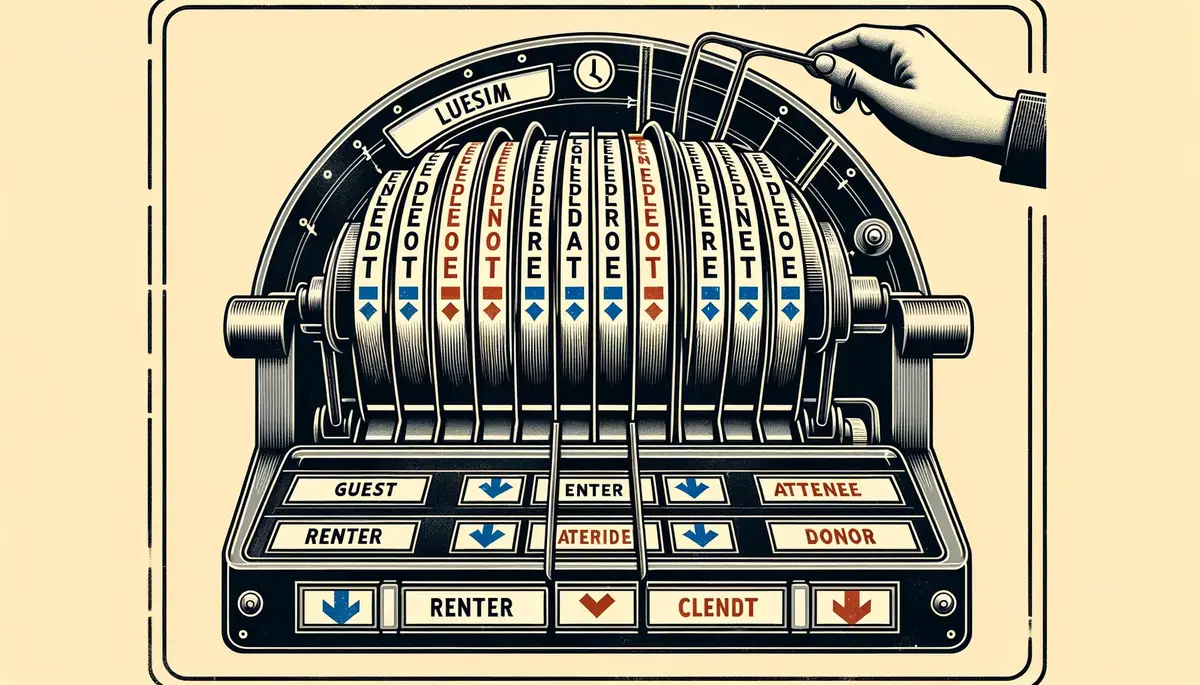
These aren't just display labels — they propagate through the entire system. When a safari lodge operator opens their booking list, the column header reflects their terminology. When a restaurant within your property books a new reservation, the date picker uses "Seating" and "Departure." When a spa manager views their calendar, the bars are labelled with "Treatment," not "Stay."
Portal-wide consistency
The label system touches every surface of the product:
Navigation menus. The sidebar adapts to your property type and services. A safari lodge sees "Lodges" and "Activities," not generic "Properties." You never have to mentally translate.
Forms and inputs. Creating a new booking? The fields are labelled correctly for your property type. No generic "property name" field when you're adding a safari camp. No mismatched vocabulary when booking a spa treatment.
Reports and dashboards. Your stats page shows "Reservations this month" if you're looking at your restaurant service, not "Bookings this month." Revenue breakdowns are labelled by property or service type, depending on what you actually manage.
Booking confirmations. When your guests receive communications, the language matches your operation. A lodge guest sees "your safari," not "your booking." A spa client sees "your treatment," not "your stay."
AI Flow conversations. Even the AI assistant adapts. Ask AI Flow about your bookings, and it responds using your property type's vocabulary. It knows you have "lodges," not "properties." It refers to your "activities," not generic "bookings." The consistency runs deep.
The engine underneath doesn't change
Here's what matters technically: the underlying data model is identical across all property types and services. A booking is a booking. A resource is a resource. A guest is a guest. The database schema, the business logic, the calendar algorithm, the invoicing engine — all the same.
This is why the system works without compromise. We're not maintaining separate products for each property type. We're running one platform with an adaptive presentation layer.
When we ship a new feature — say, a new calendar view or a better export tool — every property type gets it simultaneously. It's one product with one release cycle.
Extensible by design
The label system is architected to support new property types and services without rebuilding anything. Adding a new type means defining sixteen label translations and adding a new option to the signup flow. The rest of the platform adapts automatically.
This matters for a simple reason: property operations are more diverse than any category system can capture. A villa resort with a restaurant, spa, and activities programme has different vocabulary needs than a standalone guesthouse. The system is ready for all of them. And if none of the presets fit, you can configure every label yourself.
Why this matters for your business
Software that speaks your language is software your team actually uses correctly. When every label matches how you think about your operations, there's less training, fewer mistakes, and faster adoption.
It also makes a difference to your clients. When a booking confirmation lands in their inbox using the right terminology, it feels professional. It feels like the software was built for your industry — because, in every way that matters to the user, it was.
Pick your vertical
When you sign up for Airflow, the first question we ask is "what kind of property do you manage?" Your answer shapes everything that follows — and as you add services like restaurants, spas, or activities, the platform adapts to each one.
Get started — early access includes 3 months free and see the platform in your language from the first click. Or explore how it works to see the adaptive system in action before you commit.
One platform. Your property. Every service within it.