Put Your Place on the Trip: Itineraries Written by Hosts

For hosts whose place sits on a route worth travelling. You can write your own trip itinerary in Airflow, with your place on the route. It is checked, and once it is clear it joins the trip ideas on Airflow Stay, where a traveller can start their own plan from it.
The problem: travellers plan a route, not a bed
A small place is hard to find on its own. Somebody planning ten days away is not searching for your village. They are working out where to go first, how long to stay and what comes next. Your place only matters to them once it is part of that route.
You know the route better than any website does: where guests should go before they reach you and after, which place needs three nights and which needs one, and why.
That knowledge lives in emails. A guest asks what else to see, you write a long and useful reply, and it helps one person. Nobody who is still deciding reads it.
The solution: write the route once, as a trip
In your Airflow account the menu has a section called Guest travel planning. In it is My itineraries, next to links to Airflow Stay and Airflow Guest.
The editor is drawn like the finished trip, and every piece of text on it is the field you type in.
- The top of the page. A large picture with your title on it, the kind of trip, and a summary of what the trip is and who it suits.
- The route, numbered down the page. Each location has a place name, a country, a number of nights and your reason to stop there.
- A map for each location. Press Place the pin and drop a pin where the stop is. A Find box jumps the map to a named place, and you can drag the pin afterwards, so any place in the world can go on the route map.
- Pictures. Each place gets a picture from Airflow’s library of licensed destination photographs when one exists. You can use your own instead, for the top of the page and for each location, chosen from or uploaded to your media library.
An itinerary can have up to 12 locations. To publish one you need a title, a summary of a few sentences, at least two locations (each with a country and a reason), at least two nights in total, and your own place at one location.
Your place, shown first
An itinerary must include one of your own places. At the location where your listing is, you choose it under Where to stay here and see it as a card marked “Shown first”.
You can also tick which of that listing’s optional extras to show with the stop, at the price already on the listing.
Checked before anyone sees it
Press Check and publish. Every itinerary is checked before anyone else sees it, for three things: that it is a real route a traveller could follow, that it has no contact details or links, and that it makes no claims that cannot be true. The check takes a few seconds and is free.
Most itineraries are live as soon as the check finishes. One that needs a closer look is read by a person at Airflow first. Either way, we do not change your route; we may tidy the wording.
| What you see | What it means |
|---|---|
| Draft | You are still writing it. Nobody else can see it. |
| Being checked by Airflow | It needs a closer look before it is shown. |
| Live on Airflow Stay | It is in the trip library. |
| Withdrawn | You have taken it down. |
We email you when an itinerary goes live. If a person turns one down, the email gives the reason. A change to a live itinerary is checked when you save it and usually stays live, and you can withdraw one at any time.
What it adds for you
Once it is live, your itinerary joins the trip ideas in the trip library on Airflow Stay, credited to your place by its listing name. Trip ideas are already published there; Amboseli, the Mara and Lamu is one from the library.
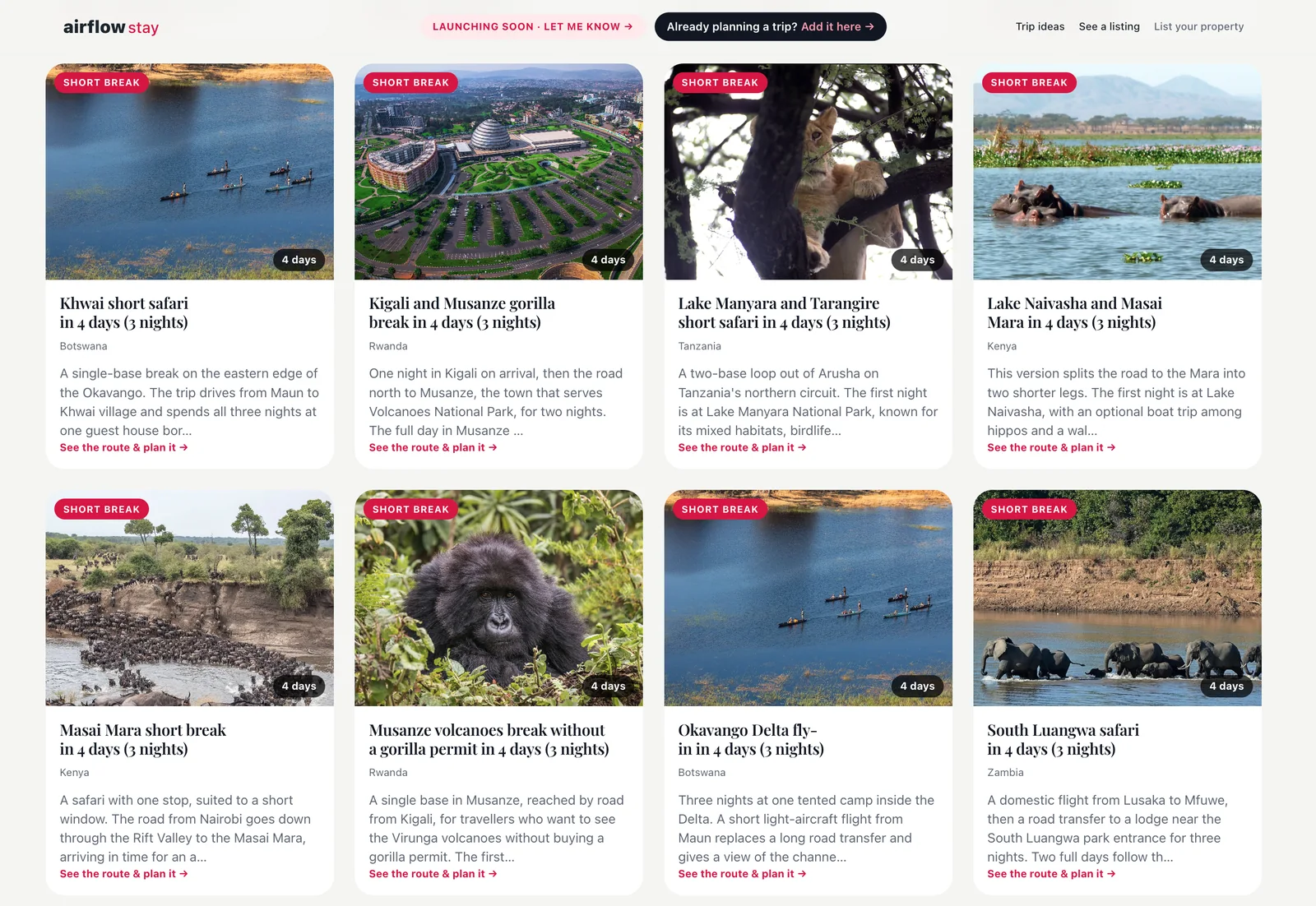
The trip ideas on Airflow Stay today. A live itinerary of yours joins them as a card like these.
- Your place sits inside a trip people actually plan. On your itinerary your listing will be shown first among the places to stay at its location, with the extras you chose. This happens automatically once the listing is itself published on Airflow Stay. Until then the itinerary can be live without the place showing.
- You can see whether it is used. Each itinerary is a card in your account with its picture, state, length, country and locations, a View on Airflow Stay link when it is live, and the number of travellers who have started a plan from it.
- It takes one sitting. You are writing down a route you already give guests by email.
Airflow Stay is launching soon and is not open for bookings yet. An itinerary puts your place inside a trip that people can read and plan from now. It is not a promise of bookings or of traffic.
What it adds for the traveller
A traveller usually starts with a blank page. A route written by someone who lives there is a better start, because every stop comes with a reason and a number of nights that somebody has thought about, and there is a real place to stay at the heart of it.
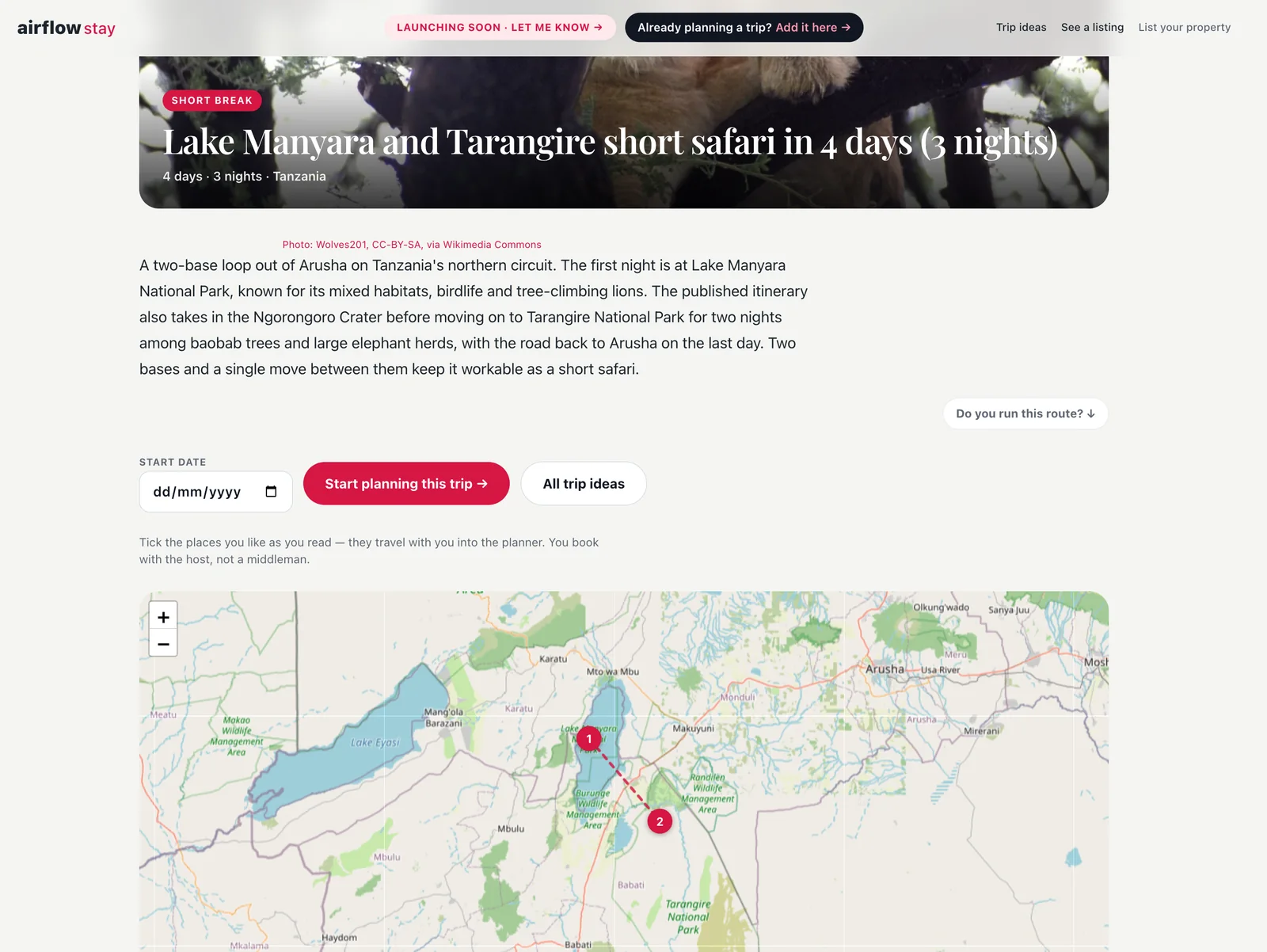
A trip page: the summary, the button that starts a plan from it, and the route on the map. The pins you place are the ones a traveller sees here.
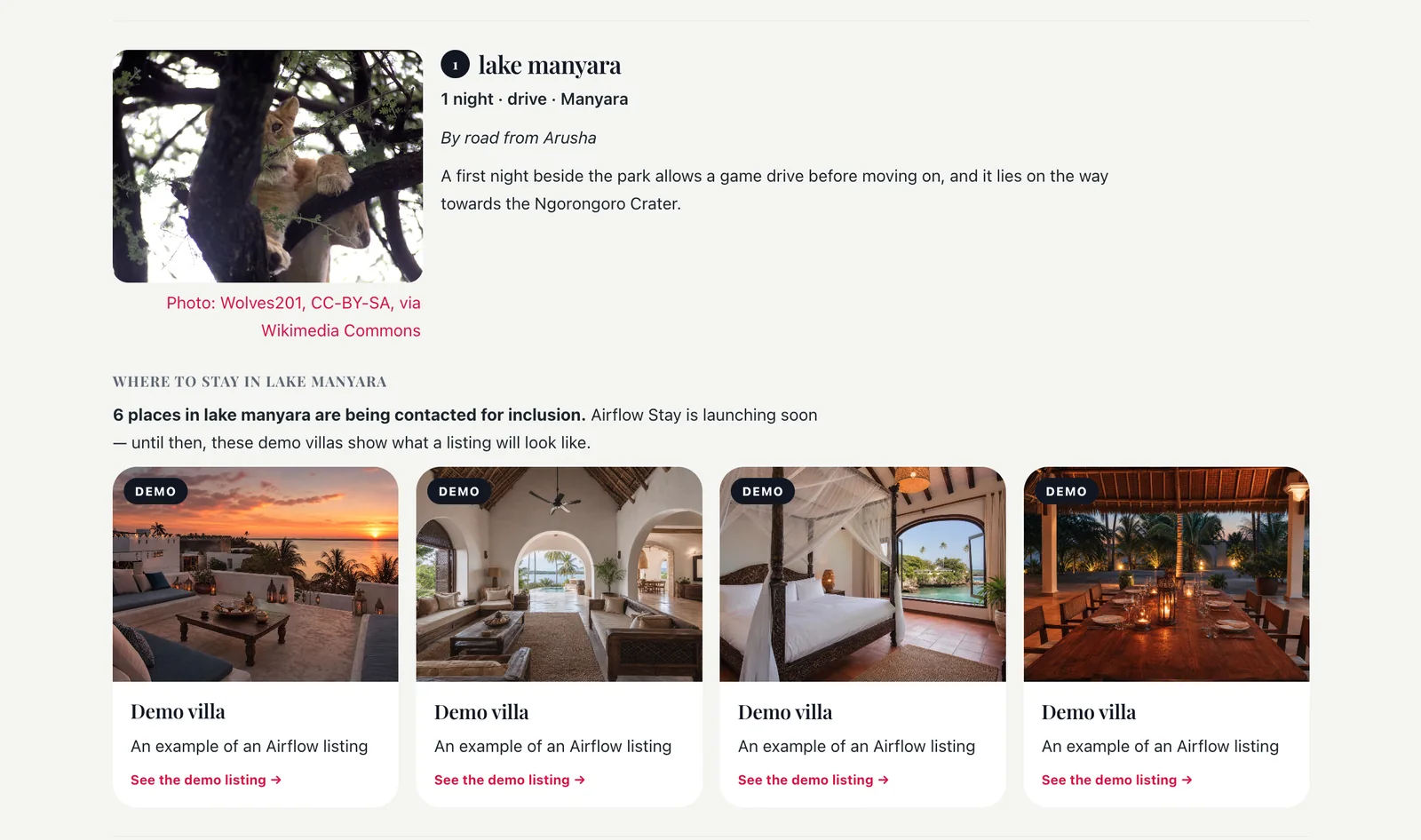
One stop, with the places to stay there. Until Airflow Stay launches these are demo listings that show what a listing will look like. On your itinerary, your place will be the first card at its location once your listing is published.
They do not have to follow it. A traveller can start their own plan from a trip idea: the locations are laid into their plan on Airflow Guest as a starting route, and they can change any of it.
Which plans include it
Adding or changing itineraries is part of every paid plan, and the number you can keep grows with the plan. On the Free plan you can see how it works, with an example card. If you already have itineraries, they stay, and you can withdraw or delete them. The plans are on the pricing page.
How to start
Open your Airflow account, go to Guest travel planning, then My itineraries. The host itineraries page sets out each step, and the short version is in How do I get my place into the trips travellers plan?. For why trips lead travellers to places like yours, read Travellers Find You While They Plan, Not After They Search.
Not on Airflow yet? Get started.